Your last invoice was short. Not by a rounding error either, by enough hours that you sat there trying to rebuild a week from memory and still came up short. You know you worked those hours. You remember the bug that ate your Tuesday afternoon, the two hours between opening the IDE and looking up to find it was already dark out. You just don't have anything on paper that proves it, because the second you actually started working, starting a timer was the last thing on your mind.
You've probably already tried to fix this. A basic timer app you kept forgetting to click. Whatever timesheet came bundled with your invoicing tool. Maybe you even logged hours inside Jira for a week before the rest of the team quietly gave up on it. None of that failed because you're bad at tracking time. It failed because every one of those tools asks you to remember something, and the moment you're deep in a stack trace, remembering is the first thing to go.
That's the actual test I ran every tool on this list through, whether it survives three days of you completely forgetting it's running. I used all seven while working, and I'm telling you upfront that they don't all deserve the same recommendation.
What follows isn't one winner. It's seven tools, sorted by who each one is actually built for, so you can find the one that matches your week, start using it, and get back to work.
What makes the best time tracking software for developers?
Here's the lens I ran every tool through, because it's the same one you should use once you start clicking around these sites yourself.
- Does it survive a context switch? You bounce between the IDE, a browser tab, a meeting, and a pull request review a dozen times before lunch. A tool that needs a manual timer press loses that fight by day three, and that's the one criterion that decides whether you're still using it in a month.
- Real integration, not a generic API. A VS Code or JetBrains plugin. A tie to your Git commits. A direct link to GitHub or Jira.
- Personal tool or monitoring tool? Screenshots and keystroke logs read as surveillance the second you notice them, and the second you notice them is the day you uninstall it.
- How far it takes your tracked time. Some tools stop at a timesheet, and you still have to turn it into an invoice by hand. Others build the invoice or the client report for you. That gap is worth real money by the end of the month.
- What it actually costs past one project. The homepage number is rarely the real one. Add a second client or a teammate and check the price again; that's the number that shows up on your card.
Keeping these five in mind, here's how the seven stack up.
The 7 best developer time tracking tools at a glance
| Tool | Best for | Standout feature | Pricing |
|---|---|---|---|
| Rize | Best overall for developers | AI focus coach and auto-built invoices, zero manual timers | From $9.99/mo (billed annually) |
| WakaTime | Best for granular coding data | 100+ editor plugins, split AI-written code from your own | From $8.25/mo (billed annually) |
| Timely | Best for managing a small team | GitHub-linked Memory tracker plus a People dashboard | From $9/user/mo (billed annually) |
| Toggl Track | Best for juggling a dozen tools | Start Timer button lives inside 100+ apps | Free, paid from $9/user/mo |
| Clockify | Best on a tight budget | Free Auto tracker included for up to 5 users | Free, paid from $5.49/seat/mo |
| Harvest | Best for invoicing clients directly | Retainer invoicing with Stripe and PayPal payments | Free, paid from $9/seat/mo |
| Everhour | Best for fixed project budgets | Budget alerts that auto-stop the timer at the limit | Free, paid from $8.50/seat/mo (5-seat min) |
Find your row, click through, and skip the rest. Or keep reading top to bottom. Either way, the sections below cover what actually surprised me while testing each one, the details that never made it onto a pricing page.
1. Rize — best overall time tracking software for developers
Best for any developer who wants a finished, categorized week without ever pressing play. Available on macOS and Windows.
Rize pros:
- Zero manual timers, ever
- No screenshots or keystroke logs
- AI focus coach and distraction blocker built in
- Builds the actual invoice, not just a timesheet
- Native Linear and ClickUp sync
Rize cons:
- No VS Code or JetBrains plugin
- No Linux build yet
- No mobile app
- Full feature set needs the Professional tier
I judge software by how fast I forget it exists. Four years into using Rize daily, I still open my laptop most mornings without thinking about it once, and that's rare enough that it's why Rize opens this list. It's also the rare tool that asks less of you the longer you use it, not more.
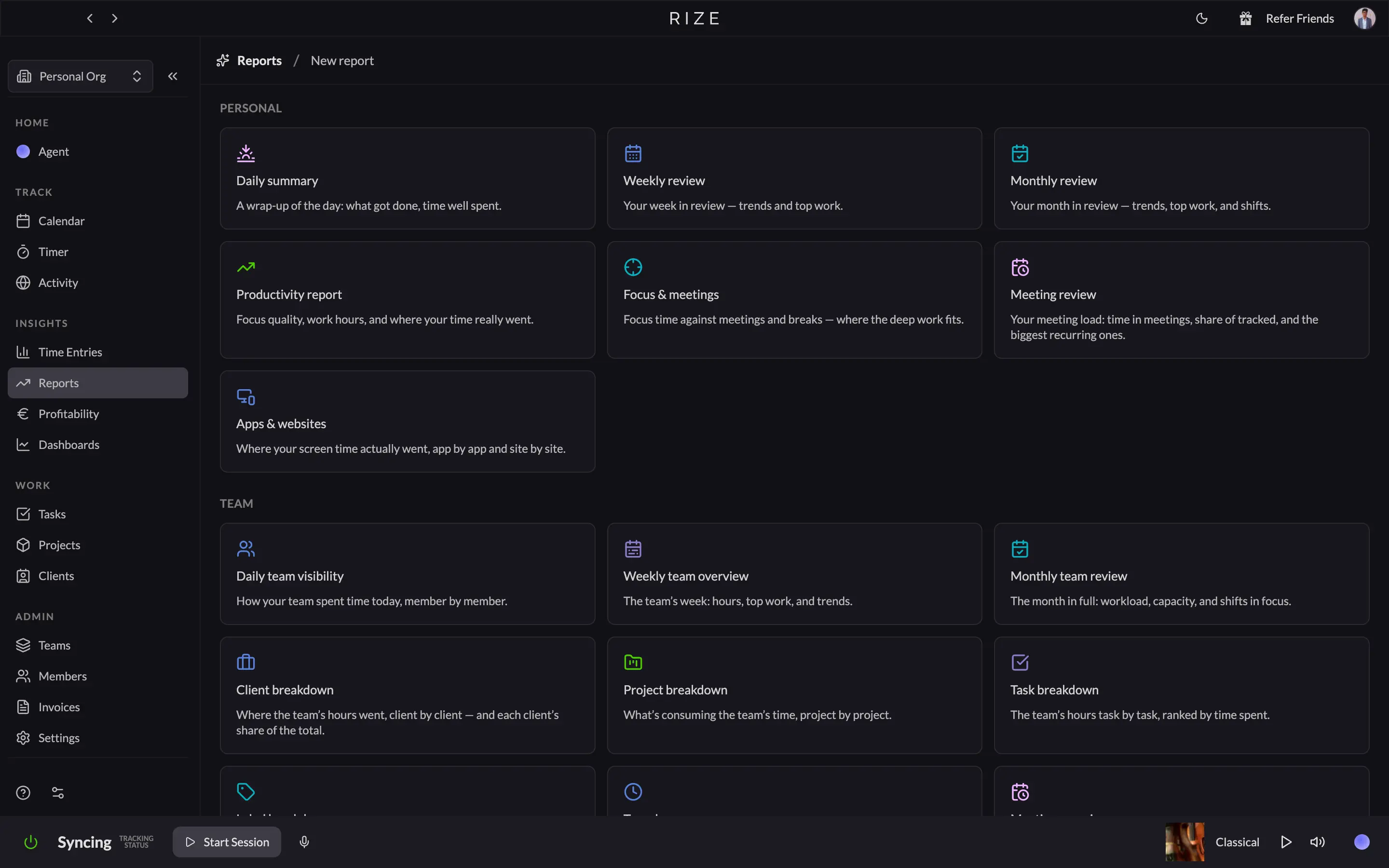
Here's the problem this solves directly. You open the IDE, chase a bug for two hours, and resurface with nothing logged and no way to reconstruct where that block of your invoice went. Rize doesn't need you to reconstruct anything. It watches whatever's in front of you: IDE, browser, terminal, Zoom, and builds the timeline itself. Click a pending entry in the review panel, and it breaks down exactly what fed it.
What separates Rize from a plain timer is that it doesn't stop at telling you where your time went. Turn on Automatic Focus Detection, and it scores your actual deep work, not just hours logged. Set a distraction threshold, and it blocks the site before you fall into it, with what Rize calls urge surfing, a ten-second delay that's annoying on purpose. Nothing else on this list tries to change how you work while it tracks it, and it does all this without a single screenshot or keystroke log, which is why I've never once felt watched by it.
I'll be honest about where it comes up short for this specific list. Rize has no dedicated VS Code or JetBrains plugin, so it won't tell you which file or branch actually ate your afternoon. It syncs with Linear and ClickUp and can spin up a Jira task from a stray entry, but there's no native GitHub link. If commit-level detail is what you actually need, WakaTime, next on this list, is built for exactly that and nothing else. Rize also has no Linux build yet and no mobile app, so if either is where you live, this isn't your tool.
That's why my answer to "which one should I actually pick" defaults to Rize. It's the only tool here that gets more useful the longer you use it instead of more annoying, it doesn't ask you to change how you work to fit it, and it closes the loop from tracked time to an actual invoice instead of a CSV you still have to clean up. Skip it only if you're on Linux or need commit-level detail. Everyone else should start here.
Rize pricing: Starts at $9.99/month (billed annually) for Basic, which includes automatic time tracking, AI categorization, and focus tools.
Stop starting timers
Try Rize free for 7 days. It logs your work automatically and tags each session to the right client, project, and task, with the description already written. No credit card required.
Start Free Trial2. WakaTime — best time tracking software for granular coding data
Best for developers who live inside one main editor and want a provable, file-level record. Available on macOS, Windows, and Linux.
WakaTime pros:
- Zero manual timers, fully automatic
- 100+ open source editor plugins
- Unlimited projects, even on the free plan
- AI vs human code breakdown
WakaTime cons:
- The free plan keeps only 1 week of history
- No focus coach or distraction blocker
- No official Jira integration, Git and GitHub only
- Invoicing and full history need the $14/month Premium plan
WakaTime was solving "I forgot to start the timer" before half the tools on this list existed, and it still does it the most literal way possible. It lives inside your editor as a plugin and logs a heartbeat every time you type or save.
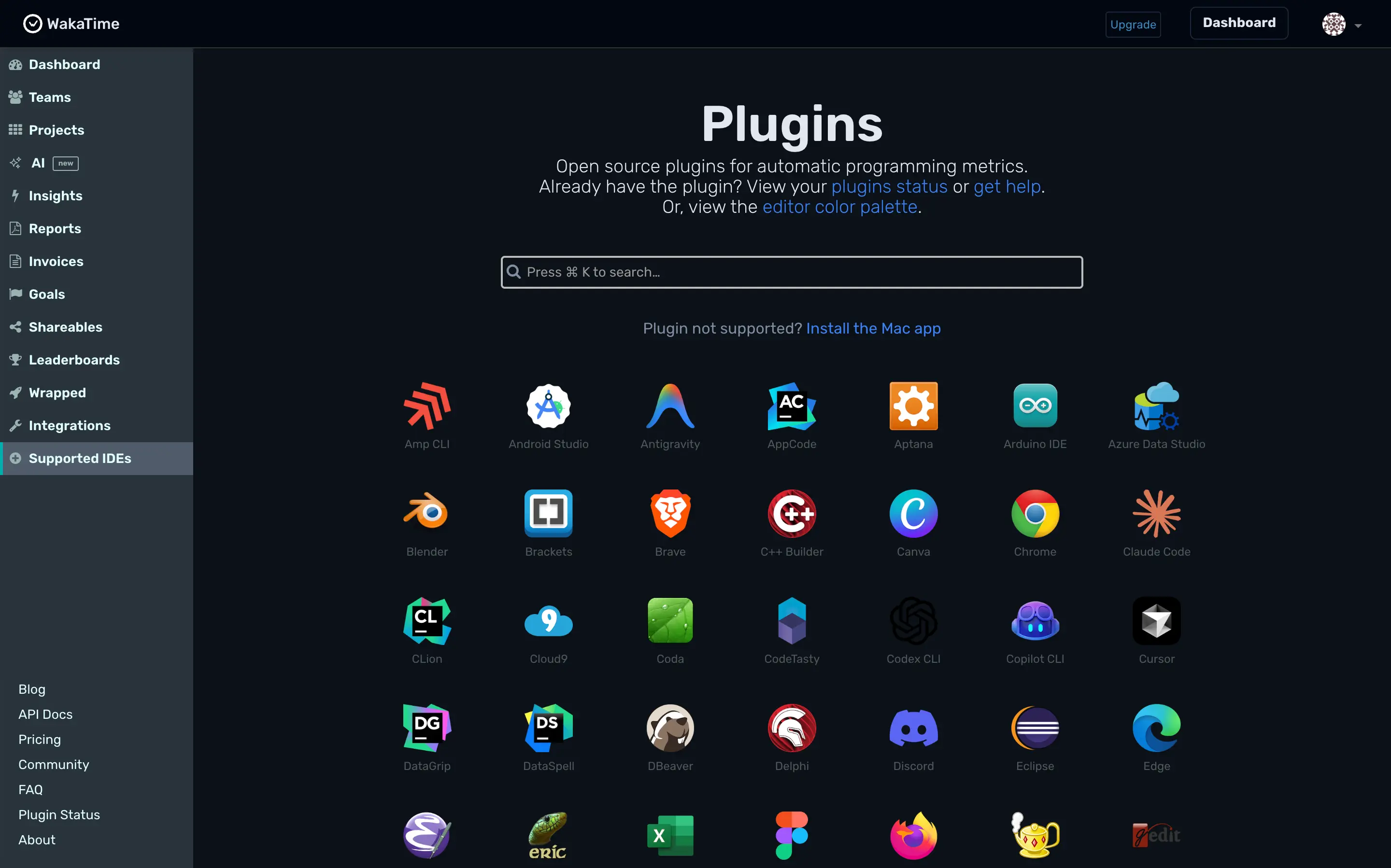
That heartbeat approach is only as good as its coverage, and coverage is where WakaTime pulls ahead of everything else on this list. There are over 100 open source plugins covering VS Code, every JetBrains IDE, Vim, Emacs, Sublime Text, Xcode, and a terminal client, plus browser extensions for Chrome, Firefox, Safari, and Brave. The twenty minutes you spend reading a GitHub issue get logged too, not just time inside a file.
Open the dashboard, and you get more raw detail than anything else here. A twenty-four-hour timeline shows exactly when you were coding today, and the panels next to it slice those same hours by project, language, and editor. It reads more like a personal analytics tool than a review inbox, which suits a developer who already enjoys digging through their own stats.
The newest addition is worth calling out by name. WakaTime now splits AI-generated code from what you actually typed, attributed to the specific model, Claude Code, Cursor, Copilot, Codex, and more. If a client ever asks how much of their codebase came from a prompt versus your own hands, this is the only tool on this list with an honest answer already sitting in the dashboard.
Pick WakaTime if you live inside one main editor most of the day and want a granular, provable record of exactly what you built and when. Skip it if your billable hours happen mostly in meetings, or if losing your history after a week isn't something you're willing to pay to fix.
WakaTime pricing: Starts at $8.25/month (billed annually) for Basic, which includes 2 weeks of dashboard history, daily coding reports, and basic integrations.
3. Timely — best time tracking software for developers who manage a small team
Best for a developer who subcontracts work out or runs point on a small team while still writing code. Available on Web, macOS, and Windows.
Timely pros:
- Passive Memory tracker, zero manual timers
- Real GitHub integration, not just an API
- People dashboard for managing a team
- Branded, shareable reports for clients
Timely cons:
- No VS Code or JetBrains plugin
- Tracked time sits as a draft until reviewed
- Built for team capacity, not solo tracking
- AutoSheet timesheets land the next morning, not live
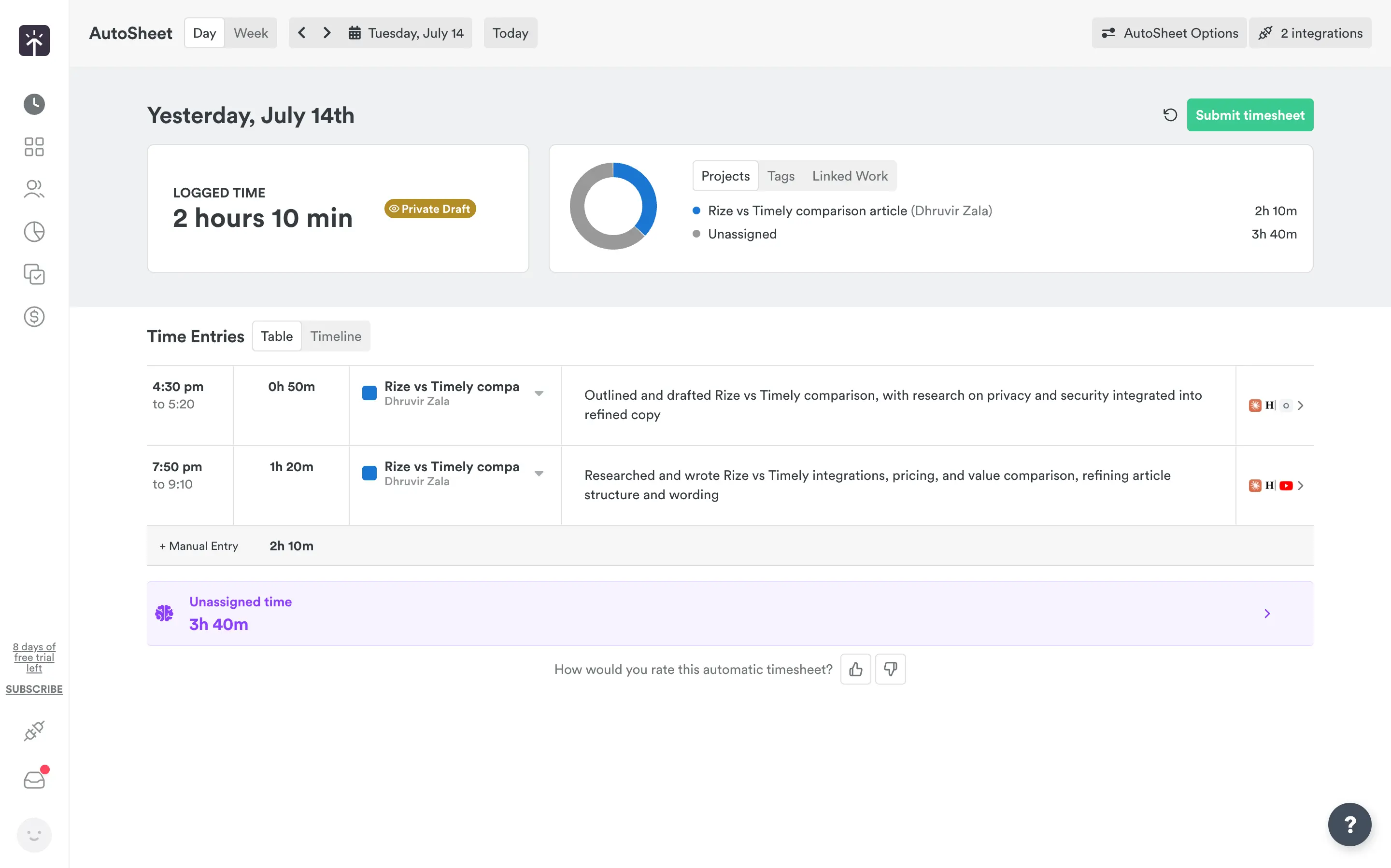
Timely looks like Rize at first glance. Install the Memory tracker, and it quietly logs every app, browser tab, and document in the background, the same passive capture Rize does. The difference shows up the next morning. Rize hands you a finished, categorized week. Timely hands you a pile of Memory entries tagged Private Draft, and it's on you to drag each one into a project and hit Submit timesheet before any of it counts as logged time. That one workflow choice tells you who Timely is built for, and it isn't a solo developer trying to get out of admin work.
Open the AutoSheet view on any given day, and you'll see exactly what I mean. Yesterday's activity comes through pre-sorted into projects, with a running Unassigned time bucket sitting below it, waiting for you to claim it. Today's activity won't be ready until tomorrow morning, when Timely emails it to you, unless you click Generate it now and pull an early draft. If your day bounces between an IDE, a browser tab, and a client call, the way most developer days do, that overnight lag means you're reconstructing yesterday from memory anyway, which is the exact problem a tracker is supposed to solve.
Where Timely earns real credit is GitHub. Connect it, and every pushed commit, pull request comment, and branch you create shows up on your Memory timeline, grouped into 20-minute blocks with commit details visible on hover. Open a file in VS Code or JetBrains without touching GitHub, and Timely just logs a generic block of IDE time, nothing more specific.
The feature that earns Timely a spot on this list is the People dashboard. Filter by Missing hours or Overtime, set a Notify group alert, and you get a real view into where a subcontractor's week went, not just your own. Pair that with the custom report builder, which filters by client, project, or tag and spits out a branded report you can hand straight to a client, and Timely stops being a personal timer and starts acting like the back office for a small dev shop.
If you're the only name on the invoice, the daily review step and the team dashboards are weight you're carrying for no reason, and Rize or WakaTime will serve you better. If you subcontract work out, or run point on a small team while still writing code yourself, Timely's mix of passive capture and team-level reporting is hard to beat. I go deeper on exactly where the two diverge in our full Rize vs Timely comparison.
Timely pricing: Starts at $9/user/month (billed annually) for Starter, which includes the Memory tracker, AI timesheets, and idle detection, capped at 5 users.
4. Toggl Track — best for developers who work across a dozen different tools
Best for developers who want a Start Timer button inside every tool they already use. Available on Web, macOS, Windows, iOS, and Android.
Toggl Track pros:
- The free plan is genuinely usable
- Useful reports for handing straight to a client
- Timer button lives inside GitHub, Jira, GitLab, Slack, and 100+ other tools
- Background Timeline catches what the manual timer misses
- Turns a report into a PDF invoice without leaving the tool
Toggl Track cons:
- Still a manual timer at its core, forget to press play, and that time is gone
- No native VS Code or JetBrains plugin
- Premium jumps to $18/month once the first-year discount ends
Toggl Track is the tool most of you have already tried, used for a week, and quietly abandoned back to guessing hours from memory. That's not really Toggl's fault. It's a manual timer at heart, and a timer only works if you treat it like one. What most people miss is everything built around it to cover the moments you forget, and that's the real reason it earns a spot on this list.
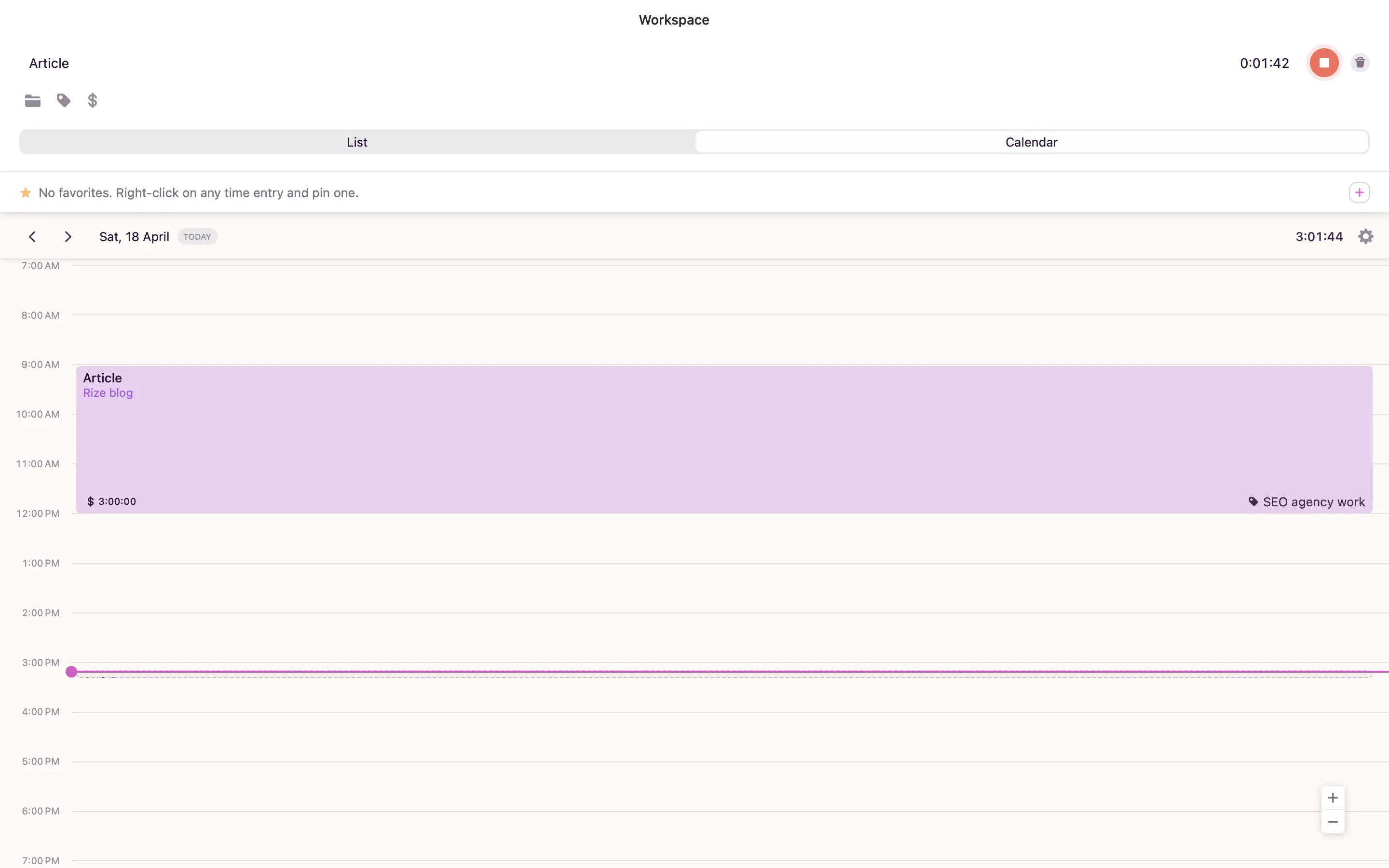
Open the calendar view, and you get one purple play button and a text field asking what you're working on, nothing more. What saves it is Timeline, a private activity log on the Mac and Windows apps that quietly tracks which app or site had your focus. Forget to hit play, and Timeline still remembers roughly where the time went. Click the block you want, and Copy as Time Entry turns it into a real one. Nothing logs itself automatically; you decide what counts.
The bigger win is the browser extension. Install it, and a Start Timer button shows up directly inside GitHub, GitLab, Jira, Notion, Trello, and a hundred other tools, so you can start tracking from the pull request you're already reviewing. It's the widest real integration list on this page.
Reports is where Toggl starts feeling like a tool built for people who bill clients. I ran this article through it while writing it, and it handed back exactly what I needed, plus one honest gap sitting without a project because I forgot to tag it. Even with the timer running, you can still misfile your own time. Toggl also puts an Invoices tab right in the sidebar: track the time, hit Create invoice from reports, and it becomes a PDF you can send. It won't replace Harvest for recurring billing, but it saves a solo freelancer a trip to another tool.
If Toggl doesn't rhyme well with your needs, I've laid out the automatic alternatives in our automated time tracking software roundup.
Toggl Track pricing: Free forever for up to 5 users, with unlimited projects and 100+ integrations. Starter runs $9/license/month (billed annually) and adds billable rates and project estimates.
5. Clockify — best time tracking software for developers on a budget
Best for developers whose bill is decided by seat count, not features. Available on Web, macOS, Windows, Linux, iOS, and Android.
Clockify pros:
- Free plan covers up to 5 users
- Standard plan undercuts every other tool's entry price
- GitHub, GitLab, and Jira integration through the browser extension
- Invoicing pulls tracked hours straight into line items
- Auto tracker is included even on the free plan
Clockify cons:
- Still a manual timer at its core
- No dedicated VS Code or JetBrains plugin
- Free plan reports cap out at 1 month
- Labor cost and profit views need the Pro tier
Every tool on this list gets more expensive the second you add a person. Clockify is the one built around that exact moment, and it charges less for doing it than anything else here, free plans included. If the criterion that actually decides your bill is what happens once you're past one project or one teammate, Clockify wins on arithmetic before it wins on features.
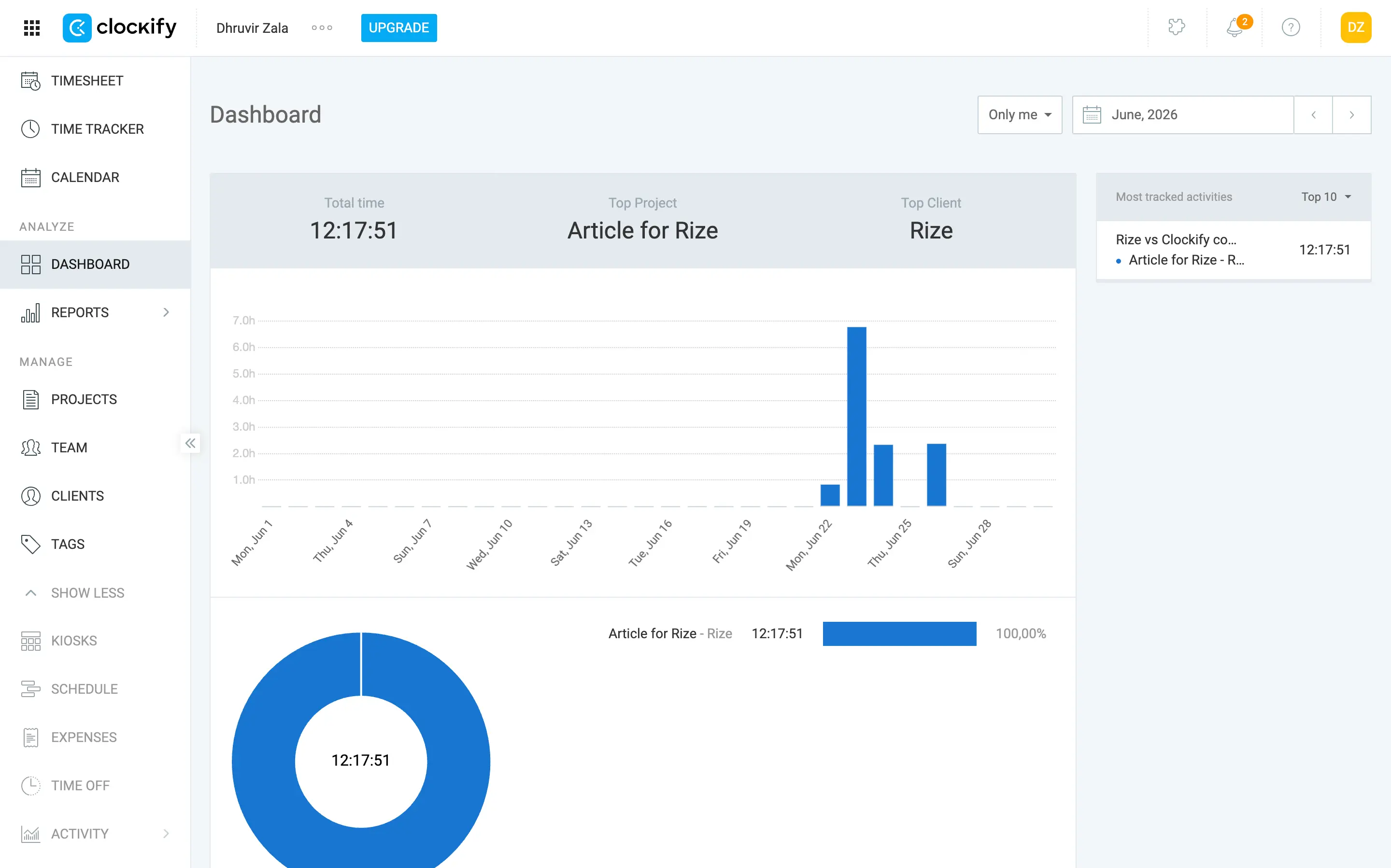
The free plan is not a stripped demo. Up to 5 people can track unlimited time, run reports, and use the Auto tracker, a background log of the apps and sites you had open, without paying anything. I turned it on next to the manual timer while writing this article, and it quietly built a second, private timeline I could check whenever a logged entry looked short.
The core timer is still manual, and idle detection cannot save you from yourself. I started a timer on a Thursday evening, got pulled into something else, and did not come back to it until four days later. Clockify logged the whole gap as one entry, 90 hours and 51 minutes, sitting in my timesheet like I had worked around the clock without sleeping. I must have clicked through the idle reminder without reading it, because nothing stopped the count. I deleted the entry and rebuilt that week from memory, which is the exact problem this whole list exists to solve.
Connect the browser extension, and a Start Timer button shows up inside GitHub, GitLab, Jira, and Azure DevOps, the same mechanism Toggl uses. There is no dedicated VS Code or JetBrains plugin here either, so neither tool tells you which file or branch actually ate your afternoon. If that level of detail matters more to you than price, WakaTime is still the one built for it.
If price is the deciding line on your shortlist, and you can live with a manual timer and no IDE plugin, Clockify is hard to argue with. If commit-level detail or a distraction blocker matters more than the invoice, Rize or WakaTime will serve you better for a few dollars more. I put the two head-to-head in our full Rize vs Clockify comparison.
Clockify pricing: Free forever for up to 5 users, with unlimited tracking and the Auto tracker included. Paid seats run $3.99 to $11.99/month (billed annually). Standard, the plan most developers actually need for invoicing and time off, comes in at $5.49/seat.
6. Harvest — best for developers who invoice clients directly
Best for developers whose real bottleneck is billing, not tracking. Available on Web, macOS, Windows, iOS, and Android.
Harvest pros:
- Recurring and retainer invoicing built in
- Online payment via Stripe and PayPal
- QuickBooks and Xero sync out of the box
- No screenshots, just idle detection
Harvest cons:
- Manual timer at its core, like Toggl and Clockify
- GitHub and Jira live behind a browser extension only
- Free plan caps out at 2 projects
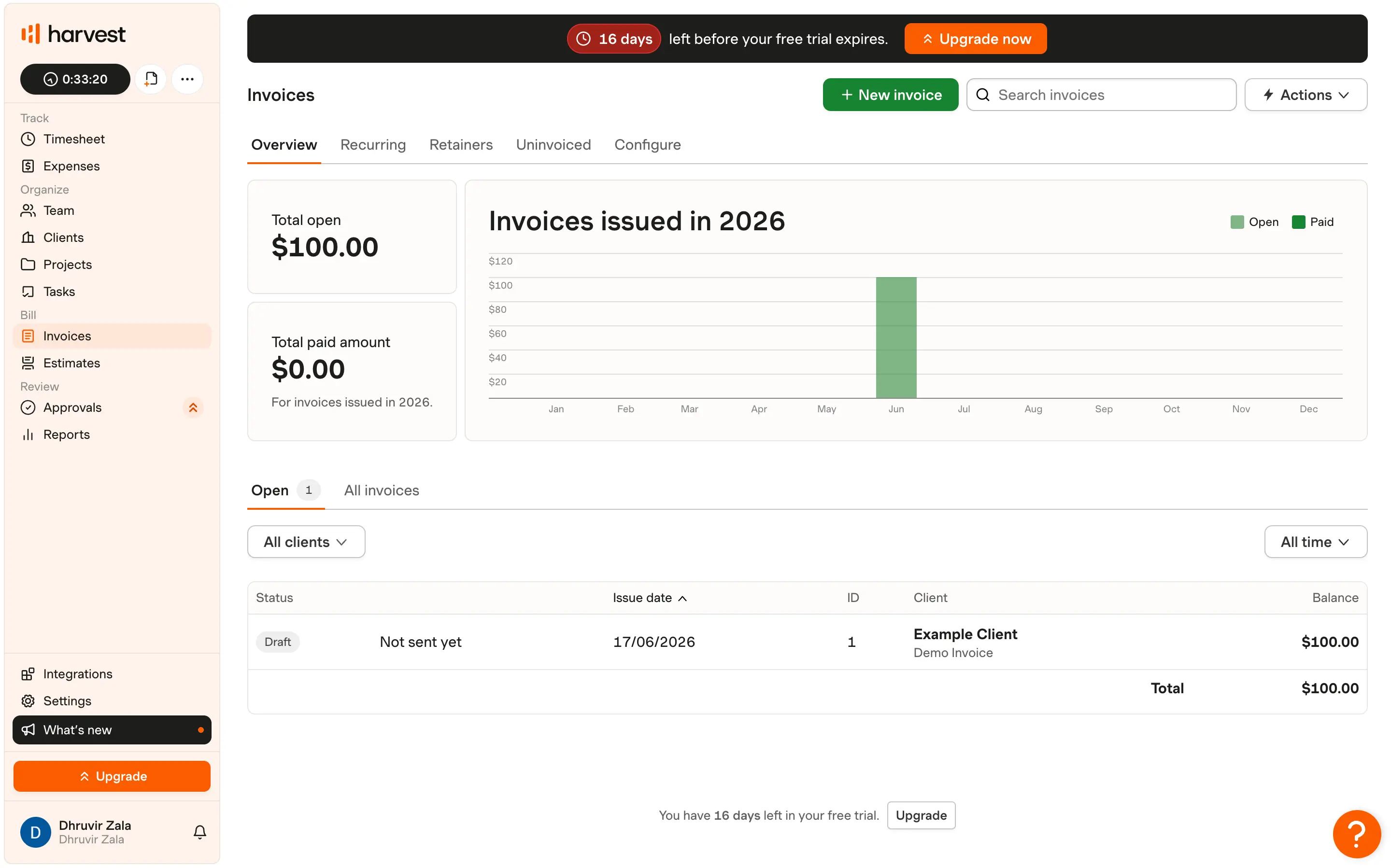
Open the sidebar and Harvest groups everything under four blunt labels: Track, Organize, Bill, Review. Invoices sit under Bill as their own top-level item, right next to Estimates, not buried under a Reports tab like on most of this list. That's the whole personality of the tool.
The timer itself is manual, same as Toggl and Clockify: drag a block in the calendar Timesheet, click it, and the clock starts. The Mac and Windows apps add idle detection, stricter than Clockify's version earlier on this list. Walk away with the timer running, and it interrupts you: keep the idle stretch, remove it, or split it into its own entry. The catch is that idle detection only lives on desktops.
Where Harvest separates itself is what happens after the hours land. Open Invoices and Overview shows total open and total paid next to a month-by-month bar chart of everything billed this year. I said earlier that Toggl's invoice feature won't replace Harvest for recurring billing, and this is why: Toggl turns a report into a one-time PDF, while Harvest holds an actual retainer balance, draws it down as you track against it, and regenerates next month's invoice on its own. Add Stripe and PayPal for online payment, plus a direct sync to QuickBooks or Xero, and Harvest closes a loop none of the other six tools attempt.
For a developer specifically, the integrations undersell themselves. GitHub and Jira both work through a browser extension that drops a Start Timer button onto an issue or pull request, the same mechanism as Toggl and Clockify. There's no VS Code or JetBrains plugin. The one surprise is hrvst-cli, a small command-line tool buried in Harvest's own integrations page that starts and stops timers without leaving the terminal.
The custom report builder earns its keep. Drag Client, Project, or Teammate into Fields to group by, add Hours or Billable amount as Metrics, and toggle Summary versus Detailed. It reads more like a spreadsheet than an export. Just know Free and Teams cap you at 4 saved reports, unlimited only on Enterprise. The free plan itself caps out fast too: 1 seat, 2 projects. Pick up a third client, and you're already paying, seat-based, even as a solo freelancer.
Pick Harvest if invoicing, not tracking, is your actual bottleneck, meaning you already know roughly where your hours go and just hate rebuilding the invoice every month. I go deeper into where Harvest and Rize diverge in our full Rize vs Harvest comparison.
Harvest pricing: Free forever for 1 user and 2 projects, with time tracking, invoicing, and expense tracking included. Teams starts at $9/seat/month (billed annually) and adds unlimited seats, team reporting, and accounting integrations.
7. Everhour — best for developers who bill against a fixed project budget
Best for developers who quote a fixed budget and need to catch an overage before it happens. Available on Web, macOS, iOS, and Android.
Everhour pros:
- Task estimates tie directly into GitHub, Jira, and Linear issues
- Automatic budget alerts, with an option to auto-stop the timer at the limit
- Custom report builder with 25+ columns to pick from
- Invoicing syncs straight to QuickBooks and Xero
Everhour cons:
- Still a manual timer at its core
- Paid plan has a 5-seat minimum, even if you're solo
- Free plan blocks every integration, GitHub and Jira included
Every tool above this one answers "where did my time go." Everhour is built to answer a sharper question: are you about to blow past what you quoted this client? Set an estimate on a task, connect it to a GitHub issue or a Jira ticket, and Everhour tracks the burn rate against that number, then emails you at 50 percent, 80 percent, or a threshold you set yourself. Push past the budget entirely, and you can have the timer auto-stop. Nothing else on this list ties an estimate that tightly to the actual work item, or catches the overage before it happens, instead of explaining it to you after the invoice is already wrong.
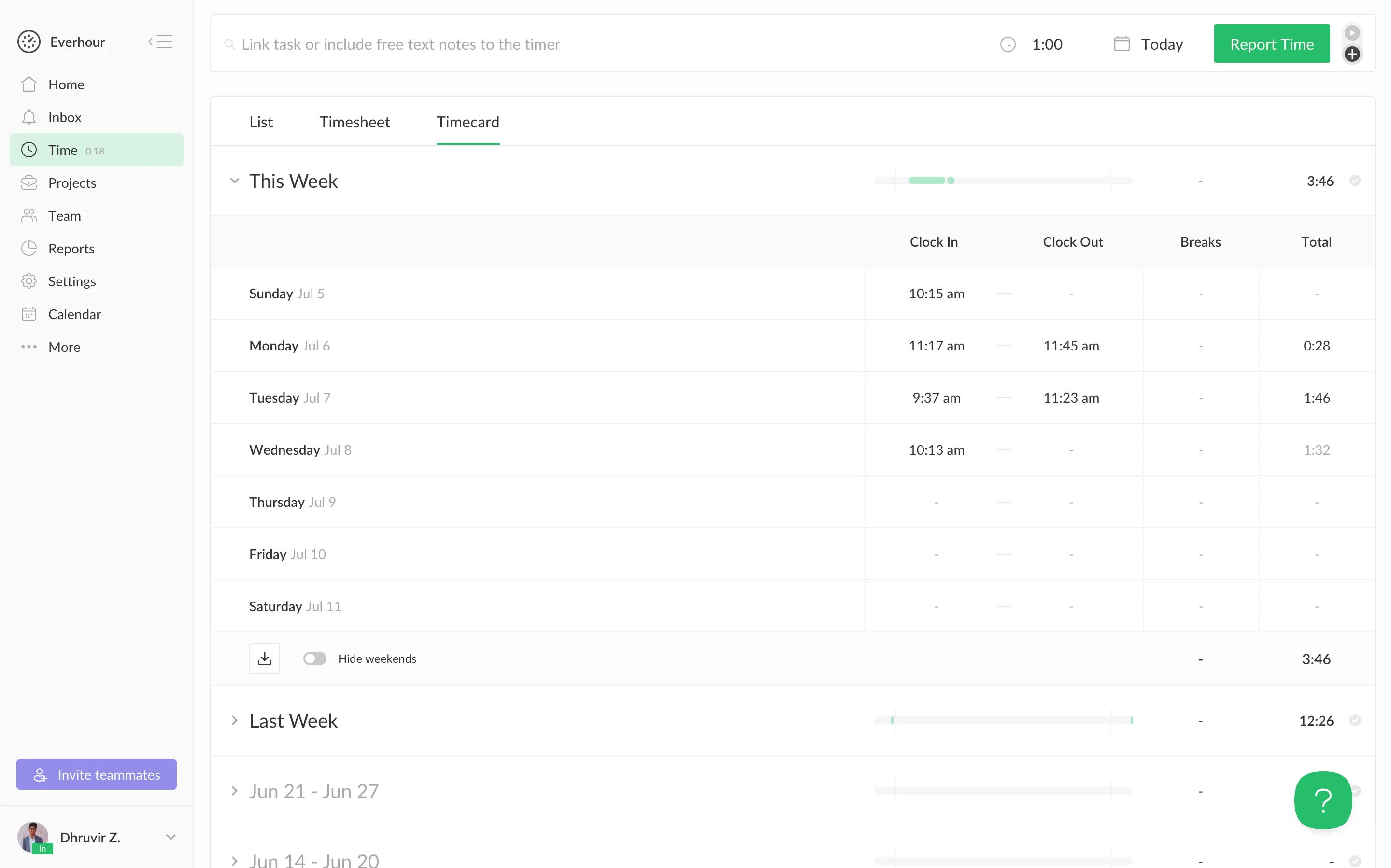
I tracked the writing of this section inside Everhour's own project view, and the setup held up. Four tasks (Research, Writing, On-page SEO, Editing and proofreading) each carried their own time column, tag, and due date, and the browser extension let me search for a task and start a timer from a small pop-up without opening the dashboard.
Connect GitHub or Jira, and the same controls are embedded right into the issue page. Jira in particular ships as a proper Atlassian Marketplace add-on rather than a browser hack, and it keeps issue titles and labels synced automatically. That's a tighter connection than Toggl or Clockify's browser-extension button, though it costs you the thing WakaTime gives away free: file or branch-level detail. Everhour tells you which issue ate your afternoon. It won't tell you which function inside it did.
Reports are where the "built for budgets" label earns itself. The report builder lets me choose from more than 25 columns, billing type, budget period, client, day of week, and build the exact breakdown a client would expect, then export or schedule it by email. Pair that with the invoice builder, pull tracked hours into line items, add your logo and terms, and send. It's a smaller, more deliberate version of what Harvest does with recurring billing.
I lay out the full comparison in our Rize vs Everhour breakdown.
Everhour pricing: Free forever for up to 5 users, with core time tracking but no integrations. Team costs $8.50/seat/month (billed annually), minimum 5 seats, and unlocks every integration, plus budgeting and invoicing.
How to choose the right time tracking tool for a developer
You don't need to reread seven sections to make this call. Here's the short version.
- Want commit-level detail on your code? WakaTime.
- Managing a subcontractor or small team? Timely.
- Living across a dozen tools and just need a Start Timer button everywhere? Toggl Track.
- Tight budget with more than one seat? Clockify.
- Invoicing is the real bottleneck, not tracking? Harvest.
- Billing against a fixed budget you can't blow past? Everhour.
For most of you, though, start with Rize. It's the only tool on this list that gets more useful the longer you use it instead of more annoying, it never asks you to remember it's running, and it turns tracked hours into an actual invoice instead of a CSV you still have to clean up yourself.
Start a free trial of Rize and stop rebuilding your week from memory.
Related Reading
See how Rize compares to the other trackers here: Rize vs Timely, Rize vs Clockify, Rize vs Harvest, and Rize vs Everhour. Other roundups in this series: Clockify alternatives, Harvest alternatives, and Hubstaff alternatives. Browse the full comparisons page for more.
Start tracking time automatically
Join thousands of professionals who stopped guessing where their time goes. Free for 7 days.
“Rize has been a no-brainer for me.” — Ali Abdaal Read more →