In July 2025, Bending Spoons bought Harvest and rebuilt its pricing around usage fees stacked on top of your seat cost, quietly moving some accounts onto Enterprise or Unlimited tiers along the way. You found out at renewal, not before.
If that's not you, you've probably got a different complaint, one that's been sitting there for years. Harvest still can't manage a project. There's no automatic time tracking. The Free plan caps at one seat and two projects, a demo suited up as a tier. The profitability report you actually want lives behind the $14 Enterprise plan.
Either way, you're likely holding onto Harvest for one real reason: switching costs time, not just money. Years of invoice templates, client reports, and integrations already wired up don't move themselves. That's a legitimate reason to hesitate, and it's exactly what this article is for.
Below are seven Harvest alternatives, each solving a different version of the problem above, so you find the one that fixes yours specifically instead of trading one headache for another.
What makes the best Harvest alternative?
The best Harvest alternative fixes the specific reason you're leaving: a bill that just tripled, or years of manually copying hours into a project board Harvest never gave you. Not every time tracker that costs less than Harvest belongs on this list. Cheaper isn't the bar.
Before you rebuild a decade of client data on a new platform, here's what I actually checked for:
- Pricing you can forecast a year out. No usage fee quietly stacked on top of the $9 to $14 a seat you're already paying Harvest. That's the exact math that just hit your inbox, and I wasn't about to recommend a tool that could do it to you again.
- Invoicing that doesn't add a step. Time and expenses need to flow straight into an invoice, just as Harvest already does. A tool that makes you retype hours is a step backward with a lower price tag.
- The same payment integrations. Stripe, QuickBooks, and Xero need to move money as well as they already do, so getting paid doesn't get harder just because the tool changed.
- Profitability reports that come with your plan. Not walled off behind Harvest's $14 a seat Enterprise tier.
- A real link to project management. So the hours you track and the work you manage live in fewer tools, not more, and not another paid add-on, the way Harvest sells Forecast.
Keeping all of this in mind, here's how the seven alternatives that made the cut stack up against each other, before we get into the details on each.
The best Harvest alternatives at a glance
If you only read this table and nothing else, here's the one-line version. Bill just tripled and you want the cheapest fix, go with Clockify. Sick of typing hours into a timer, go with Rize. Everything else on this page is the reasoning behind these seven rows.
| Tool | Best for | Standout feature | Pricing |
|---|---|---|---|
| Rize | Zero-touch time tracking | Never touch a timer, AI tags every session for you | $12.99 to $49.99/mo solo, $29.99 to $39.99/seat/mo team |
| Toggl Track | Clean, flexible tracking and reporting | 7 chart types, no fixed report templates | Free for 5 seats, $9 to $18/seat/mo |
| Clockify | Budget-conscious teams | Every paid tier costs less than Harvest's matching one | Free for 5 users, $3.99 to $11.99/seat/mo |
| Everhour | Teams that track time inside their PM tool | The timer button lives inside Asana, ClickUp, Jira, and Trello | Free for 5 users (no integrations), $8.50/seat/mo, 5-seat min |
| TimeCamp | Growing teams on the free plan | Automatic tracking assigns time to a project by keyword | Free unlimited users, $2.49 to $4.99/seat/mo |
| Hubstaff | GPS tracking and payroll on distributed teams | Geofenced job sites start and stop the timer for you | $4.99 to $12/seat/mo (Enterprise custom), no free plan |
| Paymo | Full project management, not just time tracking | Gantt charts, Kanban boards, and scheduling under one login | Free for 1 user, $5.9 to $16.9/user/mo |
Full breakdown for each one, including what I actually tested, starts below.
1. Rize — best Harvest alternative for zero-touch time tracking
Best for anyone who forgets to start a timer and wants a finished timesheet to approve instead. Available on macOS and Windows.
Rize pros:
- Fully automatic time tracking, zero timers
- AI auto-tags every session to the right client, project, and task
- Built-in AI focus coach and break reminders (Harvest has neither)
- Two-way sync with ClickUp and Linear
Rize cons:
- Team plans cost more per seat than Harvest, once profitability tracking is what you need
- No built-in payment collection on invoices yet
- No native Xero integration
- Desktop only, no mobile app
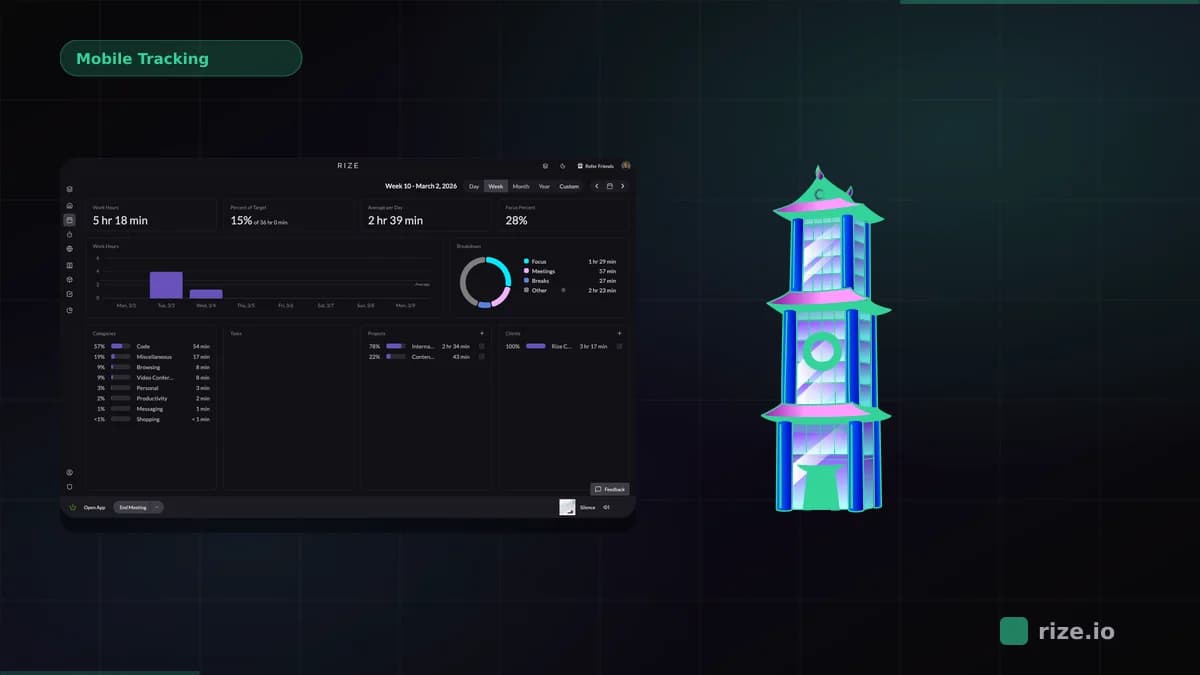
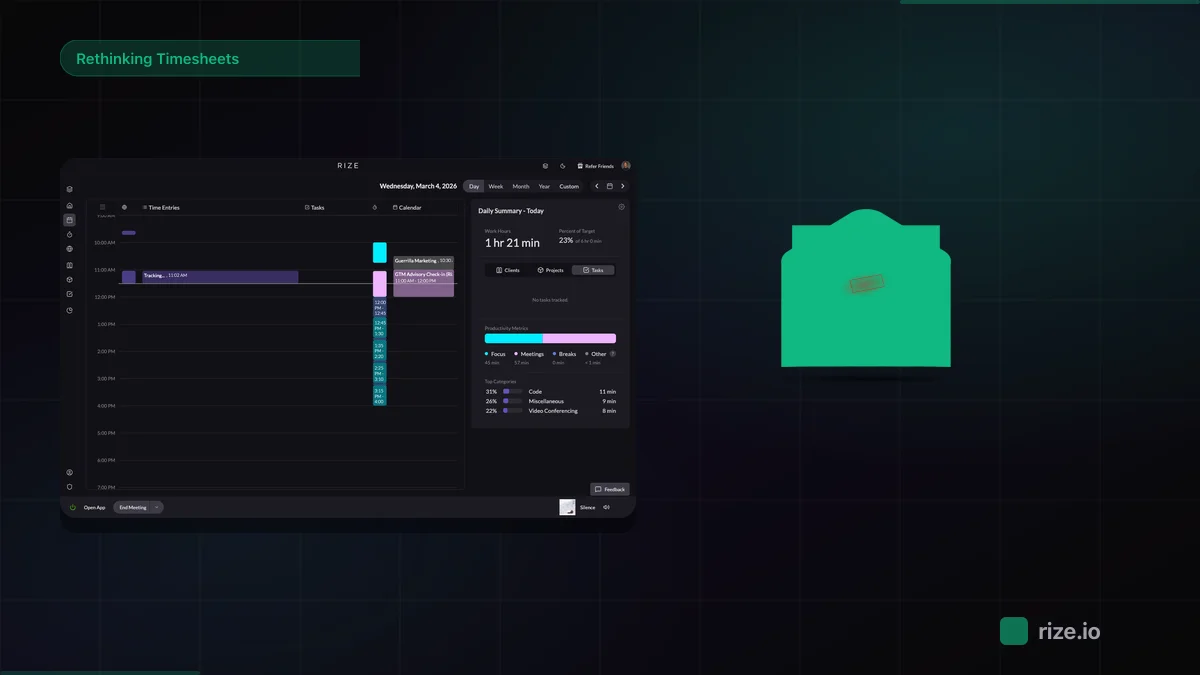
Rize is an automatic time tracker that captures every work session in the background and tags it to a client without a timer. I am, by nature, the worst person to trust with a manual timer. I forget to start it, forget to stop it, or start it against the wrong client entirely. Harvest is built on the assumption that you'll remember. Rize is the only tool on this list that doesn't ask you to.
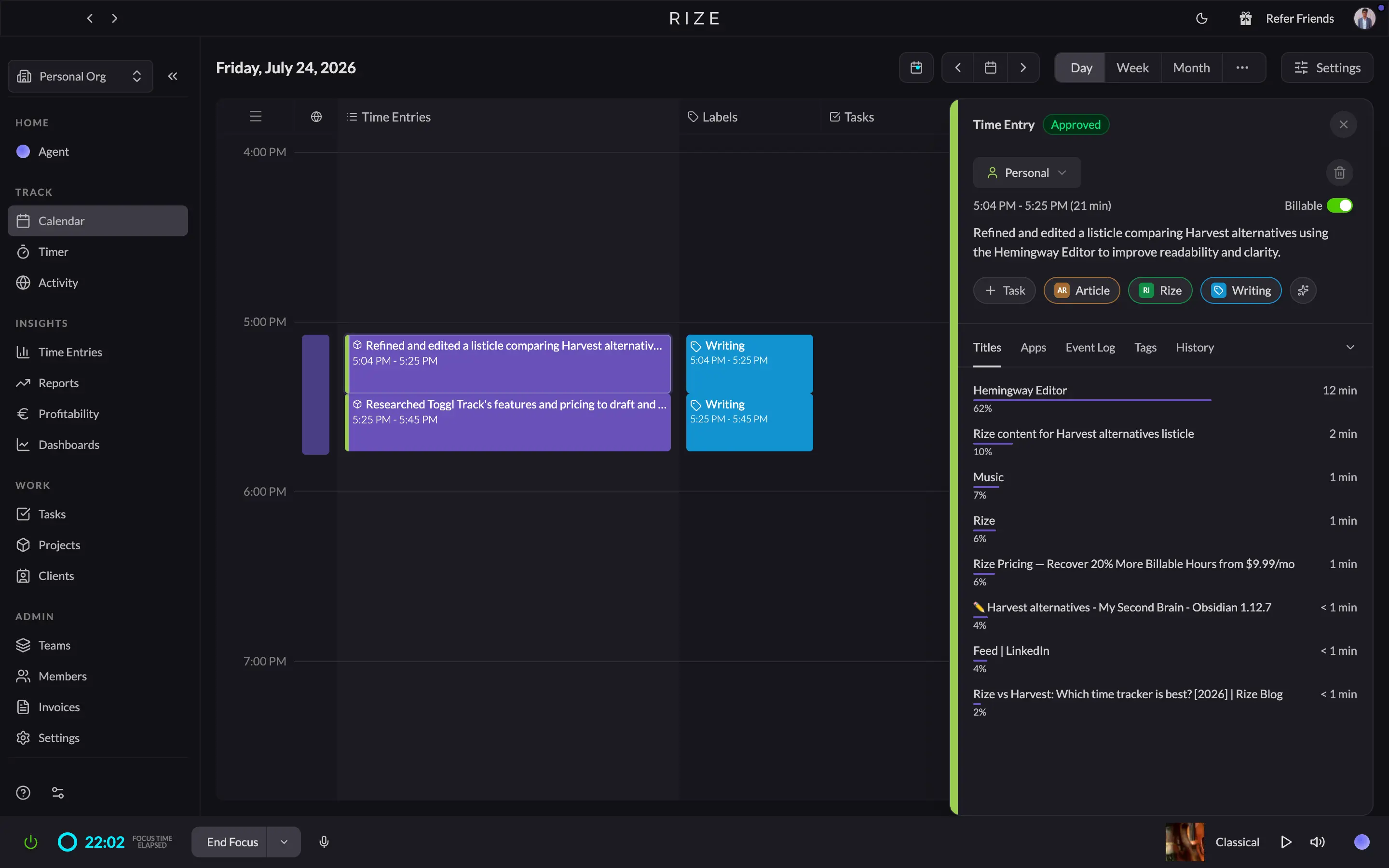
I've had Rize running on my machine every day since May 2022, and as I write this sentence, it's already logged it. There's a pending entry sitting in my Rize dashboard right now: 1:49 pm to 2:12 pm, tagged Article, Rize, Writing, with the description already drafted for me, "refined a comparison of Harvest alternatives." All I have to do is hit accept. That's the whole pitch in one screenshot.
On price, I won't pretend Rize wins cleanly. Harvest gates its profitability report behind the $14 a seat Enterprise plan. Rize includes profitability on its Team plan, but that plan runs $29.99 a seat billed annually ($39.99 monthly), more than double Harvest's tier. What Rize has going for it is that the hours feeding that report were never typed in by someone trying to remember what they did on Tuesday.
Harvest still won't manage a project for you, which is probably half the reason you clicked into this article. Rize won't either, to be fair. But it syncs both ways with ClickUp and Linear, and tracks directly against your Asana tasks, so the hours and the actual work sit next to each other instead of in two tabs you're reconciling by hand.
The one thing Harvest has no version of at all is the focus side. My own dashboard this week says my top interruptor was YouTube, 37 minutes I didn't plan on. Harvest would never know that. Rize just told me, unasked.
Now let me knock it down a peg, because it's earned. My Invoices tab inside Rize still says "no invoices yet." I track everything in Rize and can generate and send the invoice there now, but I still collect payment somewhere else — Rize records payments against an invoice but doesn't process card payments the way Harvest's Stripe integration does.
If your problem with Harvest is forgetting to start the timer, Rize fixes it completely, and you'll forget Rize is running too, in a good way. For the full side-by-side, read our complete Rize vs Harvest comparison.
Rize pricing: Individual plans run $12.99 to $49.99/month. Team plans run $29.99/seat/month billed annually or $39.99/seat/month billed monthly, with a 2-seat minimum, and include profitability tracking. Enterprise pricing is custom. Annual billing saves up to $120 per seat per year. Free 7-day trial, no credit card required.
Stop starting timers
Try Rize free for 7 days. It logs your work automatically and tags each session to the right client, project, and task, with the description already written. No credit card required.
Start Free Trial2. Toggl Track — best Harvest alternative for clean, flexible tracking and reporting
Best for teams whose complaint is Harvest's rigid reports and one-seat free plan, not invoicing convenience. Available on Web, Mac, Windows, iOS, and Android.
Toggl Track pros:
- Free plan covers 5 seats and unlimited projects
- Calendar view pulls your Google and Outlook events straight into time entries
- Desktop timeline auto-tracks app activity as a backup for missed timers
- Reports offer 7 chart types and up to 3 grouping levels, no fixed templates
- 100+ browser extension integrations put the timer inside tools like ClickUp and Asana
Toggl Track cons:
- Profitability reports are still locked behind the $14 to $18 a seat Premium plan
- No native Stripe integration, so clients still pay you somewhere else
- Xero only gets a browser extension timer, not a real accounting sync
- Timesheet approvals are Premium only, too, the same wall Harvest built
- Tasks are sub-projects for organizing hours, not a board you'd run a sprint from
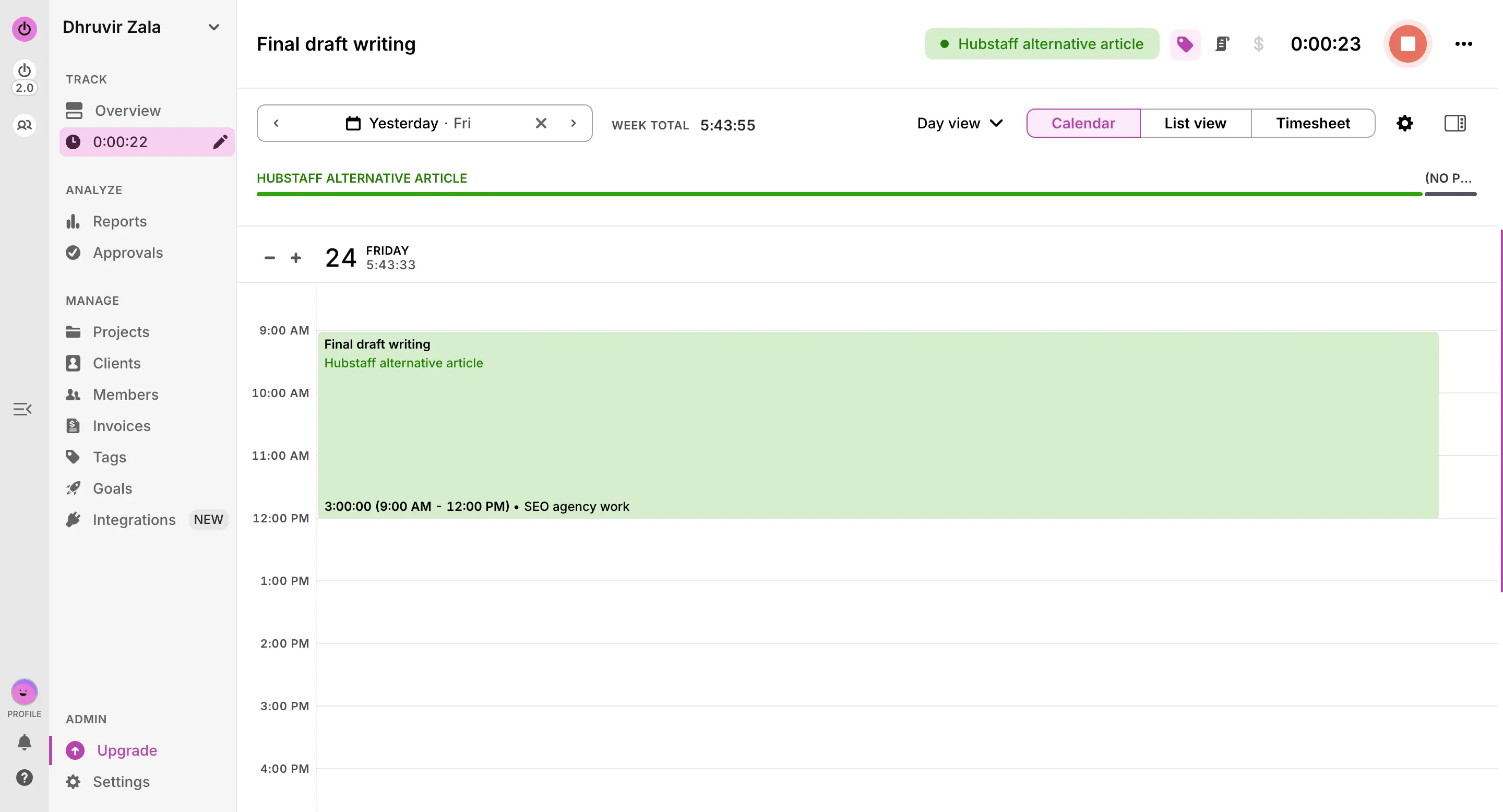
Harvest's free plan gives you one seat and two projects, a demo wearing a price tag of zero. Toggl Track's free plan gives you five seats and unlimited projects and clients, and it stays that way for as long as you use it. That single number is probably the fastest way to tell if Toggl solves your specific version of the Harvest problem.
The reports are where Toggl pulls ahead. My summary report broke the week into a duration-by-day chart and a project distribution donut automatically, and I could group it by task, tag, or team, or swap in a pivot table if a client needed one. Harvest hands you a fixed set of report types. Toggl lets you build the report around the question you're actually asking.
Here's where I have to be straight with you, though. Toggl's profitability report, the exact feature you're currently locked out of on Harvest's Enterprise plan, sits behind Toggl's own $14 a seat Premium tier, and that price renews at $18 after your first year. I opened Approvals on my own account and hit the same "Premium feature" wall that Harvest puts around timesheet approvals. Switching tools doesn't always mean switching away from the paywall. Sometimes it's the same wall with a different logo on it.
Invoicing is where Toggl is lighter than Harvest, and it's worth knowing before you commit. I built a clean PDF invoice off my own tracked hours without upgrading, and sending it straight to QuickBooks is available on the $9 Starter plan. But there's no native Stripe integration behind any tier, so your client still has to pay you outside the tool. Harvest's Stripe integration lets them pay from the invoice itself. If that convenience is why you kept renewing Harvest despite everything else, Toggl won't replace it.
If Harvest's flat tracking view and rigid reports are your real complaint, and invoicing convenience isn't, Toggl Track fixes that cleanly and throws in four more free seats while you figure out the rest. For a closer look at how Toggl compares against a fully automatic tracker, read our Rize vs Toggl for agencies comparison.
Toggl Track pricing: Free covers up to 5 seats with unlimited projects and clients. Starter runs $9/seat/month billed annually and adds billable rates, project estimates, and the QuickBooks integration. Premium runs $14/seat/month for your first year on annual billing, renewing at $18, and adds profitability reports, timesheet approvals, fixed fee projects, and SSO. Enterprise is custom-priced. A 30-day free trial of Premium is available, no credit card required.
3. Clockify — best Harvest alternative for budget-conscious teams
Best for teams leaving because of Harvest's usage fees who want flat per-seat pricing at every tier. Available on Web, Mac, Windows, Linux, iOS, and Android.
Clockify pros:
- Free plan covers 5 users and unlimited projects
- Every paid tier is priced below Harvest's matching tier, including the one with profitability reports
- Two-way Xero sync updates the payment status back into Clockify automatically
- Kiosk mode clocks a shared device in and out with a PIN or QR code
- Built-in attendance and overtime reporting
Clockify cons:
- No native Stripe integration, so clients still pay you somewhere else
- Invoicing sits behind the $5.49 a seat Standard plan, not included on Free or Basic
- No native project management, the same gap Harvest never filled
Harvest's new problem, for a lot of you, is a usage fee stacked on top of your seat price. Clockify's whole pricing model is built to avoid exactly that. Every tier, from Basic at $3.99 a seat up to Enterprise at $11.99, is a flat number with nothing tacked on for how much anyone tracks.
Free is the clearest version of that gap. Harvest calls one seat and two projects a free plan. Clockify's free plan covers 5 users and unlimited projects, with reports and the auto tracker included.
That same gap holds up once you reach the report you're currently locked out of. Harvest gates profitability behind its $14 a seat Enterprise plan. Clockify's version of that, labor cost and profit reporting, sits on the $7.99 a seat Pro plan instead. Same category of report, close to half the price to unlock it.
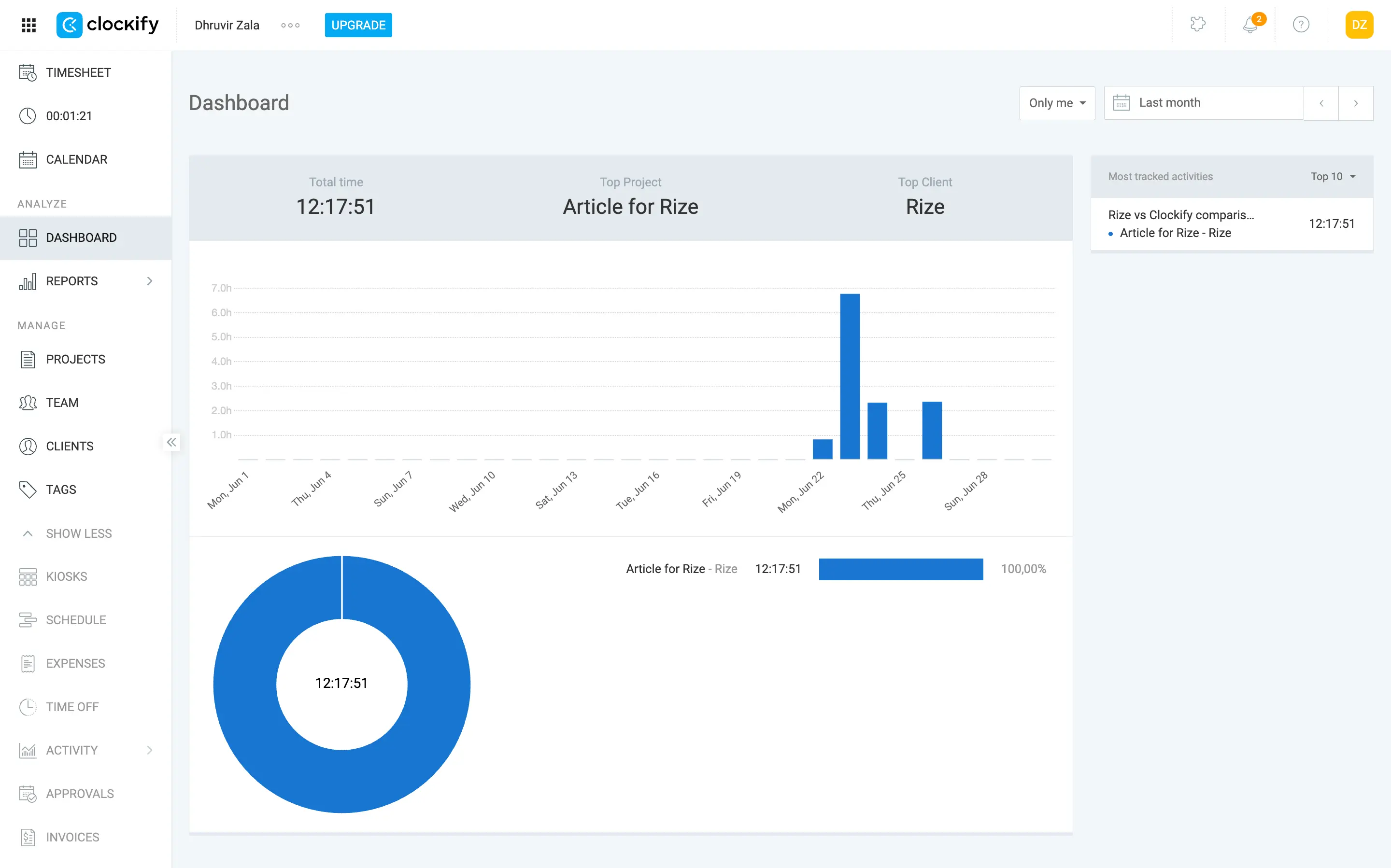
I ran Clockify's Auto Tracker for about a week while researching this piece, and it does what it says: it quietly logs every app and site in the background, and you approve entries into your timesheet afterward.
Where Clockify does something Harvest simply has no version of is the Kiosk. Set up a shared tablet or desktop, and your team clocks in and out with a PIN or a QR code, no individual login required per person. If you run a studio or a field crew where people share a device, that's a real gap Harvest leaves wide open.
If Harvest's usage fees are the reason you're reading this, Clockify's flat per-seat pricing at every tier fixes that directly. Just know you're trading Harvest's built-in Stripe payments for a lower bill, so if getting paid straight from the invoice is what's kept you loyal this whole time, that part of Harvest is hard to walk away from. For a closer look at how it stacks up against a fully automatic tracker, read our Rize vs Clockify comparison.
Clockify pricing: Free covers up to 5 users. Paid plans range from $3.99 to $11.99 per seat/month billed annually (up to $14.99 monthly), depending on how much invoicing, reporting, and admin control you need. Free 7-day trial of Pro, no credit card required.
4. Everhour — best Harvest alternative for teams who track time inside their PM tool
Best for teams already living in Asana, ClickUp, Jira, or Trello who want the timer on the task itself. Available on Web, Mac, iOS, and Android.
Everhour pros:
- Timer buttons embed directly inside Asana, ClickUp, Jira, Trello, Linear, and Monday.com
- Native Xero and QuickBooks sync moves real accounting data
- Custom report builder with 25 selectable columns
- Every paid feature lives on one $8.50 a seat plan
Everhour cons:
- Free plan blocks every integration, the exact reason most people consider Everhour in the first place
- Team plan has a 5-seat minimum, so solo consultants pay for seats nobody's using
- No native Stripe integration, so clients still pay you somewhere else
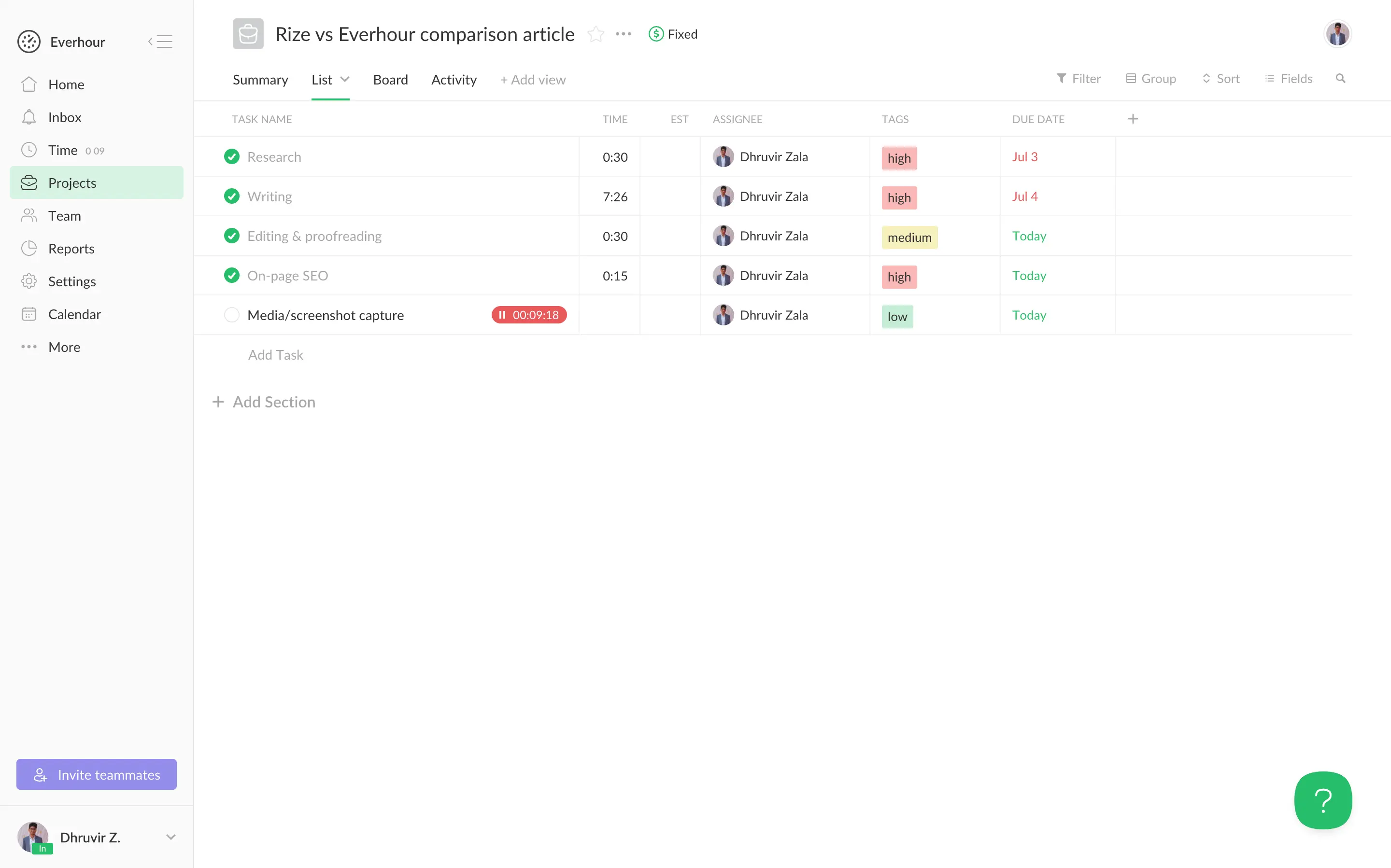
Everhour embeds a timer button inside the task itself, in Asana, ClickUp, Jira, Trello, Linear, and Monday.com, so the hours land where the work already happens instead of in a third tab you have to remember exists.
Reporting is where Everhour earns its keep. Harvest hands you a fixed set of report types and locks profitability behind its $14 a seat Enterprise plan. Everhour's report builder lets me add any of 25 available columns, things like budget period, billing type, and client, not just the handful Harvest gives you by default. Everhour's own profitability numbers sit on the $8.50 a seat Team plan, cheaper than the tier Harvest makes you climb to for the same report.
Invoicing is a mixed bag. I built a test invoice off tracked hours in a few clicks, and the totals synced cleanly through a native Xero and QuickBooks connection. What that invoice screen doesn't have is a way for my client to actually pay from it. No Stripe, no payment button, just a "Thank you for your business" note and a PDF. Harvest's clients pay straight from the invoice. Everhour doesn't.
Here's the part that'll decide this for a lot of you. Everhour's free plan caps at 5 users and blocks every integration, meaning the feature you came here for isn't available until you pay. And once you pay, the Team plan has a 5-seat minimum. A solo consultant leaving Harvest pays for 5 seats at $42.50 a month, whether four of them sit empty or not.
If Harvest's disconnect from your project management tool is what's pushing you out the door, Everhour fixes that directly, with the timer sitting on the actual task inside Asana, ClickUp, Jira, or Trello. Just budget for 5 seats from day one, even if it's only you using them. For a closer look at how a fully automatic tracker stacks up against Everhour's embedded timers, read our Rize vs Everhour comparison.
Everhour pricing: Free covers up to 5 users. Team runs $8.50/seat/month billed annually ($10 monthly), 5-seat minimum, and unlocks every integration, budgeting, invoicing, and profitability report. Custom pricing is available for 50+ seats. 14-day free trial of all features, no credit card required.
5. TimeCamp — best Harvest alternative for growing teams on the free plan
Best for teams that hit Harvest's one-seat free plan and want keyword-based automatic tracking. Available on Web, Mac, Windows, Linux, iOS, and Android.
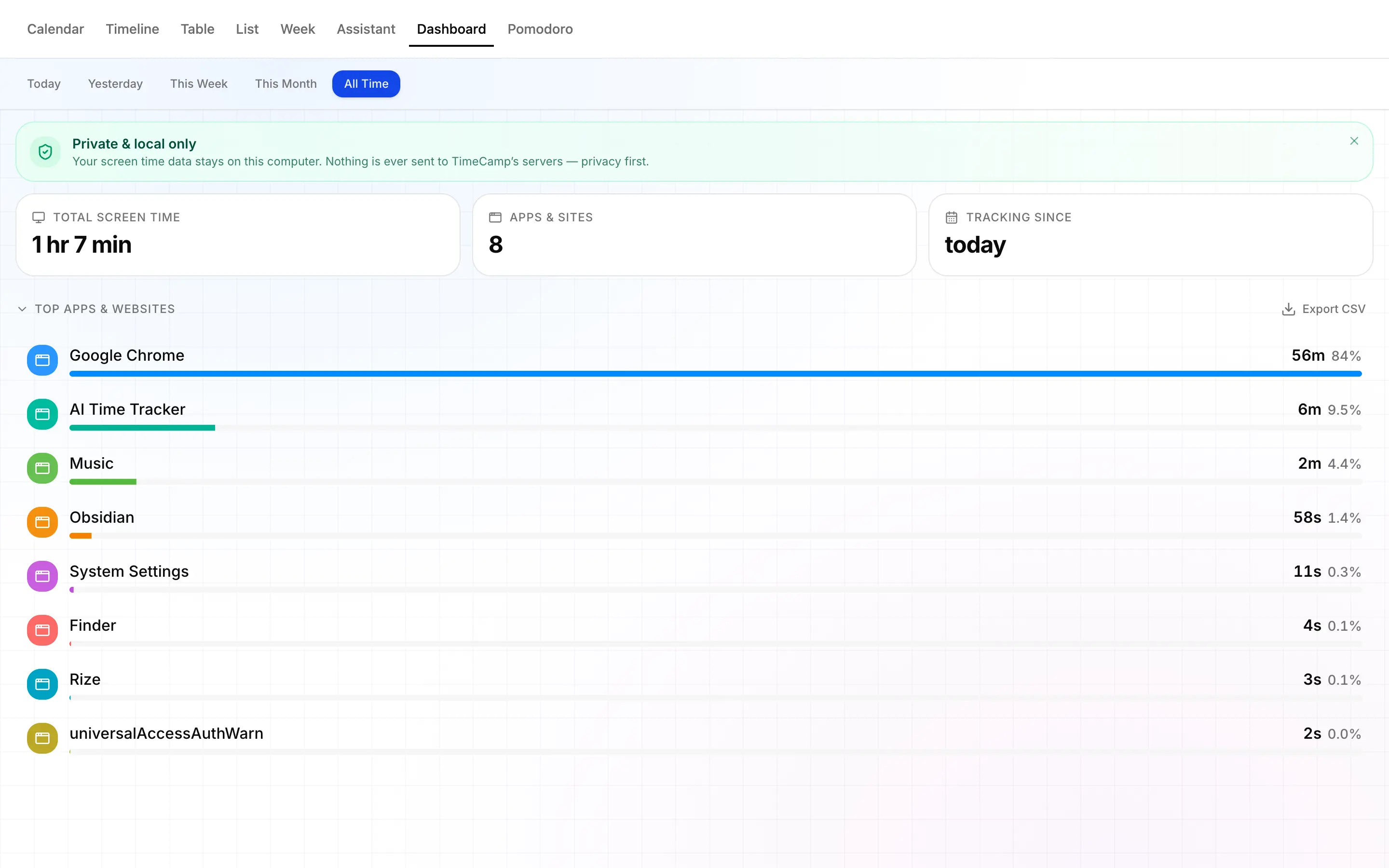
TimeCamp pros:
- Free plan is unlimited users and projects, no seat cap like Harvest's
- Automatic app and website tracking assigns time by keyword
- Invoicing connects to Xero, QuickBooks, and PayPal, so clients can pay from the bill itself
- 10+ reports, including a pivot table, deeper than Harvest's fixed set
TimeCamp cons:
- Automatic tracking sits behind the $4.99/seat Premium plan, not Free or Starter
- Profitability reporting is its own paywall, behind the $6.99/seat Ultimate plan
- Premium includes one integration only; unlimited integrations need Ultimate
Harvest asks you to remember. Start the timer, stop it, or type in your hours later and hope you got it right. TimeCamp's desktop app just runs, matches whatever app or site you're in against keywords you've assigned to a project, and logs the time on its own.
Where TimeCamp beats Harvest is the free plan. Harvest calls one seat and two projects a free tier. TimeCamp has unlimited seats and unlimited projects, permanently, with timesheets and two-factor authentication included. If price was never your issue and the seat cap was, that gap alone is worth a look.
Invoicing earns real credit here. I built a test invoice off an old task named "Clockify alternatives," and TimeCamp priced it automatically at $137 an hour for 1 hour 35 minutes, no retyping, grouped however I wanted, by task, project, tag, or a mix of those. Because it connects to Xero, QuickBooks, and PayPal, your client can pay straight from that invoice, the same convenience that Harvest's Stripe gives you, and most other alternatives here still lack.
Here's the catch for this exact use case. The automatic tracking, the whole reason to pick TimeCamp, isn't available on Free or Starter. You need Premium at $4.99 a seat before the desktop app tracks more than a basic clock. And the profitability report Harvest locks behind Enterprise has a TimeCamp version, labor costs, locked behind Ultimate at $6.99. Cheaper wall, still a wall.
If Harvest's manual timer is what's pushing you out, and you don't mind setting up keywords once per project, TimeCamp fixes that specifically, with a genuinely unlimited free plan to test it on.
TimeCamp pricing: Free covers unlimited users and projects. Paid plans range from $2.49 to $4.99 per seat/month billed annually (up to $6.99 monthly), depending on how much automatic tracking, invoicing, and reporting you need. Enterprise is custom-priced. 14-day free trial on every plan, no credit card required.
6. Hubstaff — best Harvest alternative for GPS tracking and payroll on distributed teams
Best for agencies managing field crews or contractors who need location proof and payouts, not just invoices. Available on Web, Mac, Windows, Linux, iOS, and Android.
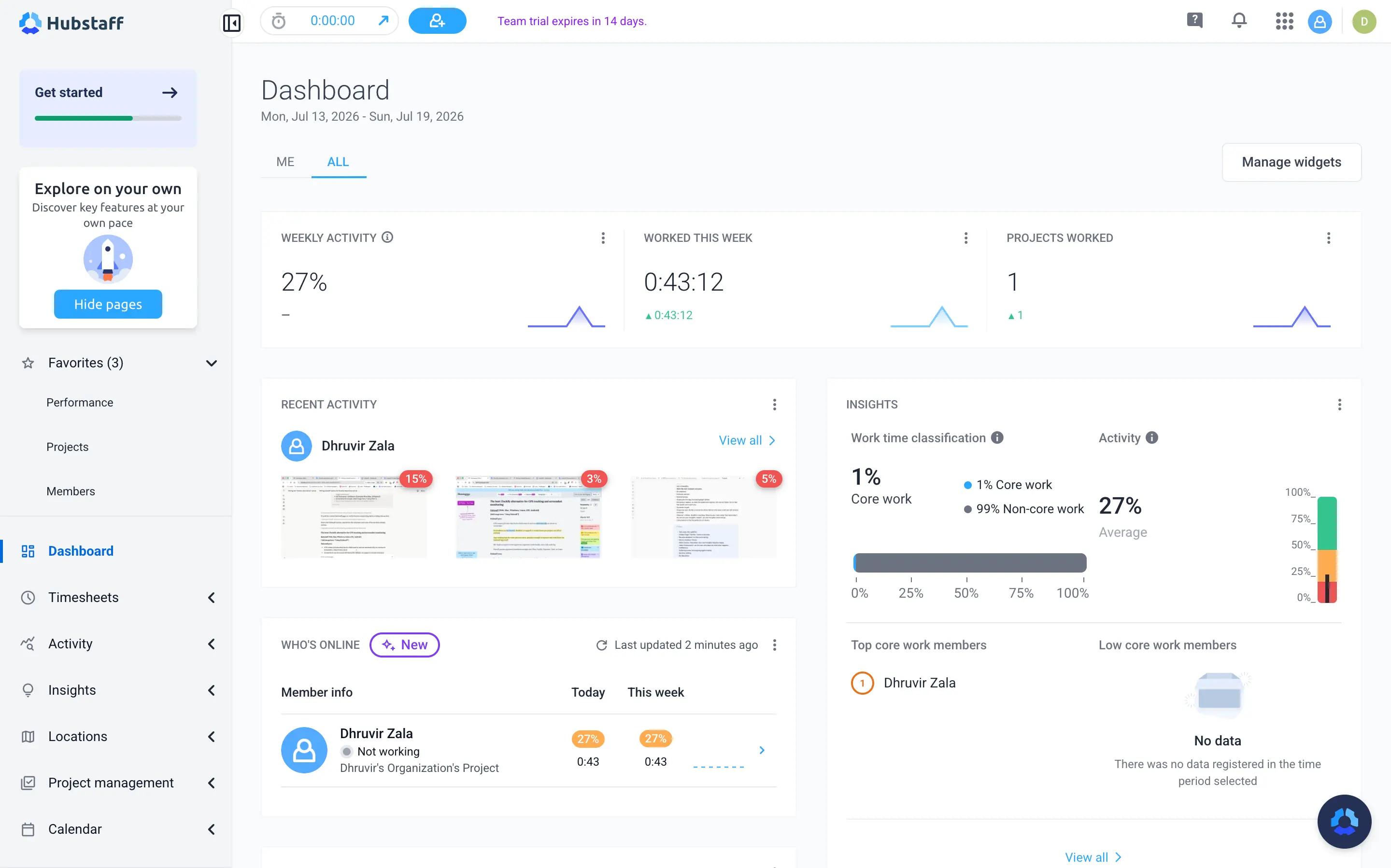
Hubstaff pros:
- GPS tracking and geofenced job sites clock a crew in and out automatically
- Payroll runs straight off approved timesheets through Wise, PayPal, Payoneer, and Gusto
- HIPAA and SOC 2 compliance built in for regulated industries
Hubstaff cons:
- GPS and geofencing require a paid Locations add-on, even on Team
- Screenshots and activity scoring change the working relationship
Hubstaff is not a neutral swap for Harvest. Harvest tracks time on trust. Hubstaff tracks time on proof, with screenshots, activity levels, and GPS baked into how it works. If you're here purely because Harvest's bill tripled, Hubstaff solves a different problem than the one that sent you looking, and it comes with a monitoring layer you didn't ask for. If you manage contractors, field crews, or an outsourced team that you genuinely need to verify, keep reading.
Where Hubstaff actually earns its place on this list is GPS. I set up a single geofenced job site around a client address and watched the timer start the second my phone crossed into the radius, then stop the moment I left. Harvest has no version of this. Its mobile app tracks time, full stop. If you run a field crew or a team that works on-site, that alone closes a gap Harvest was never built to close.
The other real difference is payroll. Harvest invoices a client. Hubstaff pays your people. Approve a timesheet, and it can trigger an actual payout through Wise, PayPal, Payoneer, or Gusto, in the contractor's local currency. If you manage five VAs in three countries, that's a genuinely different job than what Harvest was ever trying to do, and it's why agencies running distributed teams look at Hubstaff instead of bolting a payroll tool onto Harvest.
Here's the catch. The GPS tracking, which is the reason you'd consider Hubstaff, sits behind a paid Locations add-on, another $4 a seat, and you can't buy it until you're on the $10 Team plan. Only Enterprise includes it for free. If you're leaving Harvest because fees kept stacking on top of your seat price, look closely here, too. Hubstaff's add-ons work the same way.
Screenshots and activity levels are the other honest tradeoff. Hubstaff measures mouse and keyboard activity and can snap optional screenshots on a schedule. It doesn't log keystrokes, but it does change how your team experiences being tracked, and that's worth sitting with before you switch, not after. For a closer look at how our privacy-first automatic tracker stacks up against Hubstaff's monitoring approach, read our Rize vs Hubstaff comparison.
Hubstaff pricing: $4.99 to $10/seat/month billed annually ($7 to $12 monthly), depending on the plan, with Enterprise custom-priced. No free plan, just a 14-day free trial with every feature unlocked. Heads up: GPS tracking, the main reason to consider Hubstaff, isn't included until you add the Locations add-on on top of the Team plan or above.
7. Paymo — best Harvest alternative for full project management, not just time tracking
Best for teams replacing both Harvest and a separate project management tool with one login. Available on Web, Mac, Windows, Linux, iOS, and Android.
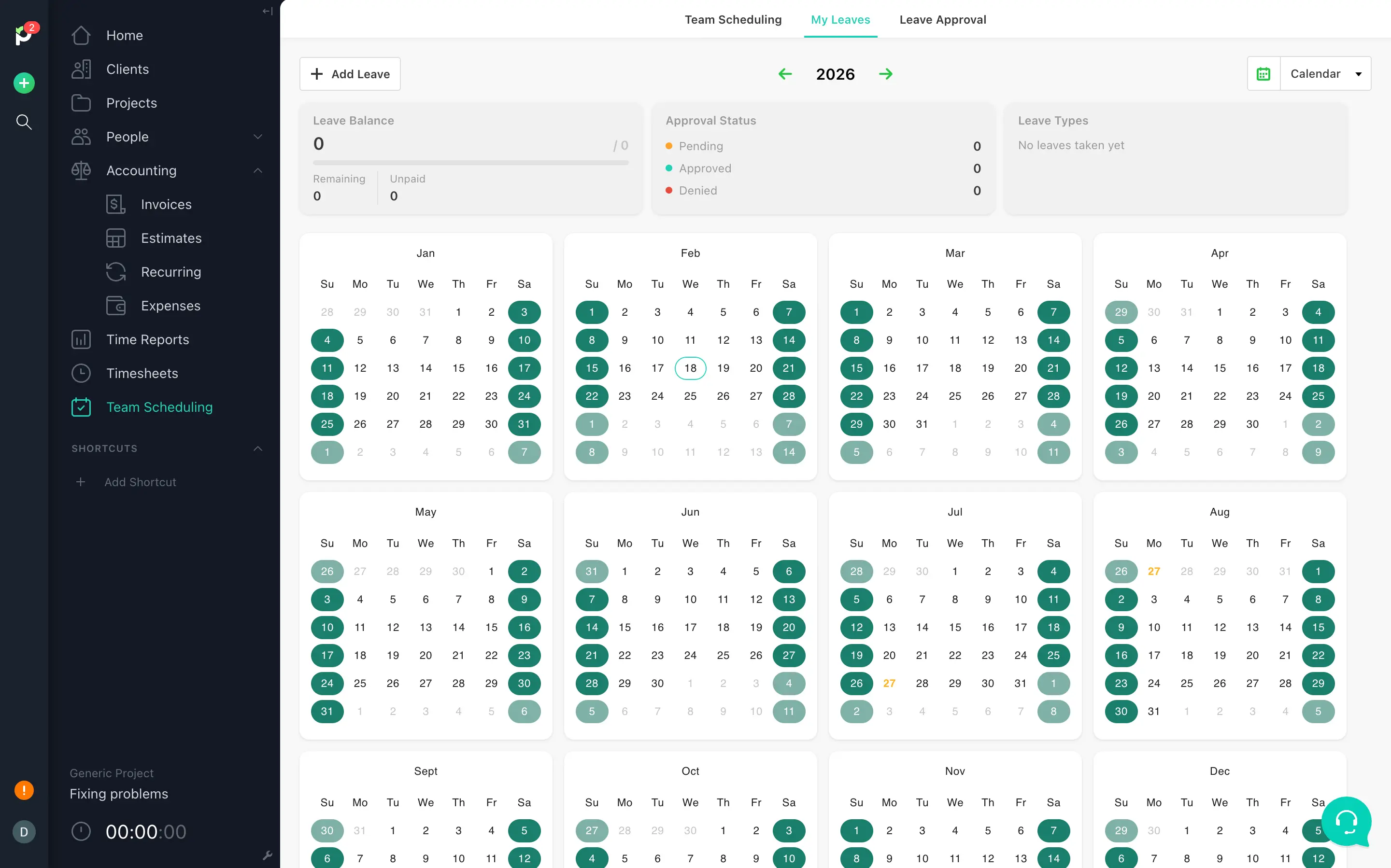
Paymo pros:
- Full project management built in: Gantt charts, Kanban boards, task dependencies, five task views total
- Profitability reports sit on the $10.9 a seat Plus plan, cheaper than Harvest's $14 Enterprise tier
- Employee scheduling and leave management are included at the Pro tier, no separate Forecast-style product to buy
- Accepts Stripe, PayPal, Payflow Pro, and Authorize.net, plus its own built-in payment processor
Paymo cons:
- Free and Solo plans cap at 1 user, so a team needs Plus at a minimum
- More screens and settings to learn than a pure timer, since you're really adopting a PM suite
- Paymo's own payment processor, PM Payments, is US-only for now
If project management is the actual hole in your setup, and not just the invoice total, Paymo closes it without asking you to keep a second tool open in another tab.
I set up a small project the same way I would in Harvest, then kept going. Three task lists, each one broken into tasks with assignees, priorities, and due dates, and the whole thing switches between list, table, Kanban, calendar, and Gantt view without rebuilding anything. Harvest gives you tasks under a project. Paymo gives you a project you can actually run.
The report Harvest keeps behind its $14 a seat Enterprise wall lives on Paymo's Plus plan instead, $10.9 a seat billed annually. My dashboard broke down billable versus non-billable hours, unpaid balance, and top clients on one screen the moment I had a few time entries logged. Cheaper tier, and you're getting a real PM tool bundled into that price, not just the report.
Scheduling is where Harvest's gap shows up hardest. Forecast, Harvest's scheduling product, is sold separately, on top of whatever you're already paying for tracking. Paymo's leave planner and resource scheduling are part of the Pro plan itself. I pulled up my leave balance and approval status for the year without hunting for a second login or a second bill.
None of this comes free of a learning curve. Paymo has more surface area than Harvest by design, and the first week will involve more clicking around than you're used to from a pure timer. If Harvest's total absence of project management is the actual reason you're reading this article, Paymo solves that directly by replacing both Harvest and your separate PM tool with one login and one bill.
Paymo pricing: Free covers 1 user and 2 projects. Paid plans range from $5.9 to $16.9 per user/month billed annually (up to $23.9 monthly), depending on whether you need profitability tracking, Gantt charts, or leave management. 15-day free trial, no credit card required.
The right Harvest alternative for you
For most people, solo or team, start with Rize. It is not the cheapest tool here, but it fixes the one problem the other six don't touch: remembering to track your time at all. It runs on its own, tags the work to the right client, and hands you a finished timesheet to approve.
Go back to that renewal email. That's the problem this whole article is trying to solve, and if you've read all seven sections, you probably know which way I lean. Because Rize only does tracking, switching to it doesn't mean tearing out your existing invoicing or client reports. You keep what already works and just change where the hours come from.
The other six earn their spot because Rize doesn't do everything:
- Client needs to pay straight from the invoice? TimeCamp.
- Flexible reports and five free seats? Toggl Track.
- Team pricing is what broke you? Clockify, flat, no usage fees.
- Live inside Asana or ClickUp all day? Everhour.
- Managing a crew you need to verify, not just trust? Hubstaff.
- Need Gantt charts and Kanban too? Paymo.
Five of the seven have a genuine free plan. Rize and Hubstaff give you a free trial instead. Either way, don't take my word for it. Run one for a week on a real client project.
That renewal email cost you an afternoon of dread and a bill you didn't plan for. It doesn't have to cost you the next ten years too. Try Rize free for 7 days and see what your week looks like when you're not the one keeping track of it anymore.
Related Reading
See how Rize compares to other time trackers: Rize vs Harvest, Rize vs Clockify, Rize vs Everhour, and Rize vs Toggl. Other roundups in this series: Clockify alternatives and Hubstaff alternatives. Browse the full comparisons page for more.
Start tracking time automatically
Join thousands of professionals who stopped guessing where their time goes. Free for 7 days.
“Rize has been a no-brainer for me.” — Ali Abdaal Read more →