![Rize vs Harvest: Which time tracker is best? [2026]](/_next/image?url=%2Fassets%2Fblog%2Frize-vs-harvest%2Frize-vs-harvest.webp&w=3840&q=75)
Accurate time tracking is hard because manual logging breaks the moment work gets busy. Rize and Harvest both solve that problem, but they solve it in very different ways. Rize captures work automatically in the background. Harvest gives you a clean manual workflow where every minute is entered on purpose. Both are good tools. Which one is better depends on how you actually work.
I tested both hands-on across client work, tracking, reporting, invoicing, and pricing. By the end of this comparison, you should know which one fits your workflow and which one to sign up for.
Quick Answer
Choose Rize if you want automatic time capture, AI time entry generation, and profitability dashboards built from real activity. Choose Harvest if you need manual control, native invoicing, and broad accounting integrations.
Rize vs. Harvest at a glance
If you only read one table, make it this one.
| Feature | Rize | Harvest |
|---|---|---|
| Time tracking | Fully automatic, captures everything in the background | Fully manual, you start and stop every timer |
| Platform availability | Mac and Windows desktop apps only | Web, macOS, Windows, iOS, and Android |
| AI features | AI entry generation, AI chat assistant, distraction coaching | No AI, but it does offer rules-based Bulk Actions |
| Reporting | Five dashboards built on automatically captured data | One flexible Reports tab, but only as accurate as manual entries |
| Invoicing | Two invoice types, no built-in payment collection | Auto-filled line items, Stripe and PayPal payments, QuickBooks and Xero sync |
| Integrations | 7 native integrations with deep two-way sync | 70+ native integrations plus a browser extension |
| Privacy | No keystrokes, no screenshots, metadata only, approval before sync | Standard encryption and audit trails |
| Pricing | Individual: $9.99 to $39.99/mo. Teams: $29.99/seat/mo annual ($39.99 monthly, 2-seat minimum) | Free plan available, paid tiers land around $9 to $14/seat/mo plus usage fees |
Rize is easier to set up; Harvest is easier to access everywhere
Rize is easier if you want time tracking to disappear into the background. You install it on Mac or Windows, do the initial setup once, and it starts capturing immediately. Within a day, the software fades into the background and just runs.
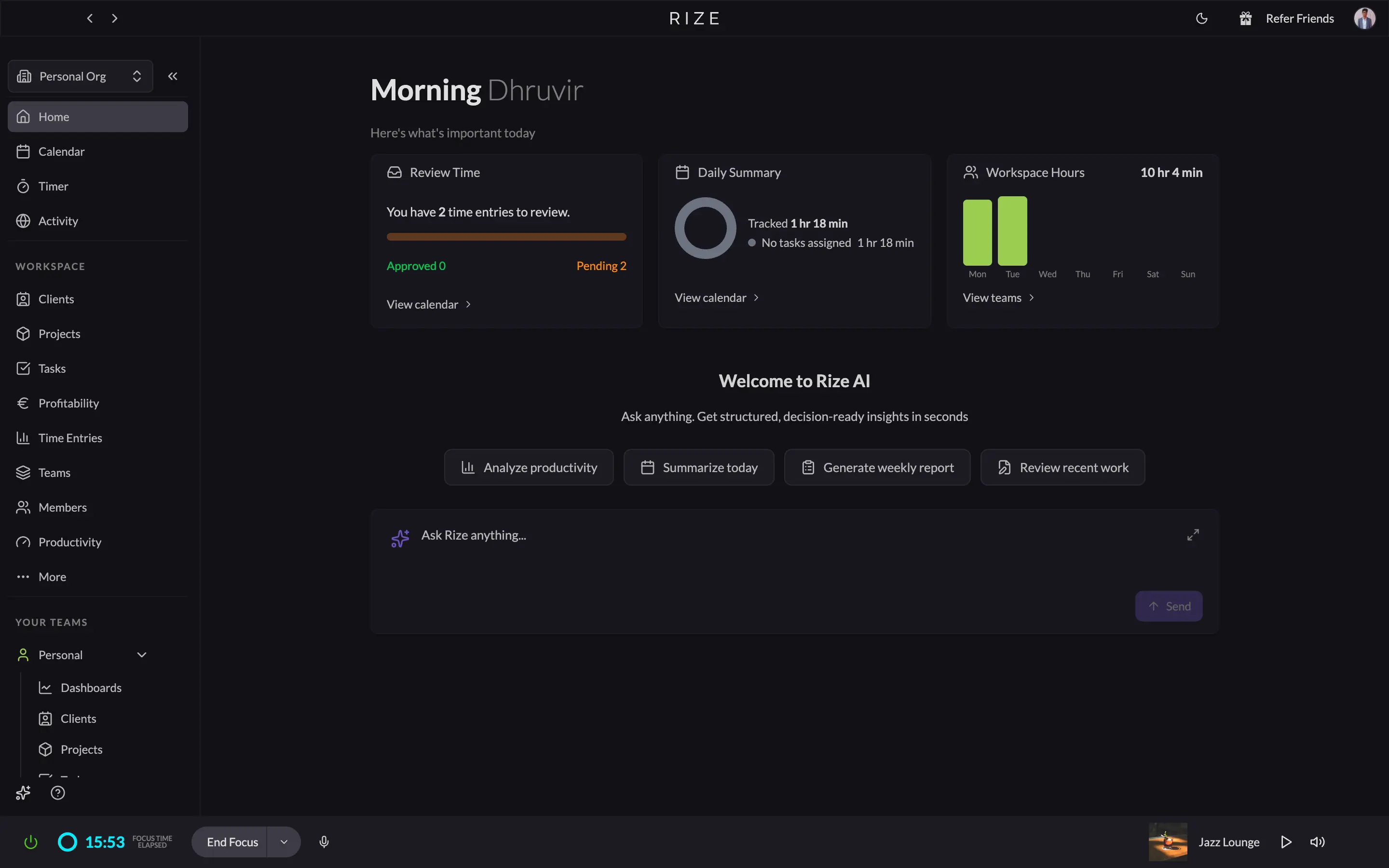
The interface helps. Rize keeps the important stuff in one place, and its command palette makes it easy to start a session, pause tracking, or jump to AI chat without hunting through menus.
Harvest is easy in a different way. It is a manual tracker, so every action is deliberate: start a timer, stop it, log it. But the UI is clean, familiar, and available on the web, on mobile, and on desktop.
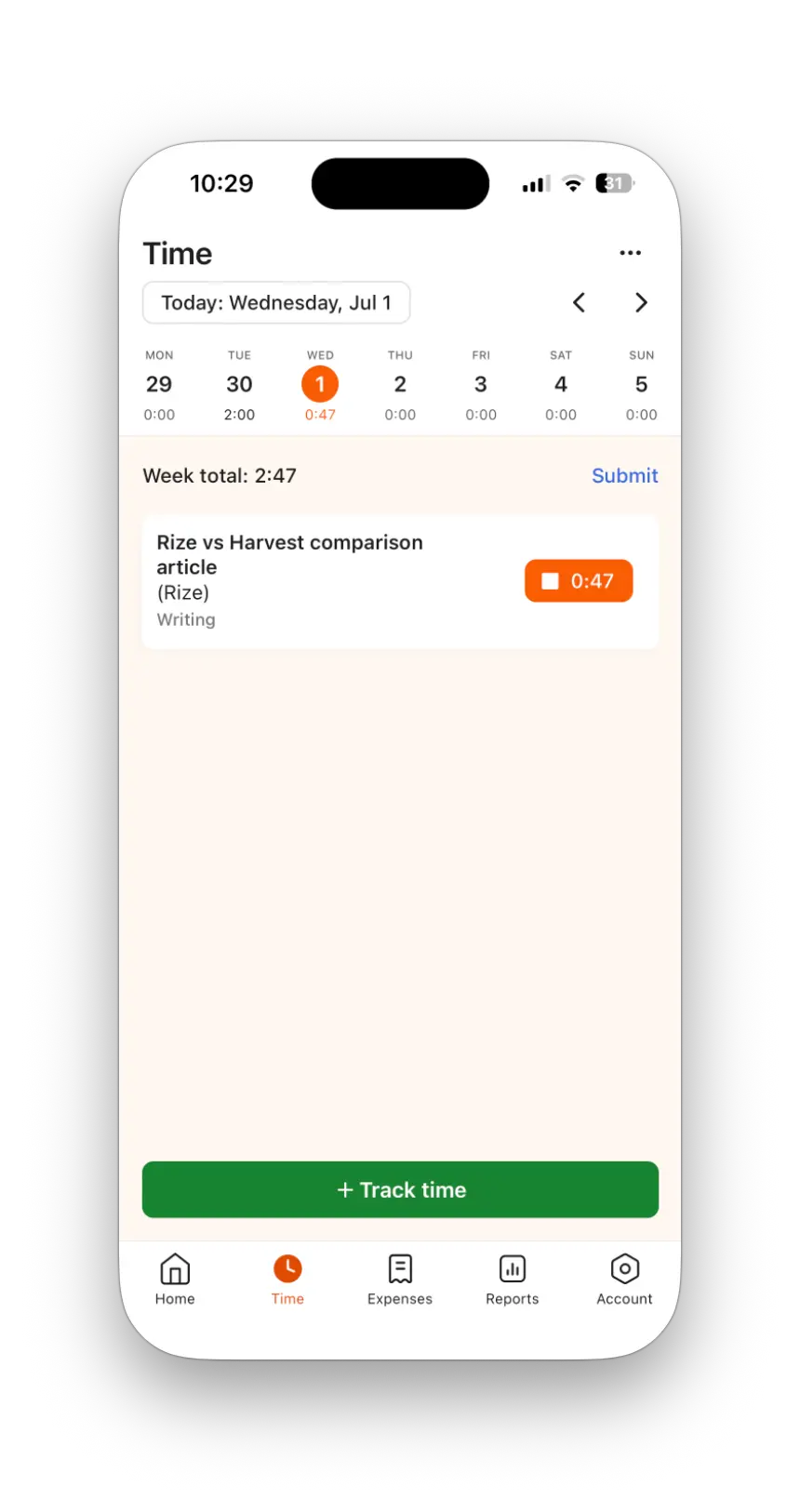
Where Harvest clearly wins is access. If your team needs to log time from a phone or switch devices constantly, Harvest follows you everywhere. Rize does not.
So the choice is simple: Rize if you want tracking that vanishes, Harvest if you want a clean manual interface that works on more devices.
Rize captures time automatically; Harvest logs it when you tell it to
This is the core difference. Rize starts capturing the moment you start working. It watches apps, websites, and documents in the background, then turns that activity into categorized time. Harvest only knows what you log.
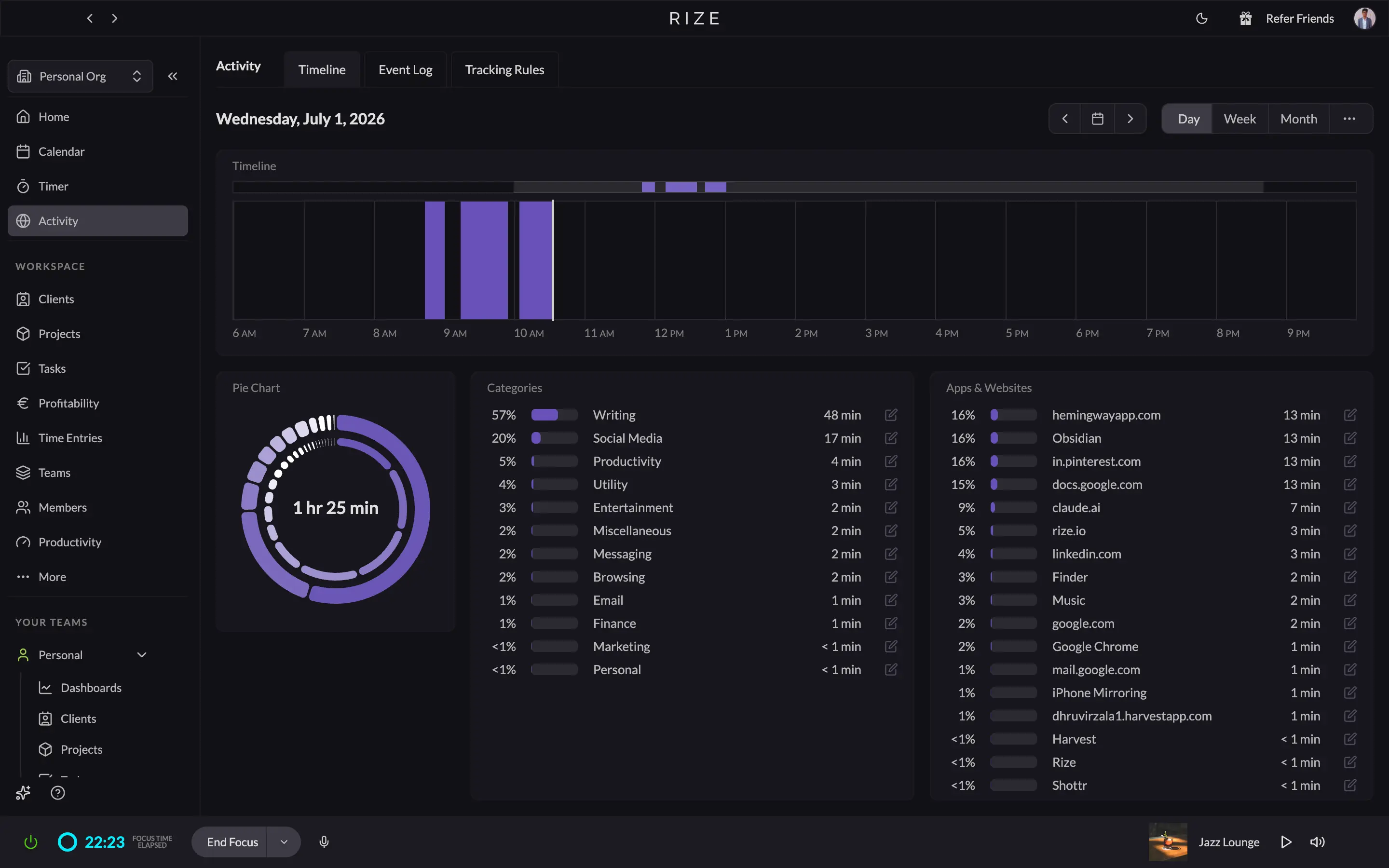
That matters because automatic capture gives you a much more complete picture of the day. You do not lose the five-minute Slack thread, the quick research detour, or the context switch between meetings.
Those context switches are expensive, and they are exactly what manual timers miss. According to UC Irvine research led by Gloria Mark, it takes an average of 23 minutes and 15 seconds to get back to a task after an interruption. Manual trackers routinely miss 15 to 40 percent of billable hours to this kind of unlogged work. If a designer bills $100 an hour and forgets to log even 30 minutes a day, that is roughly $1,000 in unbilled work every month. Rize records it automatically. Harvest only records what someone remembers to enter.
Rize also surfaces AI-generated entries for review. Instead of building a timesheet from scratch, you confirm or correct what the app already inferred. Harvest is the opposite: the timer is the source of truth, so accuracy depends entirely on human discipline.
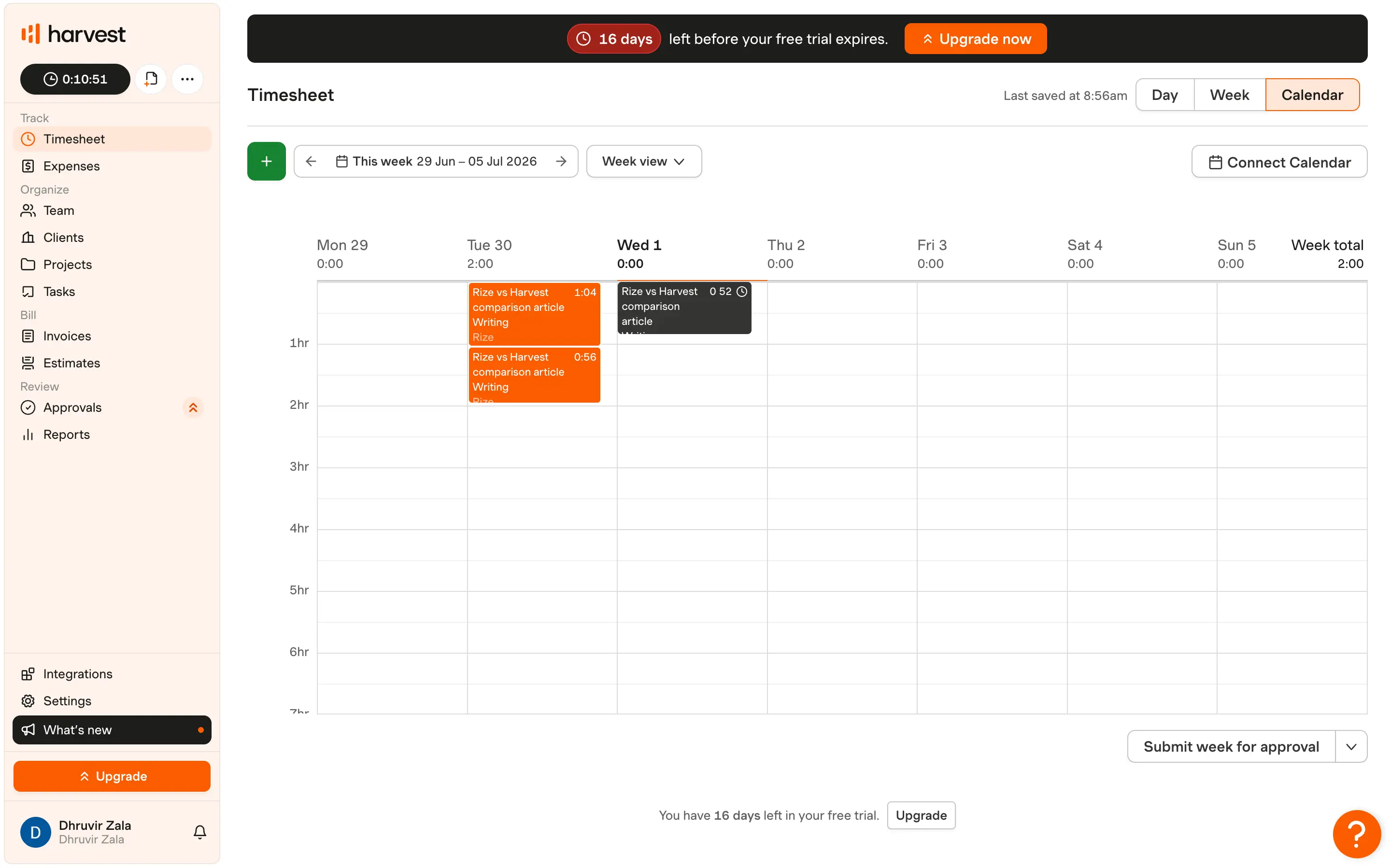
Harvest does give you a clean calendar and timesheet workflow. If your team is disciplined, it is fast. If your team forgets to log, it is unforgiving.
Rize has AI throughout; Harvest has Bulk Actions instead
Rize builds AI into the parts of the product that matter most: time entry generation, categorization, chat, and coaching. Harvest has no AI layer. Its newest admin convenience is Bulk Actions, which is useful, but it is not the same thing.
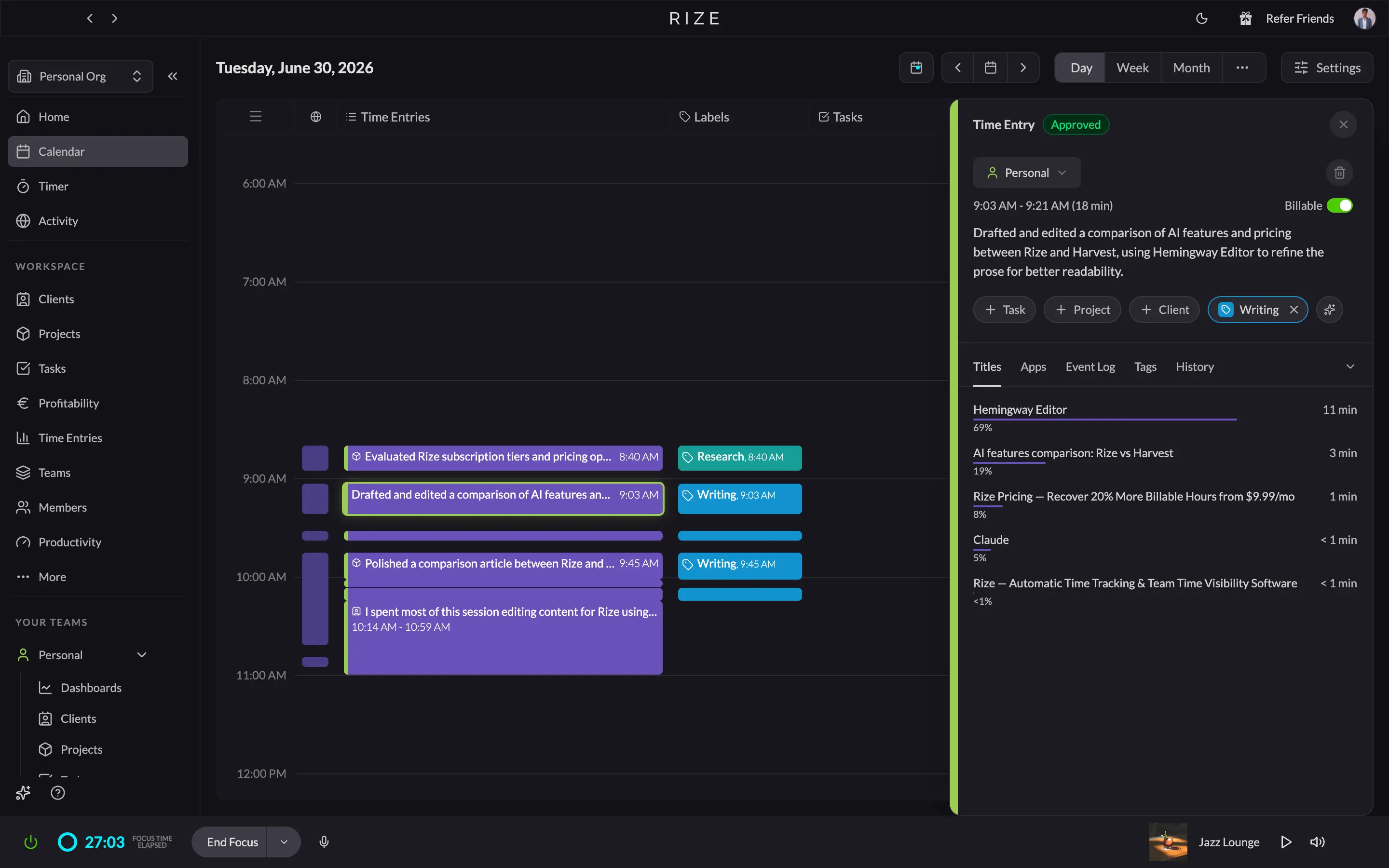
The standout feature is AI time entry generation. Rize drafts entries with suggested clients, projects, and labels, then lets you approve or fix them in one click. That is the feature that removes manual logging entirely for most people.
In practice, your timesheet is mostly written before you sit down to review it. Instead of reconstructing yesterday from memory, you confirm what Rize already inferred from your real activity. Harvest gives you none of this: every entry starts from a blank timer.
Rize also includes an AI chat assistant that answers questions about your own time data, plus distraction coaching that nudges you away from unproductive work in real time.
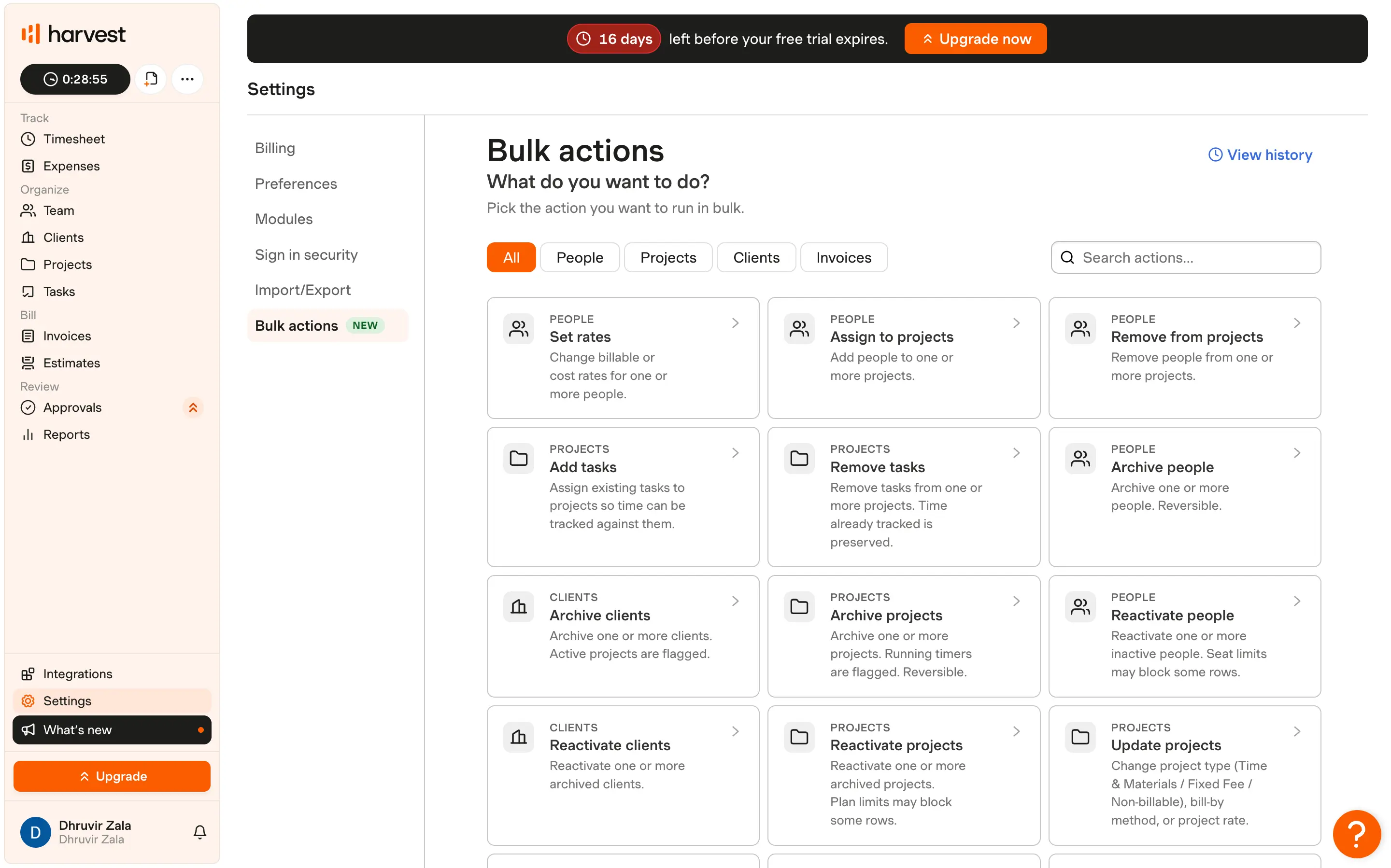
Harvest’s Bulk Actions are useful for admins who need to update many records at once. But that is rules-based workflow automation, not AI.
If AI is part of why you are comparing these tools, Rize is the clear winner.
Rize's automated data makes its reports more trustworthy
Reports are only as good as the data behind them. Since Rize captures time automatically, its dashboards are built on actual activity. Harvest’s reports are only as accurate as the last manual entry someone remembered to make.
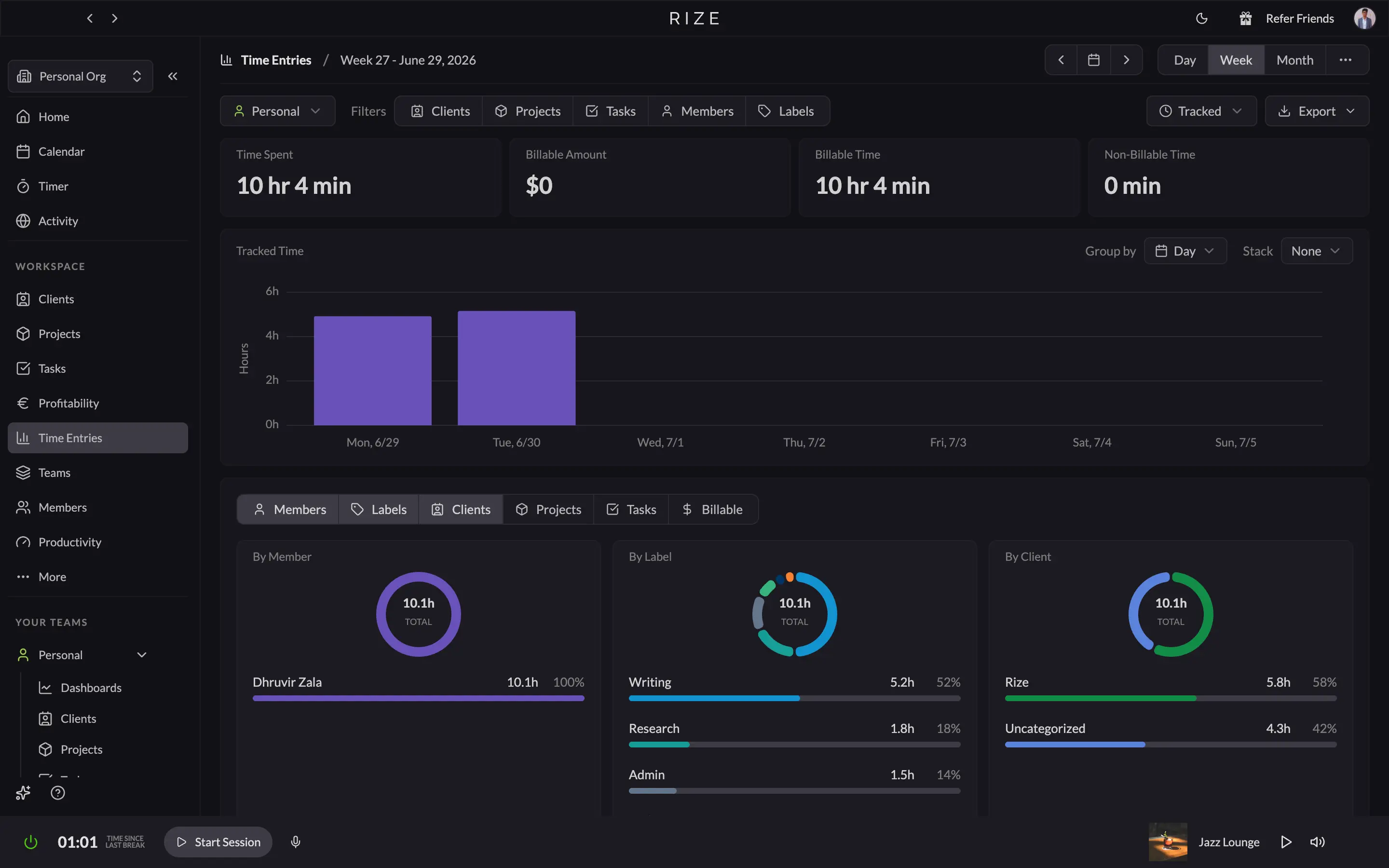
Rize splits reporting across several dashboards: activity, time entries, profitability, team visibility, and productivity. The result is a better view of where time went, what was billable, and what hurt focus.
Harvest keeps everything in one Reports tab. It is flexible, and its export options are solid, but it still inherits every gap in the timesheet data underneath it.
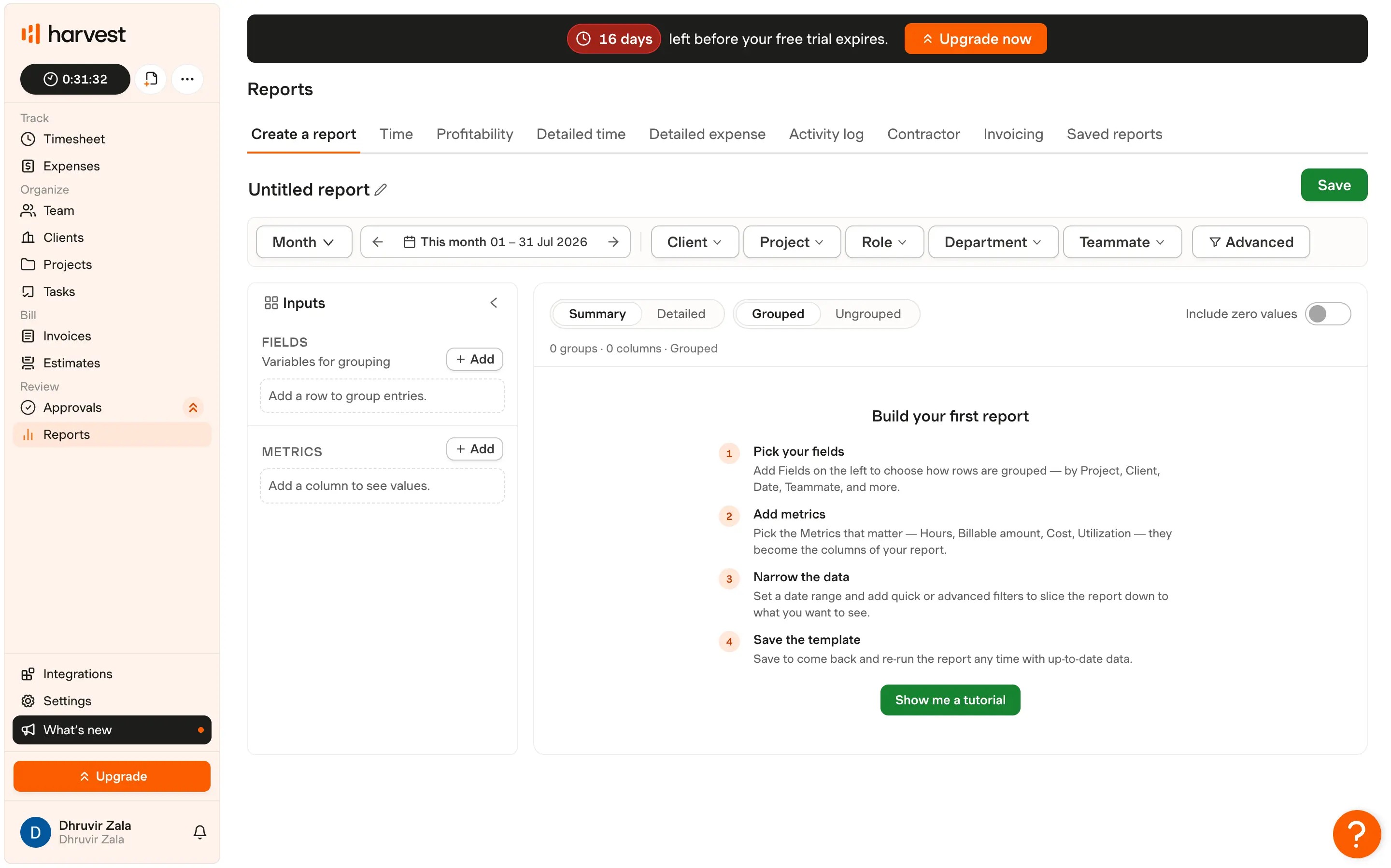
For teams billing retainers or fixed-fee work, that distinction matters. You want margins based on reality, not on what happened to get logged.
The stakes are real. Research from the PMI Pulse of the Profession has repeatedly found that a large share of projects miss their original budget or schedule, and unreliable time data is a common cause. When your profitability numbers are built on forgotten timesheets, every staffing and pricing decision downstream inherits that error.
Capture every billable minute
Try Rize free for 7 days. See what your team actually works on versus what gets logged manually. No credit card required.
Start Free TrialHarvest wins invoicing with automatic bill generation and payments
This is the one area where Harvest clearly pulls ahead. It can turn tracked time and expenses into invoices, accept payment, and sync to accounting software in a way Rize does not try to replicate.
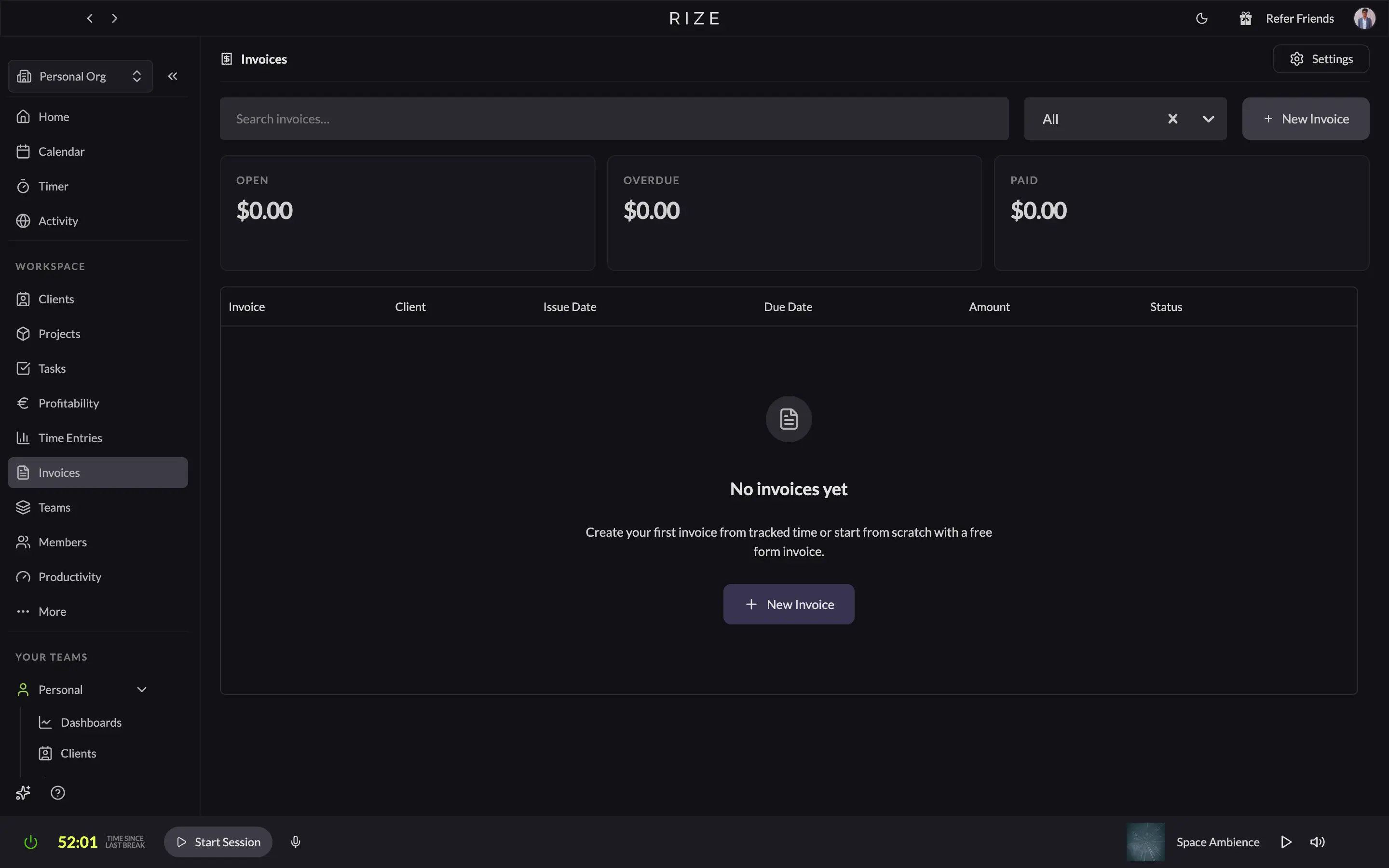
Rize has invoicing, but it is intentionally simpler. You create a company profile, set payment instructions, and build a retainer or free-form invoice from your tracked time. It is enough for many teams, but it is not a full billing system.
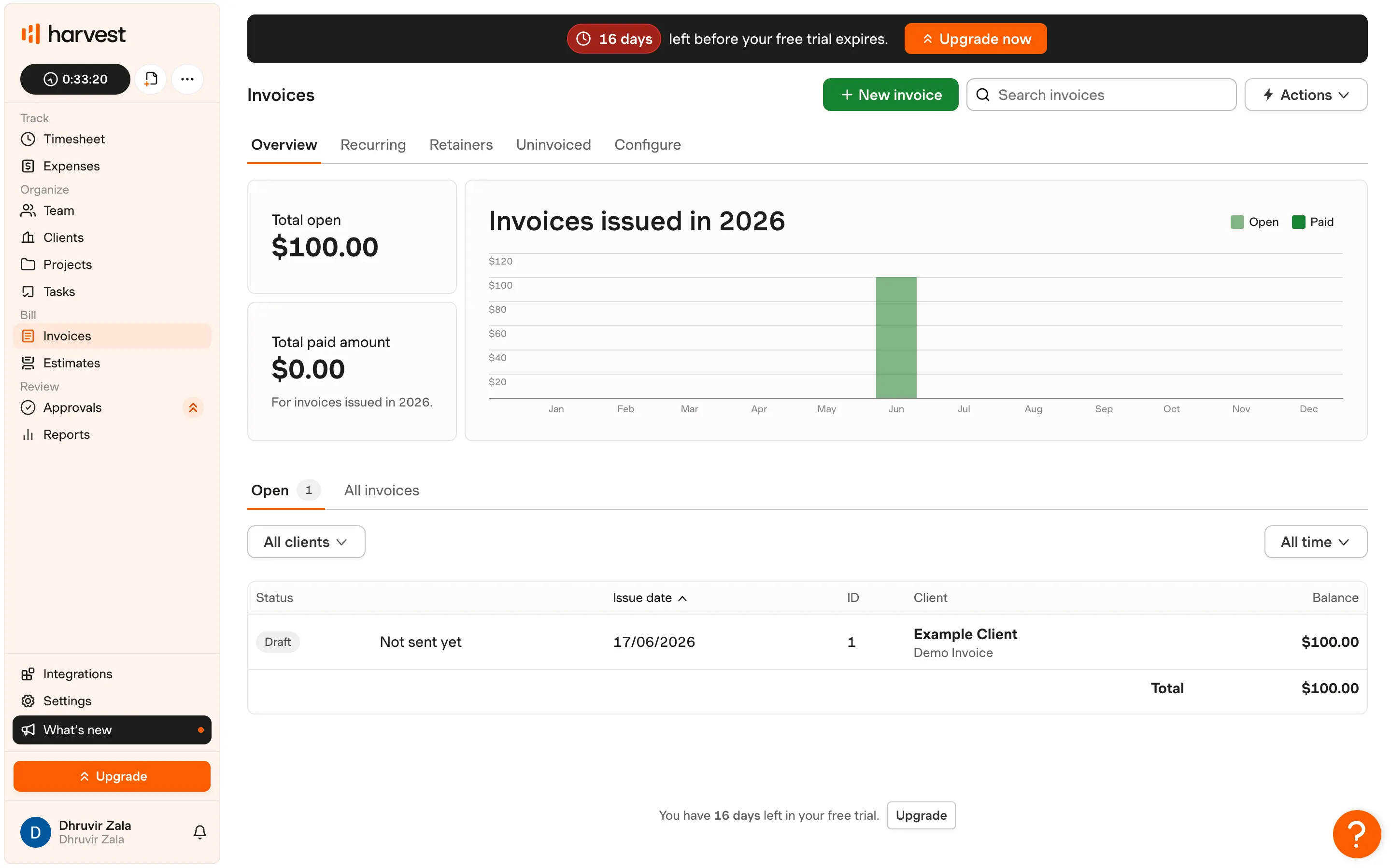
Harvest goes further. It auto-fills invoice line items, supports recurring invoices, and lets clients pay through Stripe or PayPal. It also syncs well with QuickBooks and Xero.
If invoicing is your top priority, Harvest is the easy call. If accurate time capture is your top priority and invoicing is secondary, Rize still gives you the better source data.
Harvest wins on integration breadth, Rize on sync depth
Harvest has the broader native integration library. Rize has fewer native integrations, but the ones it does support are deeper, especially ClickUp and Linear.
Rize’s native list is intentionally small: Google Calendar, Outlook Calendar, ClickUp, Linear, Asana, Slack, and Zapier. That is enough for most modern agency workflows, and the two-way sync with ClickUp and Linear is genuinely useful.
Harvest supports a much wider set of tools across project management, finance, development, and productivity. Harvest's own integrations directory lists 70+ connections, including QuickBooks, Xero, Asana, and Slack. If your stack is unusually broad, Harvest probably has the edge.
So the rule of thumb is breadth versus depth: Harvest if you need more integrations on paper, Rize if you care about deeper sync where you actually work.
Rize protects privacy by design; Harvest protects data in transit
Privacy is a fair concern any time tracking is automatic. Rize answers it by capturing metadata only, with no keystrokes or screenshots, and by requiring approval before synced entries are shared. Harvest avoids the issue entirely because it only stores what you enter manually.
That makes Rize a strong fit for teams that want automatic capture without surveillance. Managers see approved time and reports, not screen recordings.
Harvest’s privacy story is simpler: encryption, audit trails, and no background monitoring because there is nothing to monitor.
Neither tool is a surveillance product. The difference is whether you want the software to infer time automatically or wait for a person to log it.
Rize vs Harvest: Pricing and value comparison
Harvest is cheaper if you look only at per-seat pricing. Rize is better value if you care about recovered billable time, automatic capture, and AI-driven entry generation.
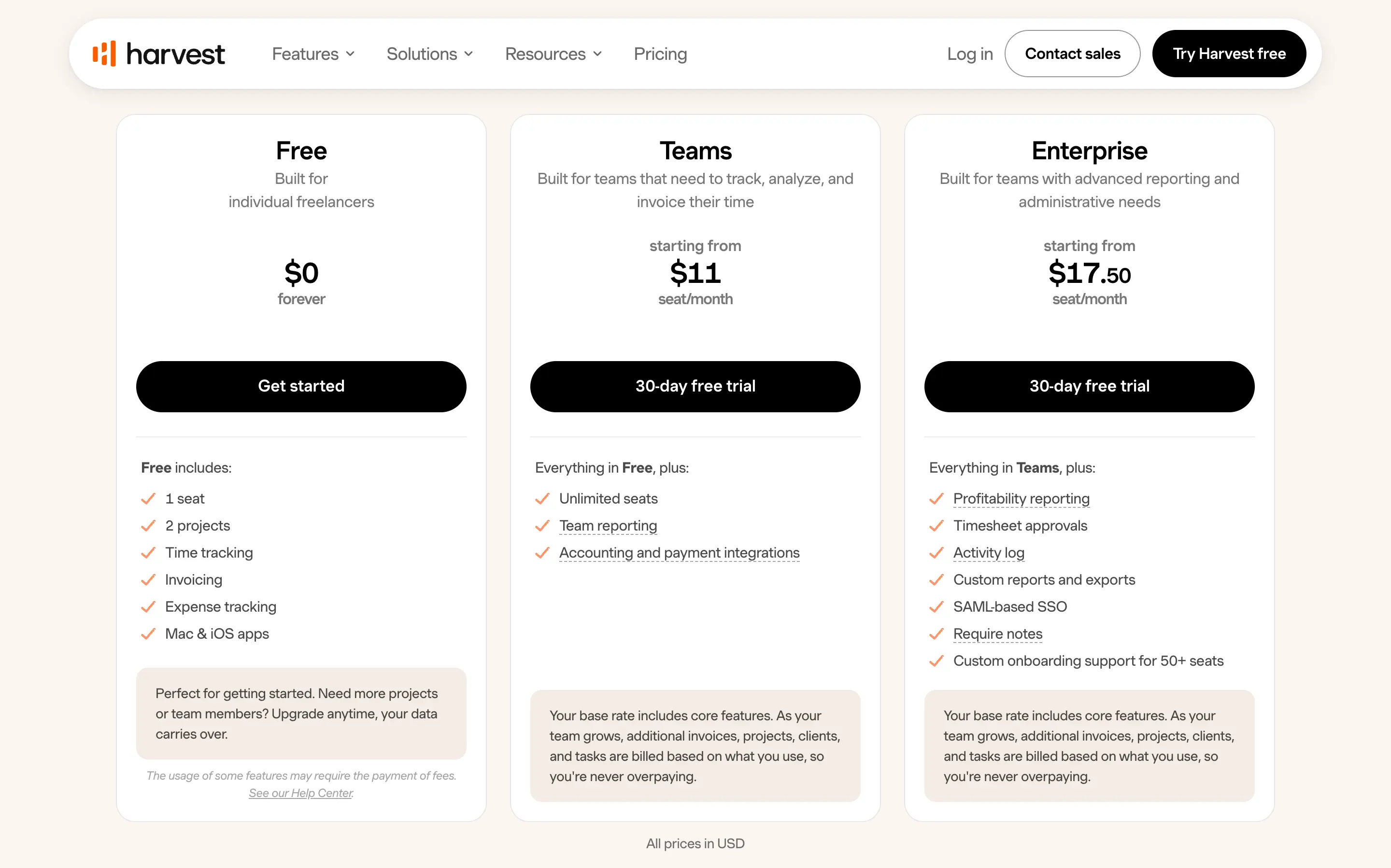
Harvest offers a genuinely useful free plan for solo users. Paid tiers usually land around the $9 to $14 per seat range, depending on the plan, with usage-based charges on top for additional invoices, projects, clients, and tasks. Harvest was acquired by Bending Spoons in 2025, and its pricing has shifted since, so confirm the current numbers on Harvest's pricing page before you commit.
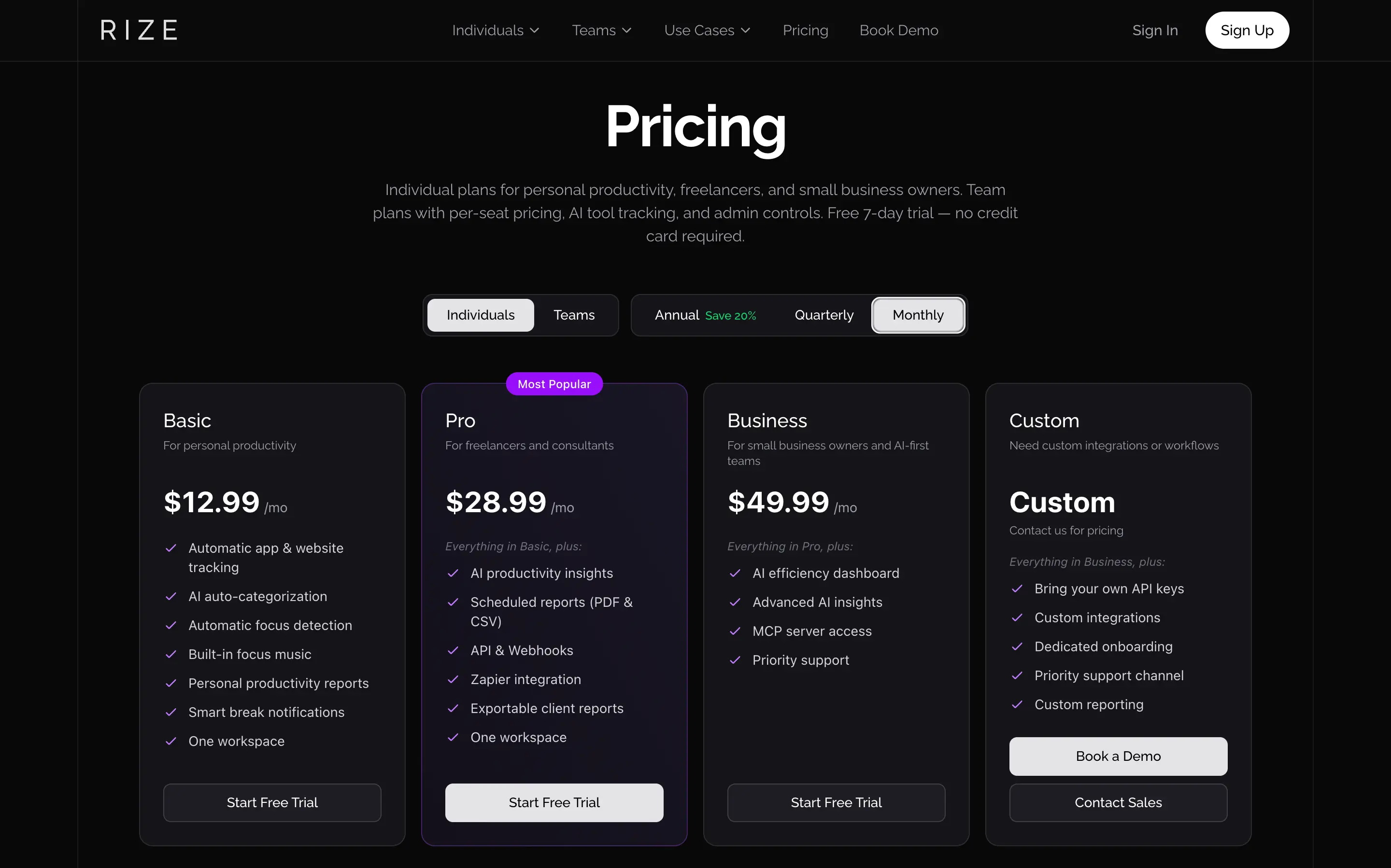
Rize’s individual plans run from $9.99 to $39.99/month billed annually, with team pricing at $29.99 per seat/month billed annually ($39.99 monthly, two-seat minimum). That is a real premium, but it buys automatic capture and AI features that Harvest simply does not have.
If Rize recovers even a small amount of billable time every week, the math usually flips fast.
Can you use Rize and Harvest together?
Yes. You can pair the two so Rize captures billable hours automatically while Harvest turns them into invoices and payments. For a lot of agencies, that combination is the strongest setup.
The pairing fixes the weakest link in each tool. Harvest’s invoicing is excellent, but it depends on someone remembering to start a timer, and that is where billable time leaks out. Rize’s automatic time tracking closes the gap by recording work as it happens, so the hours you bill reflect the work you actually did.
A typical workflow looks like this: Rize captures and categorizes your day, you review and approve the entries, then you push the approved totals into Harvest to generate the invoice. You keep Rize’s capture accuracy and Harvest’s billing depth in a single loop, with no manual stopwatch in the middle.
Solo freelancers usually do not need both. One tool that captures time and sends a clean invoice is enough. The pairing pays off once you have several people logging billable hours, retainer clients to reconcile, and accounting software to keep in sync, because that is where manual entry breaks down and small logging gaps turn into real margin loss.
My final verdict: Which is better for you?
Choose Rize if you want tracking to happen automatically, you work mostly on Mac or Windows, and you care about accurate profitability data more than native invoicing.
Choose Harvest if you need mobile access, manual control, and a built-in invoicing workflow that takes you all the way from time entry to payment.
For most agencies, freelancers, and small teams, Rize is the better default because it removes the biggest failure mode in time tracking: forgetting to track at all.
Harvest is still a strong product, especially if invoicing is central to your workflow. But if you are tired of guessing at Friday invoices, Rize is the one that solves the actual problem.
For operations leaders and COOs, the difference is structural: Harvest is a compliance tool that depends on your team doing something. Rize is a time intelligence platform where your team does nothing and you get real utilization data, budget burn rates, and capacity forecasts. If you're making staffing and pricing decisions from time data, the accuracy of that data is the bottleneck.
Related reading
See how Rize compares to other time trackers:
- Rize vs Clockify
- Rize vs Timely
- Rize vs Toggl for agencies
- Rize vs Hubstaff
- Rize vs Memtime
- Rize vs RescueTime
- Rize vs Everhour
Start tracking time automatically
Join thousands of professionals who stopped guessing where their time goes. Free for 7 days.
“Rize has been a no-brainer for me.” — Ali Abdaal Read more →