![Rize vs RescueTime: Which Time Tracker Is Best? [2026]](/assets/blog/hero/rize-vs-rescuetime.svg)
You've probably already tried both tools. You know they're both automatic time trackers. You know they both have decent reviews. And yet here you are, still not sure which one to actually commit to.
That's the problem with most Rize vs. RescueTime comparisons online. They list features side by side, tell you both tools are "great," and leave you exactly where you started.
The thing is, these two tools are not trying to do the same job. Rize is an AI-powered productivity system built around a dedicated desktop app. RescueTime is a passive automatic tracker that runs across every device you own.
Choosing the wrong one doesn't just cost you money. It costs you the habit of actually using it, and that's the whole point of a time tracker.
I tested both Rize and RescueTime directly for this article — Rize for several months, RescueTime for over a week. What follows is a straight comparison across every dimension that actually matters: automatic tracking, individual productivity, team time tracking, reporting, cross-platform availability, integrations, and pricing.
By the end, you'll know exactly which automatic time tracker is right for you, and which one to skip.
Quick Answer
Choose Rize if you work on a Mac or Windows machine and want a time tracker that creates billable entries automatically using AI. Choose RescueTime if your work genuinely spans desktop and mobile and cross-device syncing is non-negotiable.
Rize vs. RescueTime at a Glance
| Feature | Rize | RescueTime |
|---|---|---|
| Ease of use | Single unified desktop app; menu bar controls; clean modern interface | Desktop app for tracking, separate web app for data; legacy-feeling UI; cluttered navigation |
| Automatic time tracking | Logs activity and interprets it; auto-starts focus, break, and meeting sessions; AI recalibration | Logs time in apps and websites; categorizes as productive or distracting; no auto-session detection |
| Individual productivity | Focus timer, break detection, daily goals, AI coaching, productivity scores with context | Productivity score, focus sessions, daily goals, alerts; metrics lack behavioral context |
| Team tracking | Utilization dashboards, per-client profitability, billable/non-billable splits, team reports | Team dashboards, productivity trends, focus time reports; no client/project-level billing data |
| Cross-platform | Mac, Windows (desktop only) | Mac, Windows, Linux, Android, iOS, ChromeOS |
| Integrations | Google Calendar, Notion, Slack, Asana, Zapier, CSV export | Slack, Google Calendar, GitHub, Zapier, 50+ via API; wider ecosystem |
| Pricing (annual) | Basic $9.99/mo, Pro $23.99/mo, Team $29.99/seat/mo | Lite Free, Focus $7/mo, Solo+ $12/mo, Team+ $16/seat/mo |
Rize Is Easier to Use and Far Better Designed Than RescueTime
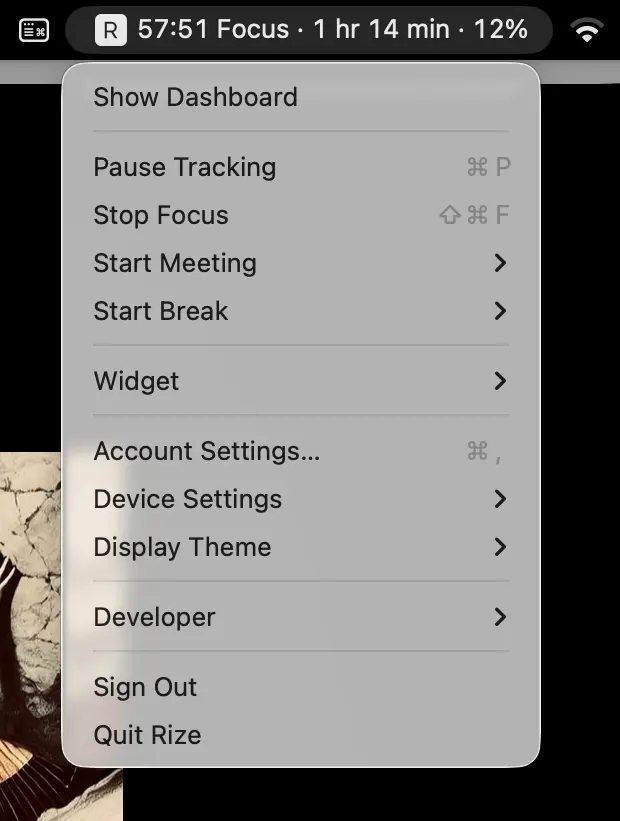
This is the difference you'll notice in the first five minutes. Rize is a single desktop app. Everything you need — tracking, reports, settings, focus timer — lives in one place. You open the app, you see your day. That's it.
RescueTime splits itself across two surfaces. The desktop app handles tracking. But if you want to see your data, change categories, review reports, or configure focus sessions, you have to open rescuetime.com in a browser. The web app is functional, but it feels like a product built in 2010 that's been patched forward ever since. Navigation is cluttered, pages load slowly, and the visual design hasn't aged well.
Rize's interface is modern, fast, and opinionated. It doesn't try to show you everything at once. You get a clean daily timeline, a focus timer you can start from the menu bar, and weekly reports that surface what matters. There's no web dashboard to log into. No tab switching. No loading screens.
For a tool you're supposed to use every single day, that design clarity isn't a nice-to-have. It's the reason you'll actually stick with it.
Both Offer Automatic Time Tracking, but Rize Also Thinks for You
Both Rize and RescueTime track time automatically. You install them, they run in the background, and they log which apps and websites you use throughout the day. That's where the similarity ends.
RescueTime categorizes your time into "productive" and "distracting" buckets. It tells you that you spent 3 hours in Google Docs (productive) and 45 minutes on Twitter (distracting). This is useful for understanding your habits, but it doesn't help you bill a client.
Rize does something fundamentally different. It doesn't just log your activity — it interprets it. Rize's AI watches your app usage, browser tabs, calendar events, and document titles, then automatically creates time entries categorized by client and project. You don't drag and drop anything. You don't review a timeline. The entries are there when you need them, ready to export.
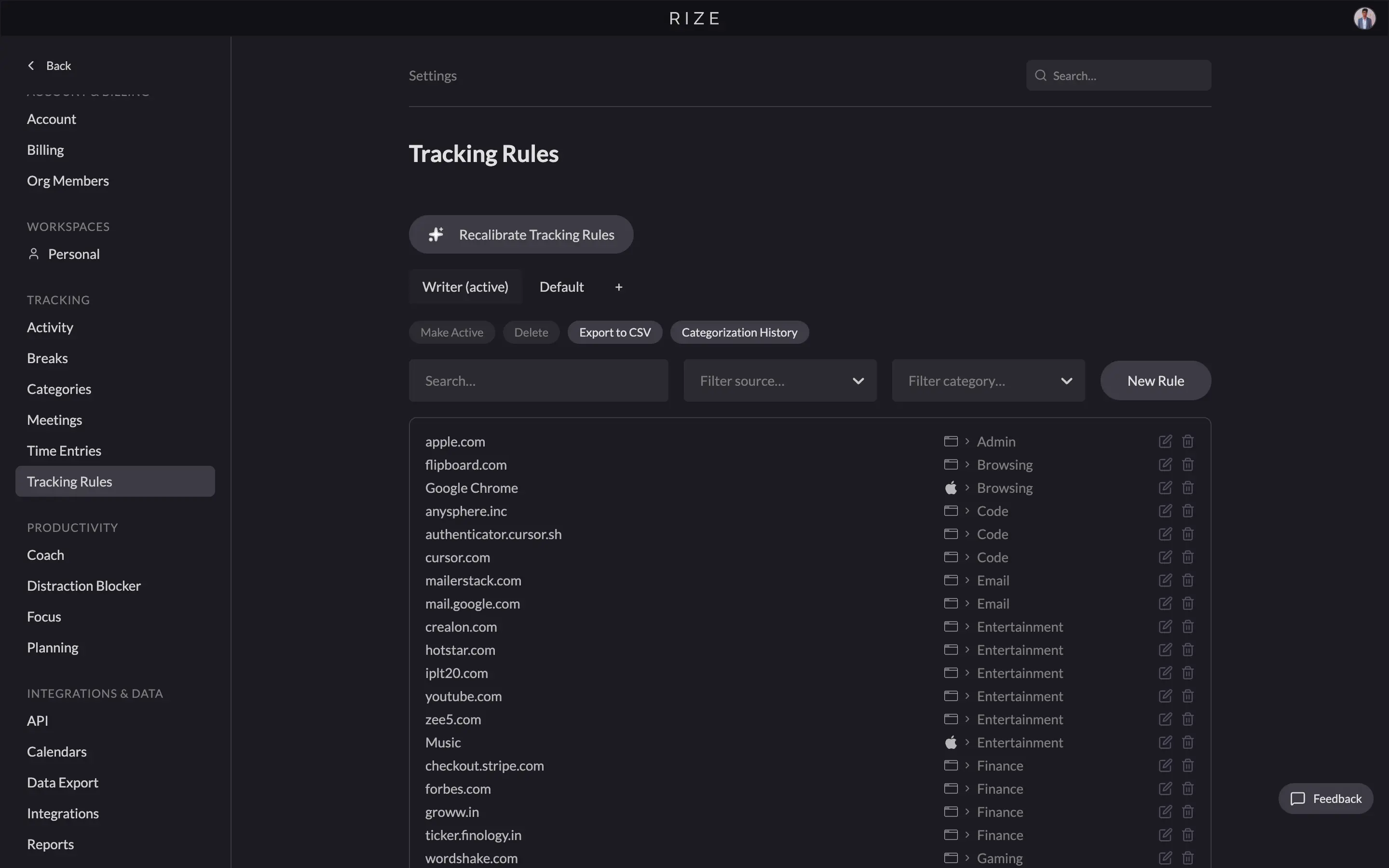
Rize also detects sessions automatically. It knows when you're in deep focus, when you're in a meeting, and when you've stepped away for a break. These sessions appear in your timeline without you pressing a single button. You can customize the rules — tell Rize that "when I'm in Figma, that's design work for Client X" — and the AI recalibrates based on your feedback.
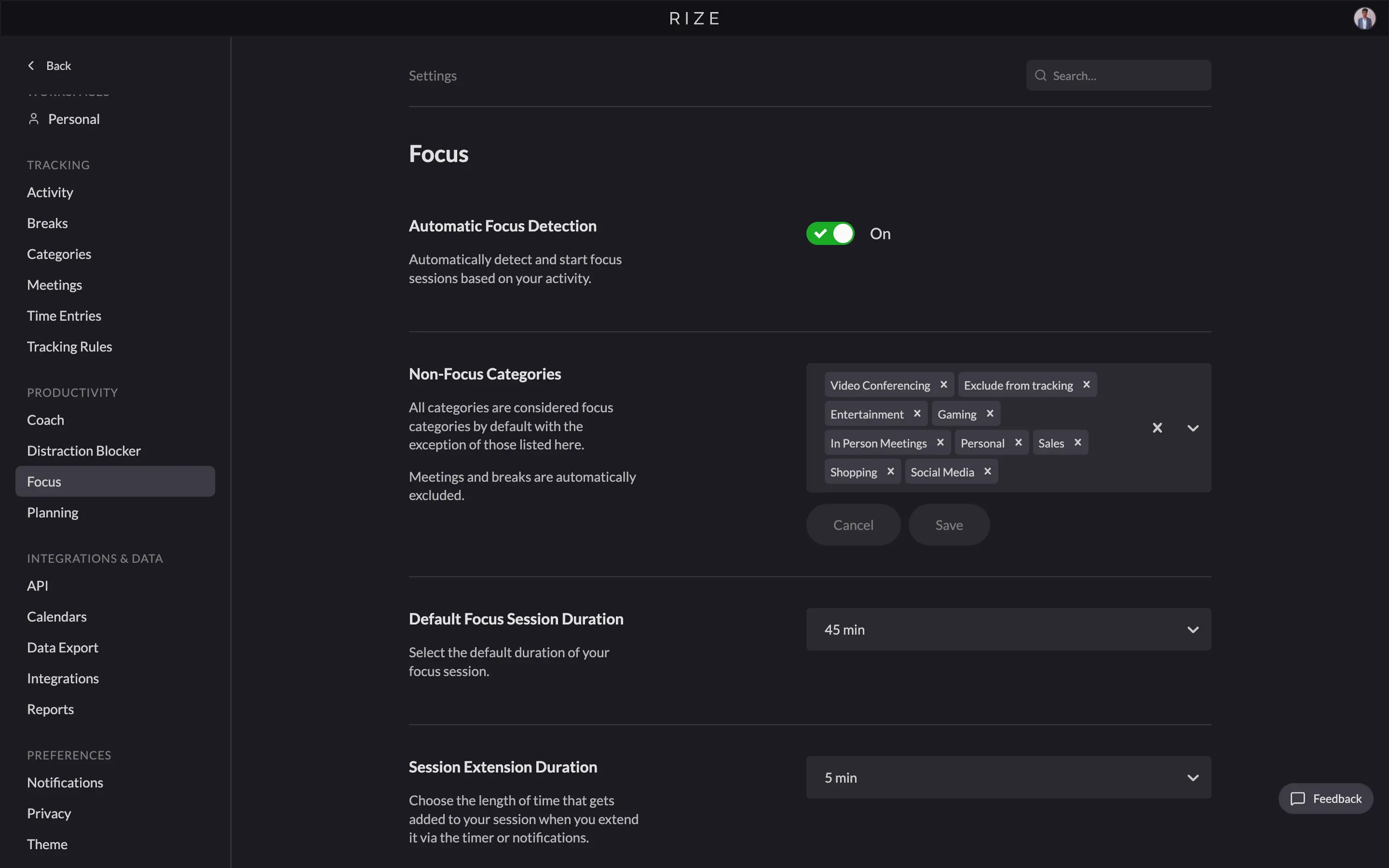
Automatic time tracking — Rize's background time capture logs every app, document, and website without manual timers, recovering the 15-40% of billable hours typically lost to manual logging.
According to a Harvard Business Review analysis, the U.S. economy loses $7.4 billion per day to unrecorded work activity — largely because manual time tracking is so unreliable. RescueTime's automatic tracking is passive. It records data. Rize's automatic tracking is active. It creates structured, billable time entries from that data. For freelancers, consultants, and agencies, this is the difference between a tool that monitors you and a tool that works for you.
See the AI difference
Try Rize free for 7 days. Watch it auto-create time entries from your actual work — no timers, no manual entry. No credit card required.
Start Free TrialRize Is the Better Individual Productivity Tool, and It's Not Close
Both tools have productivity features. RescueTime gives you a daily productivity score based on how much time you spent in "productive" vs "distracting" categories. You can set daily goals (e.g., "4 hours of productive time"), enable focus sessions that block distracting sites, and get alerts when you've been on a distracting site too long.
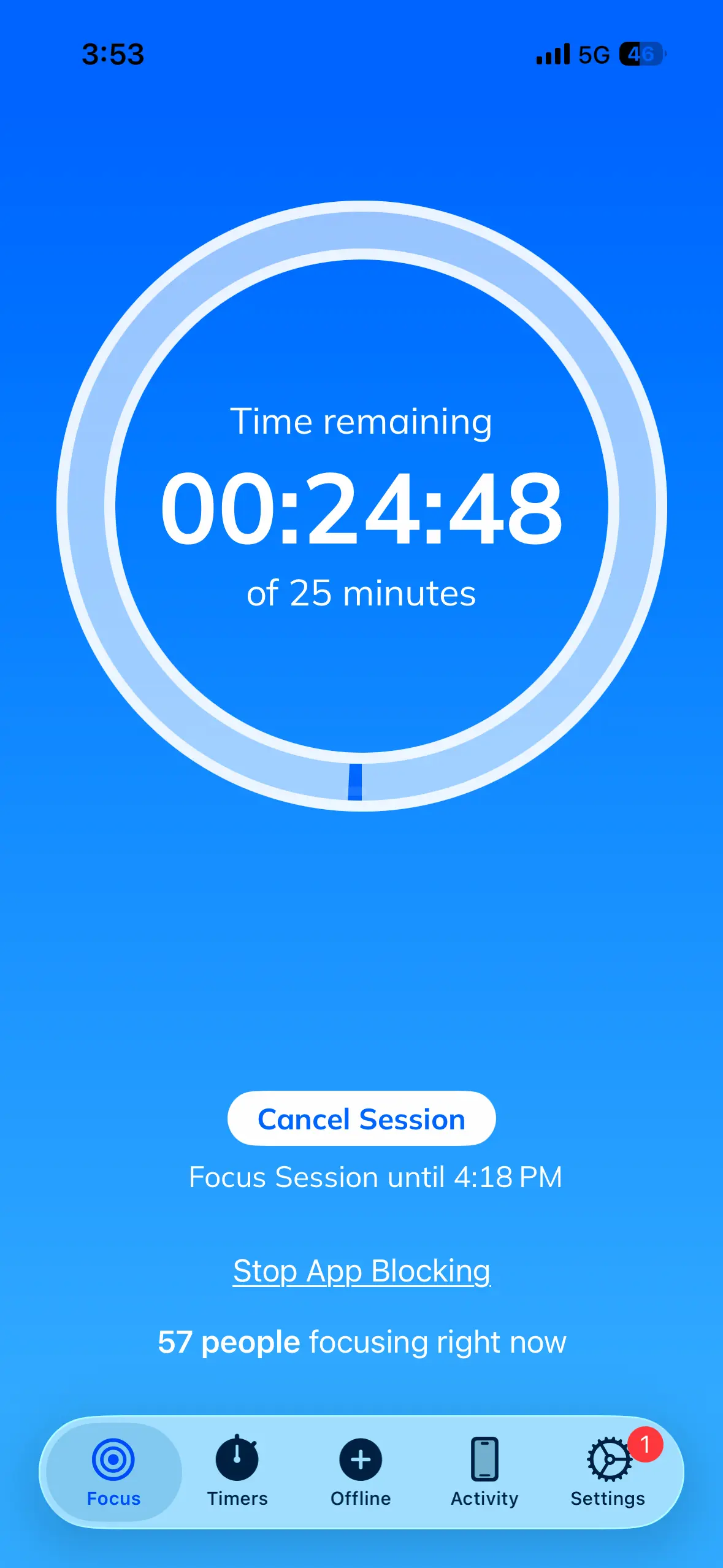
RescueTime's focus sessions are solid — they block distracting sites and track how long you maintain focus. The mobile app even supports focus sessions on your phone. If blocking distractions is your primary goal, RescueTime handles it competently.
But Rize's productivity features are a generation ahead. According to research from the University of California, Irvine, it takes an average of 23 minutes and 15 seconds to regain focus after a single interruption. The focus timer doesn't just track duration — it monitors your actual behavior during focus sessions. Are you context-switching between apps? Opening Slack mid-session? Rize notices and shows you exactly where your focus breaks down.
Rize's daily reports include AI-generated coaching that explains what happened in your day and why your focus score looks the way it does. It's not just "you were 78% productive." It's a breakdown of how many hours of deep work you had, how many times you context-switched, and which apps pulled you out of flow.
AI productivity coaching — personalized daily and weekly reports that analyze your work patterns and explain where focus breaks down, not just how much time you logged.
The weekly summaries go further, showing trends over time: are your focus blocks getting longer or shorter? Is meeting creep eating into your deep work? Which days of the week produce your best output?
RescueTime tracks the what. Rize explains the why. If you're serious about improving how you work — not just measuring it — Rize gives you actionable data that RescueTime simply doesn't.
Rize Wins on Team Tracking
RescueTime's team features focus on aggregate productivity data. Managers see team-wide productivity trends, focus time summaries, and which tools the team uses most. This is useful for understanding team habits at a high level. However, RescueTime doesn't track time by client or project. There's no per-client profitability data and no billable vs non-billable split. For agencies and service firms, this is a dealbreaker.
Rize's team features are built for billing-driven teams. Managers see per-member utilization rates, billable vs non-billable breakdowns, and per-client profitability. The team dashboard shows which team members are meeting their billable targets and which clients are consuming more hours than they pay for.
Because Rize's AI automatically categorizes time by client and project, the team data is accurate without each person manually logging hours. According to the American Psychological Association, self-reported time estimates are consistently inaccurate, with workers overestimating or underestimating actual hours by 20-40%. A manager opens the dashboard on Friday and sees a complete picture of the week — no chasing timesheets, no reconciliation.
Team utilization tracking — a real-time dashboard showing each team member's billable vs non-billable hours, per-client profitability, and utilization rate without manual timesheet collection.
RescueTime's team features answer "Is the team productive?" Rize's team features answer "Are we profitable?" For teams that bill clients for their time, Rize's question is the one that matters.
RescueTime Is the Only Choice if Mobile Tracking Matters to You
This is RescueTime's one clear, unqualified win. RescueTime runs on Mac, Windows, Linux, Android, iOS, and ChromeOS. Rize runs on Mac and Windows. That's it.
If your work happens on a phone — or even if a meaningful portion of it does — RescueTime is the only option between these two. The mobile app tracks which apps you use, how long you use them, and rolls that data into the same dashboard as your desktop activity. You get a single, cross-device view of your entire day.
Rize's desktop-only approach is a deliberate tradeoff. By focusing entirely on desktop, Rize can track at a deeper level — URL-level browser tracking, document titles, calendar event correlation, and AI-powered session detection. These features require system-level access that mobile platforms don't easily support.
For most knowledge workers — developers, designers, writers, consultants, analysts — the vast majority of billable work happens on a laptop or desktop. If that describes you, Rize's desktop-only limitation won't matter. But if you're a sales rep splitting time between your laptop, phone, and tablet, or a field worker who needs GPS-tracked mobile hours, RescueTime handles a workflow that Rize simply doesn't.
Rize Has Fewer Integrations Than RescueTime, but More Useful Ones
RescueTime has a wider integration ecosystem. It connects to Slack, Google Calendar, GitHub, Zapier, and a handful of others through its API. The Zapier integration opens up connections to hundreds of other tools. RescueTime has been around since 2007, so the integration surface has had time to grow.
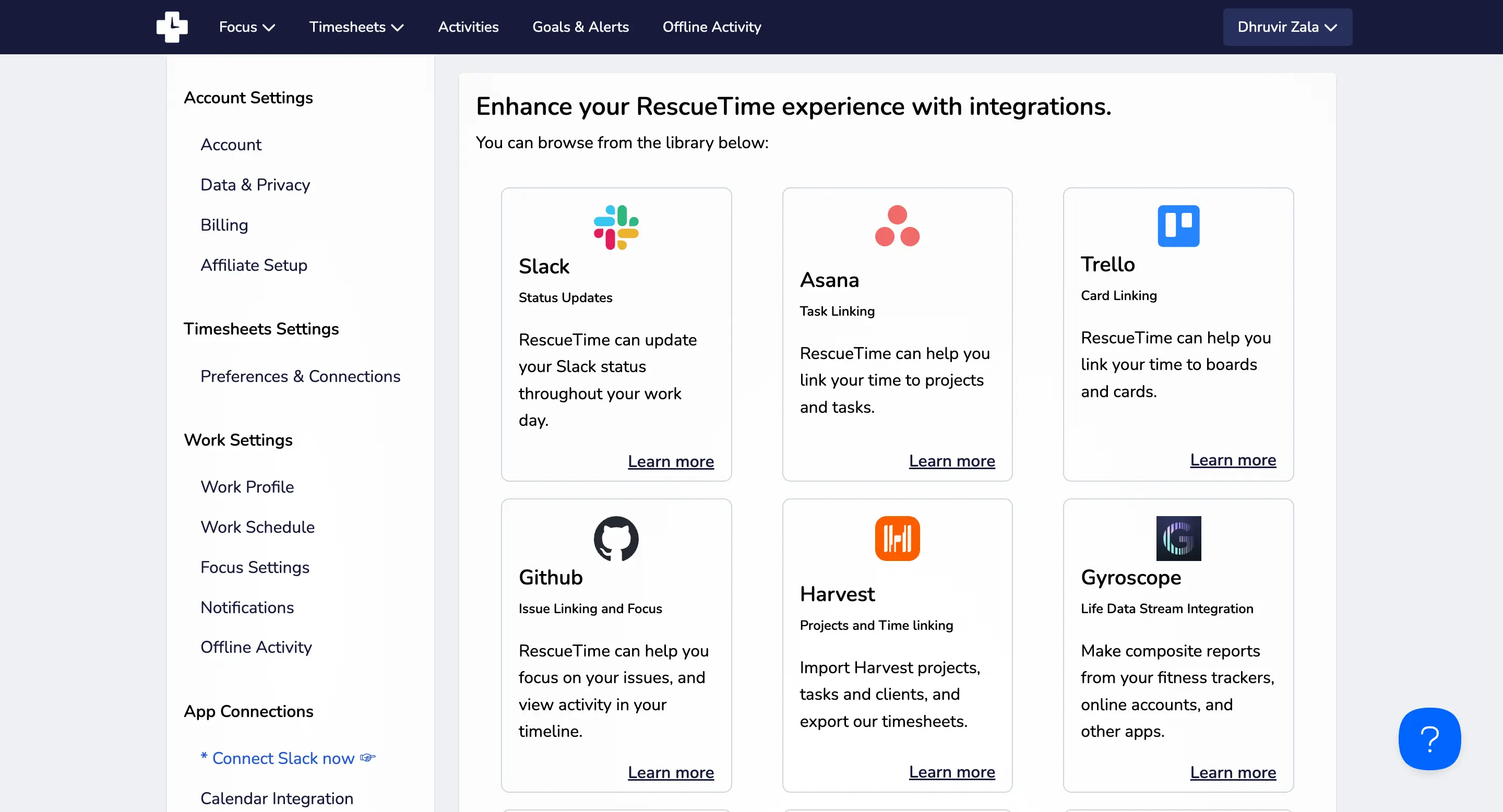
Rize's integration list is shorter: Google Calendar, Notion, Slack, Asana, and Zapier. But the integrations work differently because of how Rize processes time data.
When Rize integrates with Google Calendar, it doesn't just note that you had a meeting. It uses the calendar event to automatically create a time entry — tagged to the right client, categorized as a meeting, with the correct duration. The Slack integration sends daily summaries and focus status updates. The Notion and Asana integrations push time data into project management workflows.
RescueTime's integrations are mostly about data passthrough — syncing productivity categories or triggering notifications. Rize's integrations are about making the AI categorization smarter and pushing structured time entries into the tools where you do project management.
Fewer integrations, but each one does more. If you need native Jira or Salesforce connections, neither tool has them (though both support Zapier). For calendar-driven workflows, Rize's calendar integration is meaningfully deeper.
Rize Costs More Than RescueTime, and It's Worth It
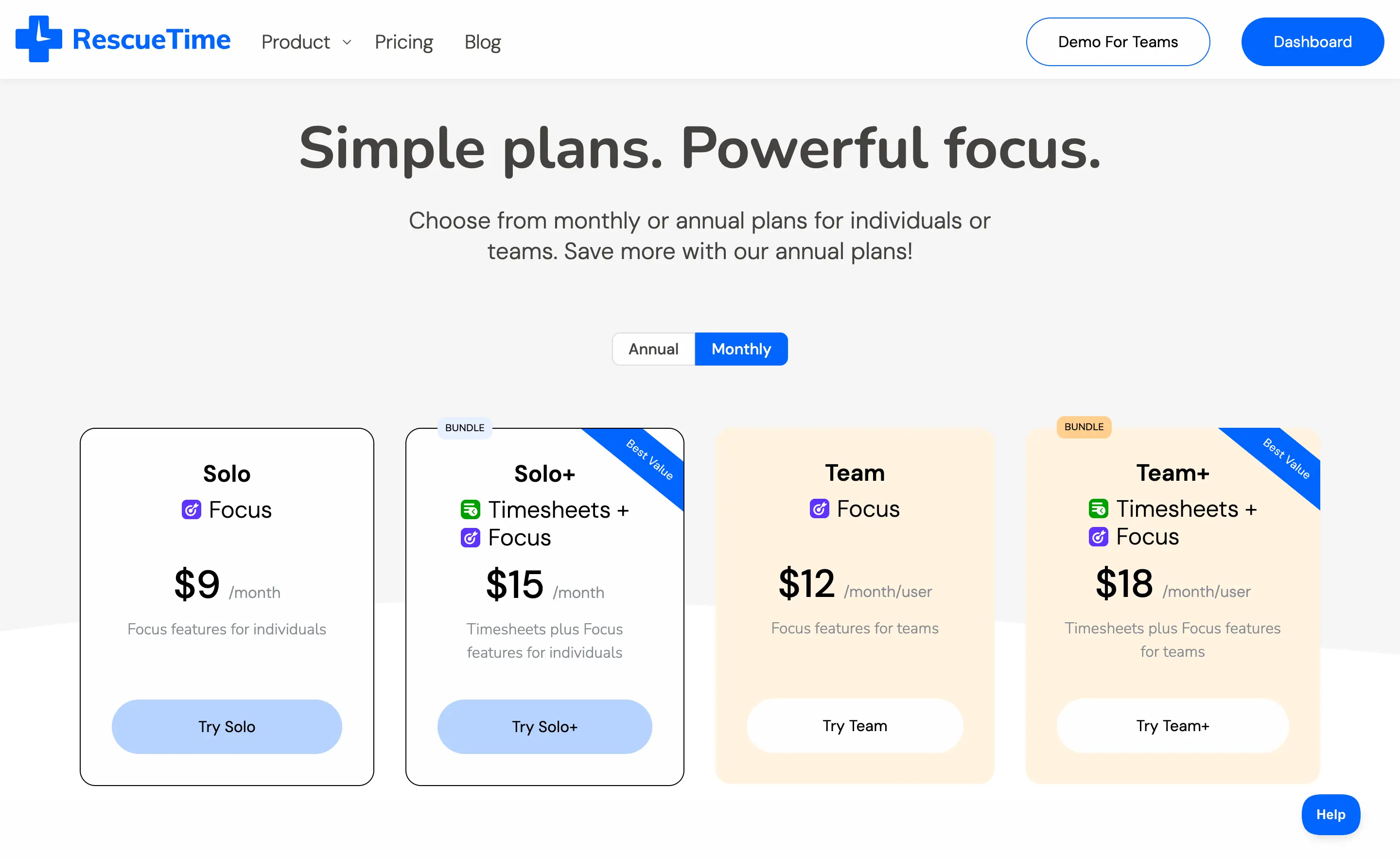
Let's be direct about pricing. RescueTime is cheaper. Here's the breakdown as of August 2026:
| Plan | Rize | RescueTime |
|---|---|---|
| Free tier | 7-day free trial | Lite (free, limited features) |
| Entry paid | Basic $9.99/mo | Focus $7/mo |
| Full individual | Pro $23.99/mo | Solo+ $12/mo |
| Team | Team $29.99/seat/mo (2-seat min) | Team+ $16/seat/mo |
| Free trial | 7 days, full access | 14 days |
RescueTime has a free Lite plan, which Rize doesn't. And at every paid tier, RescueTime is cheaper — by $3/month at the entry tier and $12-14/month at the higher ones. If you're evaluating purely on price, RescueTime wins.
But the comparison that actually matters is apples-to-apples: a freelancer who needs to track billable time across clients is comparing Rize Pro ($23.99/month annual) against RescueTime Solo+ ($12/month annual). That's a $12 monthly gap. For teams, Rize Team ($29.99/seat/month annual) vs. RescueTime Team+ ($16/seat/month) is a $14/seat gap.
The question is what that gap buys. With Rize, it buys AI-powered automatic time entry suggestions, intelligent session detection, and a desktop app that runs completely on its own. With RescueTime Solo+, it buys a manual timeline you drag and drop yourself.
If you're evaluating on price relative to what you actually get, Rize wins. For anyone billing clients, the time Rize saves you every week in manual timesheet work makes the difference effectively disappear.
One more thing worth noting: Rize's Basic plan ($9.99/month) doesn't include client and project tracking, which means individual freelancers can't start cheap and upgrade later without paying for a full plan jump. If you're solo and billing clients from day one, start with Pro.
Check Rize's pricing page for current plans and a full feature comparison.
Start your free trial
Try Rize Pro free for 7 days. See how AI-powered time entries compare to manual tracking. No credit card required.
Start Free TrialRize vs. RescueTime: Which Should You Use?
After testing both tools across every dimension in this article, here's the honest answer.
Choose Rize if you work primarily on a Mac or Windows machine and want a time tracker that actually thinks for you. If you're a freelancer billing clients, a consultant tracking project hours, or part of a small team that needs accurate billable time data without manual timesheets, Rize is the clear choice. The AI-powered automatic time entry suggestions alone will save you more time every week than the price difference between the two tools. Start with the Pro or Team plan. Don't bother with Basic if client tracking is why you're here.
Choose RescueTime if your work genuinely spans both desktop and mobile, and cross-device syncing is non-negotiable. That's the one area where RescueTime wins outright, and it's a real win. If you're on your phone as much as your laptop and need one tool tracking all of it, RescueTime handles that, and Rize doesn't.
For everyone else — and that's most knowledge workers reading this — Rize is the better tool. Not marginally better. Meaningfully better, in ways you'll notice within the first week of use.
Related Reading
Check out our list of the 5 best RescueTime alternatives and learn why Rize is the best alternative overall. For agency-specific comparisons, see Rize vs Toggl for agencies and how Rize works for agency teams. Also worth reading: Rize vs Timely and the full automatic time tracking software comparison.
Ready to try Rize? Get 25% off your first 3 months with an exclusive promo code.
Start tracking time automatically
Join thousands of professionals who stopped guessing where their time goes. Free for 7 days.
“Rize has been a no-brainer for me.” — Ali Abdaal Read more →