.webp&w=3840&q=75)
RescueTime has been around since 2007. That's nearly two decades of tracking where your computer time goes, which is either reassuring or a sign that nobody's built anything better. Over 2 million people use it. The trust is real.
But trust doesn't fix a bad interface. And if you've used RescueTime for more than a week, you've probably noticed a few things: the Mac app tracks your time, but to actually see that tracked time, you have to switch to the web app.
The learning curve is steeper than it should be for a tool that's supposed to disappear into the background. And everything loads slowly, even on a fast connection. For a productivity tool, that's an ironic flaw.
That frustration is why you're here. You've already used RescueTime, hit a wall, and are ready to switch the moment you find something better.
I've tested five alternatives. Some are better for individual knowledge workers who want to understand where their day actually goes. Others are built for freelancers, agencies, and service teams who need to track time across clients, projects, and tasks without touching a timer.
Let's dive right in.
What makes the best RescueTime alternative?
RescueTime splits into two audiences: knowledge workers who want to understand where their computer time goes, and freelancers, agencies, and service teams who need detailed time tracking across clients, projects, and tasks.
Here's what I looked for in the alternatives:
- Automatic time tracking. Manual time tracking defeats the point. The best alternatives track your time with minimal setup, so you can forget about tracking and focus on your work. RescueTime does this well; I made sure the alternatives do too.
- Granularity of tracking. App-level tracking tells you "you used Chrome for four hours." That's not enough. The best tools track at the URL and document title level, so you know which specific site or file you were actually in. I only included tools that go that deep.
- Looks and feels good. RescueTime's interface works, but it's not a joy to use. Aesthetics matter. A software you enjoy opening is a software you'll actually use.
- Platform availability. RescueTime covers web, macOS, Windows, iOS, and a Firefox extension. I prioritised alternatives with dedicated apps on at least Mac and Windows, the two platforms most folks live on.
- Privacy and data control. Automatic time tracking means giving a third-party app access to your device activity. Every tool on this list has been around long enough to have a track record, and none of them has a history of mishandling user data.
- Alerts and reminders. A few tools on this list go beyond tracking and act as a light productivity coach, reminding you to take breaks, flagging when you're overworking, and nudging you toward focused work. It's not common, but where it's done well, I've called it out.
- Offline activity and meetings. The best alternatives figure out on their own when you step away from your computer, when you are in a meeting, and when you are on a break. No manual input needed.
- Reports and insights. Collected data is useless if you can't make sense of it. RescueTime's reporting can feel like a puzzle. Every alternative on this list surfaces your day in a way that's actually readable.
- Integrations. If you use project management or other productivity tools, you'll want your time tracker to connect with them. I checked that each alternative works with the tools you're most likely already using.
These factors filtered out the weaker tools and shaped my final list of the 5 best RescueTime alternatives.
The best RescueTime alternatives at a glance
| Tool | Best for | Standout feature | Pricing |
|---|---|---|---|
| Rize | The best RescueTime alternative overall | AI-powered focus coaching and automatic time entries | 7-day free trial; paid plans from $12.99/month |
| ActivityWatch | Free and fully offline time tracking | 100% local data storage, nothing leaves your device | Completely free and open source |
| Toggl Track | Teams running on Jira, Slack, or Salesforce | The most generous free plan | Free plan available; paid plans from $9/user/month (annual) |
| Harvest | Invoicing and client billing | Built-in invoicing, expenses, and payments in one workflow | Free plan available; Teams plan from $11/member/month |
| Hubstaff | Remote team management and payroll | GPS and geofencing with built-in payroll integrations | 14-day free trial; paid plans from $4.99/seat/month |
The best RescueTime alternative overall
Rize (Mac, Windows)
Rize pros:
- Fully automatic time tracking
- Highly customizable
- Proactive, real-time focus and productivity coaching
Rize cons:
- Initial learning curve
- No mobile app
- No free plan
I've used Rize every single day since May 2022, longer than any other time tracking tool I've tried. As a SaaS blogger and SEO agency owner, it does two things well for me: it builds better work habits through automatic tracking, and it tracks time across clients, projects, and tasks.
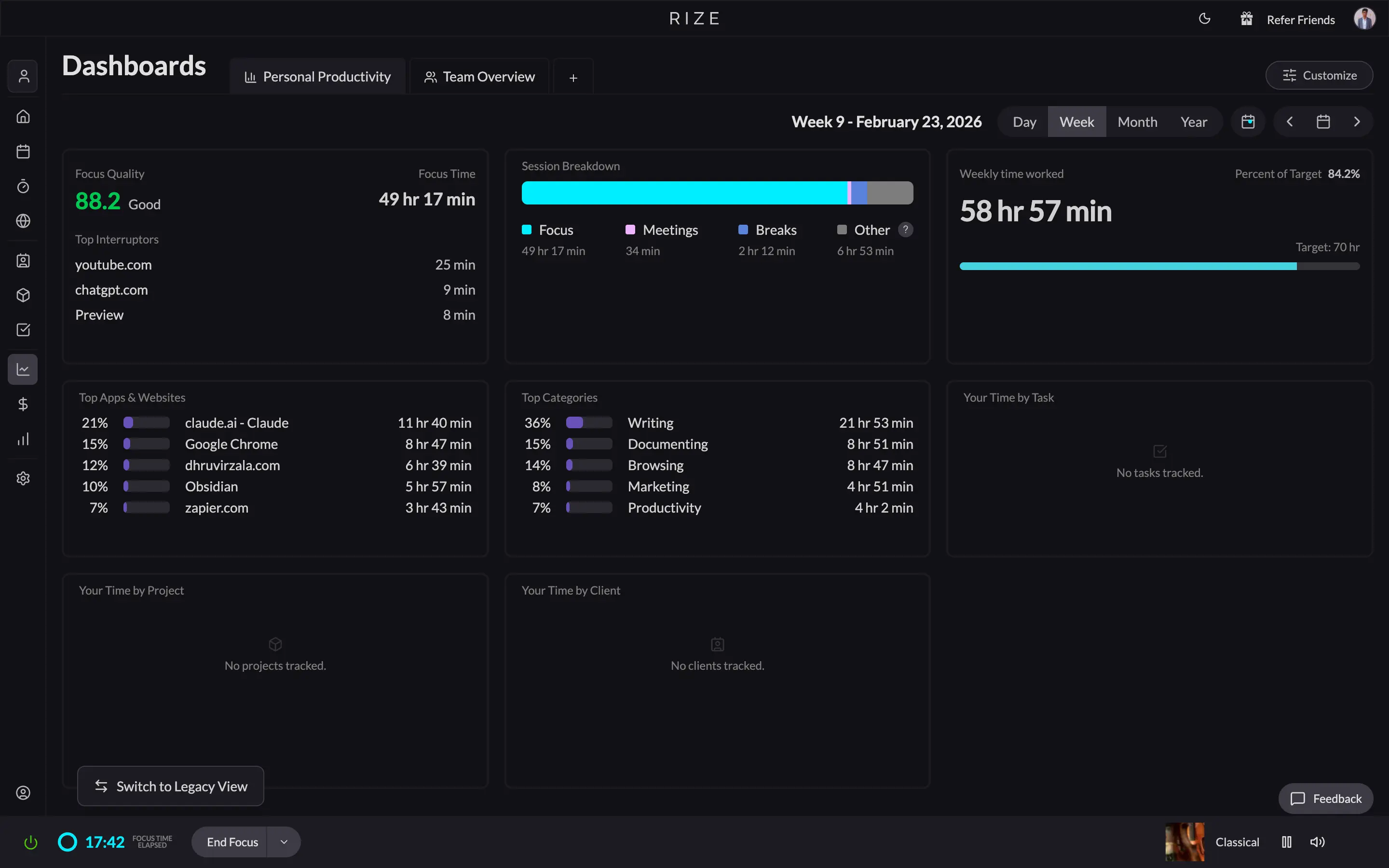
The first thing you notice switching from RescueTime is the interface. If you're fed up with RescueTime's irregular design, slow loading times, and the split between the desktop app for tracking and the web app for reporting, you'll love Rize. The interface is modern, with dark and light modes. Everything lives inside the native desktop app, organized into collapsible tabs on the left sidebar. Setup is basic, and once it's done, Rize runs quietly in your menu bar. It doesn't ask you to switch between apps to see your own data.
Rize is fully automatic, like RescueTime, but it goes further: it's AI-powered and actively coaches you on your habits. I'm in a no-work-life-balance phase right now. Some days, I overwork until I pass out. Rize's overworking notification has genuinely helped me stop. I set a 10-hour daily maximum, and Rize alerts me the moment I hit it. It also handles focus detection, distraction blocking, and meeting notifications on its own. RescueTime has nothing like this.
The AI time entries feature is one of my favorites. Work through your day without touching anything. When you open Rize later, the AI has already created time entries for each work session. You review, edit if needed, and approve. It's the closest thing to effortless client billing I've found.
Rize has built-in focus music: Lo-Fi Beats, Jazz Lounge, Binaural 40 Hz, and more. RescueTime sends you to Spotify to set that up yourself, which defeats the purpose. Small thing, but it matters when you're trying to get into flow.
For client work, Rize lets you create clients, projects, and tasks and automatically categorize tracked time against each one. If you bill by the hour, this gives your clients a transparent breakdown of exactly what was worked on and for how long. Rize integrates with ClickUp, Linear, Zapier, and Google and Outlook calendars.
RescueTime's reporting makes you hunt for the data that matters. Rize sends daily, weekly, monthly, and yearly email summaries, and the same data lives in the app dashboard without digging.
Rize is the right call if you want maximum visibility into how your day actually goes, want to increase your deep work hours, or need to bill clients accurately without manual timekeeping.
Rize pricing: 7-day free trial available. The Basic plan starts at $12.99/month for individual use, with Pro at $28.99/month and Max at $49.99/month. Agencies and small teams should look at the Team plan at $39.99/seat/month (2-seat minimum). All plans are cheaper on quarterly or annual billing — Basic drops to $9.99, Pro to $23.99, Max to $39.99, and Team to $29.99/seat on annual billing.
Start tracking time automatically
Join thousands of professionals who stopped guessing where their time goes. Free for 7 days.
Start Free TrialThe best RescueTime alternative for free and offline time tracking
ActivityWatch (Android, Browser extensions, Linux, Mac, Windows)
ActivityWatch pros:
- Completely free and open-source
- All your data is stored locally
- Works offline
ActivityWatch cons:
- The UI is significantly unpolished
- Not a full-fledged time tracker
- No team time tracking features
ActivityWatch is the only tool on this list that stores all your data locally, never on a third-party server. If you handle sensitive client work, legal documents, medical records, confidential financials, that distinction matters more than any feature comparison.
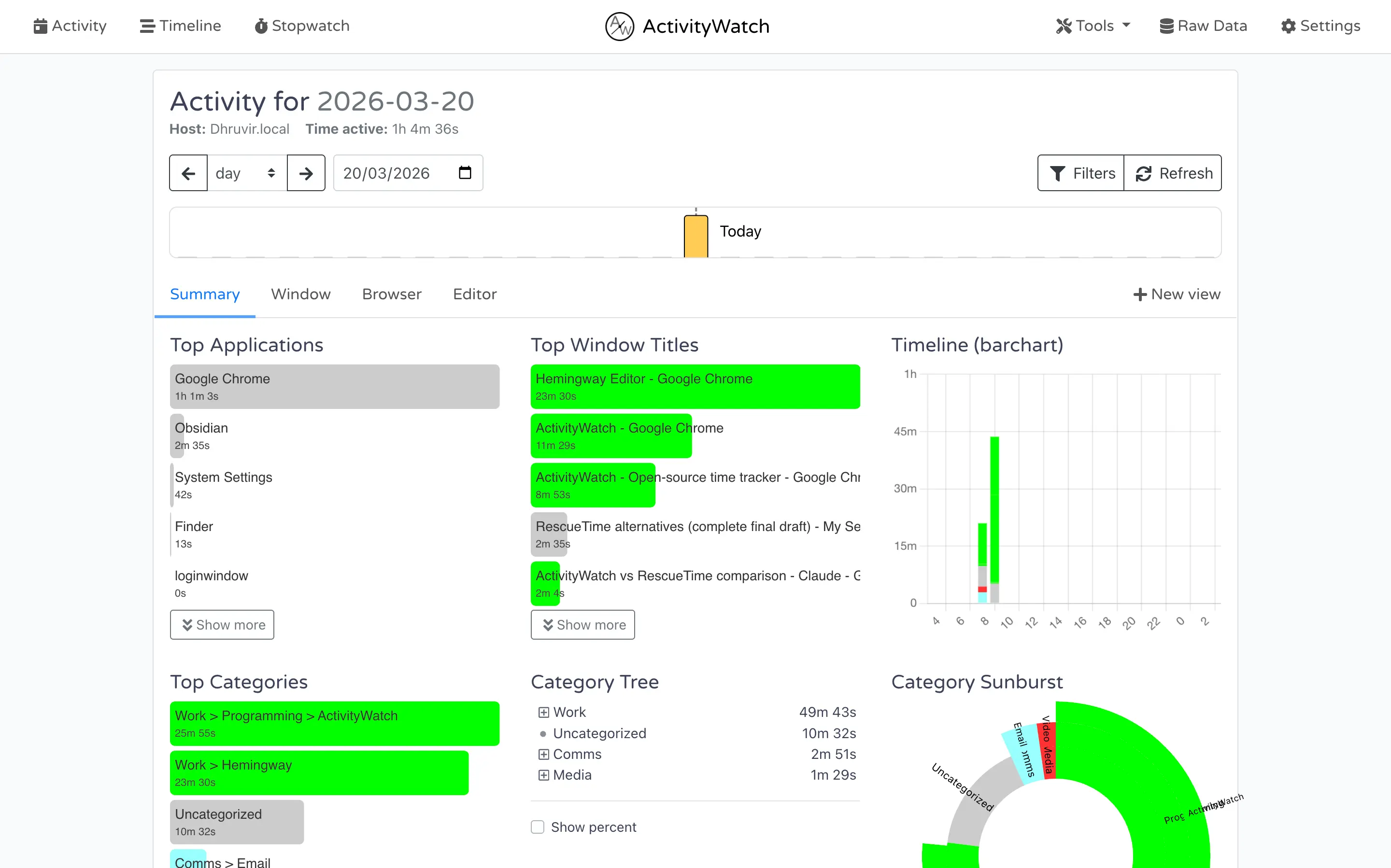
The tradeoffs are real. The UI is the least polished on this list, and accessing your data means opening a browser and navigating to localhost:5600. It feels more like a developer tool than a productivity app. Being completely free and open-source, you feel that in the experience.
Tracking works well for individual use. ActivityWatch uses modules called Watchers to collect data automatically: app usage, browser activity via Chrome and Firefox extensions, and active document titles. If you're technical, you can write custom watchers for anything you want to track: IDE activity, music listening, meetings, etc.
The web dashboard is customizable with about 15 visualization options, and a 48-hour timeline view is available, though it's not as polished as dedicated tools like ManicTime.
ActivityWatch has no team features, no integrations, no AI coaching, and no client or project tracking. If you need any of those, Rize is the better call.
ActivityWatch pricing: Completely free and open source.
The best RescueTime alternative for teams using Jira, Slack, or Salesforce
Toggl Track (Android, Browser extensions, iOS, Mac, Web, Windows)
Toggl Track pros:
- Runs on every major platform
- Integrates with Slack, Salesforce, Jira, Asana, and QuickBooks
Toggl Track cons:
- Desktop app tracks only; all reporting lives in the web app
- Interface is confusing despite heavy whitespace
- Poor fit for personal productivity tracking
The only reason to pick Toggl Track over Rize is if your workflow runs through Slack, Salesforce, Jira, Asana, or QuickBooks. On integrations, nothing else on this list comes close.
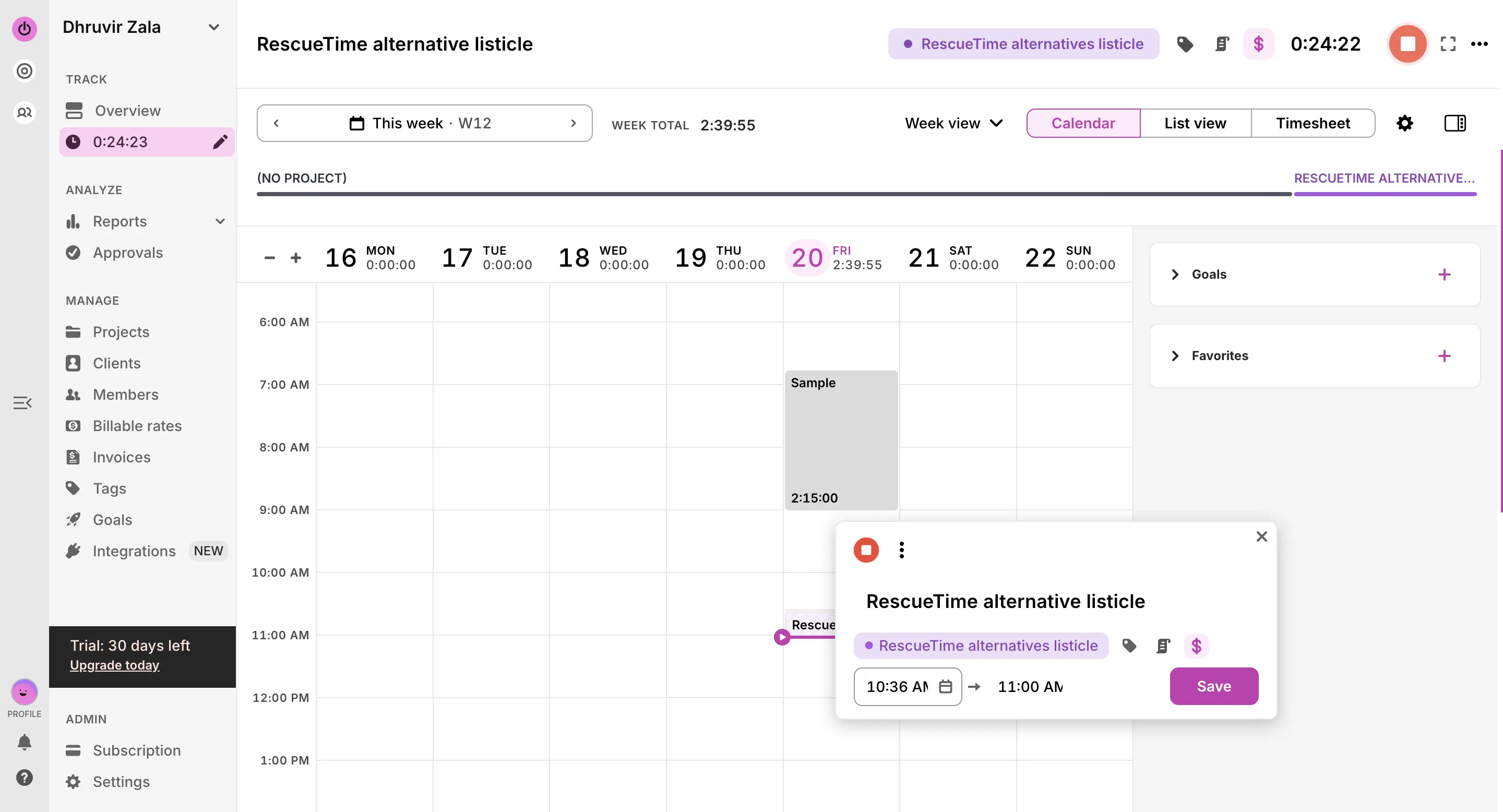
Everything else is a problem. The desktop app is for tracking only; reporting lives in the web app. You're constantly switching windows to understand your own day. RescueTime has the same flaw, and if that's the reason you're looking for an alternative, Toggl Track won't fix it.
The interface doesn't help either. Whitespace-heavy but genuinely hard to browse. I couldn't stay with it for more than an hour at a stretch, which tells you most of what you need to know about it as a daily productivity tool.
If personal productivity is your goal, skip it. Rize handles individual focus tracking, automatic time capture, and client billing more cleanly at a comparable price. Toggl Track's focus is on billable hours, and even there, Rize edges it out.
But if your time tracking needs to feed directly into the tools your team already lives in, Toggl Track is the only real pick here.
Toggl Track pricing: Free plan for up to 5 users (30-day free trial on paid plans). Paid plans start at $9 per user per month billed annually.
Related reading: Deciding between Rize and Toggl? Here's our complete Rize vs. Toggl comparison guide.
The best RescueTime alternative for invoicing and client billing
Harvest (Android, Browser extensions, iOS, Mac, Web, Windows)
Harvest pros:
- Best integrations of any tool on this list
- Clean, professional interface
- Built-in invoicing and payments in one workflow
Harvest cons:
- Fully manual time tracking
- No automatic tracking, focus features, or productivity coaching
- Not built for individuals
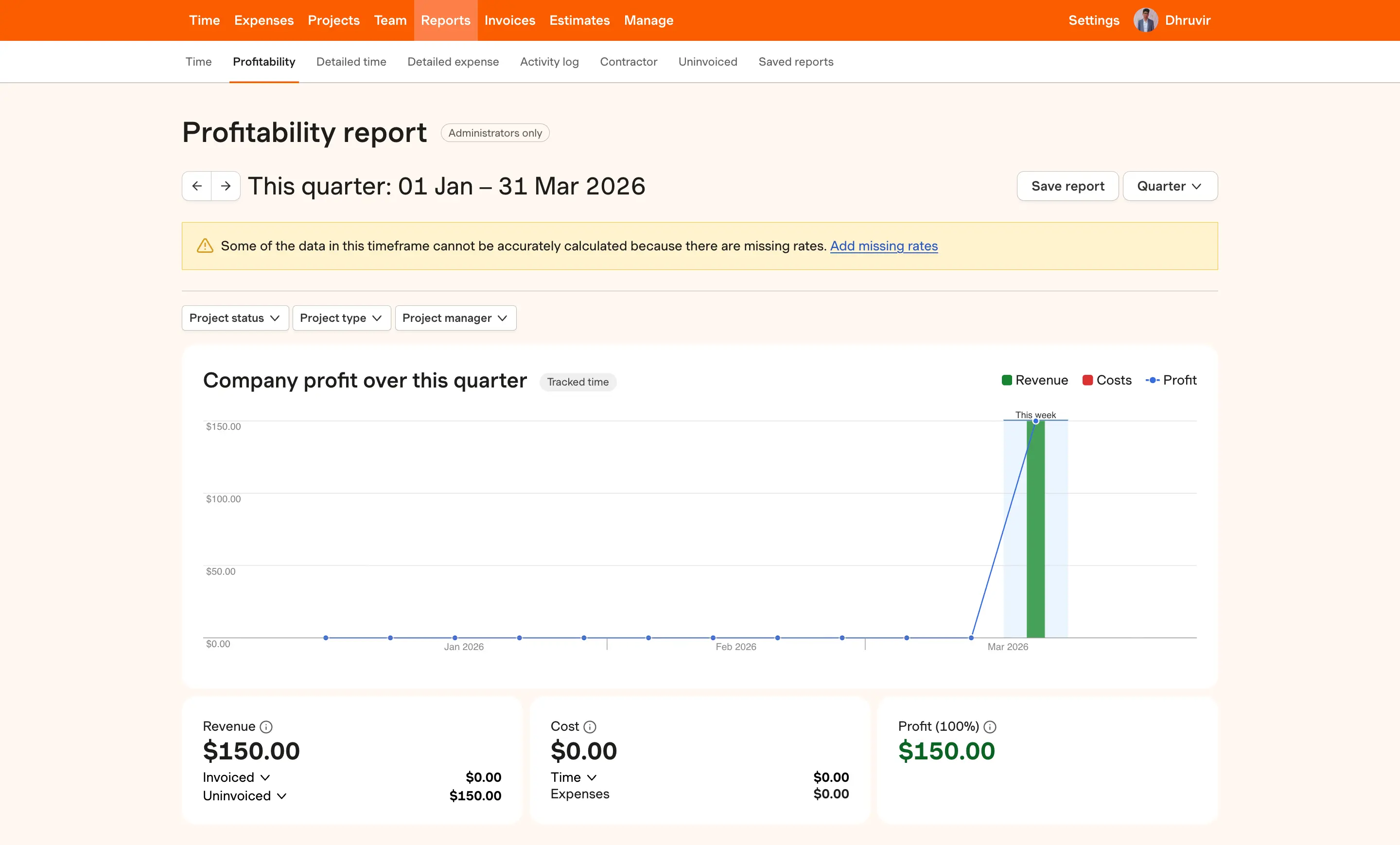
If your priority is tracking billable time, generating invoices, and getting paid without ever leaving the app, Harvest is the best tool on this list for that workflow.
The tradeoff is real: Harvest is fully manual. You enter time and project details yourself, every time. No automatic tracking, no AI coaching, no focus features. If you're leaving RescueTime because it's confusing and slow, Harvest won't fix that frustration. It replaces one friction with another.
What Harvest does, it does cleanly. Track time by client and project, log expenses, pull profitability reports, generate invoices, connect a payment processor, and get paid. That's the whole product. The restraint shows in how polished it feels. Of everything on this list, it's the one that could sit in an enterprise billing stack without looking out of place.
The integrations are the strongest case for choosing Harvest. Project management (Asana, ClickUp, Basecamp, Notion), finance and payments (Stripe, Deel, PayPal), communication and CRM (Google Workspace, Slack, Zendesk), calendars (Google and Outlook), and connectivity tools (IFTTT, Relay, Zapier). No other tool on this list comes close.
If you hate touching your time tracker, Harvest is the wrong call. If you need a professional billing workflow your clients will actually trust, it's the right one.
Harvest pricing: Free plan available (30-day free trial on paid plans). The Teams plan is $11 per member per month, or $9 per member per month on annual billing, plus usage-based fees on top of the seat price for additional invoices, projects, clients, and tasks. Enterprise is $14 per seat per month on annual billing.
The best RescueTime alternative for remote team management and payroll
Hubstaff (Android, Browser extensions, iOS, Linux, Mac, Web, Windows)
Hubstaff pros:
- Strong GPS and geofencing for field and remote teams
- Tracks hours, activity levels, app and URL usage, and optional screenshots
- Built-in invoicing, project budgets, and payroll integrations
Hubstaff cons:
- Employee monitoring focus creates real trust and morale problems
- Activity monitoring only works on desktop; field teams get a stripped-down experience
- No automatic time tracking; everything is manually clocked in and out
Before going any further, Hubstaff and RescueTime are not really solving the same problem. RescueTime is a personal productivity tool. It runs quietly and tells you where your time went. Hubstaff is a workforce management platform built for managers who need visibility over a distributed team. If you're an individual knowledge worker frustrated with RescueTime, Hubstaff is not your answer. If you manage remote contractors, field crews, or offshore teams, keep reading.
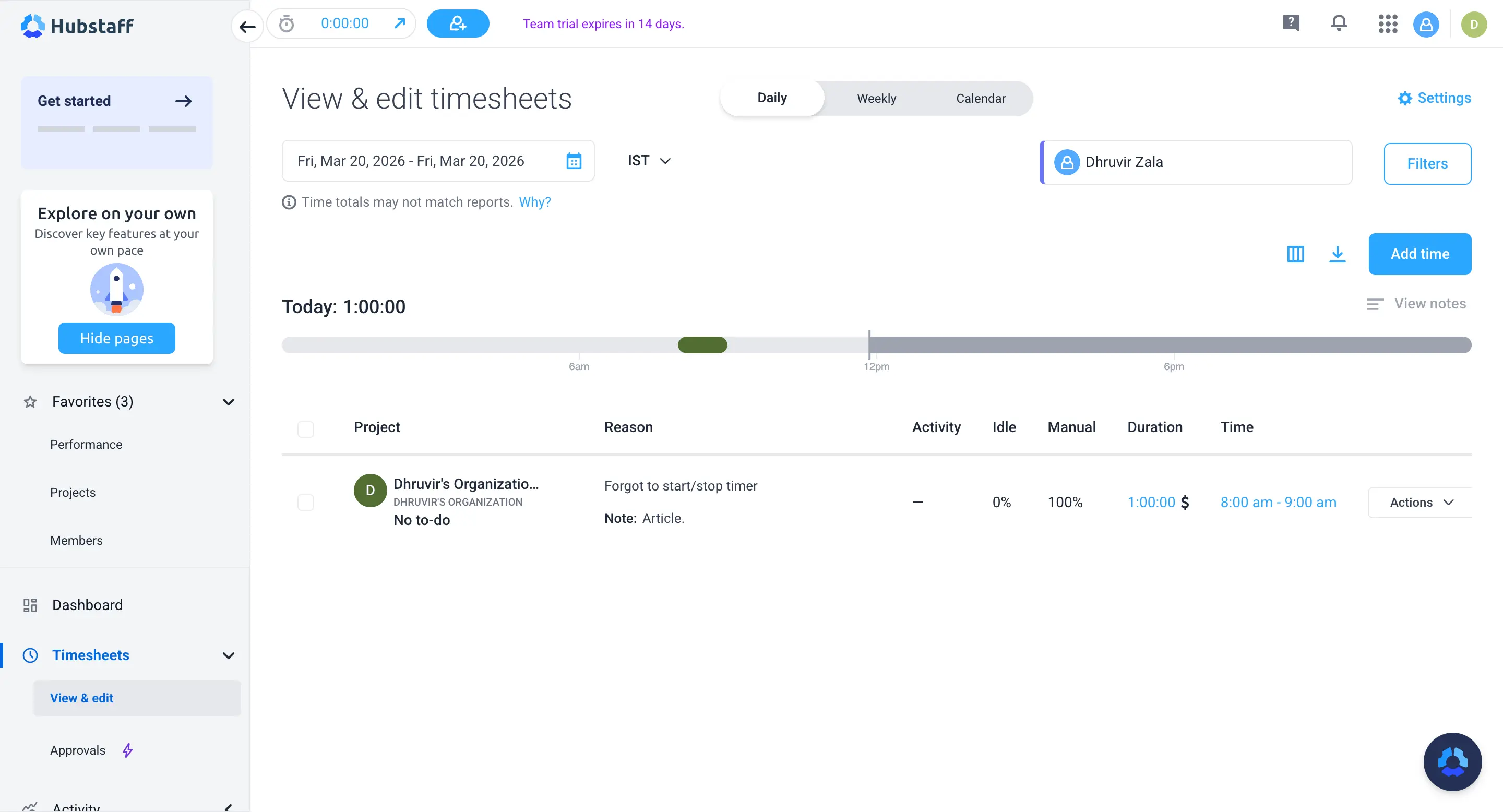
What Hubstaff does well is give managers operational clarity at scale. You can track hours across desktop, web, mobile, and Chrome extension. Activity monitoring captures app usage, URLs visited, and periodic screenshots, but only on desktop. Field teams get GPS time tracking with geofencing that auto-clocks workers in and out of job sites. Project budgets alert you when a project is burning through hours faster than expected. Payroll integrations with Gusto and Deel turn approved timesheets into payments without leaving the platform. For an agency owner running ten contractors across three continents, this is genuinely useful infrastructure.
The honest problems are harder to ignore. The screenshots feature in particular generates real friction, even when it can be disabled or set to blurred captures; the fact that it exists changes the relationship between employer and employee. That cultural cost is real and worth weighing before rolling this out to a team that isn't expecting it.
If you're comparing Hubstaff to RescueTime because you want better personal productivity insights, automatic tracking, or a cleaner interface, it won't deliver any of those. Rize handles all three.
But if your actual problem is managing time and accountability across a paid remote team, billing clients accurately, and running payroll without a separate tool, Hubstaff is the most purpose-built option on this list for that workflow.
Hubstaff pricing: 14-day free trial. The Starter plan costs $4.99 per seat per month (billed annually). Grow is $7.50 per seat per month, Team is $10 per seat per month, and Enterprise is custom-priced. A 2-seat minimum applies to all plans. Several features, including advanced Insights, location tracking, and extra screenshots, are available as paid add-ons on lower-tier plans.
Start tracking time automatically
Join thousands of professionals who stopped guessing where their time goes. Free for 7 days.
“Rize has been a no-brainer for me.” — Ali Abdaal Read more →
Find the right RescueTime alternative for you
The right pick depends entirely on what frustrated you about RescueTime in the first place.
If the interface, the split between desktop and web, and the steep learning curve are the problems, Rize fixes all three. It's the only tool here that matches RescueTime's automatic tracking while actually improving on the experience.
If privacy is non-negotiable and you won't send your activity data to any third-party server, ActivityWatch is your only real option. Accept the rough edges.
If your work runs through Slack, Salesforce, or Jira and you need your time tracker inside those tools, Toggl Track is the pick, and only for that reason.
If you bill clients and need invoicing built into the same workflow, Harvest handles that better than anything else here.
If you manage a remote or field team and need accountability, GPS tracking, and payroll in one platform, Hubstaff is purpose-built for that. Everyone else should ignore it.
The mistake is picking the most feature-rich tool instead of the right one. More features won't fix the specific thing that made you leave RescueTime.