I've tracked my own work in Rize every day for over three years, mostly so I can invoice clients without making numbers up. Having the hours was never my problem. Flat fees were. I'd quote a project price, feel smart about it, and then find out at invoice time that I'd been working for roughly car wash money since week two.
Architects have the same problem with more people attached. You sign a fixed fee for design development, everybody works hard, and nobody finds out the phase is underwater until the invoice goes out, and the number is just sitting there. Being awful.
A good time tracker gets honest hours onto the right phase without anyone rebuilding their week from memory on Friday, so you catch the overrun while it's still fixable.
What makes the best time tracking tool for architects?
Here's what I compared the chosen seven tools against for a value-driven rundown:
- Capture effort. How much of the Friday reconstruction is done before anyone opens a timesheet? If a tool depends on people remembering, it runs on fiction.
- Phase and fee visibility. Does it show a phase eating its fee, and does it show you in week three or at invoice time? Week three is the whole point.
- Path to the invoice. Do hours become an invoice or an accounting export without anyone retyping them? Every retype is a chance to lose an hour. Or make one up.
- Real cost. I priced each tool for a full year at 3, 8, and 15 seats. "$10 per user" is a nice number until you multiply it.
- Staff visibility. What does it capture about your people? If it takes screenshots, your team will find out, and now you have a different problem.
The best architect time tracking tools at a glance
| Tool | Best for | Standout feature | Pricing |
|---|---|---|---|
| Rize | Teams that will never press a timer | Drafts entries from Revit's title bar | $9.99 solo; Team $29.99 to $39.99/seat |
| TimeCamp | Automatic tracking on a tight budget | Keyword rules sort time into phases | Free plan; paid $2.49 to $4.99/seat |
| Toggl | Staff who'll actually press a timer | Fixed-fee forecast and budget alerts (Premium) | Free for 3 users; paid $9 to $16/seat |
| Clockify | Small offices that want a cheap timer | Approvals and QuickBooks sync on Standard | Free for 5 users; paid $3.99 to $11.99/seat |
| Harvest | Budgets and invoices without a suite | Phase budgets and alerts on the cheapest paid plan | Free for 1 seat; paid $9 to $14/seat, plus usage fees |
| Monograph | Practices that run everything by phase | Drafts phases and fees from a signed contract | Demo first, no public price |
| BQE CORE | Office managers tired of three systems | Time, billing, and accounting in one login | Quote only; accounting is an add-on |
Best automatic time tracker for practices that won't press a timer
Rize (Mac, Windows)
Pros:
- Drafts your timesheet with an automatic timer
- Staff approve their own hours first
- Invoices built from tracked time
Cons:
- No fixed-fee or phase setup, only workarounds
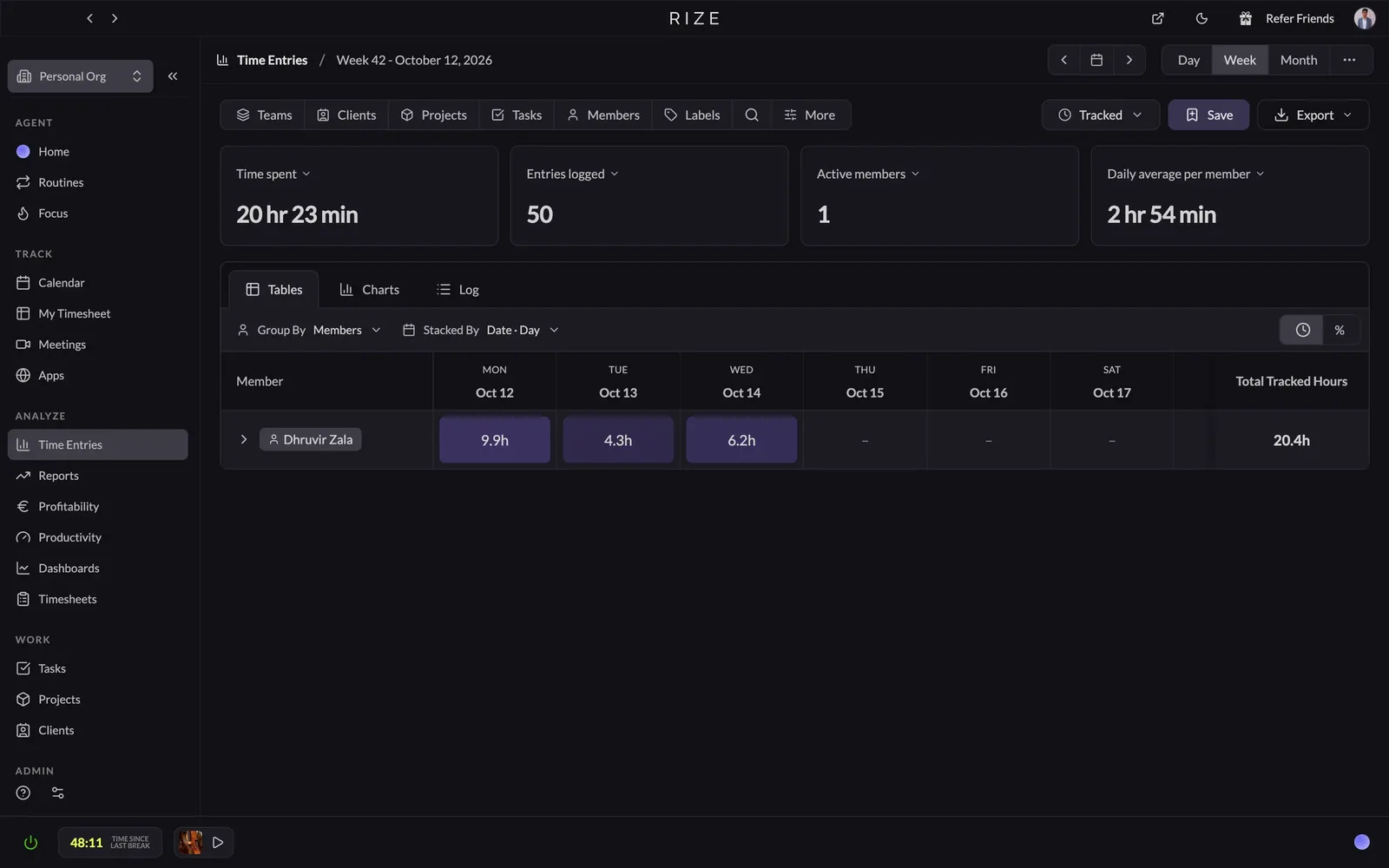
The first time Rize handed me a timesheet I hadn't written, I went looking for the mistake. I found one. A morning of research landed on the right client with no project attached, so I fixed it by hand. That's the honest version of automatic. Rize writes the first draft of your day, and you're the editor.
Rize runs on each person's Mac or PC and watches the window in front of them: the app, the window title, the URL. Revit puts the model's file name in its title bar, so if your files start with a project number, Rize has something real to sort on. At the end of the day, you get suggested entries with a plain-English description, a client, a project, and a billable toggle. You accept, or you fix. Staff approve their own time before you see it, and Rize doesn't record screens or log keystrokes.
Rize also has built-in invoicing without built-in payments. You can build a draft invoice straight from tracked time, or send approved hours to QuickBooks or Xero through Zapier. For most folks, using Rize + Harvest together can be an ideal workflow here.
Use Rize if your team spends most of the day at a desk in Revit, AutoCAD, and Outlook, and you've already watched a free timer app get installed, used for three days, and forgotten. It also fits if you or your office manager will set up each phase once so nobody else has to think about it. Skip it if half your week happens on job sites. It's desktop only, so a site walk counts only if it's on somebody's calendar.
Rize pricing: From $9.99/month for one person; Team is $29.99 to $39.99 per seat/month, 2-seat minimum.
Get honest hours onto every phase
Try Rize free for 7 days. It drafts your team's timesheets from the work they already do in Revit, AutoCAD, and Outlook. No timers, no Friday reconstruction.
Start Free TrialBest automatic time tracker on a budget
TimeCamp (Web, Mac, Windows, Linux, iOS, Android)
Pros:
- Free plan with unlimited users
- Budget alerts from the middle tier up
- Invoicing plus QuickBooks and Xero export
Cons:
- Fixed-fee projects locked to the top plan
- Keyword rules need hand-editing every phase
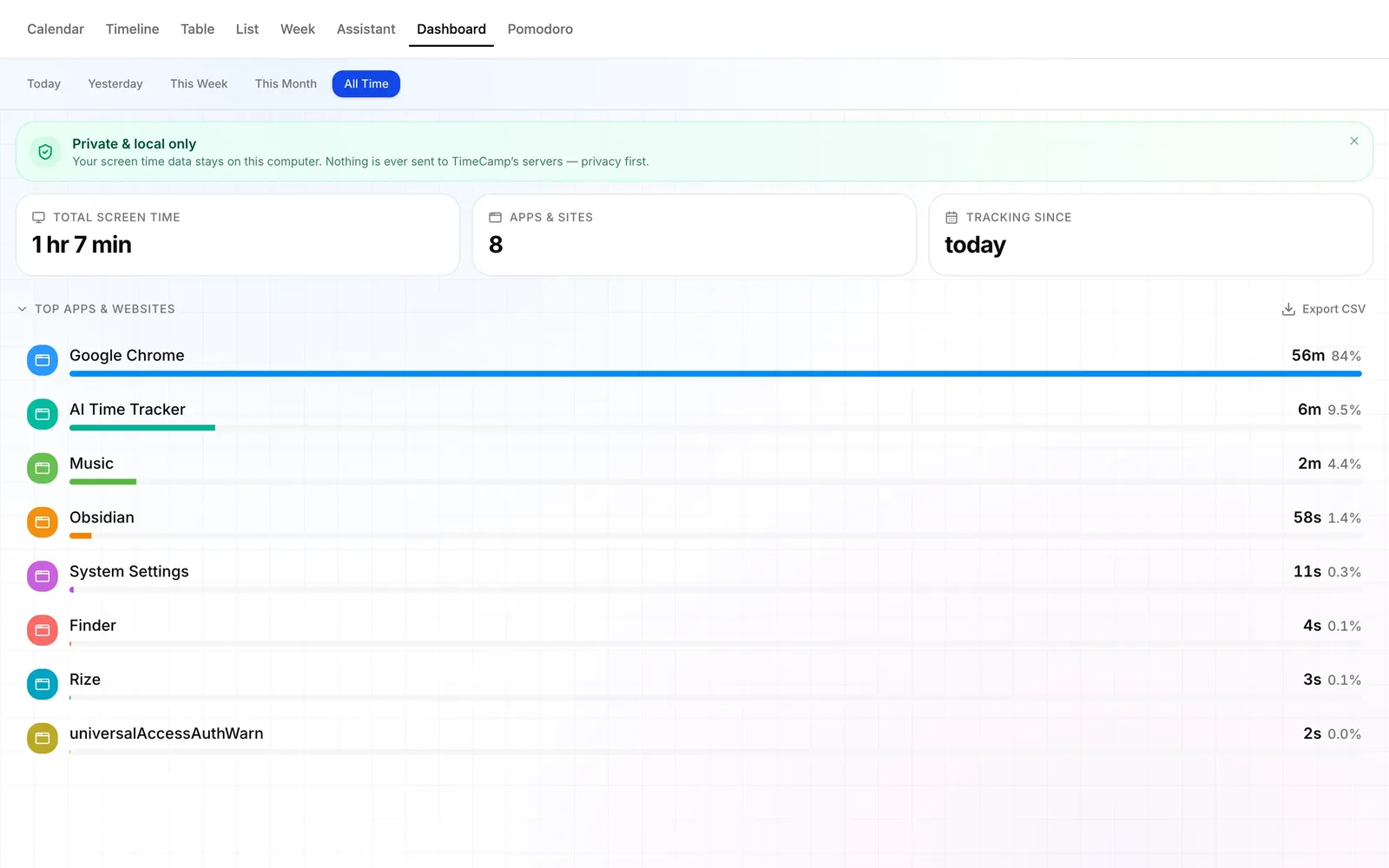
TimeCamp's desktop tracker and its web app spent my first morning disagreeing about whether I'd done any work. The desktop app had been logging my screen time for a while. The web timesheet still said no time logged today. Both were telling the truth. The desktop app keeps everything on your computer until you approve its suggestions, which is a decent privacy call.
If you'd rather not approve suggestions every day, TimeCamp can also track automatically the old way, with keyword rules. You attach keywords to each project or task, and when a window title matches, the time goes there. Put the project number in every file name and that holds up fine.
The fee tools are better as long as you pay for the top plan. Budgets and budget alerts start on Premium. Fixed-fee projects, billing rates, and labor costs are all Ultimate. So the cheap number on the pricing page isn't the number an architecture practice pays.
Then there's the monitoring. Screenshots, activity levels, GPS, an unusual-activity report: it's all on the menu. The desktop app's page inside TimeCamp says every tracking feature is on by default and points you to a settings page if you have privacy concerns. Your staff will have privacy concerns.
Don't use TimeCamp if your office runs on trust and nobody wants to explain the screenshot setting. Use it if every dollar per seat gets argued about at your practice, your people mostly work at a desk, and someone, probably the office manager, will keep the keyword list current at each phase change.
TimeCamp pricing: Free plan; paid plans $2.49 to $4.99 per user/month billed annually, plus usage-based AI.
Best time tracker for practices that will actually press a timer
Toggl (Web, Mac, Windows, iOS, Android)
Pros:
- The easiest timer here to start and stop
- Private activity timeline as a backup
- Fixed-fee dashboards and budget alerts on Premium
Cons:
- No QuickBooks or Xero sync in the new Toggl
- Phase fees and approvals start at Premium
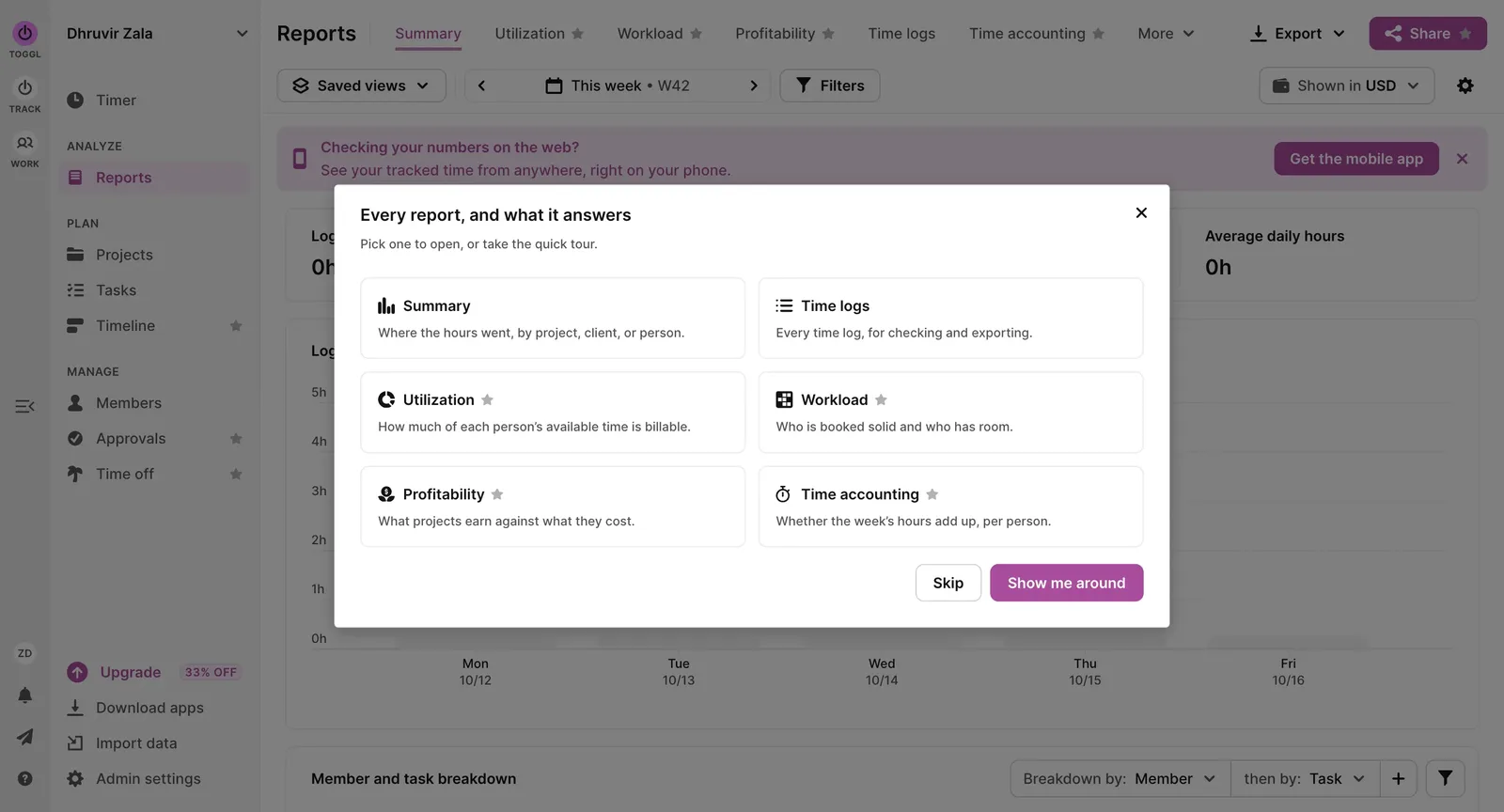
Toggl is the easiest timer in this roundup to open, start, and stop, and nobody on your team needs a training session to use it. But it's still a timer, and a timer only knows what somebody told it.
The desktop app has a backup plan. Turn on activity recording, and it keeps a timeline of the apps you used, stored on your own computer where nobody else can see it. When I opened mine, the big news was that I'd been using Chrome. Which tab? It didn't say. For you, it'll say Revit all afternoon and not which model.
There's also a keyword feature. You link words in window titles to projects, so if the project number is in the file name, Toggl notices when that model opens. Then it sends a notification asking you to start a timer. Toggl's page for this feature promises to eliminate start-stop timers, and the best automation on it is a polite note asking you to start one.
Premium is where Toggl stops being a stopwatch. Set each phase up as a fixed-fee project, and its dashboard shows hours against the estimate, plus a forecast of when you'll finish. Budget alerts email you when a phase passes a threshold you pick, which is exactly the week-three warning you want. Starter gives you billable rates and estimates, but no fixed fees and no approvals.
The invoice side is plainer. There's an Invoices page that builds a basic invoice from tracked time. But Toggl Track is just called Toggl now, and the new version lists QuickBooks Online and Xero as legacy integrations it doesn't support. If your bookkeeper lives in either one, you're exporting a CSV and moving hours over by hand.
If you're stuck between pressing a timer and never thinking about one, I ran Toggl and Rize side by side on the same client work in my Rize vs Toggl comparison.
Toggl pricing: Free for up to 3 users; paid plans $9 to $16 per user/month billed annually.
Best budget timer for small practices
Clockify (Web, Mac, Windows, Linux, iOS, Android)
Pros:
- Free for five people, Auto Tracker included
- Cheapest paid seats of the timer apps here
- Invoicing, approvals, and QuickBooks sync on Standard
Cons:
- Phase budgets and alerts locked to Pro
- Auto Tracker logs apps but won't build entries
I let Clockify's Auto Tracker run while I worked, and it handed back a list of rows that each said Google Chrome, "Unknown document title," "Unknown URL." It was in the room the whole time and still couldn't pick anyone out of a lineup. Maybe there's a Mac permission that fixes this. That's what it did out of the box.
Even when the titles come through, the Auto Tracker stops at taking notes. The activity is private to you, which is nice, and then you turn each session into a time entry yourself. That's not what anybody means by "auto."
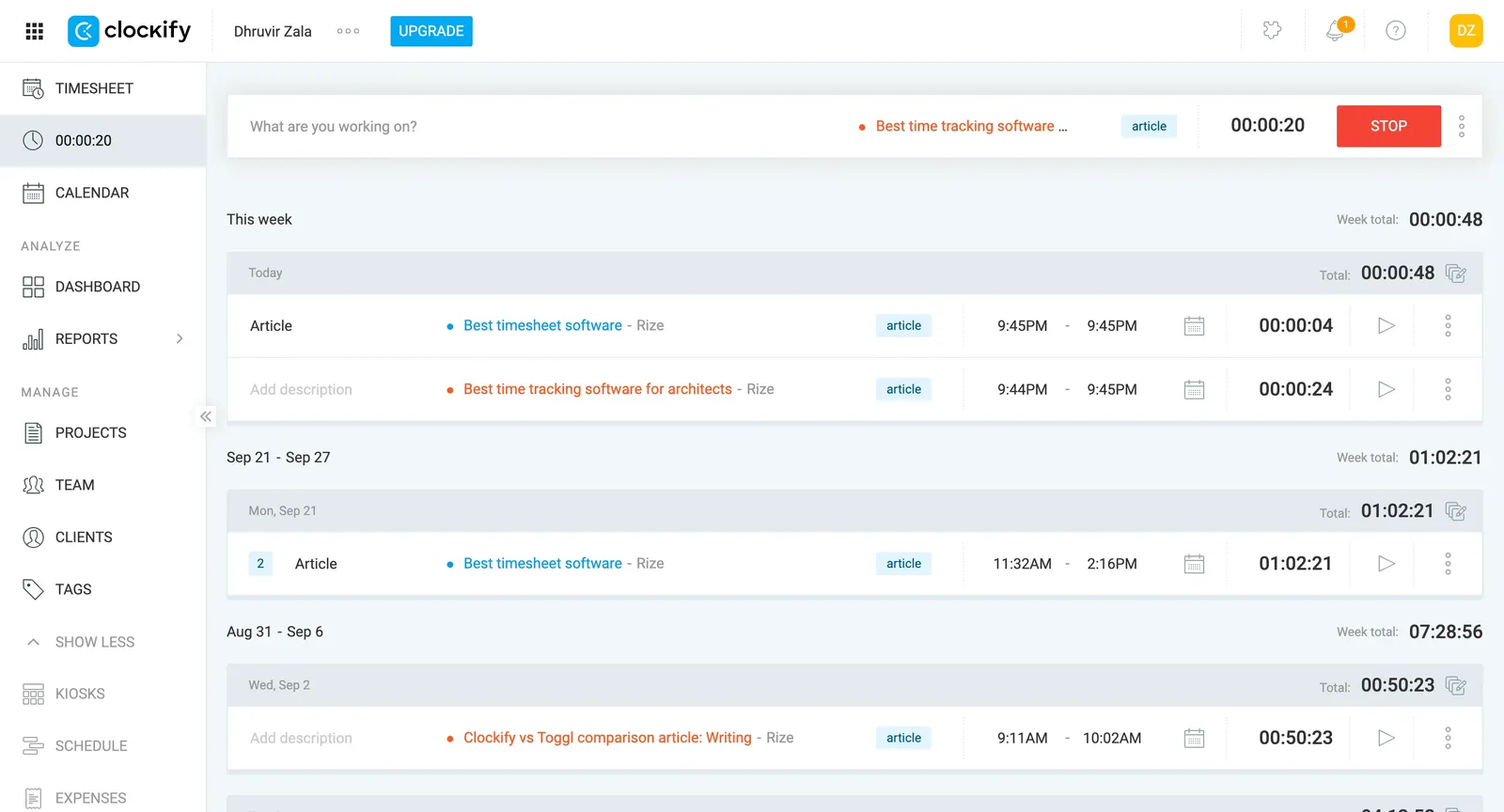
So Clockify is a timer, and a decent one. The weekly timesheet has a Copy last week button, which I respect, because it's honest about how most timesheets get filled out. If your rows are the same handful of projects and phases every week, that saves real time. The web app is busier than Toggl's, though. There's a Kiosks item in the sidebar, which tells you Clockify also wants to be the punch clock at a warehouse.
Clockify's Pro also comes with Activity monitoring, an agent that logs keyboard and mouse activity and can take screenshots. Nothing gets installed unless you send someone the link, so it's a choice, not a default. But Clockify's FAQ says employees can't see their own monitoring results. Know where you stand on that before somebody asks.
If it's down to the two timers, I put both on the same project in my Clockify vs Toggl comparison. For how far the Auto Tracker sits from real automatic tracking, see Rize vs Clockify.
Clockify pricing: Free for up to 5 users; paid plans $3.99 to $11.99 per seat/month billed annually.
Best time tracker for budgets and invoices without a full suite
Harvest (Web, Mac, Windows, iOS, Android)
Pros:
- Fixed-fee projects and budget alerts on the entry plan
- Clients pay invoices online through Stripe or PayPal
- Invoices and payments sync to QuickBooks Online or Xero
Cons:
- Usage fees on top of seats, rates unpublished
- Approvals and profitability reports cost Enterprise
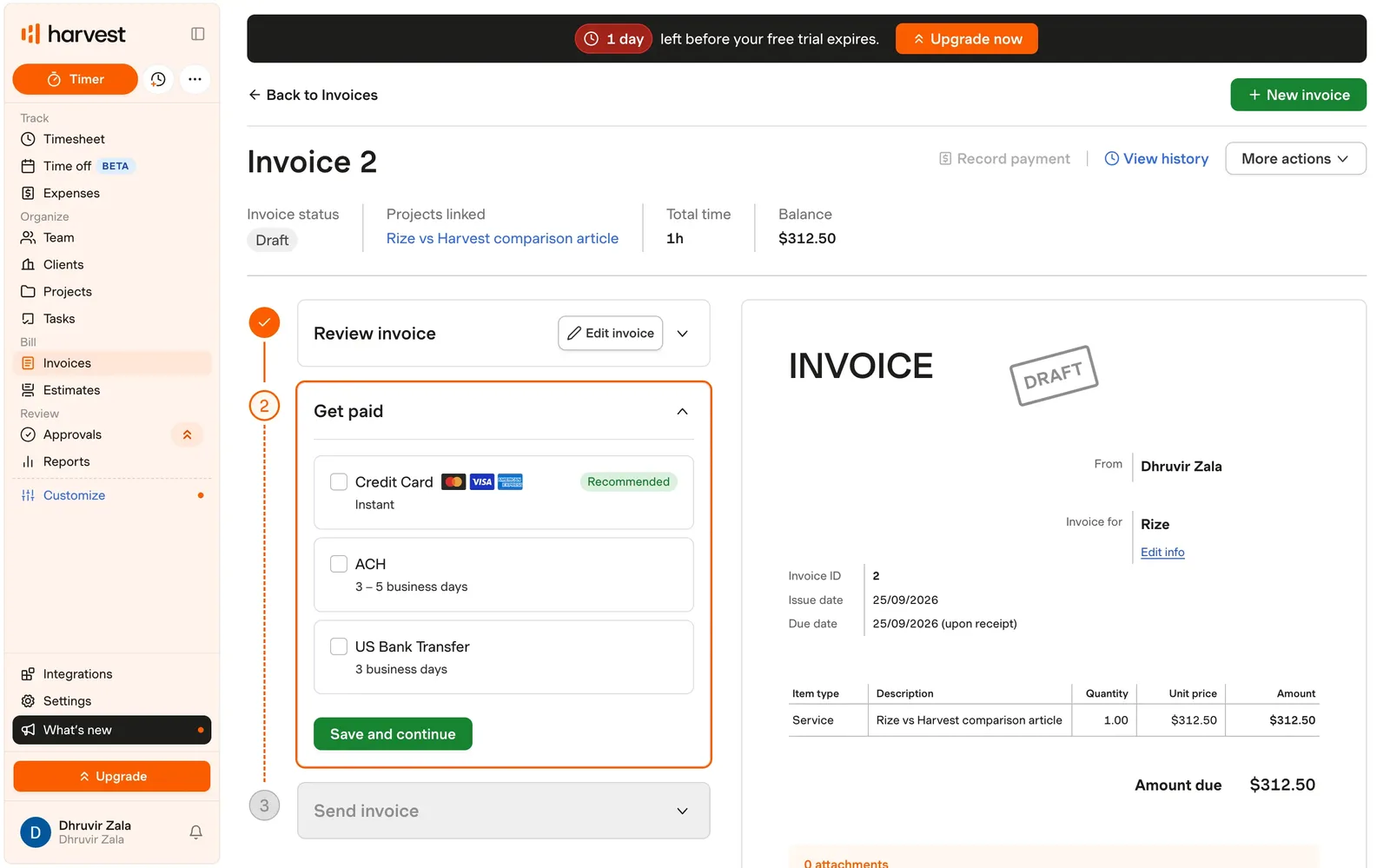
Every page of my Harvest trial had a black banner across the top counting down the days until I had to pay. Plus an Upgrade button in the sidebar. Plus another one at the bottom. Three ways to give them money on one screen. I get it. They're excited.
Under the banner is the thing architects actually need, and it comes on the cheapest paid plan, which no other timer here can say. You make each job a fixed-fee project, add your phases as tasks, give each phase an hours budget, and tick a box that emails you when a phase passes a percentage you pick. That's it. No upsell to get there.
Once the hours are in, the trip to the invoice is short. Unbilled time waits in an Uninvoiced tab, the invoice pulls it in, the client pays by card, and the whole thing copies over to QuickBooks Online or Xero. Nobody retypes anything.
The weak part is getting the hours in at all. Harvest is a timer, a timesheet, and a button that imports your calendar. It has no idea Revit exists. So your phase budget is exactly as honest as whoever forgot to start a timer on Tuesday. The upside is no screenshots, no app tracking, nothing your team didn't enter themselves.
Use Harvest if your team will actually log time, or you're willing to make them, and you want budgets, invoices, and payments in one place without buying practice management software. Skip it if you run a lot of live projects and like knowing your software bill before it shows up.
I timed the writing of my Rize vs Harvest comparison in Harvest itself, if you want the long version. If the pricing already lost you, these are the Harvest alternatives I'd try first.
Harvest pricing: Free for 1 seat and 2 projects; paid plans $9 to $14 per seat/month billed annually, plus usage-based fees.
Best practice management tool for tracking fees by phase
Monograph (Web, iOS, Android, desktop app)
Pros:
- Phases, fees, and roles built in
- Actuals against each phase's budget, mid-phase
- Drafts project setup from a signed contract
Cons:
- No self-serve trial, demo first
- QuickBooks Online sync for US firms only
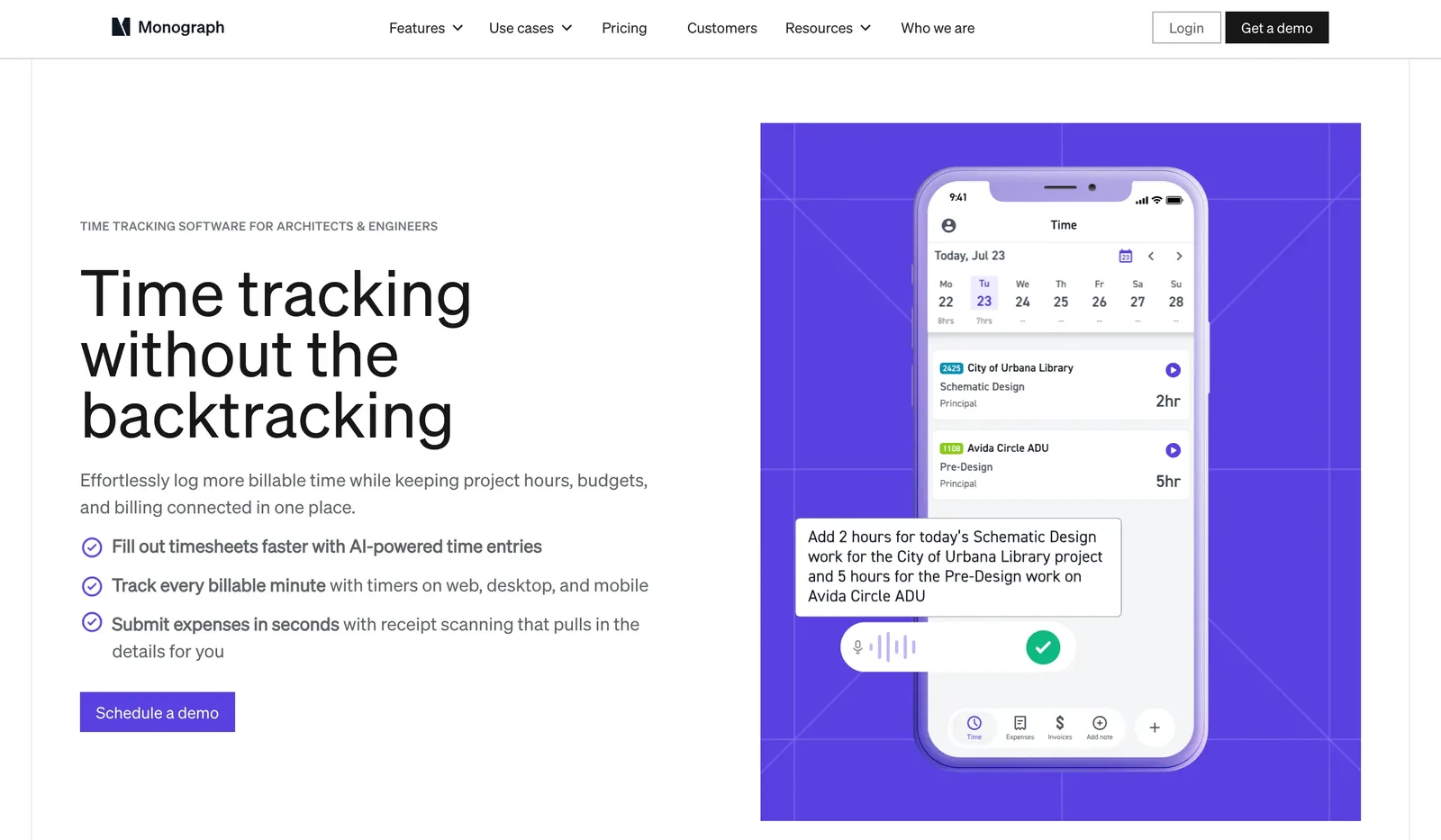
Monograph announced its new time tracking, and the first thing it fills itself out from is your calendar. Which is great for the hours nobody loses. Nobody forgets the two-hour client meeting. They forget the redlines they did on either side of it.
The second way is describing your day into your phone, and Monograph turns what you said into entries. That's still remembering your day. It's the Friday reconstruction, except now you're talking to yourself in the parking lot. The third way is a desktop app with a timer that, once you turn on Smart Time Tracking, also suggests entries based on the software you used. That's the closest to the real thing. Monograph's pages say it identifies the software. They don't say if it knows which project, and that's the half you're paying for.
I'm being picky about capture because what happens after capture is the best phase setup in this list so far, and it deserves better hours than it's going to get. In Monograph, a phase is just a phase. Time goes to a project, a phase, and an activity, and the project shows actual hours and cost against each phase's budget while the phase is still open. Upload a signed contract, and it drafts the phases, fees, and roles for you to check. Consultant fees stay separate from yours.
Billable time goes into invoices without retyping, and invoices sync to QuickBooks Online if you're in the US. Timesheets and payroll don't sync at all. On the people side, suggestions wait for the person who did the work to accept them, and nothing on the time tracking pages mentions screenshots.
Use Monograph if your real question every Monday is whether DD is underwater, and you're ready to run projects, phases, and invoices out of one system to answer it. Skip it if all you wanted was a better timer. You'd be buying the whole office to get the stopwatch. Also skip it if you're done with demos.
Monograph pricing: Sold through a demo.
Best practice management tool for time, billing, and accounting in one place
BQE CORE (Web, iOS, Android, desktop app)
Pros:
- Phase budgets and billing in the base package
- Hours, invoices, and accounting in one place
- Live phone support, 24/7
Cons:
- No public prices, demo, and quote first
- No automatic tracking on the computer
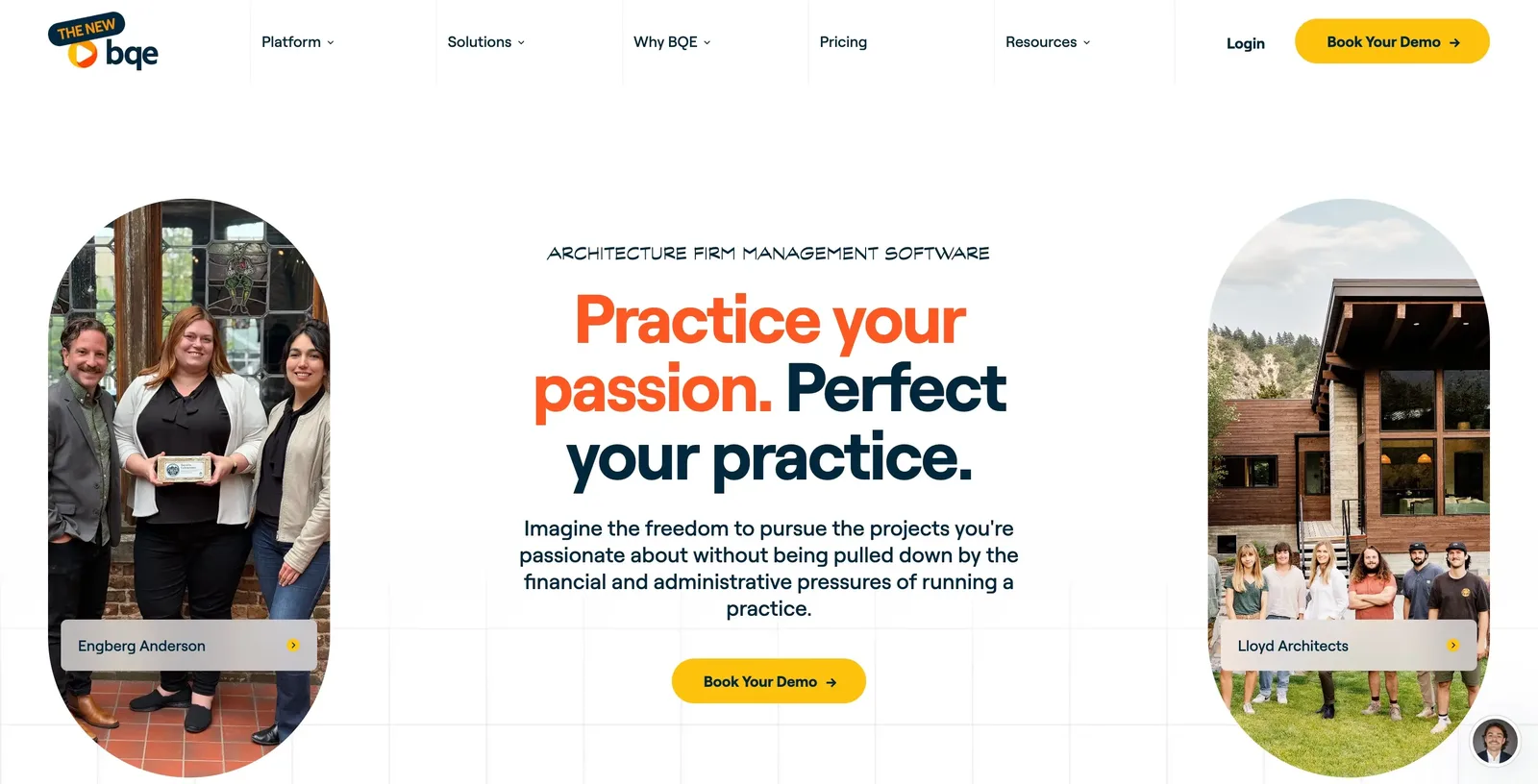
BQE CORE does one job. Your hours are in a timesheet app, your invoices are somewhere else, your books are in QuickBooks, and somebody spends every month copying numbers between them. BQE puts all three in one place, so you can see a phase going over its fee and bill for it without retyping anything.
Getting the hours in is still on your team. You get timesheets, timers, and reminders for people who fall behind. BQE says it can turn your recent activities into time entries, which sounds automatic. It isn't. It just remembers the projects you picked over the last few days so you can pick them again. Nothing on the computer notices Revit is open.
The good part starts once the hours are in. Every hour counts against the project budget the moment it's saved, and phase budgets come in the base package. So you see Design Development running over in week three, not at invoice time. Then those same hours become the invoice, and if you pay for the accounting add-on, the invoice goes straight into your books.
Get BQE CORE if your office manager is tired of running three systems and wants one. Skip it if you're a three-person practice, because that's a lot of demos and setup for a timesheet. And skip it if your real problem is that people don't log their hours. BQE does a lot with the hours you give it. It won't get you more of them.
BQE CORE pricing: Quote only. Base package priced per user, with accounting, CRM, HR, and payroll as paid add-ons.
My final thoughts and recommendations
If your people spend the day in Revit and you know, in your heart, they will never press a timer, go with Rize and set the phases up once yourself. If they will press one, Harvest is the better bet. Toggl is the friendlier timer, but its fee tools wait on Premium.
On a tight budget, Clockify is the clear choice for a plain timer. Want automatic for less? TimeCamp, as long as someone keeps the keywords current. Turn the screenshots off first.
If you want the whole practice to think in phases, book the Monograph demo. If your office manager types the same number into three systems every month, that's BQE CORE.
Still stuck? Open last month's timesheets. If they're all 8.0s and 4.0s, nobody's tracking anything. They're estimating. Fix capture first. Start a free Rize trial and see what an honest week looks like.
Start tracking time automatically
Join thousands of professionals who stopped guessing where their time goes. Free for 7 days.
“Rize has been a no-brainer for me.” — Ali Abdaal Read more →