This is probably our biggest release ever, and each part of it has its own changelog post, linked at the end of this one. This post covers what you will notice before any of that: Rize has a brand new design.
WHY WE DID IT
We heard from a lot of you that Rize was confusing and a little overwhelming. Rize tracks your day in fine detail, so there is a lot of information, and the old interface put most of it on screen at once. We wanted Rize to be easier to process, less cluttered, and simpler to use. We were inspired by the tools we love using every day, like Attio, Linear, Claude, and ChatGPT, and rebuilt the app in that direction.
NEW
A new theme in light and dark
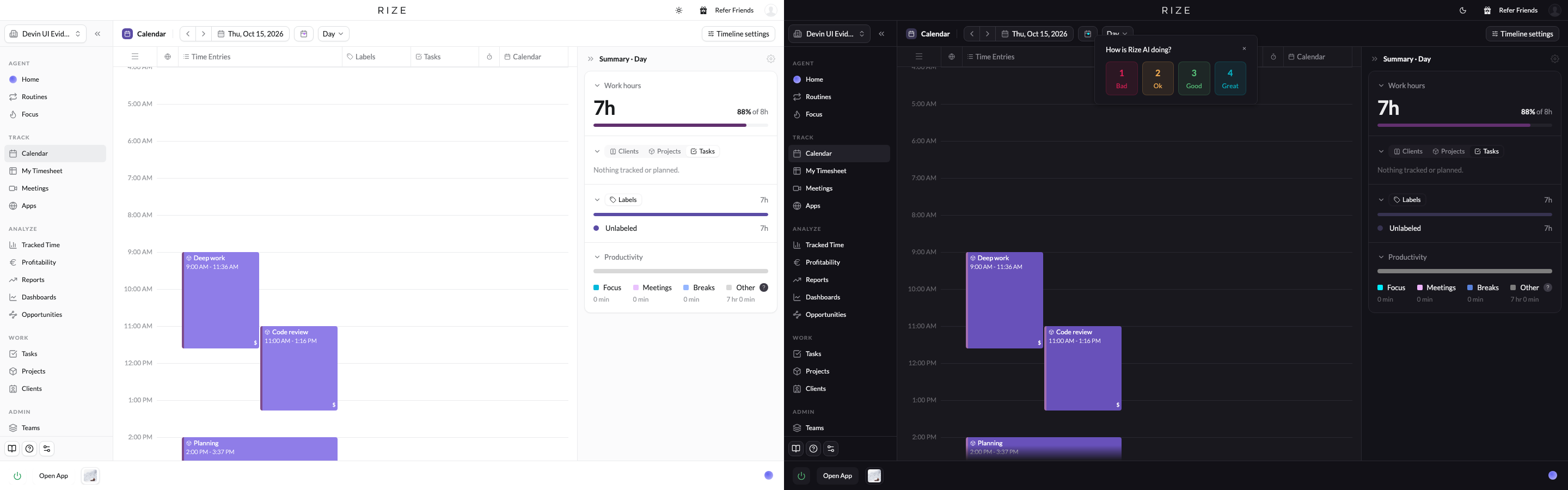
Every page has a new color scheme. Light mode is cleaner, and dark mode surfaces are tinted with the classic Rize purple instead of flat gray. Clients, projects, labels, and other records use one color recipe everywhere, so a client's color on the calendar matches its chip in a table.
Consistent components on every page
We revisited every component in the app. Every page now sits on the same grid, with the title, date controls, and actions in the same place. The date pickers are the same everywhere. Every dialog was rebuilt on one kit, so the dozens of modals that each looked a little different now look the same. Settings is a full page instead of a modal, so you can link to a settings page and come back to it.
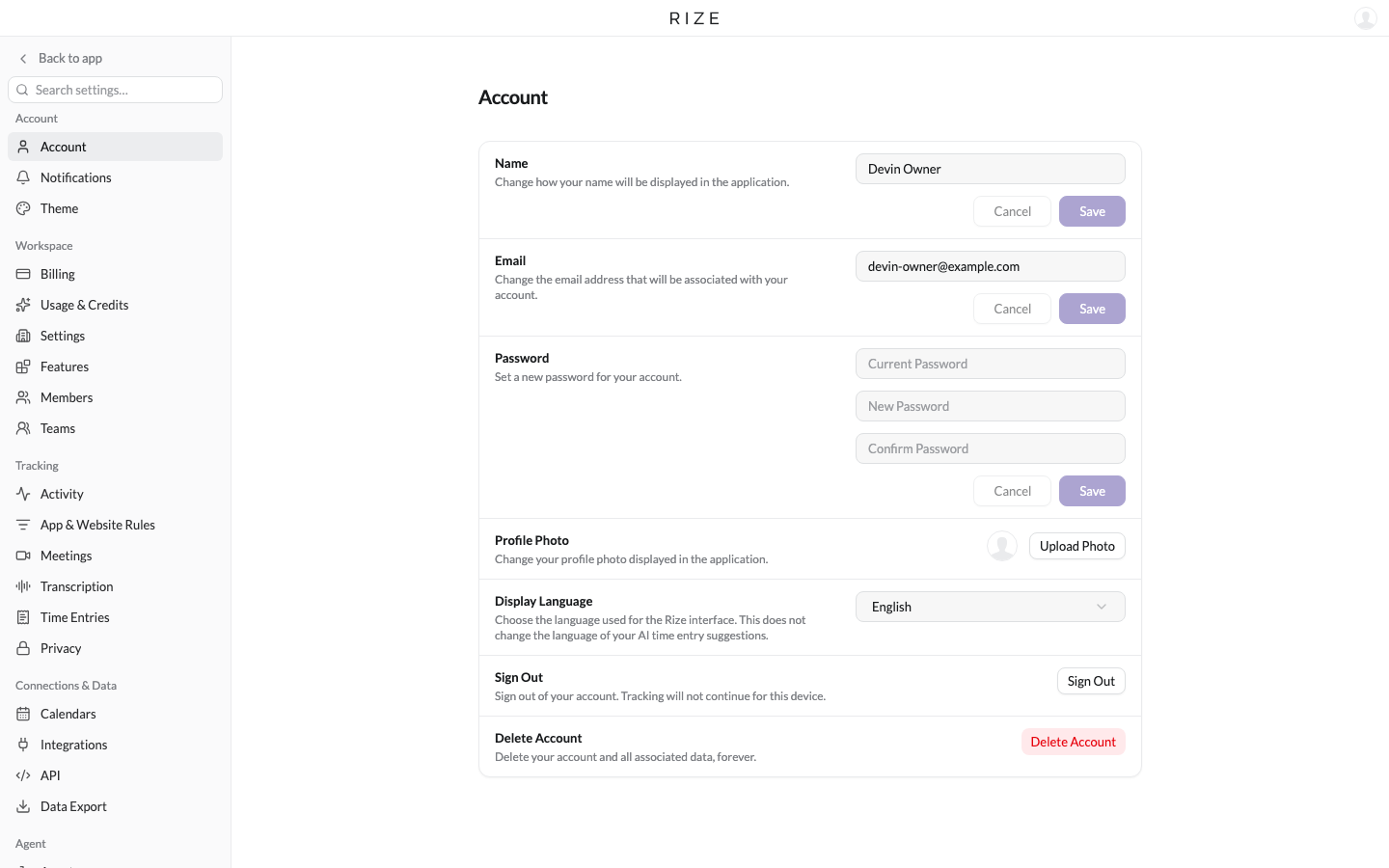
Table-based views
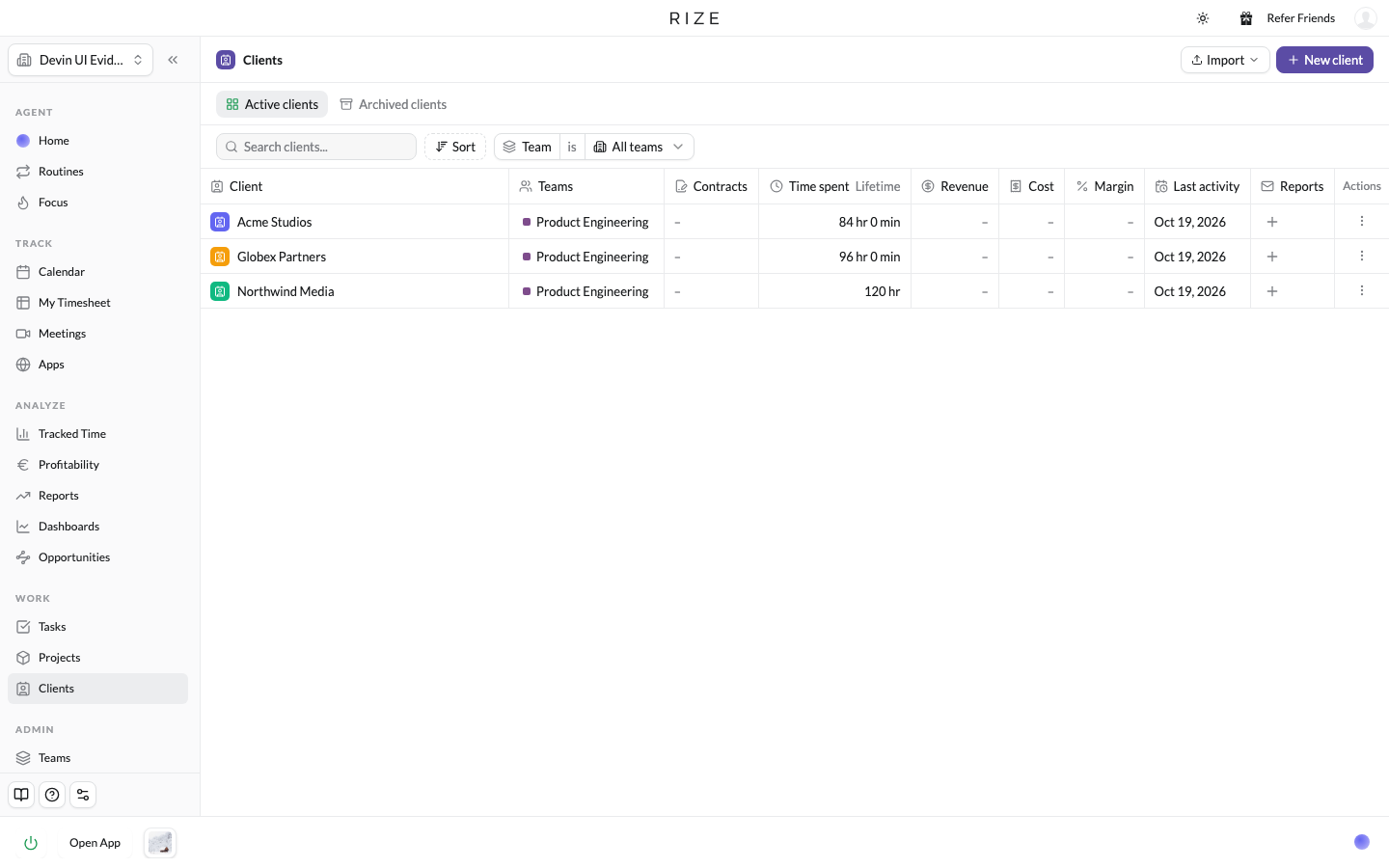
The pages where you look at data are now tables: Clients, Projects, Tasks, Profitability, Reports, Routines, and the new Tracked Time view. Tables hold more information in less space and are easier to scan than the cards they replace. Clients is a clear example: every client with its teams, contracts, time spent, revenue, cost, and margin in one row, and the same layout carries across Profitability, Reports, and Routines.
Records open in a side sheet
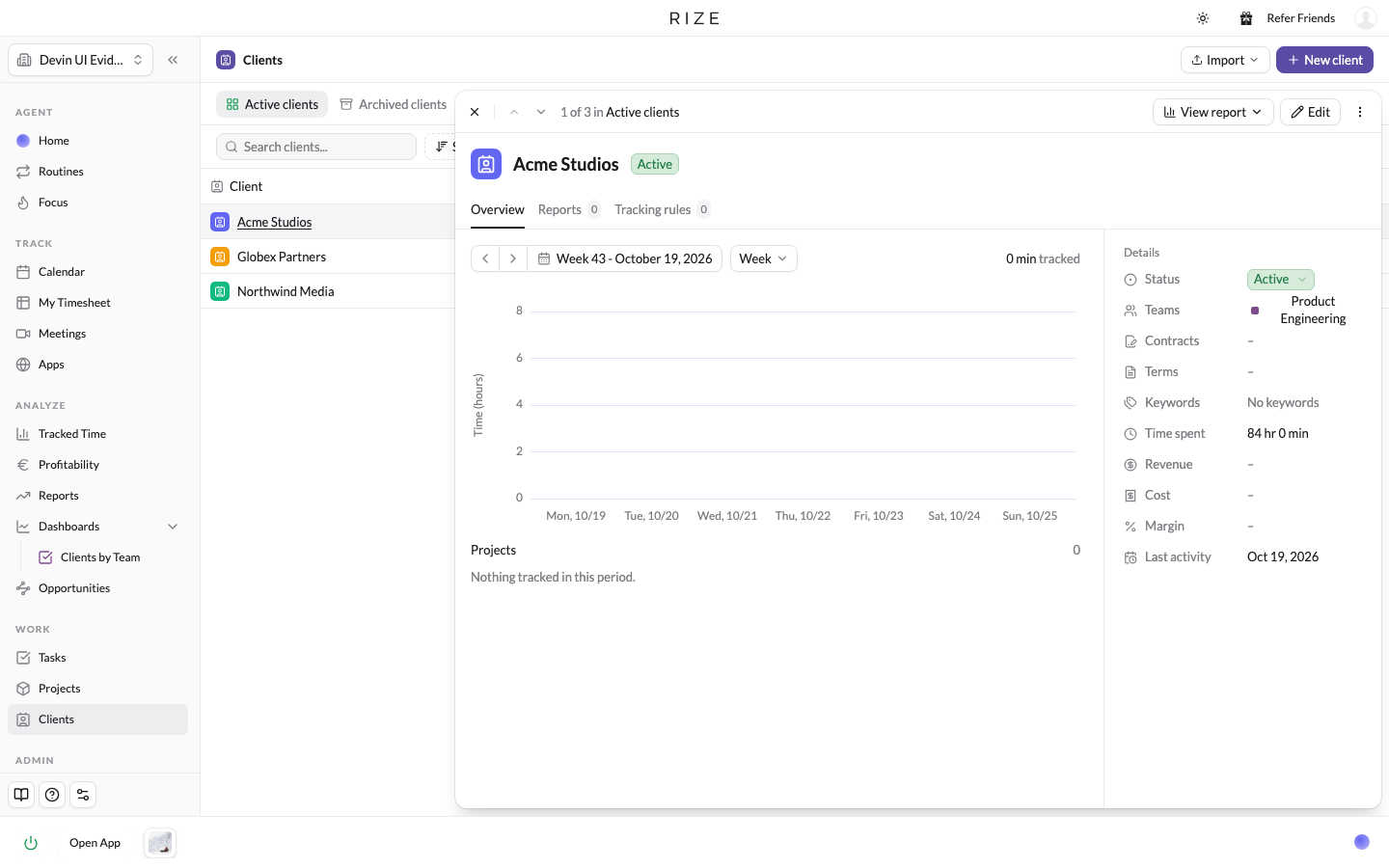
Click a client, project, or task anywhere and its record slides out from the right, with its details, contracts, and tracked time. You can read it and close it without leaving the page you were on. If you have used Attio, it will feel familiar.
A reorganized sidebar and a Resources page
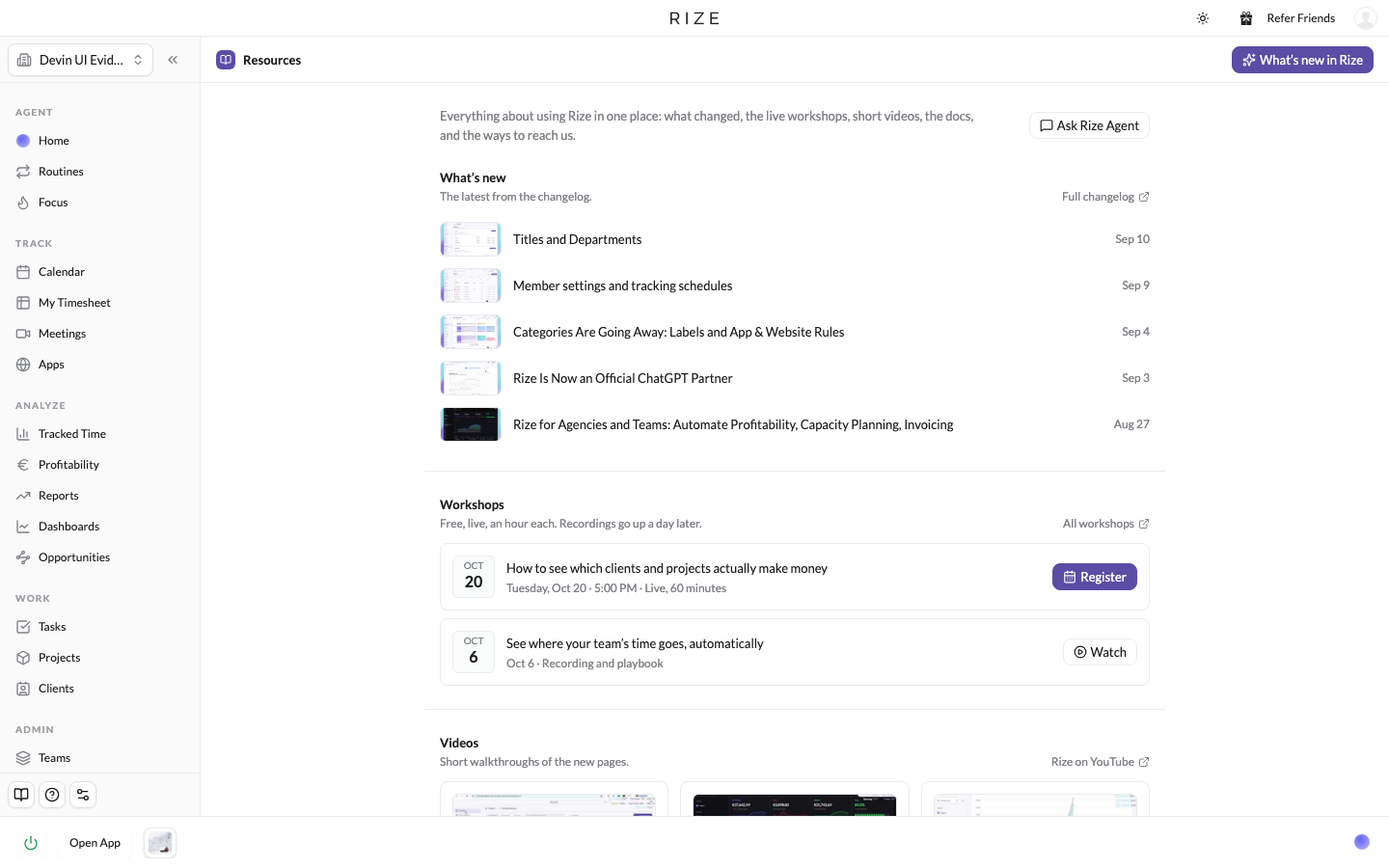
The sidebar is grouped by what you are doing: Agent holds Home, Routines, and Focus; Track holds Calendar, My Timesheet, Meetings, and Apps; Analyze holds Tracked Time, Resourcing, Profitability, Productivity, Reports, and Dashboards; then Work and Admin. Timer is now Focus, Activity is now Apps, and the dashboards you favorite sit under Dashboards so they are one click away. The book icon at the bottom of the sidebar opens a new Resources page with the changelog, upcoming workshops, release videos, the docs, and support in one place.
EVERYTHING IN THIS RELEASE
Each part of the release has its own post with a short walkthrough video:
- Tracked Time, Dashboards, and AI Reports: build any view of your time, save it as a dashboard, and run AI analysis on it on a schedule.
- Routines: run the Rize AI agent on a schedule, with a page for every routine and its runs.
- Meetings with Transcripts (Beta): calendar events, detected meetings, attendance, and transcripts from Fathom and Granola.
- The New Focus Page and Silent Mode: the focus timer, Distraction Blocker, and a quiet mode for days you only want tracking.
- @Mentions in Rize AI Chat and the Web App: mention any client, project, dashboard, or person, and open any page in the browser.
- Workspace Defaults: set up tracking, notifications, and time entry settings for your whole team at once.
- Unlimited Labels and Auto-apply: as many labels as you need, with you choosing which ones the AI assigns.
The first time you sign in after the update, a short tour walks through the highlights, and it stays on the Resources page after that.
We built this release from your feedback, and we are still shipping every week. Let us know what you think from support chat in the app or by email at support@rize.io.