Reporting was the area we heard about most: Rize was confusing to use and it was hard to get the data you wanted. This release rebuilds it. Tracked Time replaces Time Entries, any view can be saved as a dashboard, and any dashboard can run an AI report on a schedule.
TRACKED TIME
Time Entries is now Tracked Time, under Analyze in the sidebar, and it works like a pivot table you do not have to build. Rows by and Columns by are the two controls, and each offers Date, Teams, Members, Clients, Projects, Tasks, Labels, Titles, and Departments. Rows by client, columns by week. Rows by label, columns by member. Change either one and the table rebuilds. Date switches between day, week, and month. Filters narrow the view by team, client, project, task, member, label, title, department, or billable.
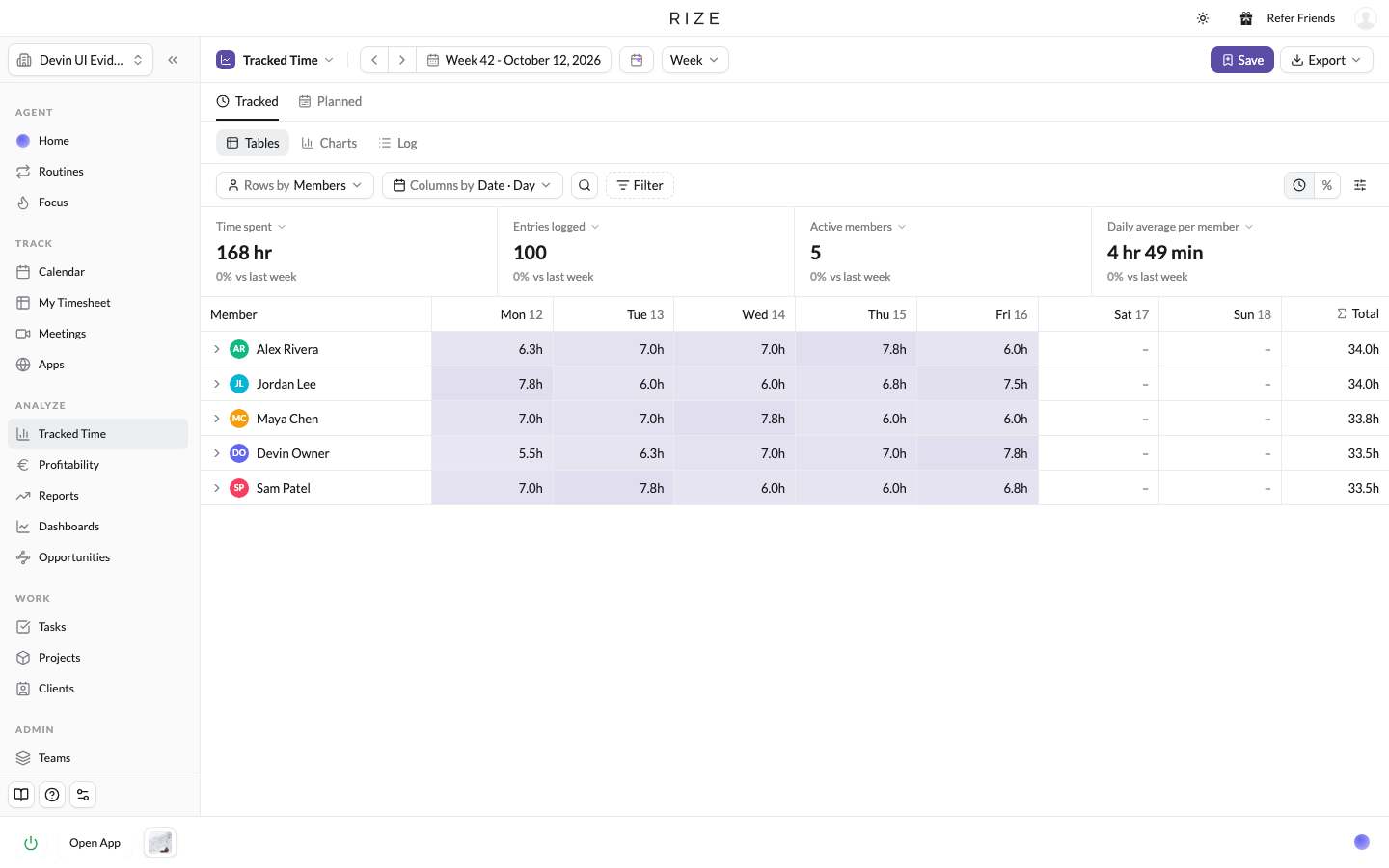
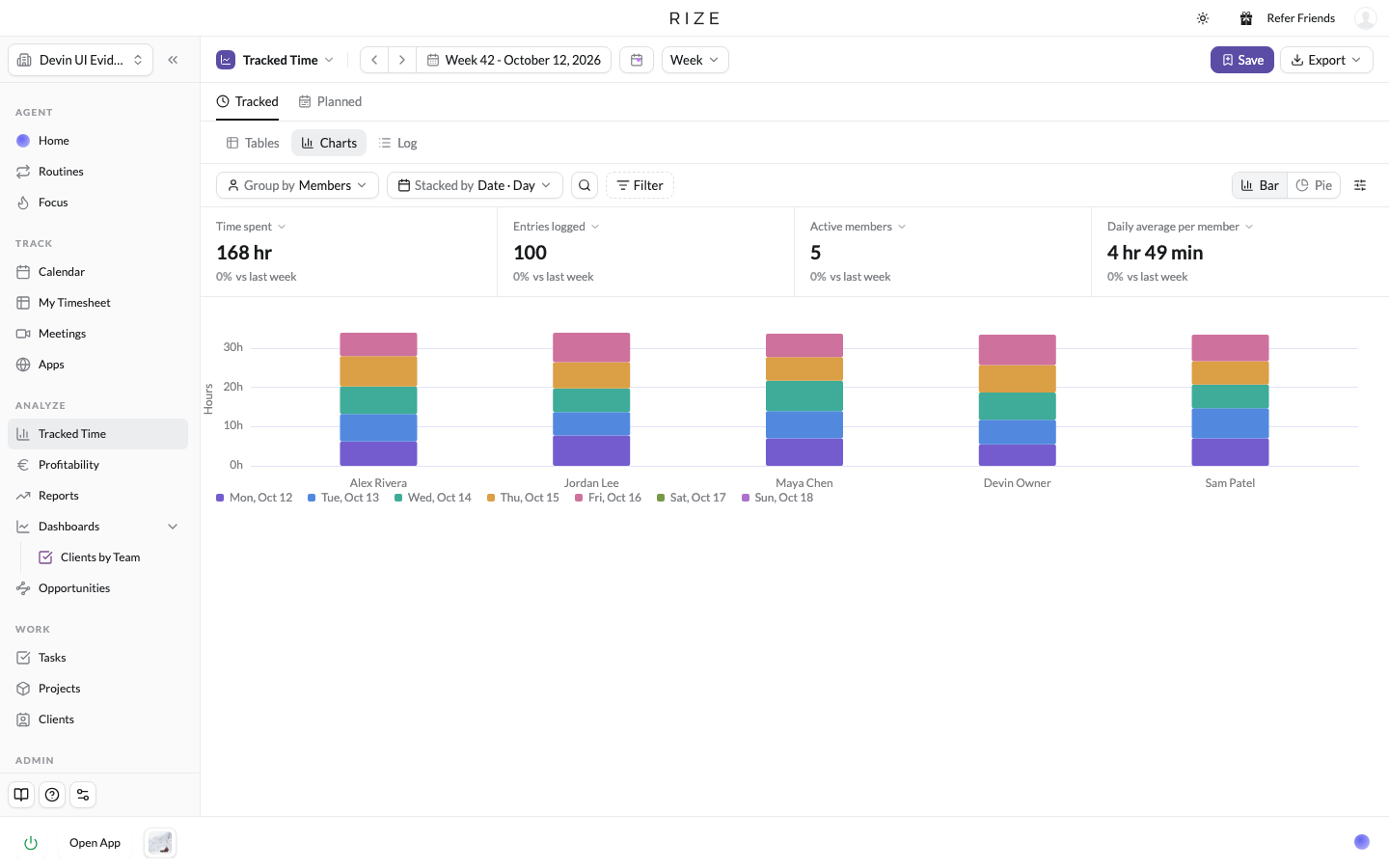
Every layout has three views. Tables is the grid, with busier cells shaded darker so heavy days stand out, and a toggle between hours and percent of the row. Charts shows the same data as a bar or pie chart, grouped and stacked by the same fields. Log lists the underlying entries, where admins and team members can add an entry with Add time entry and edit or delete the ones they are allowed to. The four tiles at the top show time spent, entries logged, active members, and daily average per member, each compared with the previous period, and each can be switched to billable or non-billable time. If your workspace uses Resourcing, a Planned tab shows planned hours beside tracked.
Export respects the layout. Whatever rows, columns, and filters are on screen is what the CSV or PDF contains. You name the file, and a large export is emailed to you instead of downloaded.
SAVE A VIEW AS A DASHBOARD
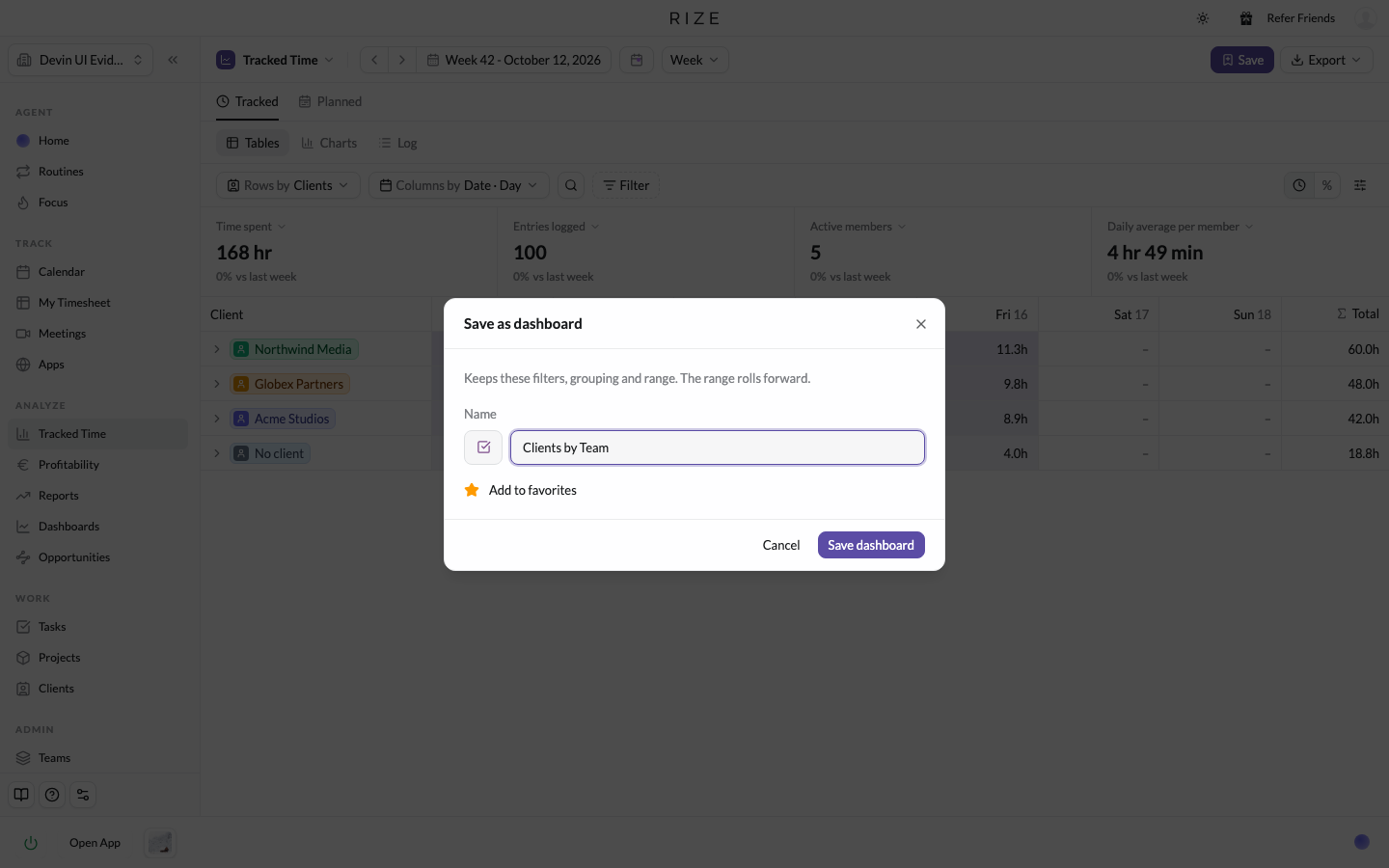
If you keep coming back to the same breakdown, say clients by team, save it. Click Save, name it, pick an icon and color, and it is added to your favorites and pinned in your sidebar. The dashboard keeps its filters, grouping, and range, and the range rolls forward, so a dashboard saved on "this week" opens on the current week every time. Change a saved dashboard and an Unsaved changes strip offers Update or Save as new.
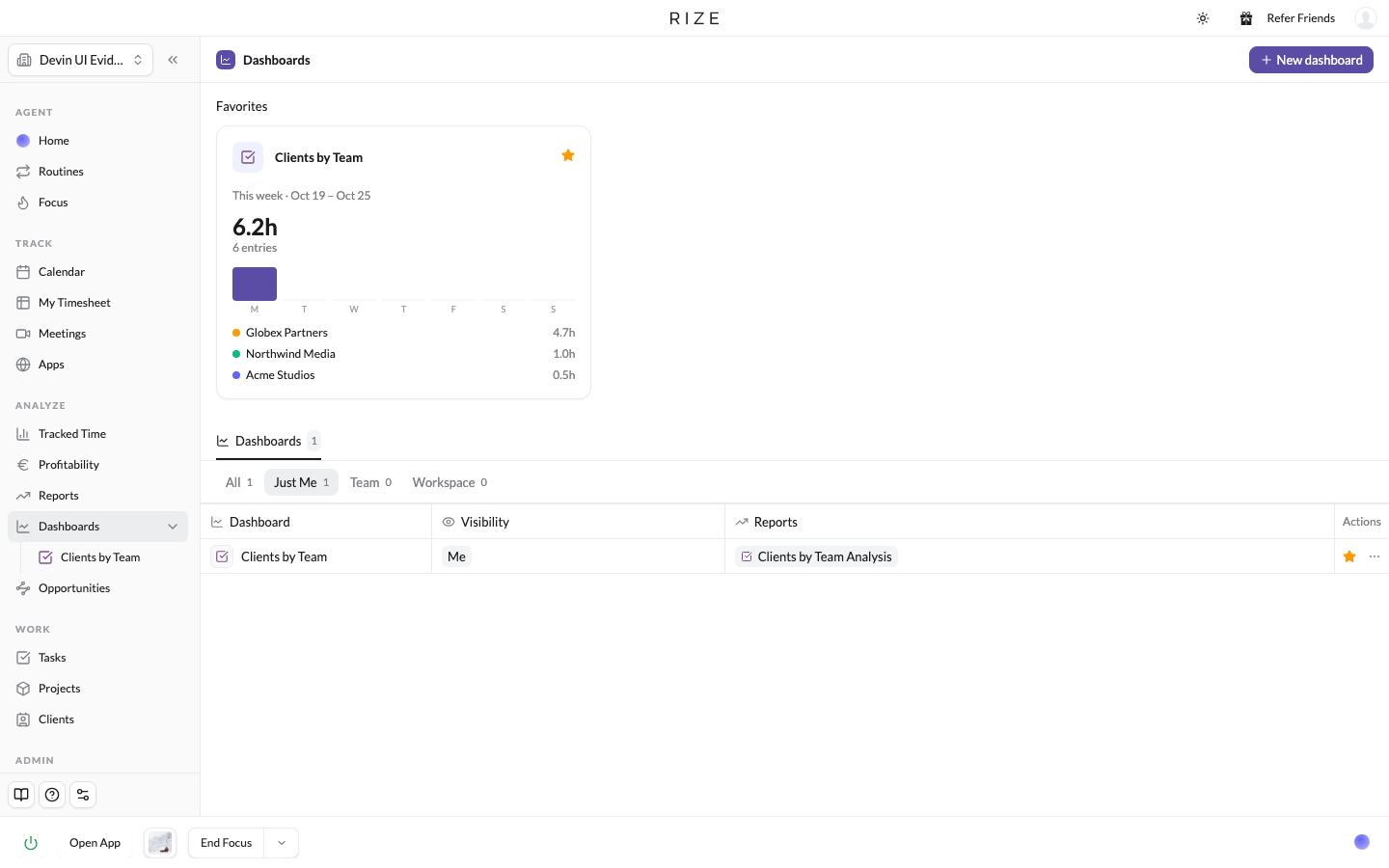
There is a new Dashboards page that lists every saved dashboard, with your favorites as live preview cards at the top and tabs for Just Me, Team, and Workspace. A dashboard starts private. Its owner can open it up from the visibility chip under the title: Team shares it with that team's admins, Workspace with workspace admins. Preset dashboards are starting to arrive too: Timesheets is available now, with Task Velocity, Capacity, Project Health, Client Health, Billable Time, Label Analysis, and Personal Productivity coming soon.
AI REPORTS ON A DASHBOARD
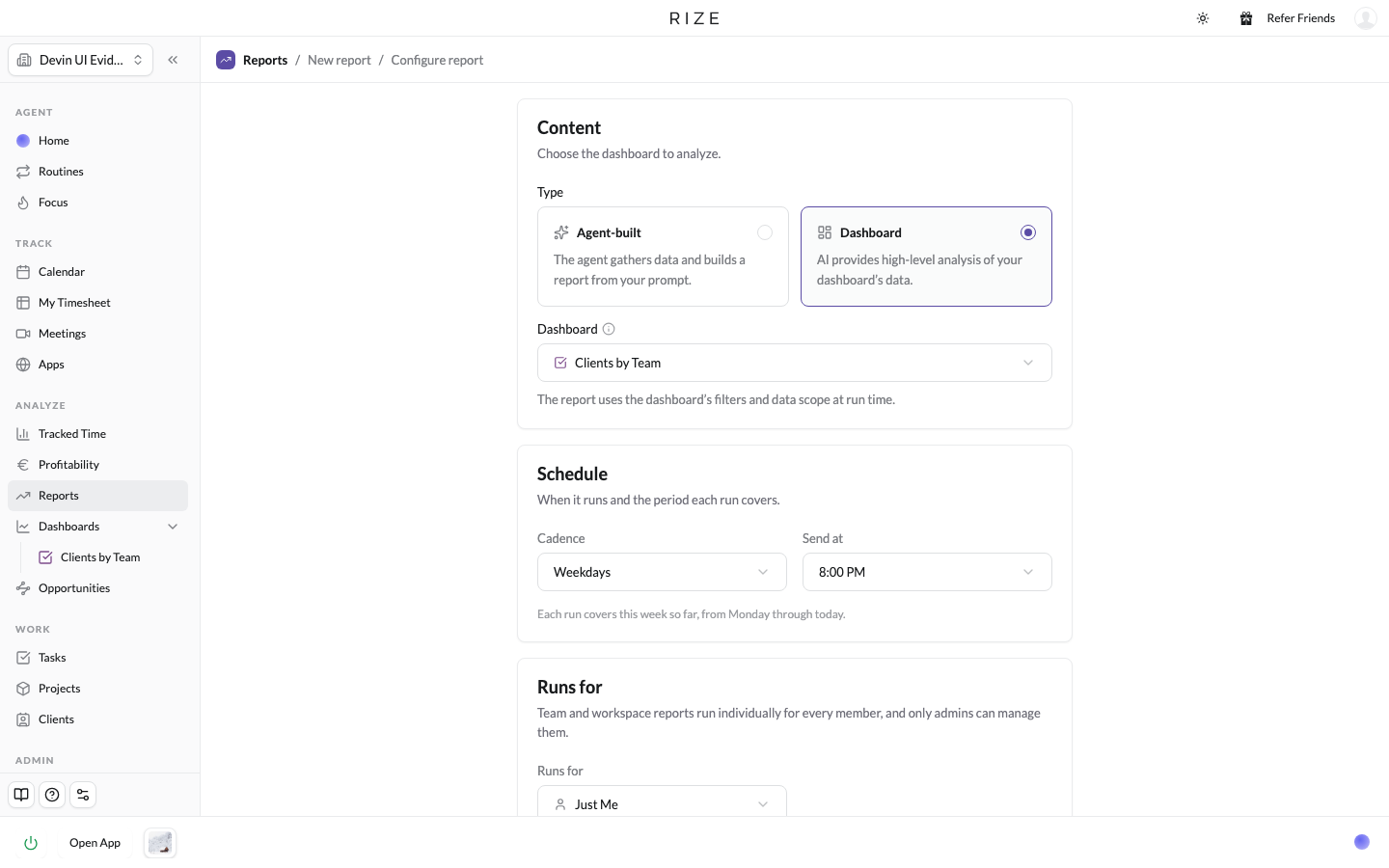
Any dashboard can be linked to a report. From the dashboard, click Create Report in the strip under the title, or start a new report with Run analysis on dashboard. Pick the dashboard and a cadence, and Rize runs an AI analysis of exactly that view. Dashboard reports default to weekdays at 8 PM, and each run can cover the dashboard's own range.
This matters because of how the agent used to work. For a bigger team with a lot of data, the hardest part of any analysis was that the agent first had to build the view itself through our MCP, then analyze it. Now the view is already saved and already available to the agent, so the analysis is faster and the insights are more accurate.
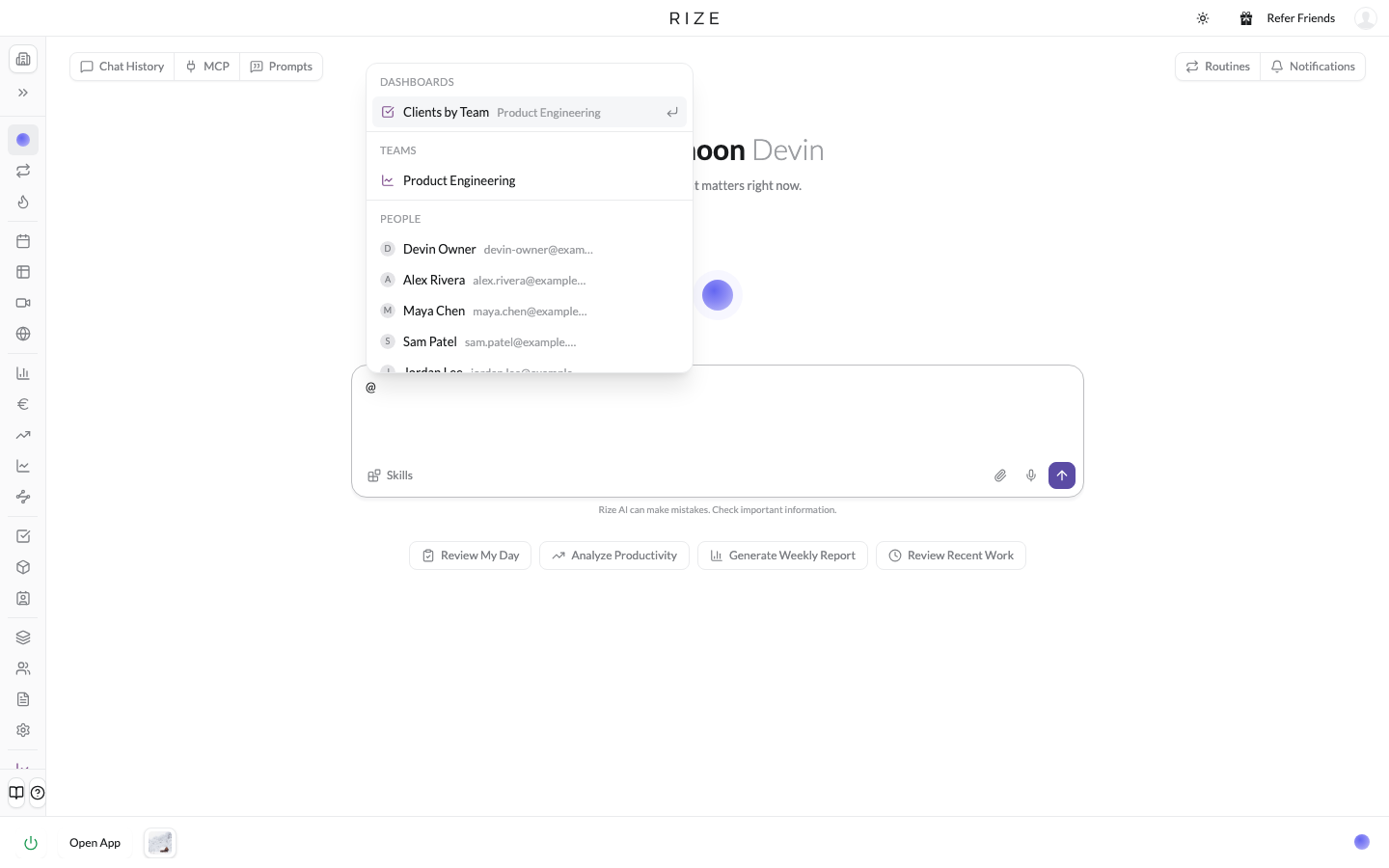
The same is true in chat. Click Chat on any dashboard, or type @ in the agent and mention it, then ask for the details or an analysis. The agent reads the saved view instead of guessing what you meant.
THE NEW REPORTS PAGE
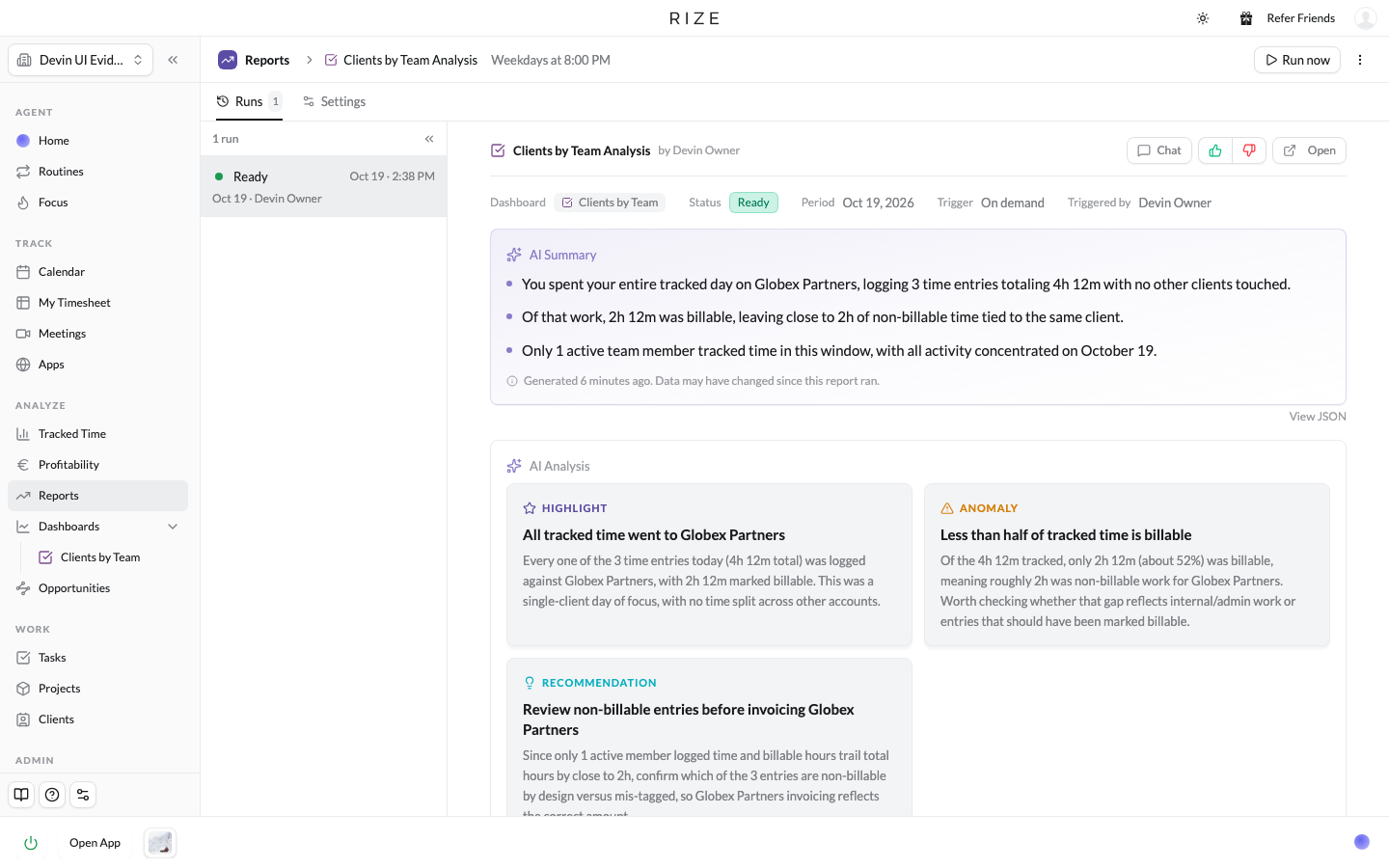
Reports has a new layout, with its own place under Analyze in the sidebar. The list shows what each report runs for, its schedule, format, linked dashboard, and last and next run. Click into a report and its runs are listed down the left, the selected run's analysis is in the middle with the summary and insight cards, and Settings is a tab on the same page. Run now, edit it, or Chat with any individual run's output, as you always could.
API AND MCP
Every dashboard is available through the Rize MCP. Claude, ChatGPT, or Cursor can read a saved dashboard, and can create and edit dashboards as well. Reports linked to dashboards run on the same saved views.