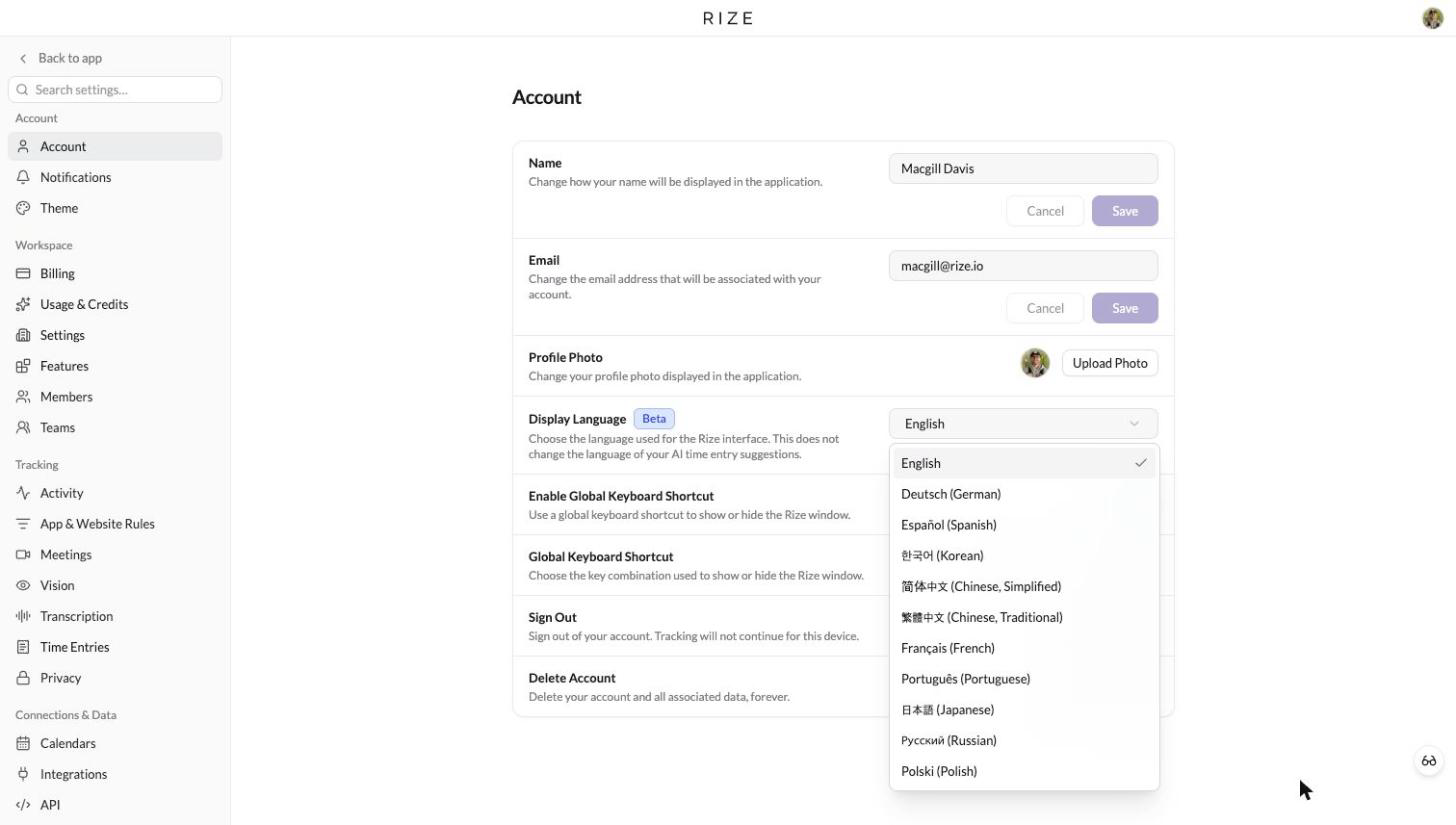
Rize now speaks eleven languages. Open Settings → Account → Display Language, pick yours, and the navigation, settings, Calendar, My Timesheet, reports, dashboards, billing and team pages switch over on the spot. Until now this setting was limited to the Rize team. It is open to every account today, tagged Beta.
Eleven languages, one setting
The Display Language menu lists English, Deutsch (German), Español (Spanish), Français (French), Português (Portuguese), 日本語 (Japanese), 한국어 (Korean), 简体中文 (Chinese, Simplified), 繁體中文 (Chinese, Traditional), Русский (Russian) and Polski (Polish). The change applies as soon as you pick one. No reload, no sign out, no new tab.
We chose these from where Rize is used. Chinese, German, Spanish, French, Portuguese, Polish, Korean and Russian are the eight most common languages among active Rize users after English, and Japanese, Korean and Russian were requested directly on our feedback board. Traditional Chinese uses Taiwan terms rather than a script conversion of the Simplified text.
What changes
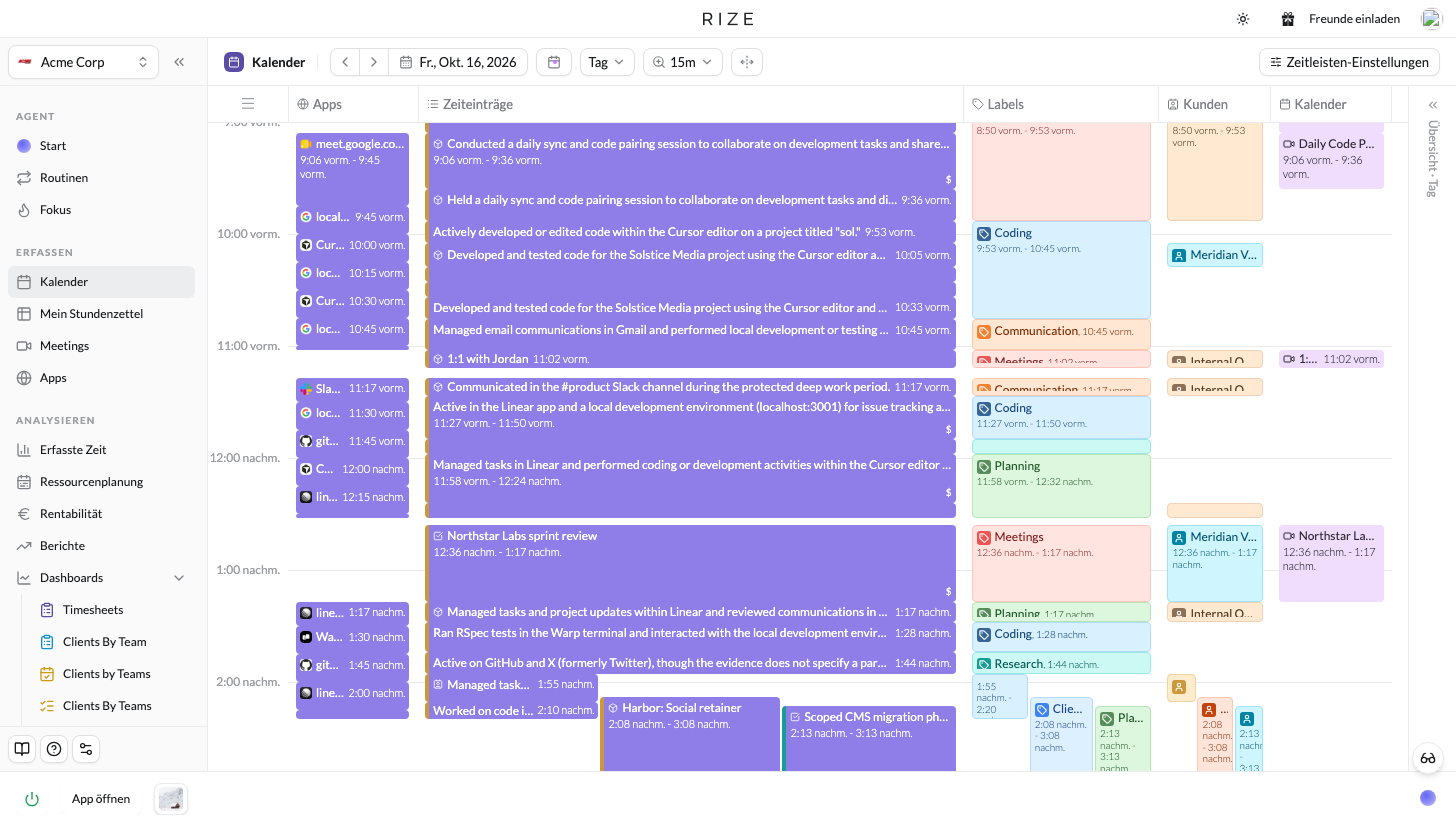
Every surface you use day to day is translated: the sidebar and workspace menu, Home and the Rize Agent, Calendar, My Timesheet, Focus, Meetings, Planning, Reports and dashboards, Resourcing, Members, Teams, Billing and Usage, and every Settings page. Buttons, dialogs, toasts, empty states, form errors, table column headers, filter options and input placeholders follow the same setting.
- Dates and times are localized. Day names, month names, date order and the week start follow your language, on the Calendar, in date pickers, on My Timesheet and in reports.
- Japanese, Korean and Chinese get their own font stacks. Rize had never rendered CJK text before this release. Characters now use a font suited to the script instead of falling back to the system default.
- Default labels are translated. The labels Rize creates for every workspace show in your language. Labels you created yourself stay exactly as you typed them.
What stays as you wrote it
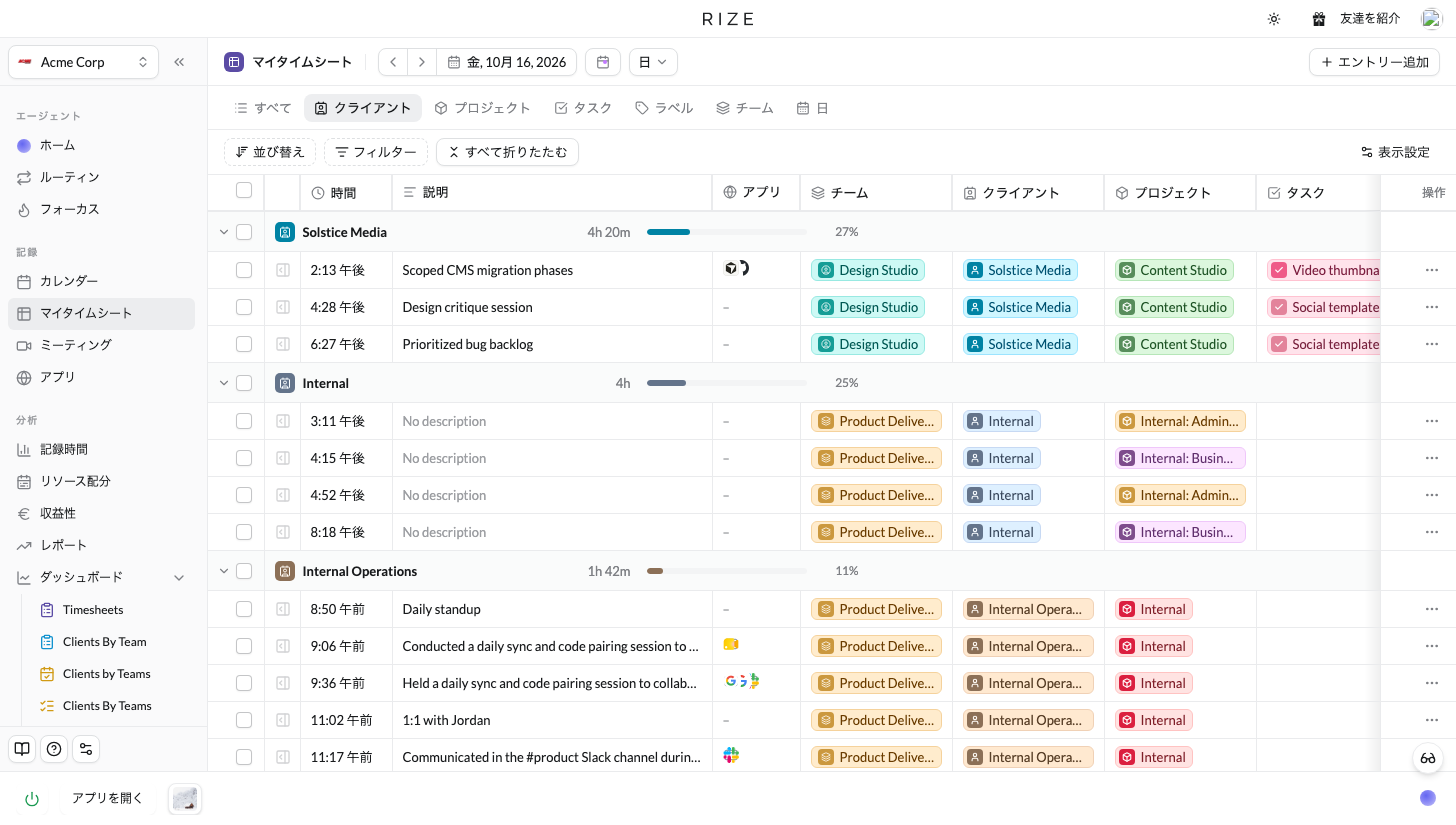
Display Language changes Rize, not your data. Your clients, projects, tasks, labels, notes and time entry descriptions stay in whatever language you entered them. The language of your AI time entry suggestions is a separate preference, because many people run the interface in one language and bill in another. Set it under Members → Defaults → Preferences → Language for your workspace, or under the Agent tab of your own member settings.
Why it is Beta
The translations are a first pass, produced with AI and reviewed string by string by our team as they ship. Native speakers will find phrasing we missed. If you spot a wrong term or a label that reads oddly, send it to support@rize.io with the language and the page and we will fix it in the next release. Three things are still on the way:
- The choice is per device for now. Rize remembers your language on each computer and browser you set it on. Syncing it to your account so every device follows is next.
- Anything not yet translated shows in English, so you will never see a blank label or a raw key. Coverage grows with every release.
- Emails and the desktop app's native menus stay in English. The desktop app's main window is translated, since it is the same Rize interface. The menu bar, tray menu, updater dialogs and system notifications follow later.
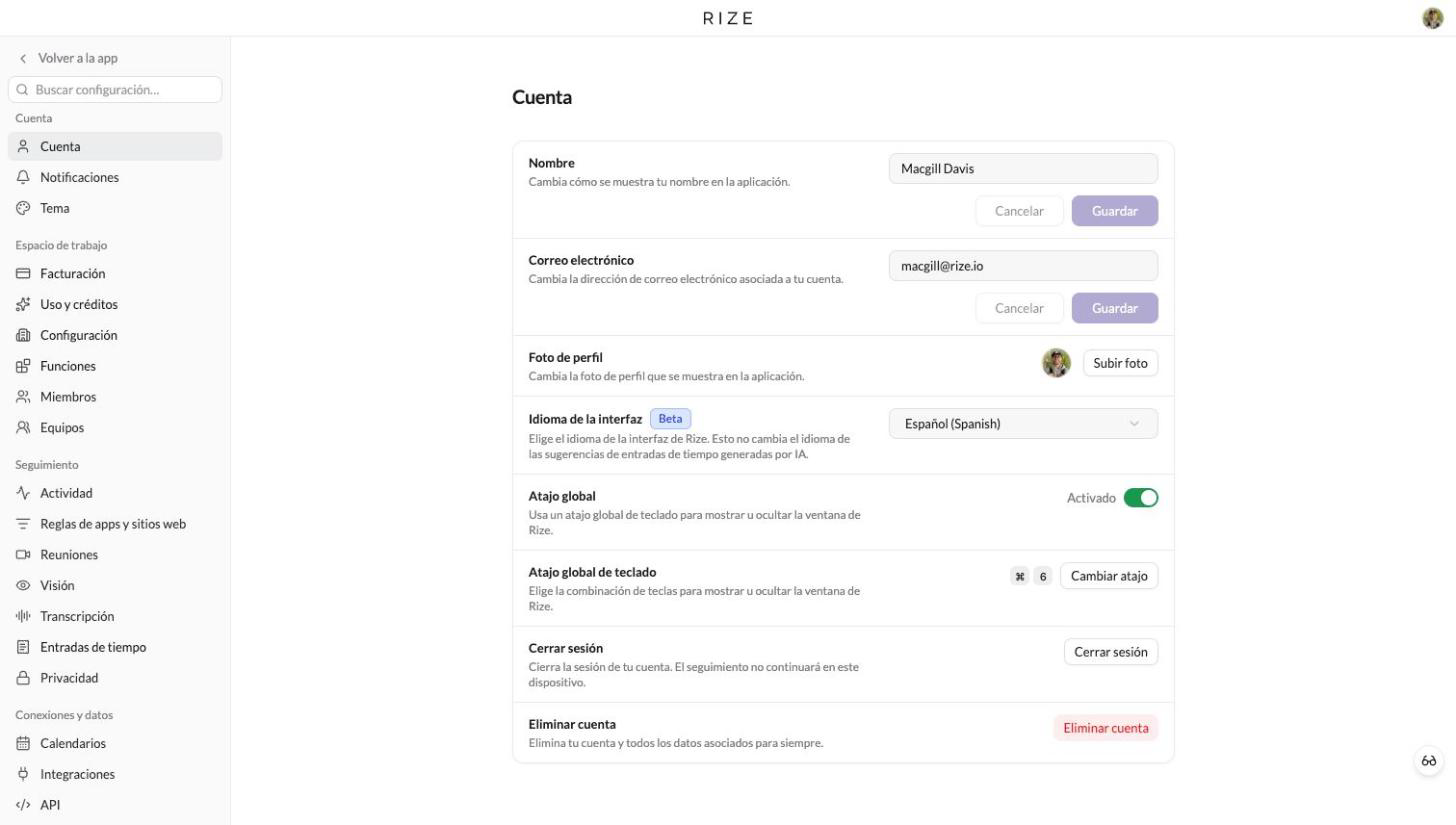
Pick your language under Settings → Account → Display Language. It takes one click to switch and one click to go back.