Two quality-of-life updates that make the agent and the big data views easier to use every day.
MENTIONS
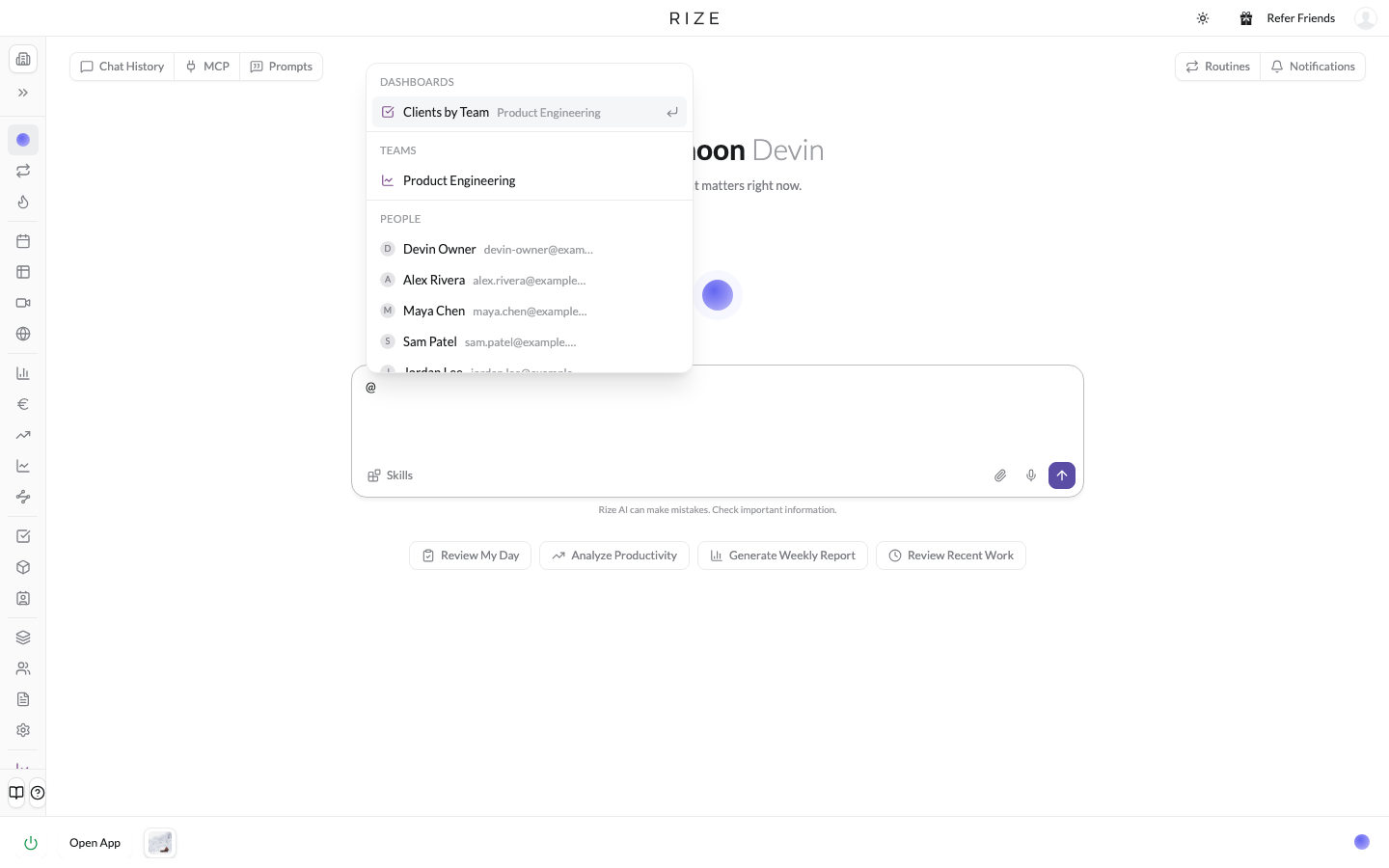
Type @ in the agent and pick anything in Rize: a dashboard, a team, a person, a project, a client, a task, a label, a report, a skill, a meeting, or a transcript. The agent pulls that record's data into the conversation and answers about it directly. "@Clients by Team dashboard, show me highlights" references the saved dashboard. "How is @Acme doing this month" answers about that client. The mention becomes a pill in your message, and typing a word like "people" or "dashboards" lists that type.
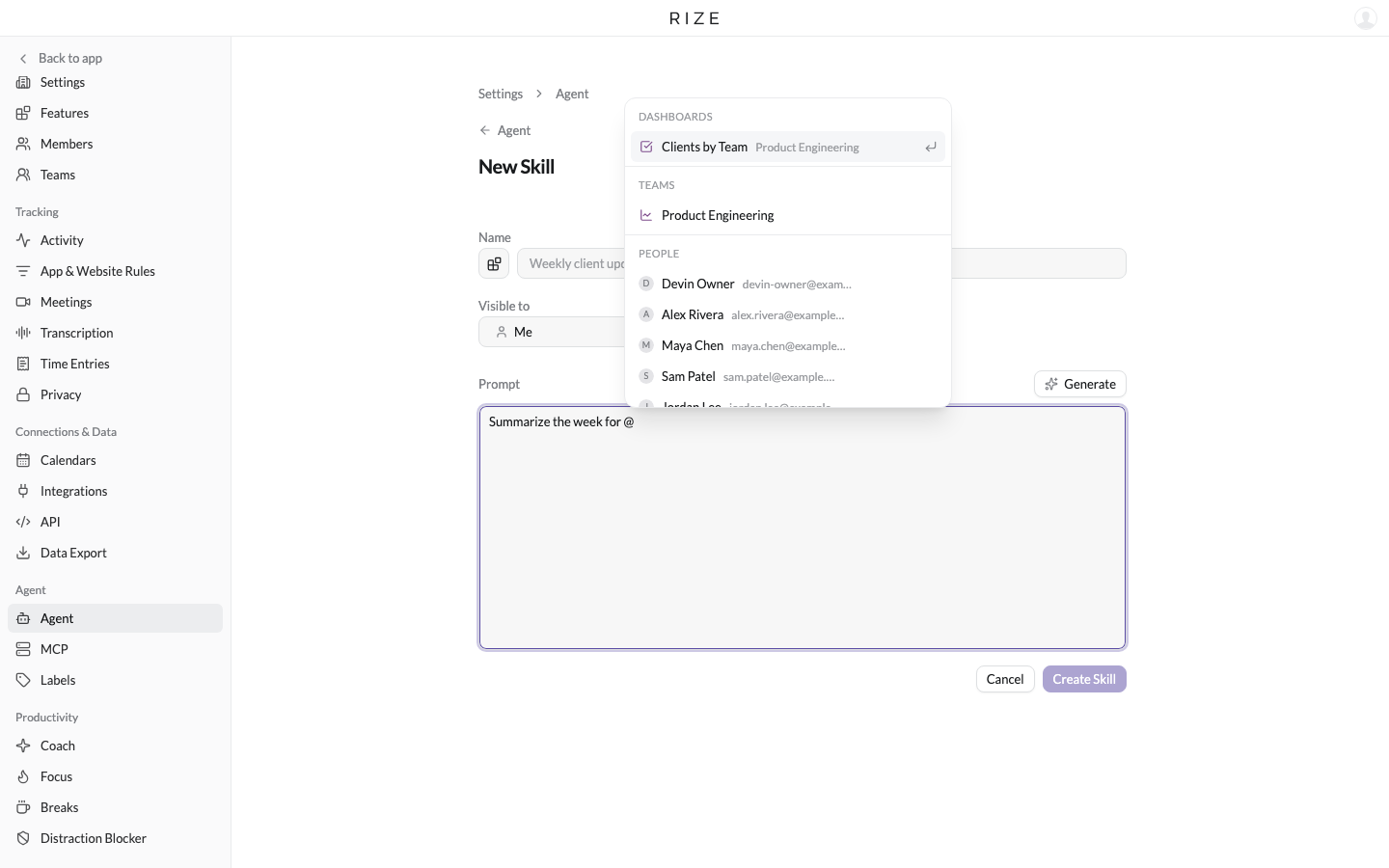
Mentions work everywhere you write a prompt, not just chat. Use them in a routine, in a report, and when you create a skill. The mention is embedded in the prompt, so a routine that says "summarize @Acme's week" runs against that client every time.
OPEN IN BROWSER
Rize now has a full web app. It is useful for the big views with a lot of data, like Tracked Time, dashboards, and reports, where a browser tab gives you more room. Every page in the desktop app has an Open in browser button at the top. Click it and the page you are looking at opens in the web app. Sign in once in that browser and you are set. The same link is in the workspace menu.
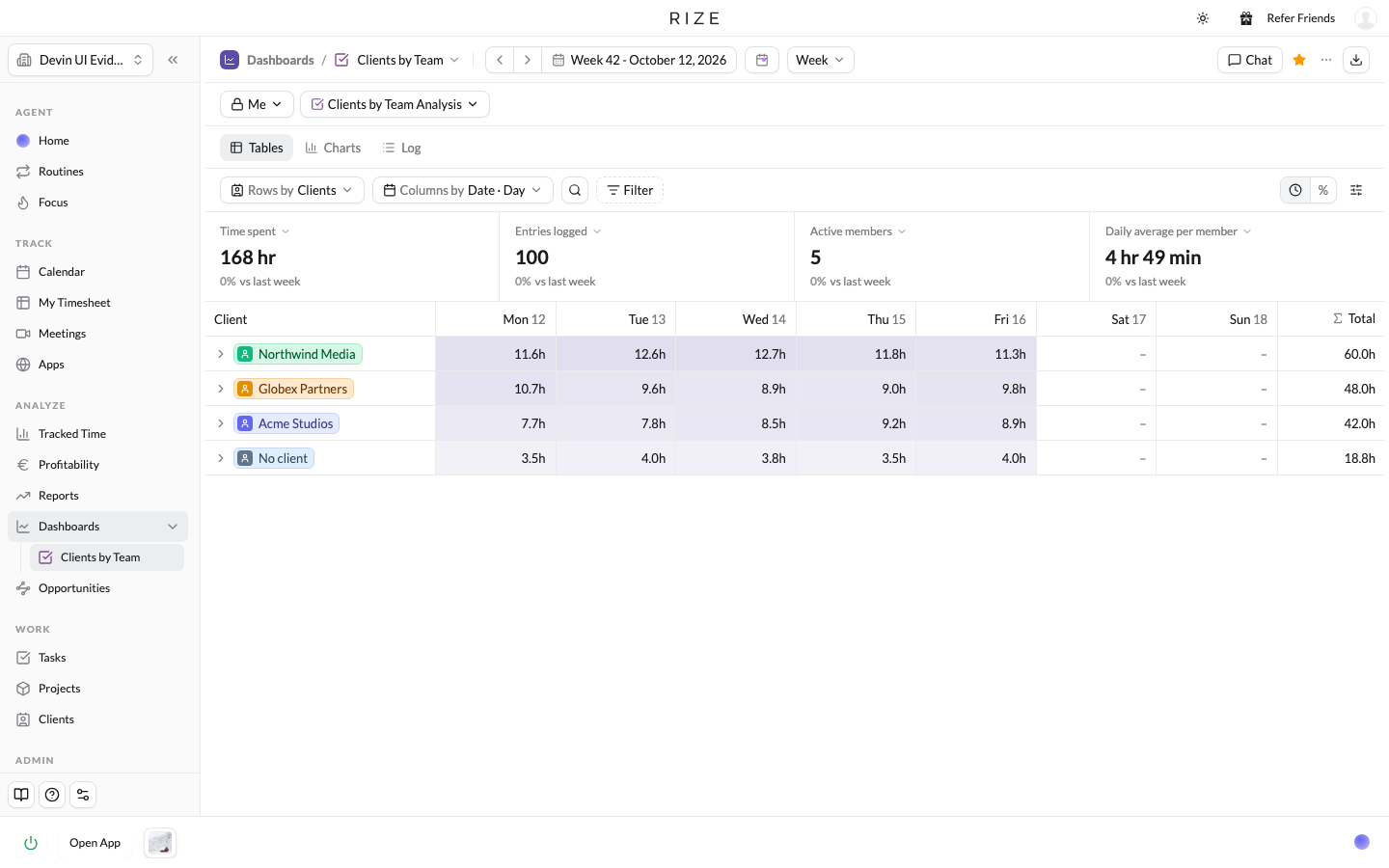
Tracking still happens in the desktop app. The web app is for viewing and working with your dashboards, reports, routines, and settings from any browser.
ALSO IN CHAT
- Dock up to eight chats in the bottom bar and switch between them. Docked chats survive a reload.
- Escape minimizes the chat panel to its dock chip instead of closing it.
- Send a message while a reply is streaming and it queues until the reply finishes, with Steer, Edit, and Remove on the queued row. Cmd+Enter stops the current reply and sends now.
- Opening chat starts a new conversation instead of resuming the last one.