Teams are no longer limited to 30 labels. Each label now has an Auto-apply setting that controls whether the AI assigns it to time entries automatically. Up to 30 labels per team can have Auto-apply on; everything beyond that is still available to pick by hand, assign from the Rize Agent, or set through the API and MCP.
WHAT IS IT?
Labels are the tags Rize puts on time entries so reports, the Agent, and MCP clients can read one consistent thing. Until now every label fed the AI classifier, so the team-wide cap of 30 was there to keep classification accurate. Auto-apply separates the two jobs. A label with Auto-apply on has an AI prompt and is a candidate every time Rize classifies an entry. A label with Auto-apply off is a plain tag: no prompt required, never assigned automatically, but available everywhere you tag by hand.
WHY IS IT IMPORTANT?
Classification gets worse as the list of candidates grows, but a 30-label ceiling was too tight for teams that use labels for billing codes, internal projects, or one-off tags an agent sets explicitly. Now the AI works from a short list you choose, and the rest of your labels stay out of its way without being deleted.
NEW
Auto-apply column and switch
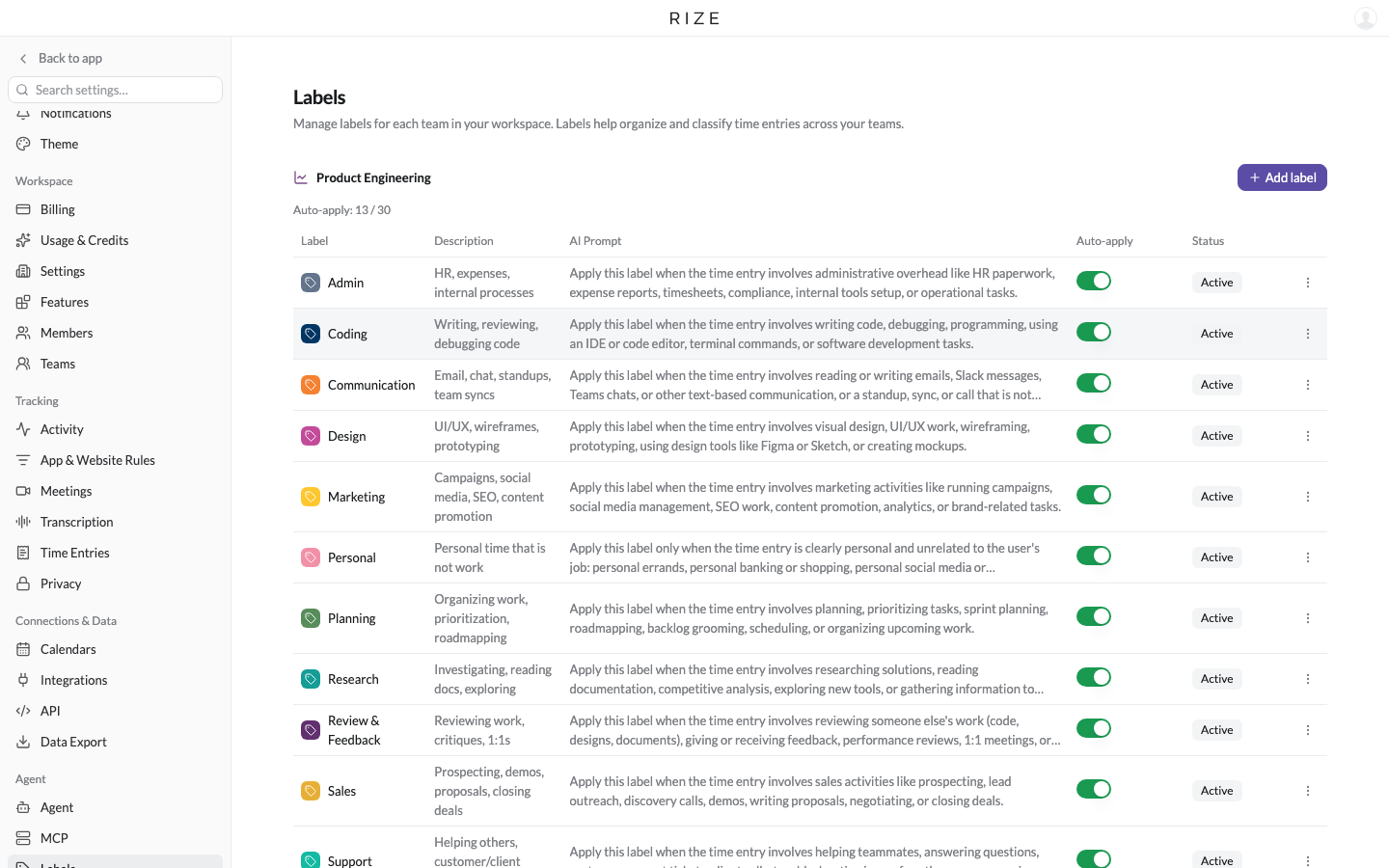
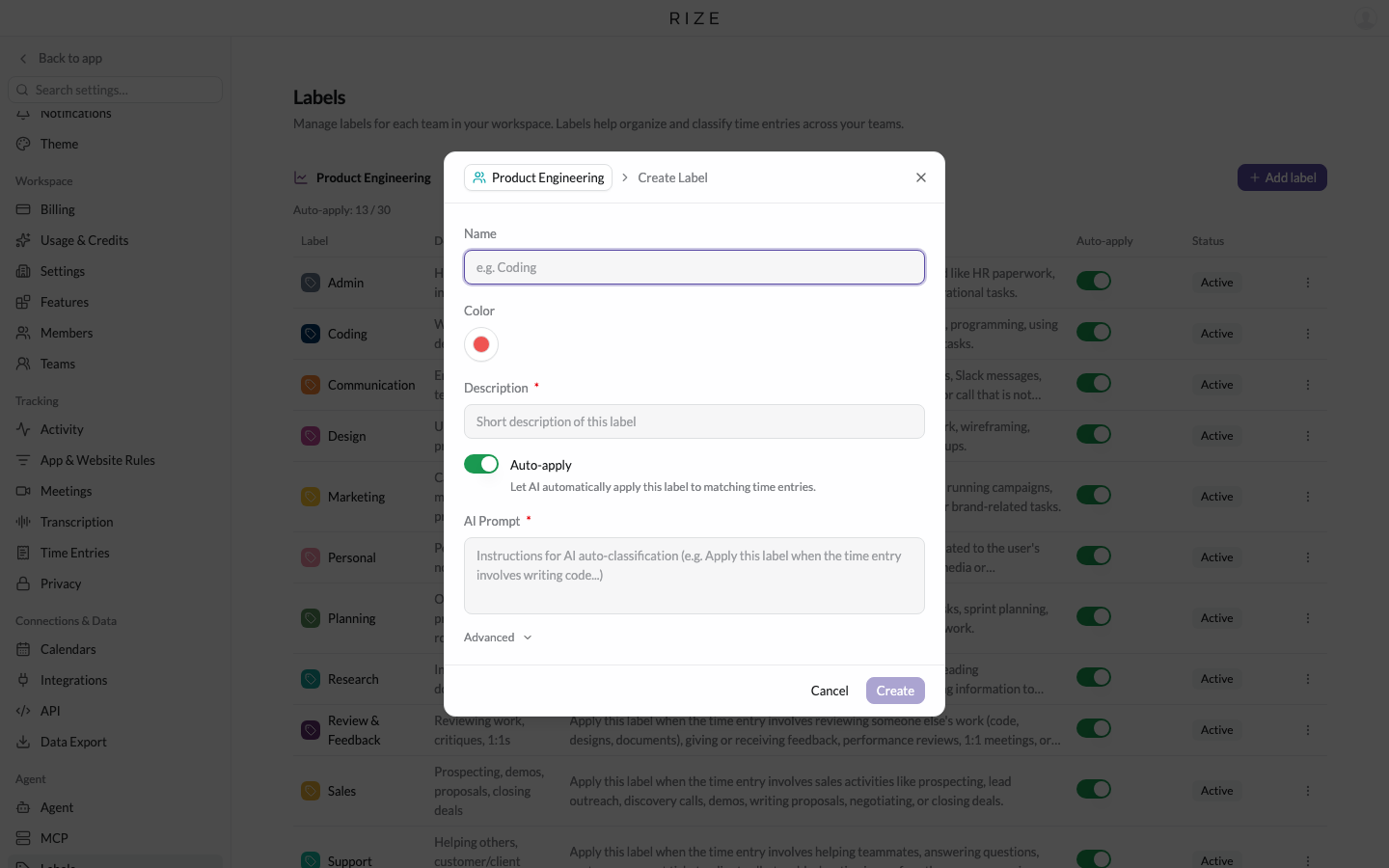
Open Settings, then Labels. The table has a new Auto-apply column between AI Prompt and Status, and the header shows how many of the 30 Auto-apply slots the team is using. The create and edit dialogs have an Auto-apply switch. When it is off, the prompt field is hidden and its value is kept, so turning the label back on later restores the prompt.
At capacity
When all 30 slots are in use, you can still add labels. New ones default to Auto-apply off, with a note explaining why, and you cannot enable Auto-apply on another label until you turn it off, archive, or delete one that has it. Turning it off on a label does not remove it from entries it has already been assigned to.
API and MCP
Labels gain an optional autoLabelEnabled field in the GraphQL API and auto_label_enabled in the MCP label tools. Omitting it on create uses the default, on. The prompt is now optional when Auto-apply is off. Explicit assignment through the API and MCP works with any active label, enabled or not.
WHAT STAYS THE SAME
- Existing labels have Auto-apply on, so nothing changes for your current setup.
- Turning Auto-apply off does not reclassify past entries.
- Manual label pickers show every active label.