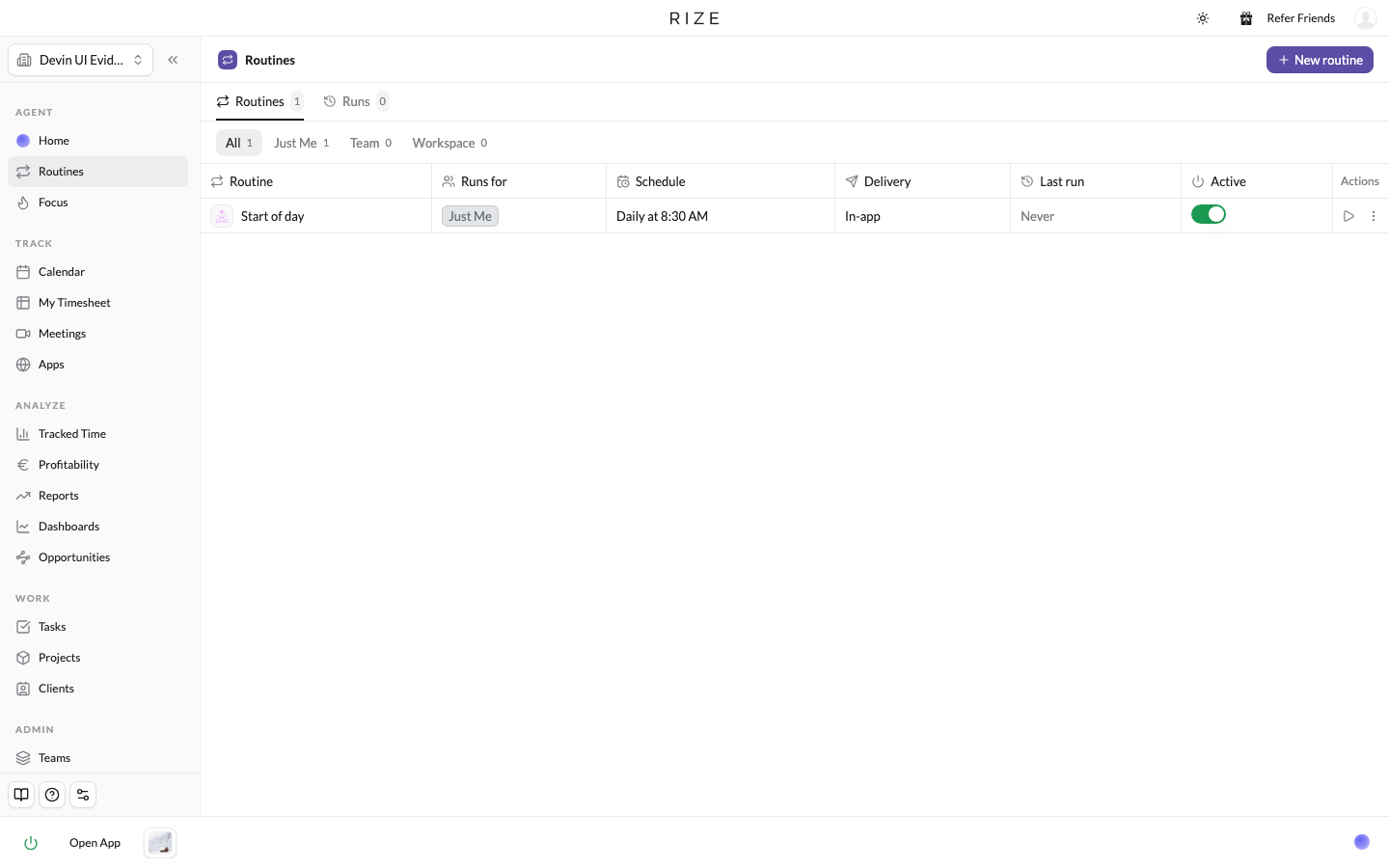
A Routine runs the Rize agent on a set schedule for a specific task. Use one to review your day before it starts, get your tasks in order, review what happened yesterday, or create tasks from what you tracked. Anything you would ask the agent to do every morning or every Monday can be a Routine.
WHAT IS IT?
The Rize agent is the same one you reach from chat and from the Rize MCP. A Routine is that agent with a prompt, a schedule, and a scope. It runs on its own, the output lands on your Home page and in your inbox, and you can ask follow-up questions on any run.
NEW
Templates to start from
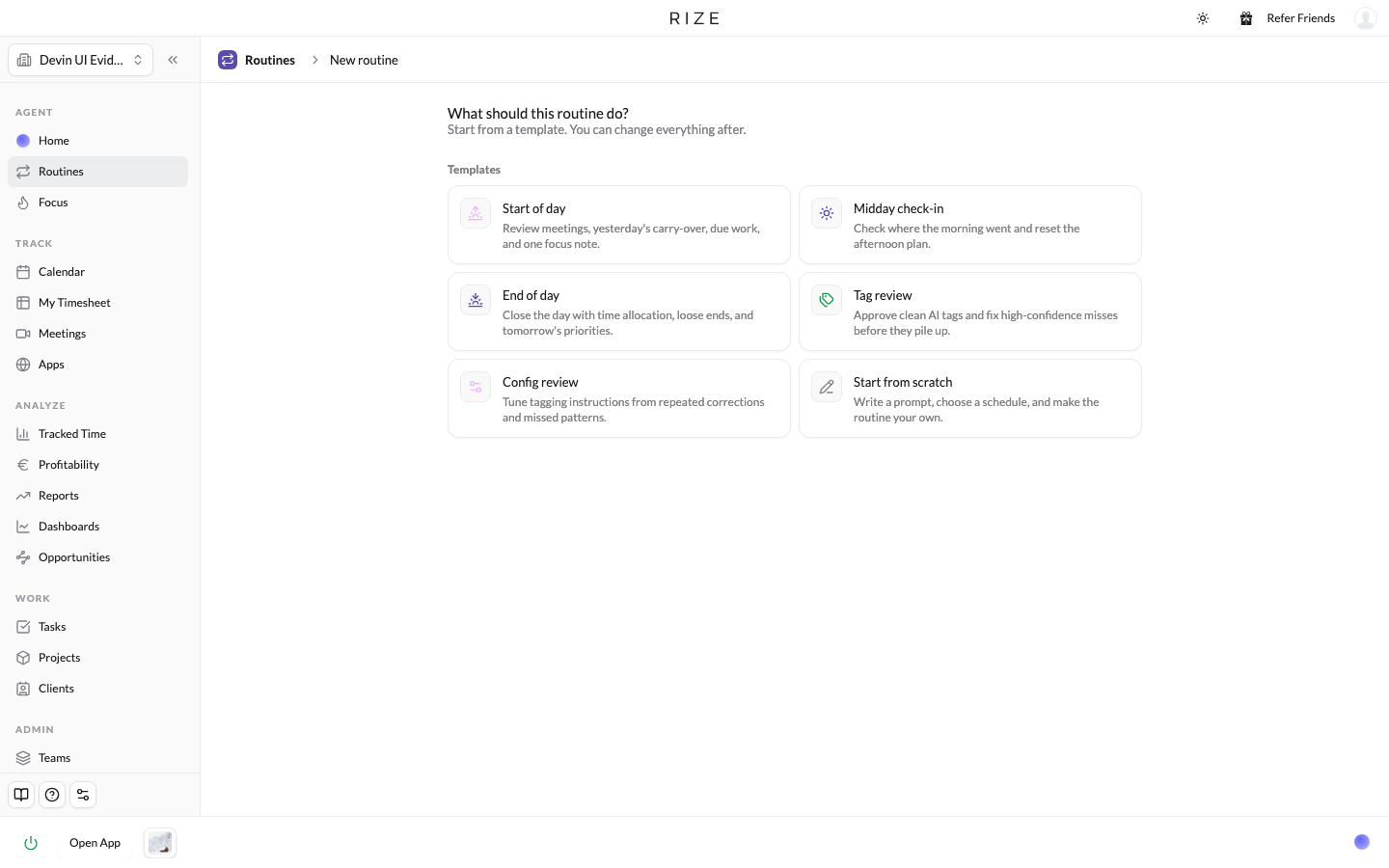
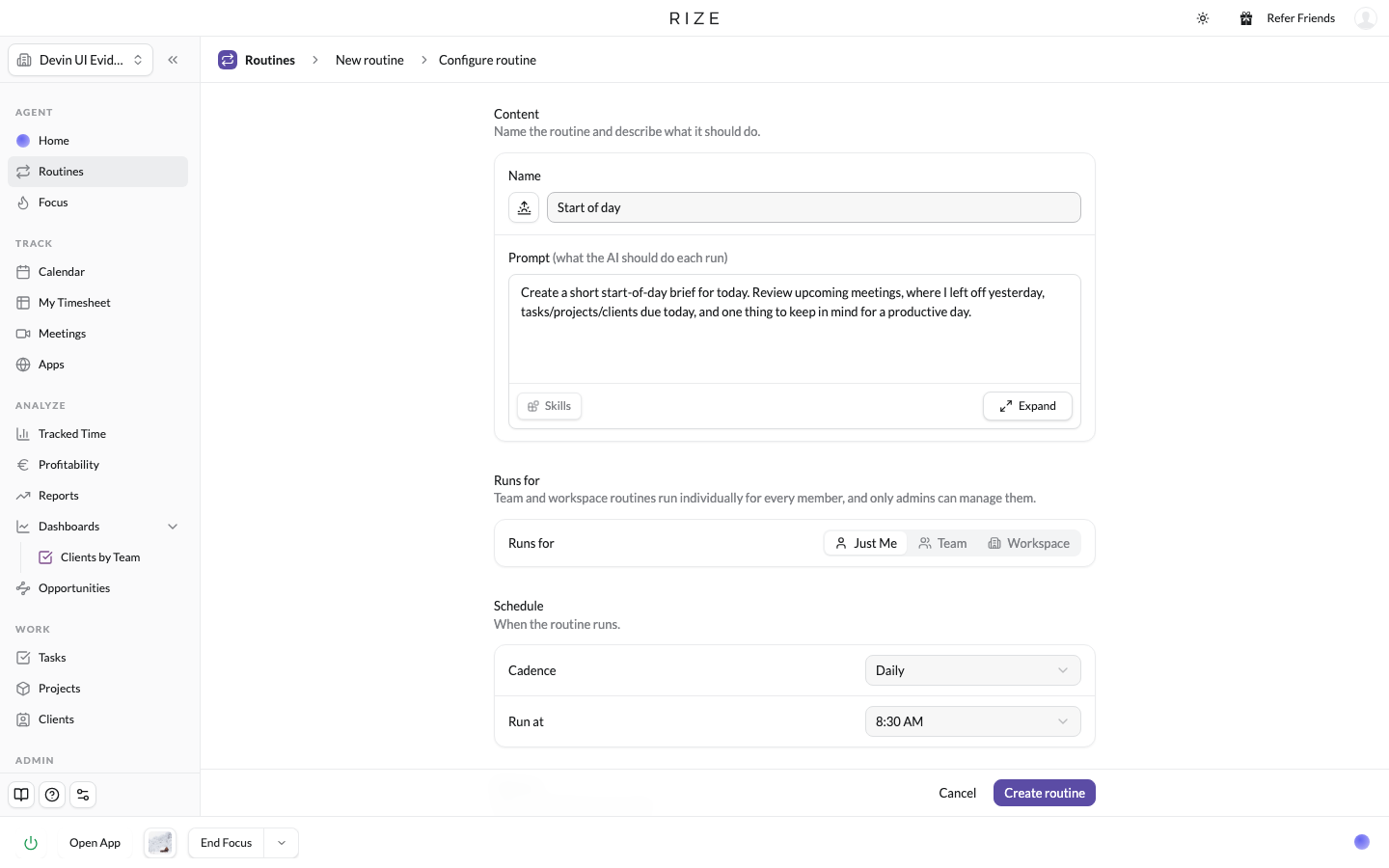
Click New routine and pick a template: Start of day, Midday check-in, End of day, Tag review, Config review, or Start from scratch. Each one prefills the prompt and schedule, and both stay editable. Cadence runs from on-demand through daily, weekdays, weekly, and monthly, and the brief can arrive in-app, by email, or in Slack. You can @mention clients, projects, teams, people, and dashboards in the prompt, so "summarize @Acme's week" runs against that client's data every time.
Run it for yourself, a team, or the workspace
Each routine has a Runs for setting. Just Me runs it on your own time. Team, available to team admins, runs it separately for every member of that team. Workspace, available to workspace admins, runs it for everyone in the organization. The scope is fixed once the routine is created, so a member can set up personal routines and an admin can set up one for the whole team.
A page for every routine
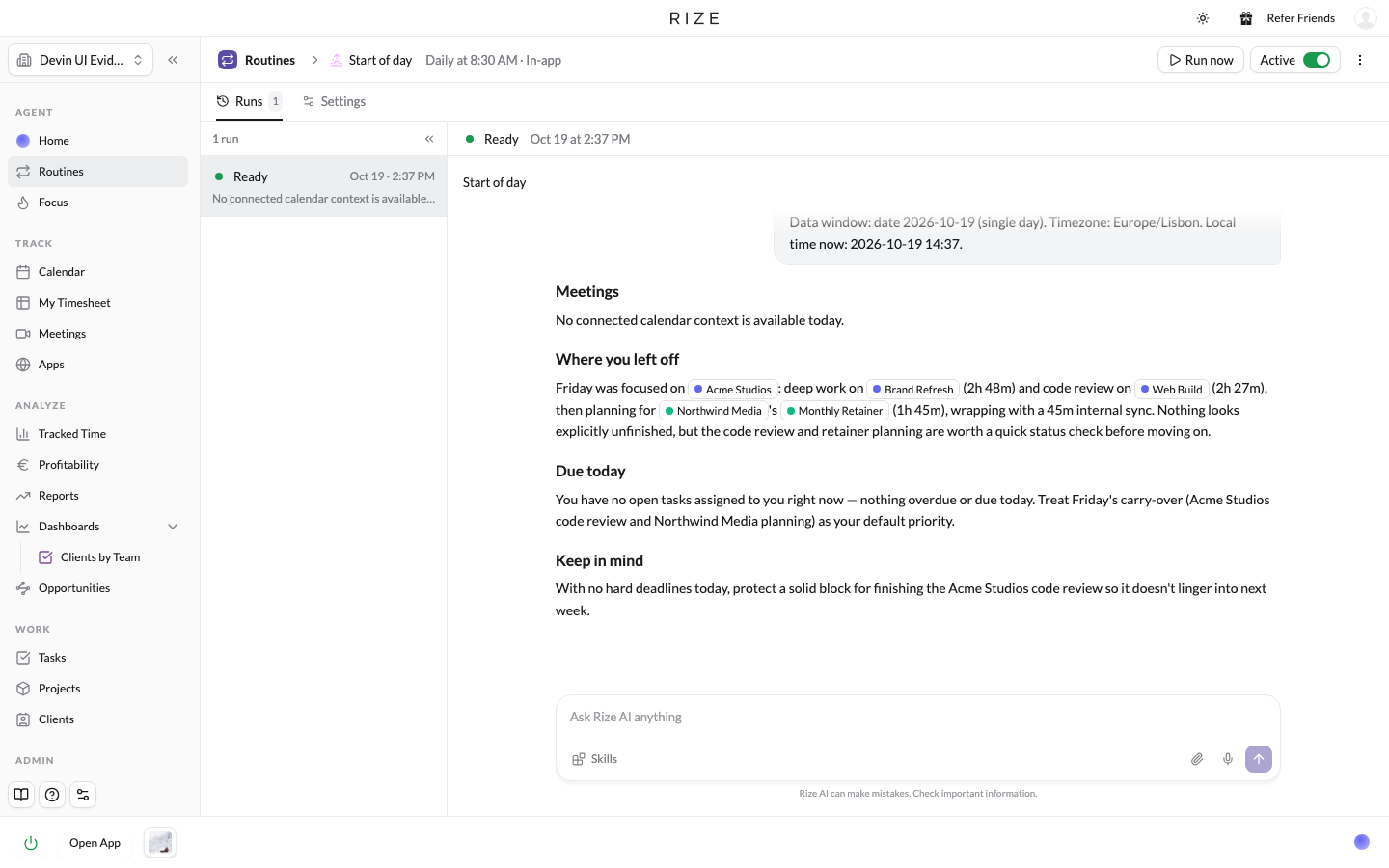
Click into a routine and you get its full history. Runs are listed down the left with a preview line of each one's output, Settings is a tab on the same page, and the selected run shows the full conversation: exactly what ran and why. Ask a follow-up question right there, the same as any chat. Run now and an Active/Paused switch sit in the header. For team and workspace routines, each member sees the run that ran for them.
WHAT'S NEXT
More improvements are coming here, but this is the way to start automating your workflows in Rize. If there is a routine you want and cannot build yet, tell us from support chat in the app.