It's Friday afternoon, you're closing out the week, and you can't account for six of your billable hours. You did the work. You just never wrote any of it down, and no client pays an invoice that says "trust me."
So you try to fix it, and the fix becomes its own project. Manual trackers only work if you remember to hit start every time, and you won't. Automatic ones guess for you, and sometimes the guess is wrong, so you spend ten minutes fixing an entry you could've just typed yourself.
I've tested time tracking software since 2021, first as a freelance writer at a SaaS blog called Squeeze Growth, then daily since 2022 running Rize on my device. I tried basically everything worth trying.
Here are the six I'd put in front of a consultant, and who each one is really for.
How I tested each consultant time tracking tool
Here's the lens I used on every tool below:
- Does it catch the hours, or just wait for you to remember. Some tools guess, some sit there until you press start, and that one difference explains most of what you'll read below.
- What happens after you log the hour. I keep in mind whether a contender turns the tracked time into an invoice that you can send, or just sits in a spreadsheet looking accurate.
- The real price, not the homepage price. What's genuinely free, and what's quietly locked one tier up.
- How much it gets in your way. Clicks between finishing a task and having it correctly on your timesheet.
- Who it's truly built for. One person billing solo, or a team somebody has to manage.
If you just want the short version before I get into the details on all six, I put it all in one table right below.
The best consultant time tracking tools at a glance
| Tool | Best for | Standout feature | Pricing |
|---|---|---|---|
| Rize | Never touching a timer | Auto-builds your whole day into a timeline | $9.99-$39.99/mo solo, teams from $29.99/seat |
| Harvest | Getting paid fast off logged hours | Logged hours turn into a payable invoice in a couple clicks | Free (1 seat), $9-$14/seat/mo paid |
| Toggl Track | Manual tracking that doesn't look like a spreadsheet | Background Timeline turns app history into one-click entries | Free (5 users), $9-$16/seat/mo paid |
| Clockify | Doing this on a tight budget | Real invoicing and reports for a few bucks a seat | Free (5 users), $3.99-$11.99/seat/mo paid |
| Bonsai | Ditching a pile of separate apps | Hours drop straight into an invoice, no exporting | No free plan, $9-$49/seat/mo |
| Productive | Running time tracking across a whole team | Company Time view shows every hour on one grid | $10-$25/user/mo, 3-seat minimum |
Pick the row that matches your actual life, or keep reading. I go deep on every one of these right after this.
Best fully automatic AI time tracker for consultants who'd rather never touch a timer
Rize (Mac, Windows)
Pros:
- Builds your whole timesheet automatically
- Tracks by app and window title only, never screenshots or keystrokes
- The built-in focus coach is super useful
Cons:
- Desktop-only unless you pay for Enterprise; no phone app on regular plans
- Blind to anything that happens off your computer
I've had Rize running on my MacBook since May 2022, back when it still felt like an underdog, and the fact that I never got around to uninstalling it is basically my whole review right there.
The pitch is that you never touch a timer. Ever. You just work, and Rize watches which app and website you're in - not what's on your screen, just titles and metadata - and quietly builds a timeline of your day. By the afternoon you've got a calendar view full of colored blocks, and your only job is to glance at each one and hit accept, reject, or edit. Click into any entry, and it'll show you the browser tab or window title that made it guess "writing" or "research," a level of transparency most automatic trackers don't bother with.
The privacy question is the obvious one, and I had it too. No screen recording, no keystroke logging, no mouse tracking. It reads titles and metadata, makes a guess, and lets you correct it when it's wrong. On a team, each person only submits the entries they choose to submit, so a manager sees what got approved, not a raw feed of someone's day. That part holds up.
What surprised me is how far past "time tracker" Rize has evolved into. There's a chat box right on the home screen where you can ask it to review your day or put together a weekly report, and it pulls the answer from your own tracked data. It also runs a quiet focus session in the background, nudges you toward breaks, and pings you when a calendar meeting's about to start so you can join in a click.
Where it falls short is that Rize only knows what happens on your screen. Take a client call on your phone, sit in an in-person meeting that never made it onto your calendar, and Rize has no idea any of it happened. The mobile app that would fix exactly that problem is locked behind the Enterprise tier.
Rize isn't for you if most of your consulting happens away from a laptop, or if you want granular, timer-by-timer control over every entry. But if you sit at a desk most of the day and want a finished timesheet to just exist by 5 pm without doing anything, this is the best version of that idea I've used.
Rize pricing: Individual plans run $9.99 to $39.99/month billed annually (monthly costs more); team and Enterprise pricing is custom. Team plans cost $29.99 per seat/month on annual billing with a 2-seat minimum.
Never touch a timer again
Try Rize free for 7 days. It builds your timesheet from the work you're already doing — no timers, no manual entry. No credit card required.
Start Free TrialBest manual time tracker for consultants who actually want to get paid
Harvest (Web, Mac, Windows, iOS, Android)
Pros:
- Turns logged hours into a sendable invoice in a couple of clicks
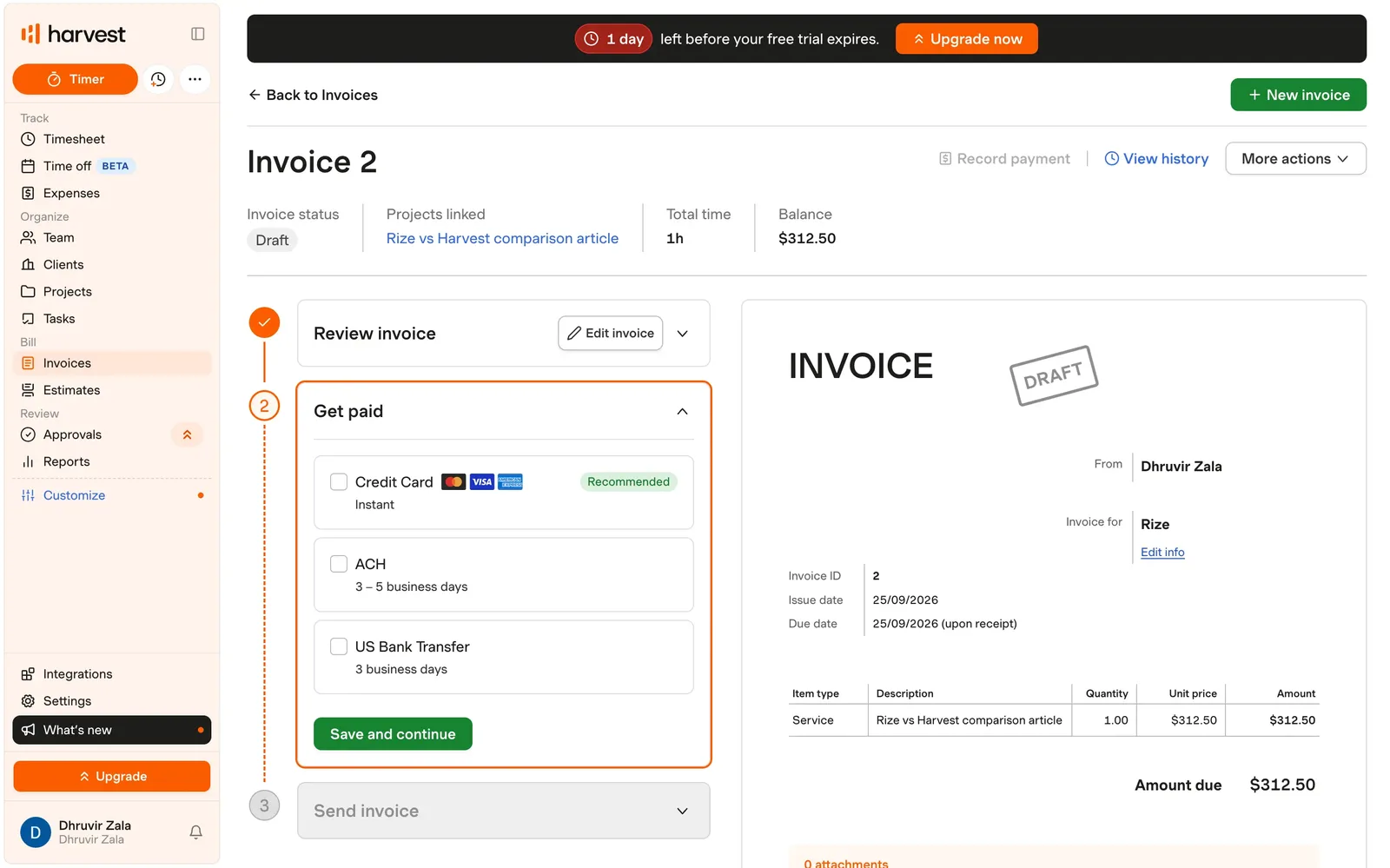
- Clients can pay straight from that invoice by card, ACH, or bank transfer
- Functional iOS and Android apps
Cons:
- You still have to remember to hit start and stop every time
- Profitability reporting and timesheet approvals need the Enterprise plan
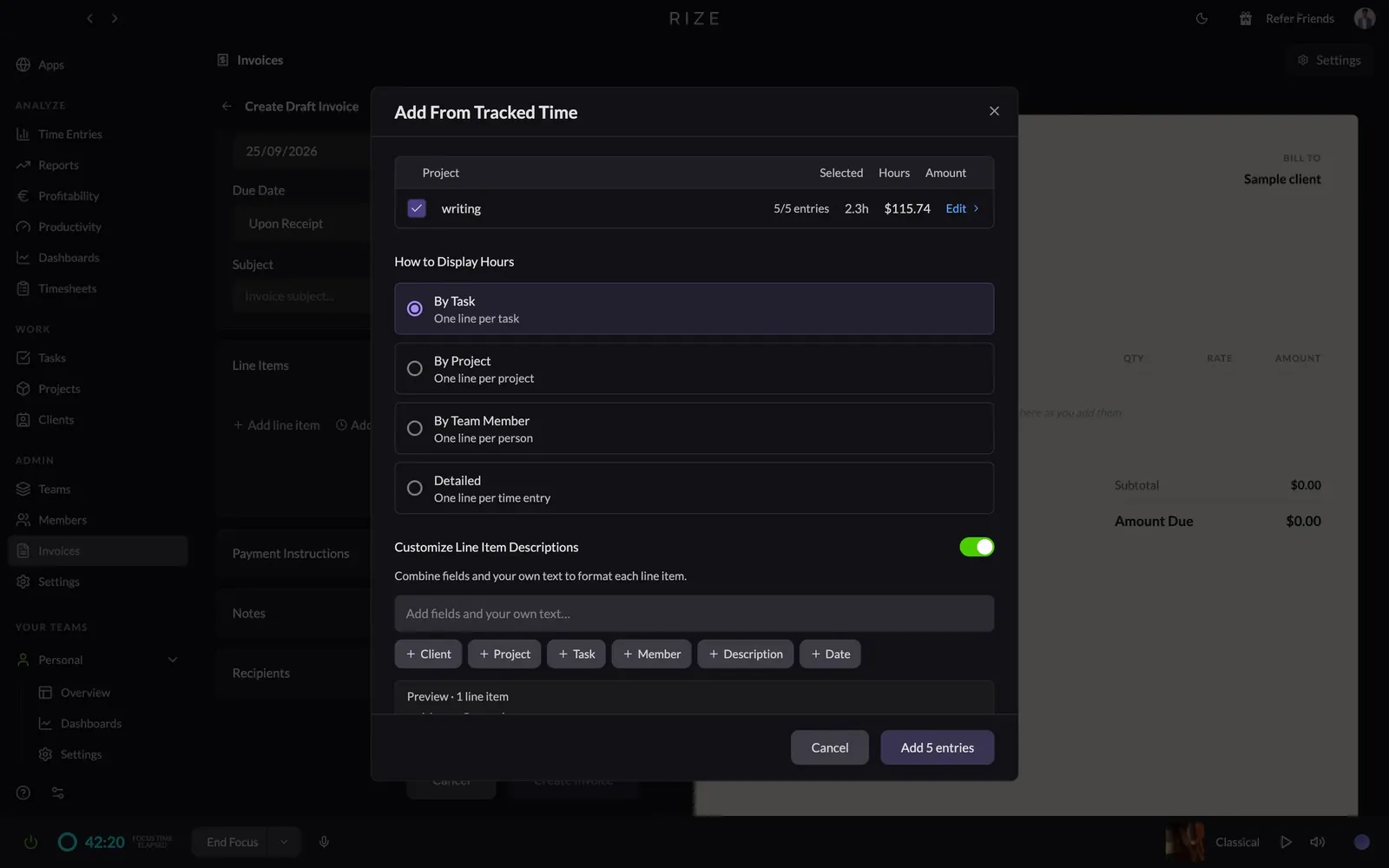
I tested Harvest the honest way. I turned on the timer, wrote this whole comparison, and turned it off. That entry sat in my calendar view labeled "writing," billed to a made-up client, because that's genuinely the whole interaction model here. Nothing gets logged unless you physically tell it to start.
That's the real cost of a manual tracker, and I won't dress it up. I forgot to stop a timer once during testing and came back to find an hour logged against nothing. If you read the Rize section above, you already know I'd rather software guess for me than trust myself to remember a button.
Where Harvest earns its keep is what happens after tracking. Once hours are logged, you build an invoice straight off them, and the client can pay on the spot by card, ACH, or bank transfer instead of mailing a check. Log hours, invoice, get paid, all in one tab. That loop is why plenty of solo consultants keep Harvest around even after trying flashier trackers.
The Reports tab is the other real strength. Pick your fields, drag in metrics like billable amount or hours, group by client or project, and it builds a live table you can hand straight to someone.
Where it falls apart is the pricing ladder. The features that actually help a growing consultancy - profitability by client, timesheet approvals, an activity log - all sit behind the Enterprise tier. The free plan gets you exactly one seat and two projects, which is fine until you land a third client.
For the fuller list of what I liked and didn't, I wrote up a complete Rize vs Harvest comparison after living in both for a few weeks. And if invoicing is the only reason you haven't left Harvest yet, I put together a rundown of Harvest alternatives worth a look.
Harvest pricing: Free forever for one seat and two projects. Paid plans run $9 to $14 per seat/month billed annually (more if billed monthly), with a custom Enterprise Plus tier for bigger teams.
Best semi-automatic time tracker for consultants who don't want to stare at ugly software all day
Toggl Track (Web, Mac, Windows, iOS, Android)
Pros:
- Background Timeline logs every app you touched; one click turns it into an entry
- Drag-and-resize calendar blocks beat typing entries from memory
Cons:
- Still fundamentally manual, so a forgotten timer is still on you
- Approvals and profitability reports are locked behind Premium
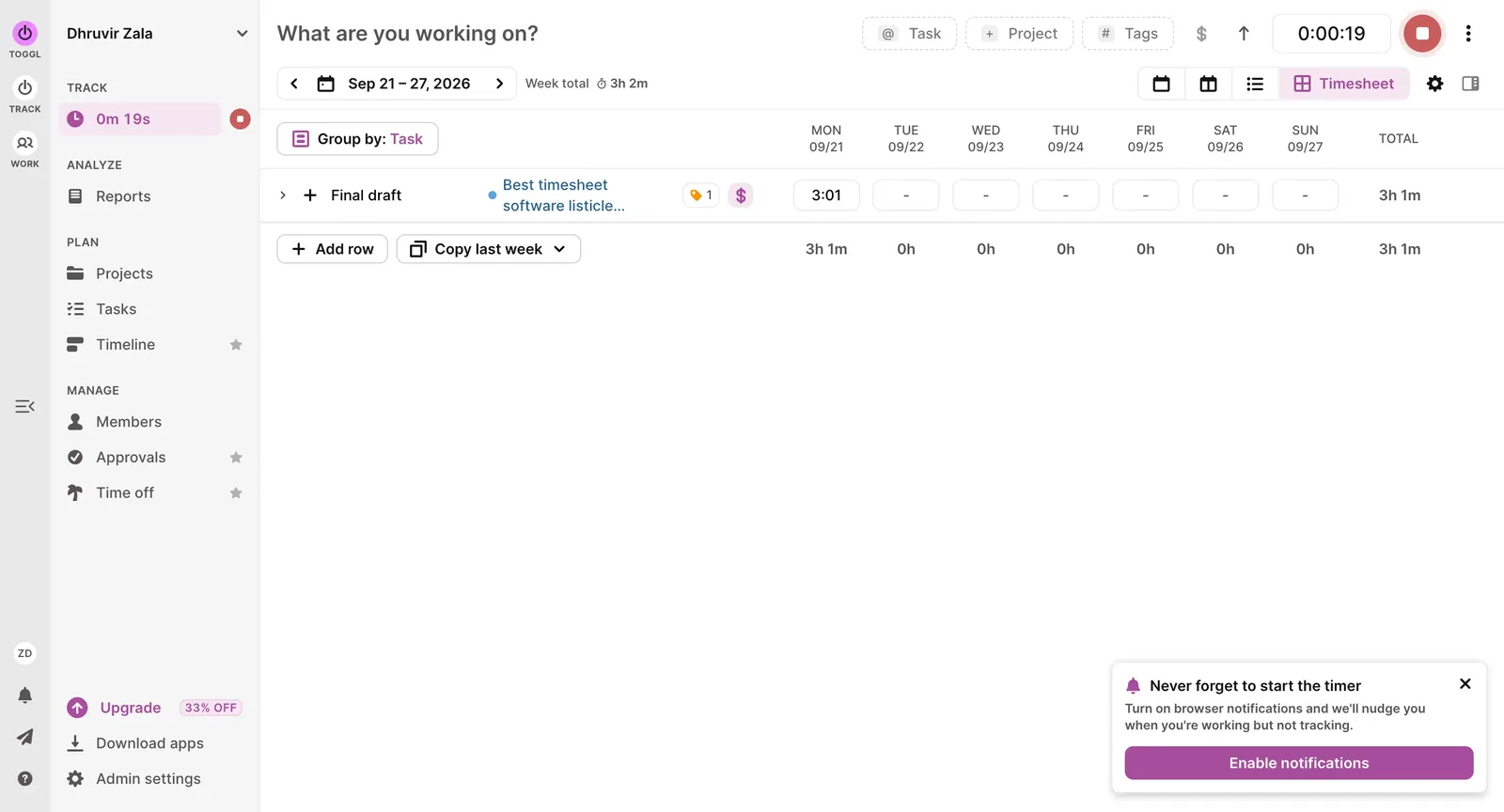
Toggl Track has never pretended to be clever. You hit a big button, you type what you're doing, and it counts. That was the whole pitch for years, and for a lot of consultants, it's still reason enough to stick with it.
What's changed is the desktop app now runs something like Rize's trick, but on a leash. Leave it open while you work, and it quietly builds an activity log of the apps and windows you passed through. Click into any stretch of the day and a little popup shows you the stack of programs, along with a "Copy as Time Entry" button. That's not automatic tracking. It's automatic evidence for tracking that you still have to approve.
The calendar view is where the "beautiful" part of the pitch earns itself. Drag out a block for a call, resize it if it ran long, and the entry just updates. Do that for a week and then go open a blank timer field and try to remember what you did three hours ago. You'll see the difference immediately.
Where the marketing oversells it a bit is billing. Toggl talks about getting you paid, and it will turn a report into a clean PDF invoice in a couple of clicks. You're still emailing that PDF, or routing it through QuickBooks if you want the money part automated. If actually getting paid inside the app matters to you, that's the Harvest section above, not this one.
The other soft spot only shows up once you add a teammate. Approvals and profitability reporting sit behind a Premium paywall, and the admin dashboard stays mostly blank until people join, which is fair for a team tool but can feel like a locked door if you're tracking solo.
For the fuller list of what surprised me on both sides, I wrote up a complete Rize vs Toggl comparison after running them side by side on real client work. And if the semi-automatic middle ground isn't your thing, I put together a rundown of what I think are the best Toggl alternatives.
Toggl Track pricing: Free for up to five users. Starter and Premium run $9 to $16 per seat/month billed annually (more if billed monthly), with custom Enterprise pricing for bigger teams.
Best budget time tracker for consultants who don't care what it looks like
Clockify (Web, Mac, Windows, Linux, iOS, Android)
Pros:
- Free plan handles real work for up to five people
- Billable rates and invoicing cost just a few bucks a seat
- Auto Tracker gives you a backup log for days you forget to hit start
Cons:
- Looks and runs like a spreadsheet
- Auto Tracker entries sit in a queue until you manually approve each one
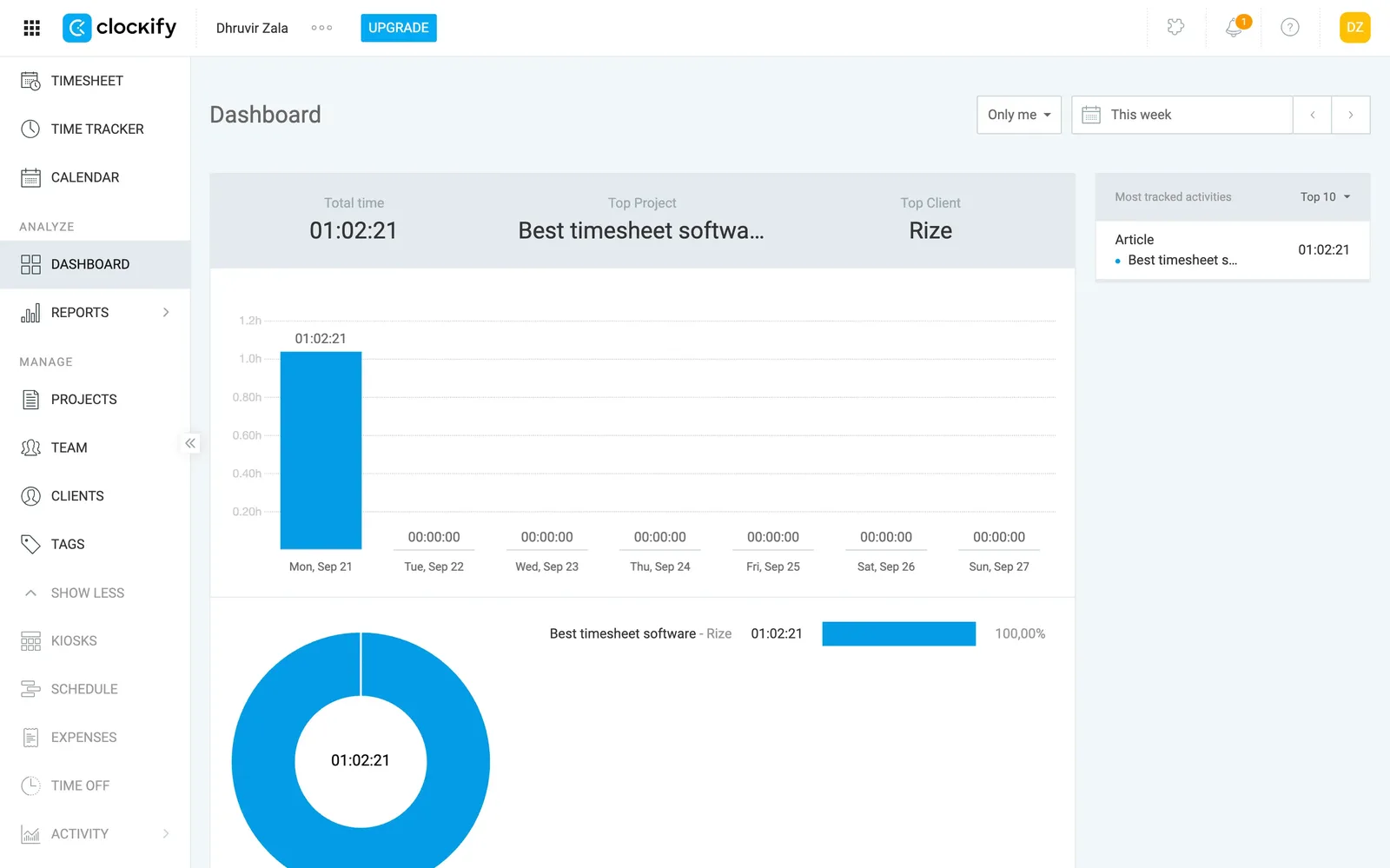
Open Clockify for the first time and start counting sidebar items. I got to twelve before I gave up: Timesheet, Calendar, Dashboard, Reports, Projects, Team, Clients, Tags, Schedule, Time Off. It's less an app and more a dashboard for running an entire workforce, and the plainness makes a weird kind of sense once you accept that.
Buried in there (inside the desktop app) is an Auto Tracker, working a lot like what I described with Toggl a section ago. A background app quietly logs which windows and apps you passed through.
What earns Clockify the budget label is how it prices things out piece by piece instead of locking everything behind one expensive wall. Billable rates, so you can see what a project's actually worth, sit on the cheapest paid tier. Real invoicing, approvals, and the ability to lock last month's hours, still under six bucks a seat. Compare that to Harvest, where profitability reporting sits behind Enterprise pricing, and Clockify starts looking less like the cheap option and more like the sane one.
I'll push back on the pitch a little too. Clockify markets itself as time tracking for every kind of team, and a chunk of what it builds toward - GPS tracking, kiosk clock-ins, activity monitoring - is aimed at hourly crews clocking in at a job site, not a consultant billing hours from a laptop. Even at the cheap tiers, you're paying into a tool built for a bigger job than yours.
Clockify isn't for you if you want software that's a pleasure to open, or tracking that's actually automatic. Go back to the Rize section for that. But if you're counting every dollar and don't mind an interface with zero personality, it does the job without asking much of you.
For the fuller side-by-side, I wrote up a complete Rize vs Clockify comparison after living in both. And since you just read about Toggl, here's how those two actually compare: Clockify vs Toggl.
Clockify pricing: Free forever for up to five users. Paid plans run $3.99 to $11.99 per seat/month billed annually (more if billed monthly).
Best all-in-one business tool for consultants who are tired of stitching six apps together
Bonsai (Web, Mac, iOS, Android)
Pros:
- Tracked hours drop straight into an invoice with no exporting or copy-pasting
- Invoices take payment directly through Stripe or PayPal
- CRM and a deals pipeline come standard
Cons:
- The time tracker itself is barely more than a stopwatch next to the other tools on this list
- Invoicing, the whole reason to want this bundle, needs the Essentials tier and up, not the cheaper Basic plan
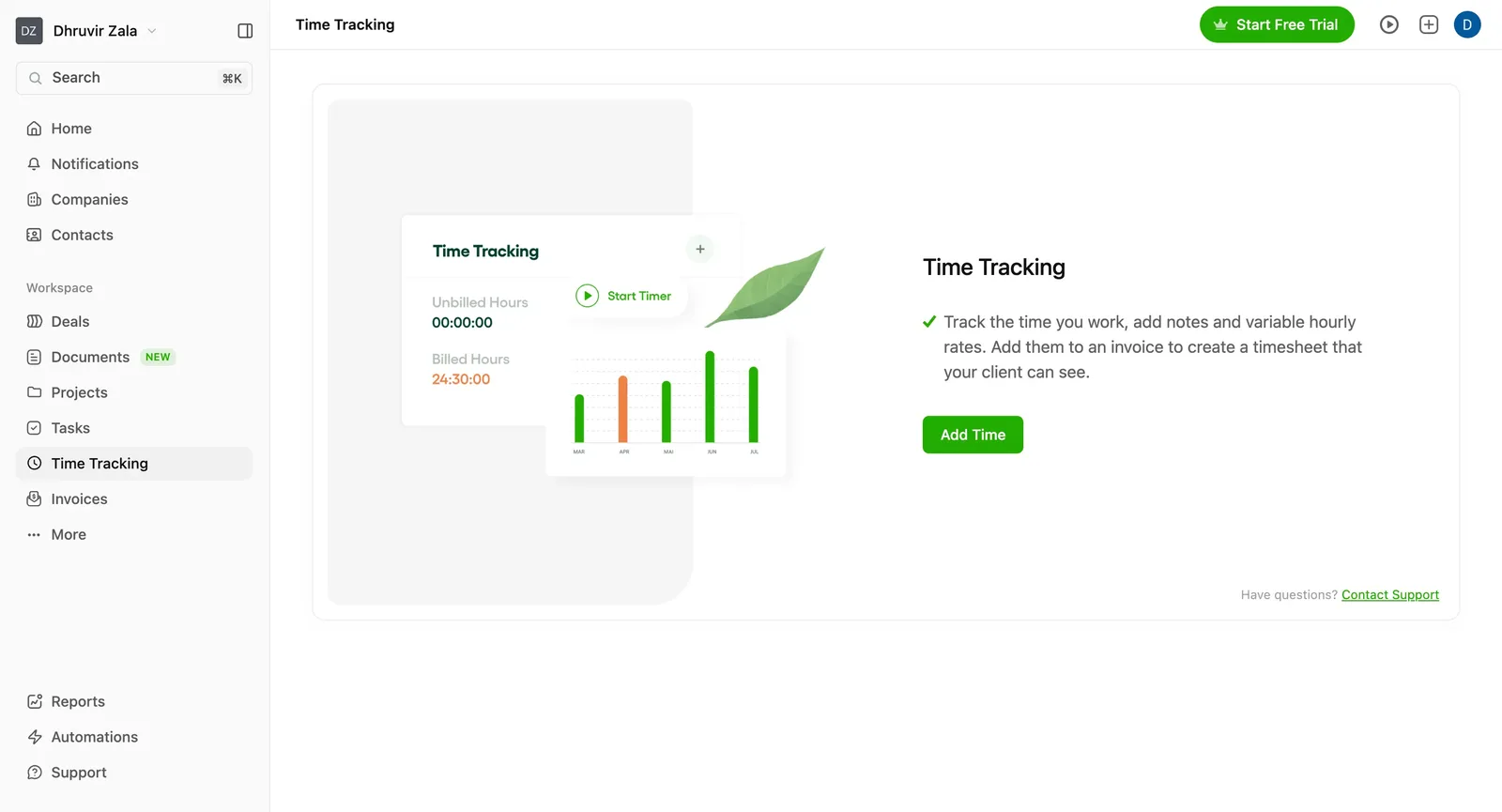
Bonsai's time tracker is the least interesting part of Bonsai, and once you poke around the rest of the app for ten minutes, you get why. Click into Time Tracking, and you get one button that says Start Timer, a form with a Task field and a Notes box, and a spot to punch in your hourly rate.
Back out of that tab, and you land on a home dashboard that looks more like a cockpit than a to-do list. Money paid this month, outstanding invoices, active projects, pipeline value, top paying clients, and your tracked hours all show up on one screen. The sidebar has a Deals section for tracking prospects, Companies and Contacts doing CRM duty, a Documents tab, and an Automations page for the stuff you'd rather not touch by hand. Time tracking is one tile in a much bigger building, not the building itself.
The good part shows up once you get to billing. Log a few hours, open an invoice, hit Add New Row, and the entry lands at your billable rate without you exporting anything anywhere. Turn on Stripe or PayPal from the payments screen, and your client can pay right off that same invoice instead of you waiting on a check to show up. Track it, bill it, get paid, all without leaving the tab. That loop is the actual product here, and it works better than the timer does.
This isn't the tool for a consultant who just wants a good timer. Half the entries on this list do that job better and for less money. It's also worth checking your tier before you commit. The cheapest plan gets you time tracking and a CRM but skips invoicing entirely, which means the "everything in one place" pitch doesn't actually kick in until you're one tier up from the bottom.
Bonsai makes sense if you're done managing a CRM, a proposal tool, an invoicing app, and a time tracker as four separate logins, and you're fine with the time tracking being the plainest piece of that whole setup.
Bonsai pricing: No free plan, just a 7-day trial. Plans run $9 to $49 per seat/month billed annually (monthly runs $15 to $59), with a 3-user minimum on the top Elite tier.
Best agency and PSA platform for consultants managing a team
Productive (Web, Mac, Windows, iOS, Android)
Pros:
- Time tracking lives inside full resourcing, budgeting, and invoicing
- Company Time view shows every consultant's hours on one screen
- Reports and dashboards are build-your-own, right down to picking the data source
Cons:
- Three-seat minimum on every plan, so it's not really built for a solo consultant
- So many tabs (Time, Financials, Resourcing, CRM, Reports) that logging an hour can feel like a detour
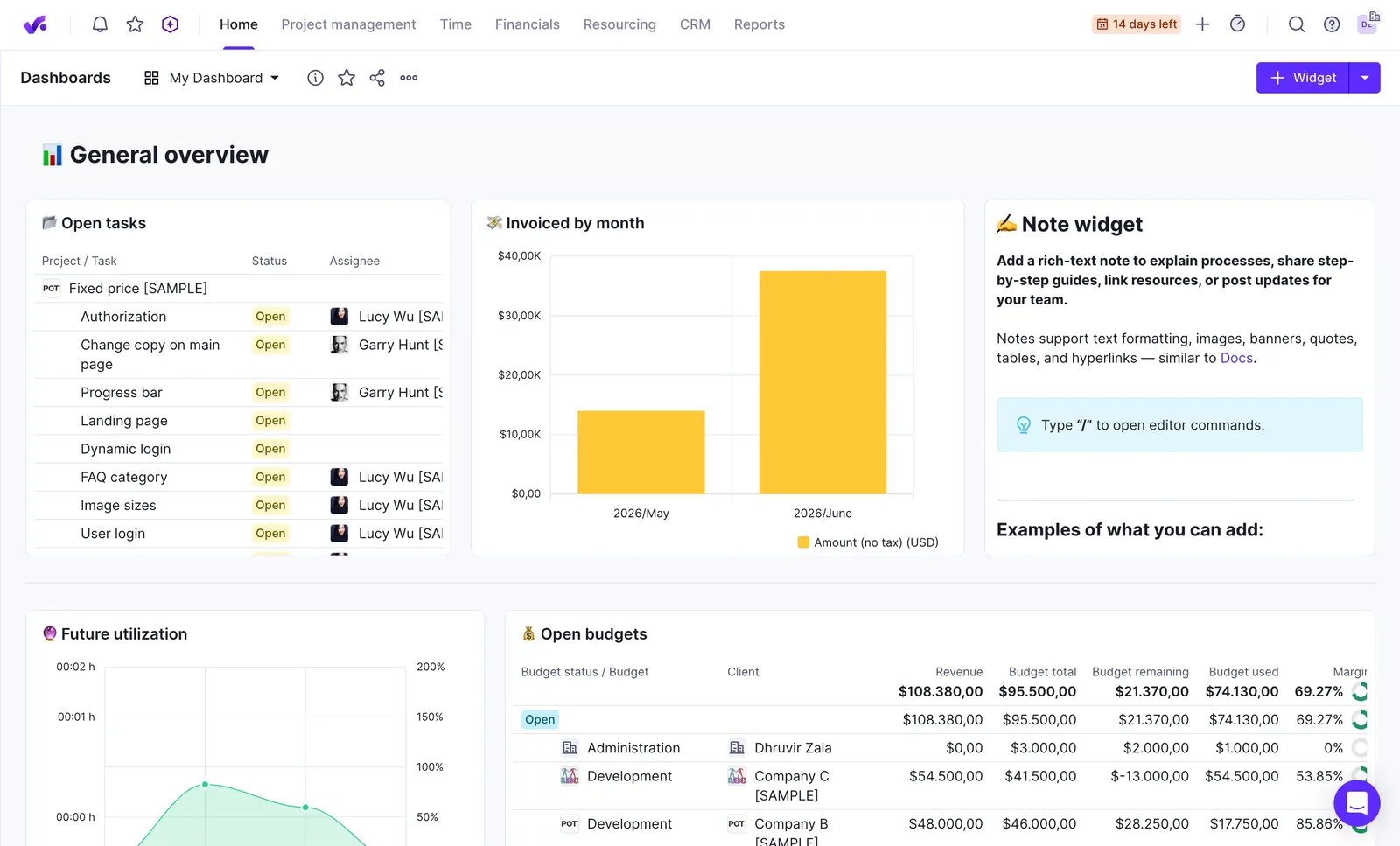
Open Productive, and before you even see a timer, it asks which service you worked on. That one dropdown tells you who built this thing: people thinking about billing structure before they think about stopwatches.
Once you're past that, the actual time entry screen is almost plain for a tool this size. Log hours by day, by week as a timesheet, or drag blocks out on a calendar. None of it feels as nice as Toggl's calendar view, but it works, and there's a plain start and stop timer if you'd rather not think about it at all.
Where Productive earns its spot on this list is everywhere around the timer. Switch to Company Time, and you get every person on the team, every day of the week, in one grid. Switch to Resourcing, and there's a full booking calendar showing who's allocated to what for months out. Book a day off, and it runs against your actual absence allowance instead of just shading in a calendar square. Build a report, and you start by picking a data source, budgets, capacity, bookings, like you're querying a database, because you basically are.
The home dashboard is the clearest sign of how far past time tracking this goes. My first session, I spent longer picking which widgets to put on it than I did logging any actual hours. That's either a selling point or a warning, depending on how much you enjoy configuring software before you get to use it.
Invoicing pulls straight from tracked time, same idea as Harvest, with a nudge to sync it into Xero or QuickBooks so an hour becomes an invoice becomes a bookkeeping entry without you retyping anything. That part holds up.
None of this makes much sense for one person, though. Every plan needs three seats minimum, and the whole product assumes a team you're allocating, approving, and reporting on, not a single freelancer squeezing in billable hours between calls. If that's you, Productive is a lot of software to carry alone.
Productive pricing: Essential and Professional run $10 to $25 per user/month billed annually (a bit more billed monthly); Ultimate is custom-priced. Every plan needs a 3-seat minimum, and there's a 14-day trial.
How to choose the right time tracking software for your consultancy needs?
Let's cut to the chase.
If billing is the whole point for you, Harvest turns hours into a paid invoice without you touching another app. Want a timer that doesn't look like it escaped 2009? Toggl. Counting every dollar? Clockify. Done running a CRM, an invoicing tool, and a time tracker as three separate logins? Bonsai. Managing a team of consultants instead of just yourself? Productive.
If none of that is your problem, and your problem is just that you're bad at remembering to hit start, which, let's be honest, is most people, Rize is the one to install today. It's the only tool on this list that doesn't ask you to change anything about how you work. You don't build a new habit, you don't clean up a guess afterward, you just work, and the timesheet is already finished by the time you go looking for it.
Every other tool here is a better way to remember something. Rize is the only one that skips the remembering part entirely.
Try Rize free and see what your timesheet looks like when you never have to build it.
Start tracking time automatically
Join thousands of professionals who stopped guessing where their time goes. Free for 7 days.
“Rize has been a no-brainer for me.” — Ali Abdaal Read more →