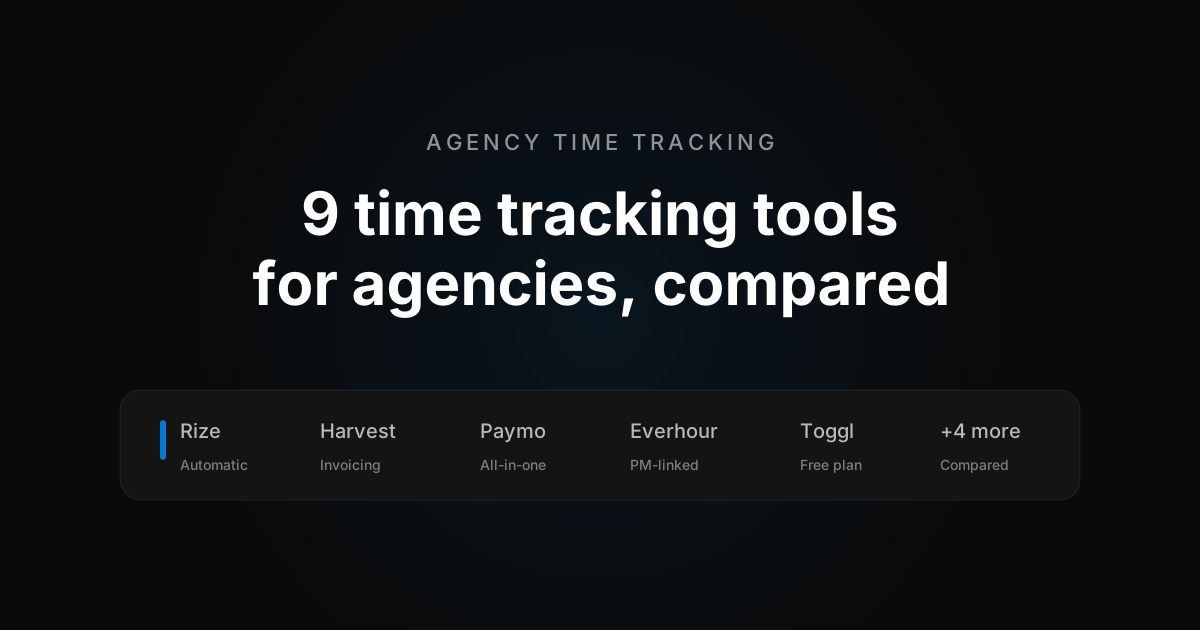
Short answer: the strongest time tracking tools for agencies in 2026 are Rize, Harvest, Paymo, Everhour, and Toggl Track. Rize is the best overall pick when the real problem is hours nobody remembered to log. Harvest and Paymo are better for billing-heavy operations, and Everhour is stronger when project delivery drives client work.
Agencies need more from time tracking than hour totals. The tool has to carry billable rates, client budgets, and a profitability conversation with the owner, and it has to stay accurate while people bounce between meetings, deliverables, and revisions all day. Industry research puts the cost of manual logging at 10-30% of billable time missed, so "accurate" is doing a lot of work in that sentence.
This shortlist covers nine tools agencies can actually run on. Some are billing-first, some tie time to project work, one is an accounting suite with a timer attached, and one skips the timer entirely. I ran real client projects through every one of them and priced each at the size a working agency would buy, not the cheapest plan on the page.
Quick picks
The quick picks sort the nine tools by what tends to matter most to an agency: getting time into invoices, keeping work tied to delivery, and staying profitable without adding admin weight.
- Best overall: Rize, for agencies that want accurate hours without anyone remembering to press start.
- Best for invoicing: Harvest, for agencies built around billable hours and client-facing reports.
- Best all-in-one: Paymo, for agencies that want time, tasks, scheduling, and invoices in one workspace.
- Best for project-linked work: Everhour, for agencies that run delivery inside Asana, ClickUp, Jira, or Trello.
- Best free plan: Toggl Track, for teams of five or fewer who want a polished timer at no cost.
- Best low-cost rollout: Clockify, for large or mixed-device teams that need adoption before refinement.
- Best keyword-based automation on a budget: TimeCamp, for agencies that will set up project keywords once.
- Best for utilization and approvals: ClickTime, for agencies where finance signs off on every timesheet.
- Best accounting-first option: FreshBooks, for solo and boutique agencies that already live in it for books and invoices.
Time tracking tools for agencies comparison table
Start here if you want the fastest view of which tools are invoice-first, which add project context, which stay light for the team, and what each one costs once you're paying for a real team.
| Tool | Best for | G2 rating | Pricing |
|---|---|---|---|
| Rize | Automatic tracking, AI tagging, no surveillance | 4.5/5 | $29.99–$39.99/seat/mo; 7-day trial |
| Harvest | Billable hours and client invoicing | 4.3/5 | Free for 1 seat; $9–$17.50/seat/mo |
| Paymo | Projects, time, and invoices in one place | 4.6/5 | Free for 1 user; $5.90–$16.90/user/mo |
| Everhour | Task-linked budgets inside your PM tool | 4.7/5 | Free for 5 seats; $8.50–$10/seat/mo, 5-seat minimum |
| Toggl Track | Polished billable tracking without heavy structure | 4.6/5 | Free for 5 users; $9–$24/seat/mo |
| Clockify | Affordable rollout across every device | 4.5/5 | Free for 5 users; $3.99–$14.99/seat/mo |
| TimeCamp | Keyword-based tracking and reporting on a budget | 4.7/5 | Free, unlimited users; $3.99–$9.99/seat/mo |
| ClickTime | Utilization, approvals, and time off | 4.6/5 | No free tier; $12–$31/seat/mo |
| FreshBooks | Accounting-first solo or boutique agencies | 4.5/5 | $23–$70/mo flat, plus $11/mo per team member |
G2 ratings are the public averages at the time of writing and move as reviews come in. Rize's average sits on a smaller review base than the older tools, so weigh it accordingly.
Best time tracking tools for agencies in 2026
These nine tools cover different agency operating models. Some fit a lean billable workflow, some add delivery context, and some are built for agencies that want tighter financial or utilization control. Each entry below covers who it fits, what it costs, what stood out in testing, and where it fell short.
1. Rize
Best for: Agencies that want the hours on the invoice to match the hours actually worked, without a timer anyone has to remember.
- Rating: 4.5/5 on G2
- Pricing: $29.99 to $39.99 per seat/month on team plans; 7-day free trial
- Platforms: Mac, Windows
Rize is an automatic time tracker that captures every work session without manual timers. You open your laptop, and it is already logging the day. By the time you review the timeline, most blocks have a client, project, and task attached, inferred from the app you had open, the file you were in, or what your calendar said you were doing. What's left is mostly clicking accept.
That changes the agency math. A timesheet nobody has to fill out is a timesheet that tells the truth, and Rize turns it into numbers you can act on: every client and retainer gets a live profitability view with hours delivered, effective rate, and margin, updating as the work happens instead of three weeks later at invoicing. Invoices are built from that tracked time inside the app, with line items, a sendable PDF, and payment logging. A deeper two-way QuickBooks or Xero sync still runs through Zapier.
It does this without the surveillance trade. No screenshots, no keystroke logging, and each person approves what gets shared before a manager sees it. Ben Jackson of Momentum Studio put the agency case plainly: "The biggest issue with Harvest was designers would forget to track. With Rize, that's solved."
Pros
- Fully automatic capture, zero timers to start or stop
- AI tags time to the right client, project, and task
- Live profitability per client and retainer, no upsell tier
- Privacy-first: no screenshots, no keystroke logging
- Focus and break coaching that protects the team's day, not just the invoice
Cons
- Mac and Windows only, with no mobile app outside Enterprise
- Priced above the manual trackers
- AI features are metered by monthly credits
- Deeper accounting sync still goes through Zapier
Rize is the right pick if your team quietly stopped filling out timesheets and you are tired of reconstructing Fridays from memory. It is the wrong pick if a chunk of your team is on Linux or needs to log time from a phone. For how it handles client work day to day, see agency time tracking for client work.
2. Harvest
Best for: Agencies that treat billable time, budgets, and invoices as the center of the workflow.
- Rating: 4.3/5 on G2
- Pricing: Free for 1 seat and 2 projects; Teams $9 to $11 per seat/month; Enterprise $14 to $17.50 per seat/month
- Platforms: Web, Mac, Windows, iOS, Android
Harvest is a manual time tracker built around the realities of billable work. Rates, budgets, invoices, and client-facing reports all sit next to the time entries, which cuts the reconciliation an owner or finance lead does at month end. Tracked and expensed time turns into a real invoice in a few clicks, PayPal and Stripe handle online payment, and the QuickBooks Online and Xero connections are genuine two-way syncs, not CSV exports.
The catch is where the profitability report lives. The report builder groups by client, project, role, or teammate and stacks whatever metrics you want, which is exactly margin by client. That view sits on the Enterprise plan, not the Teams plan most agencies buy, so the headline price undersells what the feature you came for costs. And the tracking underneath is still a start-stop timer with an email reminder when someone forgets.
Pros
- Time tracking and invoicing under one login, with online payments
- Real two-way sync to QuickBooks Online and Xero
- Budget visibility flags overages before they hit the invoice
- Long integration list: Asana, ClickUp, Basecamp, Slack, Deel, Google and Outlook calendars
Cons
- Still a manual timer; nothing recovers a forgotten hour
- Profitability reporting locked behind Enterprise
- Usage fees for extra invoices, projects, and clients on Teams
Harvest is the right call if your team already has timer discipline and wants tracking and invoicing in one place. I go deeper on the tradeoff in the Rize vs Harvest comparison, and the Harvest alternatives list covers the next step if the price or the timer is the problem.
3. Paymo
Best for: Agencies that want projects, schedules, and invoices living next to tracked time.
- Rating: 4.6/5 on G2
- Pricing: Free for 1 user and 2 projects; Starter $5.90/month; Plus $10.90 to Business $16.90 per user/month billed annually; 15-day trial
- Platforms: Web, Mac, Windows, Linux, iOS, Android
Paymo is a project management and billing suite with time tracking built in, for agencies feeling the pain of disconnected tools. Gantt charts, Kanban boards, task dependencies, employee scheduling, and leave management sit under the same login as the timer and the invoice, so account managers, project leads, and owners see one operating picture instead of three.
Two things stood out in testing. Profitability reports sit on the $10.90 Plus plan, cheaper than the tier Harvest asks for the same view. And clients can actually pay from a Paymo invoice through Stripe, PayPal, Payflow Pro, or Authorize.net, plus Paymo's own US-only processor. The tradeoff is that you are adopting a PM suite, with more screens and settings than a pure tracker.
Pros
- Time, tasks, scheduling, and invoices in one workspace
- Profitability reporting on a mid-tier plan
- Clients can pay from the invoice
- Runs on every desktop and mobile platform, including Linux
Cons
- Free and Starter plans cap at 1 user, so a team starts at Plus
- Heavier than a tracking-and-billing tool; expect a learning curve
- Collaboration depth still trails dedicated PM tools for larger agencies
Paymo is the right call if project management is the actual hole in your stack and you want to close it and the timesheet in one move.
4. Everhour
Best for: Agencies that manage delivery inside project tools and want budgets tied to task work.
- Rating: 4.7/5 on G2
- Pricing: Free for up to 5 seats; Team $8.50 to $10 per seat/month with a 5-seat minimum
- Platforms: Web, Mac, iOS, Android
Everhour is a time tracker that lives inside your project management tool. The Start button appears next to the task in Asana, ClickUp, Jira, Trello, and 40-plus other integrations, so time entries, estimates, and budgets sit where the team is already delivering. For agencies that measure success by project performance more than invoice volume, that context is the whole point.
The report builder earned respect in testing: 20-plus selectable columns instead of a handful of presets, and none of it behind a pricier tier. Team is the only real paid plan, and profitability reporting, invoicing, approvals, and time off all come switched on. The invoice side is thinner. It pushes to QuickBooks, Xero, and FreshBooks cleanly, but there is no Stripe and no way for a client to pay from it. And the timer, however well placed, is still a timer.
Pros
- Timer embedded inside Asana, ClickUp, Jira, Trello, and more
- Task-level budgets catch scope drift early
- Profitability, invoicing, approvals, and time off on the one paid plan
- Report builder with 20+ columns
Cons
- Still a start-stop timer
- 5-seat minimum, so a 3-person shop pays for 5
- No online payments on invoices
- Desktop app is Mac only
Everhour is the right call if your agency already runs in a PM tool and wants billing layered on top without leaving it. The Rize vs Everhour comparison covers where the embedded timer still breaks down.
5. Toggl Track
Best for: Agencies that want clean billable tracking without moving into a heavier billing stack.
- Rating: 4.6/5 on G2
- Pricing: Free for up to 5 users; Starter $9 to $12 per seat/month; Premium $16 to $24 per seat/month
- Platforms: Web, Mac, Windows, iOS, Android
Toggl Track is a manual timer with the most usable free plan in this category. Five people, unlimited projects and clients, a background autotracker, calendar view, and a real report builder, all at no cost. Starting a timer is as simple as a stopwatch: type what you're doing, pick a project if you remember to, hit the button.
The autotracker is Toggl's answer to the forgotten timer, and it is a good one. It records which apps you had open and offers a "Copy as Time Entry" button to fill the gap. It is not automatic, though. Someone still has to notice the gap and make the call. Profitability reports and timesheet approvals sit behind Premium, invoicing is a line-item PDF with no online payment, and Xero is now a Zapier connection rather than a native one.
Pros
- Free plan covers teams of up to 5 with unlimited projects and clients
- One-click timer plus a background autotracker as backup
- 100+ integrations, including native Asana, Jira, and Slack
- No screenshots or keystroke logging
Cons
- Autotracker still needs a manual click per entry
- Profitability and approvals locked behind Premium
- Basic invoicing, no online payments or recurring bills
Toggl is the right pick if your team already has decent timer habits and wants a wide integration stack around them. I cover where that breaks down for agency billing in the Rize vs Toggl comparison for agencies.
6. Clockify
Best for: Agencies that need an affordable rollout across a mixed fleet of devices.
- Rating: 4.5/5 on G2
- Pricing: Free for up to 5 users; Basic $3.99 to Enterprise $11.99 per seat/month billed annually (up to $14.99 monthly)
- Platforms: Web, Mac, Windows, Linux, iOS, Android, browser extensions
Clockify is a manual timer with a lot of admin structure built around it, at a price nobody else here gets close to. The timesheet view is a literal grid, projects down the left and days across the top, which makes it an easy move for agencies coming off a spreadsheet. It is also the widest-reaching tool on this list, running on Linux alongside web, Mac, Windows, iOS, Android, and three browser extensions.
The Auto Tracker logs which apps and windows you had open, but every session shows up as its own row and needs a click to become a real time entry. Profitability reporting sits on the Pro plan and invoicing on Standard. One flag for agency owners: Pro can switch on screenshots, GPS, and kiosk photo capture. They are optional, but how much surveillance your team experiences ends up depending on which admin has the settings page open.
Pros
- Cheapest paid tier in this roundup
- Runs on Linux, plus every other desktop, mobile, and browser platform
- Native QuickBooks and Xero connections
- Kiosk mode for on-site, shift-based teams
Cons
- Auto Tracker still needs a manual click per entry
- Profitability behind Pro, invoicing behind Standard
- Interface feels a generation behind
- Optional screenshots and GPS can tip into monitoring
Clockify is worth the look if budget is the deciding factor and your team's devices don't all match. The Rize vs Clockify comparison and the Clockify alternatives list go deeper.
7. TimeCamp
Best for: Agencies that want keyword-based automatic tracking and heavy reporting on a small budget.
- Rating: 4.7/5 on G2
- Pricing: Free for unlimited users; Starter $3.99, Premium $6.99, Ultimate $9.99 per seat/month billed annually
- Platforms: Web, Mac, Windows, Linux, iOS, Android
TimeCamp is a time tracker whose desktop app matches the app or website you're in against keywords assigned to a project and logs the time on its own. Set the keywords up once per client and the forgotten-timer problem shrinks, which no other tool at this price point offers. The free plan is unusual too: unlimited users and projects, permanently, with timesheets and two-factor authentication included.
Invoicing earns credit. A test invoice priced itself off the tracked hours and rate with no retyping, and because TimeCamp connects to Xero, QuickBooks, and PayPal, the client can pay straight from it. The catch is the paywall placement. Automatic tracking needs Premium, and the labor-cost profitability report needs Ultimate. Cheaper wall than Harvest's, but still a wall.
Pros
- Free plan with no seat cap
- Keyword rules assign tracked app time to projects
- Invoices connect to Xero, QuickBooks, and PayPal for client payment
- Runs on Linux as well as Mac, Windows, and mobile
Cons
- Automatic tracking needs Premium, not Free or Starter
- Profitability reporting is a separate paywall on Ultimate
- Keyword rules need maintenance as clients and tools change
TimeCamp is the right call if the manual timer is what's pushing you out of your current tool and you don't mind a one-time keyword setup per project.
8. ClickTime
Best for: Agencies where finance needs utilization numbers, approvals, and time off in the same system as billable hours.
- Rating: 4.6/5 on G2
- Pricing: No free tier; Starter $12 to $15, Team $15 to $19, Premier $27 to $31 per seat/month depending on billing; Enterprise custom
- Platforms: Web, iOS, Android
ClickTime is a timesheet and utilization tool for firms that treat labor cost as the number that matters. It ships with 70-plus pre-built reports, over-and-under budget indicators, monthly retainer management, and multi-month capacity planning, and the Team tier adds approval workflows, billing rates, and time-off accruals. Automated time tracking with optional AI mapping to projects arrives at Team as well.
It is the most control-oriented tool on this list, and that shows in the price. Starter is $12 a seat billed yearly and caps at 25 users; the tier most agencies would need starts at $15 to $19. There is no built-in invoicing with payments, so billing still happens in QuickBooks or your accounting tool. The time entry itself is a daily or weekly timesheet with a stopwatch, closer to Clockify's grid than to Rize's timeline.
Pros
- Utilization, capacity, and retainer reporting out of the box
- Approval workflows and time-off accruals for compliance-minded agencies
- 70+ pre-built reports and company dashboards
- SSO and SCIM on upper tiers
Cons
- No free plan, and the useful tier starts at $15 to $19 a seat
- No native invoicing with client payment
- Timesheet-first entry; automated tracking still needs review and mapping
ClickTime is the right call if your agency runs on utilization targets and a finance team signs off on every week. It is overkill for a ten-person shop that just wants accurate hours on an invoice.
9. FreshBooks
Best for: Solo and boutique agencies that already run their books and invoices in FreshBooks and want time tracking in the same place.
- Rating: 4.5/5 on G2
- Pricing: Lite $23, Plus $43, Premium $70 per month flat, plus $11 per month per additional team member; 30-day trial
- Platforms: Web, iOS, Android, browser extension
FreshBooks is accounting software with a time tracker attached, not the other way around. Tracked hours land directly on an invoice, clients pay by card, ACH, Apple Pay, or Google Pay, and the same login handles expenses, estimates, proposals, retainers, and tax-time reports. For a two-to-five person agency, that means one bill instead of a tracker plus an accounting subscription.
The time tracking is the thin part. It is a start-stop timer or a manual entry, with no background capture and light reporting on where the hours went beyond billable versus not. Lite caps you at five billable clients, and every additional team member is $11 a month on top of the flat plan fee, so a growing agency pays more than the sticker price suggests. Most agencies pair FreshBooks with a dedicated tracker; the best time tracking for FreshBooks guide covers the options.
Pros
- Tracked time flows straight onto invoices with online payment
- Accounting, expenses, proposals, and retainers in one login
- Strong client-facing experience for a boutique shop
Cons
- Manual timer with no automatic capture
- Per-team-member fee stacks on top of the plan price
- Lite caps billable clients at five
- Reporting is about money, not where the team's time went
FreshBooks is the right call if accounting is the anchor and time tracking is a convenience. It is the wrong call if you need to know why last month's retainer ran 30% over.
How to choose a time tracking tool for your agency
Pick the tool by the failure you are trying to fix, not by feature count. Agencies lose 10-30% of billable time to manual logging, and the tools above address that in three different ways.
- If the failure is forgotten hours, the timer itself is the problem. Rize removes it; TimeCamp softens it with keyword rules; Toggl and Clockify give you a backup log to reconstruct from.
- If the failure is slow or disputed invoicing, Harvest, Paymo, and FreshBooks put payment-ready invoices next to the hours, and all three let the client pay from the bill.
- If the failure is scope creep on delivery, Everhour and Paymo tie budgets to tasks where the team is working, and ClickTime adds utilization and approval control on top.
- If the failure is cost or device sprawl, Clockify and TimeCamp are the only two that run on Linux and start under $4 a seat.
Eight of these nine tools are still built around someone pressing a button. Harvest makes the button prettier, Everhour moves it into the task, ClickTime asks a manager to approve it afterward. Rize skips the premise: it is already tracking when you open your laptop, tags the time to the client from what you were working in, and does it without screenshots or activity scoring. Run one normal, chaotic workday with it and compare what it caught against what you would have logged from memory.
Stop rebuilding Fridays from memory
Rize tracks your agency's work automatically and tags it to the right client in the background. Start a free 7-day trial, no credit card required.
Start Free TrialRelated reading
- The 6 best agency time tracking software, tested hands-on
- Rize vs Harvest
- Rize vs Toggl for agencies
- Rize vs Everhour
- Harvest alternatives
- Agency profitability tracking guide
Start tracking time automatically
Join thousands of professionals who stopped guessing where their time goes. Free for 7 days.
“Rize has been a no-brainer for me.” — Ali Abdaal Read more →


![Rize vs Toggl: Which time tracker is best? [2026]](/_next/image?url=%2Fassets%2Fblog%2Fhero%2Frize-vs-toggl-for-agencies.webp&w=3840&q=75)