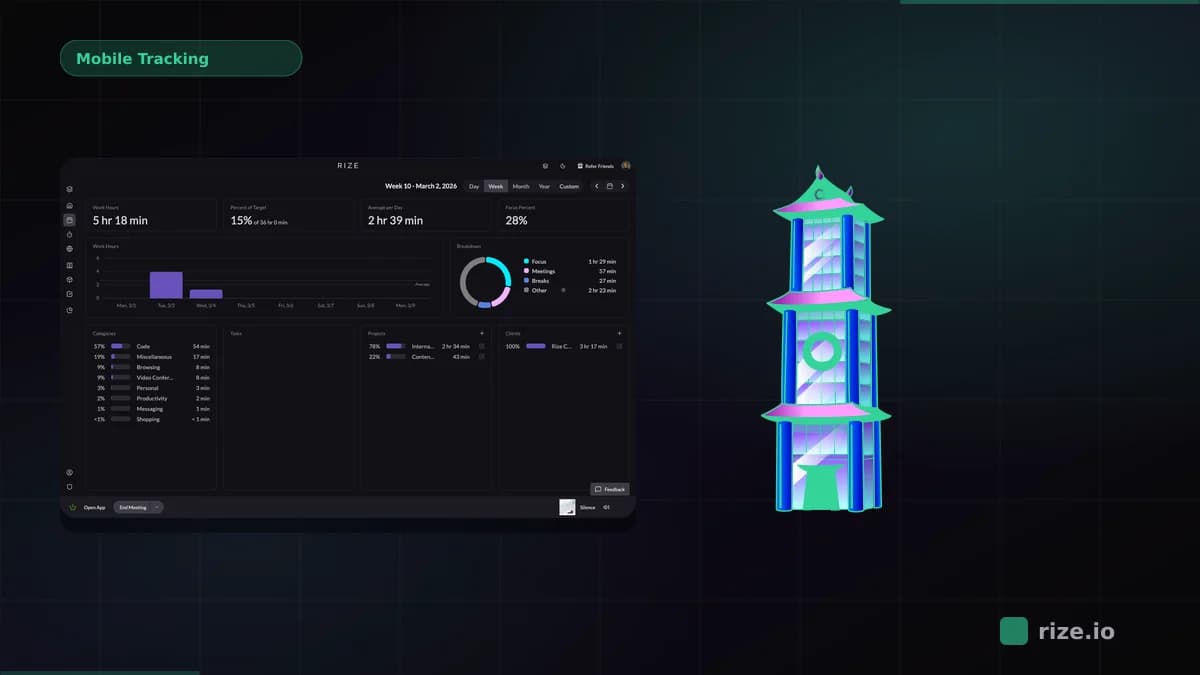
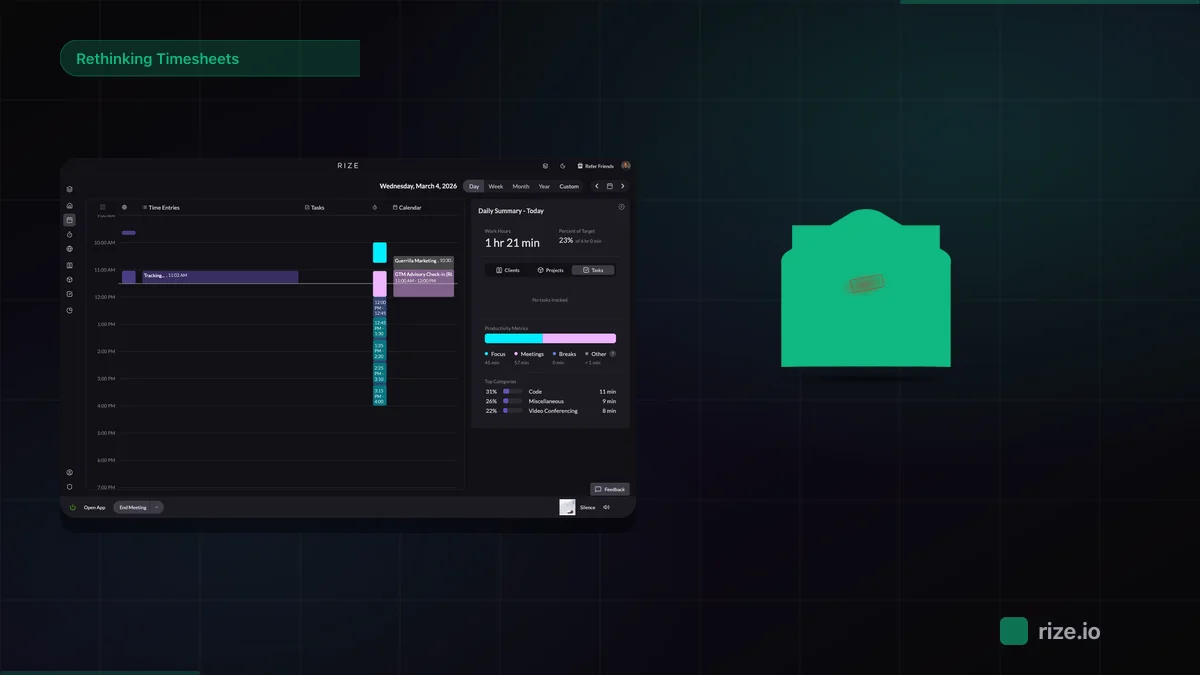
The best free time tracking app for most small teams is Clockify, which is free for up to 5 users. TimeCamp is the free pick for bigger teams, with unlimited users. If your team bills clients and keeps losing hours to forgotten timers, Rize is the paid upgrade worth testing: no free plan, but a free 7-day trial.
Every free time tracker on this list is genuinely free. The catch is what "free" covers. Most free plans let a small group start and stop timers, then lock the features a billing team needs: hourly rates, invoices, team reports, and a manager's sign-off on the week.
This guide checks each vendor's own pricing page as of November 2026 and answers three questions per tool. What does the free plan allow? Where does a team hit the wall? What does the first paid tier cost for 5 and 10 people?
Quick Answer
Clockify (5 users free) and TimeCamp (unlimited users free) are the strongest free time tracking apps in 2026. Toggl Track is free for 3 users, Everhour for 5, and Harvest for 1. None of them include billable rates, invoicing, and approvals for free. Upgrading 10 people costs $39.90 to $160 a month, depending on the tool and tier.
What does a free time tracking app actually include?
A free time tracking app includes a timer, manual time entry, projects, and basic personal reports, but usually caps users and locks billing features.
Free time tracking app: a time tracker with a permanent $0 plan, not a trial, that limits seats, projects, or features to push growing teams toward a paid tier. Each vendor draws that line in a different place, which is why "free" means 1 seat at Harvest and unlimited users at TimeCamp.
Across the seven free plans reviewed here, the same five gates show up again and again:
- User caps. Harvest allows 1 seat, Toggl Track and Traqq allow 3, Clockify and Everhour allow 5.
- Billable rates and invoicing. Clockify, Toggl Track, and TimeCamp all keep hourly rates or invoices off their free plans.
- Timesheet approvals. Only Traqq lists approvals on its free plan. Everyone else charges for them.
- Team reports. Toggl Track's free plan offers "personal-level insights" only, and Clockify limits free reports to a one-month date range.
- Integrations and projects. Everhour's free plan has no integrations, Harvest's allows 2 projects, and Traqq's allows 1.
If your team tracks time only to see where the week went, those gates may never matter. If you bill clients from tracked hours, you will hit at least two of them in the first month.
Free time tracking apps compared: the real cost table
Free plans range from 1 seat (Harvest) to unlimited users (TimeCamp), and the first paid tier costs $3.99 to $29.99 per seat per month.
Prices below come from each vendor's pricing page in November 2026, per seat per month on annual billing unless noted. The 5-user and 10-user columns show the first paid tier. The last column shows where timesheet approvals start, because that is the feature that most often forces the upgrade.
| Tool | Free plan limit | What free locks out | First paid tier | 5 users / mo | 10 users / mo | Approvals start on |
|---|---|---|---|---|---|---|
| Rize | No free plan; 7-day free trial, no card | Not applicable | Team Seat, $29.99 (2-seat min) | $149.95 | $299.90 | Each person reviews their own entries |
| Clockify | Up to 5 users | Billable rates, invoicing, approvals, kiosk; reports limited to a 1-month range | Basic, $3.99 | $19.95 | $39.90 | Standard, $5.49 |
| Toggl Track | Up to 3 users | Billable rates, team reports, approvals | Starter, $9 | $45 | $90 | Premium, $16 |
| TimeCamp | Unlimited users and projects | Billable rates, invoicing, approvals, budgets | Starter, $3.99 | $19.95 | $39.90 | Ultimate, $9.99 |
| Everhour | Up to 5 seats | All integrations; billing, budgets, and invoicing | Team, $8.50 (5-seat min) | $42.50 | $85 | Team, $8.50 |
| Harvest | 1 seat, 2 projects | More seats and projects; approvals | Teams, $9 plus usage fees | $45 plus usage | $90 plus usage | Enterprise, $14 |
| Traqq | Up to 3 users, 1 project | More projects, client management, expenses | Plus, $4 (up to 10 users) | $20 | $40 | Free plan |
Two rows need a footnote. Harvest's pricing page says that on paid plans "additional invoices, projects, clients, and tasks are billed based on what you use," so the seat price is a floor, not the total. Traqq's prices come from its help center, which does not say whether the $4 rate assumes annual billing.
Where do free time tracking plans hit the wall?
Free time tracking plans hit the wall when a team adds its sixth person, needs to bill a client, or needs a manager to sign off hours.
The headcount wall. Clockify and Everhour stop at 5 users, Toggl Track at 3. A 6-person Clockify team moves to Basic at $3.99 per seat, which is $23.94 a month on annual billing. A 4-person Toggl Track team moves to Starter at $9 per seat, or $36 a month.
The billing wall. A free plan that cannot attach an hourly rate cannot tell you what a client owes. Toggl Track puts billable rates on Starter, Clockify puts invoicing on Standard, and TimeCamp puts both billable rates and invoicing on Starter. Agencies and accounting firms usually hit this wall before the headcount one.
The approvals wall. Approvals let a manager lock a week before it goes on an invoice or into payroll. They start at $5.49 per seat on Clockify Standard, $9.99 on TimeCamp Ultimate, $14 on Harvest Enterprise, and $16 on Toggl Track Premium. For a 10-person team, that spread runs from $54.90 to $160 a month.
The reporting wall. Clockify's pricing page states that "the data range on the FREE plan is 1 month" for reports. Toggl Track's free plan offers reports "to track individual progress," with team reports starting on Starter. Month-over-month client comparisons are where both free plans run out.
The missed-timer wall. No upgrade fixes this one inside a timer-based tool. Every app in the table except Rize depends on someone pressing start, so a forgotten timer is an unbilled hour on the free plan and on the most expensive tier alike.
The best free time tracking apps, reviewed
Clockify, TimeCamp, Toggl Track, Everhour, Harvest, and Traqq all have permanent free plans; Rize is the paid option for teams that bill clients.
Each review below covers the free plan, the first wall a team hits, the upgrade cost at 5 and 10 users, and who the tool fits. Rize comes first because it is the tool we build and the one we recommend for client-billing teams, but it has no free plan, and the review says so.
Rize: the paid upgrade for teams tired of missed timers
Pros:
- Captures work sessions automatically, so nobody starts or stops a timer
- Clients, projects, invoicing, and client reports from the same tracked time
- No screenshots by default, and each person reviews their own entries
Cons:
- No free plan; the free 7-day trial is the only $0 option
- Desktop only (macOS and Windows), so field and shift workers are a poor fit
Rize is an automatic time tracker that captures every work session on a Mac or Windows computer without manual timers. It categorizes apps and websites with AI and attaches time to clients and projects, which is the part free timer apps leave to memory. See how that works on the automatic time tracking features page.
Free plan: none. Rize offers a free 7-day trial with full feature access and no credit card. If no card is on file when the trial ends, the trial closes and you are not charged. You can export your data at any time, including after you cancel.
Upgrade cost: the Team plan costs $29.99 per seat per month on annual billing, or $39.99 on monthly or quarterly billing, with a 2-seat minimum. That is $149.95 a month for 5 people and $299.90 for 10 on annual billing. Single users pay $9.99 (Basic) or $23.99 (Pro, with clients and invoicing) per month billed annually. Full details are on the Rize pricing page.
What you get for the price: the Team plan adds team dashboards, admin permissions, budgeting and forecasting, and client and project profitability. Pro and Team both include invoicing from tracked time, scheduled client reports, and API, webhooks, and Zapier access.
Who it fits: agencies, accounting firms, and consultancies where people work at a computer and hours end up on a client invoice. Ben Jackson, CEO of the 12-person creative agency Momentum Studio, moved from Harvest and put the missed-timer problem plainly: "I'm a trusting leader, but I don't even trust myself to remember what I worked on two days ago. So how can I expect my designers to?"
The math is simple. If automatic capture puts one forgotten billable hour per person per month back on an invoice at a $100 hourly rate, the $29.99 seat pays for itself more than three times over.
Stop losing hours to forgotten timers
Try Rize free for 7 days. It records your work in the background and attaches time to clients and projects. No credit card required.
Start Free TrialClockify: the best free time tracking app for teams of 5 or fewer
Pros:
- Free for up to 5 users with unlimited tracking
- Runs on web, desktop, mobile, and browser extensions
- Cheapest approvals of any tool here, at $5.49 per seat
Cons:
- No billable rates, invoicing, or approvals on the free plan
- Free reports cover a one-month date range
Free plan: Clockify's free plan covers up to 5 users. Its comparison table keeps billable rates, invoicing, approvals, time audit, kiosk, and time off out of the free tier, and free reports are limited to a one-month date range.
Where you hit the wall: the sixth user, or the first client invoice. Clockify's Basic tier is the cheapest way past the user cap, but invoicing and approvals both start on Standard.
Upgrade cost: Basic is $3.99 per seat on annual billing ($4.99 monthly), so $19.95 a month for 5 users and $39.90 for 10. Standard is $5.49 annual ($6.99 monthly), so $27.45 for 5 and $54.90 for 10. Clockify notes that prices are localized by region.
Who it fits: small teams that need everyone logging hours across mixed devices and can live with manual timers. For a closer look at how it handles missed time, read Rize vs Clockify.
TimeCamp: the best free time tracker for teams larger than 5
Pros:
- Unlimited users and unlimited projects on the free plan
- Free plan includes idle time tracking and 10+ report types with PDF export
- Starter adds billable rates and invoicing at $3.99 per seat
Cons:
- No billable rates, invoicing, or approvals on the free plan
- Approvals sit on Ultimate, two tiers above the first paid plan
Free plan: TimeCamp's pricing page lists its free plan as "Free forever" with unlimited users and unlimited projects. It includes idle time tracking, a browser plugin for 80+ tools, the API, and more than 10 time tracking reports.
Where you hit the wall: billing. Billable rates and invoicing start on Starter, budgets and Excel exports sit on paid tiers, and timesheet approvals start on Ultimate.
Upgrade cost: Starter is $3.99 per user annual ($5.49 monthly), so $19.95 a month for 5 users and $39.90 for 10. Ultimate, the first tier with approvals, is $9.99 annual ($13.99 monthly), so $49.95 for 5 and $99.90 for 10.
Who it fits: teams of 6 to 50 that want everyone tracking time at $0 and can handle billing outside the tool for now.
Toggl Track: the easiest free timer for teams of 3
Pros:
- One-click timer with calendar integrations on the free plan
- No screenshots or location tracking
- Clean interface that needs no training
Cons:
- Free plan stops at 3 users
- Billable rates start on Starter; approvals start on Premium at $16
Free plan: Toggl Track's FAQ answers "Is Toggl free for teams?" with "Yes, up to 3 users." The free plan includes manual and real-time timers, focus mode, Google and Outlook calendar integrations, and personal-level reports.
Where you hit the wall: the fourth user, or the first time a manager wants a team report. Billable rates and team reports start on Starter. Timesheet approvals, profitability reports, and the Jira and Asana integrations start on Premium.
Upgrade cost: Starter is $9 per user annual ($12 monthly), so $45 a month for 5 users and $90 for 10. Premium is $16 annual ($24 monthly), so $80 for 5 and $160 for 10. That makes Toggl Track the most expensive path to approvals in this list.
Who it fits: very small teams and freelancers who want the simplest timer and bill by project. Agencies weighing it against automatic capture can read Rize vs Toggl for agencies.
Everhour: the free tracker for project-management teams of 5
Pros:
- Free for up to 5 seats, with time tracking, projects, tasks, and reports
- Team plan adds billing, budgets, invoicing, and approval workflows
- Built to sit inside project management tools on paid plans
Cons:
- Free plan "does not include integrations," which removes Everhour's main strength
- Team plan has a 5-seat minimum
Free plan: Everhour's pricing page calls its free plan "absolutely free for up to 5 seats," with time tracking, projects and tasks, reports, and data export. Its FAQ states that the free plan "does not include integrations."
Where you hit the wall: immediately, if you chose Everhour for its Asana, ClickUp, or Jira timers. Those integrations require the Team plan.
Upgrade cost: Team is $8.50 per seat per month billed yearly, with a 5-seat minimum. That is $42.50 a month for 5 seats and $85 for 10. Everhour does not publish a monthly Team price on its pricing page; it says yearly billing saves 15%.
Who it fits: teams that live in a project management tool and want time attached to its tasks. For a side-by-side, see Rize vs Everhour.
Harvest: free for one person, priced for client billing
Pros:
- Free plan includes invoicing for a solo user
- Clients can pay Harvest invoices online
- Mature reporting and QuickBooks Online and Xero sync
Cons:
- Free plan is 1 seat and 2 projects
- Paid plans add usage fees, and approvals start on Enterprise
Free plan: Harvest's free plan is "$0 forever" for 1 seat and 2 projects, with up to 4 saved custom reports. It works for a freelancer testing the workflow, not for a team.
Where you hit the wall: the second person or the third project. Harvest's pricing page says "need more projects or team members? Upgrade anytime."
Upgrade cost: Teams is $9 per seat on annual billing, so $45 a month for 5 seats and $90 for 10. Enterprise, the first tier with timesheet approvals, is $14 annual, so $70 for 5 and $140 for 10. On top of the seat price, Harvest states that "additional invoices, projects, clients, and tasks are billed based on what you use," and it does not publish those per-unit rates on the pricing page.
Who it fits: client-service teams that want invoicing and online payment in one tool and can budget for usage fees. If you are leaving it, the Harvest alternatives guide covers the options.
Traqq: the only free plan here with approvals
Pros:
- Free plan lists timesheets and approvals
- States that it takes no screenshots and does no activity scoring or keystroke logging
- Low per-user price on the Plus tier
Cons:
- Free plan is capped at 3 users and 1 project
- Plus supports up to 10 users, so an 11th person means another tier
Free plan: Traqq's help center says the free plan "supports up to 3 users and includes 1 project," with web, desktop, and browser time tracking, timesheets and approvals, and a time-off calendar. Its homepage states "there are no screenshots, activity scoring, keystroke logging, or idle time tracking."
Where you hit the wall: the second project. One project is fine for testing, but any team with more than one client needs Plus.
Upgrade cost: Traqq's help center lists Plus at $4 per user per month for up to 10 users, so $20 a month for 5 and $40 for 10. Business is $9 per user for up to 50 users.
Who it fits: a 2- or 3-person team on a single project that needs a sign-off step without paying for one.
Also free: Jibble, for clock-in attendance
Jibble's site advertises "free forever" with unlimited users, covering desktop time tracking, mobile and web clock-ins, basic timesheets, and Slack, Microsoft Teams, and QuickBooks integrations. It is built around attendance and clock-ins rather than client billing. Jibble's pricing page did not list paid-tier prices when we checked in November 2026, so it is left out of the cost table.
How long do you need to keep time records?
U.S. employers must keep payroll records for at least three years and time cards for two, so a free plan's export matters.
According to the U.S. Department of Labor's Fact Sheet #21 on FLSA recordkeeping, employers must record "hours worked each day" and "total hours worked each workweek" for non-exempt employees. Payroll records must be kept for at least three years, and the time cards that wage calculations rely on for two.
The Department of Labor also says the law "requires no particular form for the records," so a free app's timesheet is acceptable as long as it is complete and accurate. The full rules sit in 29 CFR Part 516 in the Electronic Code of Federal Regulations.
Tax records run longer. The IRS guidance on how long to keep records says to keep records for 3 years in most cases and employment tax records for at least 4 years after the tax is due or paid.
What this means for a free plan: confirm you can export every entry, not just the last month. Clockify's free reports cover a one-month date range, so export monthly if you rely on it. Everhour, TimeCamp, and Rize all list data export on their plans.
When is a free time tracker enough, and when should you pay?
A free time tracker is enough when you track time for insight; pay when tracked hours become invoices, payroll, or client reports.
Stay free if your team has 5 or fewer people, nobody bills by the hour, and you mainly want to see where the week went. Clockify covers that for 5 people and TimeCamp for any headcount. Freelancers with one or two clients can also start on Harvest's single-seat plan.
Pay for a timer upgrade if you need billable rates, invoices, or approvals and your team reliably starts timers. Clockify Standard at $54.90 a month for 10 people is the cheapest route to approvals and invoicing in this list.
Pay for automatic capture if the hours that never get logged are the problem. A paid timer tool still records only what people remember to start. Rize records the work itself, which is why teams switching from timer apps describe the change in terms of forgotten time. Leonard Roussard of the product studio Impulse Lab put it this way: "We use Rize to know: 'We spent 30 hours on this client and got this result.' That's powerful when you're working lean and launching quickly."
For a broader view beyond free plans, see the best time tracking apps for 2026 and the best time tracking software for small businesses.
When is Rize not the right fit?
Rize is not the right fit if you need a permanent free plan, mobile-first tracking, or GPS clock-ins for field crews.
Rize has no free tier. A 10-person team on the Team plan pays $299.90 a month on annual billing, against $39.90 on Clockify Basic or TimeCamp Starter. If budget is the deciding factor and your team reliably logs time, a free or low-cost timer is the better call.
Rize tracks desktop work on macOS and Windows. Hourly crews clocking in on a job site, shift workers, and teams that work mostly from phones should look at attendance tools such as Jibble or the time clock options in our best timesheet software roundup.
Rize also does not let clients pay invoices inside the app. If online invoice payment is the main reason you are shopping, Harvest handles that step.
How do you choose the best free time tracking software for your team?
Choose free time tracking software by headcount first, then by whether you bill clients, then by whether you need approvals.
- Count your users. 1 person: Harvest or any free plan. 2 to 3: Toggl Track or Traqq. 4 to 5: Clockify or Everhour. 6 or more: TimeCamp or Jibble.
- Decide whether hours become invoices. If yes, price the tier that includes billable rates and invoicing, not the free plan.
- Check where approvals start. Clockify Standard ($5.49) is the cheapest paid option; Traqq includes approvals free for 3 users and 1 project.
- Check export and report range. Records you need for 2 to 4 years should not live in a 1-month report window.
- Ask whether timers get started. If they don't, every tool above except Rize has the same blind spot at every price.
If you run a small firm and want the full field, including paid-only tools, read our guide to the best time tracking software for small businesses.
Start tracking time automatically
Join thousands of professionals who stopped guessing where their time goes. Free for 7 days.
“Rize has been a no-brainer for me.” — Ali Abdaal Read more →