Rize is the best small business time tracking software for agencies, accounting firms and consultancies that bill clients, because it records desktop work automatically and costs a flat $29.99 per seat per month on annual billing. Clockify is the cheapest paid manual tracker. QuickBooks Time and Homebase are the picks when hours feed payroll, not invoices.
Most roundups list a "starting at" price and move on. That number rarely matches the bill. Base fees, seat minimums, usage charges and features locked one tier up all change what a 10-person firm actually pays. This guide prices seven tools at 5, 10 and 25 users, shows the math, and names the limit on each plan that forces the upgrade.
Quick Answer
Rize Team costs $29.99 per seat per month (annual) and replaces timers with automatic capture, which suits small firms that bill clients. Clockify Standard is the cheapest paid plan with invoicing and approvals at $5.49 per seat. QuickBooks Time and Homebase fit hourly staff whose hours go to payroll. All prices are as of November 2026.
What does small business time tracking cost at 5, 10 and 25 users?
At 10 users, small business time tracking runs from $54.90 a month on Clockify Standard to $299.90 a month on Rize Team, on annual billing.
The table below prices the plan a client-billing firm would realistically buy, plus the next tier where an important feature sits. Every figure comes from the vendor's public pricing page as of November 2026.
| Tool and plan | Price basis | 5 users | 10 users | 25 users | Limit that bites |
|---|---|---|---|---|---|
| Rize Team | $29.99/seat (annual), $39.99 monthly; 2-seat minimum | $149.95 | $299.90 | $749.75 | No free plan; macOS and Windows only |
| Clockify Standard | $5.49/seat (annual), $6.99 monthly | $27.45 | $54.90 | $137.25 | Budgets and profit reports need Pro |
| Clockify Pro | $7.99/seat (annual), $9.99 monthly | $39.95 | $79.90 | $199.75 | Manual timers; data depends on habits |
| Toggl Track Starter | $9/user (annual), $12 monthly | $45 | $90 | $225 | Approvals and profitability need Premium |
| Toggl Track Premium | $16/user (annual), $24 monthly | $80 | $160 | $400 | No invoicing listed in any plan |
| Harvest Teams | $9/seat (annual), $11 monthly, plus usage fees | $45 + usage | $90 + usage | $225 + usage | Approvals need Enterprise ($14/seat) |
| QuickBooks Time Premium | $20/mo base + $10/user, monthly | $70 | $120 | $270 | Needs a QuickBooks Online account; project tracking needs Elite |
| QuickBooks Time Elite | $40/mo base + $12/user, monthly | $100 | $160 | $340 | Built around payroll, not client invoices |
| Everhour Team | $8.50/seat (annual); 5-seat minimum | $42.50 | $85 | $212.50 | Annual commitment, no refund for unused months |
| Homebase Essentials | $30 per location per month, unlimited employees | $30 | $30 | $30 | Payroll is an add-on: $49/mo + $6 per employee paid |
How we calculated it: monthly cost = users × per-seat price + any base fee, using annual-billing rates where the vendor offers them. QuickBooks Time bills monthly, so its figures use the monthly rate and assume every person is a paid user. Homebase assumes one location. The totals leave out sales tax, QuickBooks Time's introductory 50% discount on the base fee for 3 months, Harvest usage fees, and the QuickBooks Online subscription that QuickBooks Time requires.
Total cost of ownership: the subscription price plus base fees, usage charges, required companion software, and the staff time spent getting hours into the system. The last item never shows on an invoice from the vendor, and it is the one that grows with headcount.
Which plan limits bite first?
The limit that bites first is usually a feature locked one tier up: approvals, invoicing, budgets or profitability reports.
Free plans hit a user cap. Cheap paid plans hit a feature wall. The table shows where each tool puts the four features a client-billing firm asks for within its first few months.
| Tool | Free plan | Invoicing from | Approvals from | Budgets or profitability from |
|---|---|---|---|---|
| Rize | None; 7-day trial, no card | Pro and Team | Each person reviews and approves own entries | Team ($29.99/seat) |
| Clockify | Up to 5 users; 1 month of report data; PDF exports only | Standard ($5.49) | Standard ($5.49) | Pro ($7.99) |
| Toggl Track | Up to 3 users; no billable rates | Not listed in plan table | Premium ($16) | Premium ($16) |
| Harvest | 1 seat, 2 projects | All plans, including Free; extra invoices billed by usage | Enterprise ($14) | Profitability reporting on Enterprise ($14) |
| QuickBooks Time | None | Syncs time to QuickBooks invoicing | Not listed on pricing page | Estimates vs. actuals on Elite |
| Everhour | Up to 5 seats; no integrations | Team ($8.50) | Not listed on pricing page | Team ($8.50) |
| Homebase | Up to 10 employees, 1 location | None (payroll tool) | Not listed by tier | No client or project budgets |
The free tiers deserve a closer look before you commit. Clockify's free plan, for example, shows only one month of report data, which is too short to compare a client's quarter against its retainer. For a full rundown of what each zero-cost plan allows, read our guide to the best free time tracking apps.
Payroll or client billing: which job is your time tracker doing?
Payroll time tracking proves hours worked for wage law; client-billing time tracking assigns hours to clients so you can invoice and price work.
Small business employee time tracking for payroll answers one question: how many hours did each hourly employee work? The U.S. Department of Labor's Fact Sheet #21 on FLSA recordkeeping requires employers to record "hours worked each day" and "total hours worked each workweek" for non-exempt workers. It also says employers "may use any timekeeping method they choose," as long as the records are complete and accurate.
Retention adds a second requirement. The same DOL fact sheet says payroll records must be kept for at least three years and time cards for two. The IRS guidance on how long to keep records tells employers to keep employment tax records for at least four years after the tax is due or paid, whichever is later. Check that your tool's history and exports cover that window.
Client-billing time tracking answers a different question: which client, project and task did each hour go to? Many staff at agencies and accounting firms are salaried. Under the DOL's Fact Sheet #17A, professional employees paid at least $684 per week can be exempt from minimum wage and overtime. Their hours may not matter for payroll at all, but they decide whether a retainer or fixed fee made money.
Most 5-50 person service firms need the second job and only some of the first. If your hourly staff work shifts at a front desk or on a job site, buy a time clock. If your team works at computers and bills clients, buy a client-billing tracker and export hours to payroll when needed.
The best time tracking software for small business, tool by tool
Rize, Clockify, Toggl Track, Harvest, QuickBooks Time, Everhour and Homebase each fit a different small business, and the right one depends on team size and billing model.
Each entry below lists the cost at 10 users, the limit that pushes most firms to upgrade, and the setup work involved. Prices are as of November 2026.
1. Rize: best for small firms that bill clients and want no timers
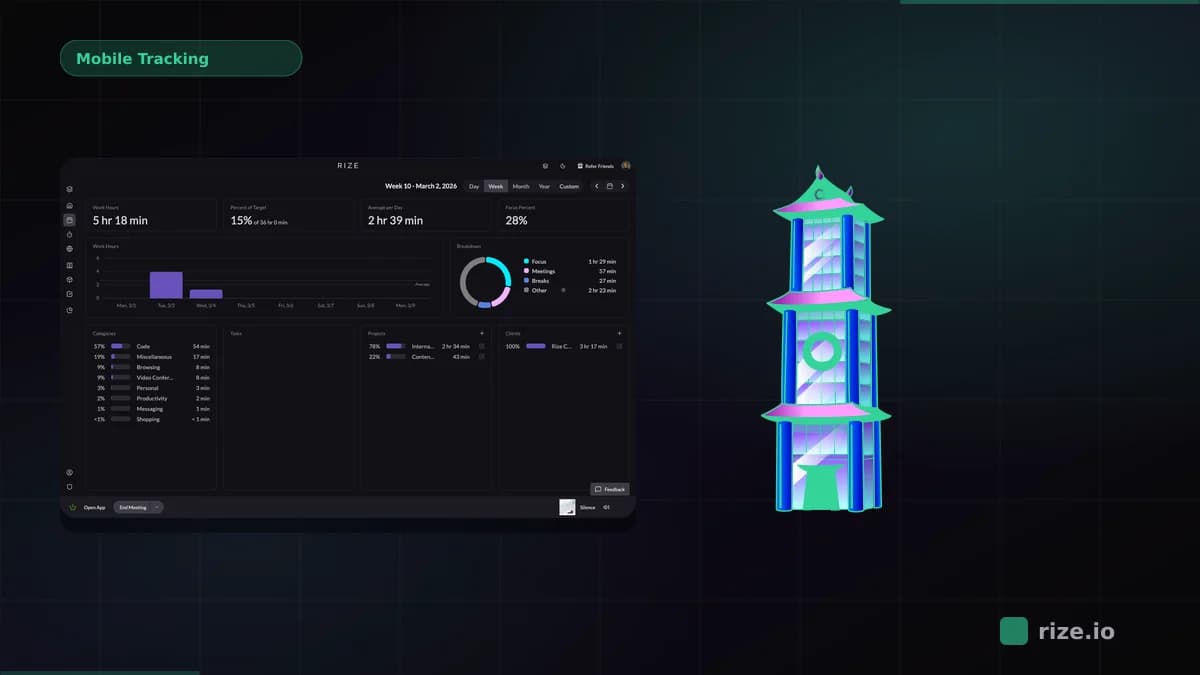
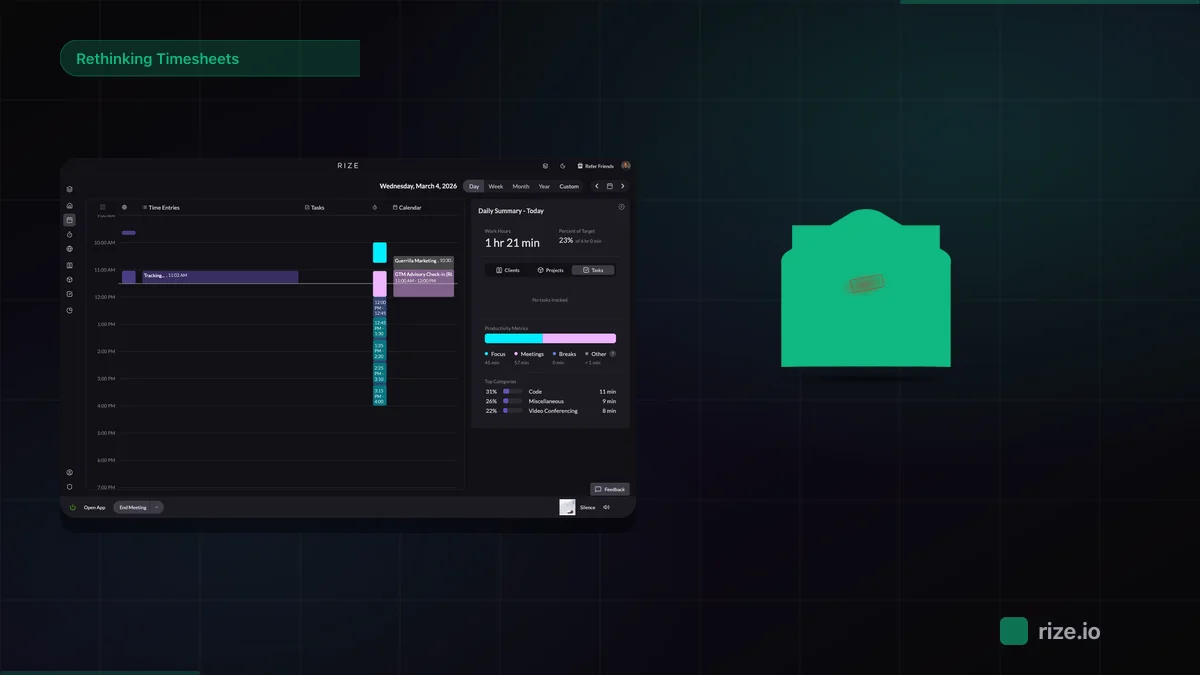
Rize is an automatic time tracker that records desktop work sessions in the background and uses AI to assign them to clients, projects and tasks. Team members review and approve their entries before they are shared. Nobody starts a timer, so short tasks such as a quick client email still land on the record.
The Team plan costs $29.99 per seat per month on annual billing or $39.99 on monthly or quarterly billing, with a 2-seat minimum and no base fee. That is $299.90 a month for 10 people. Team adds dashboards, admin permissions, budgeting and forecasting, client and project profitability, and dedicated onboarding on top of clients, projects and invoicing. See the full plan breakdown on the Rize pricing page.
Pros:
- No timers to start or forget; work is captured automatically on macOS and Windows
- Hours budgets, burn and client profitability are included in the Team seat price
- Approved hours turn into invoice line items inside Rize
- No screenshots by default; each person reviews their own time
Cons:
- Most expensive per seat on this list, and no free plan
- Desktop only, so it will not clock in field or shift staff
- Invoices do not support taxes or discounts, and clients cannot pay online inside Rize
- No native payroll sync; hours export as CSV or move through Zapier
Setup effort: install the desktop app on each computer, add clients and projects, and let the AI suggest assignments for people to review. The ongoing work is a short review of each person's entries rather than a daily habit of starting timers.
Ben Jackson, CEO of Momentum Studio, a 12-person creative agency that moved to Rize from Harvest, put the problem with manual logging plainly: "I'm a trusting leader, but I don't even trust myself to remember what I worked on two days ago. So how can I expect my designers to?" Read the Momentum Studio case study on automated time tracking for the billing results.
Price your team on Rize
Try Rize free for 7 days and see what automatic time tracking captures that your timesheets miss. No credit card required.
Start Free Trial2. Clockify: best budget pick for teams with steady timer habits
Clockify is the cheapest paid tracker here with invoicing and timesheet approval: Standard costs $5.49 per seat per month on annual billing, or $54.90 a month for 10 users. The free plan covers up to 5 users, but it leaves out billable rates, invoicing and approvals, limits reports to one month of data and exports only PDFs.
Most agencies will want Pro at $7.99 per seat, because budgets, estimates, labor cost and profit reports start there. Pro also adds GPS tracking and an activity monitoring agent, which some teams will want switched off. For a feature-by-feature view, see our Rize vs Clockify comparison.
Pros:
- Lowest per-seat price for invoicing, approvals and QuickBooks sync (Standard)
- No seat minimum or base fee listed
- Free plan works for a 5-person trial run
Cons:
- Manual timers or weekly entry, so data depends on each person's habits
- Profitability and budgets require Pro
- Free plan's one-month report window is too short for retainer reviews
Setup effort: create clients, projects and rates, then train every person to start timers or fill the weekly grid. The ongoing cost is chasing missing entries before invoices go out.
3. Toggl Track: best for teams that want the simplest timer
Toggl Track Starter costs $9 per user per month on annual billing and $12 monthly, so 10 users pay $90 a month. Starter adds billable rates and team revenue reports. Timesheet approvals, fixed-fee projects, and labor cost and profitability reports sit on Premium at $16 per user, or $160 a month for 10 people.
The free plan supports up to 3 users, which rules it out for most firms past the founding team. Toggl's pricing page does not list invoicing inside any plan, so a firm that bills hourly will usually pair it with accounting software. Add-ons cost extra: time off management is $2 per user and capacity management is $5 per user on annual billing.
Pros:
- Fast, low-friction timer across desktop, mobile and browser
- No seat minimum
- Clear team reports on Starter
Cons:
- Approvals and profitability double the per-user price (Premium)
- No invoicing in the plan table
- Free plan capped at 3 users
Setup effort: light. Create projects and clients, set rates on Starter, and invite the team. Data quality still depends on people pressing start.
4. Harvest: best for firms that want time and invoices in one place
Harvest Teams costs $9 per seat per month on annual billing ($108 per seat per year) or $11 monthly, which is $90 a month for 10 people before usage fees. Harvest bills additional invoices, projects, clients and tasks "based on what you use," and its pricing page does not publish the per-unit rates. That makes Harvest the hardest tool here to budget in advance.
Timesheet approvals and profitability reporting require Enterprise at $14 per seat annually ($17.50 monthly), or $140 a month for 10 people plus usage. The free plan covers 1 seat and 2 projects, and Free and Teams cap saved custom reports at 4. Harvest's strength is the billing loop: invoicing is included on every plan, and Teams syncs invoices and payments with QuickBooks Online, Xero and Stripe. Our Rize vs Harvest breakdown covers how automatic capture compares.
Pros:
- Invoicing and expense tracking on every plan, including Free
- Invoice and payment sync with QuickBooks Online, Xero and Stripe on Teams
- Simple per-seat base price with no seat minimum
Cons:
- Usage fees on invoices, projects, clients and tasks with no published rates
- Approvals and profitability reporting locked to Enterprise
- Manual entry, so invoices reflect what people remembered to log
Setup effort: moderate. Build the client, project and task list, connect accounting, and set rates. Each new client and project can add to the usage bill, so keep the project list tidy.
5. QuickBooks Time: best for firms already running payroll in QuickBooks Online
QuickBooks Time Premium costs a $20 monthly base fee, which includes one admin, plus $10 per user per month, so 10 users pay $120 a month. Elite costs $40 a month plus $12 per user, or $160 for 10 users, and adds project tracking, estimates vs. actuals, mileage tracking and timesheet signatures. Intuit's pricing page states that "a QuickBooks Online account is required to use QuickBooks Time," so budget for that subscription too.
Premium covers what an hourly payroll workflow needs: a mobile workforce app, payroll and invoicing sync, time off, alerts and a time kiosk. Plans bill monthly, and the current promotion takes 50% off the base fee for 3 months but not the per-user fee. For accounting firms weighing it against client-billing tools, our time tracking software for accountants comparison goes further.
Pros:
- Hours flow straight into QuickBooks payroll and invoicing
- Kiosk and mobile clock-in for hourly staff
- Project estimates vs. actuals on Elite
Cons:
- Requires a QuickBooks Online subscription on top of the listed price
- Base fee makes it expensive per person at 5 users ($14 each on Premium)
- Project tracking needs Elite
Setup effort: moderate. Connect QuickBooks Online, import employees and customers, and set up clock-in on phones or a kiosk.
6. Everhour: best for teams that live in a project management tool
Everhour Team costs $8.50 per seat per month billed yearly, with a 5-seat minimum, so 10 users pay $85 a month and the smallest paid team pays $42.50. Team includes native integrations, billing, budgeting and invoicing. The free plan covers up to 5 seats with time tracking, projects, tasks, reports and export, but no integrations.
The limit that bites is the contract. Everhour's pricing page lists only an annual per-seat price, and annual plans do not refund unused months if you cancel. A firm that shrinks mid-year keeps paying for the seats it committed to.
Pros:
- Budgeting and invoicing on the single paid tier
- Free plan holds 5 seats
- Native integrations with project tools on the Team plan
Cons:
- 5-seat minimum on the paid plan
- Annual commitment with no refund for unused months
- Free plan has no integrations, which is most of the reason to pick Everhour
Setup effort: light to moderate. Connect your project management tool, map projects, and set budgets. People still start timers by hand.
7. Homebase: best for hourly shift staff, not client billing
Homebase prices by location, not by user: Essentials costs $30 per location per month with unlimited employees, and annual billing saves 20%. The free Basic plan covers one location and up to 10 employees. That makes it the cheapest option at 25 users, as long as everyone works at one site.
Homebase is a time clock and scheduling tool. It handles clock-ins, timesheets and payroll prep for shift workers, and payroll is an add-on at $49 a month plus $6 per employee paid. It does not track hours against clients or projects, so it does not replace a billing tracker at an agency or accounting firm.
Pros:
- Flat per-location price that does not grow with headcount
- Free for up to 10 employees at one location
- Clock-in on tablets, computers and POS devices
Cons:
- No client or project time for billing
- Payroll costs extra after the current promotion
- Built for shift work, not desk-based client service
Setup effort: light. Add your location and employees, set up a clock-in device, and build the schedule.
Is the cheapest tool the cheapest choice?
The cheapest subscription is the cheapest choice only if your team logs every billable hour without reminders.
Run the break-even math with your own billing rate. At 10 seats on annual billing, Rize Team costs $299.90 a month and Clockify Standard costs $54.90, a gap of $245.00. At a $150 hourly rate, $245 equals about 1.6 billable hours a month across the whole team, or about 10 minutes per person per month.
The same math works for any pair of tools: divide the monthly price gap by your billing rate. If automatic capture recovers more unlogged client work than that, the more expensive tool costs less. If your team already logs reliably, the cheaper manual tracker wins.
Admin time belongs in the comparison too. Whoever chases missing timesheets before invoices go out is usually a partner or ops lead whose hours are billable. Count those hours at their rate before deciding a $5 seat is cheaper than a $30 one.
When Rize isn't the right fit
Rize is the wrong choice for hourly shift crews, field workers, or anyone who needs a free plan or online invoice payment.
Skip Rize if your staff work away from a Mac or Windows computer, since it only records desktop activity. Homebase or QuickBooks Time will clock them in. Skip it too if a manager must edit and sign off on payroll timecards, because each person approves their own entries.
Look elsewhere if your budget is $0. Clockify's free plan covers 5 users and Everhour's covers 5 seats. And if you need clients to pay invoices online or need taxes and discounts on invoices, Harvest's Stripe integration or your accounting software handles that part better.
How to choose small business time tracking software for your firm
Pick by billing model first, then by team size: client billing points to Rize, Harvest or Clockify; hourly payroll points to QuickBooks Time or Homebase.
- Agency on retainers, 10-50 people: Rize Team, because burn and margin by client depend on complete hours, and timers miss small tasks.
- Accounting firm on QuickBooks Online: Rize for client time, or QuickBooks Time if payroll for hourly staff is the main job.
- Consultancy billing hourly, 5-15 people: Rize if hours go unlogged today; Harvest if invoicing and online payment matter most.
- Under 5 people with a tight budget: Clockify Free or Everhour Free, then upgrade when you need invoicing.
- Hourly front-desk or field staff: Homebase for one location, QuickBooks Time if payroll runs in QuickBooks.
For a broader ranking that also covers TMetric and My Hours, see our list of the best time tracking tools for small business in 2026. Prices change often, so confirm each figure on the vendor's pricing page before you sign an annual contract.
Start tracking time automatically
Join thousands of professionals who stopped guessing where their time goes. Free for 7 days.
“Rize has been a no-brainer for me.” — Ali Abdaal Read more →