A client calls with a quick question about taxes. "Nine minutes", you check after you hang up. You go back to reconciling last month's transactions, and by the time you sit down to invoice at month's end, those nine minutes don't exist anywhere.
I'm not an accountant. Nobody's ever asked me to defend an invoice to a client who thinks 40 minutes should've been 15. But I've spent years testing time tracking software, and the version of this problem accounting firms deal with is uglier than most.
Most general time trackers assume you'll remember to hit start mid-call, or that you won't mind losing what you forget. Neither holds up in a firm billing hourly across a dozen clients.
The tools that work well here capture time without adding a task to your day, sort it by client and engagement the way your billing already works, and stay out of your client's financial data while doing it.
I tested five of them, from solo practices to small firms handling tax prep, bookkeeping, and audit work. Before I hand you the shortlist, here's what separates a tool built for billing accountants from one you're just making do with.
What makes the best time tracking software for accountants?
Flat-fee accounting firms need client delivery cost, not just billable-hour totals; Rize Team connects reviewed time with costs, fees, and budgets.
Illustrative example, not a customer result: a $3,000 monthly engagement taking 25 hours at a $60 hourly delivery cost has $1,500 of labor cost and a 50% delivery margin. At 40 hours, labor cost rises to $2,400 and the margin falls to 20%, before other direct expenses. Bookkeeping, tax queries, and advisory follow-ups all count toward delivery effort, even when they do not generate another invoice.
Set up the client and its engagements, review Rize's drafted time assignments, and compare actual delivery cost with the flat fee. Keep Karbon or TaxDome for workflows and client portals; Rize does not replace either platform or natively sync time entries into them. See the flat-fee client profitability guide for the calculation and project-based tracking comparison for reporting options. For tools that work alongside Karbon specifically, see Karbon alternatives for time tracking.
If a tool can't hold up to most of these, it's not built for accounting work, no matter what the landing page says.
- Capture accuracy. Can it catch a few-minute call and the email thread you thought through instead of typed, or does it only know about the block of time you remembered to log?
- QuickBooks and Xero integration depth. A native two-way sync means your hours show up where you bill from.
- Client, engagement, and task hierarchy. Accounting billing isn't "project" and "task." It's a client, with engagements underneath it, with tasks underneath that.
- Real cost at solo or small-practice scale. The homepage number is never the number. I priced every tool the way you'll pay for it, at one to five seats, with the features a real firm needs turned on.
- Approval and audit trail. Can a partner see, edit, and sign off on an entry before it turns into a bill, with a record of who touched it and when, or does it go straight to the invoice untouched?
- Setup and adoption time during busy season. If it takes a week to get a five-person team logging time correctly, you launched it at the wrong time of year. I noted what happens between "we bought this" and "everyone's using it right."
- Data handling for sensitive client financials. Screenshots, keystroke logs, where the data lives. Your client didn't hand you their financials, so a time tracker could screenshot the return sitting open on your second monitor.
Line every tool in this article up against those seven filters, and here's where they land side by side, before we get into what makes each one worth your subscription.
The 5 best accountant time tracking tools at a glance
If you don't have time to read all five sections, this table gets you there in ten seconds. Find your situation in the "best for" column and skip straight to that tool.
| Tool | Best for | Standout feature | Pricing |
|---|---|---|---|
| Rize | Accountants overall | Fully automatic tracking, no timer to start or stop | $9.99 to $39.99/mo solo, $29.99 to $39.99/seat/mo team |
| Harvest | QuickBooks and Xero users | Native two-way sync with both | $9 to $11/seat/mo (Teams), $14 to $17.50/seat/mo (Enterprise) |
| Toggl Track | Easy team adoption | Simplest timer here, 100+ integrations | $9/license/mo (Starter), $14 to $18/license/mo (Premium) |
| Clockify | Tight budgets | Free plan that works for a full team | Free, or $3.99 to $11.99/seat/mo paid |
| Financial Cents | Practice management built in | 400+ templates built for real accounting work | $19 to $89/user/mo |
That's the shortlist. Below is the full breakdown on each one, including exactly where it'll let you down.
1. Rize — best overall time tracking software for accountants
Best for accountants overall. Available on Mac and Windows.
Rize pros:
- Fully automatic, zero timers to start or stop
- No screenshots or keystroke logging, ever
- AI chat that answers questions from your real tracked data
- One-click invoicing straight from tracked hours
- Free trial, no credit card needed
Rize cons:
- QuickBooks and Xero sync goes through Zapier, not native
- No partner-level approval workflow before entries get billed
- Engagement types (tax prep, audit, advisory) need manual category rules to set up
- Desktop only. No Linux yet, no mobile app unless you're on Enterprise
I've had Rize running quietly on my laptop since May 2022, and in four years I have started a timer exactly zero times. Not because I'm lazy (though, also that), but because Rize doesn't give me the option.
I'm not an accountant. But four years of daily use across a hundred small context switches a day is exactly the kind of stress test time tracking and billing software needs to survive, and Rize has survived it without me thinking about it once.
For firms rolling it out to a team, Rize for accounting firms shows actual hours against each flat-fee engagement, so you can see which clients cost more than they pay.
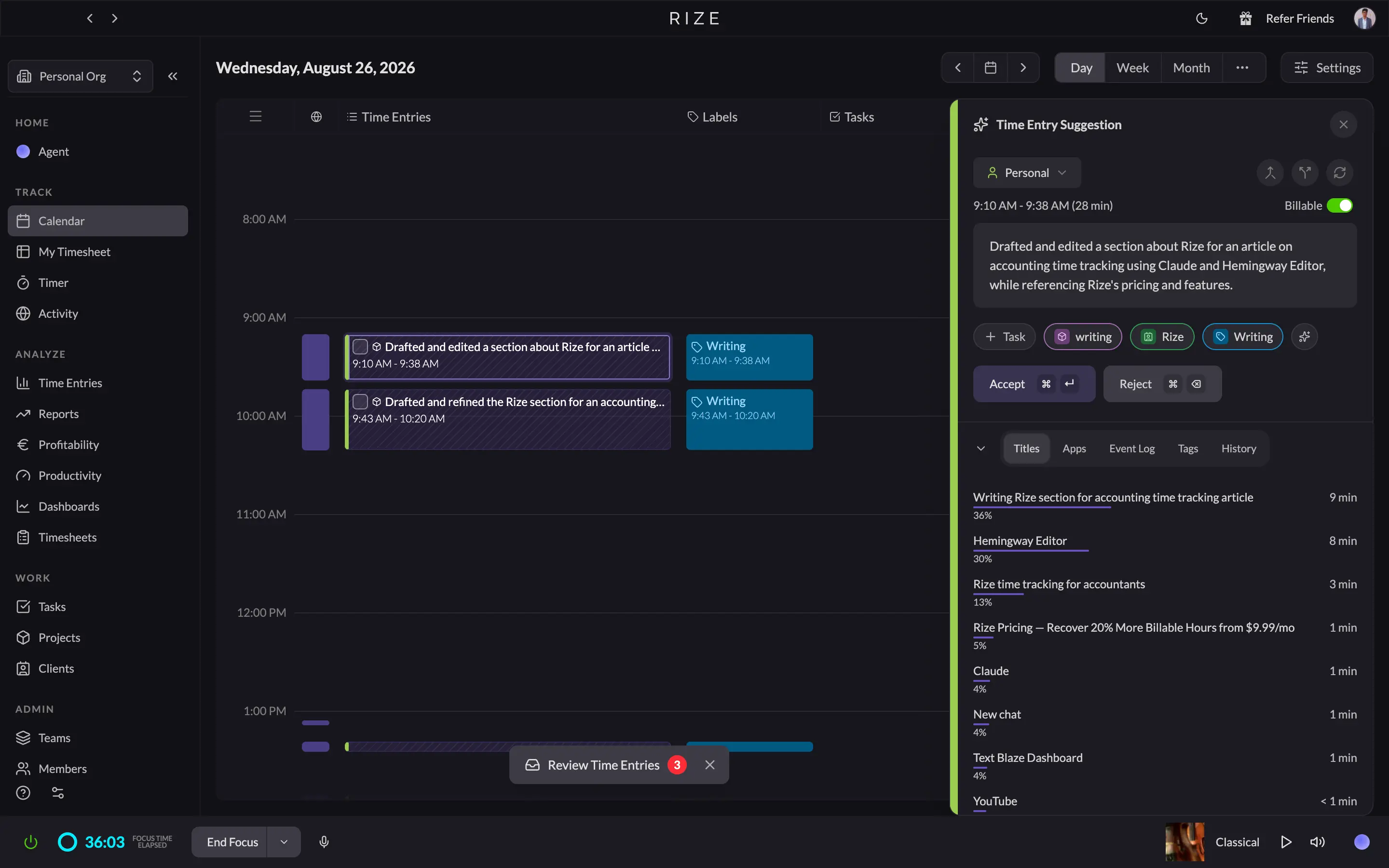
Here's the thing about "automatic" time trackers: most of them lie. You open the app expecting hands-free tracking and find a start/stop button hiding behind a nicer word. Rize actually means it. It watches which app, document, or tab has your attention, logs it silently, and by the time you sit down to review your day, the timesheet has already built itself.
Rize also doesn't waste its AI budget on gimmicks. It acts like a mildly nosy coworker who wants you to take a break and stop doomscrolling between client calls: automatic focus detection, break reminders, and a genuinely useful AI chat where you can ask "how much time did I spend on the Miller account last week" and get an answer pulled from your actual data.
For accounting work specifically, Rize lets you break time down by engagement type (tax prep, audit, advisory, admin) instead of dumping everything into one generic "Client Work" bucket. You do have to spend a few minutes upfront mapping your tax software and client folders to the right engagement. Once that's done, Rize keeps sorting new time correctly on its own.
Rize has no native QuickBooks or Xero integration. Confirm the exact Zapier or CSV flow your billing system supports before adopting it; exporting hours does not automatically create accounting transactions. Staff review drafted time entries, but that is not the same as a firm's partner sign-off or practice-management approval workflow.
On privacy, which matters more for you than almost anyone else reading this kind of article: Rize never takes screenshots, never logs keystrokes, and by default only reads window titles and app names, not what's actually on your screen. Your client's financials stay exactly where they belong.
And when it's time to bill, Rize turns tracked hours straight into an invoice you can send with one click.
Rize pricing: Individual plans run $9.99 to $39.99/month billed annually (Basic, Pro, Max). If your firm needs shared dashboards, so a partner can see the whole team's hours, Team plans run $29.99 to $39.99 per seat/month, billed annually. Every plan starts with a 7-day free trial.
2. Harvest — best time tracking software for QuickBooks and Xero users
Best for firms that bill from QuickBooks Online or Xero. Available on Web, Mac, Windows, iOS, and Android.
Harvest pros:
- Native QuickBooks Online and Xero integrations for copying invoices
- One-click invoicing straight from tracked hours, plus Stripe/PayPal collection
- Calendar events convert into draft time entries automatically
- No screenshots, no keystroke logging, just time entries
Harvest cons:
- Still a manual start/stop timer, the exact habit you may have already given up on
- Partner approvals and the audit trail sit behind the priciest plan
- Free plan caps at 1 seat and 2 projects, unusable for even a 2-person firm
- No AI, no auto-categorization, every entry gets sorted by hand
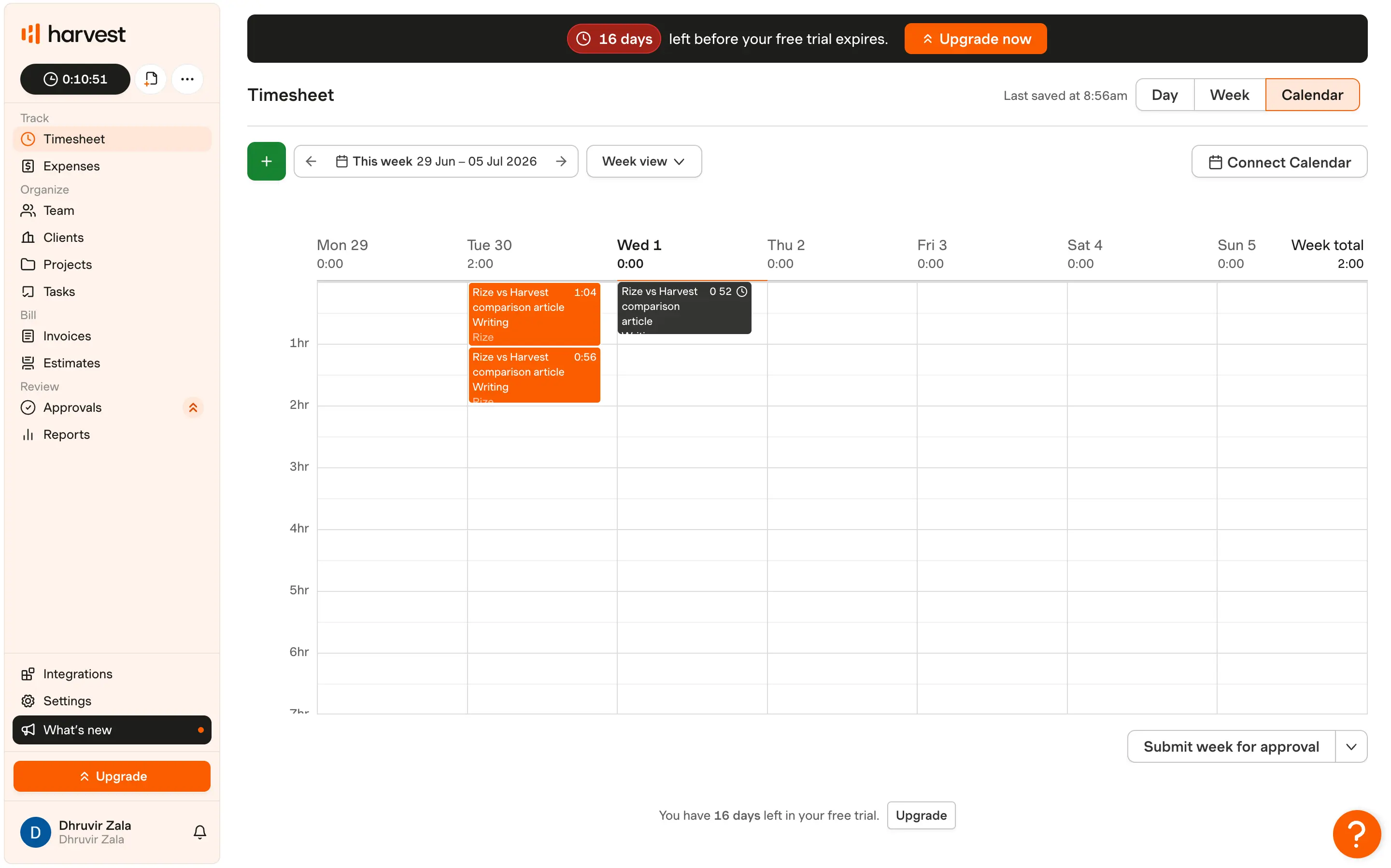
As you start using Harvest, the first thing you'll notice, probably within a day, is the same thing I noticed: it's Toggl Track. Not literally, but functionally. A start button, a stop button, and a number ticking up in the corner that only moves because you remembered to press something.
If a spreadsheet and an abandoned Clockify account are the reason you clicked on this article, I want to be upfront that Harvest will not fix the habit problem. It runs on the exact same mechanic. The one real assist is calendar sync: connect Google or Outlook, and every meeting on your calendar shows up as a draft time entry, which recovers a decent chunk of the "forgot to log it" hours, though it does nothing for the short call that never made it onto your calendar to begin with.
So why is Harvest still on this list? Because of what happens after the timer stops, and that part is genuinely the best in this category. Clients, projects, and tasks nest the way accounting billing actually works, not the flat "project and task" fields a generic tool built for software teams hands you. Set up a client with projects for tax prep, bookkeeping, and advisory, and every hour lands exactly where a partner would look for it at invoice time.
Then the invoice writes itself. One click turns tracked hours into an invoice, clients pay through Stripe or PayPal without you sending a follow-up, and if you're on QuickBooks Online or Xero, Harvest copies invoices and payments across on its own. Of every tool on this list, Harvest's accounting sync is the one that just works without a workaround duct-taped to it.
According to Harvest's pricing page, Premium includes timesheet approvals and profitability reporting. For a flat-fee firm, compare the reporting plan and review workflow, not just the price of the entry-level timer. Rize Team is a different approach: background capture and reviewed client/project hours feeding budgets and profitability reports.
On privacy, Harvest keeps it simple and correct: no screenshots, no keystroke logging, just time entries and whatever notes you attach to them. For a business that lives on client trust, that's the bare minimum done right.
If you're deciding between Harvest's structure and something closer to fully automatic, I put both through the same week of real work here: Rize vs Harvest.
Harvest pricing: Harvest lists Free, Pro, and Premium plans on its current pricing page. Budget for Premium if you need its profitability reporting or timesheet approvals, and confirm accounting integration availability on the plan you choose.
3. Toggl Track — best time tracking software for easy team adoption
Best for teams that need the simplest timer and broad integrations. Available on Web, Mac, Windows, iOS, and Android.
Toggl Track pros:
- Simplest timer here; your whole team adopts it without training
- 100+ app integrations via browser extension, more than anything else on this list
- Cheapest paid tier with real billing features: $9/license/month
- Profitability, utilization, and billable percentage reports once you're on Premium
- Free plan exists for a true solo act
Toggl Track cons:
- Still a manual start/stop timer, the exact habit you're probably trying to quit
- QuickBooks sync pushes finished invoices only, never time entries
- No native Xero integration, just a browser extension button
- Approvals and the audit trail sit behind Premium
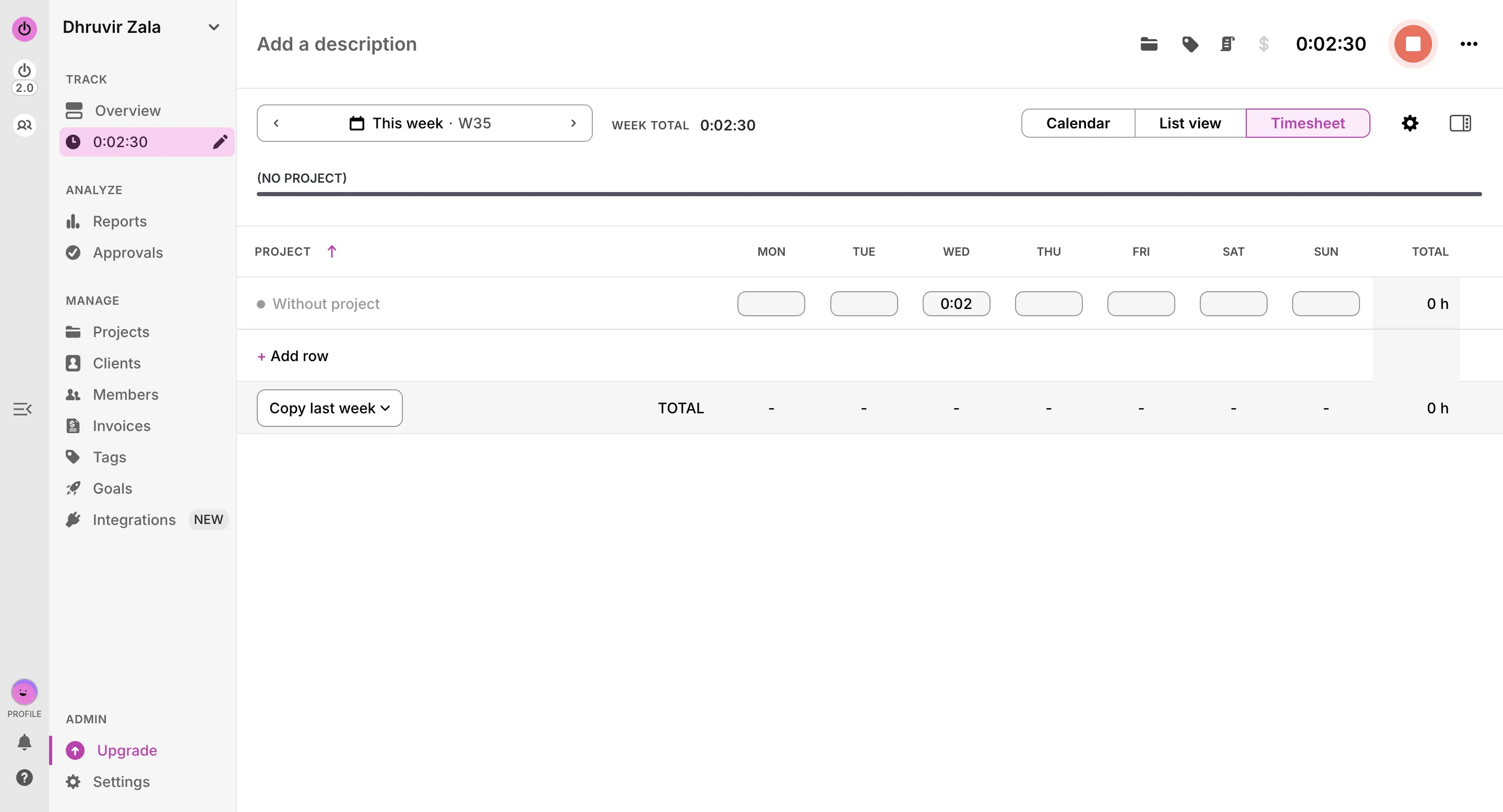
If you read the Rize vs Harvest section above and thought "wait, isn't that basically describing Toggl," you'd be right. Toggl Track has been running that exact click-to-start model since before most of today's time trackers existed. That's not nothing. It also means Toggl inherited the same problem Harvest has: the timer only works if a human remembers to touch it, and humans on the phone with a client don't.
Where it loses points for accounting work specifically comes down to the two things this list cares about most. QuickBooks first: Toggl's "QuickBooks integration" doesn't touch your time entries. It lets you build an invoice from a Summary Report and push that finished invoice into QuickBooks. Your billable hours never actually sync; only the final dollar amount does. Xero users get less than that. There's no native integration at all, just a browser extension button that starts a timer while you're inside Xero's tab. If a real two-way accounting sync is what brought you to this article, that's Harvest, not Toggl.
Second, review and sign-off. On Starter, a time entry a staff member submits goes straight into the report. Nobody's eyes are on it first. Approvals, timesheet locking, and the audit log all sit behind Premium, so if a partner needs to review entries before they're billed, budget for that tier from the start.
What does work are billable rates by project, task, or person, fixed-fee tracking for retainer clients, and reporting that's more flexible than anything else here once you're paying for Premium. Clients, projects, and tasks nest cleanly, though you're building your own "tax prep" and "audit" categories by hand, same as with Rize.
On privacy, Toggl's optional Timeline logs app and window titles only, not screenshots, not keystrokes, and you decide what becomes a billable entry. For a business built on client trust, that's the right call.
I ran Toggl against Rize on real client work for a longer breakdown, worth a read if you're weighing automatic tracking against a timer you actually have to remember: Rize vs Toggl.
Toggl Track pricing: Free has no billable rates and no QuickBooks integration; skip it unless you're not billing anyone yet. Starter runs $9/license/month billed annually, about $27/month for a 3-person firm, and this is where billable rates and the QuickBooks invoice push turn on. Premium runs $14/license/month your first year (renews at $18), about $42 to $54/month for that same 3-person firm, and this is where approvals, the audit trail, and profitability reports live. 30-day free trial on paid plans, no credit card required.
4. Clockify — best time tracking software for accountants on a tight budget
Best for solo operators and small firms that need a free plan that actually works. Available on Web, Mac, Windows, Linux, iOS, and Android.
Clockify pros:
- Free plan works for real teams, not just solo use
- Cheapest paid tier with invoicing and approvals of anything on this list
- Kiosk mode for shared-computer time clocking
- Available on Linux, which nobody else on this list bothers with
Clockify cons:
- QuickBooks and Xero sync only through Zapier or a third-party connector
- Still a manual start/stop timer, and the free plan won't even remind you to run it
- Reports and audit trail feel built for hourly staff, not billable client work
- Interface looks and feels like it hasn't been redesigned in years
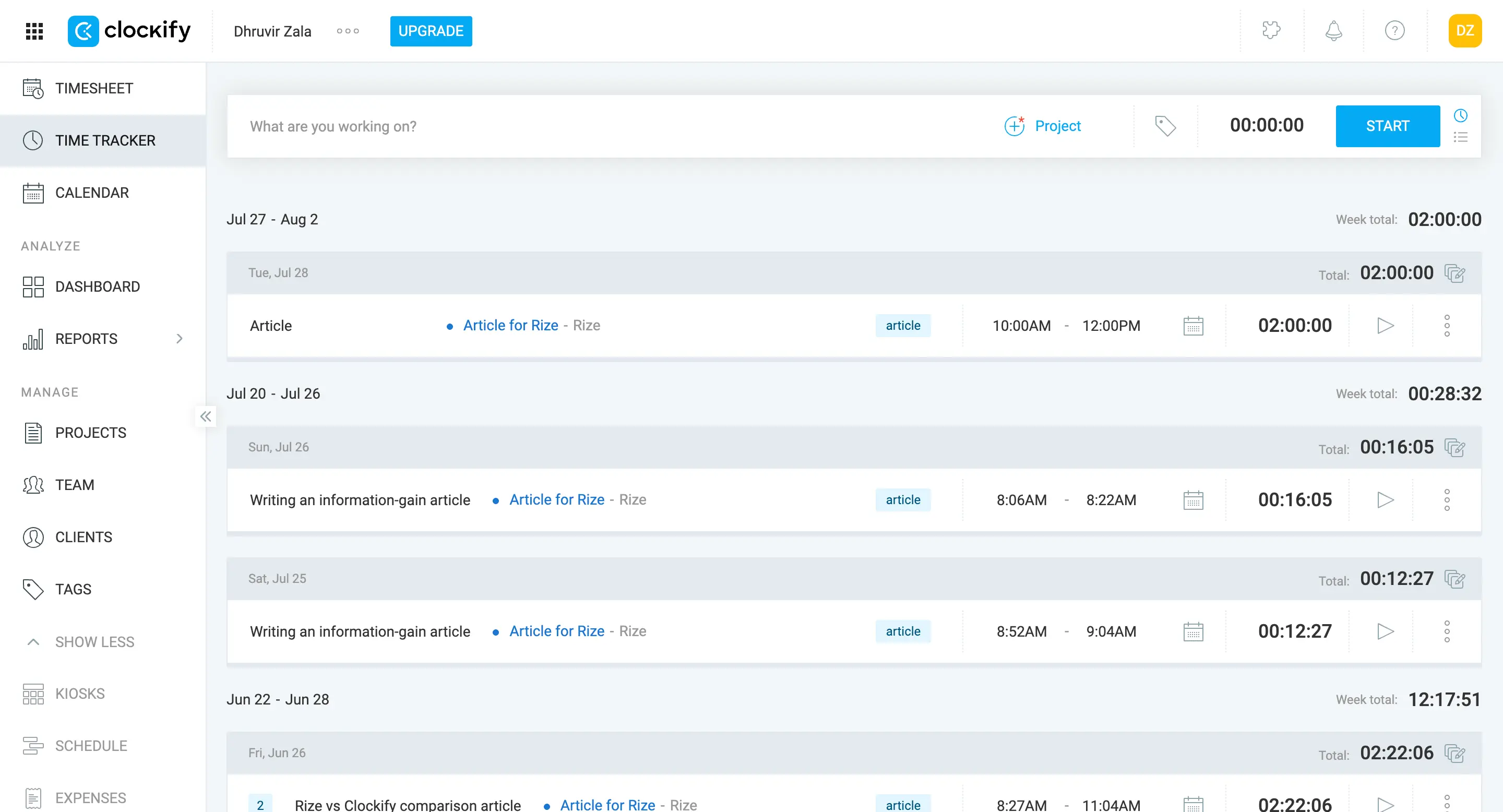
Clockify's whole pitch is that it does more for less money than anything else in this article, and on paper, that's true. There's a free plan that doesn't insult you the way most "free" plans do. It includes real reporting, unlimited projects, and a mobile app. If you're a true solo operator who bills a handful of clients and doesn't need approvals or QuickBooks sync, you could run your whole practice on Clockify's free tier and pay nothing.
The moment your firm needs more than one set of eyes on a timesheet, though, is the moment Clockify starts asking you to trust its cheapness the way you'd trust a $9 haircut. Technically it's still a haircut.
Invoicing, approvals, and locked time entries all live on paid plans, and even there, they're the least developed version of these features you'll find in this entire article. You can import tracked time and expenses into an invoice and send it, which is fine. But there's no partner-level review queue that feels built for accounting work specifically.
What Clockify does have going for it, genuinely, is breadth. It runs on Linux, which matters if anyone on your team refuses to give up Ubuntu. It has a Kiosk mode, so a shared front-desk computer can clock multiple people in and out with a PIN. And the sheer number of plans means you're never paying for a feature tier you don't need, at least not yet.
On privacy, Clockify tracks what you tell it to track and nothing more. No screenshots by default, no keystroke logging unless you're on a plan that turns on the optional monitoring features, which exist mainly for firms that want proof of desk time rather than accuracy of billable time. For most accounting practices, you'll want that feature off entirely.
If you're deciding between paying nothing now versus paying a little more for something built with less duct tape, it's worth comparing Clockify against a tool that skips the timer altogether: Rize vs Clockify.
Clockify pricing: Free forever for unlimited users, no invoicing or approvals though. Paid plans run $3.99 to $11.99/seat/month, billed annually. Invoicing and approvals only show up starting at $5.49/seat/month.
5. Financial Cents — best time tracking software with practice management built in
Best for firms that want accounting-specific practice management and time tracking in one place. Available on Web.
Financial Cents pros:
- Client, project, and task hierarchy built for real accounting engagements
- Two-way QuickBooks Online sync included on every plan, even the $19 Solo tier
- 400+ workflow templates named for actual accounting work
- Time tracking lives inside the same tool as your deadlines, client portal, and invoicing
- SOC 2 compliant, no screenshots or keystroke logging, ever
Financial Cents cons:
- Still a manual start/stop timer, the same habit problem as Harvest and Toggl
- No locked approval queue for time entries before they're billed
- No native mobile app, browser only
- Every paid plan needs an annual commitment; month-to-month billing requires 5+ seats
Let's get the disappointing part out of the way first, since I'd rather you know it now than three months into a subscription. The timer inside Financial Cents works exactly like Harvest's and Toggl's. You click start, you click stop, and if you forget (you will forget), the quick call and the "quick question" email vanish into the same void they always did. Financial Cents doesn't have Rize's automatic tracking, and it doesn't pretend to.
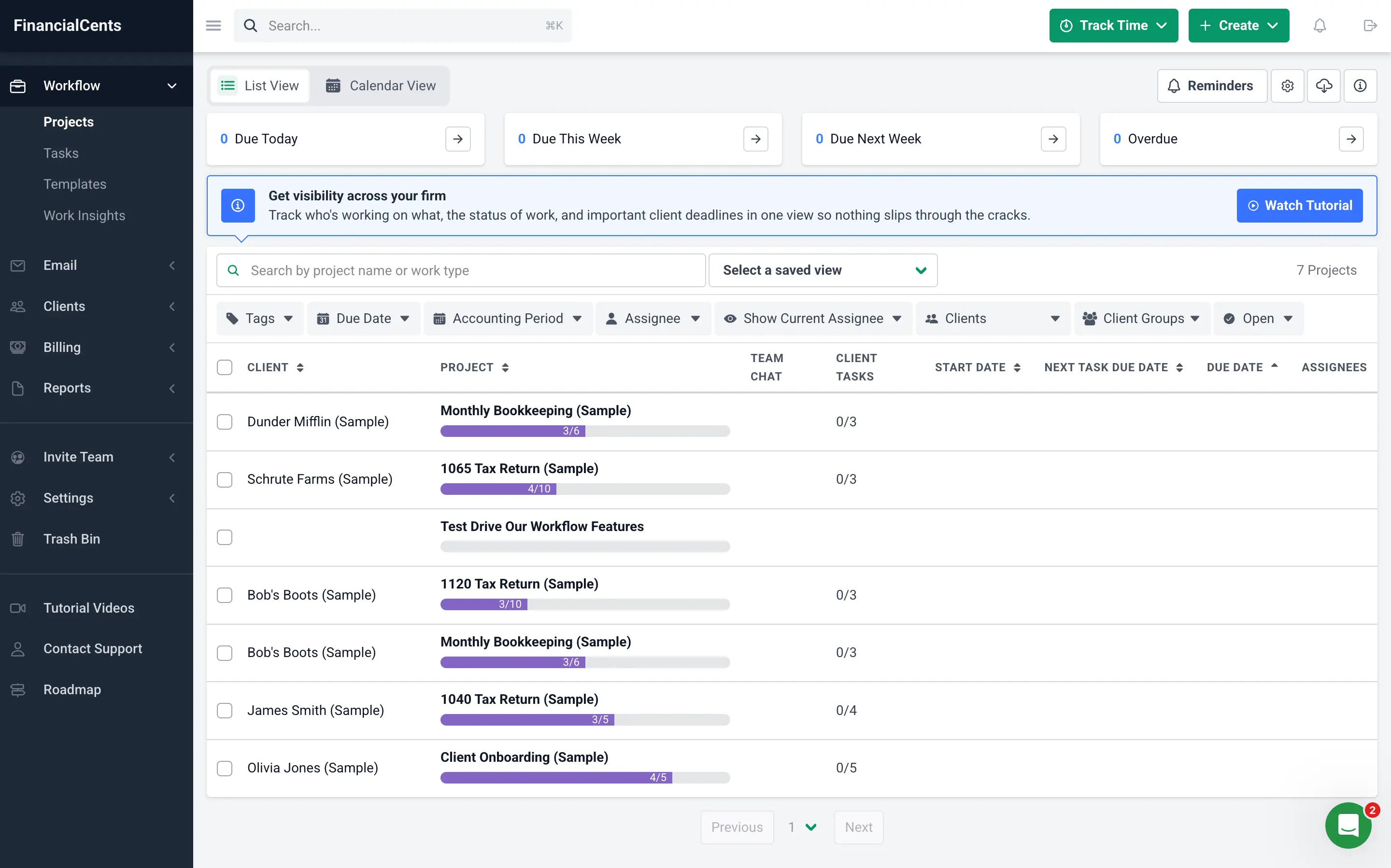
What it does have is a hierarchy built by people who've actually run a firm. Instead of generic "project" and "task" fields you have to bend into shape yourself, Financial Cents ships with templates named for the work you actually do: Bookkeeping Cleanup, Monthly Bookkeeping (Month-End Close), 1099 Processing, Quarterly Tax Strategy Review, IRS/State Notice Response. Pick a template, and every timer you start that day already knows it's tracking a 1040 return. Nothing else on this list arrives pre-loaded like that.
Then there's QuickBooks Online, and this is where Financial Cents quietly wins. The sync is native, two-way, and included on every plan. Harvest makes you buy its top tier just to unlock proper approvals. Toggl doesn't sync your time entries at all, only the final dollar amount. Financial Cents just does it, from day one, without pushing you up a tier to get there.
On approvals, I have to be straight with you: there's no locked "submit, review, approve" queue the way Toggl Premium or Harvest Enterprise handle it. What you get instead is full visibility. Anyone with access can open the Time Tracking report, filter by client, project, or team member, and edit an entry directly. For a two-person firm where the partner is also doing the work, that's plenty. For a firm that wants a formal sign-off step before anything goes out the door, it's a real gap.
And on the thing that should matter to you more than almost anything else in this article: Financial Cents is SOC 2 compliant, and the timer only ever logs time, notes, and which client or task it's attached to. No screenshots, no keystrokes, and nothing riding shotgun on your client's financial data.
Financial Cents pricing: $19 to $89/user/month depending on plan and billing cycle, plus a custom Enterprise tier. 14-day free trial, no credit card required.
Choose the right time tracking software for your accounting needs
If a native two-way sync with QuickBooks and Xero is the one thing you won't compromise on, go with Harvest. If your team needs a timer nobody complains about, Toggl Track is the easiest sell. On a real budget, Clockify's free plan will carry a small team further than you'd expect. If you want templates built for actual accounting engagements sitting right next to your invoicing, Financial Cents.
For most solo practices and small firms, though, start with Rize.
Rize solves the actual problem that brought you here: the important stuff that never made it onto a timesheet. Every other tool on this list still needs you to remember to press start. Rize doesn't ask. It tracks quietly in the background and hands you a timesheet that's already accurate before you've thought about billing, without a single screenshot of your client's financials taken along the way.
Try Rize free for 7 days. No credit card needed.
Stop losing billable hours
Try Rize free for 7 days and see how automatic time tracking captures the quick calls, emails, and research sessions you are forgetting to log. No credit card required.
Start Free Trial