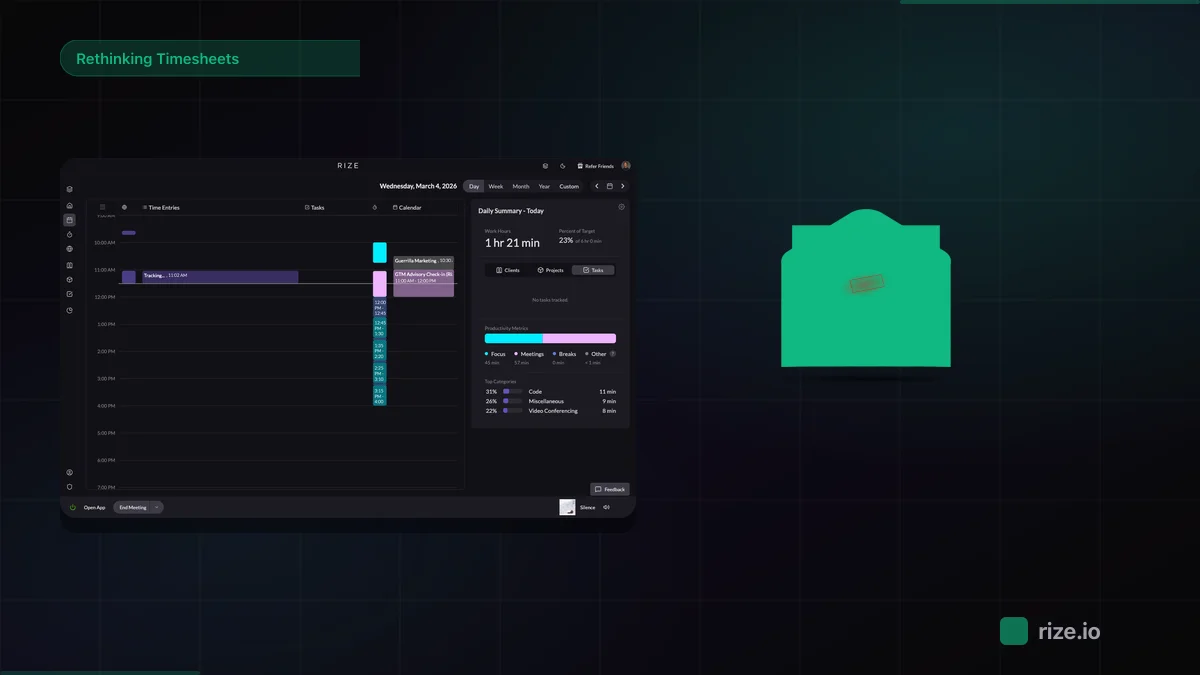
I write about software, including time tracking software for a living, and I still forget to start the timer. Most weeks I end up rebuilding a day from email timestamps and a vague feeling, and I'd bet money I'm wrong about an hour of it.
A good freelance time tracker means you can defend every line on an invoice without spending Sunday night digging through your sent folder.
So I did the digging for you. I used each tool as a freelancer would, as one person with one login and real work. You get what each one does well, what got on my nerves, and which one I'd start with.
What makes the best freelancer time tracking tool?
I sign up like you would, use each tool for at least a week of real work, and only then write about it. Here are a few things that I kept in mind while selecting the right tools for this article:
- Does it survive me forgetting? I will be three hours into a draft before I notice the timer never started. That's a me problem, not a software problem, but I still grade each tool on how much of the remembering it takes off my plate.
- Is it priced for one person? Lots of tools are priced for a manager with a team of twelve. I'm one seat, and I'd like to be charged like one.
- Can the hours reach a client? Tracked time that stays trapped in the app is a diary. I want an invoice, an export, or a report I'm not embarrassed to attach to an email.
- How fast do I get to a real hour? If I'm still naming projects and picking colors twenty minutes in, I'm working for the software.
- What got on my nerves? Every tool gets one real complaint from me. If I can't find one, I haven't used it long enough, and you should distrust any review where everything's lovely.
Here's how all seven answer those questions, side by side.
The best freelance time tracking tools at a glance
| Tool | Best for | Standout feature | Pricing |
|---|---|---|---|
| Rize | Forgetting to start the timer | AI drafts each entry, you approve it | 7-day trial, then $9.99 to $39.99/mo |
| Timely | Reviewing every entry yourself | AutoSheet drafts your day for you | 14-day trial, then $9 to $22/mo |
| Bonsai | Contract to invoice in one app | Hours land on invoices, paid online | 7-day trial, then $9 to $29/mo |
| Harvest | Remembering to hit start | Uninvoiced tab for month-end panic | Free plan, or $9 to $14/mo |
| Clockify | Free hours, invoicing elsewhere | Weekly timesheet with Copy last week | Free plan, or $3.99 to $11.99/mo |
| Toggl | An app you'll actually open | Copy as Time Entry in one click | Free plan, or $9 to $16/mo |
| Everhour | Living in Asana, ClickUp, or Jira | Budget alerts on flat-fee projects | Free plan, or $8.50/seat, 5-seat minimum |
Best AI time tracker for freelancers who forget to start the timer
Rize (macOS, Windows)
Pros:
- Tracks on its own, no timer to start
- AI drafts each entry, you approve it
- Turns tracked hours into invoices
Cons:
- Mac and Windows only
- No free plan after the 7-day trial
Rize starts counting when you open the laptop and logs every app, site, and document in front of you. As the day goes on, striped blocks show up on the calendar. Click one and a panel slides open with a written description, plus the client, project, task, label, and a billable switch, all filled in.
Underneath is the list of window titles it used to make the guess, so you can see why it thinks you spent the morning on that. Accept it, edit it, or hit reject.
Rize connects natively to ClickUp, Linear, Asana, and Slack, and to thousands more through Zapier. Calendar sync means a client call you took with Rize in the background still counts. There's also a focus coach that nudges you to protect a deep work block or take a break.
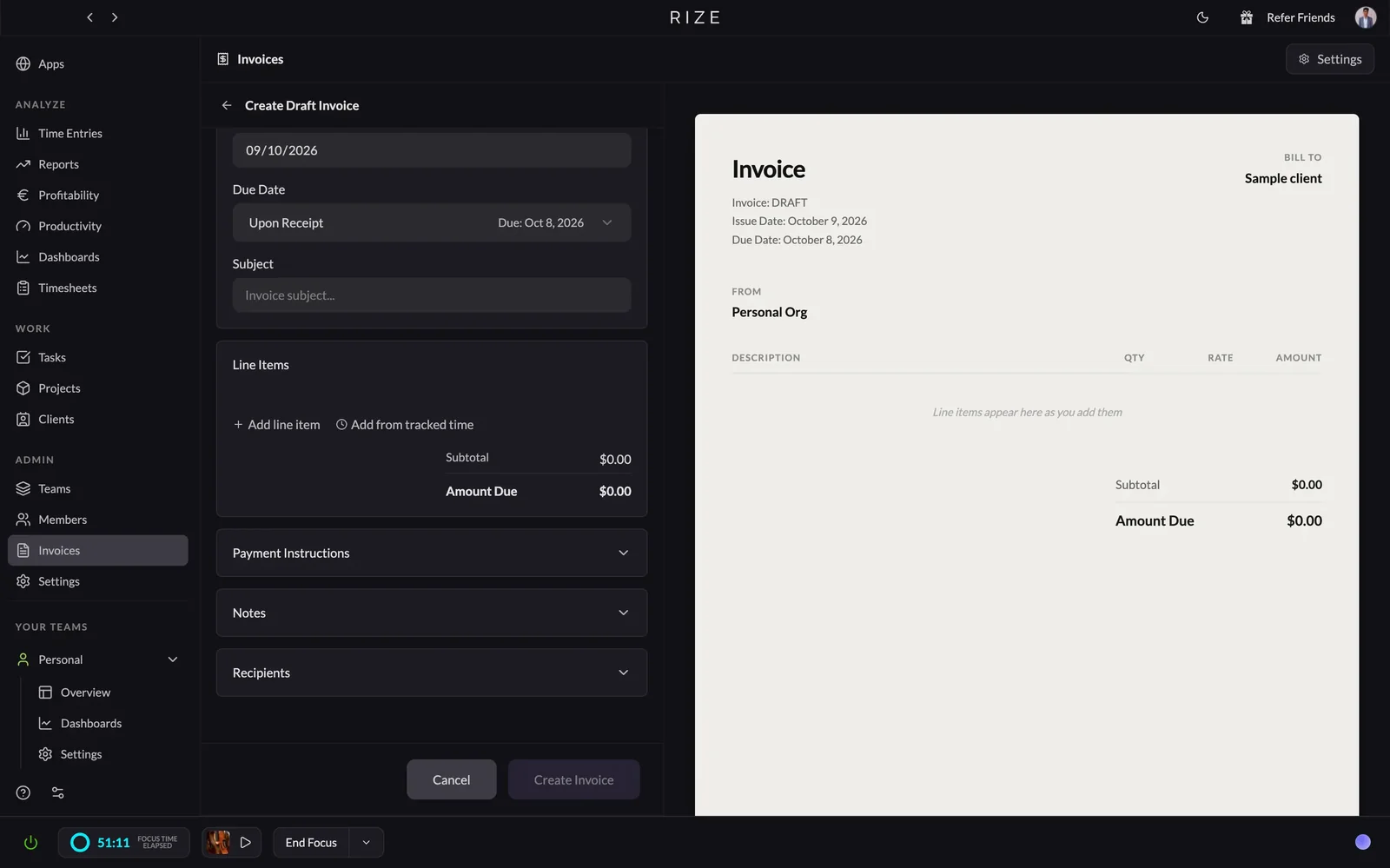
For billing, you pick a project and pull the tracked hours straight into an invoice, one line per task, project, or entry. Rize can't take payment, so your client pays you somewhere else. Harvest, later on this list, will take the money.
Rize pricing: Free 7-day trial, no credit card. Paid plans run from $9.99 to $39.99 per month, billed annually.
Stop rebuilding your week on invoice day
Try Rize free for 7 days. It drafts your time entries from the work you're already doing, and you approve them. No credit card required.
Start Free TrialBest automatic time tracker for freelancers who want to approve every entry
Timely (Web, macOS, Windows, iOS, Android)
Pros:
- Memory tracks in the background
- AutoSheet drafts your day for you
- Budgets and planning if you hire
Cons:
- Nothing counts until you review it
- Phone apps are no longer being developed
Timely does the hard part, then hands you the paperwork.
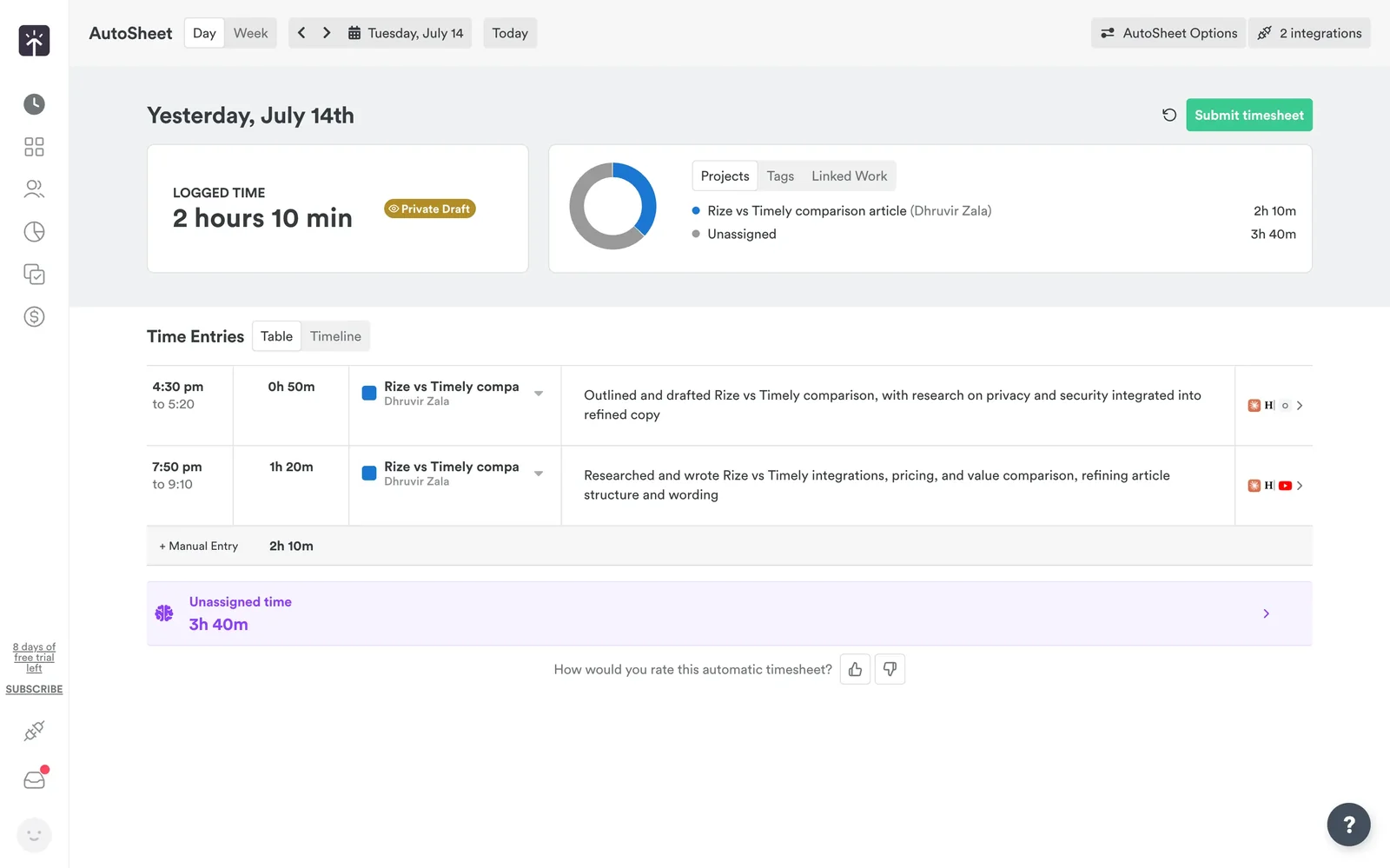
The part it does is good. You install Memory (Timely's desktop app) on a Mac or Windows machine, and it's barely an app: a toggle, a few pause buttons, and a list of what it just saw. It reads your window titles into a private timeline only you can see.
The paperwork is AutoSheet. It turns a day of activity into a draft timesheet that lands in your inbox the next morning, or you can generate it on the spot. Timely sells it as "done-for-you." It's a draft with homework. When I opened one, a pile of the day sat in an "Unassigned" bucket waiting for me to sort it, and nothing counted until I hit Submit. If you like checking your work before it goes on an invoice, that's a feature.
Timely is built for managers, and it shows. I opened the People dashboard as a team of one and got a capacity chart about me. For a company of me, that's a lot of chart. The report builder is the freelancer perk: pick a month, filter by client or tag, split billed from unbilled, save it as a template.
Don't use Timely if you want tracking with zero upkeep, or if every small client gets its own project. Pick it if you like the last word on every entry, or a team is in your future. Still torn? I put the two side by side in Rize vs Timely.
Timely pricing: Free 14-day trial. Paid plans run from $9 to $22 per user per month, billed annually.
Best all-in-one tool for freelancers who want the contract, the timer, and the invoice in one place
Bonsai (Web, macOS, iOS, Android)
Pros:
- Timer, contract, and invoice in one app
- Tracked hours go straight onto invoices
- Stripe and PayPal payments built in
Cons:
- Manual timer, nothing tracks for you
- Invoicing starts above the cheapest plan
Bonsai opens on a dashboard about your income, your invoices, and your sales pipeline. Time tracking is a card in the second row. I came for a timer, so that was my first clue the timer isn't the point.
And the timer is plain. The Time Tracking page leads with an Add Time button, and there's a timer you start yourself. You can add notes and vary the hourly rate per entry, which helps if one client pays more than another. That's about it.
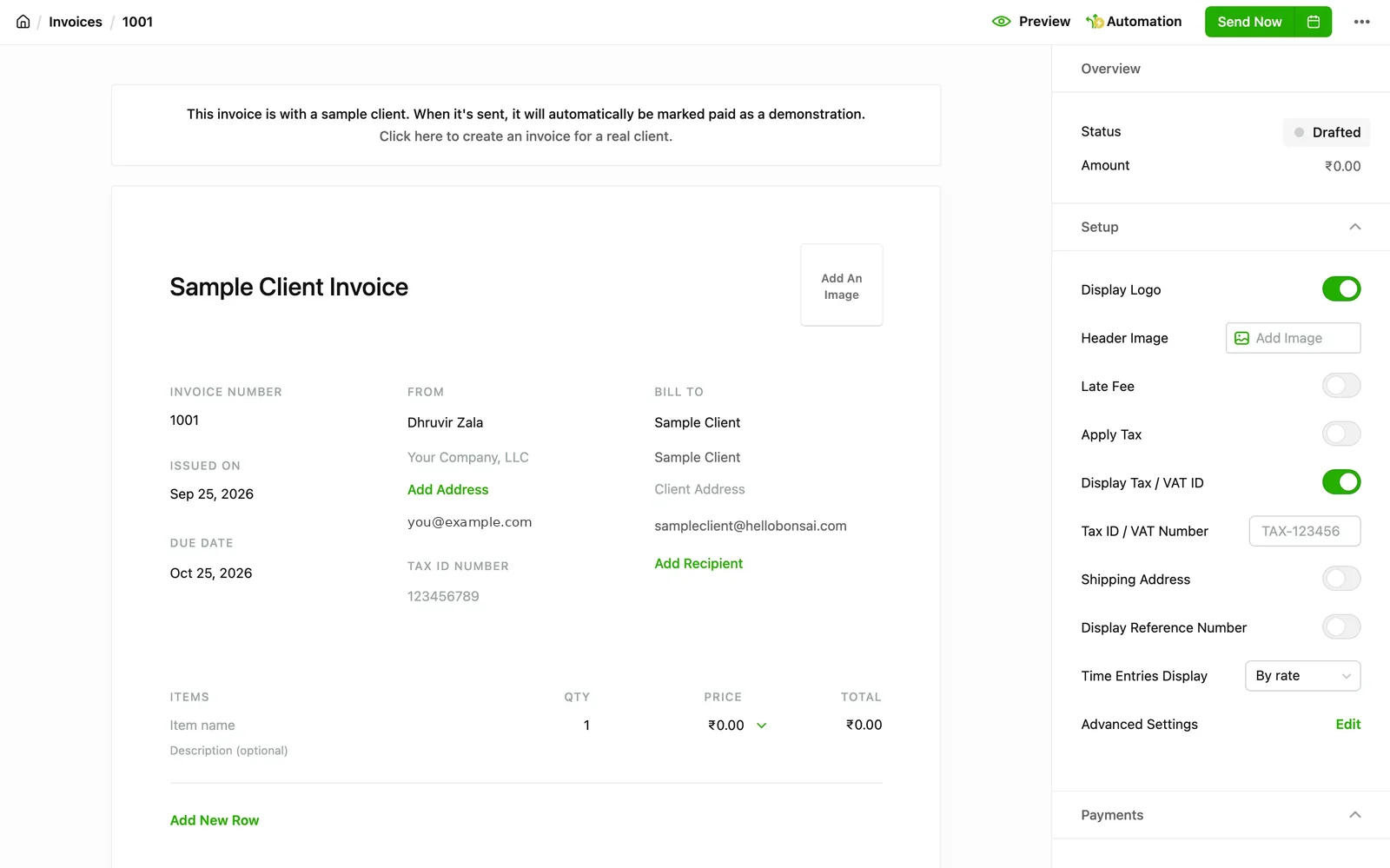
Where Bonsai earns its keep is the handoff. Your hours land on an invoice, the client gets a timesheet they can see, and you can connect Stripe or PayPal so they pay online. One app for "I did the work" and "pay me." Those payments carry processing fees, so read that part before you get excited.
Now the catch. Time tracking comes on the cheapest plan, but invoices start one tier up, so plan on Essentials at minimum. Profitability reports live on Premium. Client Profitability is the one I'd actually want, since it shows which client is worth the hours. On a fresh account, every report has a little crown on it, which is Bonsai for "pay first."
The rest of it is where I lost the plot. Open the More menu, and you'll find Suppliers and Purchase Orders. I bill by the hour. I have no suppliers. I have a laptop and a sandwich.
Don't use Bonsai if you want tracking that happens on its own, or if you already have an invoicing tool you like and only need a timer. Pick it if you're setting up your freelance life from scratch and would rather have one login than five. You get seven days, so run one real client through it, contract to invoice. That's the only test that counts.
Bonsai pricing: Free 7-day trial. Paid plans run from $9 to $29 per month for one seat, billed annually.
Best manual time tracker for freelancers who remember to hit start
Harvest (Web, macOS, Windows, iOS, Android)
Pros:
- Free plan includes invoicing and expenses
- Timesheet in day, week, and calendar views
- Takes card and bank payments on invoices
Cons:
- Manual timer; reminders are the only safety net
- Extra invoices, clients, and projects bill by usage
Harvest hands you a stopwatch and trusts you with it.
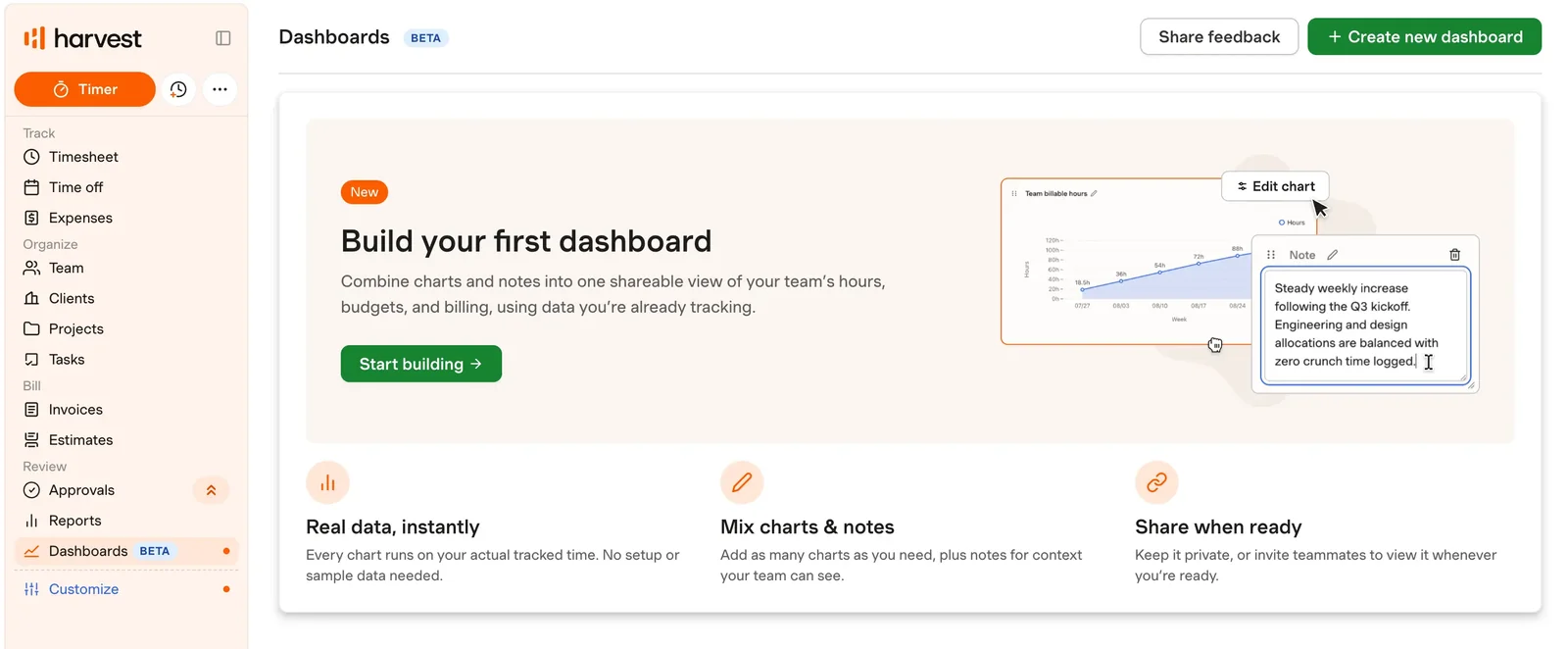
That's the whole deal, and I mean it as a compliment and a warning. A running timer sits at the top of the sidebar on every page, and on the iPhone it's a green Track time button under a strip of days. I tracked my Rize vs Harvest writing sessions in it.
Calendar view is the one worth opening. Every day on the week grid shows its own total, so an empty Thursday just sits there looking at you.
Harvest only knows what you tell it. It has reminders, and it can pull calendar events onto the timesheet, but that's Harvest nagging you, not tracking for you. If forgetting is your problem, it'll remind you that you forgot. My mother does that for free.
Billing is where it earns its spot. Invoices has an Uninvoiced tab, which answers the question you ask on the last day of the month: what did I do that I haven't charged for? The flow goes: review the invoice, pick how the client can pay, send it. I said earlier Harvest would take the money, and it does. Card sits on top, with ACH and US bank transfer under it. Those last two are American bank rails, so if your clients live elsewhere, card is your lane.
Skip Harvest if you forget timers, or if you juggle a pile of clients and want to stay free. Pick it if you don't mind starting your own timer and want invoicing in the same app. Use the 30-day trial to track one real week, then look at the empty squares and be honest with yourself. The full head-to-head lives in Rize vs Harvest.
Harvest pricing: There's a free plan for one seat and two projects. Paid plans run from $9 to $14 per seat per month, billed annually. Free 30-day trial, no credit card.
Best free time tracker for freelancers who invoice somewhere else
Clockify (Web, macOS, Windows, Linux, iOS, Android)
Pros:
- Free plan covers the timer, timesheet, and calendar
- Weekly timesheet with a copy-last-week button
- Paid plans start at $3.99 a month
Cons:
- No billable rates or invoices on the free plan
- Auto Tracker still leaves every entry to you
Clockify's free plan counts your hours all day and never puts a dollar sign next to a single one.
That's the part the word "free" skips. Billable rates start on Basic at $3.99. Invoices start on Standard at $5.49. Free reports only reach back one month, and exports are PDF only.
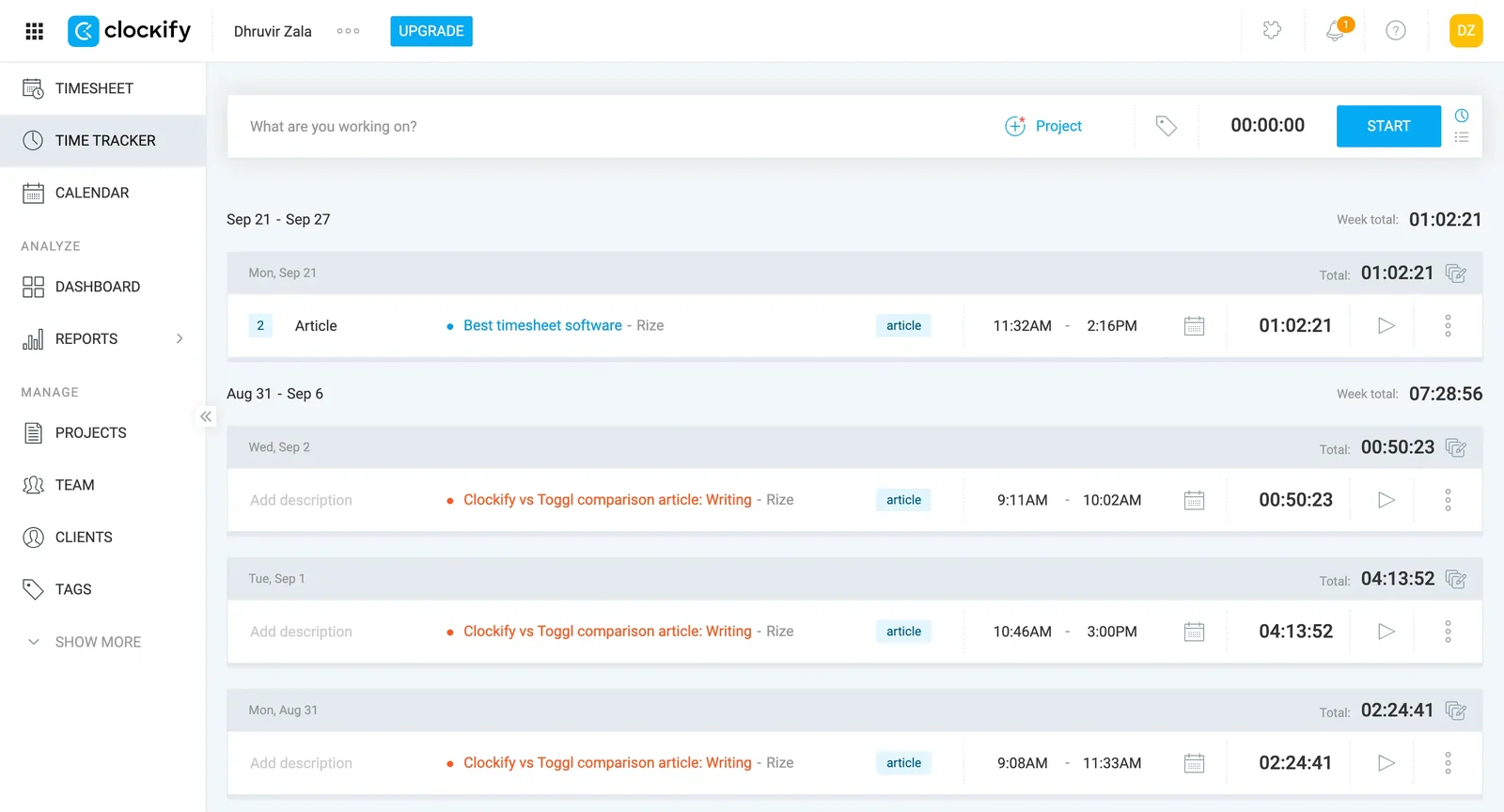
What you do get is a very good logbook. The timer sits in a bar across the top, with a red Stop button on the right, and that's about all there is to learn. The Timesheet tab is the better trick. It's a weekly grid, projects down the side, days across the top, and you type hours straight into the boxes. There's a Copy last week button for the retainer client whose week never changes. If you're someone who rebuilds Friday on Friday, it's the least painful way to do it.
The Auto Tracker is free too, which sounds great until you use it. It's a list of the apps you had open, each with a plus sign next to it. Click one, and Clockify asks for a date, a time range, and, mandatorily, a project.
It's also plain. Gray, blue, a sidebar that keeps going, and an Upgrade button parked in the header. Toggl, next on this list, is nicer to look at.
Don't go with Clockify if you forget to start timers, or if you want rates and invoices without paying. Pick it if you already invoice from another app and just need clean hours to send along. For that job, the free plan is plenty, so start there and see whether the Timesheet tab sticks. Want everything in one place? Standard is $5.49 and does both.
The full breakdown is in my in-depth Rize vs Clockify comparison.
Clockify pricing: Free plan for up to 5 users. Paid plans run from $3.99 to $11.99 per seat per month, billed annually. Free 7-day trial of the Pro plan, no credit card.
Best-designed time tracker for freelancers who want an app they'll actually open
Toggl (Web, macOS, Windows, iOS, Android)
Pros:
- Calendar, list, and timesheet views of the same entries
- Desktop app logs your apps and sites, one click to copy
- Free plan works fine for one person
Cons:
- Billable rates start at $9, not on the free plan
- Activity log never creates entries for you
Toggl's best feature is that you won't dread opening it, which sounds like an insult and isn't.
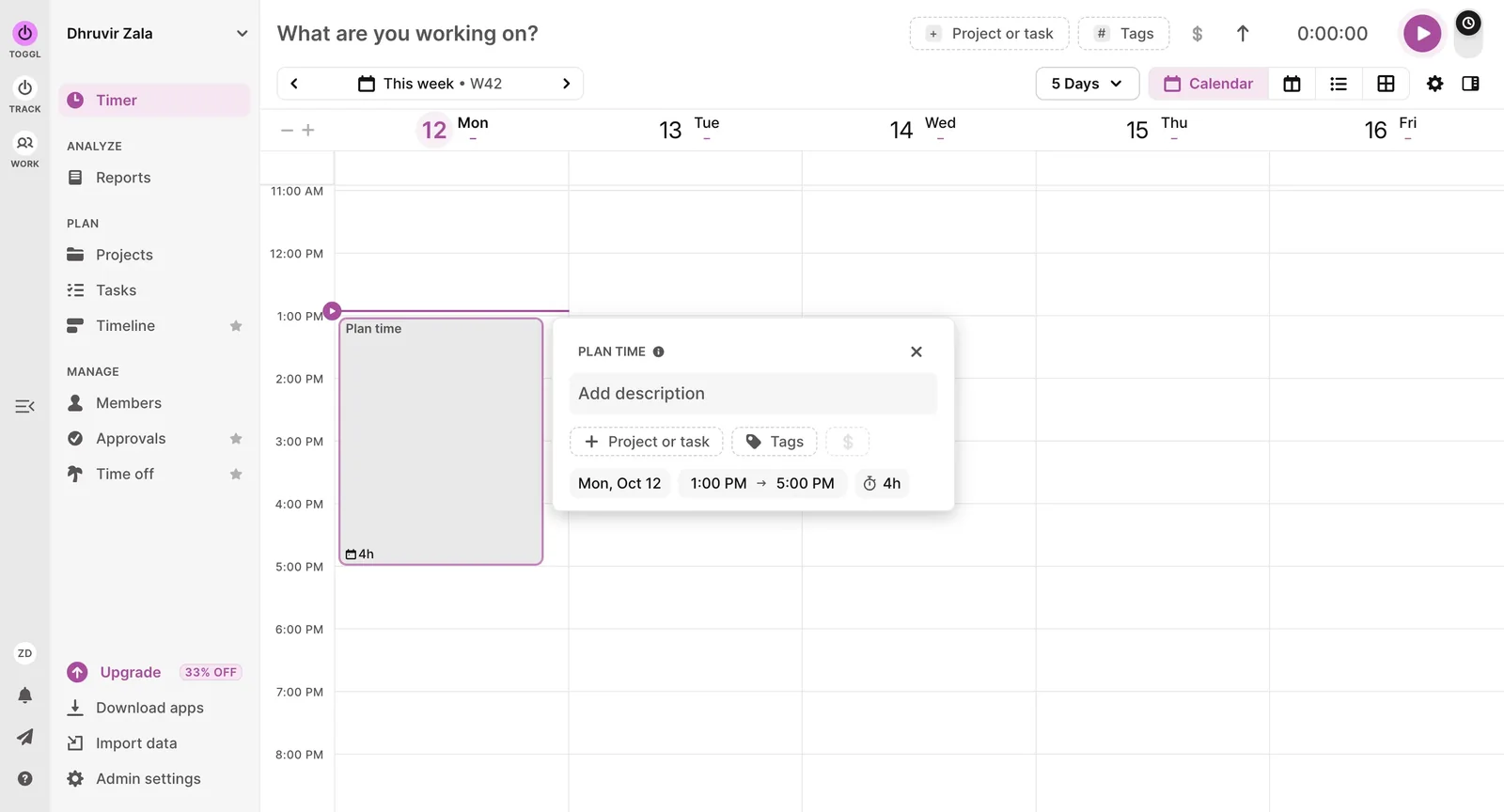
The timer bar sits across the top: type what you're doing, pick a project, hit the big purple play button. Below it, your week is a calendar, with entries as blocks on it. List and Timesheet views are one click away. I tracked a week of writing in it, and the calendar did the thing a list never does. It showed me the shape of the week.
The desktop app on Mac and Windows records the apps and sites you have open for ten seconds or more, and keeps that on your machine. Click a block on the calendar and a panel breaks it down by app, with a Copy as Time Entry button at the bottom. One click. Clockify makes you fill in a form for the same thing.
You can also tie a keyword to a project, and Toggl pops up a nudge to start that project's timer when a matching window shows up. A nudge. It won't start the timer for you.
You should not use Toggl if you want rates on a free plan, or you want the tracking done for you. Pick it if you'll open it every day, because a tracker you open beats a better one you don't. The free plan is plenty if all you need is where your hours went. Start there, then see if you miss the rates.
I tested it against Clockify in Clockify vs Toggl and against Rize in Rize vs Toggl.
Toggl pricing: Free plan for up to 3 users. Paid plans run from $9 to $16 per user per month, billed annually. Free 30-day trial of paid plans, no credit card.
Best project management time tracker for freelancers who already live in Asana, ClickUp, or Jira
Everhour (Web, macOS, iOS, Android)
Pros:
- Timer sits inside Asana, ClickUp, Jira, and Trello
- Budget alerts before a project runs over
- Custom reports, plus invoices from tracked hours
Cons:
- Paid plan has a 5-seat minimum, even solo
- Fully manual, so forgotten hours stay forgotten
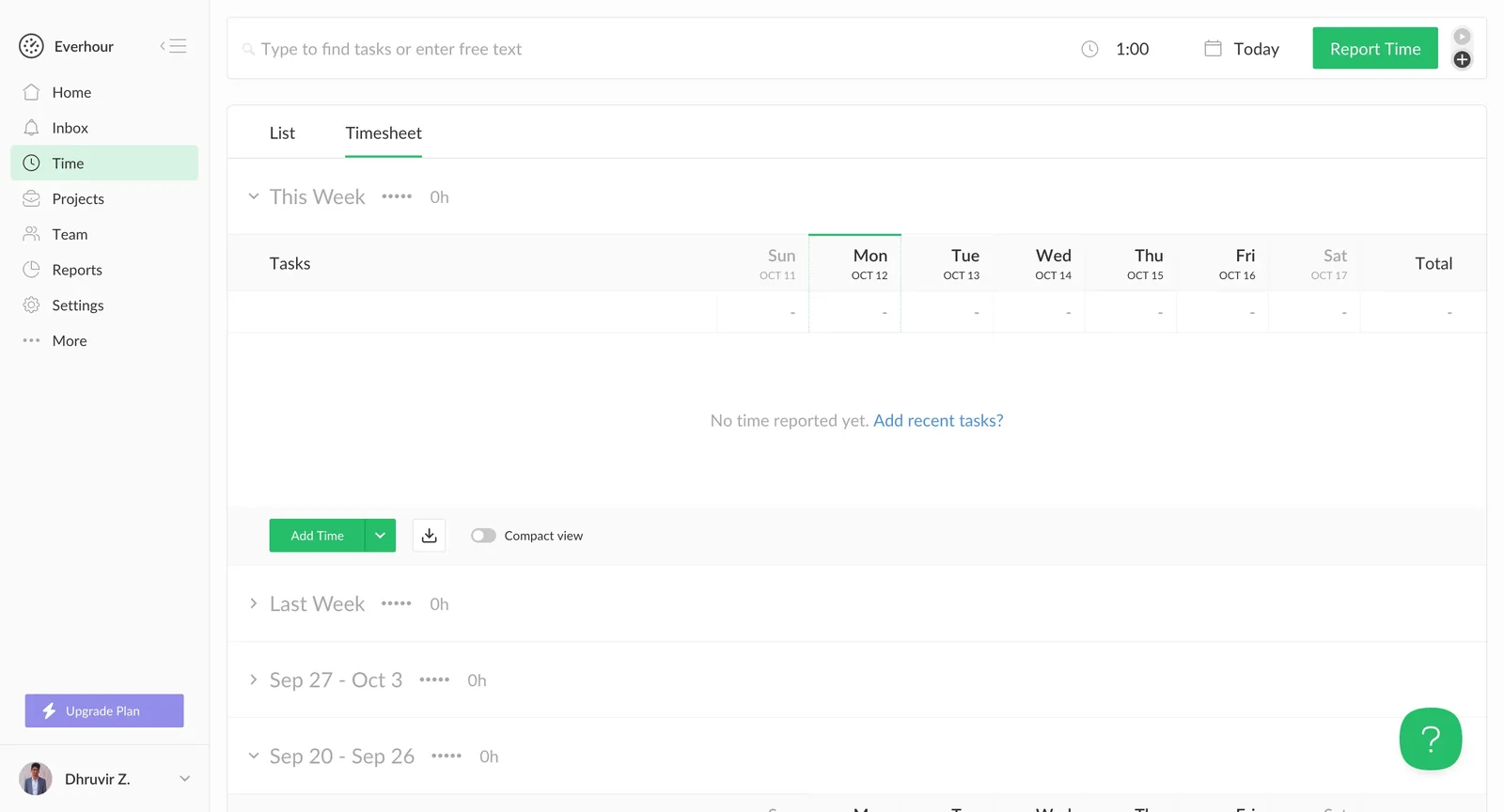
Everhour's best trick is a timer button inside Asana, ClickUp, or Jira, and the free plan won't let you use it.
If you don't have a project management tool, Everhour asks you to build the structure first. I made a project, added a task for each stage of the job, and started the clock from the Mac menu bar. Search for a task, start the timer, done. It works. It's also a chore you do before you've tracked a single minute.
Everhour is fully manual. Its site teases a feature that detects your work without a timer, but right now that's an early-access form.
The money side is the best thing in here. Put a budget on a flat-fee project and Everhour emails you when you've burned through a chosen chunk of it. That's the feature for the freelancer who quoted a number and is quietly afraid of it.
The report builder is the other keeper: pick the columns, set the period, add filters, and a preview of the report sits underneath while you build it. Invoices pull in your tracked hours, with a rate per line, tax, discounts, and a notes box, and you can copy them into QuickBooks, Xero, or FreshBooks.
The pricing page says no feature gating and no hidden limits. Not quite. Integrations are paid only, and the paid plan has a five-seat minimum. It's printed on the plan card, so it isn't hidden, but it was written with a team in mind, and you are one person. That's four coworkers who don't exist, at $42.50 a month minimum.
Don't use Everhour if you forget timers, or if you're a solo freelancer with no project management tool and no plans to hire. Pick it if your work already lives in Asana, ClickUp, Jira, or Trello, you bill by the project, and a timer inside them is worth paying five seats for.
Start the 14-day trial with a built-in project and wait to connect an integration. Once you do, getting back to the free plan means asking support to remove it. You can learn more about how Everhour compares with our fully automatic tracker in our super detailed Rize vs Everhour comparison.
Everhour pricing: Free plan for up to 5 users, no integrations. Team plan runs $8.50 per seat per month billed annually ($10 monthly), with a 5-seat minimum. Free 14-day trial, no credit card.
My final thoughts and recommendations
If you forget to start the timer, go with Rize. You're probably reading this because you forget, and five of these seven are timers you have to start yourself. Timely tracks on its own, but nothing counts until you review it.
With Rize, I did my work and came back to entries already written, with the client, project, and billable switch filled in. I still approve them. I just don't build them. Most people reading this would be better off there, because the remembering is the whole problem.
Rize has limits. It's Mac and Windows only; there's no free plan after the trial, and it won't take payment.
If you want the contract, the timer, and the invoice in one login, go with Bonsai. If your clients pay by card, and you don't mind hitting start, Harvest is the better bet. On a tight budget, Clockify is the clear choice. Its free plan covers the timer and the weekly timesheet, and paid plans start at $3.99.
Don't spend tonight comparing. Start the Rize trial, do tomorrow's work like you normally would, and check the calendar at the end of the day. If the entries look right, you're done shopping. It's seven days free, no credit card.
Start tracking time automatically
Join thousands of professionals who stopped guessing where their time goes. Free for 7 days.
“Rize has been a no-brainer for me.” — Ali Abdaal Read more →