It's Friday, 4:40 p.m., and you're trying to rebuild Tuesday. Your calendar says "Call." That's the whole entry. Call. Which client? How long? Was that before or after the other thing? So you type 1.5 hours because it feels right, and you close the laptop a little poorer and not sure by how much.
If you bill by the hour, you know that feeling. And you're not alone in it. Clio's 2025 Legal Trends Report says the average lawyer captures 3.0 billable hours in an eight-hour day, and only 2.6 of those make it onto an invoice. That's roughly twenty minutes a day, every working day, and these are people who bill for a living. It's a law firm number, so I won't pretend it's yours. I also wouldn't bet on yours being better.
Then there's the other problem, which nobody warns you about. You pick a tracker, you get used to it, and then the deal changes. Free plans get smaller. Trials show you buttons that aren't on the plan you'll actually end up buying. You find out in the middle of an invoice, which is a bad time to find out anything.
So I tested five trackers on real client work, checked what each free plan really gives you, and read every pricing page as if it owed me money.
Before we get to the five, it helps to know what I was grading them on, because "best" doesn't mean much until you say best at what.
What makes the best time tracking tool for billable hours?
Every tool got judged on the same six things. Skim these. I won't tell anyone.
- Capture friction. How many clicks it takes to get from "starting on Client A" to a running timer, and what happens on the day you forget to start one. You will forget.
- Billable rates. Rates by client, project, and person, and whether raising one leaves your old invoices alone.
- Hours to invoice. Built-in invoicing or a clean export, plus whether it shows the time you tracked but never billed.
- Real cost. What you'd pay at one, five, and ten seats and what's gated behind the next plan up.
- Accuracy controls. Approvals, locked entries, reminders, and an audit trail. Dull until a client disputes an invoice.
- Fit by size. Solo, five people, fifteen people. A tool that's great for one person can be miserable at fifteen, and the other way around.
Here's how the five scored on all of that, at a glance.
The best billable hour time trackers at a glance
| Tool | Best for | Standout feature | Pricing |
|---|---|---|---|
| Rize | People who forget to track | Builds your timesheet while you work | From $9.99/mo, 7-day trial |
| Toggl Track | Freelancers who want simple | Clean timer, calendar, and timesheet views | Free up to 3, paid from $9/user |
| Clockify | Small teams on a budget | Weekly timesheet with copy-last-week | Free up to 5, invoicing from $5.49/seat |
| Everhour | Asana, ClickUp, and Trello teams | Timer lives inside your project tool | Free up to 5, then $8.50/seat (5-seat min) |
| Harvest | Built-in invoicing | Tracked hours become an invoice in a few clicks | Free for 1, then $9/seat plus usage fees |
Best automatic time tracker for people who forget to track
Rize (Mac, Windows)
Pros:
- Timer starts on its own when you open your laptop
- Builds a client-and-project timesheet as you work
- No screenshots, keystroke logging, or mouse tracking
Cons:
- No free plan, only a 7-day trial
- Desktop only, no mobile app unless you're on Enterprise
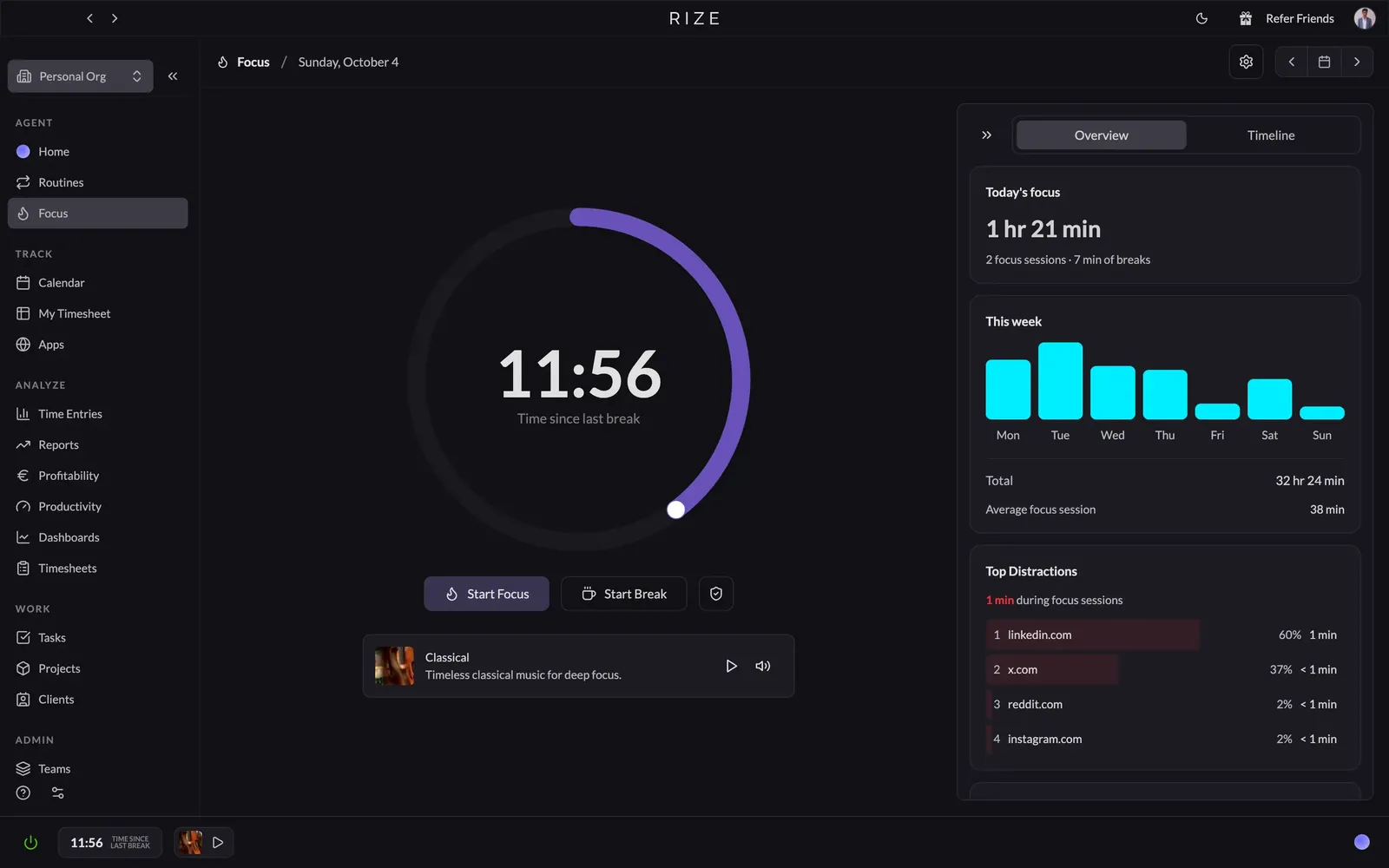
Every other tool on this list needs you to be the kind of person who remembers to hit start. Most of us aren't. That's the whole problem, and it's the one Rize solves.
You open your laptop, and the timer's already running. You can pin it to the menu bar, but you never have to touch it.
Now, "automatic" usually means creepy. Plenty of software that watches everything you do also takes screenshots and counts keystrokes. Rize doesn't. By default, it reads the app, the site, the window title, and the URL, and nothing else, and your data isn't used to train its AI. I've used it since May 2022 and haven't caught it being shady once.
The timesheet is the reason it's number one. As you work, Rize builds a calendar-style timeline of entries. Each one comes with a description, client, project, task, label, and a billable toggle, plus a list of the exact windows and pages behind it. That list is your proof. I've tested the popular trackers, and none of them builds this as cleanly. You can also set rules so a certain app or site always lands under a certain client, project, and task, and the AI guesses the rest better the longer you use it.
The billable flag carries straight into your reports and invoices, and you can drop tracked time into an invoice in one click. On a team, everyone approves their own entries before the manager sees anything, which keeps it from feeling like a boss with a hidden camera.
Rize only sees your computer. Calendar sync catches meetings, but a client call on your phone while you pace the kitchen is yours to add by hand, so if much of your billable work happens away from a laptop, it has a blind spot.
For most people reading this, Rize is the one to try first. If you're the exception, the rest of this list is for you.
Rize pricing: Individual runs $9.99 to $39.99/month, billed annually. Team starts at $29.99/seat/month (2-seat minimum), billed annually. 7-day free trial, no card needed.
Stop rebuilding Tuesday on Friday
Try Rize free for 7 days. It builds your billable timesheet from the work you're already doing — no timers, no manual entry. No credit card required.
Start Free TrialBest simple time tracker for freelancers and small teams
Toggl Track (Web, Mac, Windows, iOS, Android)
Pros:
- Clean timer, calendar, and timesheet views
- Billable rates by workspace, member, or project
- Free plan includes reports and simple PDF invoices
Cons:
- Billable rates need a paid plan
- Approvals and profitability reports are Premium only
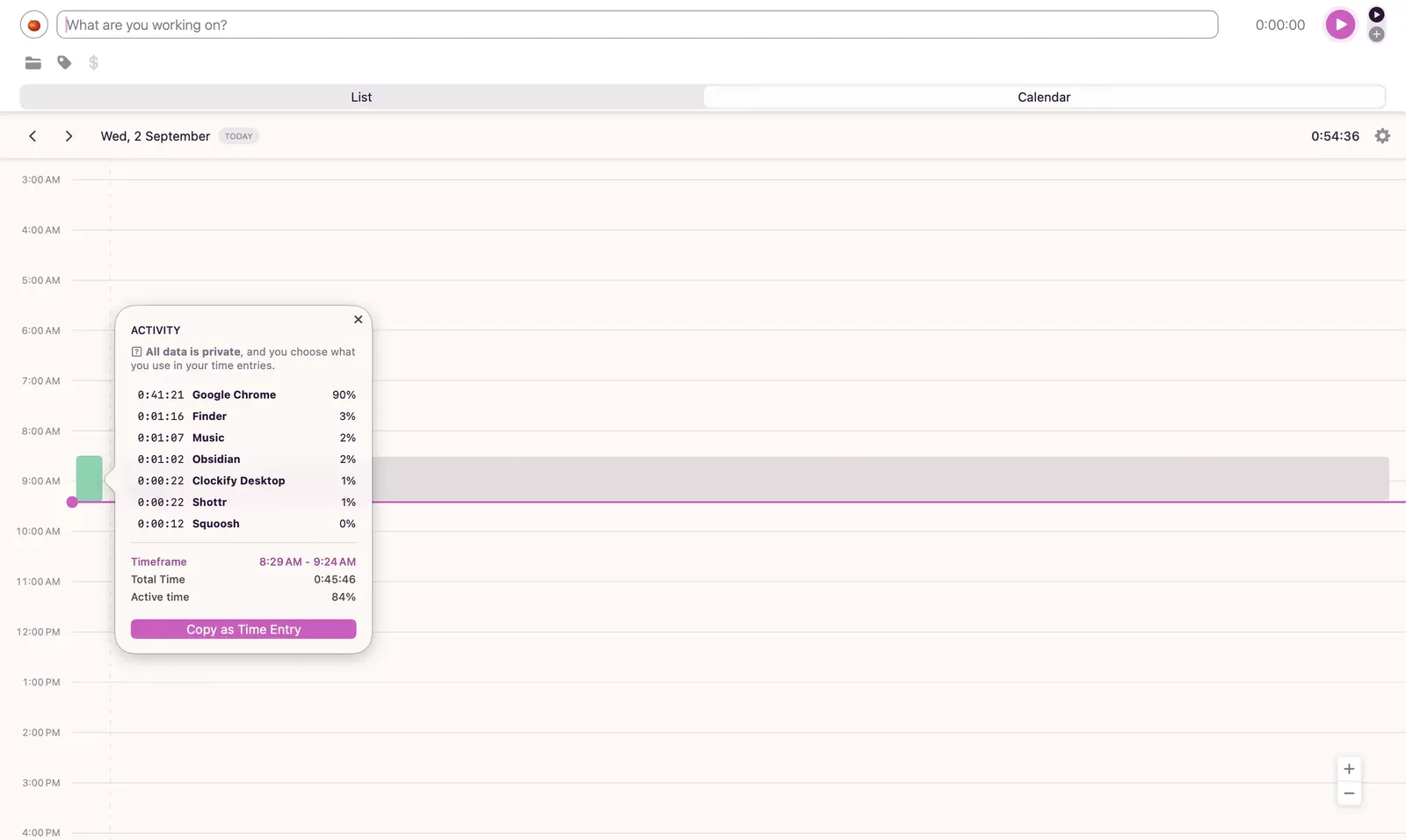
Toggl's whole pitch is one box that asks what you're working on, and a big play button. That's the product. I mean that as a compliment.
Open the calendar view and your week shows up as blocks, so a Wednesday with a hole in it looks like a hole. There's a timesheet grid for people who like grids, and the mobile app is just as tidy. It even has a Pomodoro tab, in case you want a timer to boss you around. A freelancer could be using this by lunch.
Now the billing part, which is why you're here. On the free plan, my summary report had a Billable Hours column and an Amount column, and both sat there blank. Billable rates start on Starter. The invoice builder does work on free, and it pulls your hours in nicely, but with no rate, there's no money next to them. So you can bill a client for a number of hours at no charge. Toggl calls the free plan "genuinely usable" for solo people. For tracking, sure. For billing, you're paying. Same story with Approvals. The tab is there from day one, locked, with a View plans button waiting.
Toggl's site also says you'll never forget to track time. That's a stretch. The desktop app records a timeline of what you had open, but nothing becomes a time entry until you copy it over yourself, and most of mine just said Chrome. Not which page. Just Chrome. That's fine for jogging your memory. But it's not much help when a client asks what you did on Tuesday.
Skip Toggl if you want the timesheet to fill itself in, or if you want to bill and get paid in the same app. It's a very nice place to write down what you did, and it stops there. I ran it next to Rize on real client work to see if automatic tracking beats a free timer, and the full breakdown is in Rize vs Toggl.
Toggl Track pricing: Free for up to 3 users. Paid plans run $9 to $16/user/month, billed annually. 30-day free trial, no card needed.
Best budget time tracker for small teams
Clockify (Web, Mac, Windows, Linux, iOS, Android)
Pros:
- Free for up to 5 people, paid seats from $3.99
- Weekly timesheet grid with copy-last-week and templates
- Reports have a Create invoice button built in
Cons:
- Free plan lost billable rates and CSV export in April 2026
- Invoicing, rounding, and approvals wait for the Standard plan
Clockify spent years being the free one. In April 2026, it started charging for the parts that actually make you money.
The free plan now stops at five people and only shows a month of reports. Billable rates and CSV export moved behind a paywall too. Servers cost money, I get it. It still stings if you picked Clockify back when free meant everybody.
Here's the catch if you bill by the hour. Rates start on Basic at $3.99. But invoicing, rounding, and approvals don't show up until Standard at $5.49. So the plan you need isn't the plan you remembered. It's the one after it. Five people on Standard runs about $27 a month on annual billing, and ten runs about $55. Still cheap. Just not the number on the box.
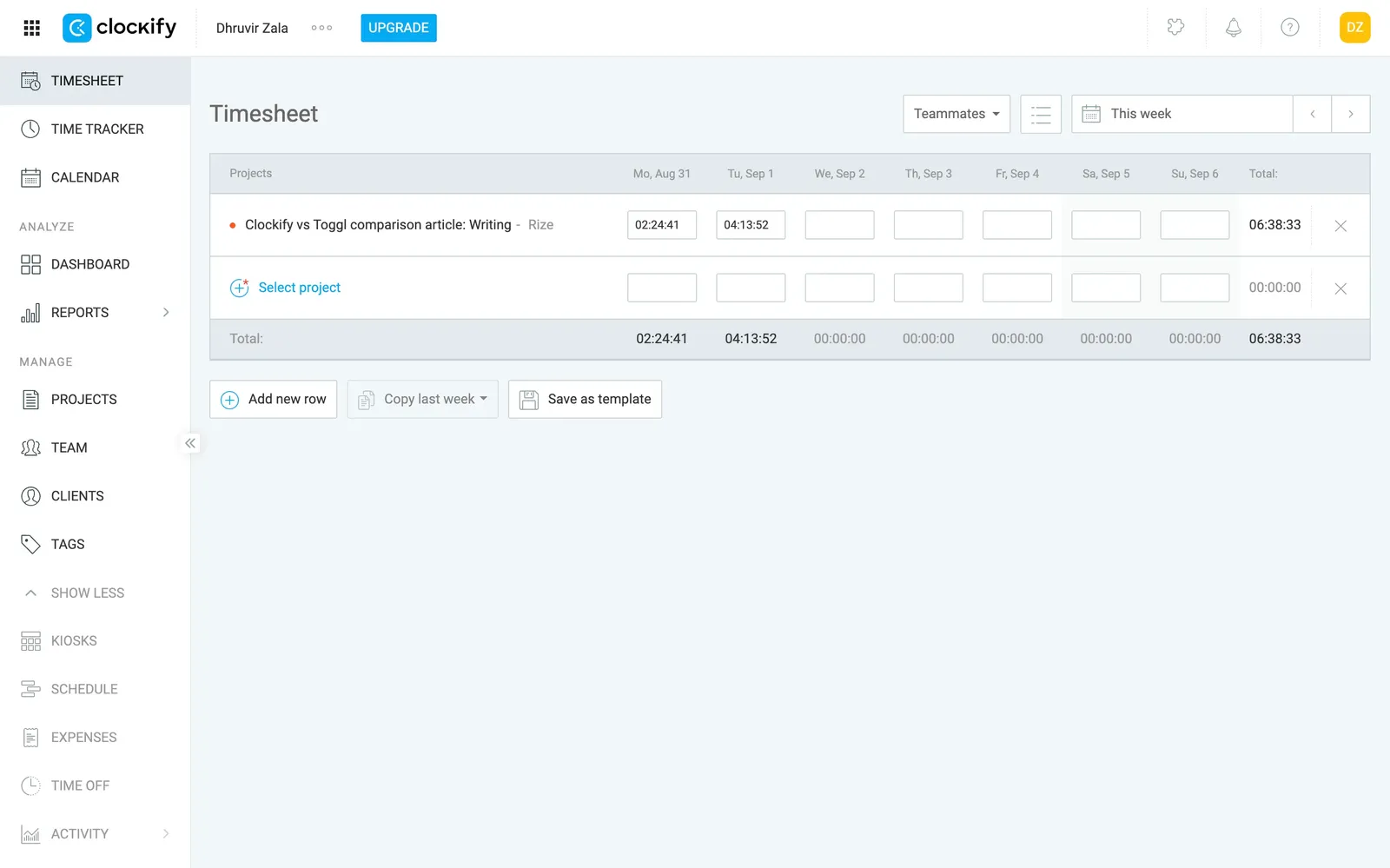
The part I'd actually use is the timesheet. It's a weekly grid, one row per project, with Copy last week and Save as template sitting underneath. If you've got a few retainer clients and your hours barely change, Friday gets a lot shorter. The reports page is decent too. You filter by client, project, task, or tag; there's a rounding toggle, and the Create invoice button is right in the header.
There's also an Auto Tracker in the desktop app, a private log of what you had open, with a column showing how idle you were during each stretch.
Clockify fits a solo or a team of up to five that bills by the hour and wants a cheap plan that still sends invoices. Skip it if you're six people hoping to stay free, or if you want one screen that doesn't feel like an admin panel.
I tested it head-to-head against Rize, and the full verdict on which one is worth paying for once the free runs out is in Rize vs Clockify.
Clockify pricing: Free for up to 5 users. Paid plans run $3.99 to $11.99/seat/month, billed annually. 7-day free trial of Pro features, no card needed.
Best project-based time tracker for teams already living in Asana, ClickUp, or Trello
Everhour (Web, Mac, iOS, Android)
Pros:
- Timer sits inside Asana, ClickUp, Trello, and Jira
- Invoices from tracked time, with QuickBooks and Xero sync
- Approved timesheets lock, so billed hours stay billed
Cons:
- Fully manual, no automatic capture
- Paid plan has a 5-seat minimum
In Everhour, the timer comes last. First you build a project, then the tasks, then you start the clock.
That order is the whole personality of the tool. Everhour is a time tracker that expects to live inside a project manager, and if you don't have one, it builds you a small one. If your team already works in Asana, ClickUp, Trello, or Jira, the timer just shows up on the task you're staring at.
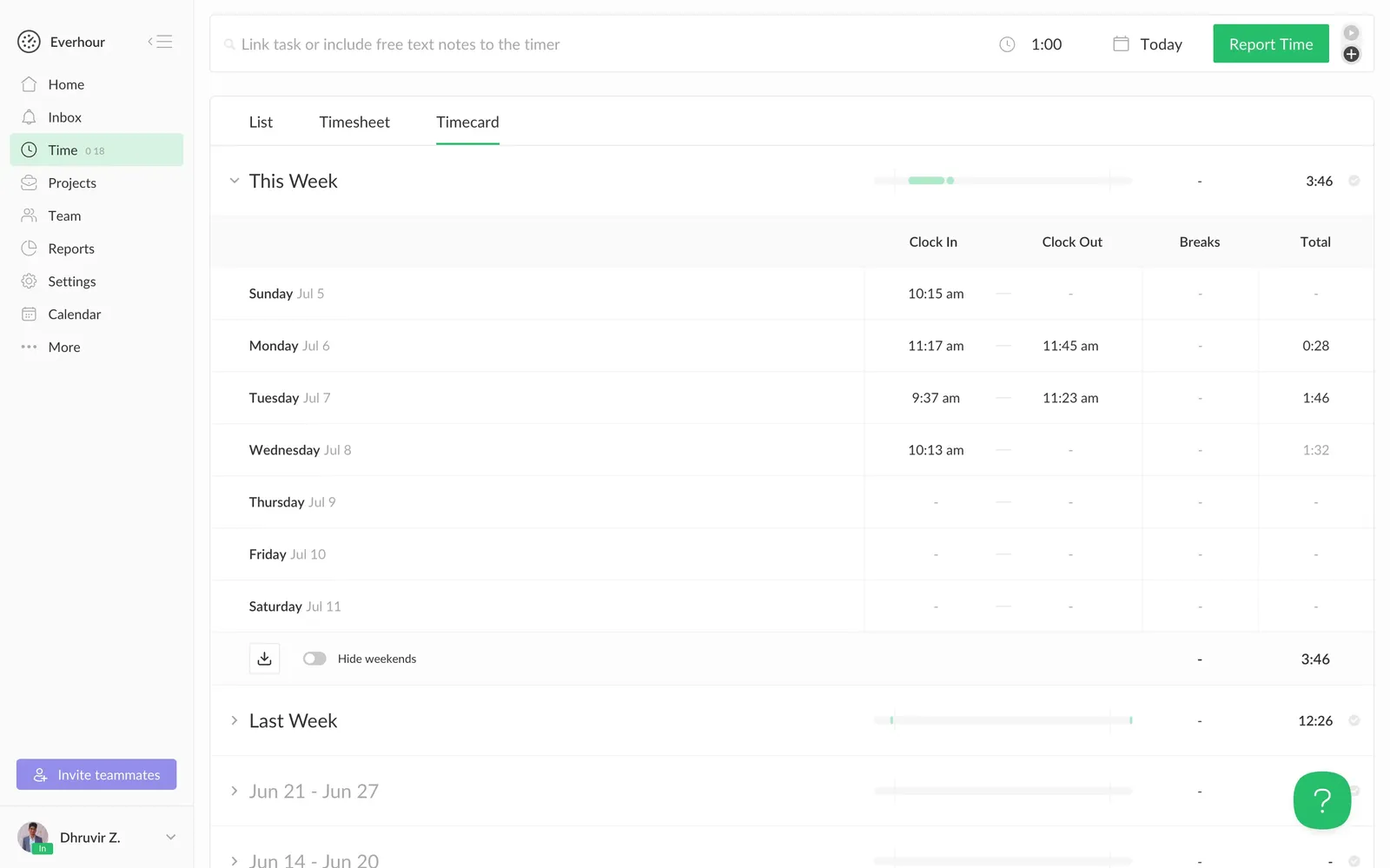
It's also fully manual. The Mac menu bar app makes backfilling quick, since you pick a task, type a duration, and pick a day, but you're still the one doing the remembering. There's a teased no-timer AI mode too, which for now is an early-access sign-up.
Where it earns its spot is billing. Rates can sit on the project, the person, or the task. The invoice editor has line items, tax, discounts, and a notes box for the client, and Everhour says it pulls unbilled hours and billable expenses in with one click. Approved timesheets lock for regular members, so nobody quietly rewrites last month after you've invoiced it. On a team, that's worth real money. If you work alone, who are you protecting the hours from?
The report builder is the nerdy kind of good. You pick the columns, drag them into order, filter, highlight. You can slice it any way you like. It's still slicing whatever you remembered to log.
Pass on Everhour if you work solo, if you're on Windows (the desktop app is "coming soon"), or if your real problem is forgetting to track. It's built for a team that already tracks and wants the paperwork handled. The time-off and scheduling stuff I skipped lives in Rize vs Everhour.
Everhour pricing: Free for up to 5 users. Team is $8.50/seat/month, billed annually (5-seat minimum). 14-day free trial of all features, no card needed.
Best time tracker with built-in invoicing for freelancers and small agencies
Harvest (Web, Mac, Windows, iOS, Android)
Pros:
- Tracked hours become an invoice in a few clicks
- Rates by person, project, or task, with start dates
- Invoiced hours lock themselves
Cons:
- Fully manual, no automatic capture
- Usage fees stack on top of the seat price
Harvest is a stopwatch with an accounting department behind it. The stopwatch is fine. The accounting department is why it's on this list.
The timer lives in the top corner of every screen, ticking away while you pretend to work. Pick a client, project, and task, then hit start. But nothing watches what you do, so if you forget, that hour is gone, and Harvest has no idea. You can backfill from the timesheet or a connected calendar, but you're still the one remembering.
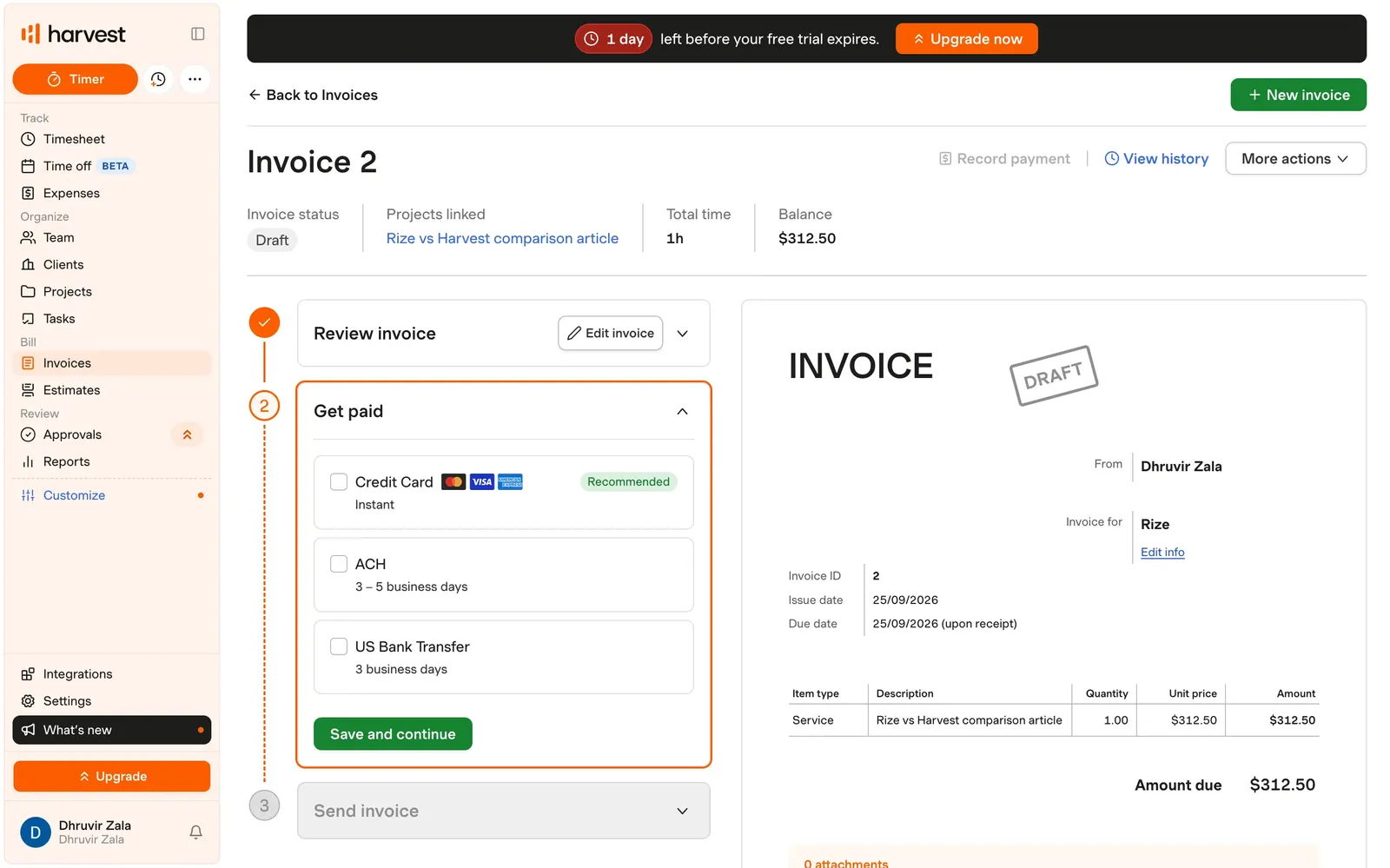
After you stop the timer is where Harvest gets good. Pick a project, pull in the hours you tracked, and it builds the invoice. Before you send anything, it asks how the client can pay, which is the right order. Hours that go on an invoice lock, so nobody quietly rewrites last month.
Rates are sensible too. They can sit on a person, a project, or a task. Raise a person's rate and Harvest asks when it starts, so old invoices stay put. Change a task's rate on an existing project, though, and every entry for that task gets rewritten, past ones included.
Here's what the marketing leaves out. The features page loves timesheet approvals and the activity log, and never mentions that both are Enterprise-only. The trial includes everything, so the Approvals tab sits in your sidebar for the full 30 days. Then checkout pre-selects Enterprise on annual billing. Switch to Teams to save money, and approvals, the activity log, and profitability reports all vanish.
Look elsewhere if forgetting to track is your actual problem, or if you need a bill you can predict a year out. Solo with a couple of clients? The free plan covers one person and two projects and still sends invoices, which is better than it sounds.
Plenty of people run Harvest next to an automatic tracker, one to catch the hours and one to bill them. The full comparison is in our Rize vs Harvest in-depth comparison.
Harvest pricing: Free for 1 user and 2 projects. Teams starts at $9/seat/month and Enterprise at $14/seat/month, billed annually, plus usage fees. 30-day free trial, no card needed.
Final thoughts and recommendations
If you keep forgetting to start the timer, go with Rize. It's the only one here that fills in your timesheet while you work. Just know it only sees your computer, so phone calls are on you.
If you want a clean, simple timer, Toggl is the better bet. It's the one I'd hand a freelancer who wants to be tracking by lunch. Budget for a paid plan, though, because billable rates aren't free.
On a tight budget, Clockify is the clear choice. Aim for Standard at $5.49, not the $3.99 plan, if you want invoicing and approvals. It's still the cheapest paid plan here that does both.
If your team already lives in Asana, ClickUp, or Trello, go with Everhour. The timer sits right on the task, and approved timesheets lock. Paid plans start at five seats.
If you want to track and bill in the same app, go with Harvest. Solo with a couple of clients? Start on the free plan.
Still torn? Pick the one that fixes your worst Friday.
Every trial on this list is card-free, so the worst case is one wasted afternoon. That beats another invoice built from a calendar entry that just says "Call."
Start tracking time automatically
Join thousands of professionals who stopped guessing where their time goes. Free for 7 days.
“Rize has been a no-brainer for me.” — Ali Abdaal Read more →