Client profitability analysis shows which clients make money by comparing each client's revenue against the labor cost of the hours your team actually spends on them. Revenue alone hides the answer: a $10,000 retainer looks the same on an invoice whether it took 40 hours or 90. Margin is where the difference shows up.
Quick Answer
For each client, track revenue, labor cost (hours × cost rate), delivery margin ((revenue − labor cost) ÷ revenue), and effective hourly rate (fee ÷ hours). Review clients going off track weekly and margin by client monthly. Reprice, rescope, or let go of clients that stay below target.
Why Revenue Hides Unprofitable Clients
Revenue hides unprofitable clients because it ignores the hours each client consumes.
Retainers run over, revisions pile up, and senior time drifts onto low-margin accounts. None of it changes the revenue line. Firms feel the result at year end. According to SPI Research's 2026 Professional Services Maturity Benchmark, firm profitability (EBITDA) fell to 9.9% in 2025, well below the 13.8% five-year average.
Scope is a common cause. PMI's Pulse of the Profession research reported that 52% of projects experience scope creep. At an agency, scope creep rarely triggers a change order. It just shows up as more hours on the same fee.
The Four Numbers That Matter
A client profitability analysis needs four numbers per client: revenue, labor cost, delivery margin, and effective hourly rate.
Revenue: what the client pays per period, after pass-through costs like ad spend or software.
Labor cost: hours worked for the client times each person's cost rate. For a salaried employee, a rough cost rate is annual salary divided by 2,080 hours (52 weeks × 40 hours), loaded with benefits and overhead.
Delivery margin: (revenue − labor cost) ÷ revenue. This is the share of each client dollar left after paying for the time.
Effective hourly rate: fee ÷ hours actually worked. A $6,000 project that took 85 hours earned about $71 an hour.
For a target, Parakeeto cites a common rule of thumb of 50% or more delivery margin across the agency and 60 to 70% or more per client. The free profit calculator works out margin and effective hourly rate for any client.
Worked Example: Four Clients on the Same Retainer
Clients paying the same retainer can have very different margins once hours are counted.
An illustrative example: four clients each pay $10,000 a month, and the team's blended cost rate is $70 an hour.
| Client | Hours | Labor cost | Delivery margin | Effective rate |
|---|---|---|---|---|
| A | 40 | $2,800 | 72% | $250 |
| B | 60 | $4,200 | 58% | $167 |
| C | 90 | $6,300 | 37% | $111 |
| D | 130 | $9,100 | 9% | $77 |
Same revenue, very different businesses. Client A is the model account. Client D barely covers its labor before overhead, and nobody would know from the invoice.
The Hard Part: Getting the Hours
The hardest input in client profitability analysis is labor cost, because it depends on complete hours per client.
Fees are in the contract and cost rates come from payroll. Hours are where the analysis breaks. Firms either do not track time, or track it manually and miss the small requests that make clients unprofitable. A Slack thread with a client or a quick revision rarely makes it into a timesheet.
Rize is an automatic time tracker that records work sessions in the background and assigns them to clients and projects, so labor cost reflects the hours actually worked. Each person reviews and approves their own time, and Rize does not take screenshots or log keystrokes.
How to Set It Up in Rize
Setting up client profitability in Rize takes four steps: import clients, add contracts, set cost rates, and let time roll in.
1. Import clients and projects from a CSV, the ClickUp integration, or through Claude or ChatGPT with the Rize MCP. The Asana integration syncs projects and tasks.
2. Add a contract for each client. Pick Retainer, Hourly, Hybrid, or Fixed Fee, then the fee, the hours it covers, and the period.
3. Set cost rates for each team member, plus bill rates for hourly work.
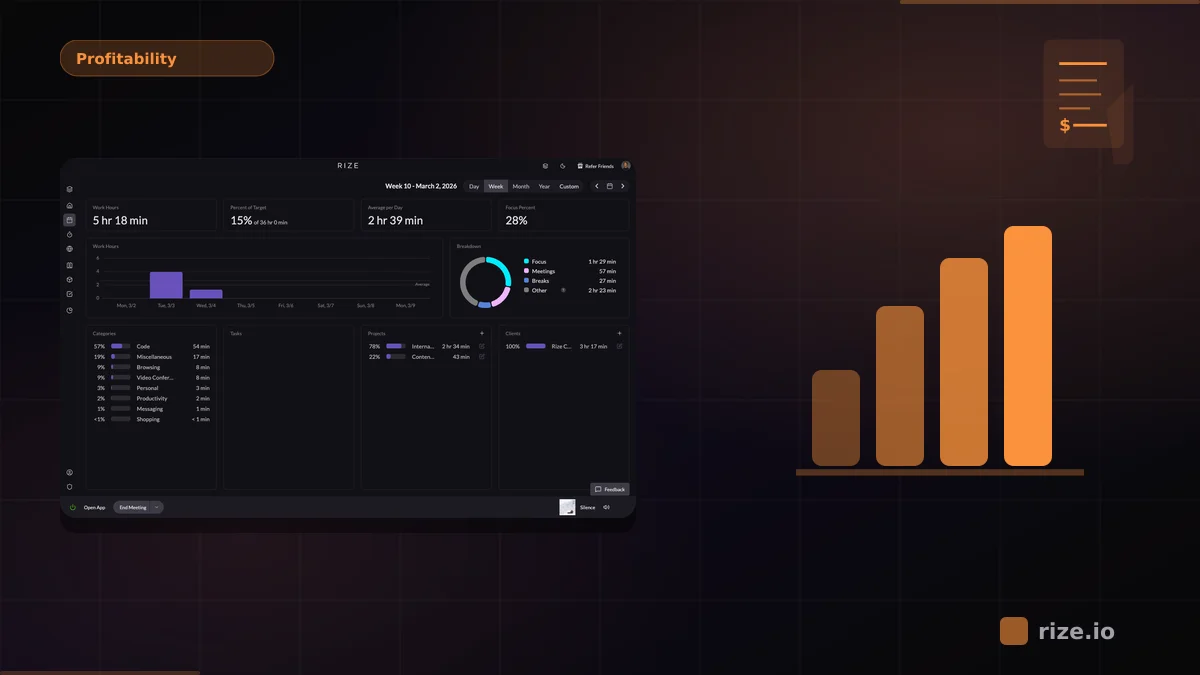
4. Let time roll in. The Profitability tab shows revenue, labor cost, margin, and hours used versus covered for every client. See how Rize tracks agency profitability for the full view.
See live margins for every client
Rize tracks time automatically and turns it into margin by client and contract. Start a free 7-day trial.
Start Free TrialWeekly and Monthly Reviews
Run a weekly report that flags clients going off track and a monthly review of margin by client.
Weekly: flag any client whose hours are running ahead of what the fee covers for this point in the period, where revision time is piling up, or where senior people are spending a large share of time on a low-margin account.
Monthly: show revenue, labor cost, margin, effective rate, and the trend for every client, then sort them into Grow, Fix, and Let go. In Rize, both run as AI reports, and a Routine can deliver them to you every Monday and on the first business day of the month. The copyable prompts are in the Client Profitability Playbook.
What to Do With Unprofitable Clients
An unprofitable client has three fixes: charge more, deliver with less time or cost, or let the client go.
Lead with the work, not the margin. Export the client's tracked time to PDF or CSV and show where the hours went, then offer a new fee or a tighter scope. For the full pricing method, read how to use time tracking data to raise a retainer.
Watch the Workshop
Rize's free client profitability workshop walks through this setup and both reviews in a live demo.
Watch How to See Which Clients and Projects Actually Make Money, hosted by Macgill Davis, CEO and Cofounder of Rize.
Start tracking time automatically
Join thousands of professionals who stopped guessing where their time goes. Free for 7 days.
“Rize has been a no-brainer for me.” — Ali Abdaal Read more →