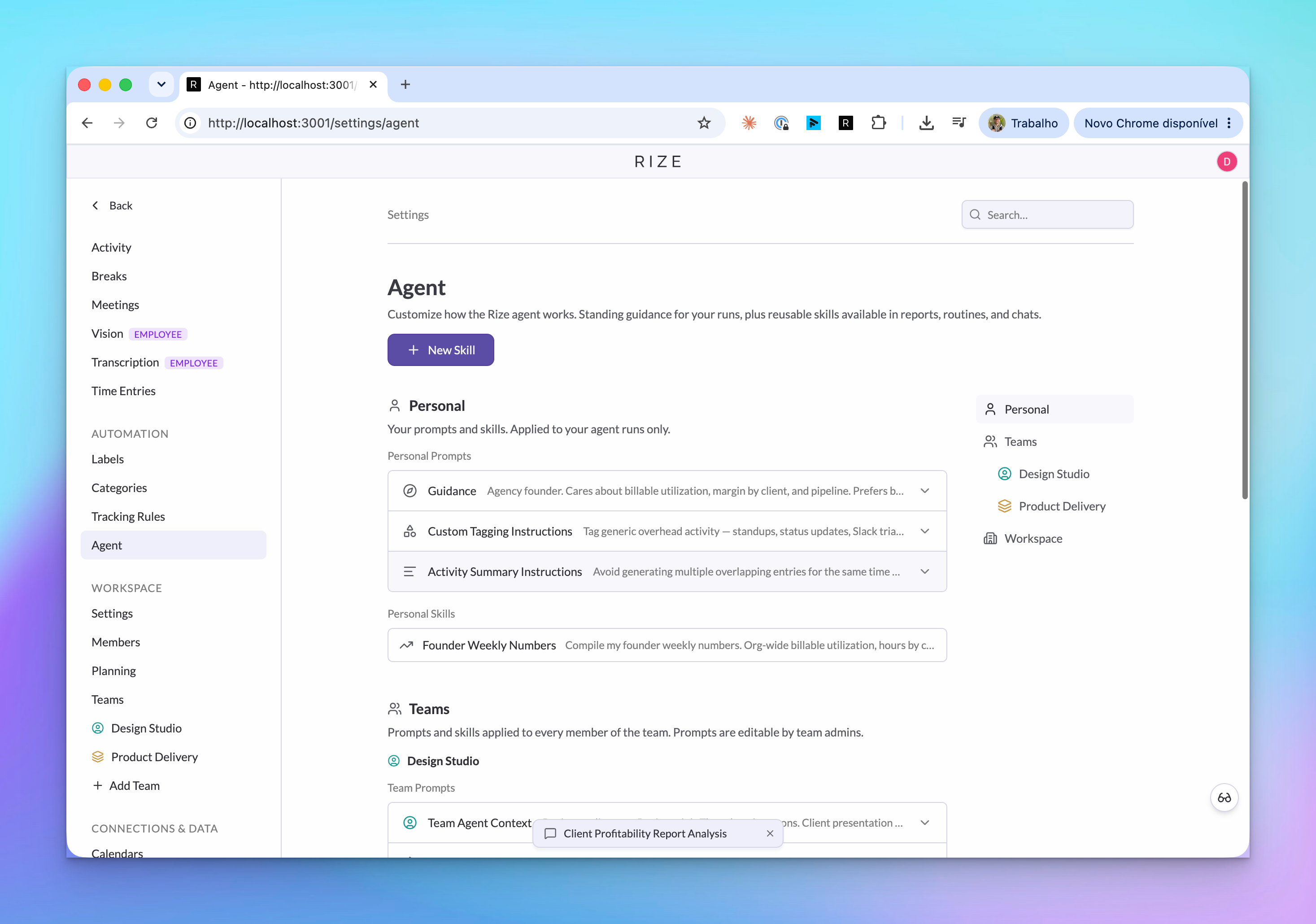
Agent Context gives Rize standing guidance about who you are, how your team works, and how work should be interpreted. Custom tagging instructions apply that guidance directly to client, project, and task suggestions.
WHAT IS IT?
Agent Context is standing guidance that tells Rize how a person, team, or workspace thinks about work. Custom tagging instructions apply that guidance to client, project, and task suggestions.
WHY IS IT IMPORTANT?
Automatic tracking is only useful if the time lands on the right client, project, and task. Context reduces cleanup and makes reports, summaries, and recommendations match how your freelance business, agency, or organization actually operates.
NEW
Personal, team, and workspace guidance
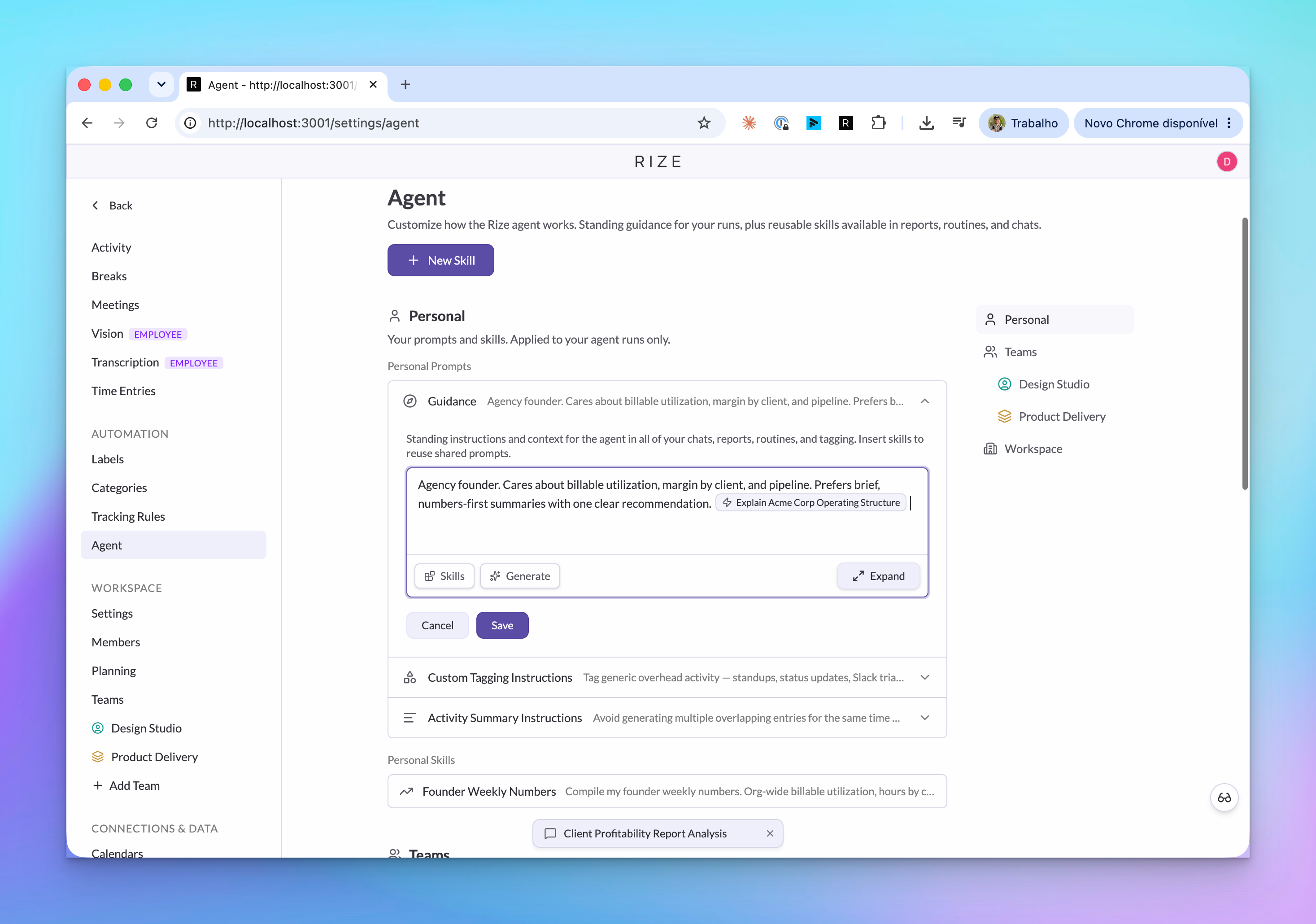
Rize now has separate Agent Context areas for personal guidance, team guidance, and workspace guidance. Personal guidance can describe your role, your priorities, and why you use Rize. Team and workspace guidance can define shared rules for how work should be read across the organization.
Workspace context is visible to workspace admins. Team context is visible to admins for that team. Personal context is available to the person it belongs to, and admins can manage member settings where their role allows it.
Generate context from how you already use Rize
You can write guidance yourself, reference a saved Skill, or use Generate to draft a starting point from your Rize usage. That helps when you know the agent needs more context but do not want to start from a blank field.
Custom tagging instructions
Custom tagging instructions are a focused kind of guidance for client, project, and task tagging. Use them for rules like how Linear tasks should map to projects, where to look for a client ID, or which naming patterns matter when Rize suggests tags.
This is especially useful when the right tag depends on your team's process rather than just a keyword match. Rize can use the instruction while generating or updating tag suggestions, so the output better matches how your team reviews time.
Activity summary instructions
Activity summary instructions control how Rize writes descriptions and summaries. For example, you can tell Rize not to include a certain word in descriptions, avoid names in summaries, or follow a specific tone when it explains work.
Admin-managed member settings
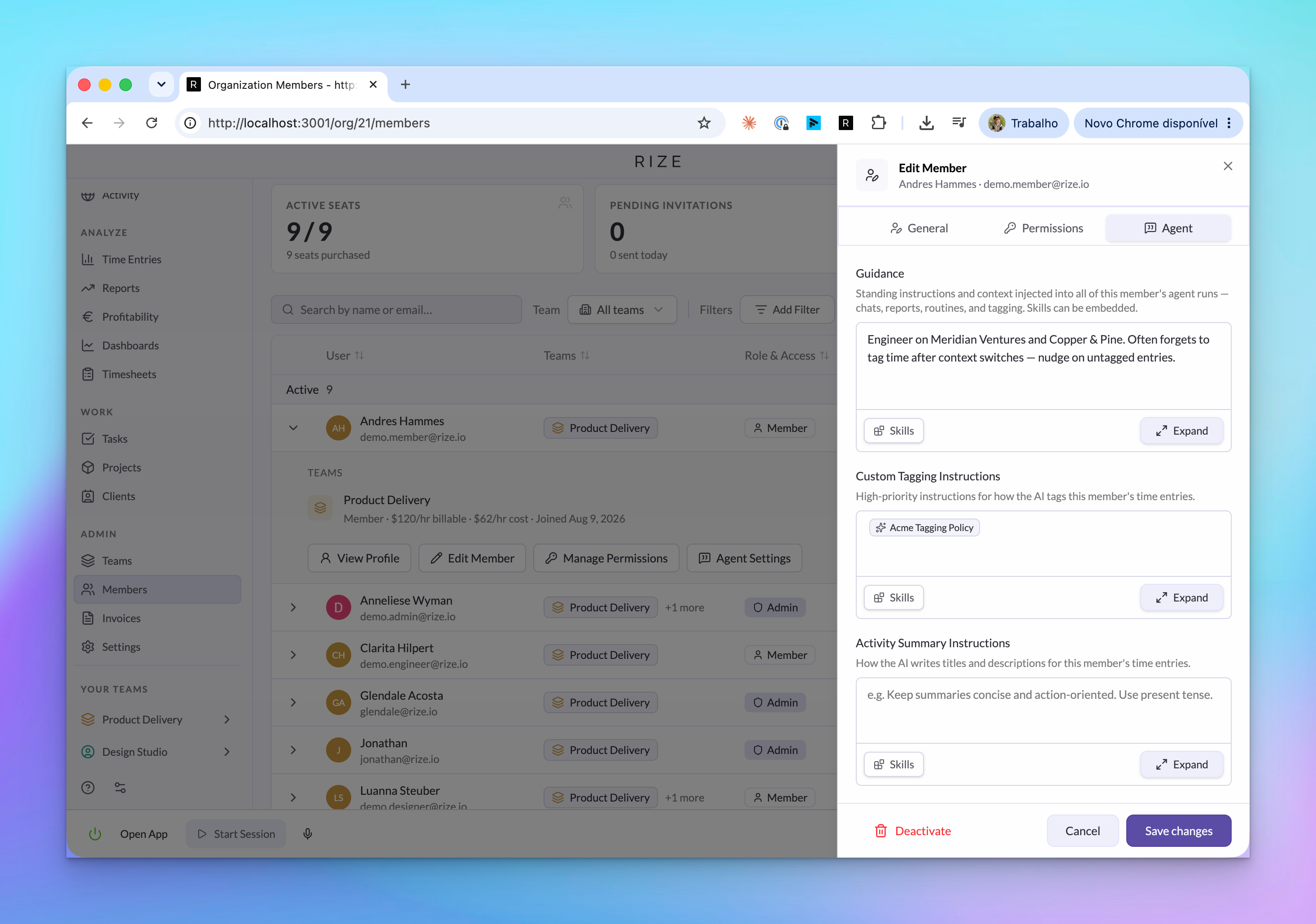
Admins can open a member's Agent settings from the Members tab and configure guidance for that person. This helps teams roll out Rize with useful context already in place, instead of waiting for every member to set up prompts manually.
Use shared Skills inside context
Context fields can reference Skills. If your custom tagging instructions are saved as a Skill, you can attach that Skill to multiple members or teams. When the process changes, update the Skill once and every context field that references it uses the new instruction.
USE IT FOR
- Explaining your role and priorities to the Rize Agent
- Teaching Rize how your team tags clients, projects, and tasks
- Making AI reports and routines follow the same operating context
- Customizing activity summaries and generated descriptions
- Setting up member guidance before a team rollout
- Updating shared tagging rules from one Skill instead of many member profiles
Agent Context works with Shared AI Skills, the Rize Agent, AI Reports, and Routines.