The best agency time tracker is the one that gets reviewed client hours into your burn report before the next scope decision. For a 2027 shortlist, compare Rize and Timely for drafted project time, Memtime for a local activity record, and Toggl's current automation before replacing an existing setup.
Planning edition: Written by Rize from product documentation checked on November 9, 2026. These are current capabilities to evaluate for 2027, not future release or pricing commitments. No comparative accuracy benchmark is claimed.
Quick answer: Test the route from a designer's working day to a client burn report. Automatic capture matters when timers get forgotten. Project review matters when several clients share the same tools. Keep invoicing and resource scheduling in the evaluation, but do not mistake either feature for complete, approved delivery-time data.
What should an agency automate first?
An agency should automate activity capture first when forgotten timers prevent reliable client and project reporting.
A retainer does not get larger because the team spends longer delivering it. Internal revisions, account management, and small client requests still consume the hours planned into the fee. If those hours never reach the project record, the account can look healthy while the delivery team feels overloaded.
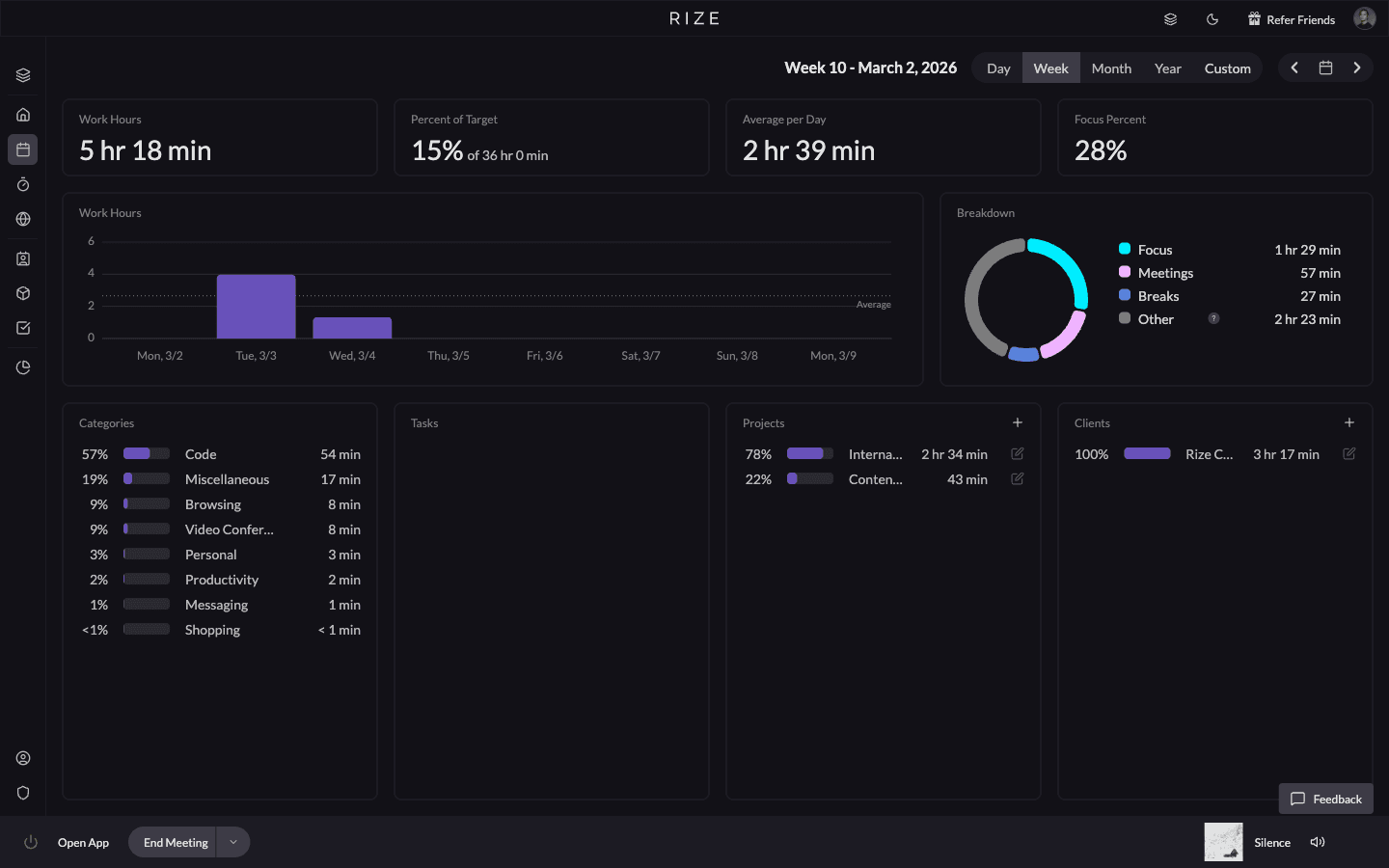
The first requirement is a usable draft of what happened, not an employee activity score. With Rize, background capture uses desktop metadata without screenshots or keystroke logging by default. The person reviews the proposed client and project assignments before approved time feeds team reports.
The operational goal is a repeatable reporting cutoff. A report that arrives promptly but omits pending work is not automatically more useful than a late report. Show review completeness beside the totals so the account lead knows whether a low-burn client is actually under budget or simply awaiting review.
Which tools fit different agency workflows?
Rize and Timely address capture and drafting, while Memtime, Toggl, and Harvest suit different existing logging and billing processes.
| Tool | Agency use case | Pilot question |
|---|---|---|
| Rize | Drafted client time with approved-time burn and allocation reporting | Can your ops lead reproduce the client report from reviewed entries? |
| Timely | Automatic capture and AutoSheet project allocation | How well do drafts distinguish recurring accounts and shared tools? |
| Memtime | Local activity recall feeding an existing project system | Does the connector preserve your client and project structure? |
| Toggl | An existing Toggl team adopting Timeline and drafting features | Can the team complete review without rebuilding every entry? |
| Harvest | Time entry, project budgets, and invoicing in one established process | Is missing capture still the problem after the billing workflow is configured? |
Harvest is included as a billing-oriented alternative, not as an equivalent automatic desktop-capture product. The distinction helps avoid replacing a working invoice process merely because another product has a better capture interface.
When does Rize fit an agency?
Rize fits an agency that needs reviewed project time across desktop tools before it can trust client burn and allocation reports.
An agency rarely delivers the whole scope inside its project-management application. Research happens in a browser, design in a creative application, and account conversations in email or chat. Rize's automatic capture workflow records desktop activity metadata without screenshots or keystroke logging by default, then drafts time for the person to review.
Evaluate the structure before the visuals. Set up actual clients, engagements, and the reporting categories your operators use. If your firm distinguishes strategy, creative production, account management, and revisions, make sure those categories have consistent definitions rather than asking people to infer them each week.
Rize's agency time tracking workflow is worth evaluating when the missing input is time, not a new task board. Keep the existing planning system unless you have separately established that a replacement is needed. More software migration is not a condition for learning where delivery effort goes.
How should agencies compare Timely and Memtime?
Compare Timely for drafted project timesheets and Memtime for a local activity record that supports your existing project workflow.
Timely documents automatic capture, AutoSheet allocation, private timelines, and sharing of user-approved entries. Those capabilities make it a real team alternative. Ask it to produce the same client-period report as Rize, using the same account structure and correction examples.
Memtime describes recording time in programs locally and creating project entries for export or synchronization. That can suit an agency whose project and billing setup already works but whose people need a reliable way to reconstruct the day.
For either option, test one client with several simultaneous projects. A total for the right client can still conceal an overrun on one fixed-fee deliverable. Check whether correcting the project changes the report in the expected period and whether the billing destination receives the intended update.
Should an agency keep Toggl or Harvest?
Keep Toggl or Harvest when the current workflow meets the reporting requirement and a pilot does not show enough benefit from migration.
Toggl's My Activity guide now documents an Activity Timeline, suggested time logs, and Auto-log day drafts. Treat the old shorthand that Toggl has no automatic capture as outdated. Test the settings and device support your team actually has, then measure how much work remains between a draft and a usable client entry.
Harvest's feature documentation covers time tracking, project budgets, timesheet approvals, and invoicing. It also describes copying invoices and payments to QuickBooks Online or Xero. That is a specific billing workflow, not a generic promise that all time and accounting data synchronize in both directions.
The switching decision depends on the failure you are fixing. If your hours are already complete and you only need simpler invoicing, automatic capture may not be the highest-value change. If invoices work but hours are missing, evaluate capture without assuming the invoicing system must also move.
What should a retainer burn report show?
A retainer burn report should compare reviewed delivery hours with the plan for the same client, scope, and reporting period.
Use a clear unit. Hour burn compares hours used with hours planned. Cost burn compares delivery cost with a cost budget. Delivery margin compares the fee with the relevant delivery costs. Switching between those units can make the same account appear over or under budget depending on the chart.
For illustration, an account with 80 planned hours and 100 reviewed delivery hours has used 125% of its hour budget. If its monthly fee is $12,000 and delivery labor costs $60 per hour, those 100 hours cost $6,000. Labor-only delivery margin is 50%, before other direct costs and overhead. These are illustrative inputs, not a customer result.
That calculation creates a decision, not a verdict about an employee. Check whether the overrun came from an extra deliverable, unclear approvals, avoidable revision cycles, or a plan that never included account management. Use the retainer burn tracking guide to keep the calculation and the client conversation separate.
How do you test client attribution before rollout?
Test client attribution with shared tools, ambiguous project names, internal work, and corrections before trusting agency-wide totals.
Choose representative people from delivery, account management, and operations. Give them the same review instructions, but do not simplify their workday to make the software look accurate. The difficult examples are the ones that determine whether the system will be used after the pilot.
Include research with no client name in the window title, a meeting that moves, a shared internal channel, and work for two projects under the same client. Ask participants which draft assignments they changed and why. Record whether review becomes easier as the project structure and rules improve.
Check offline work explicitly. A call taken away from the laptop or an in-person workshop will not be represented adequately by application activity alone. Define how that time enters the review process and how overlapping records are corrected before reports are shared.
How should the ops lead evaluate reporting and privacy?
The ops lead should verify report reconciliation and role-based visibility separately, because complete totals do not prove appropriate access.
Reconcile a sample person's approved entries with the project total, then reconcile the project with the client-period total. Keep pending review visible as a completeness issue rather than silently treating it as zero effort. Check whether an entry corrected after the cutoff changes a previously shared report.
Then use a participant account and an administrator account to inspect what each can see. Raw application history and approved client entries are different data. Review exclusions, sensitive window titles, and optional context settings with the people who will use the software.
Finally, compare actuals with future commitments. A light week in the historical report does not establish availability if the next week is already booked or the person is on leave. The agency resource planning guide explains why actual time and scheduled capacity should inform each other without becoming the same measure.
What should be settled before buying for 2027?
Settle the reporting owner, review cadence, migration boundary, required features, and current price before buying an agency time tracker.
Write down which system owns the client list, project names, budget, and invoice. A connector should have a defined job and direction. Ask what happens to duplicates, archived projects, and changed client codes before those cases appear in a live reporting period.
Request current team pricing for the features you used in the pilot, not an entry-level price that excludes the report or approval workflow. Include the time spent reviewing drafts and producing client reports in the comparison. Do not justify the purchase with a recovered-hours percentage you have not measured.
Choose the product that makes your actual scope decisions easier. A completed timesheet is an input. The useful outcome is knowing which account needs a scope conversation, which estimate needs changing, and which apparent capacity gap comes from unreviewed time rather than spare delivery hours.
Test your agency's burn report in Rize
Bring one client, a staffing plan, and the report your ops team uses. Compare reviewed actuals with planned delivery.
“Rize has been a no-brainer for me.” — Ali Abdaal Read more →