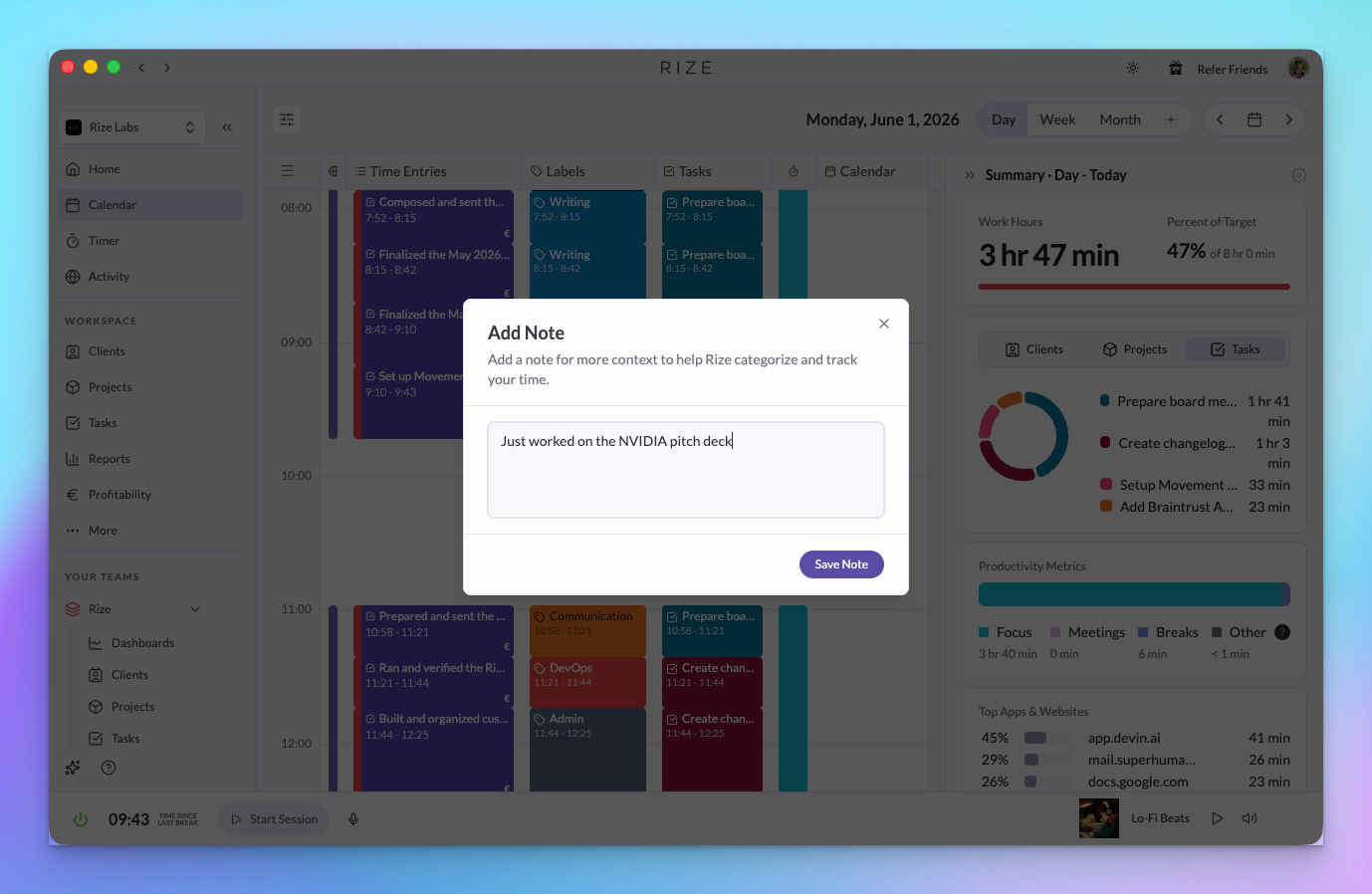
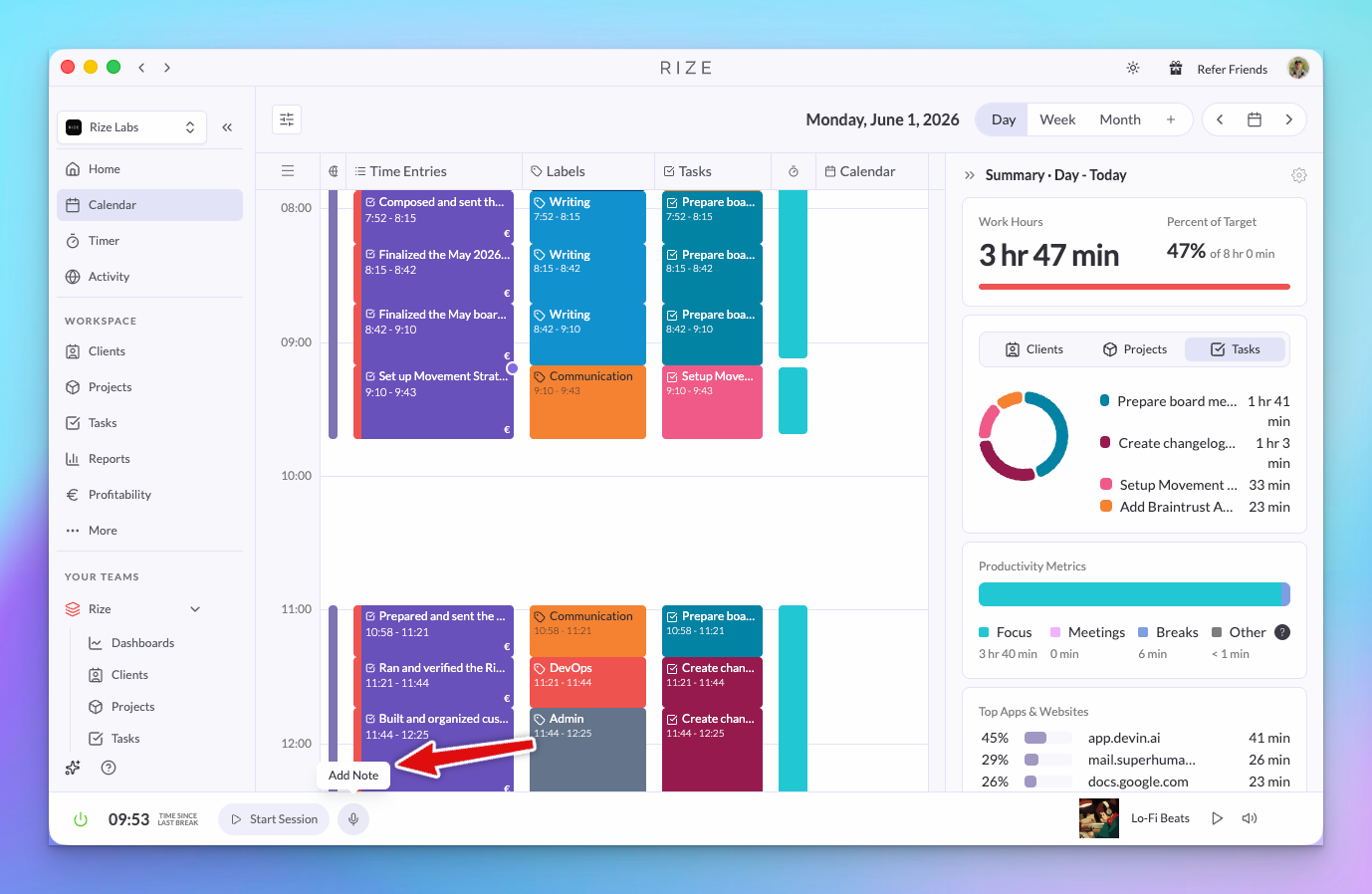
You can now add notes to your timeline. Just click "Add Note" from the bottom of any time entry and add any additional context there.
NEW
Add notes to any time entry
Click on a time entry and add a note. Use it for:
- Adding context that Rize's AI may have missed when creating your time entries
- Providing details that feed into AI-generated summaries
- Giving extra signal for automatic tagging rules
- Leaving context for your admin or team lead
- Annotating entries for invoicing or client reports
Notes are saved with the entry and show up in reports and CSV exports — so the context travels with the data, not just in your memory.
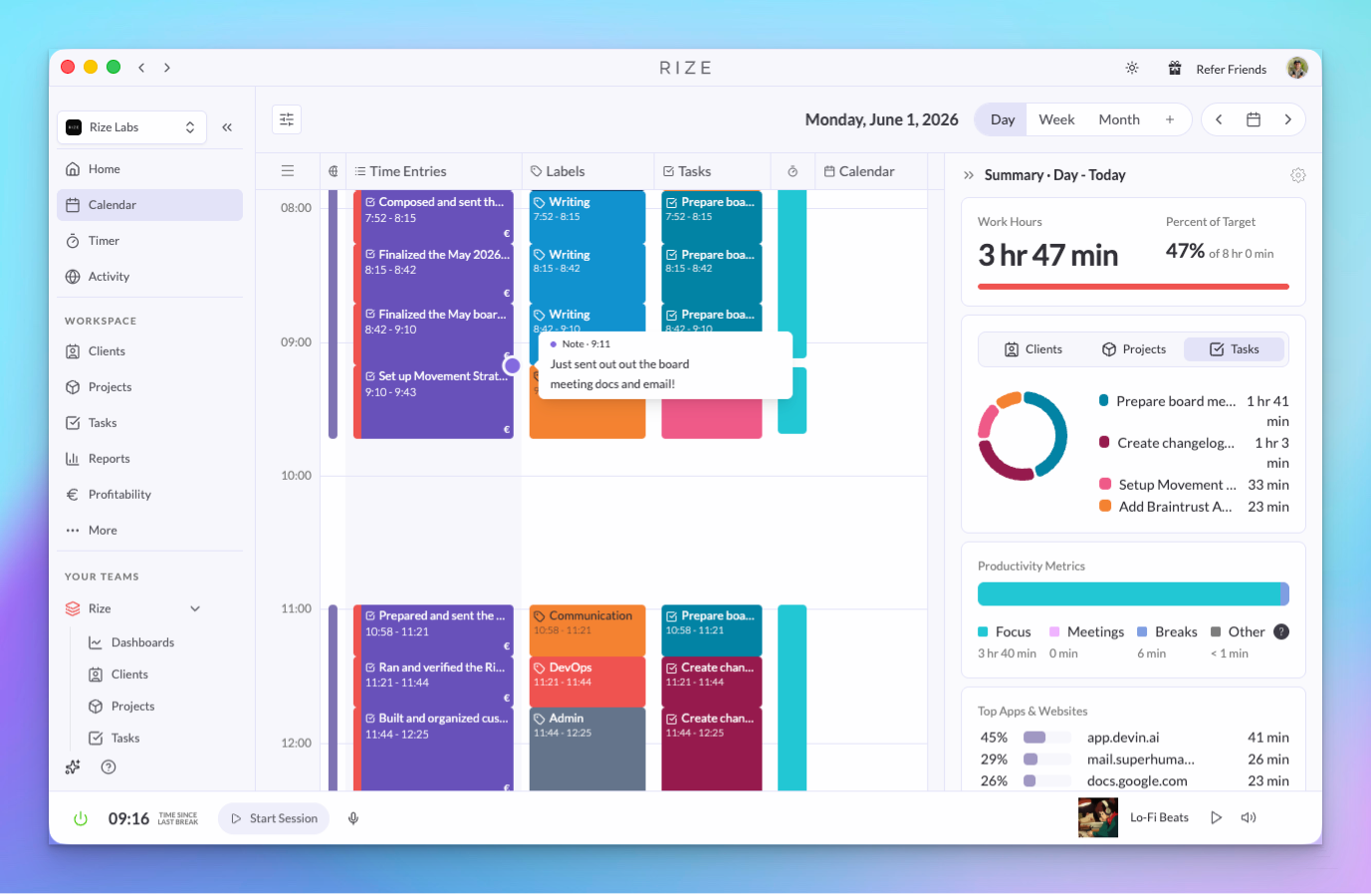
You can also see your notes on the timeline as small dots — hover over them for a quick preview without opening the entry.
Whether you're a solo user adding reminders for yourself or a team admin reviewing someone else's hours, notes make it easy to capture the "why" behind the time — not just the "how much."
WHY THIS MATTERS
- Better AI time entries — Rize uses your notes when generating time entries, so the more context you add, the more accurate your entries get
- Smarter auto-tagging — Notes feed into your automatic tagging rules, helping Rize assign the right client, project, or task
- Cleaner invoices — Add "what I worked on" to each entry so your exports and client reports have real context, not just hours
- Team communication — Leave a note for your admin explaining why something took longer or what you focused on
Timeline Notes is currently in beta. Let us know what you think — we'd love your feedback.