The Rize Slack Agent is here (beta). Ask questions about your time tracking data directly in Slack — same AI, same data, no context switching.
NEW
Chat with the Rize Slack Agent
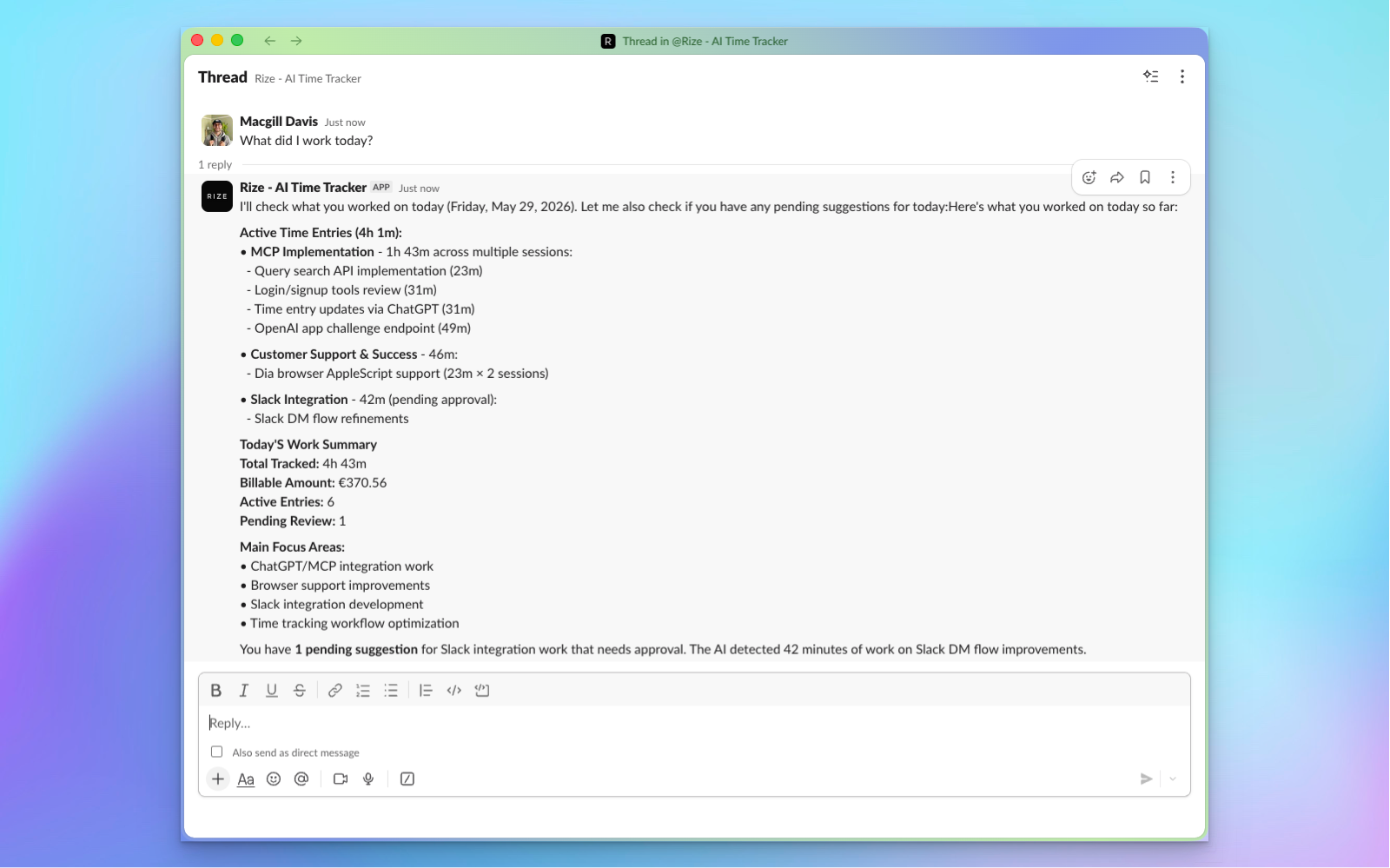
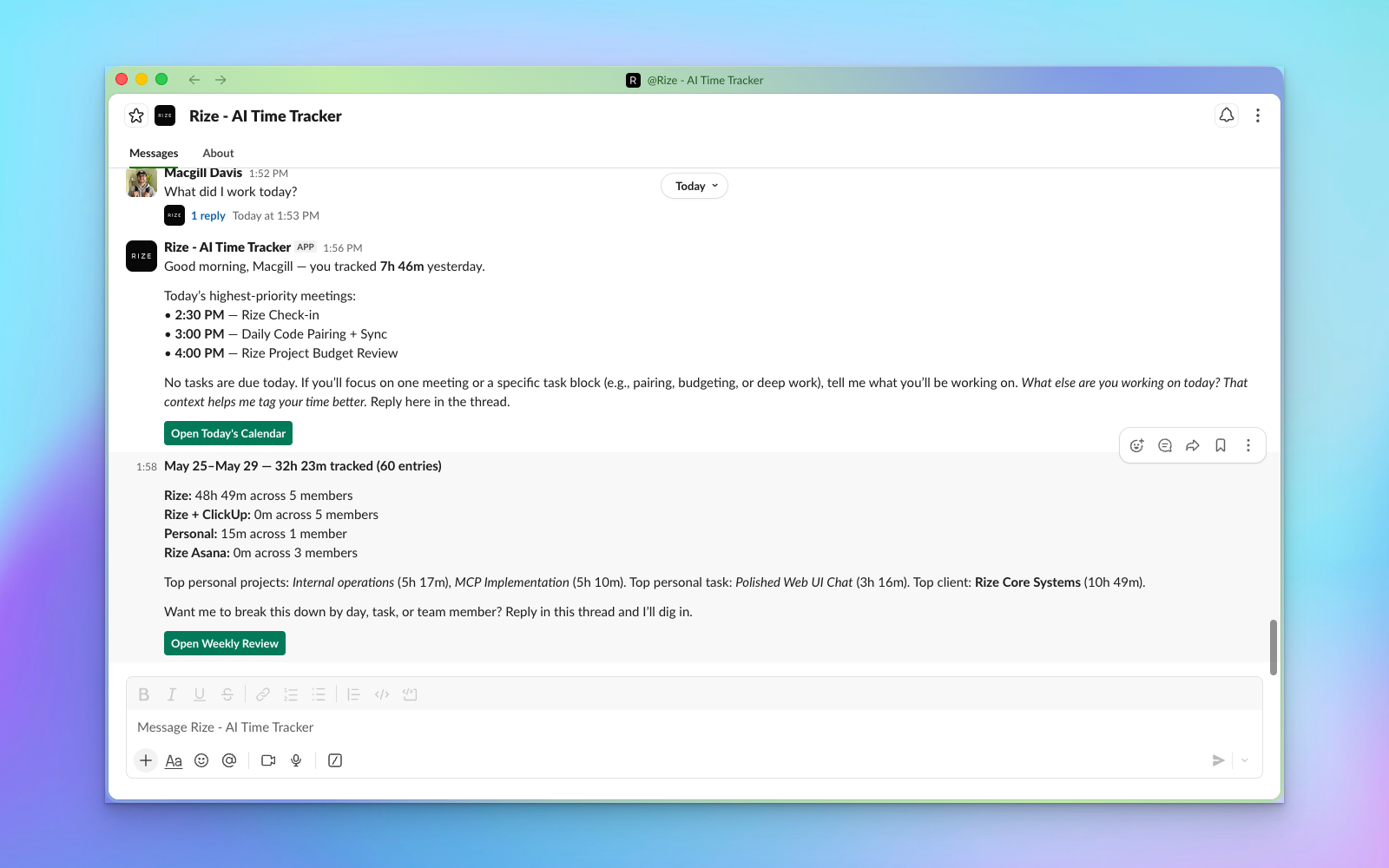
Install the Rize Slack Agent, mention @Rize in any channel or DM, and ask a question. The same AI that powers MCP chat in Claude, ChatGPT, and the Rize web app is now available where your team already communicates.
Use it for:
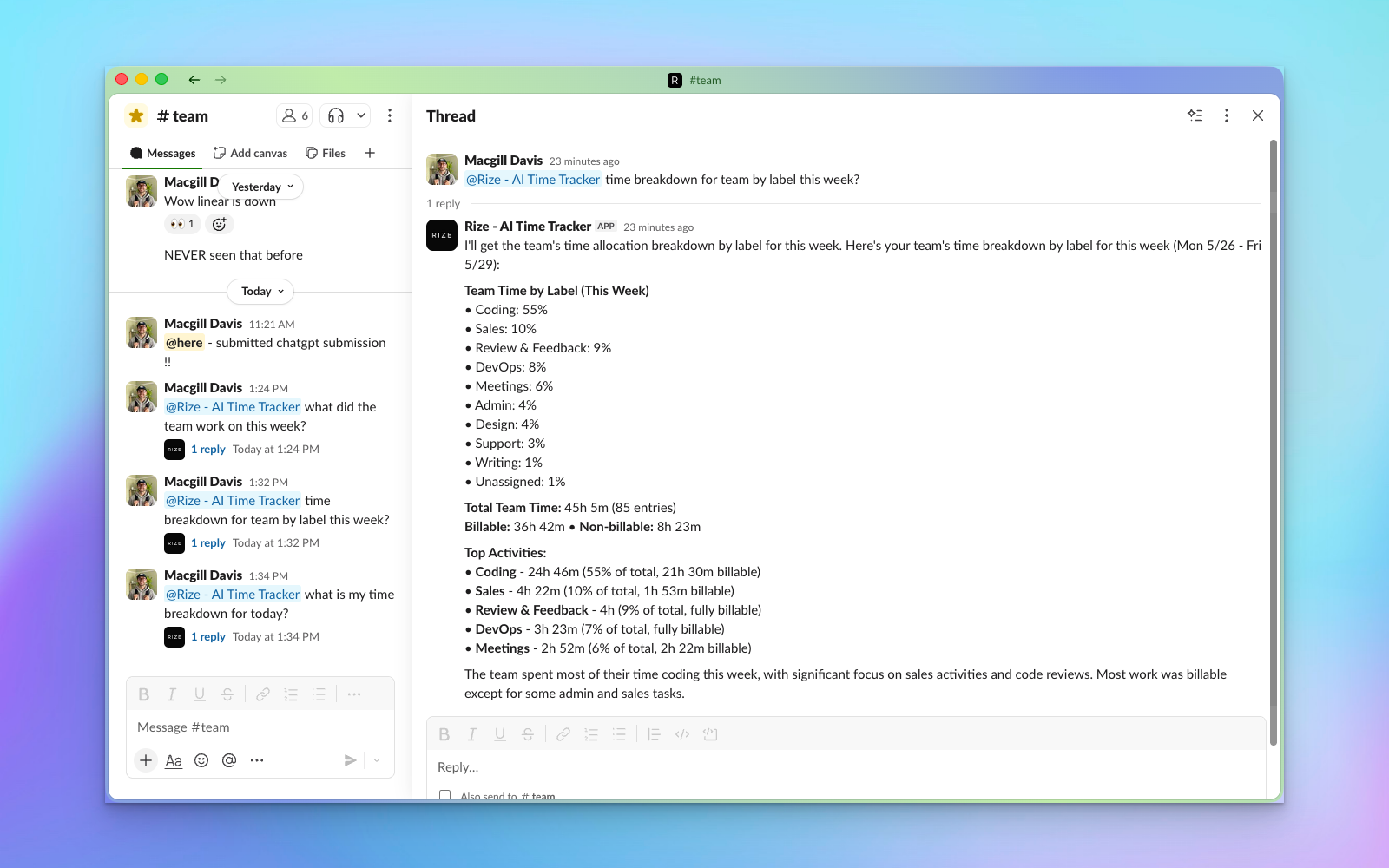
- Quick status checks — "How many hours has the team logged this week?"
- Project updates — "What's the billable total for Project X so far?"
- Personal tracking — "What did I work on yesterday?"
- Standups — Have Rize summarize each team member's day in your standup channel
Responses are grounded in your real Rize data — not generic answers. The app respects your workspace permissions, so team members only see data they have access to.
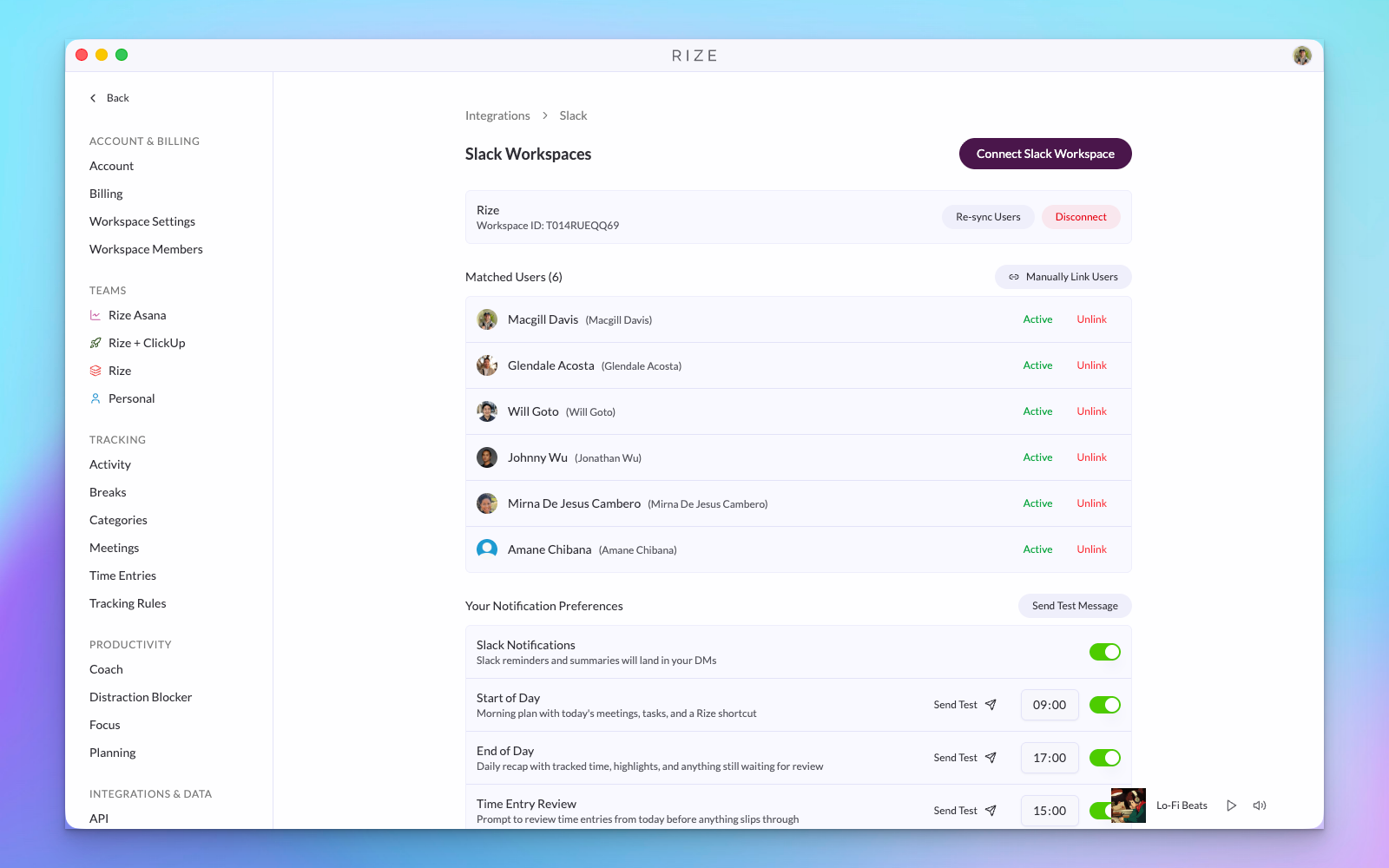
Getting started: You can connect the Slack Agent in Settings → Integrations. You'll need to be an admin of both your Slack workspace and your Rize org to set it up.
WHY THIS MATTERS
- Agency owners running standups — Drop @Rize into your standup channel and get each team member's hours summarized before the call starts
- Project managers checking budgets — Ask "How many billable hours has the team logged against Project X?" without leaving the conversation
- Team leads monitoring capacity — "Who's over 40 hours this week?" answered in seconds, right in Slack
- Freelancers tracking their own time — Quick end-of-day check: "What did I work on today?" without opening another app
The Slack Agent is currently in beta. If there's anything we can improve, please shoot us a message — we'd love to hear from you.