Resourcing is the planning side of Rize. It puts scheduled work and tracked work on the same grid, so utilization is measured against a plan instead of guessed.
WHAT IS IT?
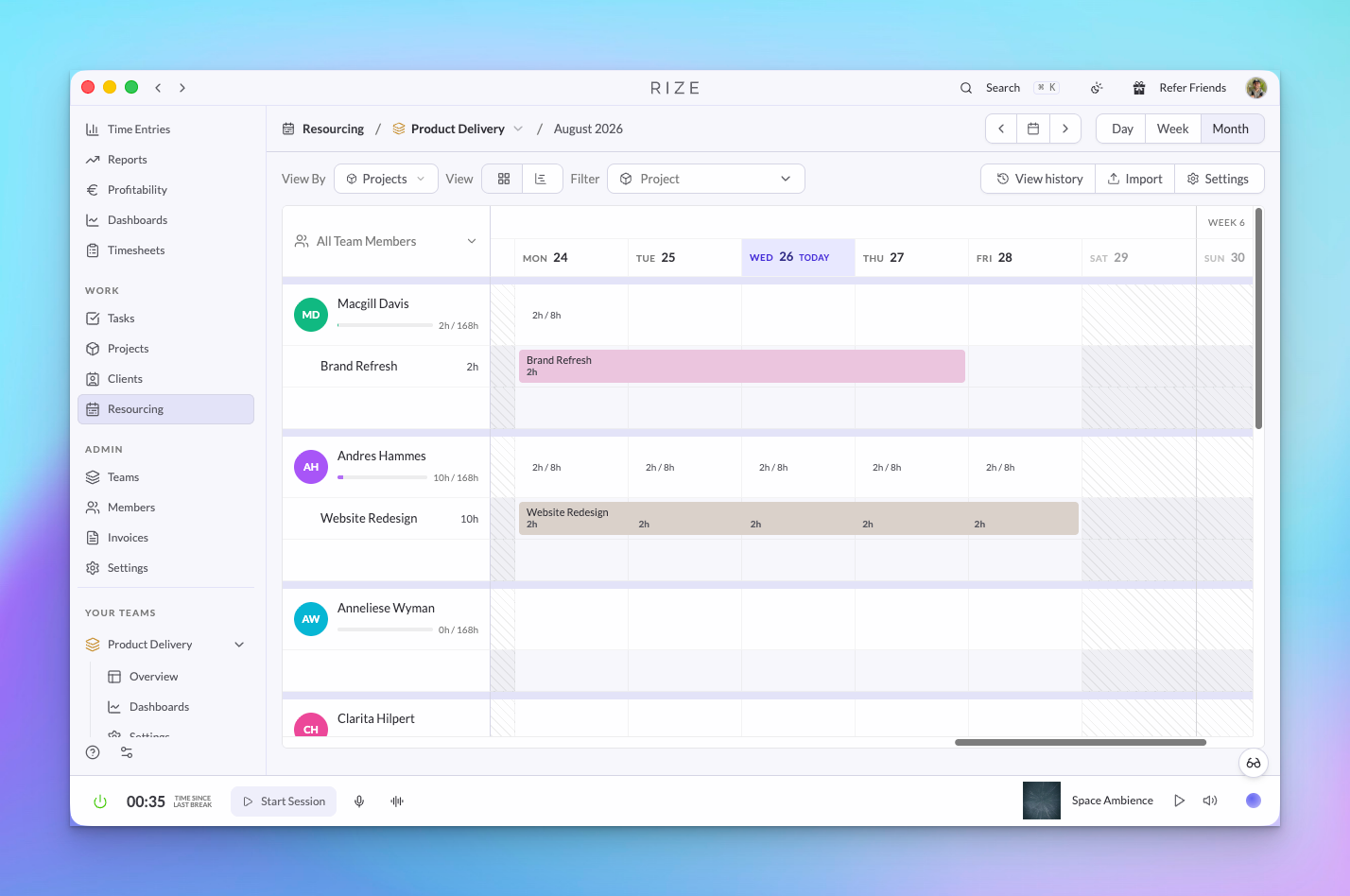
Resourcing is a page for each team and for the whole organization where you schedule assignments per member by day and week, set working days and holidays, and see scheduled hours next to the hours Rize tracked automatically. Capacity, allocation, and utilization come from that comparison.
WHY IS IT IMPORTANT?
Planning tools know what was scheduled. Time trackers know what was logged, if anyone logged it. Neither knows what actually happened. Rize captures the work, so the plan is checked against reality every day, and the ops lead can see who is over capacity while there is still time to move work.
NEW
Scheduled assignments by member and week
Add an assignment to a member for a client, project, or task with hours per day and a date range. Drag across days to select a range, edit or resize an assignment in place, assign PTO, and clear a period when the plan changes. Each member row shows allocated hours against capacity, and each day shows its load.
Scheduled versus tracked
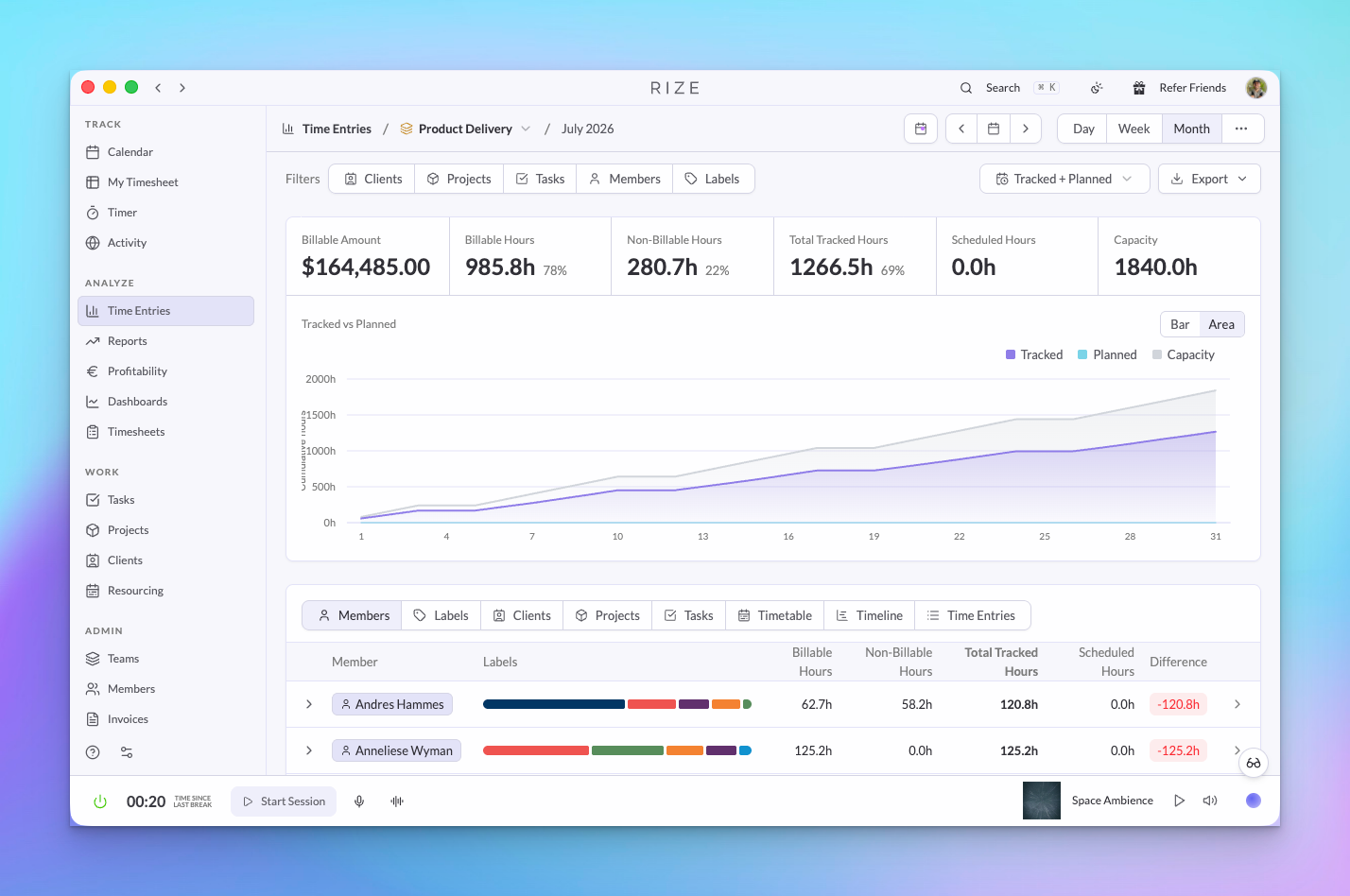
Allocation bars on the Resourcing page show scheduled hours and tracked hours side by side per client and project, with a warning when a plan exceeds the budget. The Time Entries report has a Tracked + Planned view that charts tracked hours against planned hours and capacity for the period, with scheduled hours and the difference per member.
Working days, public holidays, and company days off
Planning settings define the working week, public holidays, and company days off, so capacity is calculated from days people are actually available.
Import a plan from CSV
Bring an existing schedule in from a spreadsheet or another planning tool. Upload a CSV, preview how each row maps to members and projects, then commit the batch. The same import is available in the public API as create_planned_time_allocations.
Planning history
Every change to the plan is recorded, so you can see who moved what and when.
Organization view
The organization Resourcing page shows every team's plan in one place, with a team selector and the same client, project, and task filters as the team page.
Capacity on timesheets
Team Timesheets show capacity signals per member so the same plan is visible where time is reviewed.
Allocation in the Agent, API, and MCP
Ask the Rize Agent who is over capacity next week, or read planned and tracked allocation through the API and MCP with planned_time_allocations, time_allocation, and workspace_time_allocation.
USE IT FOR
- Weekly capacity planning across a delivery team
- Checking a retainer's planned hours against what was delivered
- Moving work off an over-allocated member before the week starts
- Migrating a plan from a spreadsheet or another resourcing tool
- Giving an ops lead planning access on one team with the Resourcing grant
Resourcing is available to organization admins, team admins, and members with the Resourcing grant on that team. See Teams, Members, and Permissions for how grants work.