We just shipped a set of quality-of-life improvements that make reviewing and tagging your time significantly faster.
Batch Actions for Time Entry Suggestions
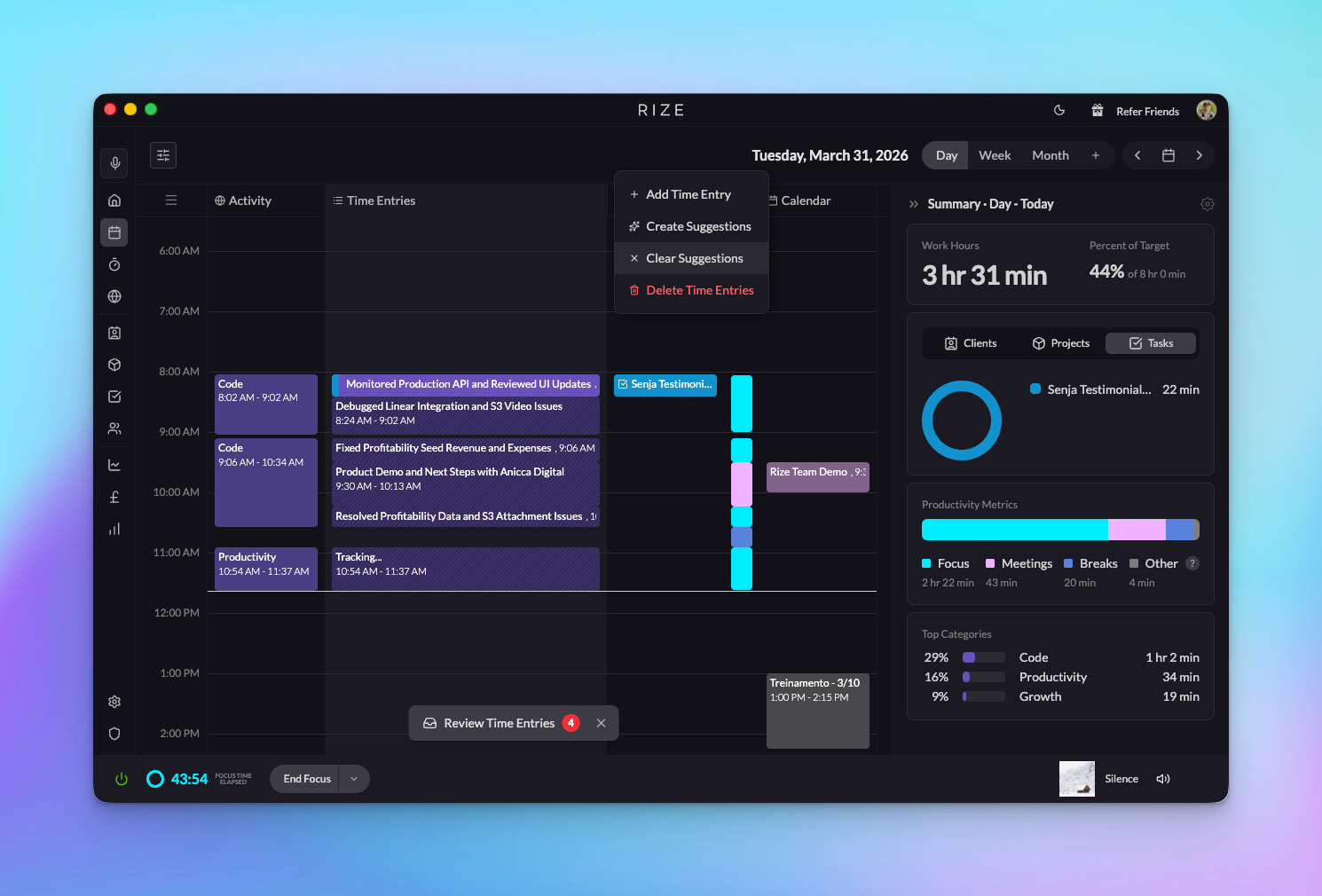
You can now multi-select time entry suggestions and take actions on them all at once — no more clicking through entries one by one.
How It Works
- Hold ⌘ (Mac) or Ctrl (Windows) and click to select multiple suggestions — selected entries highlight in purple.
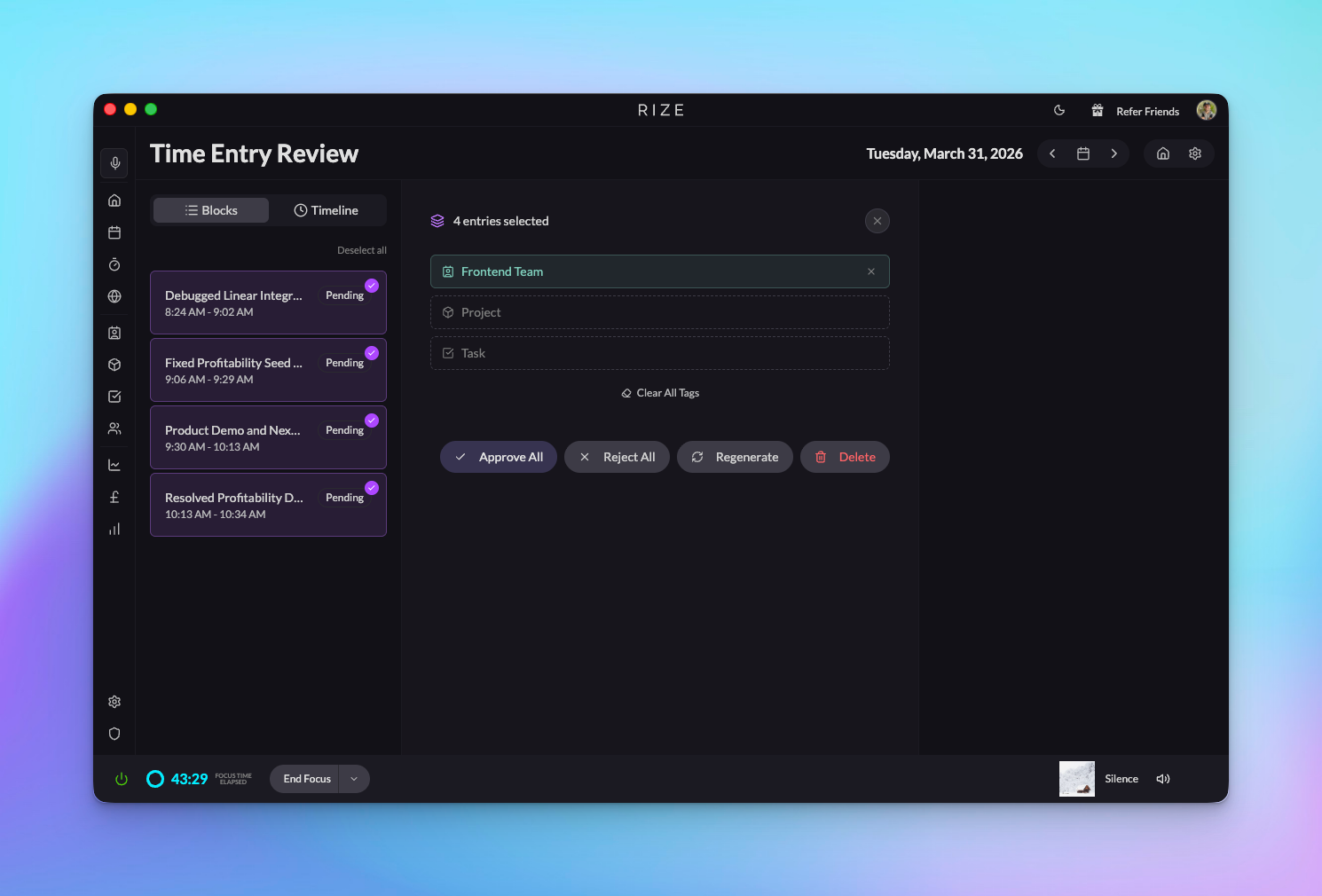
- Batch tag — assign or clear clients, projects, and tasks across all selected entries at once.
- Batch approve — approve all selected suggestions with one click.
- Batch delete — remove unwanted suggestions in bulk.
- Batch recreate — regenerate suggestions for selected entries.
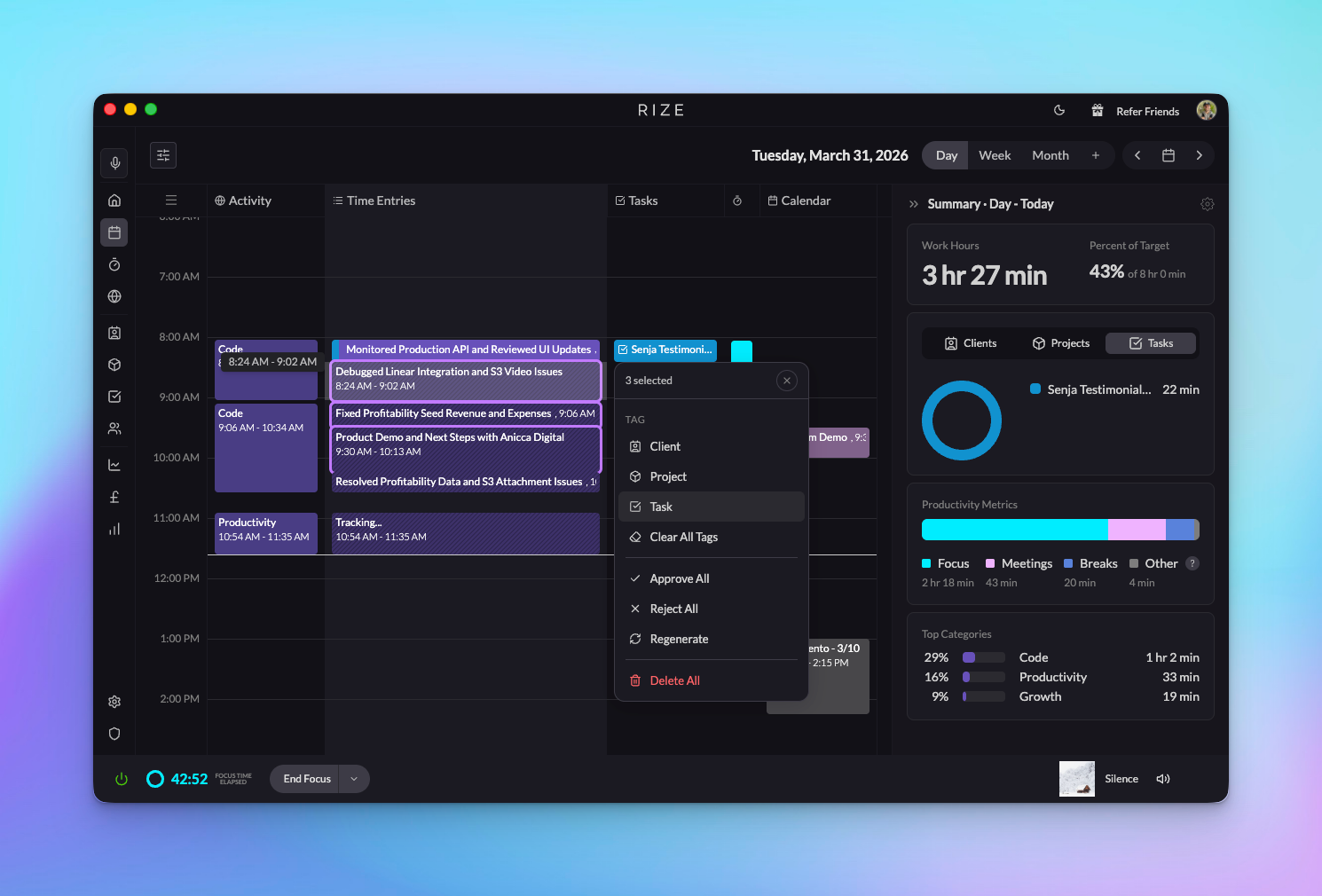
Batch actions also work in the timeline view. Use Select All or Option-click to pick specific entries, then tag or approve them from the top bar.
Improved Activity Clustering
We've upgraded our algorithm for detecting different activities. Previously, Rize used K-Means clustering to group your raw activity into time entries. We've switched to an activity-change detection approach that produces more accurate and natural groupings — entries that better reflect when you actually shifted between tasks.
Time Entry Grouping Control
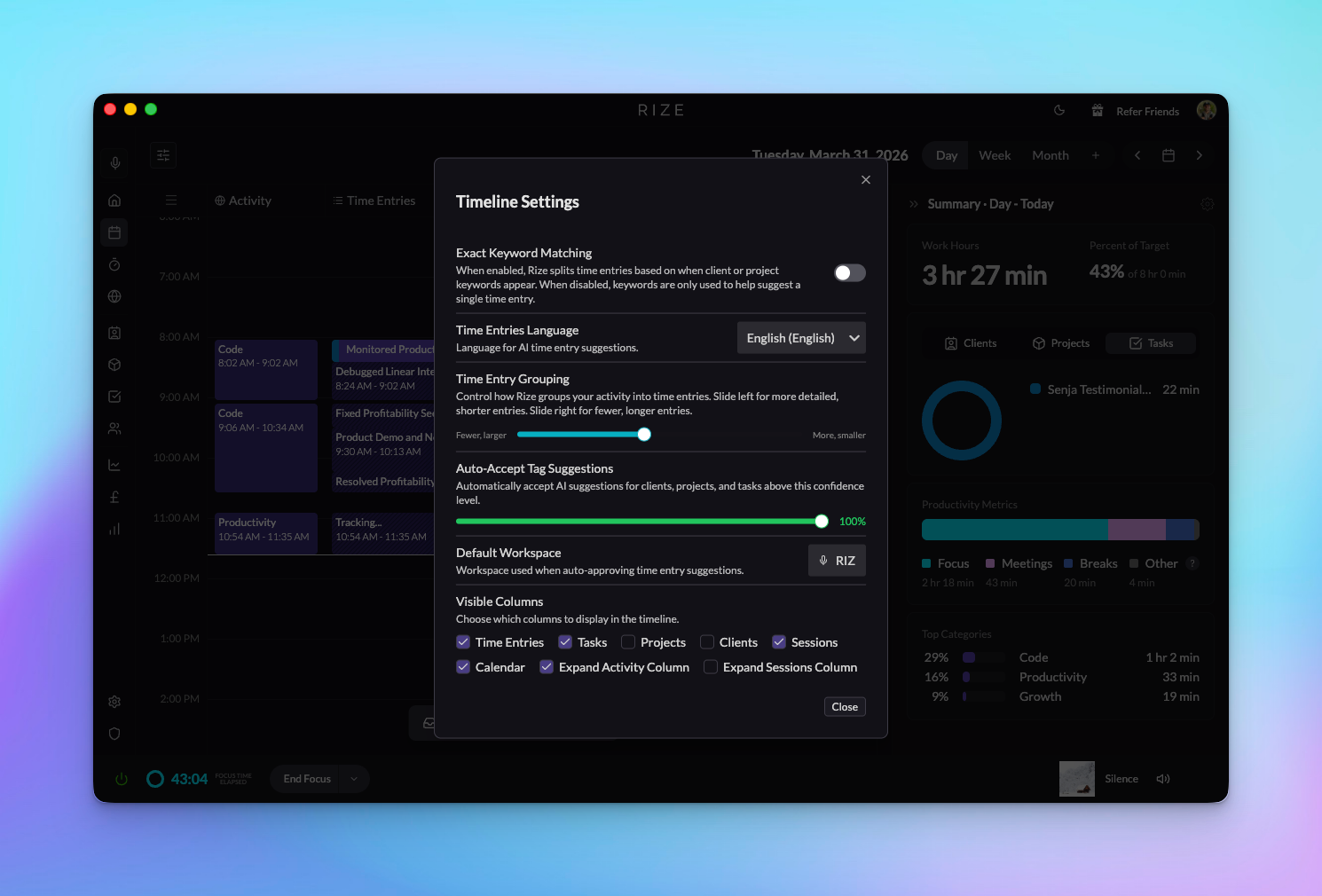
A new Time Entry Grouping setting lets you control the size of your time entries:
- Slide toward more, smaller for granular entries that capture each individual task.
- Slide toward fewer, larger for broader entries that combine related work.
Everyone starts at the middle, which we've found to be a great default. After adjusting, clear your current suggestions and recreate them to see the difference.
These updates are live now — give them a try and let us know what you think.