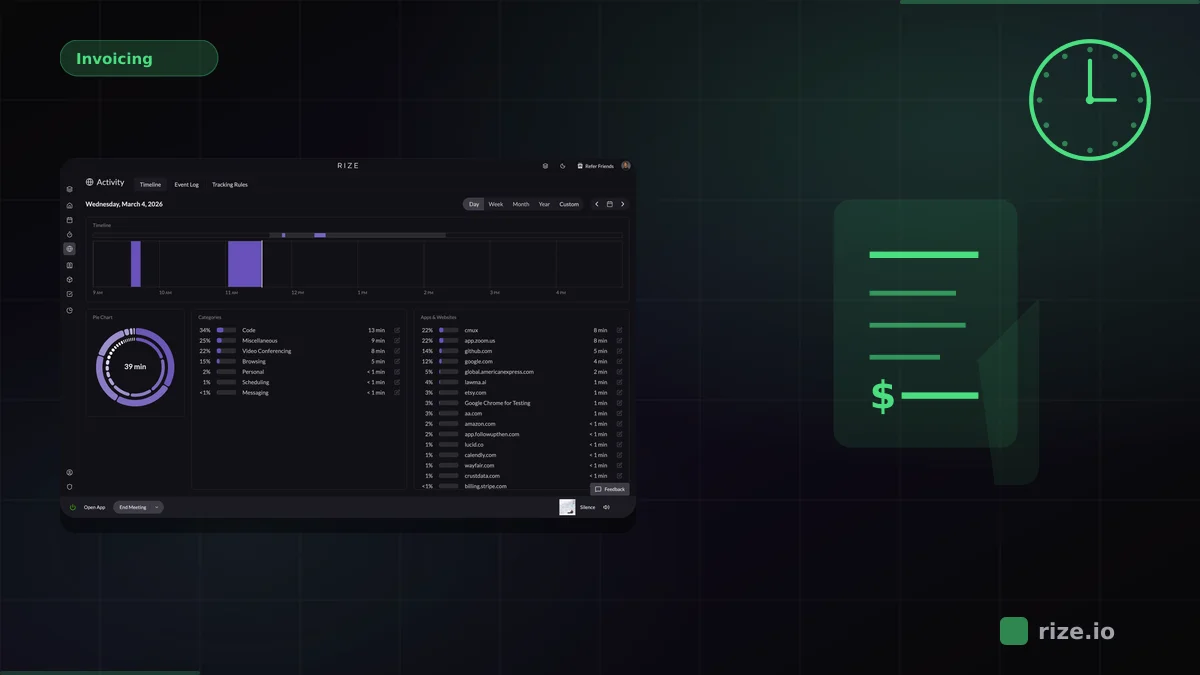
Rize is an automatic time tracker that captures every work session in the background — including time spent in Notion. It detects which Notion pages you work on, categorizes that time by project, and produces accurate reports without any timers to manage. No Notion plugin or database widget required.
If you use Notion for project management, documentation, or client work, you have probably tried tracking time with database properties, formula fields, or third-party widgets. These approaches all share the same problem: they depend on you remembering to log hours. Automatic time tracking removes that bottleneck entirely.
Quick Answer
Rize is the best time tracker for Notion users because it works alongside Notion without requiring a direct integration. It runs in the background, detects Notion activity by page title and URL, and assigns time to the correct project using AI. No timers, no browser extensions, no database formulas.
Why Notion Users Need a Separate Time Tracker
Notion is a flexible workspace for docs, wikis, and project management, but it has no built-in time tracking. The common workarounds — manual database entries, formula-based timers, or Pomodoro templates — all require you to remember to log time while you are working.
The gap between actual work and logged work is where billable hours disappear. Forgotten timers, rounded-down entries, and short tasks that never get logged compound across a team and a week — for an agency billing $150/hour, unlogged hours turn into real unrecovered revenue. According to the Harvard Business Review, inaccurate time tracking costs the U.S. economy an estimated $7.4 billion per day in lost productivity.
Notion users face an additional challenge: work happens across many tools. A typical project might involve Notion for specs, Figma for design, and Slack for communication. Gloria Mark's research at UC Irvine found it takes roughly 23 minutes to refocus after a context switch. Adding timer management on top of that only makes things worse.
How Rize Works Alongside Notion
Automatic time tracking means Rize runs as a desktop app and detects which applications, browser tabs, and documents are active — including Notion pages. It logs time based on what you are actually doing, not what you remember to record.
Here is how it works in practice:
- Install Rize on macOS or Windows and let it run in the background.
- Work in Notion (and any other tools) as you normally would.
- Rize detects Notion page titles and URLs from your browser or desktop app.
- AI categorization assigns each work session to the correct project or client.
- Pull time reports by project, client, or date range from the Rize dashboard.
- Optionally, connect the Rize-Notion integration via Zapier to push categorized time entries into your Notion databases. Rize's Notion connection is Zapier-based, not native — the automatic capture itself needs no integration at all.
Because Rize tracks at the operating system level, it captures time across every tool in your stack — not just Notion. Figma, Slack, Google Docs, and Notion all flow into the same project timeline without extra configuration.
Rize vs Manual Notion Time Tracking Methods
Manual Notion time tracking methods require active participation from every team member. Rize captures time automatically with no user action needed, producing more accurate data with less friction.
| Feature | Rize | Notion Database Timers | Toggl + Notion | Clockify + Notion |
|---|---|---|---|---|
| Time capture method | Fully automatic (background) | Manual database entry | Manual start/stop timer | Manual start/stop timer |
| Tracks non-Notion work | Yes (all apps and browsers) | No | Only when timer is running | Only when timer is running |
| AI categorization | Yes — auto-assigns to projects | No | No | No |
| Setup required | Install desktop app | Build database + formulas | Browser extension + account | Browser extension + account |
| Privacy model | No screenshots or keylogging | N/A | No screenshots | No screenshots |
| Pricing | From $23.99/mo (Pro, annual); $29.99/seat/mo (Team, annual) | Free (part of Notion) | Free tier; Starter $9/user/mo | Free (5 users); Pro $7.99/user/mo |
What Automatic Capture Means for Billing Accuracy
Automatic time tracking captures every minute of work without relying on manual input, recovering the billable hours that timer-based methods miss. Teams using automatic capture report significantly higher billing accuracy than those using manual timesheets. A study published in the Journal of Occupational Health Psychology (PMC) found that self-reported work hours deviate from actual hours by up to 10%, with most workers overestimating time on primary tasks and underestimating time lost to interruptions.
Momentum Studio, a 12-person creative agency, recovered 20% more billable time after switching to Rize. Their CEO Ben Jackson said: "I'm a trusting leader, but I don't even trust myself to remember what I worked on two days ago. So how can I expect my designers to?"
Impulse Lab, a 6-person product studio, reached 98% billing accuracy with Rize. Their CEO Leonard Roussard noted that he installed the app and forgot it was running for two weeks — and when he came back, everything was tracked.
For Notion-heavy teams, this means all the time spent writing specs and updating project boards gets captured automatically. No end-of-week guessing about how long that strategy doc took.
Focus Analytics Beyond Time Tracking
Rize goes beyond billing by showing you when you do your best focused work, how often you context-switch, and where your time actually goes across tools. These focus and productivity insights help Notion users understand their work patterns, not just log hours. According to a McKinsey Global Institute report, knowledge workers spend 61% of their workday on work coordination tasks like email, chat, and status updates rather than skilled, focused work.
Rize also integrates with Google Calendar and Outlook to track meeting time automatically. Combined with Notion activity tracking, you get a complete picture of how your workday breaks down between meetings, focused work, and communication.
Pricing and Getting Started
Rize offers four plans (annual billing): Basic at $9.99/month, Pro at $23.99/month with AI categorization and automatic time tracking, Max at $39.99/month with the highest usage limits, and Team at $29.99/seat/month with team dashboards and project profitability reporting. All plans include a free 7-day trial.
For Notion users who want accurate time data without changing their workflow, the setup takes under five minutes:
- Download Rize and create your account.
- Let it run in the background for a day while you work in Notion and your other tools.
- Review your first automatic time entries and set up project categories.
- Pull your first time report — filtered by project, client, or date range.
Within a week, Rize's AI learns which Notion pages, apps, and documents map to which projects. From that point, your time data is accurate without any manual effort. You can compare plans or start a free 7-day trial to test it with your Notion workflow.
Start tracking time automatically
Join thousands of professionals who stopped guessing where their time goes. Free for 7 days.
“Rize has been a no-brainer for me.” — Ali Abdaal Read more →