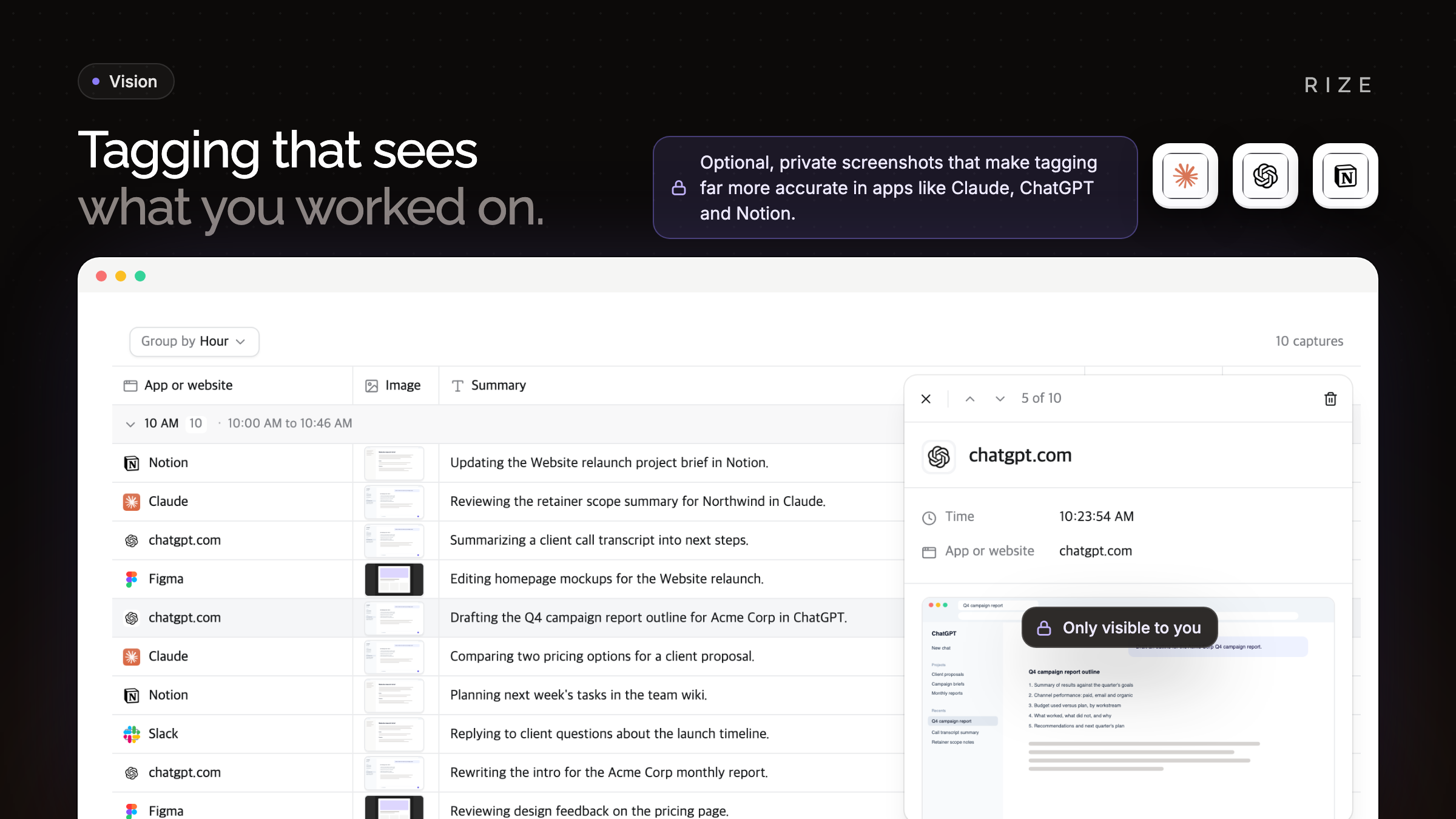
A window title like "Claude" or "Untitled" says nothing about which client you are working for. Vision fixes that. Vision is optional, private screenshots of the window you are working in. Rize uses what it sees to tag your time, which makes tagging far more accurate in apps like Claude, ChatGPT and Notion.
How it works
While you work, Rize takes a capture of the window in front of you every few minutes, writes a one-line summary of what was on screen, and uses that summary when it drafts your time entries. An hour in ChatGPT stops being "ChatGPT, 1h" and becomes time on the right client and project.
- Every capture is listed. Open Apps > Vision to see each capture with its app or website, time and summary. Group them by hour or by app, open one to read it in full, and delete any you do not want kept.
- You set the pace. Captures run every 5 minutes by default. You can change how often, down to once a minute.
You stay in control
- Optional. Vision is off until a workspace admin turns it on under Settings > Organization > Features. Each member can turn it off for themselves.
- Pick what it sees. Choose all tracked apps and websites, or only the ones you switch on. The apps and websites list is searchable, and one click turns everything off.
- Summaries by default. Rize keeps the AI-written summary of each capture, not the picture. Images are only saved if an admin turns on Save images, and then only that member can see their own. Sensitive screens are never saved.
- Short retention. Admins set how long captures are kept, from 1 to 30 days.
Turn it on
- An admin switches on Vision under Settings > Organization > Features and chooses whether it starts with all tracked apps or only the ones members pick.
- Each member reviews their own Vision settings, picks apps and websites, and can opt out.
- Keep working. New time entries start using what Vision saw.
Vision works in the macOS and Windows desktop apps, needs the Pro plan or higher (Profit on current team plans) and uses AI credits. Trials can try it too.