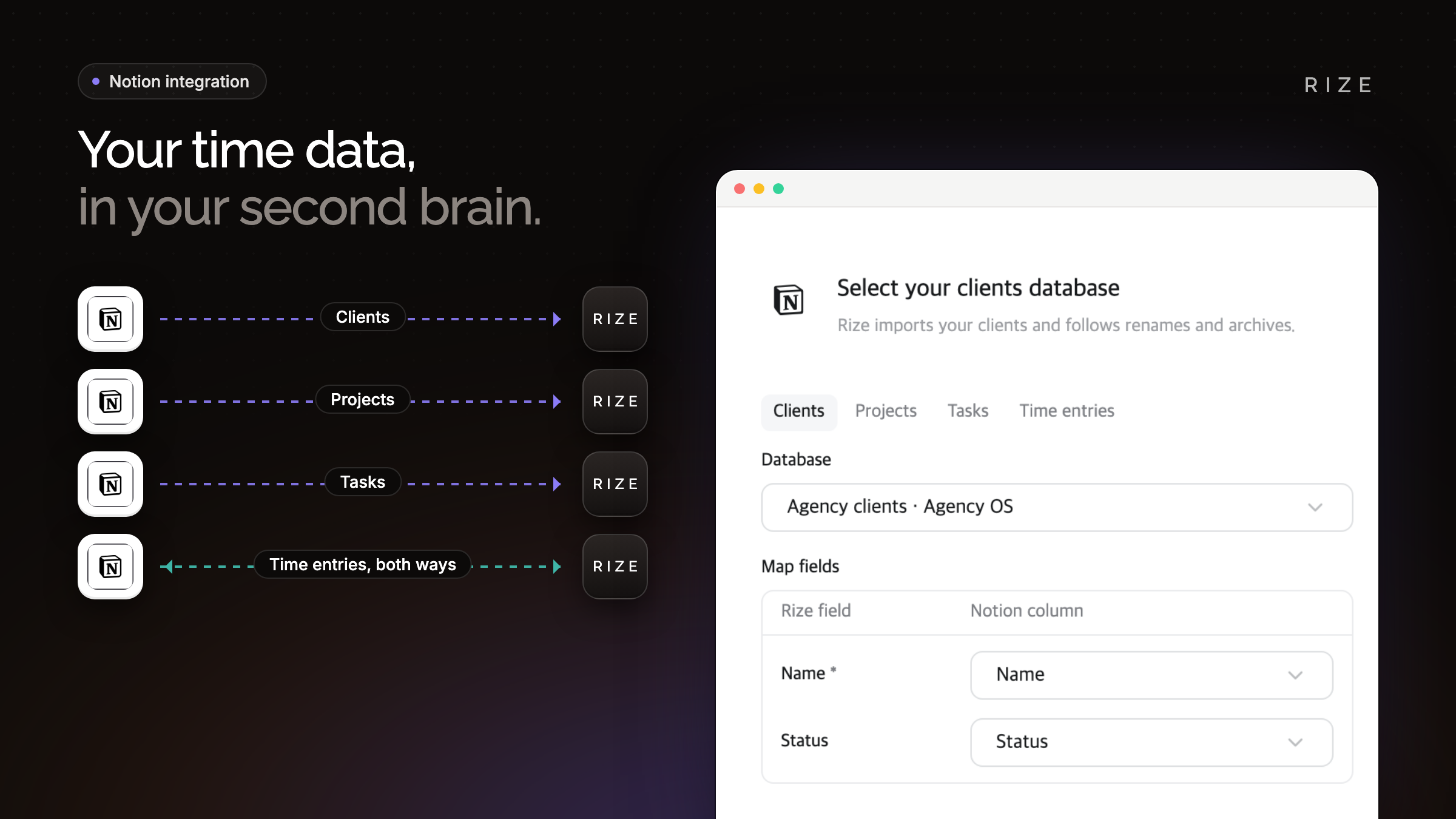
If your company runs on Notion, your time data can now live there too. The Notion integration imports your clients, projects and tasks from Notion databases and syncs time entries in both directions, so hours sit next to the work they belong to.
What syncs
- Clients, projects and tasks, from Notion into Rize. Pick the Notion database for each. Rize imports them and follows renames and archives, so Notion stays the place you manage them.
- Time entries, both ways. Time tracked in Rize lands in a Notion database, and edits made in Notion come back to Rize.
- Only what you want. Each of the four is optional. Sync clients and time entries and skip the rest if that is how your workspace is set up.
Set it up
- Go to Settings > Integrations > Notion and connect your Notion workspace. One connection covers the whole team, and it takes someone who is an admin in both Notion and Rize.
- Choose which Rize team the workspace syncs with.
- For clients, projects, tasks and time entries, select the Notion database and map its columns to Rize fields such as name, status, client and project.
- No database yet? Rize can create one for you inside the page you choose.
- Optionally import your Notion members, then choose Start syncing.
Why it matters
Once time entries live in Notion, they are just another database. Relate them to your project pages, roll hours up on a client page, or build a view of this week’s work by person. Your time data joins the rest of your company’s second brain instead of sitting in a separate tool.
The integration needs the Pro plan or higher. Tell us what is missing at support@rize.io.