A plan is only useful if it knows who is actually around. Planning now has a Capacity tab next to Plan, Utilization and Budgets, where you set each person’s weekly hours and see time off and public holidays in one place.
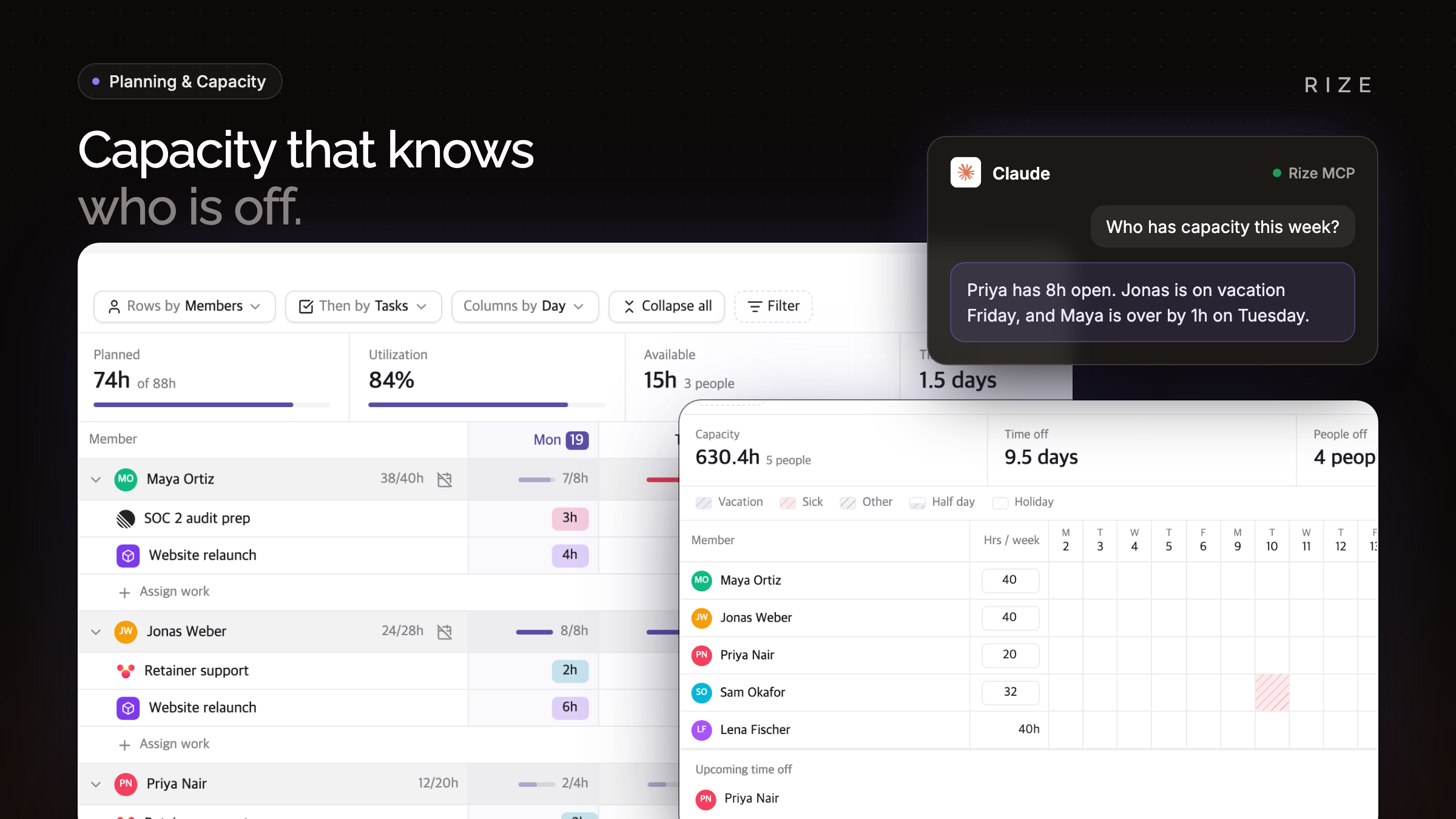
The Capacity tab
- Weekly hours per person. Set how many hours each member works in a week, or leave them on the workspace default.
- Time off. Add or clear time off for a day or a range, as vacation, sick, other or a half day. Members can add their own.
- Public holidays and closures. Holidays show by name and come out of everyone’s capacity automatically.
- Two views. Switch between Time off, which shows who is away and when, and Availability, a heat map of who is free, busy, full or overbooked.
- At a glance. Totals for capacity, days off, people off and holidays sit at the top, with upcoming time off listed underneath.
A better planning grid
- Group it your way. Rows by member, then by client, project or task. Columns by day, with totals by week or month and week numbers in the header.
- Plan from the day. Use the day menu to plan, move or clear hours, or to set time off without leaving the grid.
- See the gaps. Days off are hatched, overbooked days are flagged, and work nobody owns yet has its own unassigned row.
- Numbers that follow. Planned hours, utilization, available hours and time off update at the top as you plan.
Everything in the MCP
Every part of planning is available through the Rize MCP, so you can do it from Claude, ChatGPT or Rize AI:
- "Who has capacity next week?" reads each person’s weekly hours, planned time and days off.
- "Plan 6 hours a day on the website relaunch for Maya next week" creates the planned time.
- "Jonas is on vacation Thursday and Friday" sets the time off.
- "Move Priya to 20 hours a week" updates her weekly capacity.
Get started
- Open Planning and choose the Capacity tab.
- Set weekly hours for each person, then add any time off.
- Switch to Plan and assign hours by client, project or task. Capacity and utilization update as you go.
Planning is open to workspace and team admins, and to anyone given resourcing access. Members can set their own time off.