Managing team members just got a whole lot easier. We've launched a completely redesigned Members view that gives you a clean, comprehensive way to manage your workspace team, track their time, and analyze productivity—all from one central location.
What's New
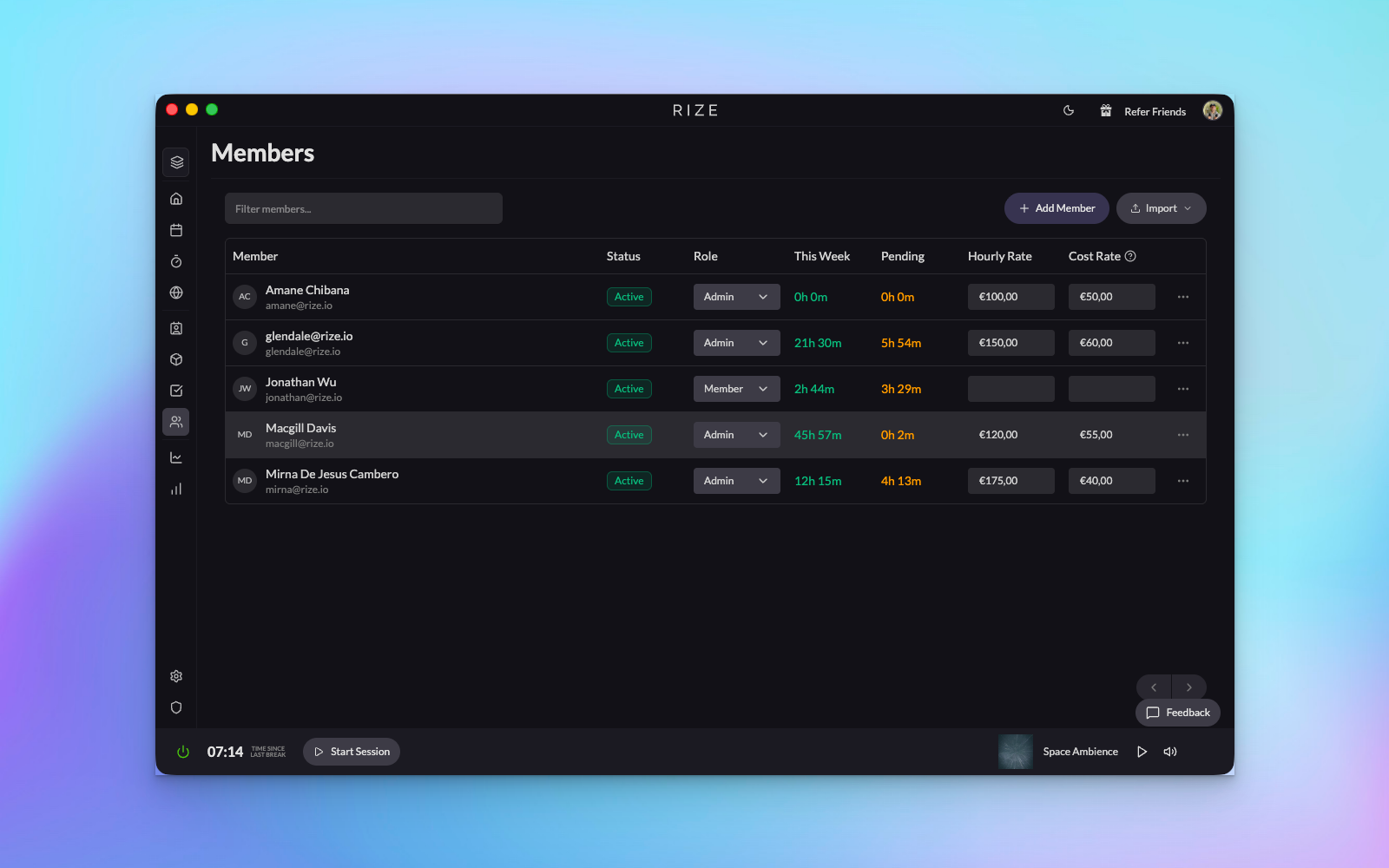
- Redesigned Members Tab: Find the new Members tab in your team settings within the workspace sidebar. The cleaned-up interface displays all workspace members at a glance with their key information front and center.
- Smart Filtering & Quick Actions: Filter by specific team members, view their roles, see approved time for the current week, and track pending time—all in one view. You can update hourly rates or costs directly from the list.
- Bulk Import from CSV: Need to add multiple team members at once? The new CSV import feature lets you batch upload your entire team quickly and efficiently.
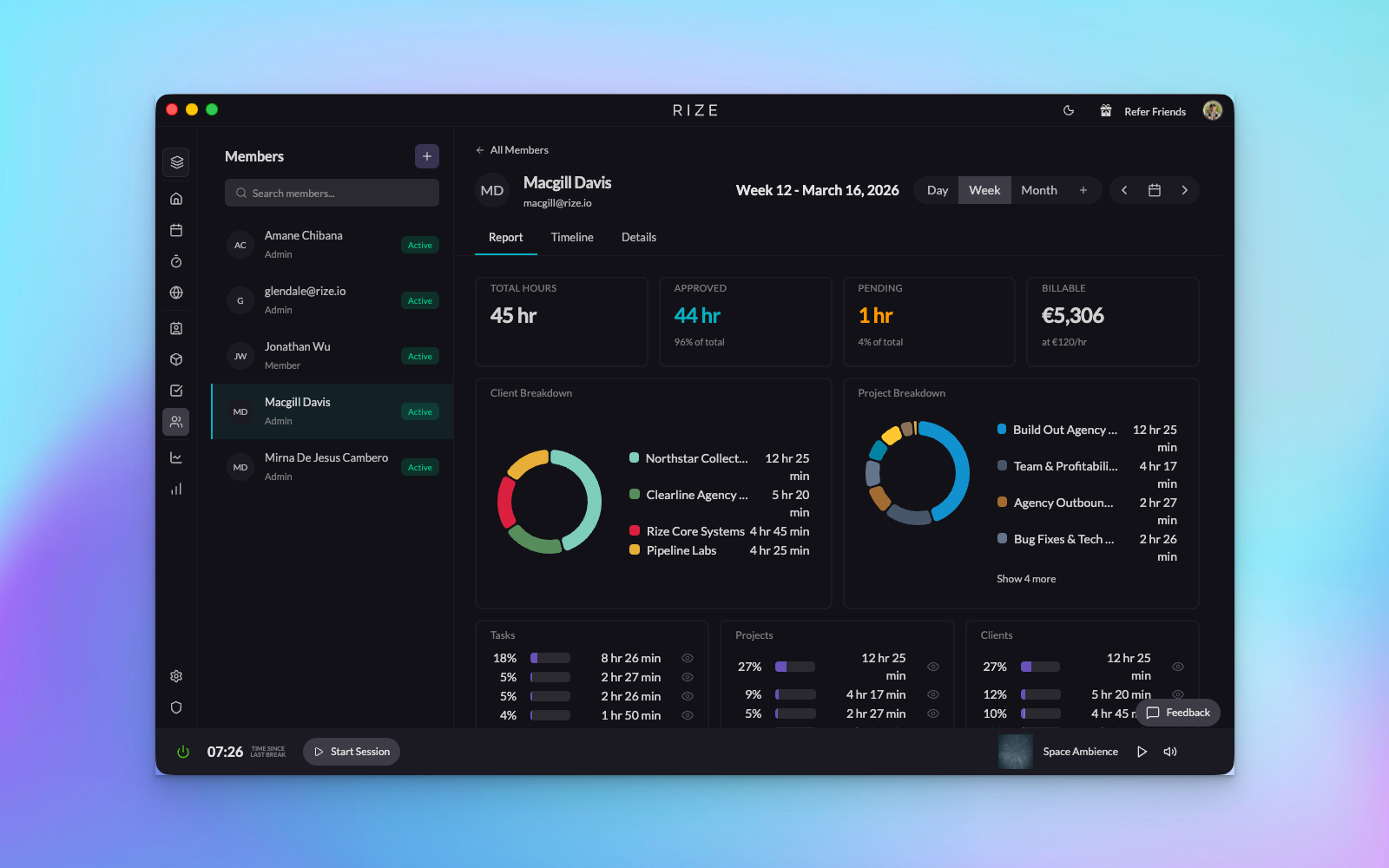
- Individual Member Details: Click on any member to access their dedicated detail page, where you can see a complete breakdown of their time by client, project, and task.
Member Detail View
The new member detail page is where this feature really shines. Navigate between team members seamlessly while viewing comprehensive analytics for each person:
- Multi-Angle Time Analysis: See time breakdowns by client, project, or task. Quickly identify where each team member is spending their hours and how much of that time is billable.
- Flexible Date Ranges: Switch between day, week, and month views to analyze productivity patterns over different time periods.
- Interactive Timeline: A visual timeline shows you exactly how a team member's day progresses, making it easy to spot patterns and optimize workflows.
- Quick Edits: Update member details, hourly rates, and other information directly from the detail view without navigating away.
How It Works
- Navigate to your workspace settings and click on the new Members tab in the sidebar
- View your complete team roster with approved and pending time displayed for each member
- Use filters to find specific team members or click on any member to view their detailed analytics
- Add new members individually or import multiple members at once using the CSV upload feature
- Update member information, roles, and hourly rates directly from either the list view or detail page
- Analyze individual productivity using the timeline view and time breakdowns by client, project, or task
This update is part of our ongoing commitment to polish and improve the Rize experience. Whether you're managing a small team or a large organization, the new Members view gives you the clarity and control you need to track time effectively. Check it out in your workspace today!