Rize now has a dedicated Timesheets workflow for reviewing your own time and scanning team hours without exporting to a spreadsheet.
NEW
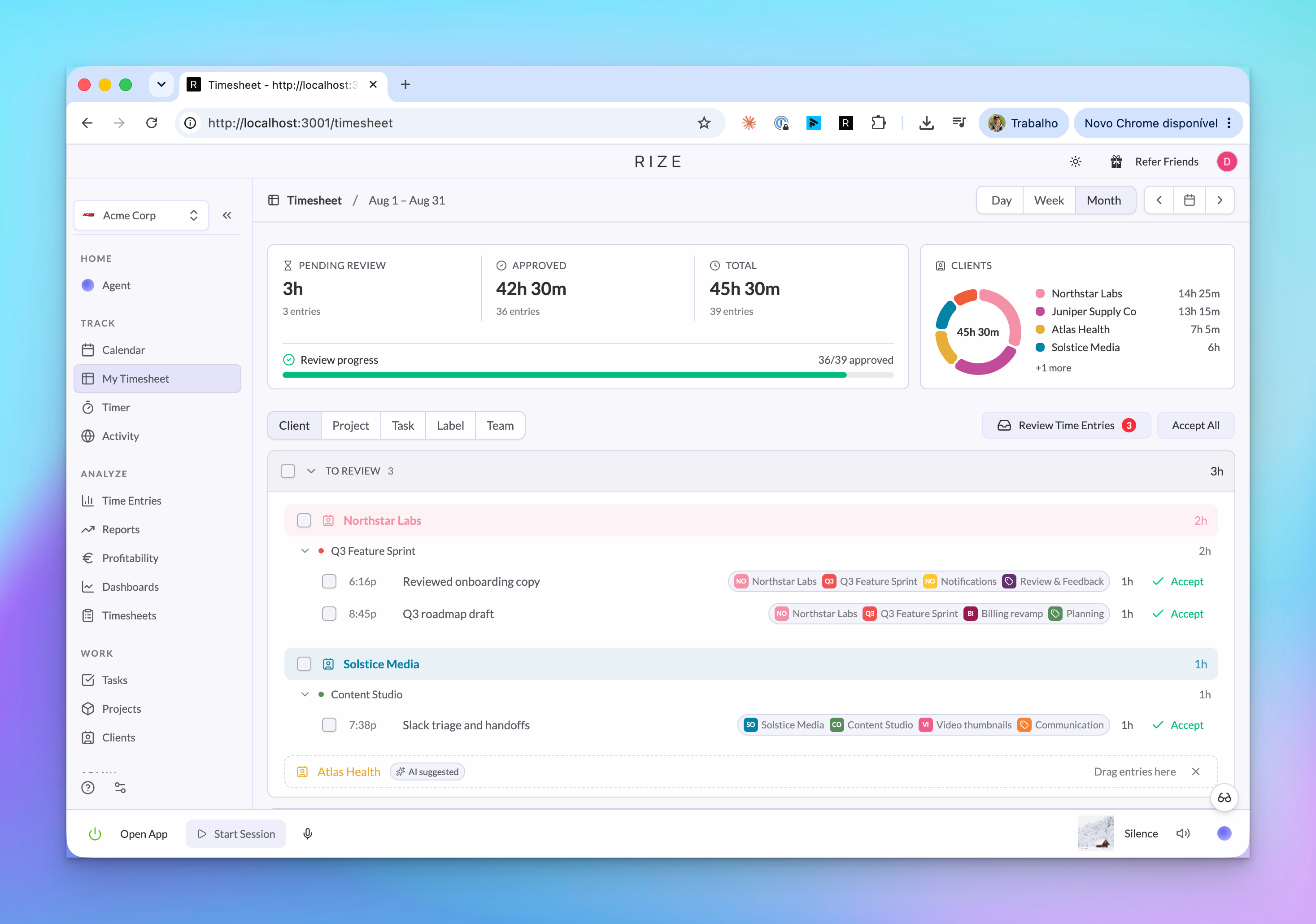
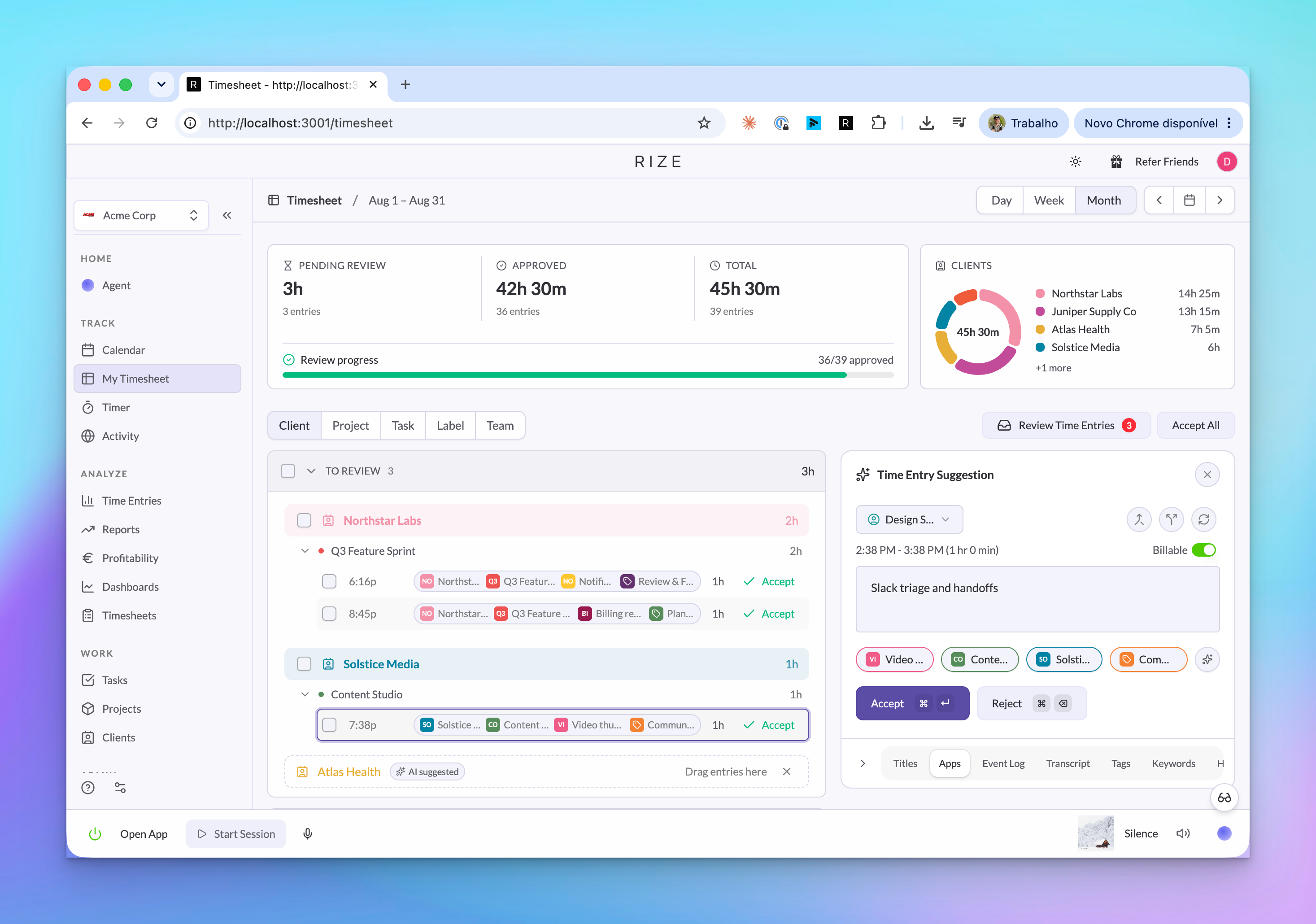
My Timesheet for personal review
The My Timesheet page gives each person a focused review flow for their own time. You can move through days and weeks, see pending and approved time, group entries by client, project, task, label, or team, and approve clean entries faster.
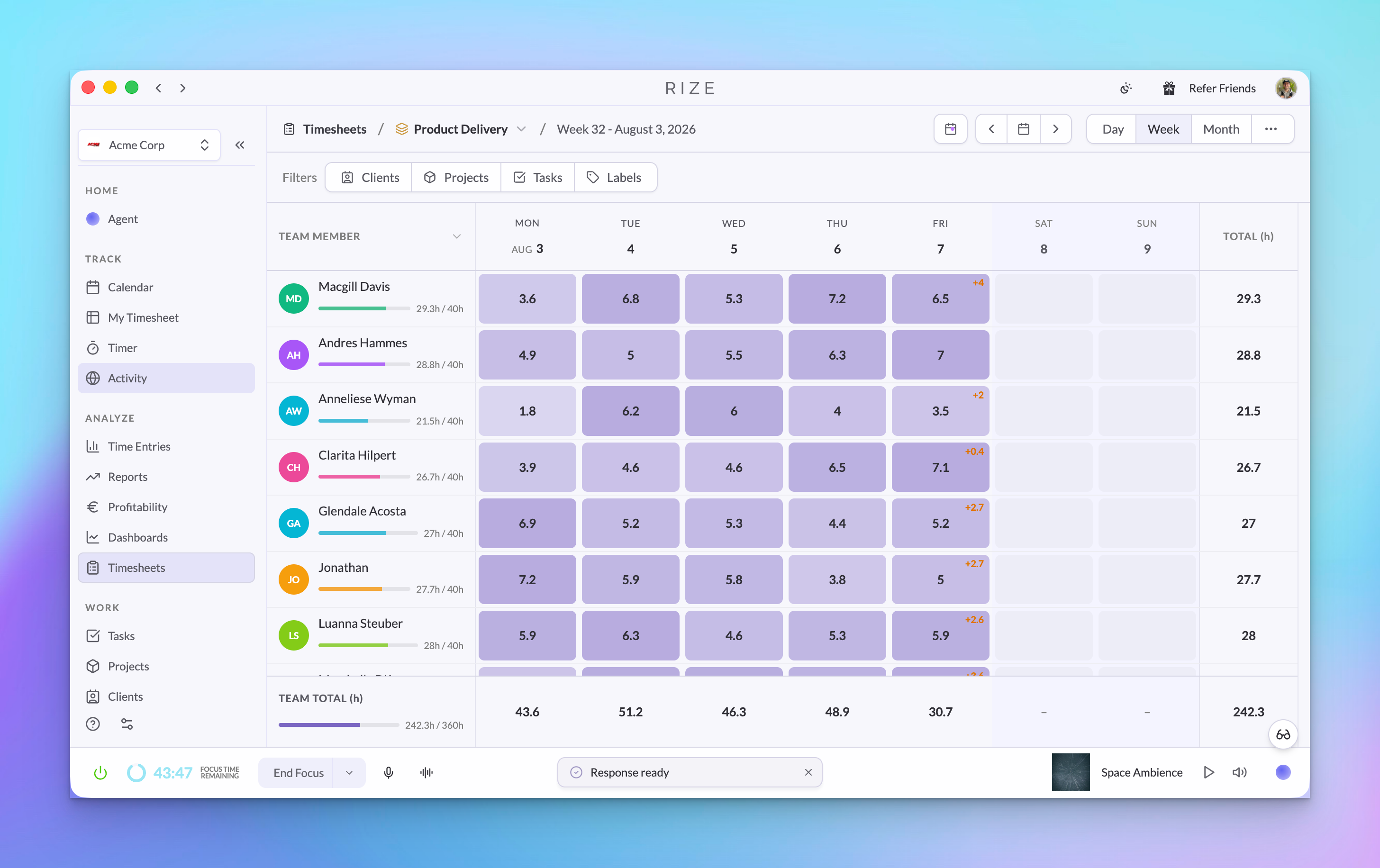
Team Timesheets for managers and admins
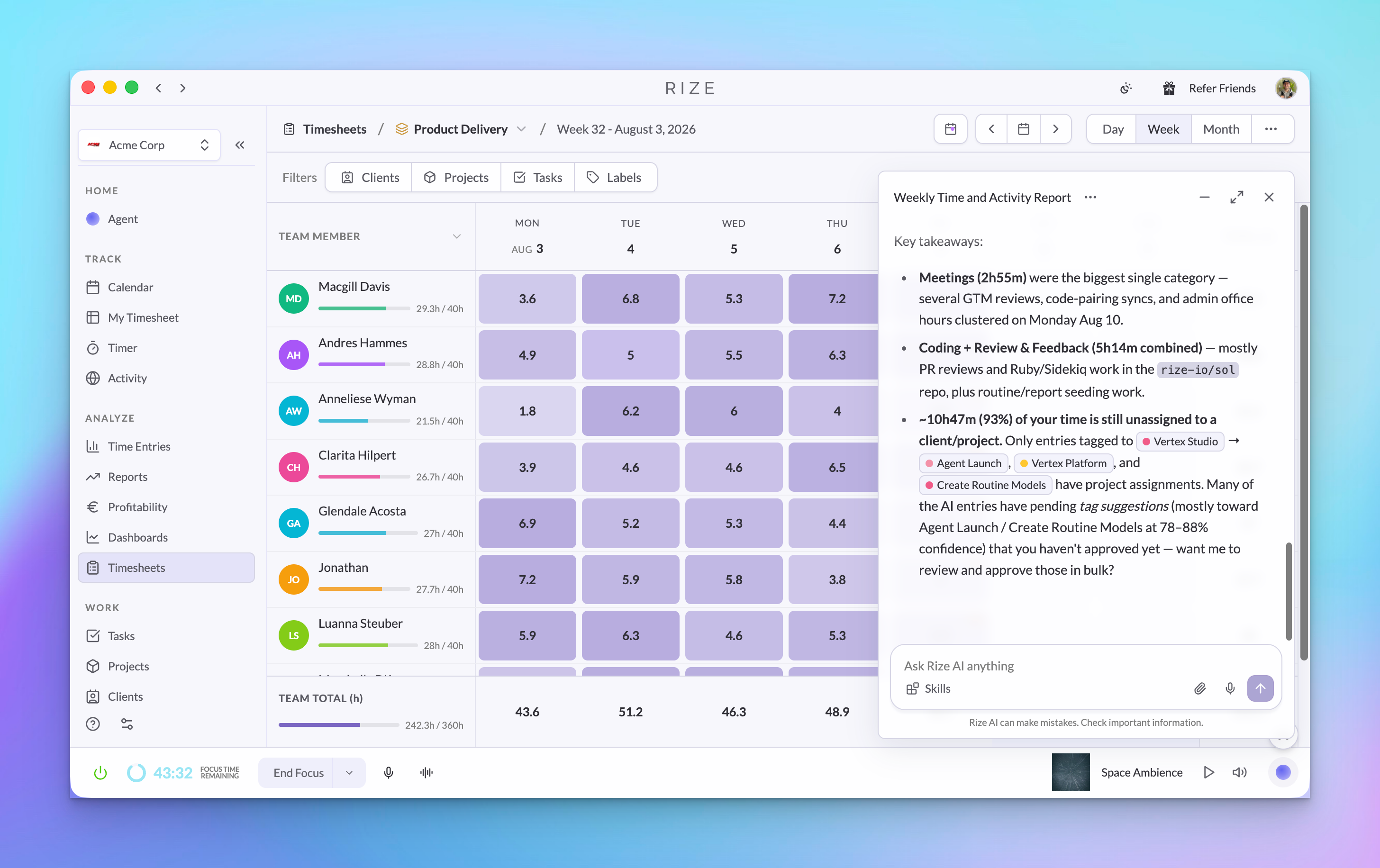
The Team Timesheets view shows everyone on a team in one weekly or monthly grid. Each row shows member totals against capacity, each day cell shows approved time and pending time, and the footer rolls everything up into team totals.
Filters for clients, projects, tasks, and labels
Use the filter bar to narrow the grid to a client, project, task, or label. That makes it easier to answer questions like which teammates worked on a client this week, where pending time is sitting, or whether a project is trending over budget.
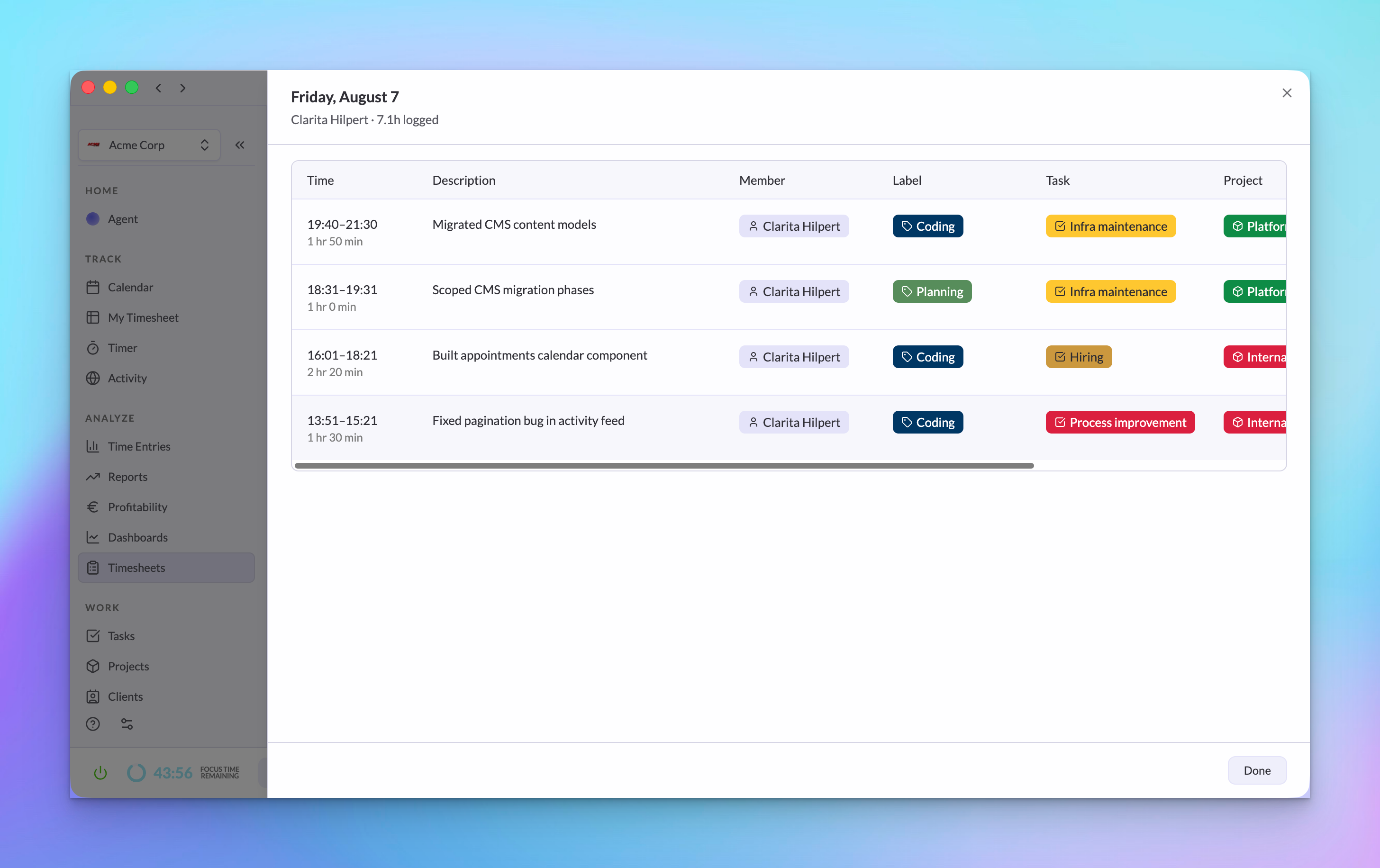
Drill into a day
Click a day cell to inspect the underlying entries for that person and date. Your own timesheet opens the review workflow; teammate rows open a read-only day view so admins can audit context without losing the grid.
USE IT FOR
- Reviewing your own daily time before the end of the week
- Finding pending time that still needs approval
- Checking team capacity and daily coverage at a glance
- Filtering hours by client, project, task, or label
- Auditing a teammate's day without switching to exports
Timesheets are available from My Timesheet for your own review and from Timesheets for team-level review when your role has access.
Timesheets are part of the Rize for Agencies and Teams release alongside Profitability, Resourcing, Invoicing, and Permissions.