We’ve made several UI improvements to help you easily understand what’s billable and how much you’re earning:

Currency Labels: All billable time entries now display the Client’s currency, including entries under related Projects and Tasks.
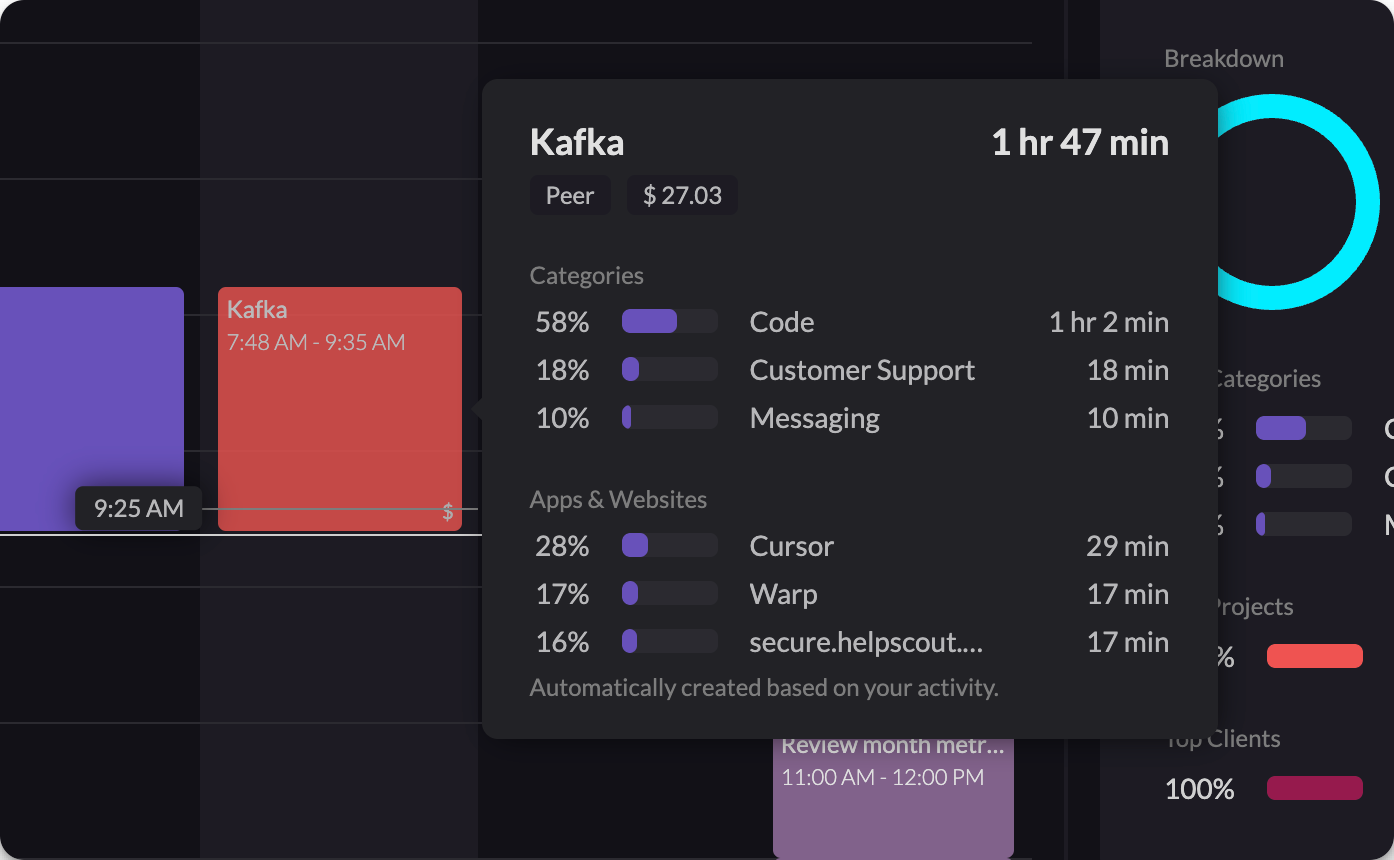
Entry Tooltips: Hover over a time entry to see its billable amount and associated Client in the tooltip. In this case, the client is Peer and the billable amount is $27.03.
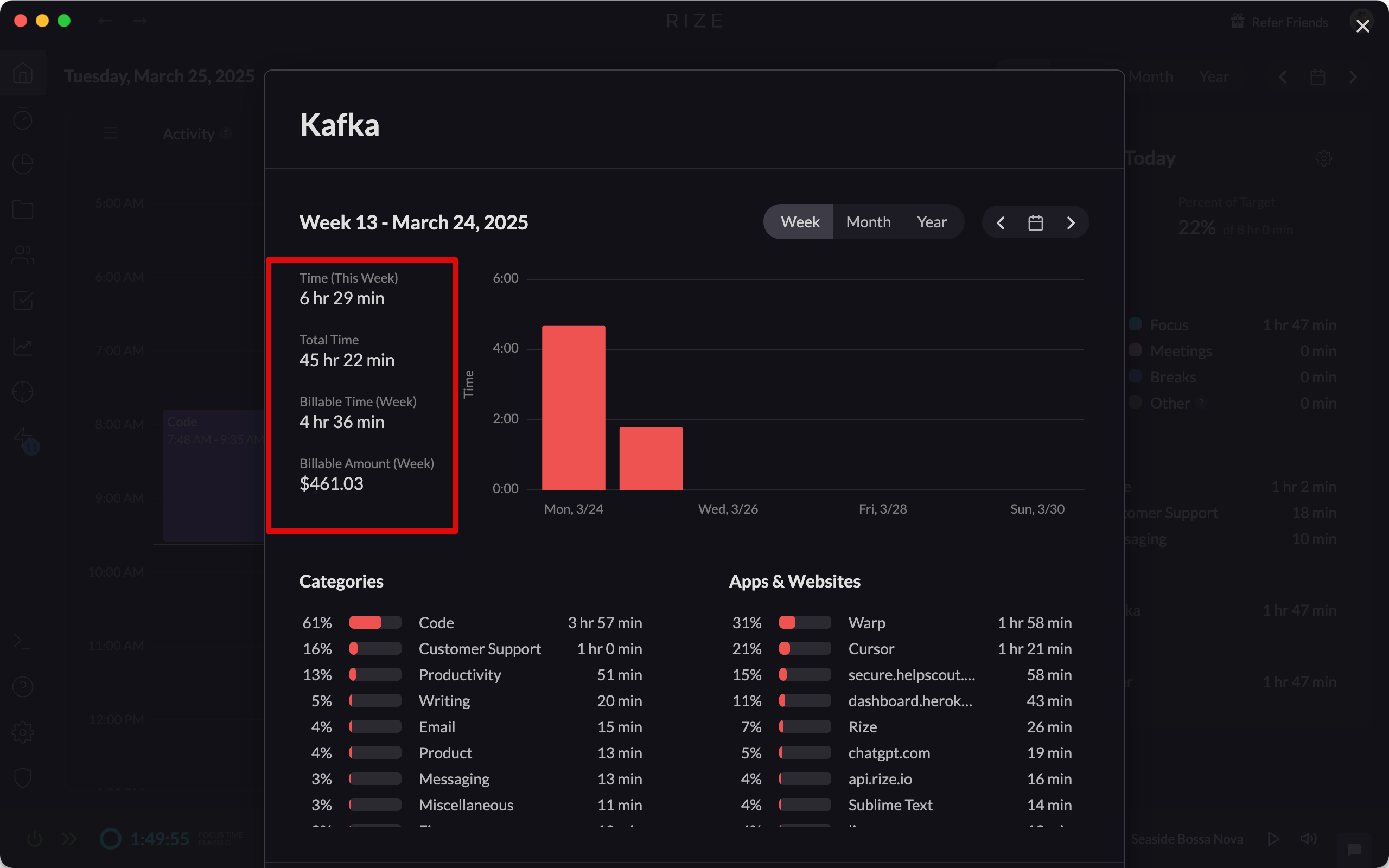
Client & Project Modals: The left side of the histogram now shows total time, billable time, and billable amount at a glance.
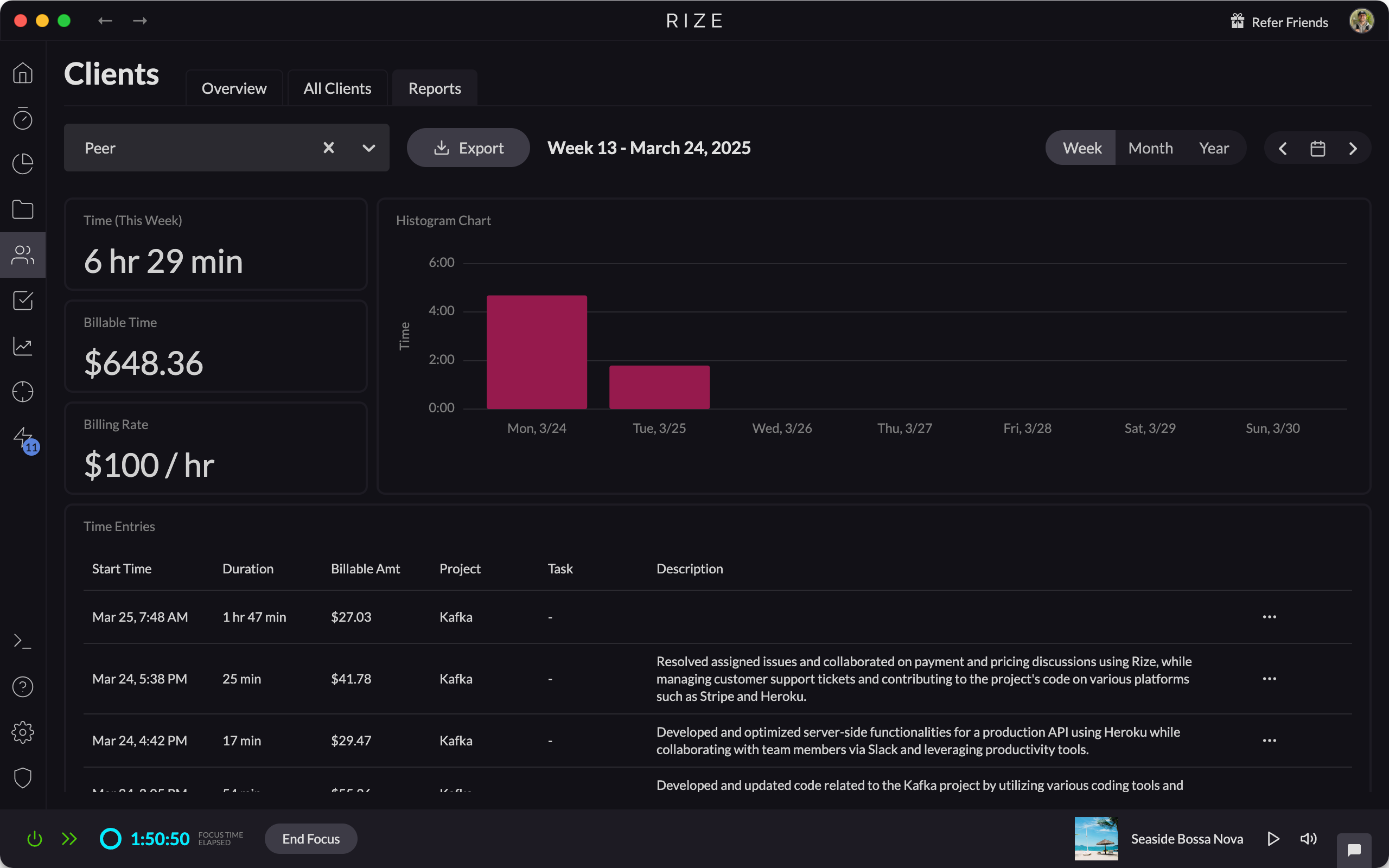
Client Reports: Each time entry in the Client Reports view now shows its billable amount for quick reference.
These updates make it easier to review, understand, and report on your billable time—down to the last dollar (or euro, or pound 😉).