We’re excited to launch the first version of our ClickUp integration, allowing you to seamlessly sync tasks between ClickUp and Rize - and automatically post tracked time back into ClickUp.
How It Works
1. Connect ClickUp
Go to Rize > Settings > Integrations and click Connect ClickUp. You’ll be prompted to log in and authorize the integration.
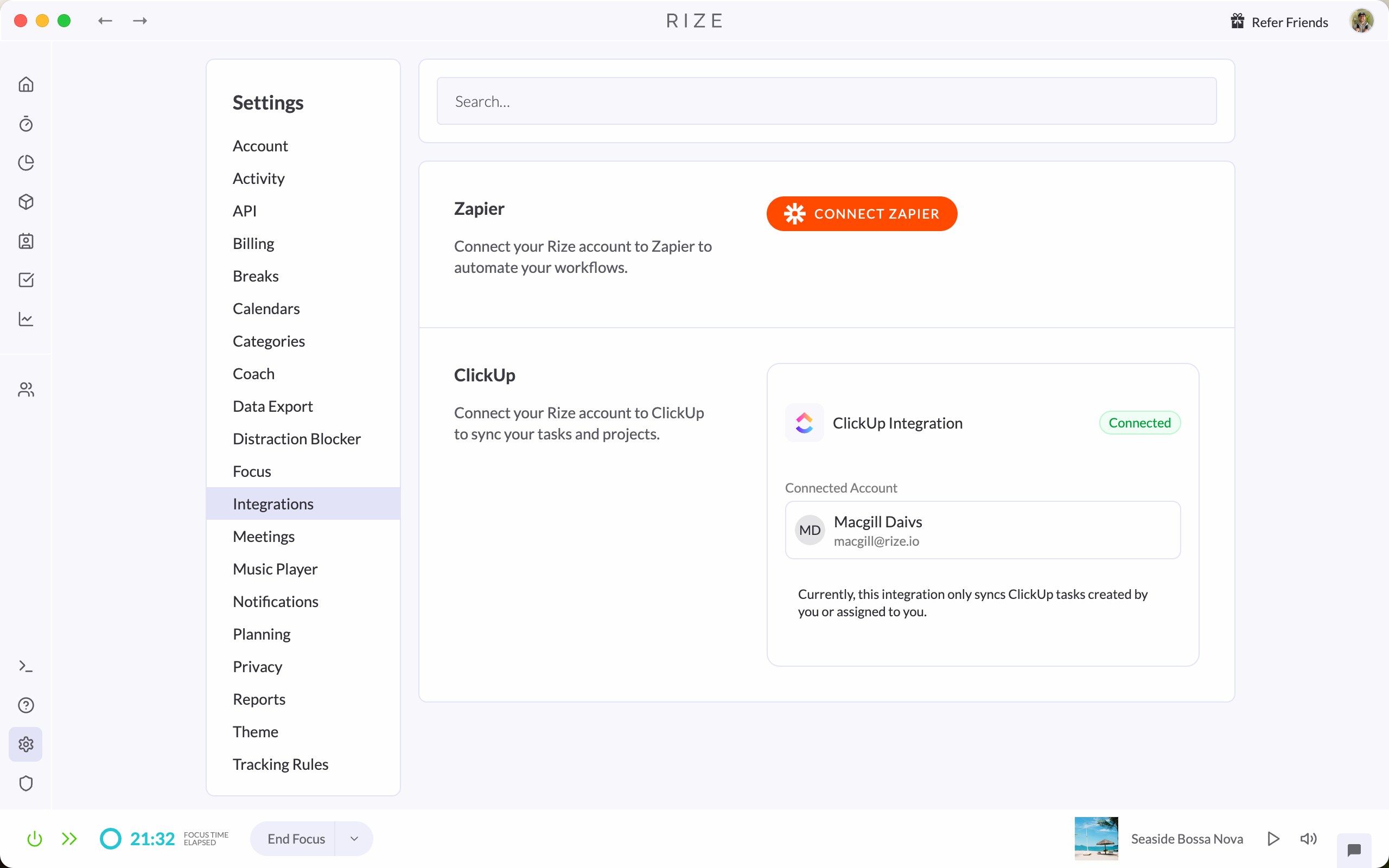
2. Select Workspace(s)
Choose which ClickUp workspace(s) you want to sync with Rize. You can connect just one or multiple workspaces, depending on your needs.
3. View Synced Tasks in Rize
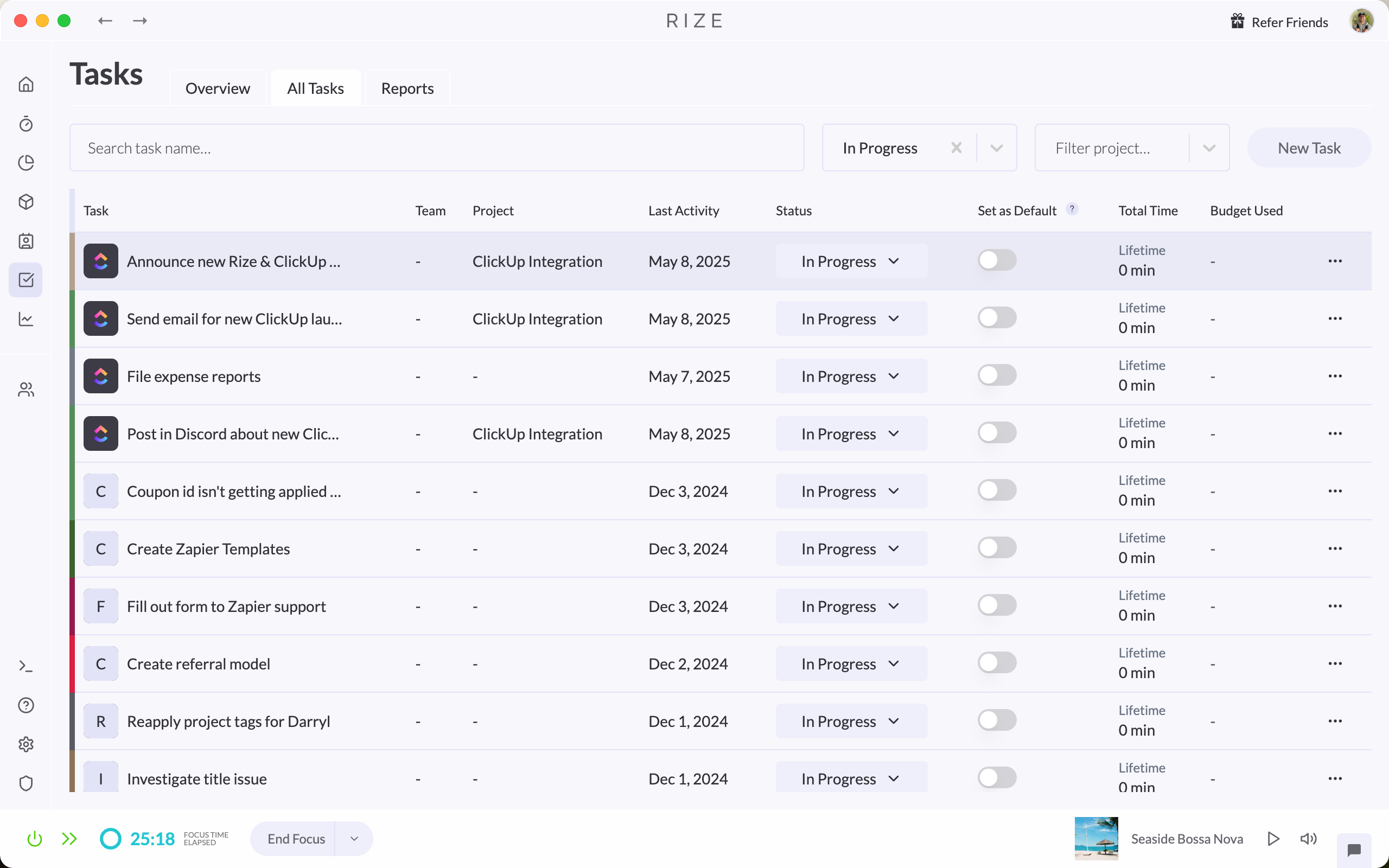
Once connected, your ClickUp tasks will appear in Rize under the Tasks section. You’ll recognize them by the ClickUp icon next to each synced task. Currently, Rize only syncs tasks created by you or assigned to you.
4. Track Time Against ClickUp Tasks
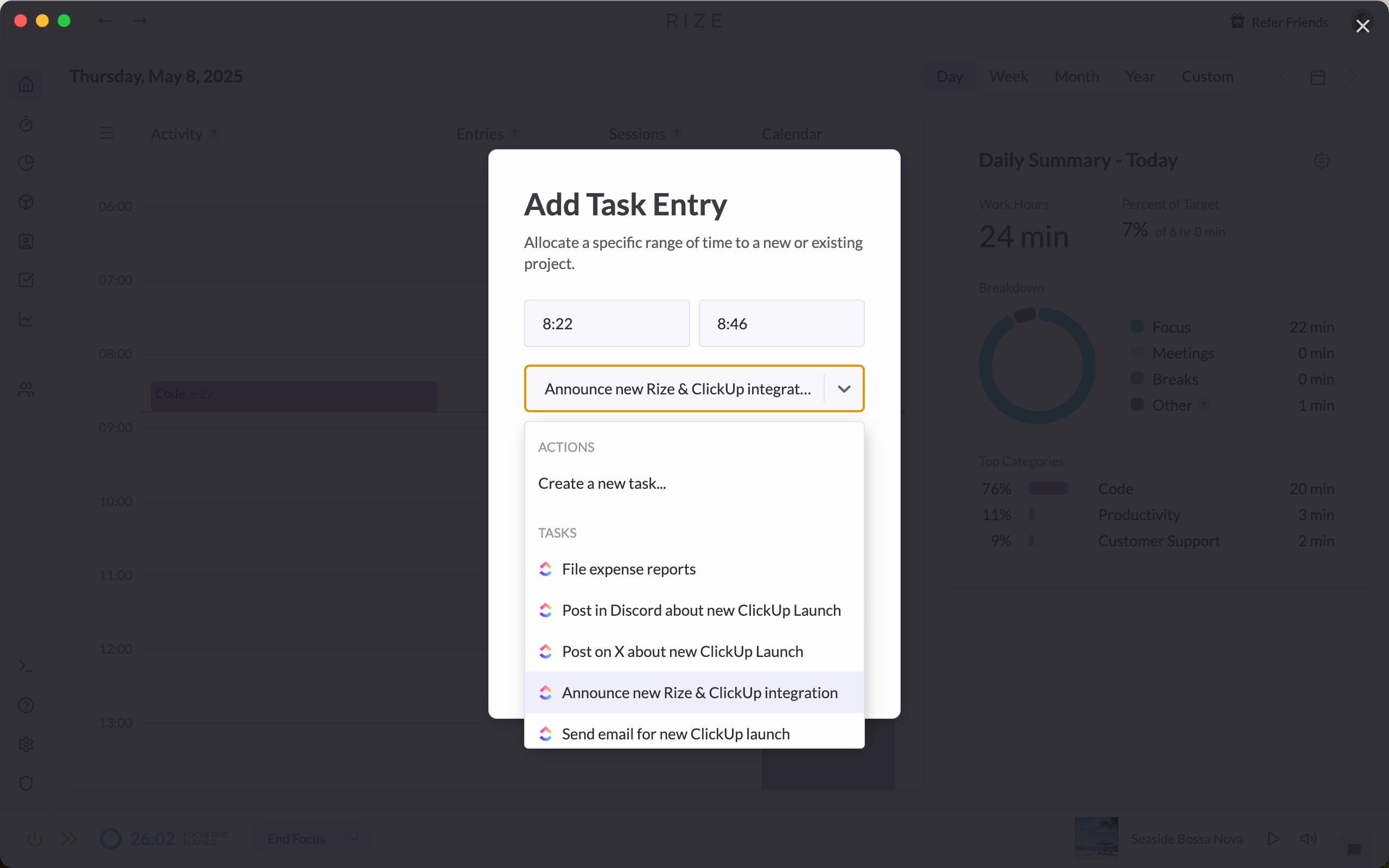
Start tracking time in Rize as you normally would. Select or auto-track a synced ClickUp task - no extra setup needed.
5. Time Posts Back to ClickUp
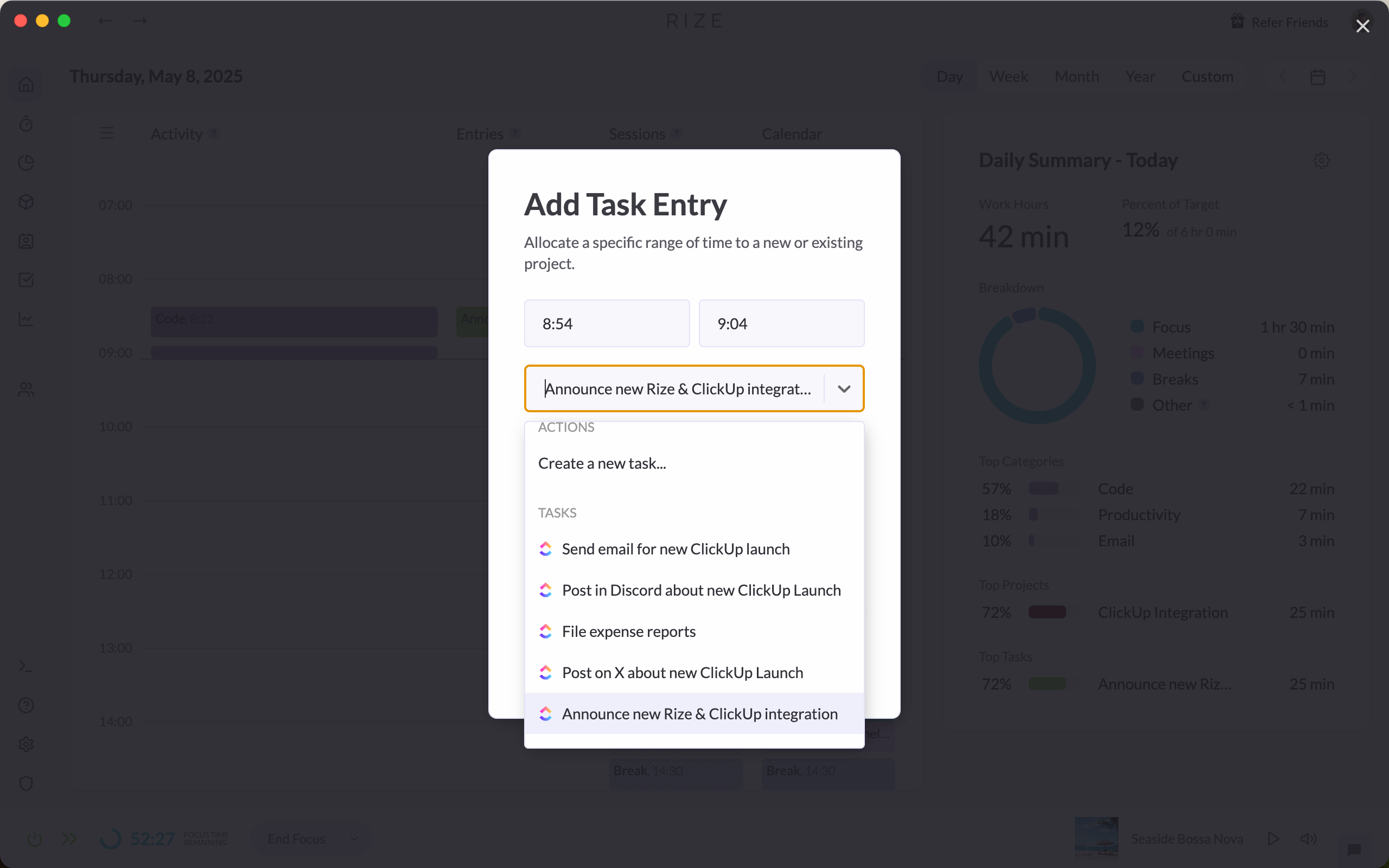
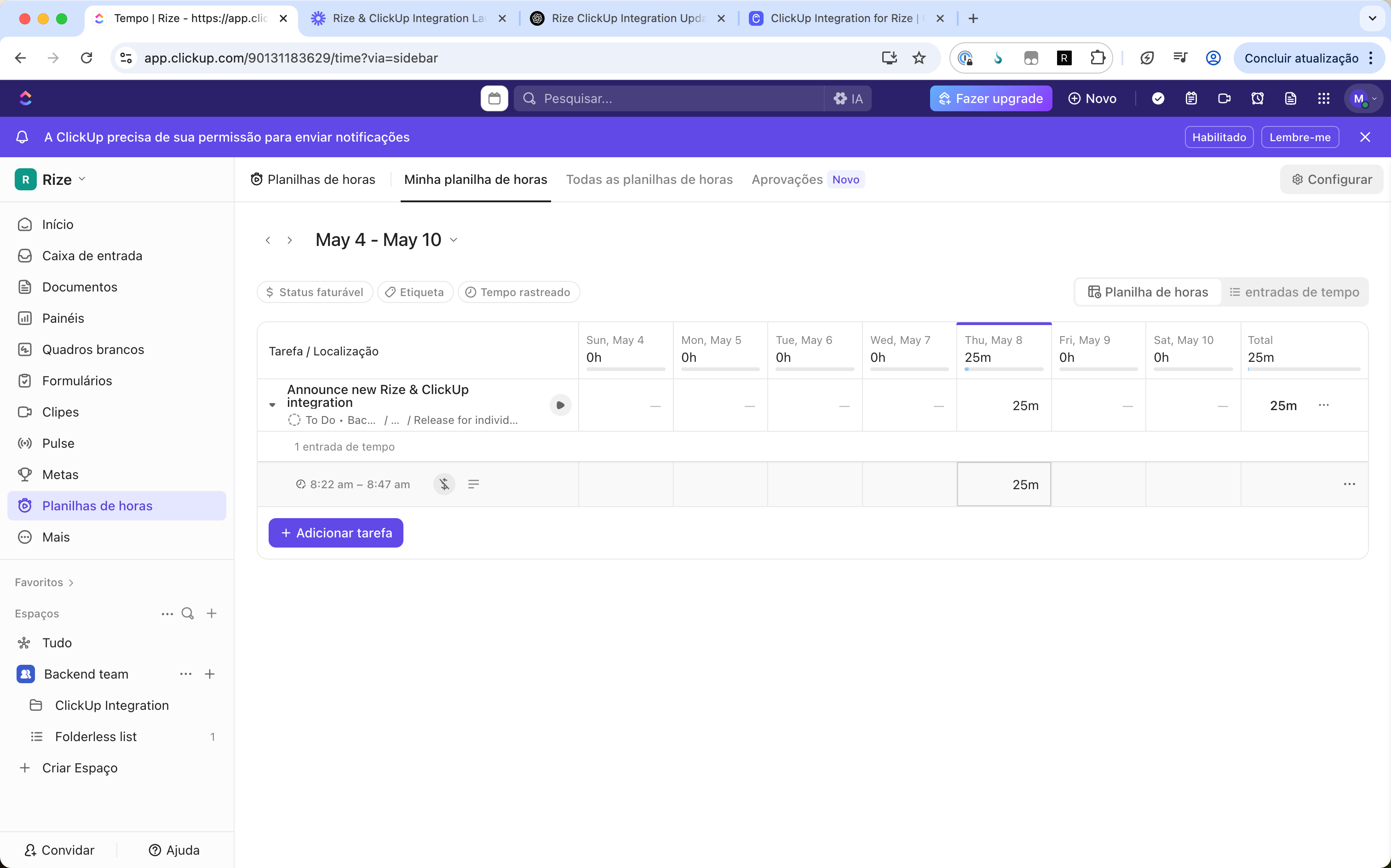
Any time you track against a ClickUp task in Rize will automatically sync back to your ClickUp workspace as a logged time entry on that task, visible in your ClickUp timesheets and reports.
6. Keep Tasks Updated
You can’t edit ClickUp task names directly in Rize, but any changes made in ClickUp (like renaming a task) will sync back into Rize automatically.
What’s Next
This is just the first version of the ClickUp integration. We’re actively working on:
- A ClickUp Teams integration so entire teams can sync and track together
- More customization options for how tasks and time entries sync
Have suggestions or want to share feedback? We’d love to hear from you - just reach out to our team at support@rize.io.