If you're looking for a Pomodoro app, you probably want one thing: something that helps you sit down and actually get work done. Not another productivity tool that takes 20 minutes to set up or adds more friction to your day.
I tested the most popular Pomodoro apps and selected the ten best that actually made focusing easier.
Quick Answer
The best Pomodoro app is Rize for automatic time tracking and focus coaching. Choose Floviu for distraction blocking and focus insights, TickTick or Focus To-Do for task-connected pomodoros, and Pomofocus for a simple free timer.
The 10 best Pomodoro apps at a glance
| App | Best for | Timer flexibility | Distraction control | Focus insights | Free access | Device support |
|---|---|---|---|---|---|---|
| Rize | Automatic time tracking + focus coaching | Flexible | Apps + websites | Advanced | 7-day trial | Windows, macOS |
| Floviu | Focus insights + distraction blocking | Pomodoro + Open Focus | App blocking | Advanced | Yes | iOS, Android |
| TickTick | Task management + Pomodoro | Customizable | None | Basic | Yes | Windows, macOS, Linux, iOS, Android, Web |
| Toggl Track | Pomodoro + detailed time tracking | 25-min Pomodoro | None | Advanced | Yes | Windows, macOS, Linux, iOS, Android, Web |
| Morgen | Pomodoro + calendar planning | 25-min focus + breaks | None | Basic | No | Windows, macOS, Linux, iOS, Android, Web |
| Pomofocus | Simple task-based Pomodoro | Customizable | None | Basic | Yes | Web, Windows, macOS, Linux |
| Focus To-Do | Dedicated Pomodoro + task workflow | Customizable | None | Basic | Yes | Windows, macOS, Linux, iOS, Android, Web |
| Focus Keeper | Simple Pomodoro tracking | Classic Pomodoro | None | Basic | Yes | iOS, Android |
| Self Control | Website blocking | N/A | Website blocking | None | Yes | Chrome |
| Sunsama | Daily planning + Pomodoro | 25-min focus + breaks | None | Basic | No | Web, Windows, macOS, iOS, Android |
How I tested the Pomodoro apps
I tested each of the 10 apps in a real 25-minute work session and scored how well it handled the core Pomodoro workflow. According to Francesco Cirillo's official Pomodoro Technique, the standard cycle uses 25-minute work periods followed by five-minute breaks, so I used that standard as the baseline. Seven of the 10 apps (70%) offer a permanent free plan, one app (10%) is trial-based, and two apps (20%) are paid only. For interval guidance beyond this test, see Rize's Pomodoro Technique guide.
I looked at how easy it was to start and customize a session, how the timer handled work and break intervals, whether I could connect sessions to tasks, and what happened after a session ended.
I also looked for distraction blocking, focus tracking and analytics, task management, and planning tools, while considering how much of the experience was available for free.
Rize: best for automatic time tracking and focus coaching
Rize at a glance
- Best for: Automatic time tracking and focus coaching
- Platforms: Windows, macOS
- Free access: 7-day trial
- What makes it different: It automatically tracks your work and uses that data to help you understand and improve your focus.
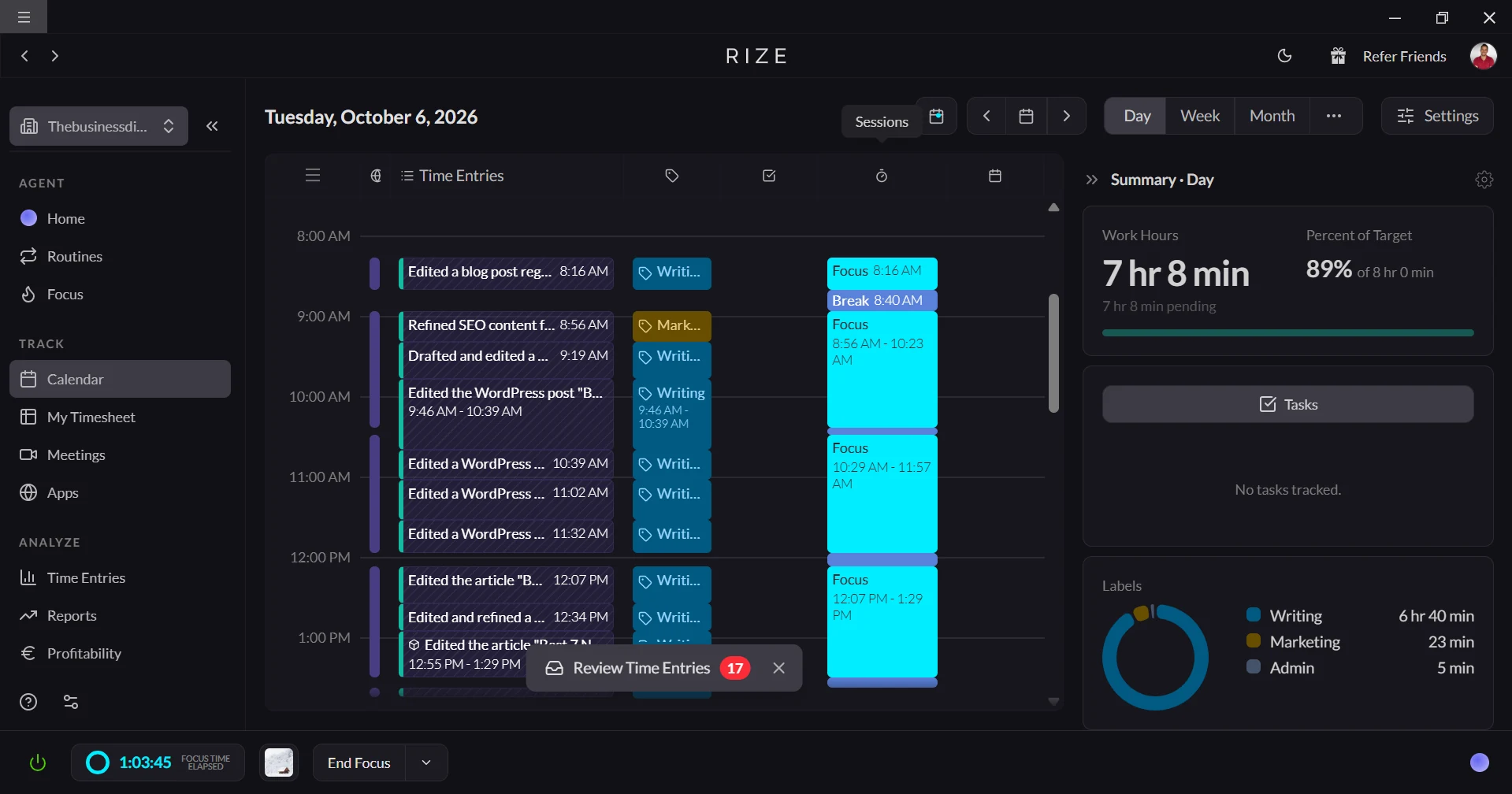
Rize is different from most of the Pomodoro apps I tested because its automatic time tracking meant I didn't have to manually start and track every focus session. It automatically tracked what I was doing and gradually built a picture of my work habits.
I could then look at total focus time, average session length, and my Focus Quality Score to see how well I was actually working.
I also like that Rize goes beyond tracking. Its focus coaching features include break recommendations and a Distraction Blocker that can interrupt distracting apps and websites during focus sessions. Instead of just timing your work, Rize helps you protect and improve it.
What stood out: Rize combines automatic time tracking with focus coaching, so you get both a picture of how you're spending your time and guidance on how to improve it.
The catch: Rize is more of a complete focus-tracking and coaching system than a lightweight Pomodoro timer, and it's limited to desktop.
Pick Rize if: You want automatic time tracking and built-in guidance to help you improve your focus.
Skip Rize if: You just want a simple Pomodoro timer without automatic tracking or productivity insights.
Floviu: best for understanding your focus and blocking distractions
Floviu at a glance
- Best for: Focus insights + distraction blocking
- Platforms: iOS, Android
- Free plan: Yes
- What makes it different: It combines Pomodoro sessions, app blocking, and focus insights in one workflow.
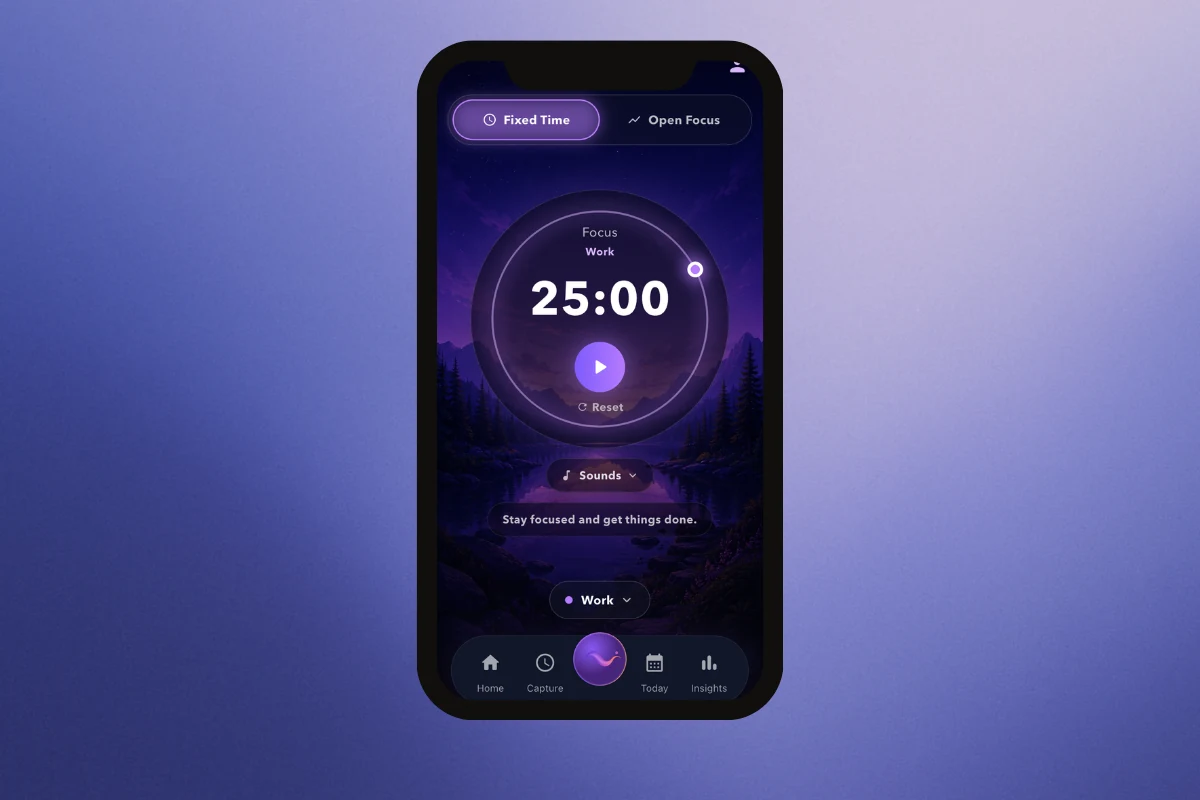
Floviu is a focus app that gave me more flexibility than a traditional Pomodoro timer because I could choose between a structured Pomodoro session and Open Focus when I didn't want to work in fixed intervals. I also liked that it combines distraction blocking with a review of what interrupted me.
The more interesting part, though, was what happened around the timer. Focus Protection can block distracting apps during a session, while Focus Insights helped me look back at my biggest distractions, best focus times, and completed sessions.
What stood out: Floviu connects distraction blocking with reflection, so you're not just preventing distractions but also learning what tends to break your focus.
The catch: Its strongest features are built around the broader focus ecosystem rather than being a bare-bones Pomodoro timer.
Pick Floviu if: You want Pomodoro, distraction protection, and deeper focus insights in one app.
Skip Floviu if: You only need a basic timer and don't care about analyzing your focus habits.
TickTick: best for task management + Pomodoro
TickTick at a glance
- Best for: Managing tasks with built-in Pomodoro sessions
- Platforms: Windows, Mac, Linux, iOS, Android, Web
- Free plan: Yes
- What makes it different: It brings Pomodoro directly into a full-featured task manager.
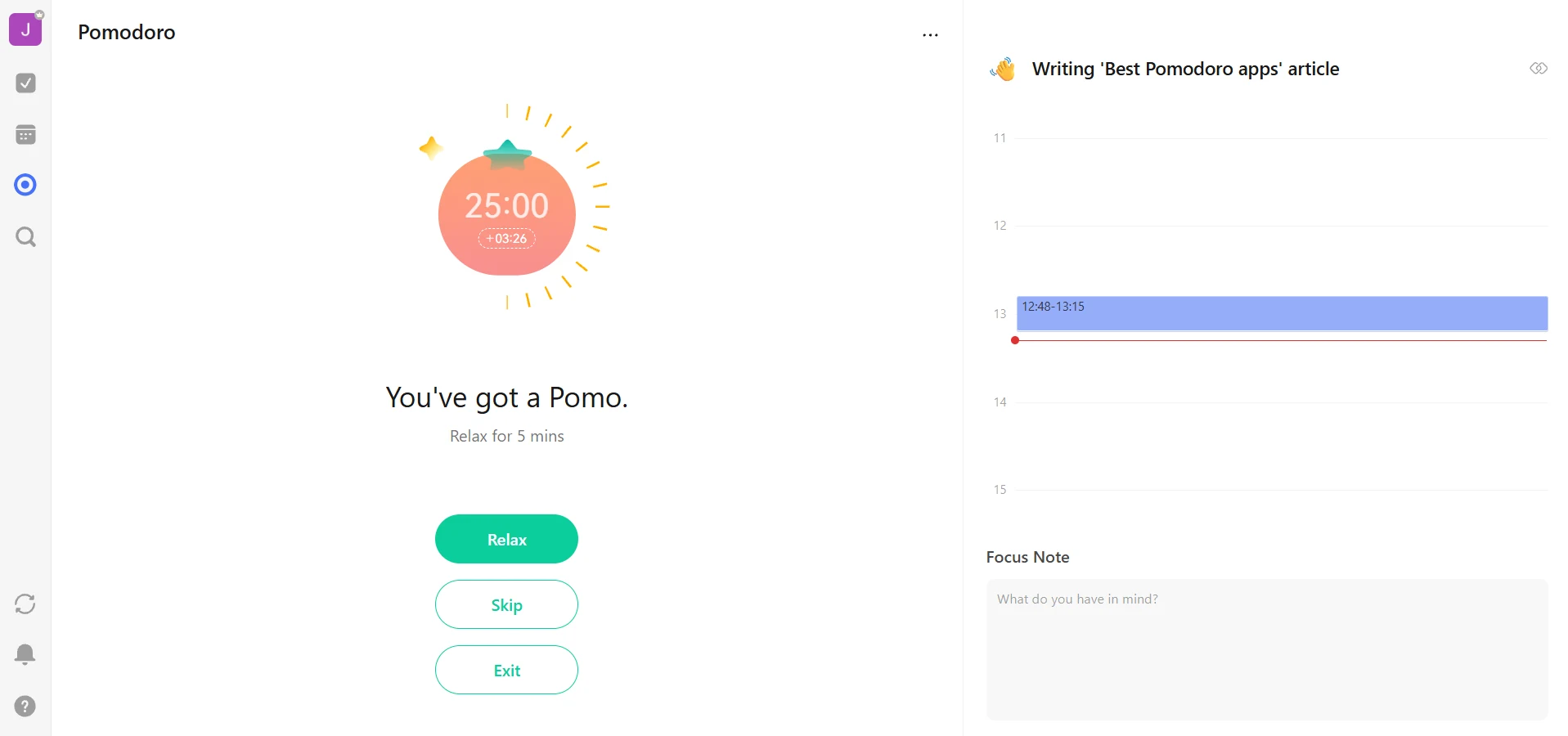
What I like about TickTick is how naturally the Pomodoro timer fits into the task I am already working on. I can estimate how many sessions a task would take, start a Pomodoro from the task, and then compare that estimate with the time I actually spent focusing.
After a session, TickTick adds the focus time to its productivity statistics, so I can see how much time I was spending on individual tasks. I didn't find any built-in app or website blocking, though, so TickTick is more about structuring my work than protecting me from distractions.
What stood out: The task-to-Pomodoro connection makes it easy to plan work in focused sessions without using a separate timer.
The catch: TickTick structures your focus, but it doesn't enforce it.
Pick TickTick if: You want a full task manager with Pomodoro built into the workflow.
Skip TickTick if: You need the app to actively block distractions.
Toggl Track: best for Pomodoro + detailed time tracking
Toggl Track at a glance
- Best for: Tracking focused work and understanding where your time goes
- Platforms: Web, Chrome extension, iOS, Android, macOS, Windows, Linux
- Free plan: Yes
- What makes it different: It combines a Pomodoro timer with Toggl's broader time-tracking and reporting tools.
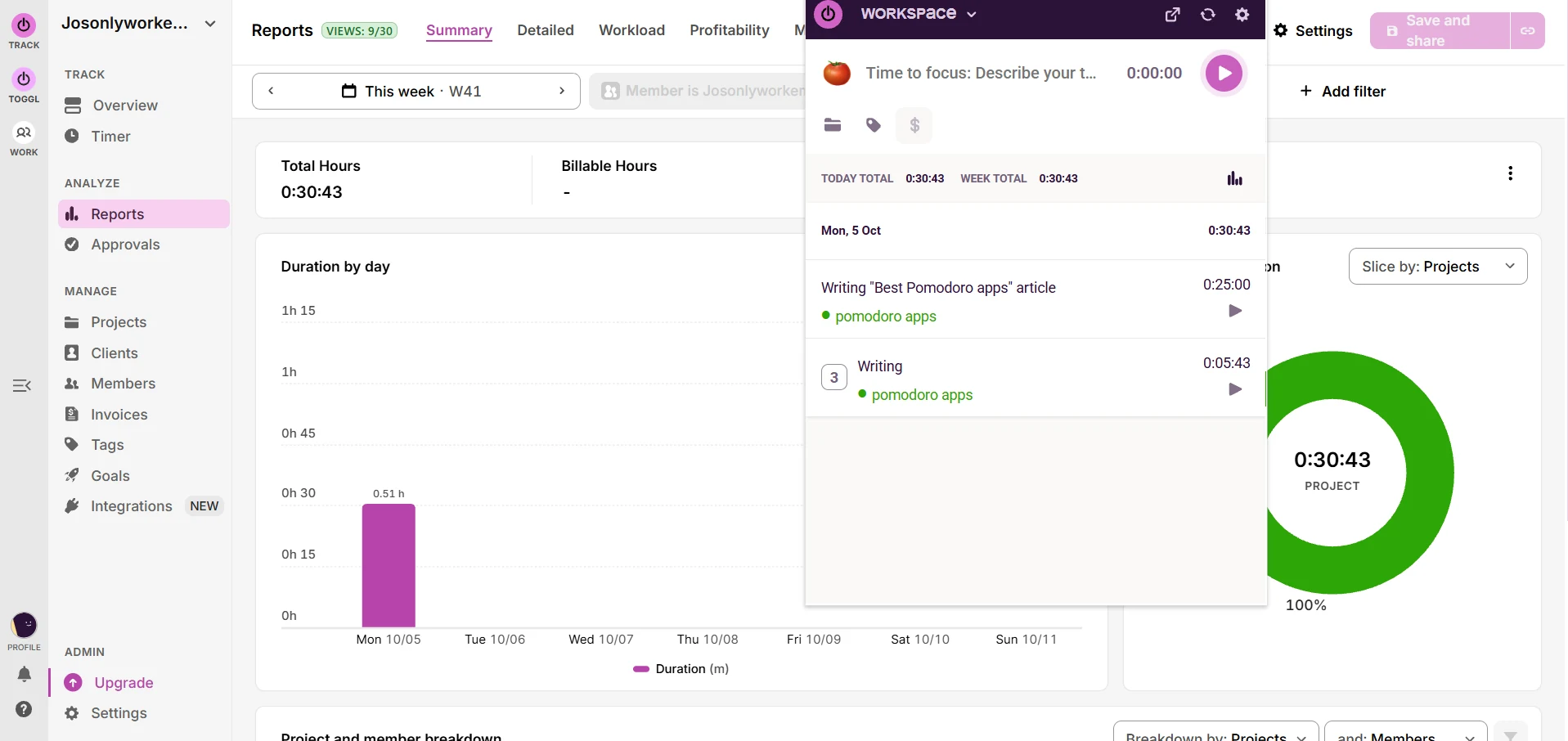
Toggl Track made the most sense to me when I looked at Pomodoro as part of a bigger time-tracking system. My Pomodoro session became a regular time entry, which meant I could connect it to a task or project and see it alongside the rest of my tracked work.
I found the reporting useful for looking beyond a single focus session. Instead of only seeing that I completed a 25-minute Pomodoro, I could look at how much time I was actually spending on different types of work. Toggl's Auto Tracker can also record activity from browser tabs and integrations.
I didn't find any built-in distraction blocking in the Pomodoro workflow I tested, so the app is much more about measuring my time than controlling what I do with it.
What stood out: The Pomodoro timer adds structure to Toggl's already strong time-tracking and reporting workflow.
The catch: Toggl is more interested in measuring your focus than enforcing it.
Pick Toggl Track if: You want Pomodoro sessions to feed directly into detailed time-tracking reports.
Skip Toggl Track if: You need a Pomodoro app that actively protects you from distractions.
Morgen: best for Pomodoro + calendar planning
Morgen at a glance
- Best for: Combining focused work with calendar and task planning
- Platforms: Windows, macOS, Linux, iOS, Android, Web
- Free plan: No
- What makes it different: It brings Pomodoro into a broader planning workflow built around your tasks and calendar.
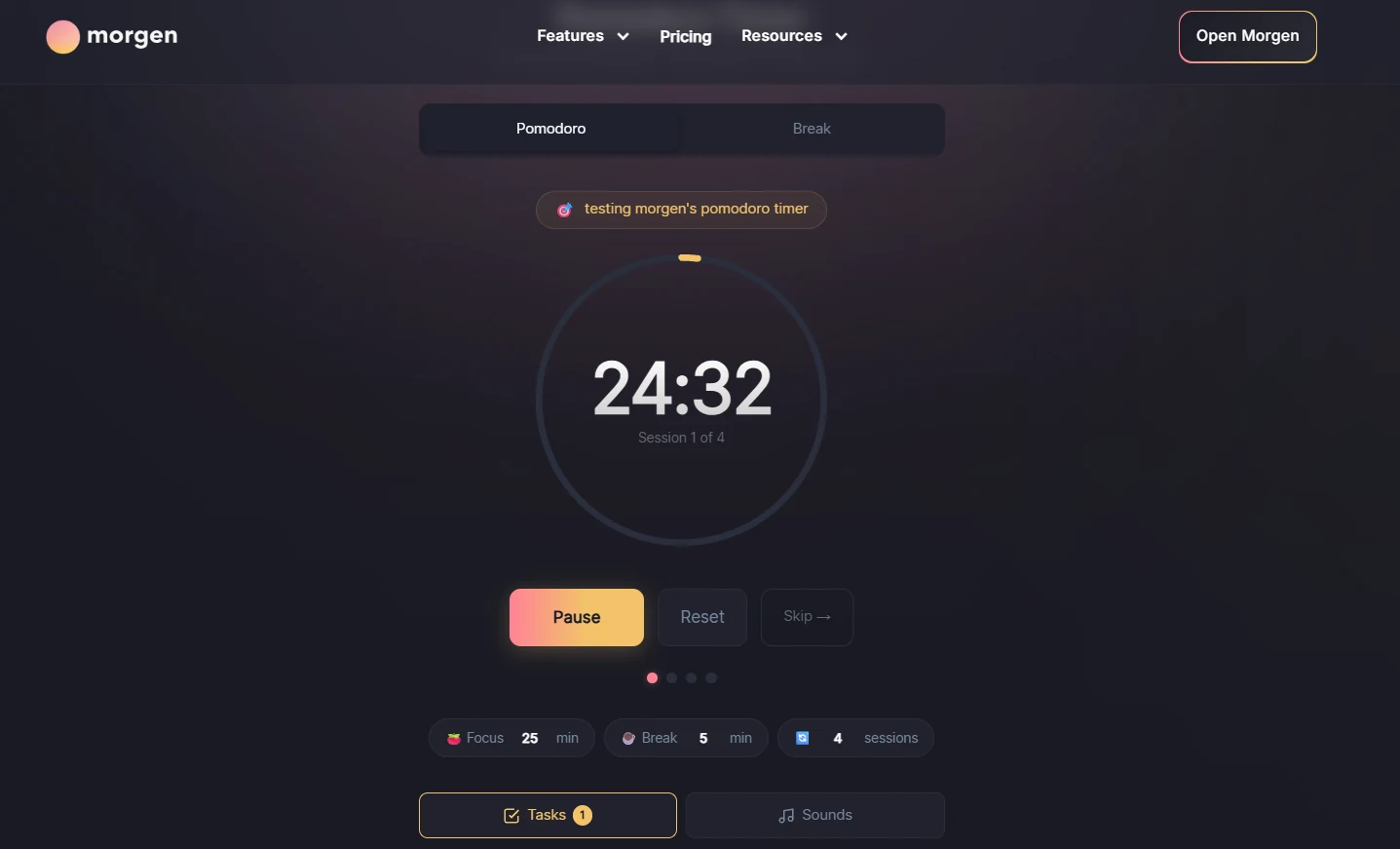
Morgen's Pomodoro timer keeps the current task and session progress together, but its bigger advantage is the planning system around it. Rather than treating Pomodoro as an isolated productivity technique, Morgen lets focused work sit alongside the tasks and calendar commitments that make up your day.
The timer itself is straightforward, with standard focus and break periods, session progress, and controls for skipping or resetting a session. I didn't find it restrictive, but that also isn't really the point. Morgen is more about fitting focused work into the rest of my day.
What stood out: Pomodoro feels like part of a larger time-planning workflow rather than a separate timer you have to manage alongside your calendar.
The catch: Morgen makes more sense if you also want its planning features. It's overkill if all you need is a Pomodoro timer.
Pick Morgen if: You want to combine Pomodoro sessions with task and calendar planning.
Skip Morgen if: You only need a simple timer or want built-in distraction blocking.
Pomofocus: best for simple task-based Pomodoro sessions
Pomofocus at a glance
- Best for: Simple Pomodoro sessions with task estimates
- Platforms: Web, Windows, macOS, and Linux
- Free plan: Yes
- What makes it different: It combines a straightforward Pomodoro timer with task estimates and focus reports.
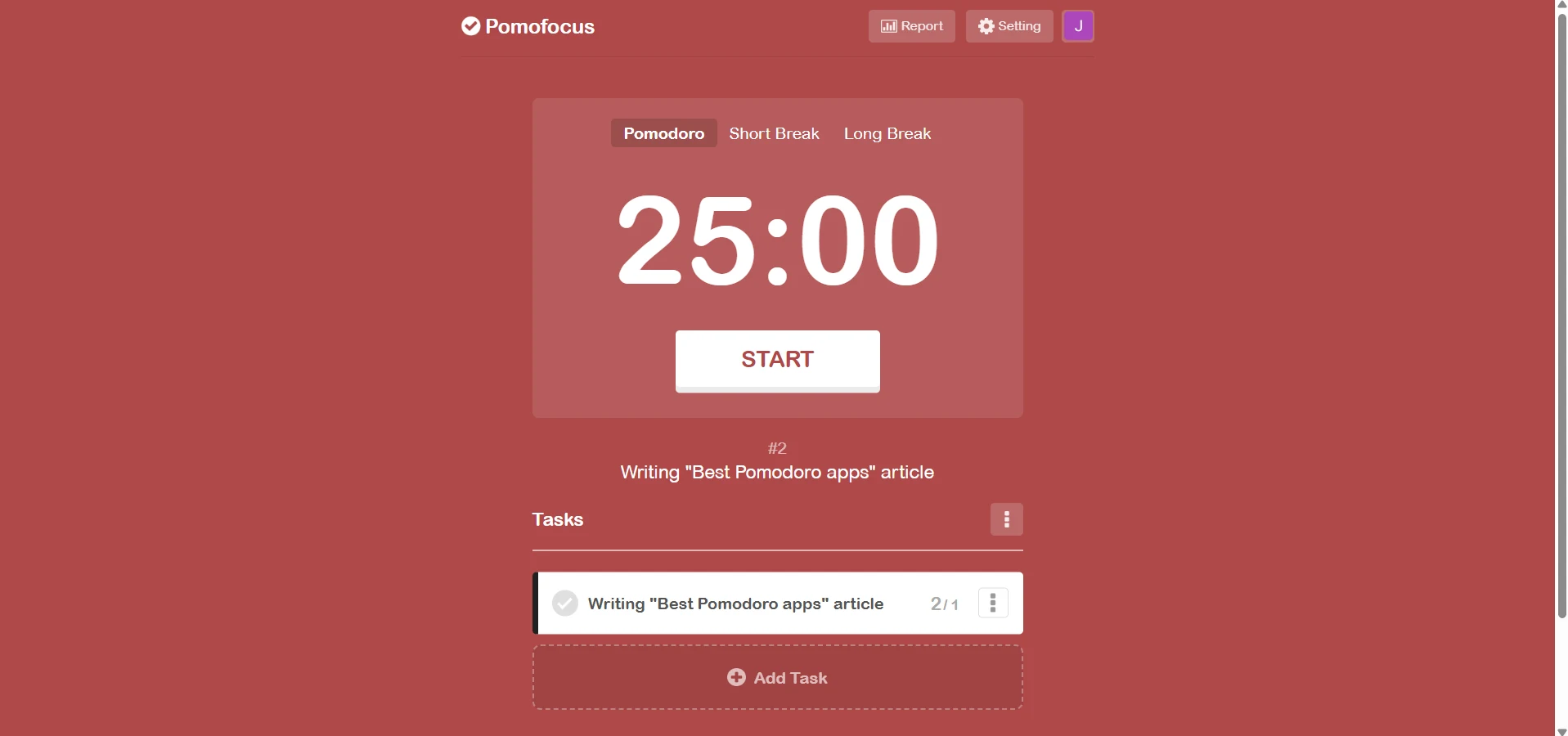
Pomofocus keeps the work organized around tasks rather than turning the Pomodoro into a standalone countdown. I could create a task, estimate how many Pomodoros it would take, and then see how much focus time I actually logged against it.
Its reports also gave me a simple overview of how much time I've spent focusing across different periods.
What stood out: It's one of the simplest ways to combine task estimates, a Pomodoro timer, and basic focus tracking without committing to a full productivity system.
The catch: It records your focus rather than enforcing it.
Pick Pomofocus if: You want a lightweight Pomodoro timer with task estimates and basic reports.
Skip Pomofocus if: You need distraction blocking or more advanced task management.
Focus To-Do: best for a dedicated Pomodoro + task workflow
Focus To-Do at a glance
- Best for: Dedicated Pomodoro sessions with task management
- Platforms: Windows, Mac, Linux, iOS, Android, Web
- Free plan: Yes
- What makes it different: It puts the Pomodoro experience at the center while keeping your sessions connected to tasks and focus-time tracking.
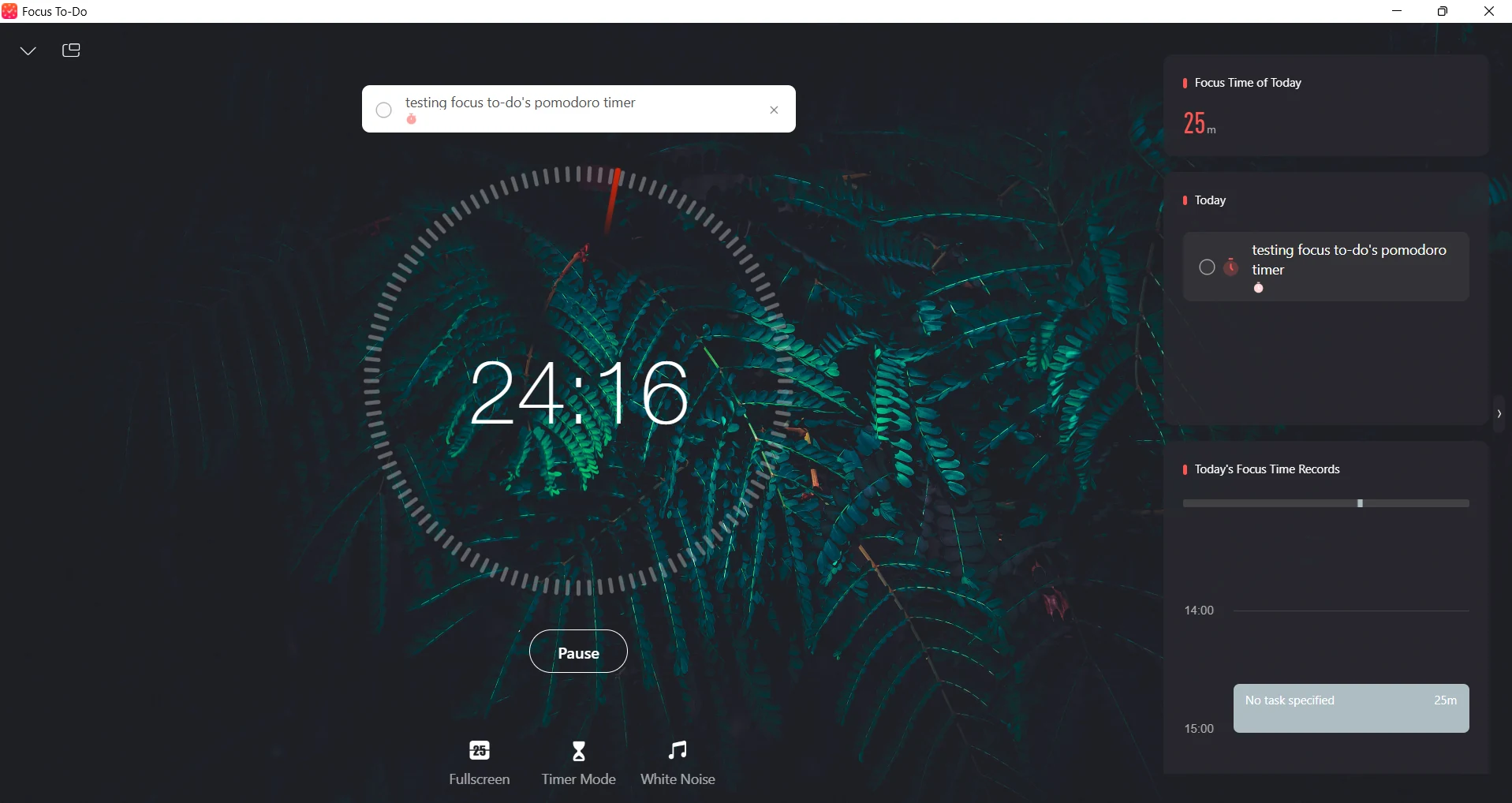
Focus To-Do connects the task you're working on directly to your Pomodoro session and records the resulting focus time. I could connect the session directly to the task I was working on, track the resulting focus time, and then see how much time I'd spent on that task.
I also like the dedicated focus screen. Fullscreen mode, timer mode, and white noise made the session feel more deliberate and immersive than a basic countdown running in the background.
What stood out: Unlike task managers that happen to include a Pomodoro timer, Focus To-Do makes the Pomodoro experience a central part of the workflow while still giving you task management and focus tracking.
The catch: The dedicated focus experience feels more immersive, but it doesn't actually enforce focus or block distractions.
Pick Focus To-Do if: You want a dedicated Pomodoro experience with tasks and focus-time tracking built in.
Skip Focus To-Do if: You need more advanced analytics about your focus.
Focus Keeper: best for simple Pomodoro tracking
Focus Keeper at a glance
- Best for: Straightforward Pomodoro sessions and productivity tracking
- Platforms: iOS, Android
- Free plan: Yes
- What makes it different: It keeps the Pomodoro workflow simple while still giving you productivity charts and session history.
Focus Keeper stays much closer to the classic Pomodoro experience than apps such as Rize or Floviu. Alongside the timer, it saves focus sessions and gives me charts that I can use to look back at my focus time and work patterns.
I found it a good middle ground between a basic countdown timer and a more advanced productivity tracker. There was enough history and analytics to see how consistently I was using Pomodoro, without having to manage tasks, calendars, or a larger productivity system.
What stood out: It keeps the core Pomodoro workflow uncomplicated while still giving you useful data afterward.
The catch: Its analytics are useful for tracking consistency, but they don't go as deep into why you focus well or lose focus.
Pick Focus Keeper if: You want a straightforward Pomodoro timer with some useful productivity statistics.
Skip Focus Keeper if: You want advanced focus insights or built-in distraction blocking.
Self Control: best for simple website blocking
Self Control at a glance
- Best for: Blocking distracting websites
- Platforms: Chrome extension
- Free plan: Yes
- What makes it different: It blocks distracting websites directly in Chrome and can prevent you from removing the block for a set period.
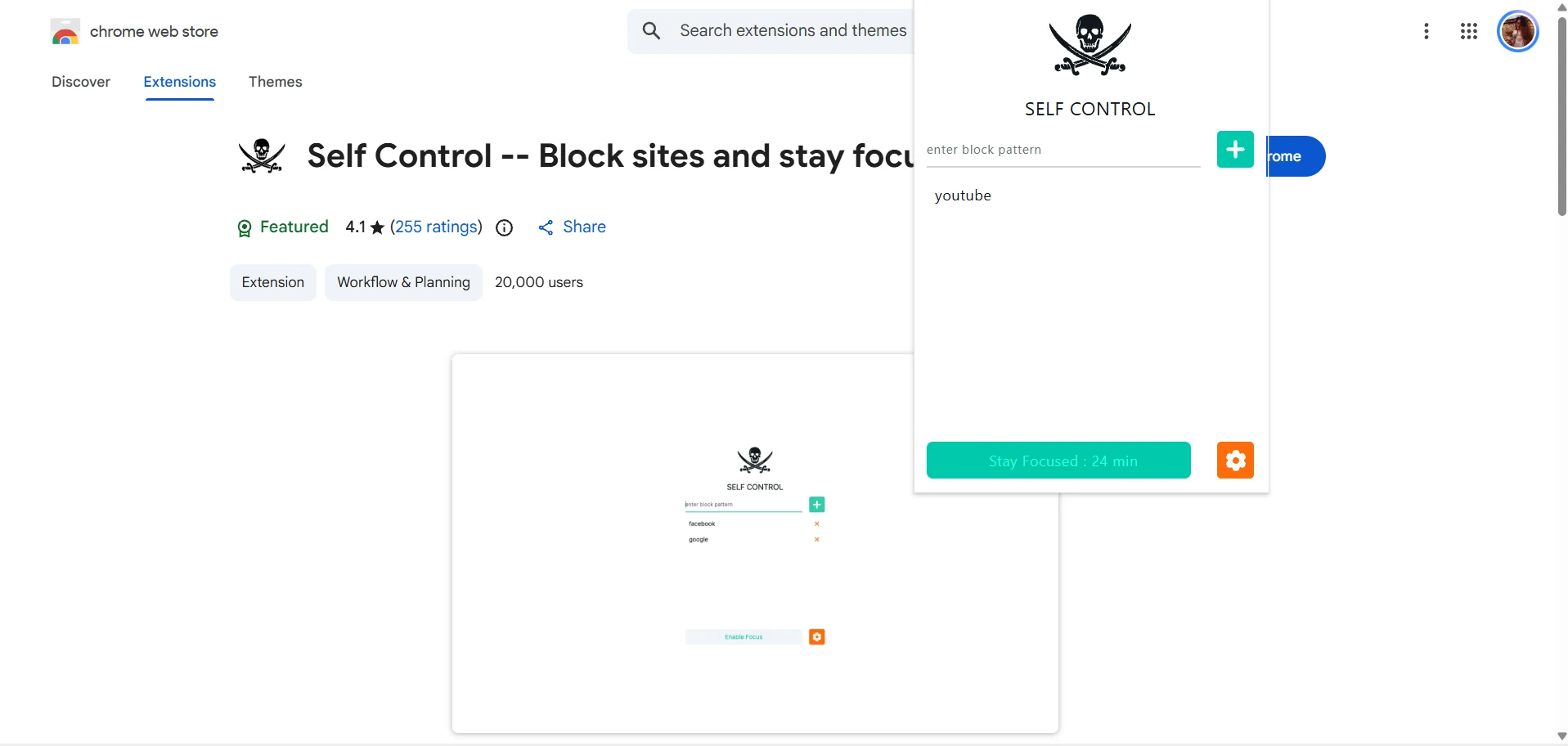
Self Control takes a much simpler approach than most of the other apps on this list. Instead of tracking tasks or analyzing your productivity, it focuses on keeping distracting websites out of reach while you're working.
I could add websites or URL patterns to a blocklist and use Focus Mode to keep them blocked for a set period. The extension can also run continuously or only when Focus Mode is active, depending on how I want to use it.
There's also a separate macOS app called SelfControl with a similar purpose, but it's a different product from the Chrome extension covered here.
What stood out: It addresses the distraction itself rather than simply timing or recording a focus session.
The catch: It's focused entirely on website blocking, so you won't get task management, focus analytics, or a full Pomodoro workflow.
Pick Self Control if: Your biggest problem is opening distracting websites while you're working.
Skip Self Control if: You want Pomodoro tracking, task management, or detailed insights into your focus habits.
Sunsama: best for fitting Pomodoro into your daily plan
Sunsama at a glance
- Best for: Daily planning + Pomodoro
- Platforms: Web, Windows, macOS, iOS, Android
- Free plan: No
- What makes it different: It connects focus sessions to the tasks and workload you've already planned for the day.
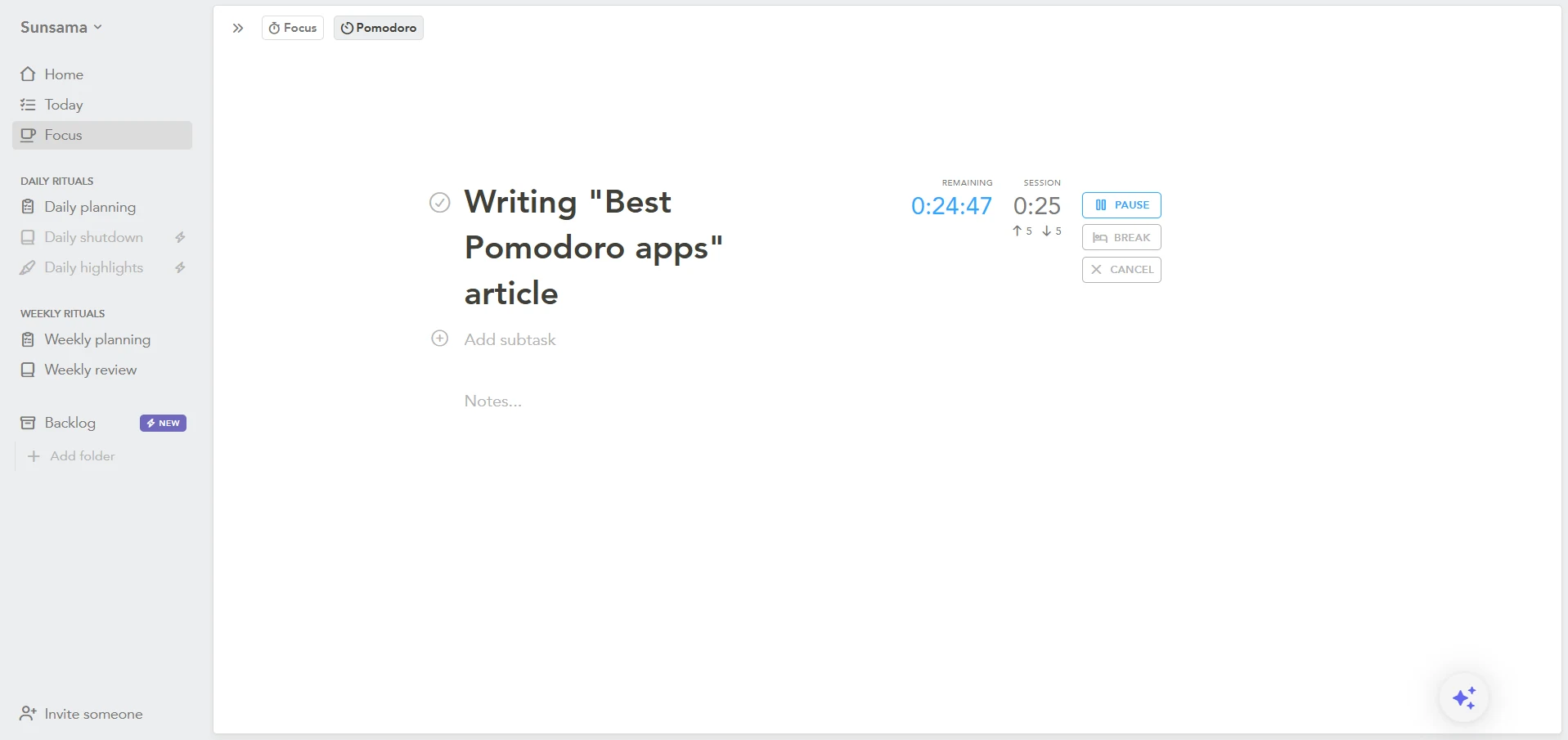
Sunsama made the most sense to me as a daily planning tool that happens to have a strong focus workflow. Instead of treating Pomodoro as a separate timer, it keeps the focus session connected to the task I had already planned to work on.
I also like the Focus Bar that kept my current task and timer visible outside Sunsama while I was working in the desktop app. The break reminders were another useful touch, especially when I wanted the app to remind me to step away instead of having to keep track of the time myself.
What stood out: The Pomodoro timer feels like a natural extension of Sunsama's daily planning rather than a separate productivity feature.
The catch: You're getting a full daily planning system, not just a Pomodoro timer.
Pick Sunsama if: You want your Pomodoro sessions to be part of a structured daily plan.
Skip Sunsama if: You only need a simple timer or want built-in distraction blocking.
Wrap up: Best Pomodoro apps
The best Pomodoro app depends on whether you need a timer, task system, distraction blocker, planner, or full focus tracker. After testing these Pomodoro apps, I wouldn't pick the same one for every workflow.
Rize stood out for automatic tracking and focus coaching, Floviu for combining blocking with focus insights, while TickTick and Focus To-Do made the most sense when I wanted my Pomodoros tied to specific tasks.
For something simpler, Pomofocus and Focus Keeper kept things focused on the timer itself, while Sunsama and Morgen were better suited to planning my entire workday around focused sessions.
What I would recommend now is to pick the app that matches the way you actually work, give it a week, and see whether it makes your focus sessions easier to stick to.
Start tracking time automatically
Join thousands of professionals who stopped guessing where their time goes. Free for 7 days.
“Rize has been a no-brainer for me.” — Ali Abdaal Read more →