Asana is where agency work lives: the briefs, the boards, the approvals. What it does not do is tell you whether the work was worth what the client paid. Retainer burn, department-level over-servicing, client margin. None of that is in Asana, because Asana tracks tasks, not hours-at-cost. The fix is not replacing Asana. It is adding an automatic time layer that shows what the work actually cost.
Why Can't Asana Answer Profitability?
Asana's native time tracking is a manual field on tasks: someone enters "actual time" by hand, and the field has no notion of retainers, scoped hours, or cost rates. For an agency billing monthly retainers, that is the wrong unit of measurement. A completed task list cannot tell you whether creative burned 140% of scope while strategy sat at 55%.
The gap shows up in the same places every month. A client asks for a burn report before renewing. A PM suspects an account is over-served but cannot prove it. Leadership wants client-level margin and gets task completion percentages instead. The work is in Asana. The cost of the work is nowhere.
Asana itself acknowledges the split: its native time tracking feature measures estimated versus actual time on individual tasks. It was built for capacity planning, not for pricing client work. There is no retainer object, no department roll-up, and no cost rate attached to an hour.
How Much Time Does Manual Entry Actually Lose?
Manual time tracking under-captures real work by 15-40%, and the missing hours are disproportionately billable. That is the industry-consistent finding across professional services research, and it is the reason timer data always looks better than reality.
According to a Harvard Business Review analysis, unrecorded work costs the U.S. economy an estimated $7.4 billion per day, and the same research found that people who log time weekly produce records roughly two-thirds accurate at best. A Friday-afternoon reconstruction keeps the memorable work and drops the fragments: the twelve-minute revision, the unscoped client favor, the Slack thread that turned into a deliverable.
The fragmentation problem is worse than it looks. A 2022 Harvard Business Review study found the average knowledge worker switches between apps roughly 1,200 times a day. Every switch is a timer someone forgot to restart. And according to Asana's own Anatomy of Work Index, workers already spend 58% of their day on "work about work." Manual timesheets add one more layer of it.
See what your retainers actually cost
Rize captures every work session in the background and maps it to your clients and projects. Start a free 7-day trial.
Start Free TrialWhat Are the Three Ways to Add Time Data to Asana?
1. Asana's native field. Free and built in, but manual, and it measures tasks rather than clients. Data quality collapses the week the team gets busy, which is the week the data mattered.
2. Timer integrations (Everhour, Toggl, Harvest). Better reporting surfaces, same dependency: a person starts and stops a timer. The unlogged hours are exactly the hours that make retainers unprofitable. Timer data is systematically optimistic because it only records what someone remembered to start.
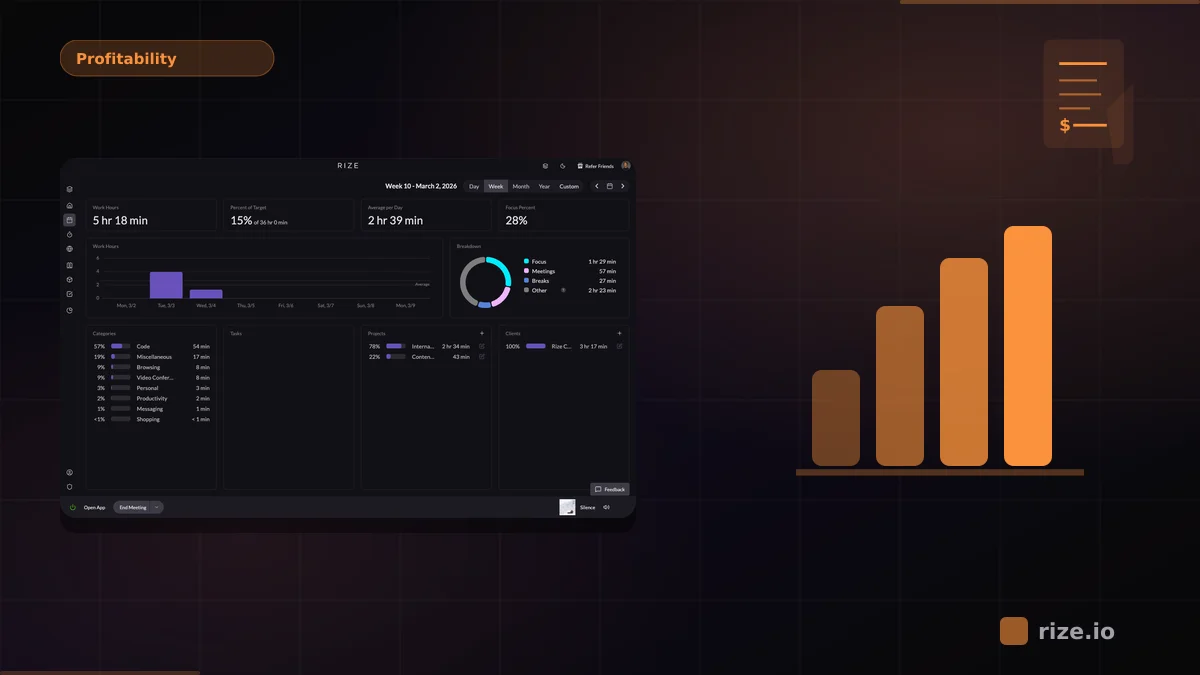
3. Automatic capture (Rize). Rize is an automatic time tracker that records every work session in the background and categorizes it to the client and project, mapped from your Asana structure. No timer, no timesheet, no compliance gap. Burn reports reflect delivered work, not remembered work.
The practical difference is coverage. Rize captures 100% of tracked sessions whether or not anyone remembered a timer, which is why its burn numbers survive a client audit while timer data often does not.
What Does an Agency Get From Asana + Rize?
Retainer burn by client and department. Scoped hours versus actual hours per department: creative, strategy, social, media, priced at loaded cost rates. This is the view clients ask for in monthly reports, produced without a single timesheet chase.
Mid-month over-servicing flags. A department running at 130% of scope pace in week two is a scope conversation. The same number discovered at month-end is a write-off. (The full template: how to track retainer burn by client and department.)
Staffing-plan truth. Retainers are priced from a staffing plan. Rize shows the plan's actuals, where the hours really went, so the next proposal prices reality instead of optimism. Agencies that reprice on real data typically recover 10-20% of margin on their worst accounts at renewal.
Keep Asana. No PM migration, no change management, no retraining 50 people. Rize imports the project structure, the team keeps working in Asana, and the burn data appears inside a week.
Should You Switch to a Suite Instead?
The other path is a suite: Scoro, Productive, Accelo. These bundle PM and time tracking in one system, which solves the tool-count problem but not the data-quality problem. Every hour still depends on someone logging it, and the migration itself takes a quarter of moving every client, workflow, and template out of Asana.
Agencies that tried the suite path report the same outcome: a months-long implementation, and time data no more accurate than the timers it replaced. If the reporting question is "which clients are profitable," the answer lives in captured hours, not in which tool holds the task list. Our agency profitability tracking guide walks through the reporting layer in detail.
How Do You Roll It Out Without a PM Migration?
Week one is import and mapping: Rize pulls the Asana project structure so sessions categorize to the same names the team already uses. Week two is review habit: each person spends two minutes approving their categorized day instead of an hour reconstructing their week. By the first month-end, the burn report writes itself.
The teams that succeed keep the loop small. Review daily, correct mis-categorized sessions once, and let the rules learn. Within a few weeks the categorized record is accurate enough that the burn report can go straight into the client packet.
Which Agencies Get the Most Out of This?
The pattern that benefits most is a retainer-heavy agency where over-servicing is a known margin leak but nobody can prove the size of it. Social media shops running 10 to 30 client retainers, creative studios mixing retainer and project work, and PR firms billing monthly fees all fit. The common thread is scoped hours sold against unscoped effort delivered.
Smaller agencies feel it differently: a five-person studio does not need department roll-ups, but it does need to know that the "easy" client consumed 40% of last month's capacity. Project-only shops still benefit because fixed-fee work has the same burn math under a different name: a fixed fee divided by actual hours is the real rate, and automatic capture is what makes the denominator honest.
The agencies that get nothing from it are the ones that never look at the reports. Automatic capture makes the data exist; the margin still has to be managed. If your team reviews client profitability monthly, or intends to, the data layer is the bottleneck worth removing.
What Does the First Month Look Like?
Days one to three are silent data collection: Rize runs in the background while the team works in Asana exactly as before. By the end of week one, the first categorized week exists, and most teams spot their first surprise within days. A client they thought was light-touch is consuming triple the scoped hours, or the accounts assumed profitable are the ones running hot.
Weeks two through four build the baseline. Burn reports accumulate real history, the first client-facing report goes out with actuals instead of estimates, and the renewal pipeline gets repriced against measured data. Teams commonly find 10-20% of their client list was mis-priced once real hours replace assumptions.
How Do the Timer Tools Compare on Fit?
Everhour is the tightest Asana integration: timers live inside Asana tasks and reports roll up by project. The ceiling is the timer itself. When discipline slips, the reporting is accurate about a fraction of the work. Toggl is similar with a broader integration surface. Harvest adds invoicing, which suits agencies that bill hourly from the time tool, but adds a second billing workflow to maintain.
Rize differs on the input, not the report. Automatic capture means the dataset is complete regardless of habits, which is what makes burn and margin numbers trustworthy enough to send to a client. Timer tools answer "what did we log"; automatic capture answers "what did we do."
If your agency runs on Asana and cannot answer "which retainers are actually profitable," the missing piece is hours: real ones, captured automatically. See how Rize reports agency profitability, compare it against the timer tools on the Float alternative and Harvest alternative pages, or run your numbers in the profitability calculator.
Start tracking time automatically
Join thousands of professionals who stopped guessing where their time goes. Free for 7 days.
“Rize has been a no-brainer for me.” — Ali Abdaal Read more →