We've shipped a major update to how you move through Rize — a redesigned sidebar, a smarter home page, and views that adapt to how you work.
Customizable Workspace Sidebar
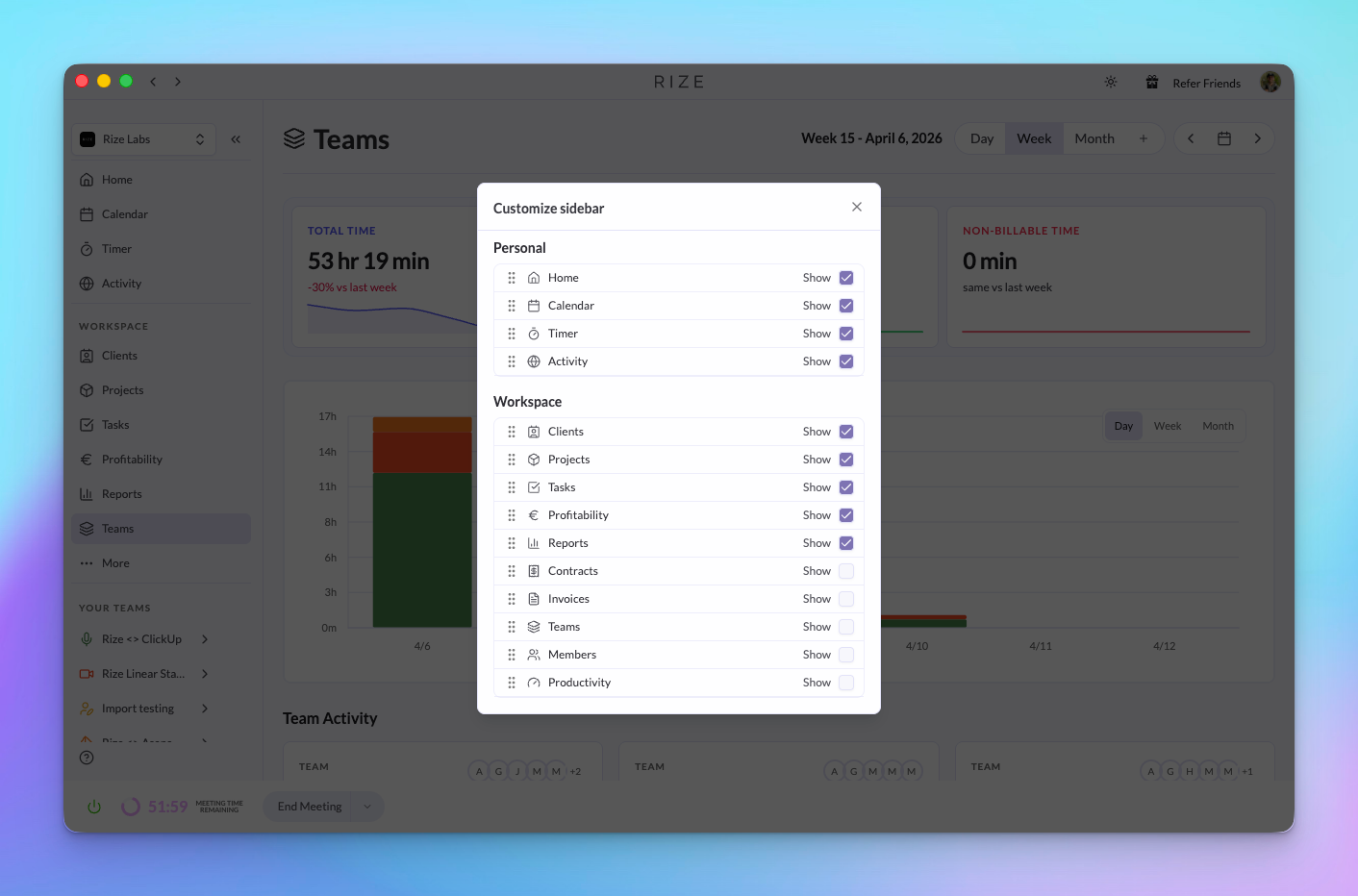
The sidebar now shows you the pages you use most. Choose which items are visible, hide the ones you don't need, and reorder them to match your workflow. Your sidebar configuration is saved per workspace.
New Home Page
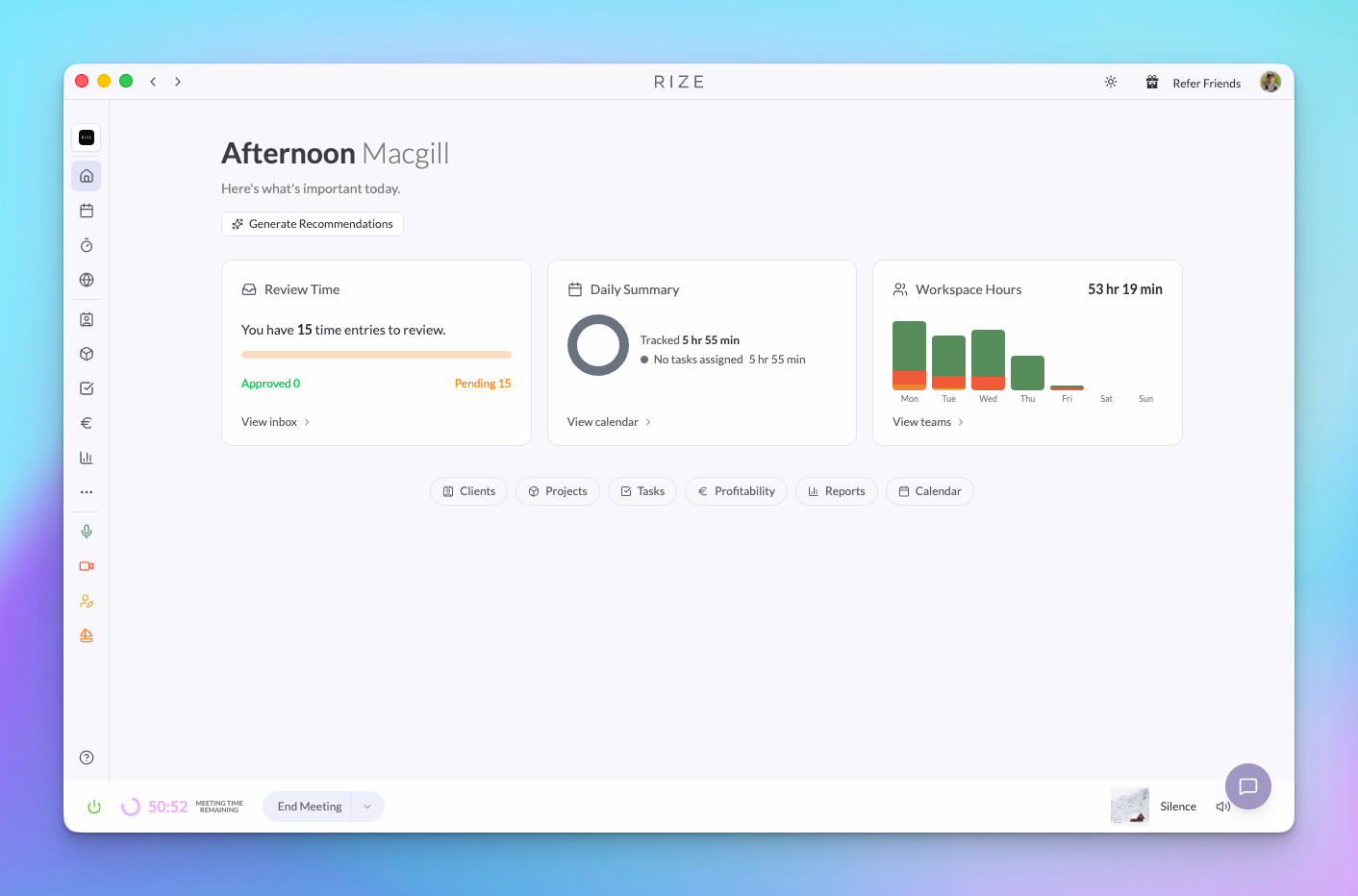
Home now gives you a snapshot of your day at a glance — time to review, a daily summary, and a workspace hours chart that breaks down your tracked time by team across the week. Quick links below the cards take you directly to your most-used pages.
Workspaces
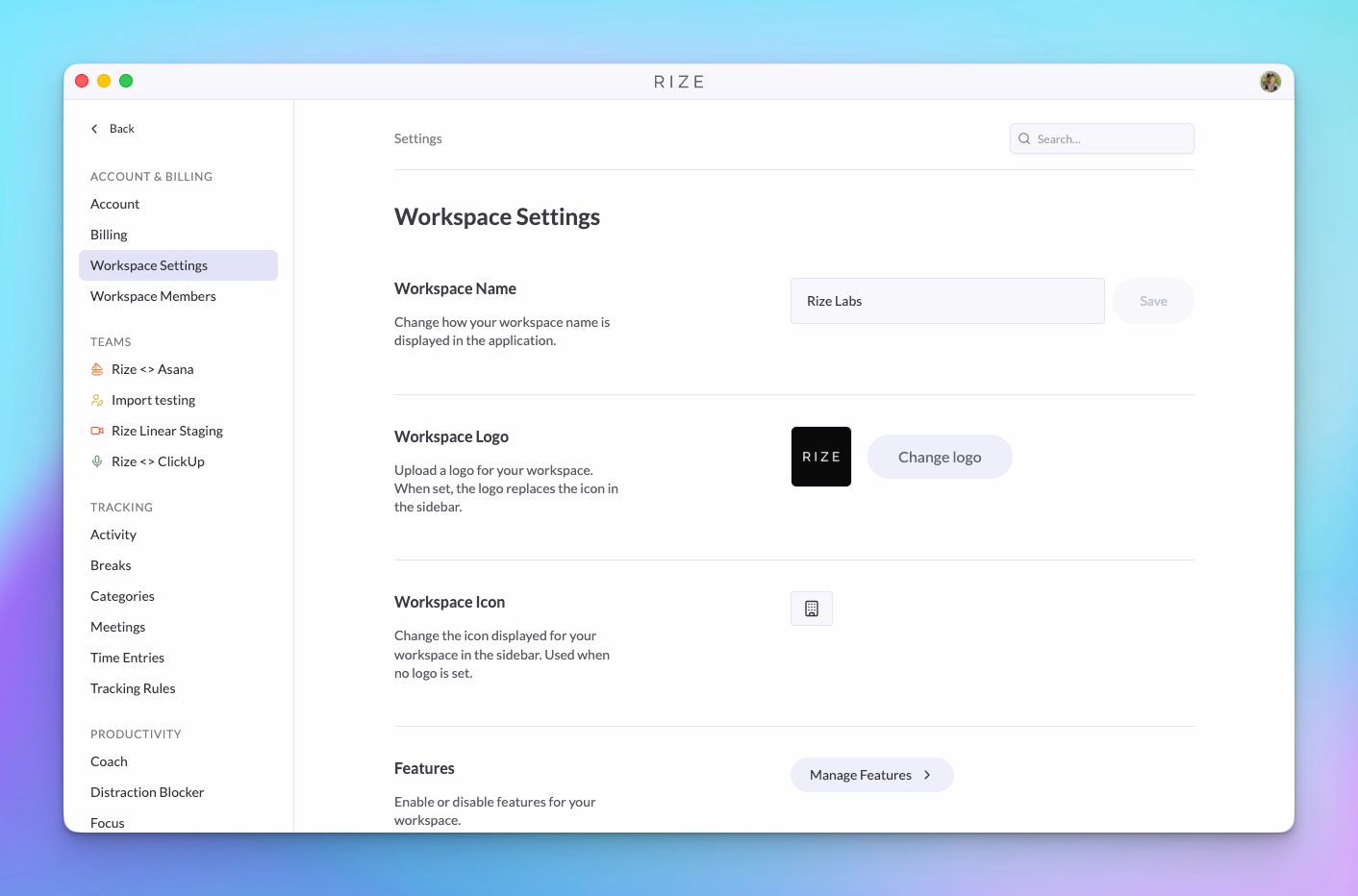
We've renamed Organizations to Workspaces. You can now upload a custom logo for your workspace, which appears in the sidebar. You can also upload a profile photo — giving your workspace a more personalized feel.
New Support Widget
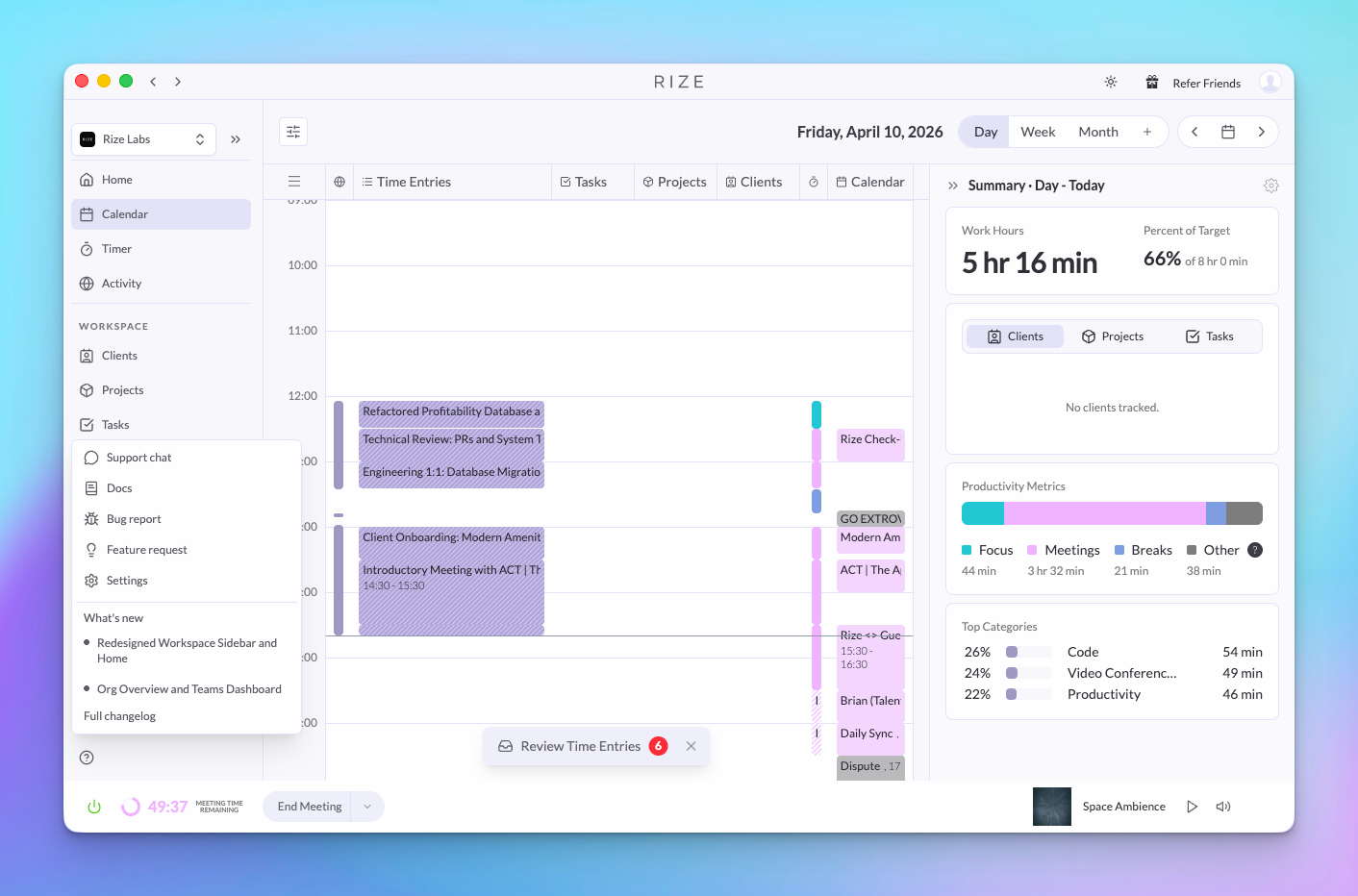
Need help? There's a new support chat widget in the bottom left corner of the app. Click it to start a conversation with our team — no need to leave Rize or dig through menus.
Other Improvements
- Fixed overlapping issues so modals always appear above the sidebar
- Header buttons like the theme toggle are now always clickable
- Changelog in the help menu loads faster
- Collapsed sidebar no longer shows extra spacing gaps
- Removed the old layout toggle — the new layout is now the default