There's a new teams dashboard in your workspace — see how every team is tracking across the week, all in one place.
Teams Dashboard
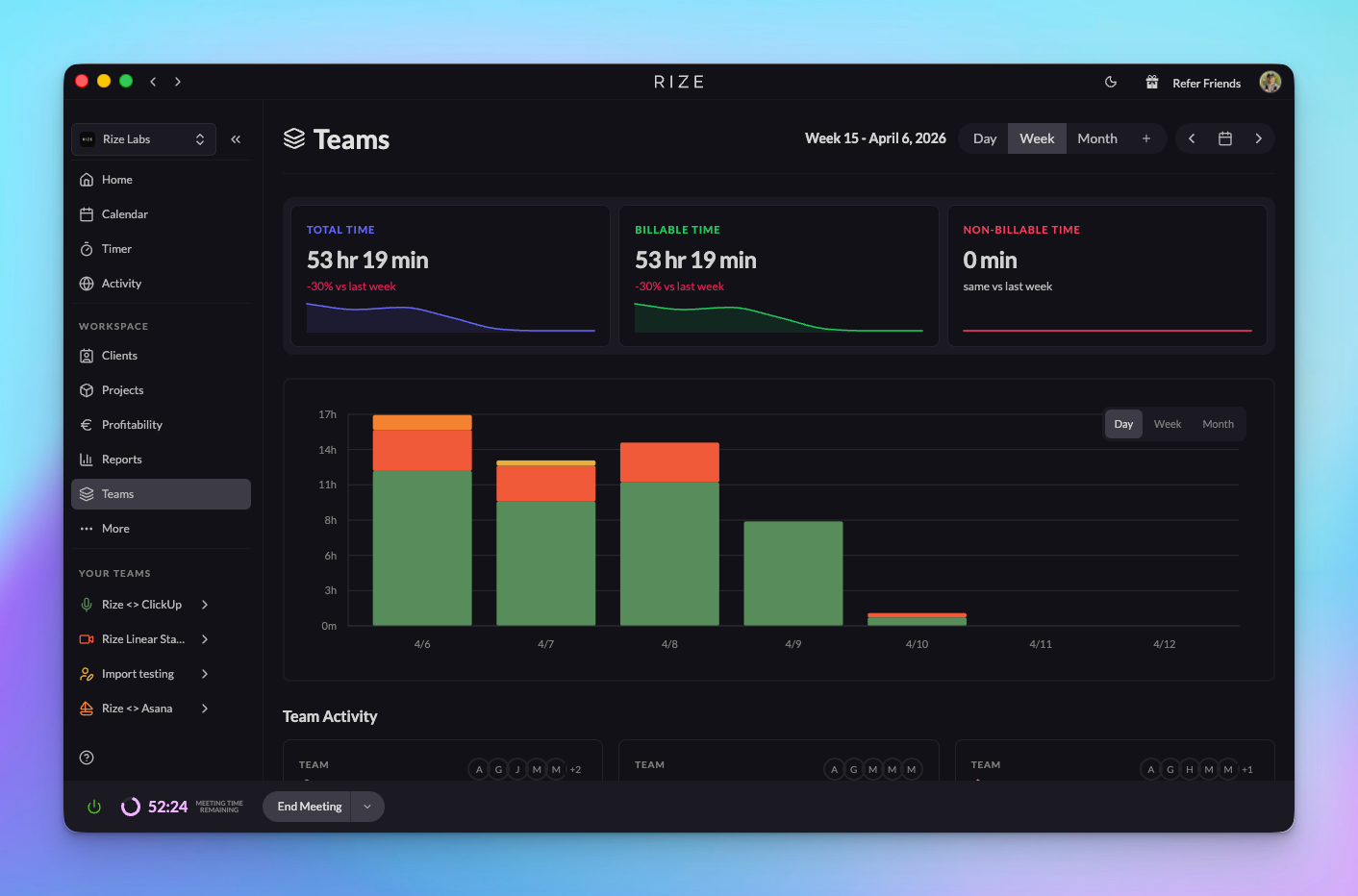
Get a bird's-eye view of all your teams. See total time, billable time, and non-billable time at a glance, with comparisons to the previous period. A stacked bar chart breaks down daily tracked hours across teams so you can spot trends without digging into each one separately.
Team Activity Table
Below the chart, the activity table shows each team's tracked time, number of people, projects, and clients. A quick way to compare how your teams are doing.
Team Colors
Assign a color to each team and it shows up across the sidebar, selectors, badges, and charts — making it easy to tell your teams apart at a glance.
More Workspace Settings
- Set your workspace's display name from settings
- Invite people with the refer button in the header
- Switch between day, week, and month views with the new date picker
- Page titles update as you navigate
- Toggle between light and dark themes from the header