We've completely reimagined how you navigate and analyze your time data in Rize. The new Calendar and Home views separate your daily workflow from historical analysis, giving you purpose-built interfaces for tracking your current day, reviewing past performance, and identifying patterns across weeks, months, and years.
What's New
A Dedicated Home Dashboard
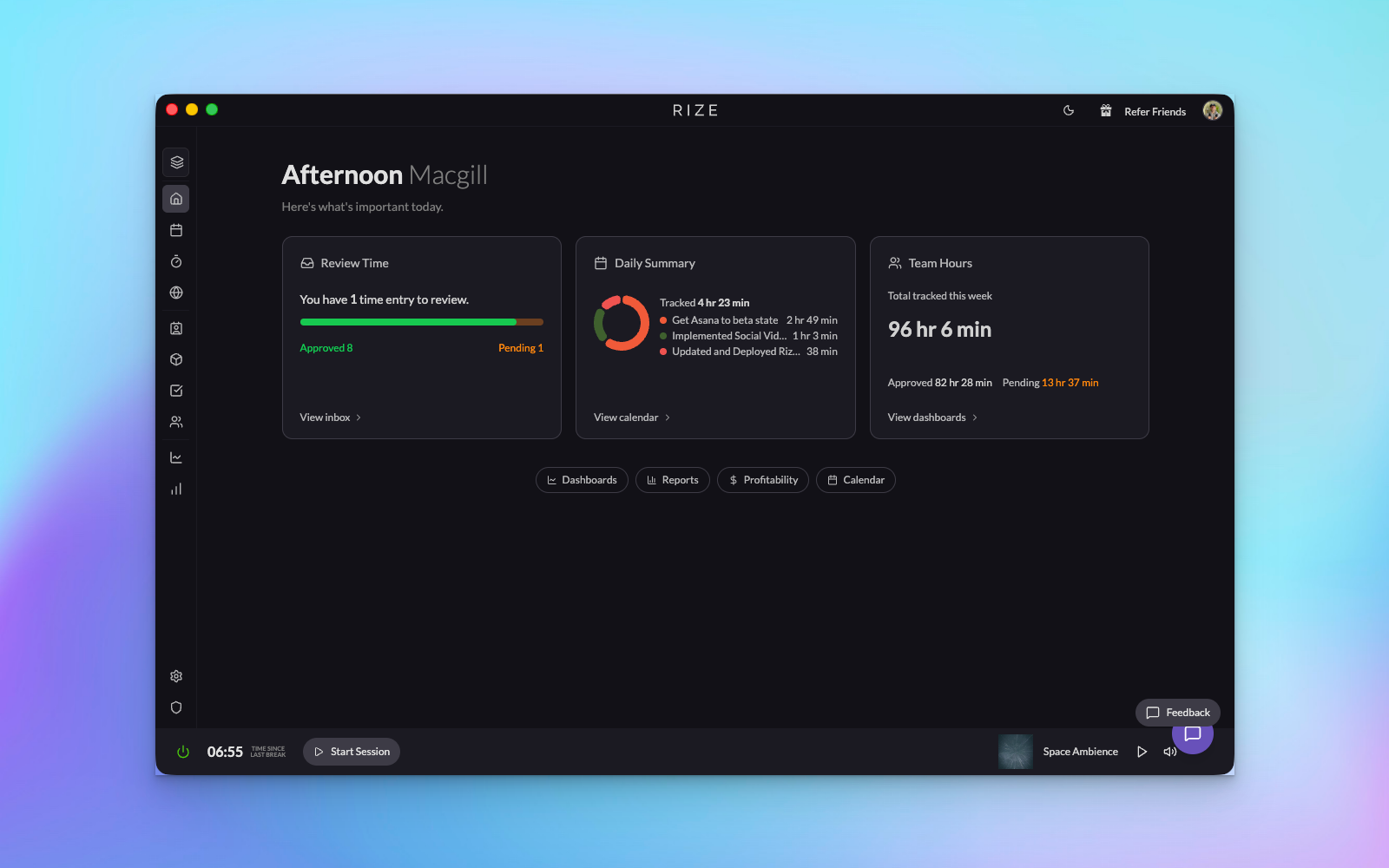
Your new Home is mission control for your daily workflow. Instead of forcing you to navigate through calendar views to find what matters most, Home presents three essential cards at a glance:
- Pending Time Entries: Quickly review and approve entries that need your attention
- Daily Summary: See your most important metrics with a quick link to dive deeper in the Calendar
- Admin Dashboards: Fast access to custom dashboards, profitability reports, and team analytics
Redesigned Calendar Views
We've rebuilt the Calendar from the ground up with dedicated views for every time range. The daily view now includes customizable timeline settings, letting you toggle which columns appear and adjust your time entry generation preferences directly from the interface. Summary cards are cleaner, more informative, and collapsible when you just want to focus on your timeline.
Week View: Your Weekly Performance at a Glance
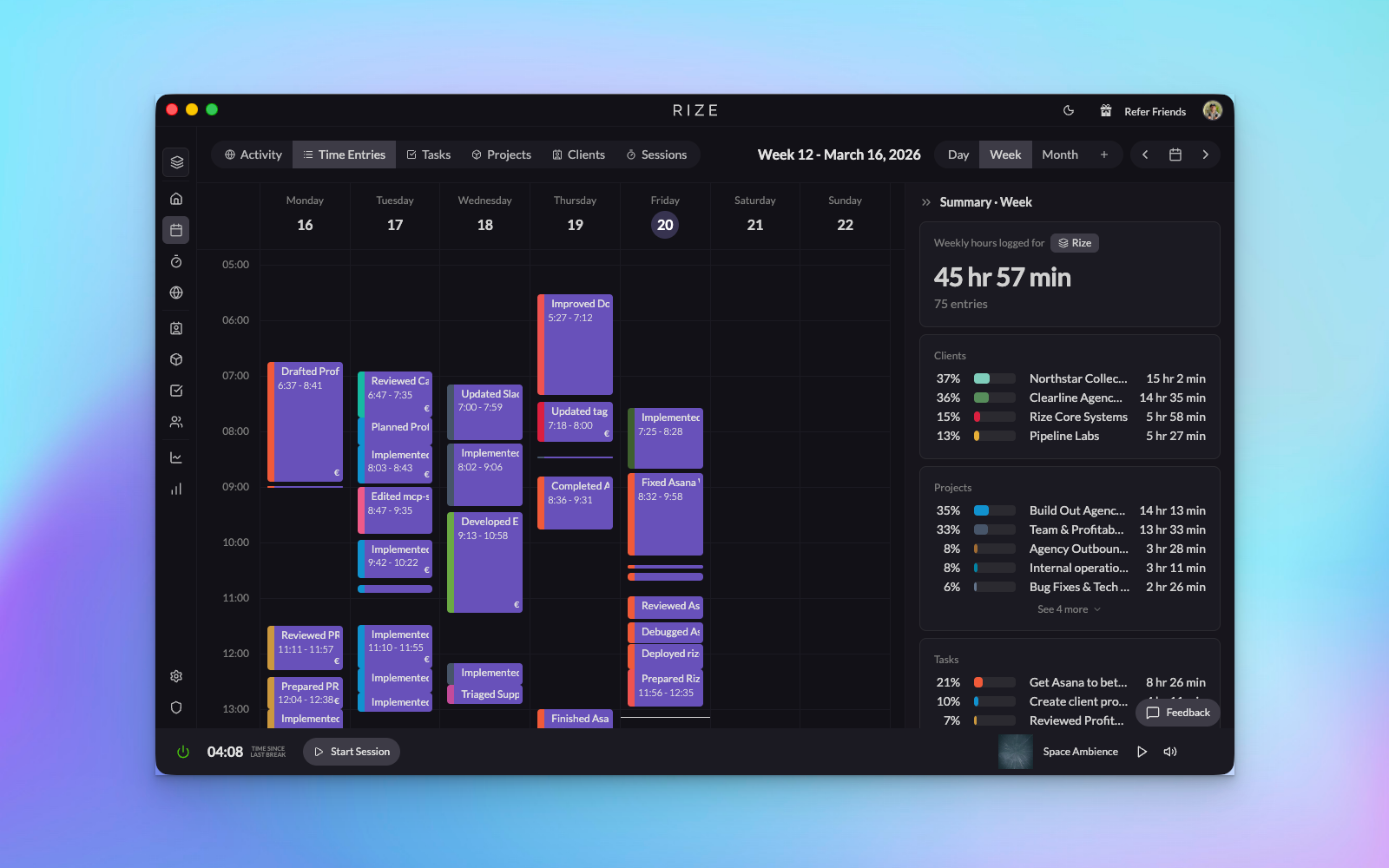
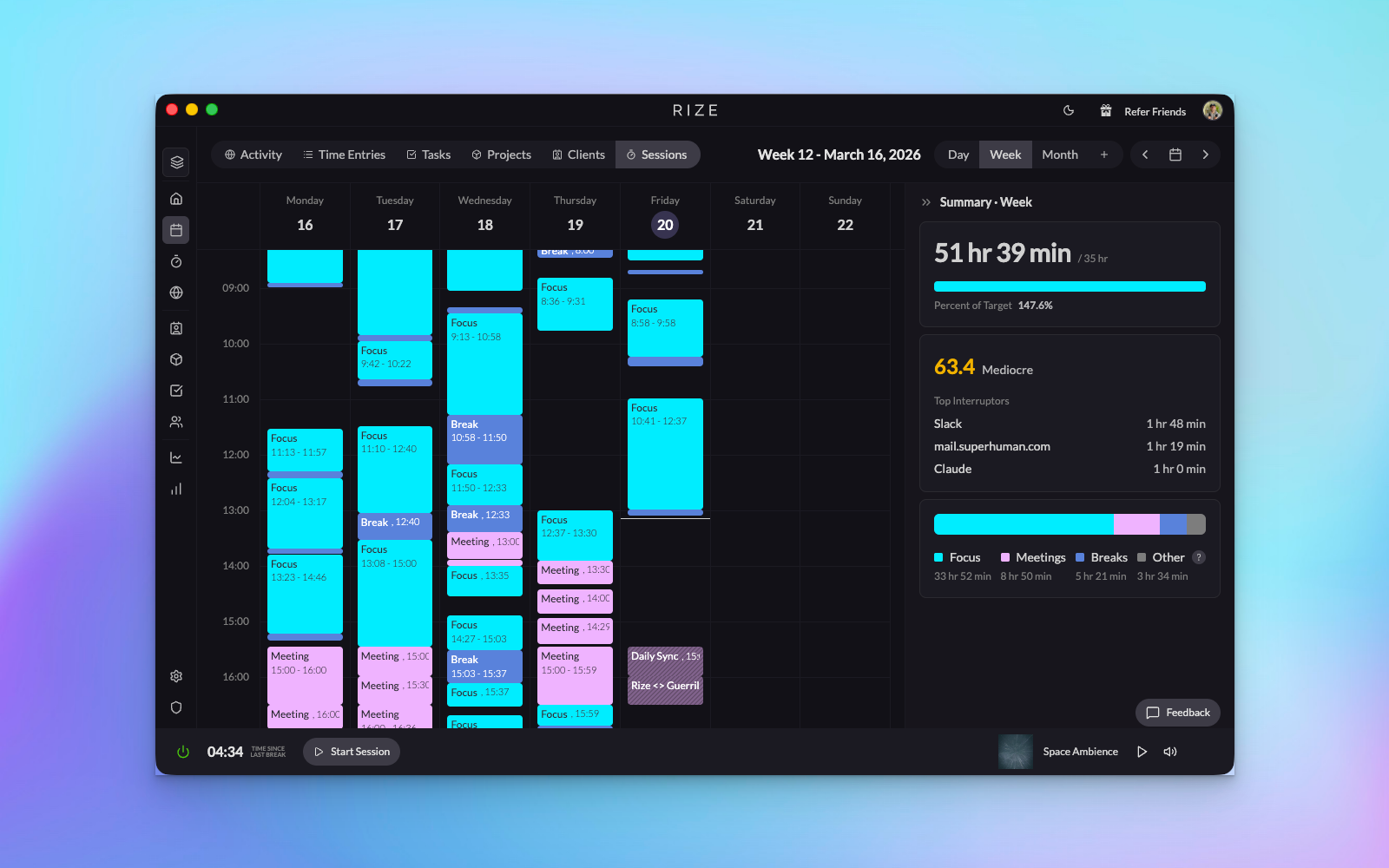
The new week view breaks down your data into multiple dimensions. View your week by time entries, tasks, projects, or clients. The summary tab shows session analytics, comparing your scheduled time against actual activity. You'll see your work hours target, daily average work time, and quick access to your top apps and websites. Activity view reveals how you're spending time across different categories, with hover details for each event.
Month View: Visual Pattern Recognition
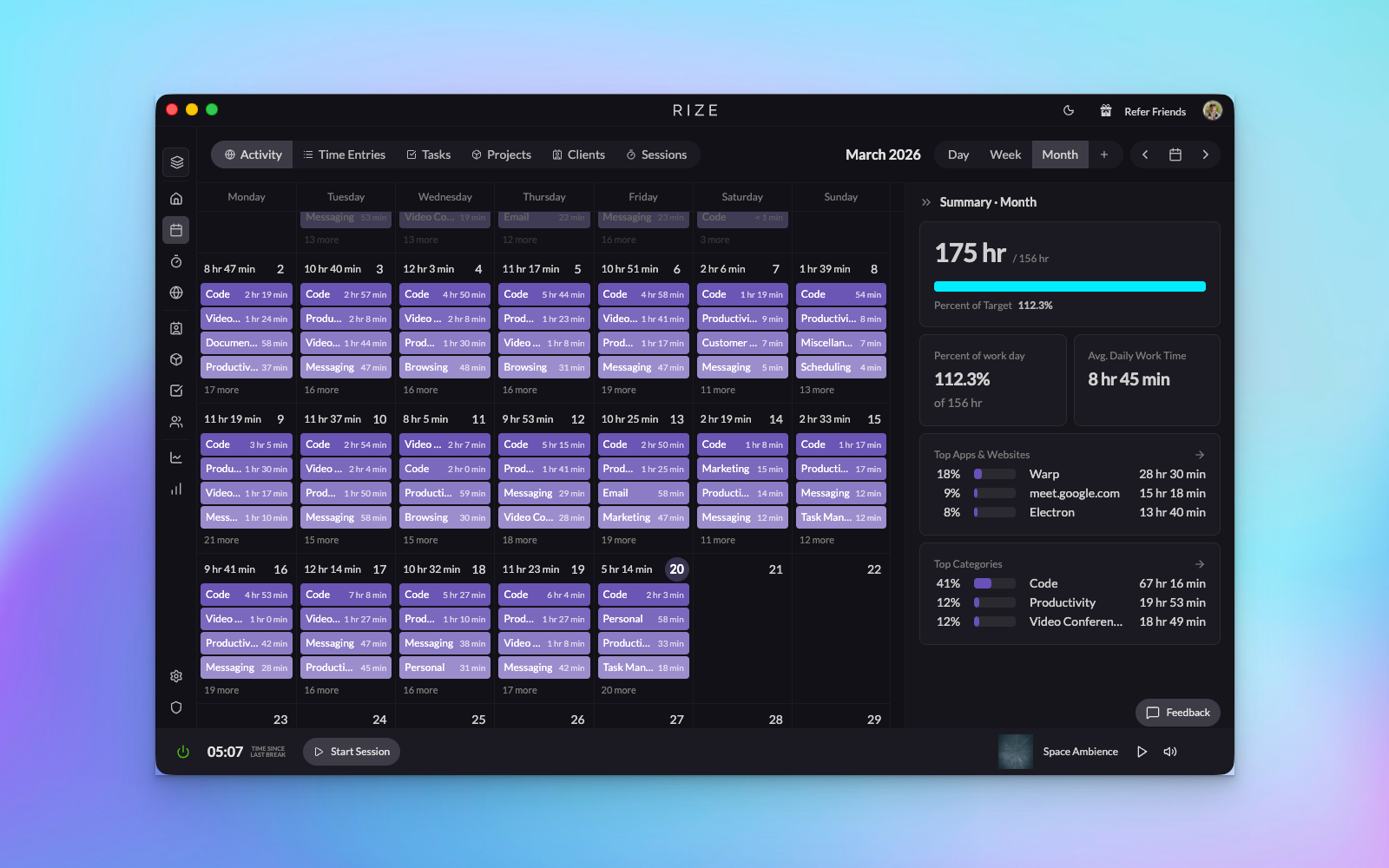
Month view transforms your calendar into a heat map of productivity. Each day displays your top four categories at a glance, making it easy to spot patterns and shifts in how you're allocating time. Click any day to drill into the details. Whether you're viewing time entries, tasks, projects, or clients, you'll immediately see which areas are consuming your hours and how that changes week over week.
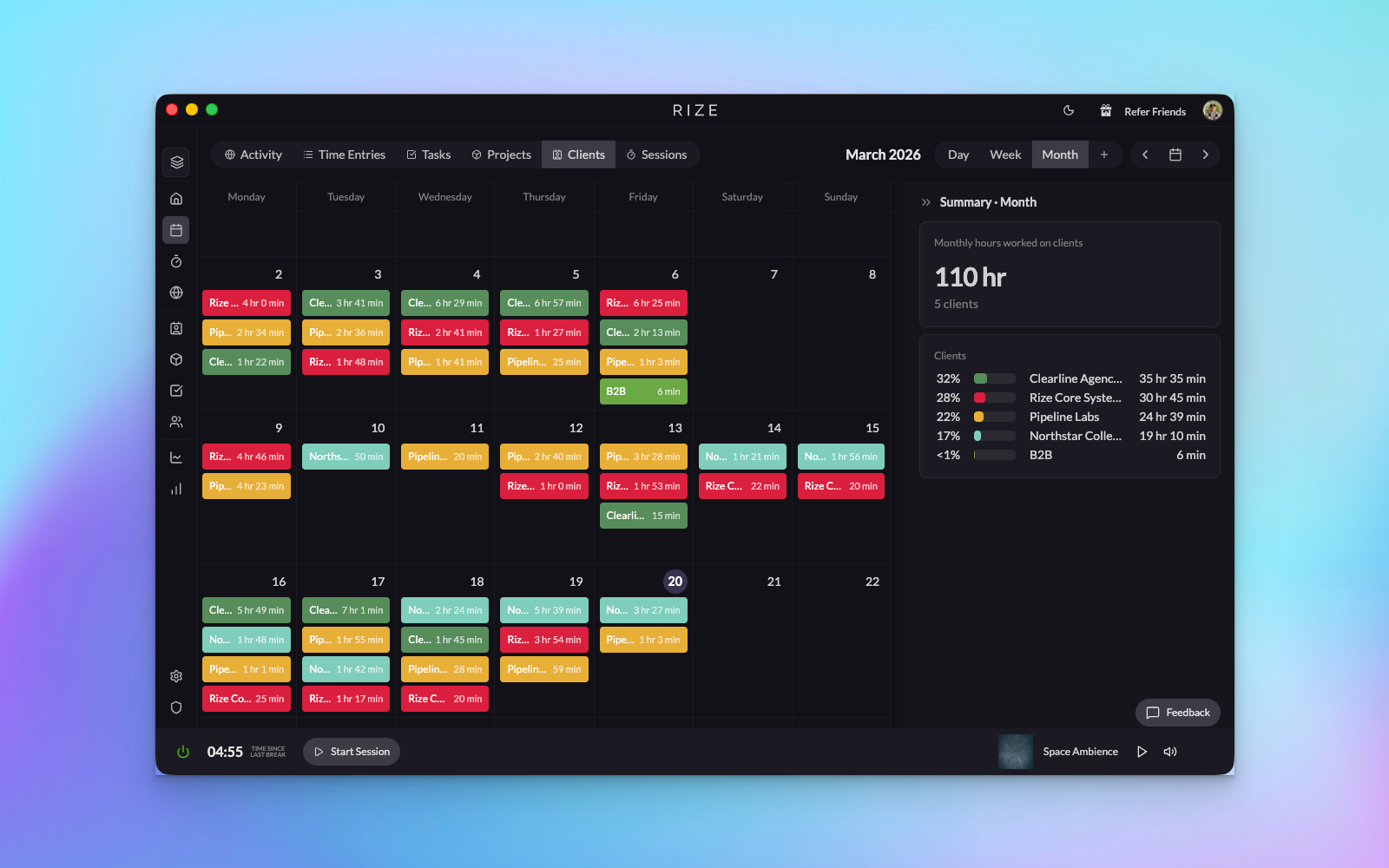
The sessions view is particularly powerful for understanding your focus time. Are meetings eating into your deep work? Is your focus time trending up or down? The month view shows your focus average and identifies your top interrupters, helping you protect your most valuable hours.
Year View: The Big Picture
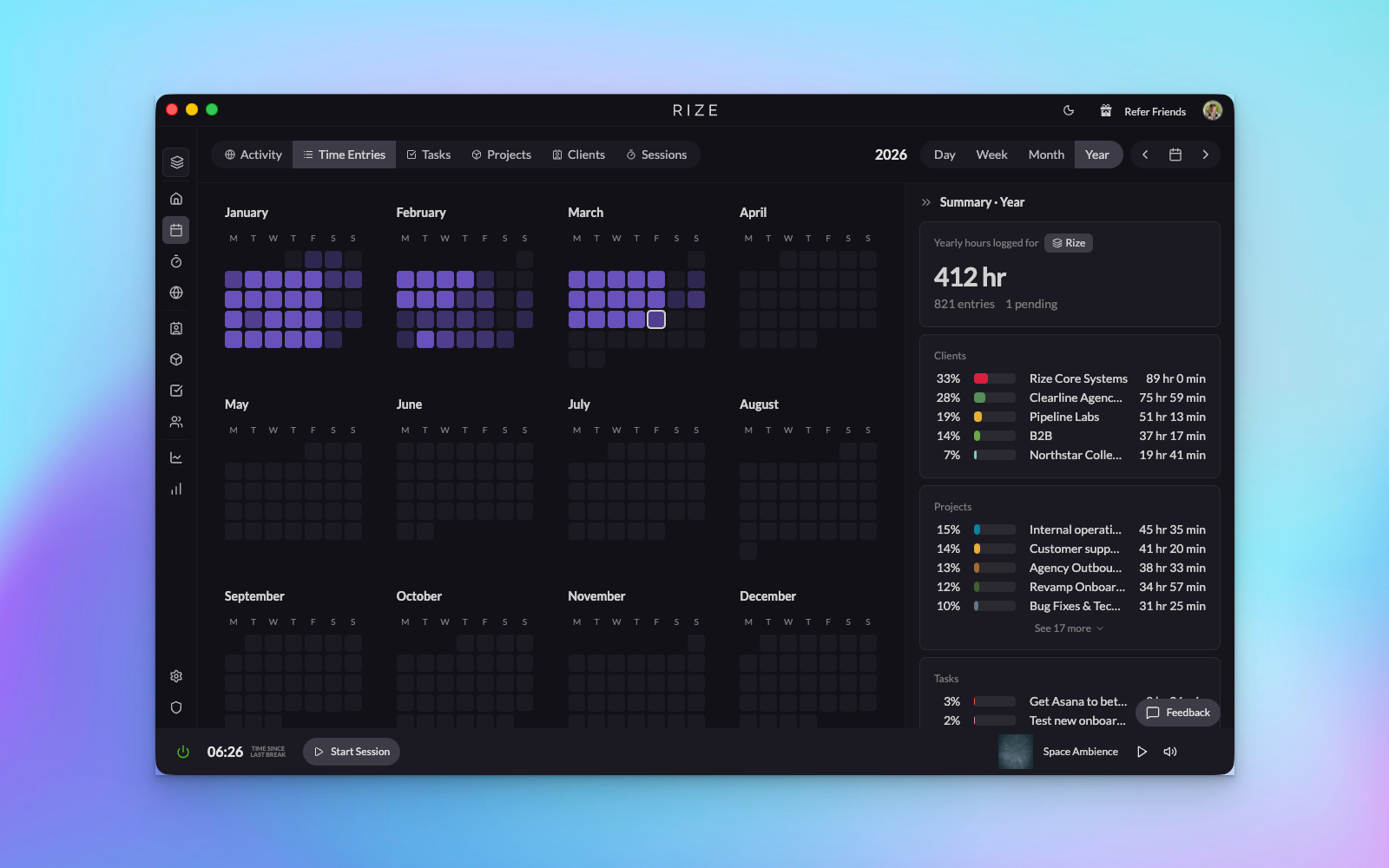
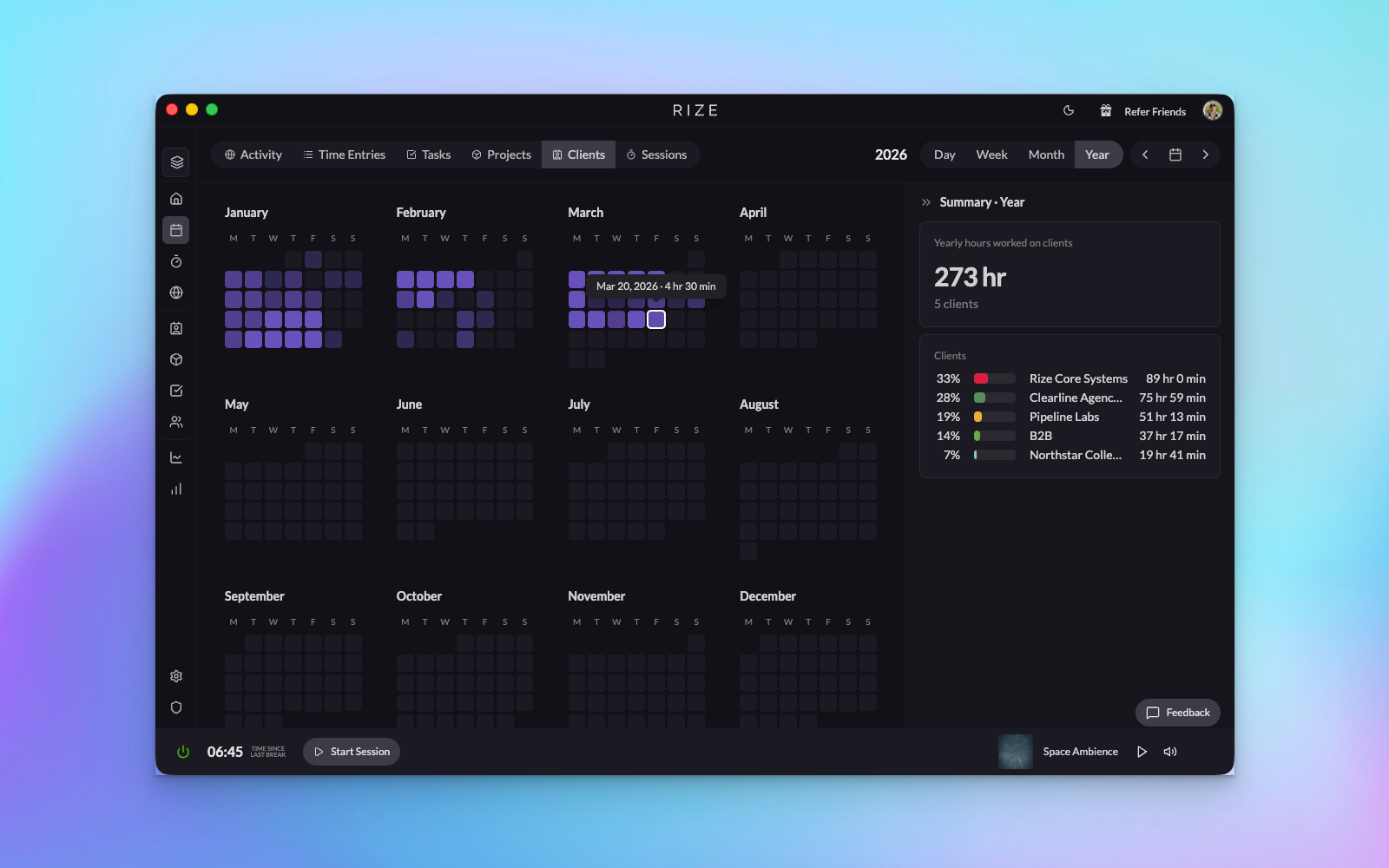
Year view gives you the 30,000-foot perspective on your time. Hover over any day to see details, or click through to explore specific periods in depth. View your entire year broken down by time entries, tasks, projects, clients, or activity. It's the perfect tool for quarterly reviews, annual planning, or understanding long-term trends in how you work.
Custom Range: Your Data, Your Way
Need to analyze a specific sprint, project phase, or billing period? Custom range lets you define any date range and see the same rich breakdowns available in other views. Perfect for generating reports that align with your unique workflow.
How It Works
- Start your day on Home: Check pending items, review your summary, and access your most important dashboards from a single screen
- Navigate to Calendar for analysis: Use the time range selector to switch between Day, Week, Month, Year, or Custom views
- Customize your timeline: In daily view, use the timeline settings to show or hide columns based on what matters to you
- Switch between data slices: In Week, Month, and Year views, toggle between Time Entries, Tasks, Projects, Clients, Summary, and Activity tabs to see different perspectives on the same period
- Drill down on demand: Click any day, week, or data point to jump to a more detailed view
- Collapse summaries: When you just need to see your timeline, collapse the summary cards for a cleaner workspace
These new views represent a major step forward in how Rize helps you understand and optimize your time. We've separated the concerns of daily tracking from historical analysis, making each use case clearer and more powerful. This is just the beginning—we'll continue iterating on Home and adding new capabilities to help you work smarter. We'd love to hear what you think!