We're excited to introduce Custom Dashboards – a powerful new way to visualize your time tracking data exactly how you want it. Whether you're tracking team performance, client projects, or personal productivity, you can now create fully customizable dashboards tailored to the metrics that matter most to you.
What's New
- Multiple Dashboard Views: Create unlimited dashboards for different purposes – team overviews, client breakdowns, personal productivity tracking, and more
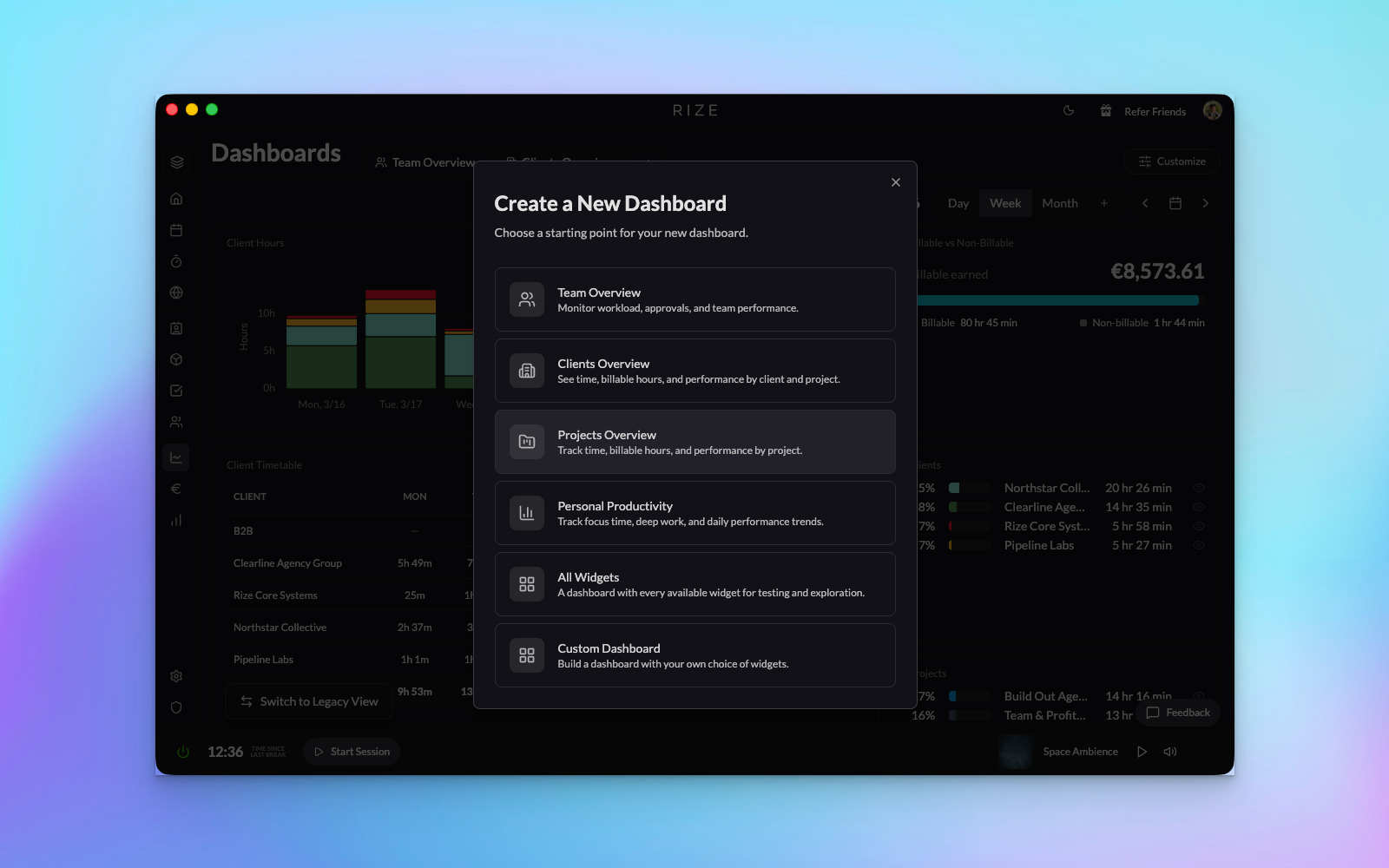
- Pre-built Templates: Get started instantly with ready-made dashboard templates including Team Overview, Clients Overview, and Personal Productivity
- Drag-and-Drop Customization: Rearrange widgets by simply dragging them into your preferred layout – no technical skills required
- Extensive Widget Library: Choose from a comprehensive collection of widgets including member breakdowns, task tracking, project charts, client analytics, focus scores, and team timetables
- Flexible Time Ranges: View your data by day, week, month, or custom date ranges to spot trends and patterns
- Smart Filtering: Search and filter widgets by type to quickly find exactly what you need
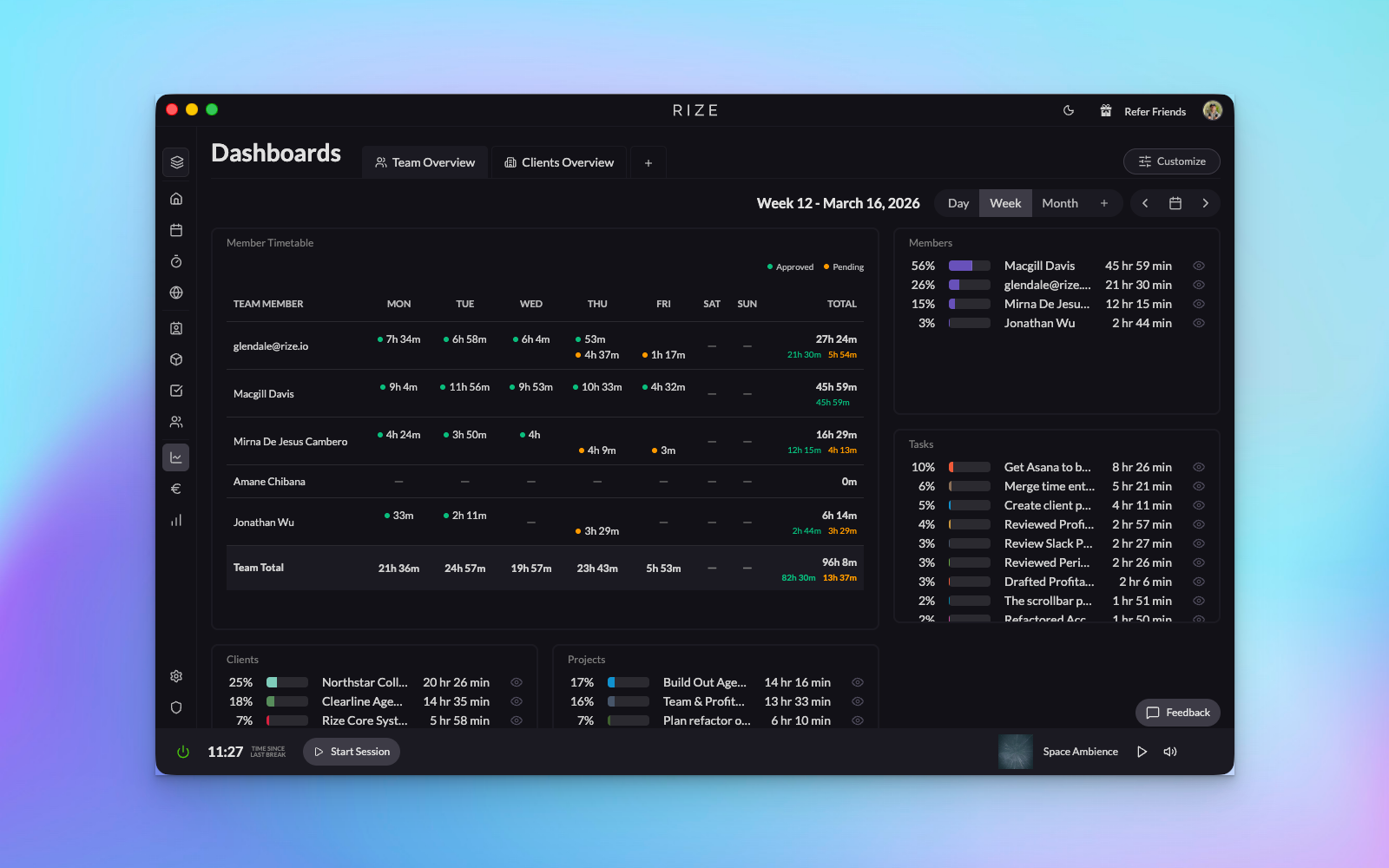
The Team Overview dashboard gives you a complete picture of your team's time allocation across members, tasks, projects, and clients – all in one centralized view.
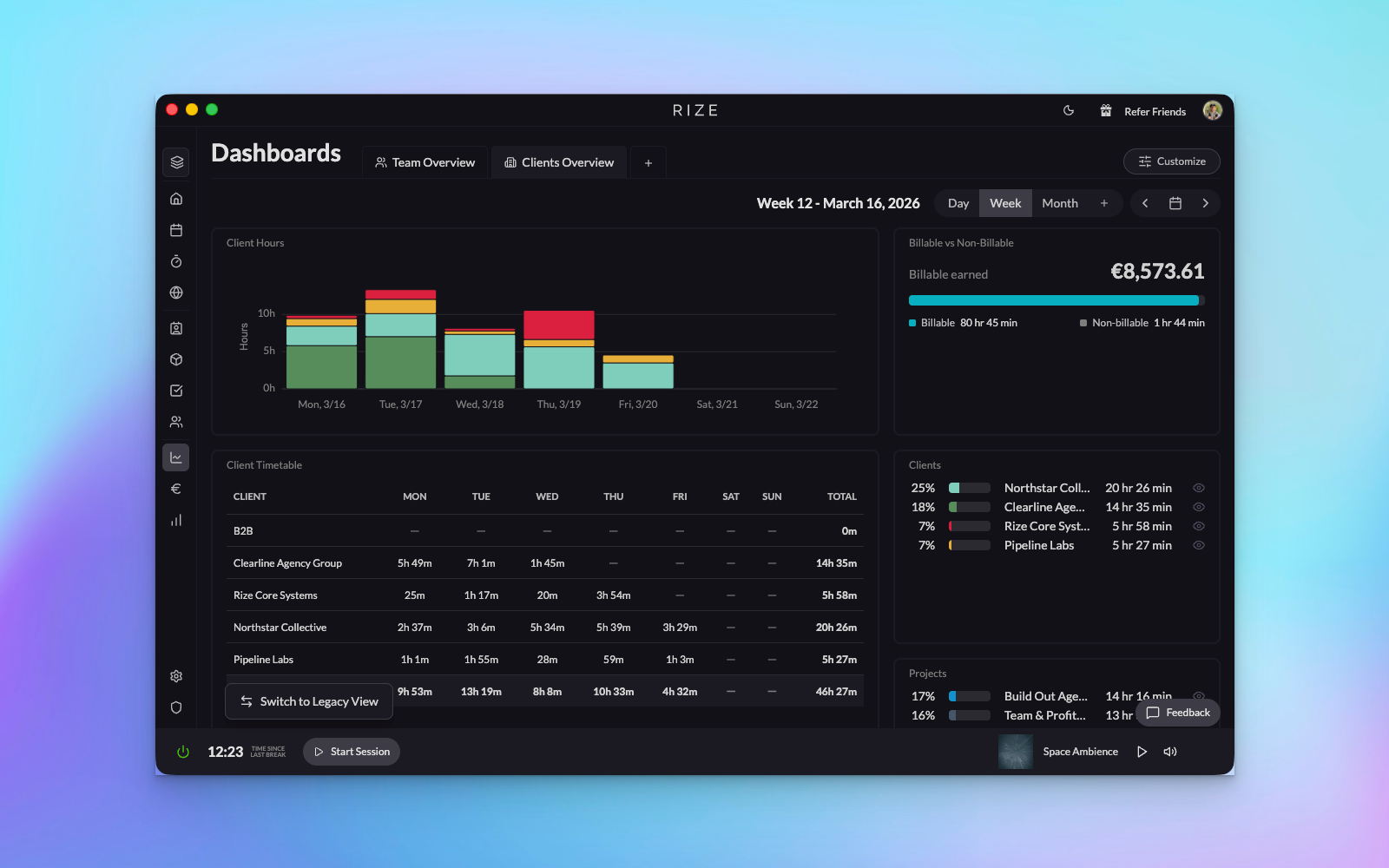
The Clients Overview dashboard helps you understand exactly where time is being spent across your client portfolio, making it easier to manage workload and billing.
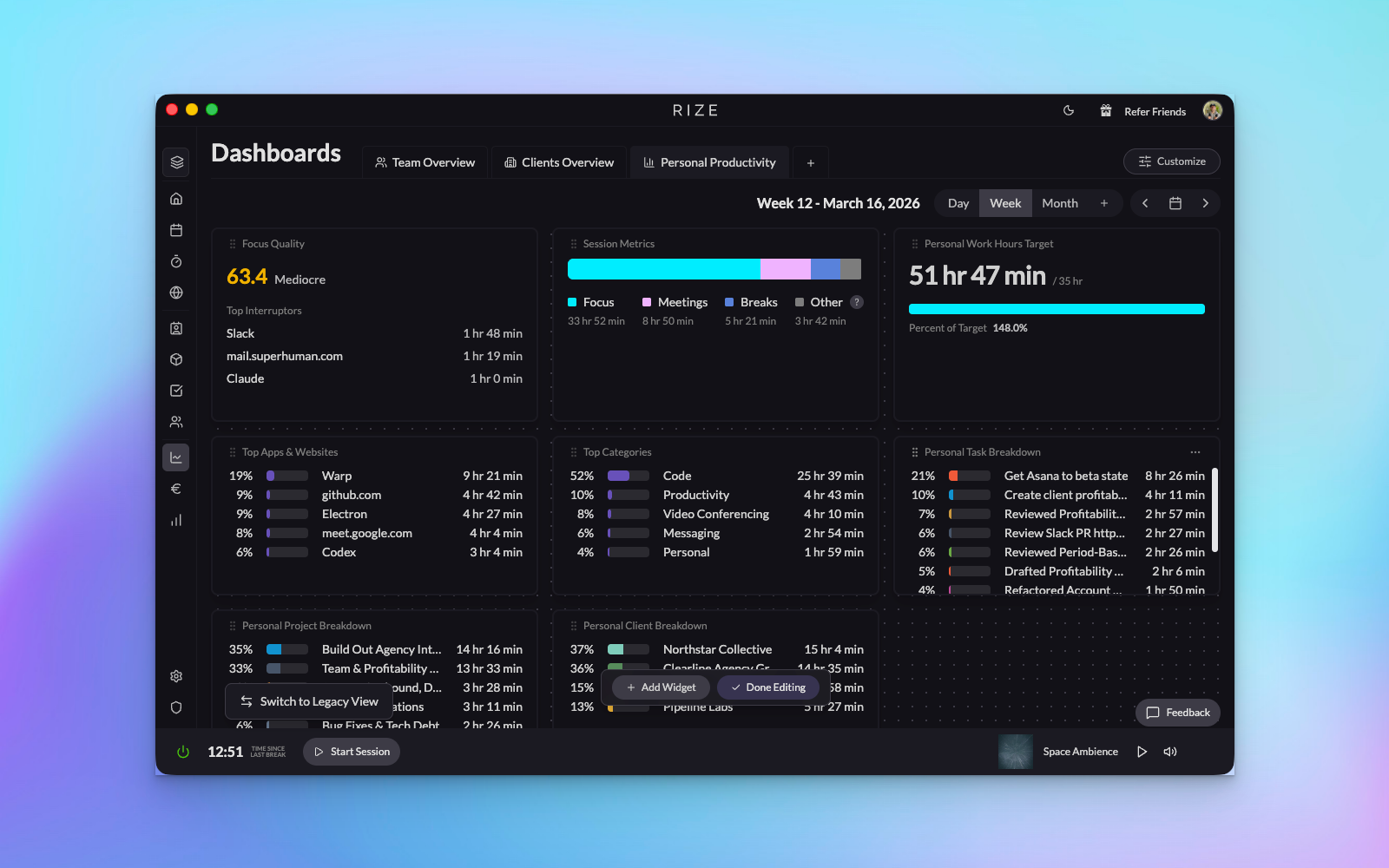
Track your personal productivity metrics including focus scores, category breakdowns, and time distribution to optimize your work habits.
How It Works
- Access Dashboards: Navigate to the new Dashboards link in your home tab sidebar
- Create from Template: Choose from pre-built templates or start from scratch with a blank dashboard
- Enter Edit Mode: Click "Customize" then "Edit Widgets" to activate drag-and-drop functionality
- Arrange Your Layout: Drag widgets to reorder them and create your ideal dashboard layout
- Add More Widgets: Click "Add Widget" to browse the full widget library, preview options, and add new visualizations
- Save and Switch: Create multiple dashboards and easily switch between them based on what you need to track
Custom Dashboards are currently available for team admins, with team member access rolling out soon. We're committed to making Rize truly yours – if you have ideas for new widgets or dashboard features, we'd love to hear from you. Happy tracking!