You can now edit time entries directly on the timeline. Click and drag an entry to move it, or drag its edges to change when it starts and ends.
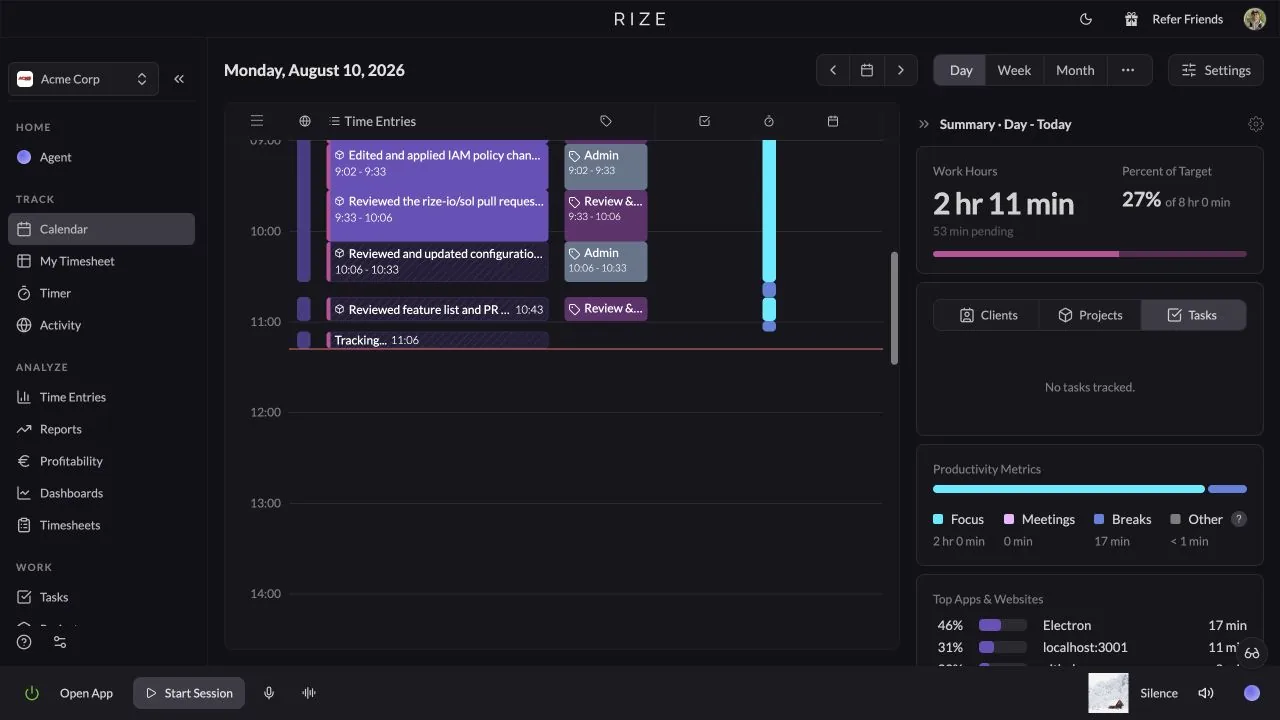
NEW
Drag the entry body to move time
If a time entry is in the wrong part of your day, drag the whole block up or down on the timeline. The duration stays the same, but the start and end times shift together.
Drag the edges to resize
Use the top and bottom edges to adjust the start or end time without opening the edit form. This is especially useful when Rize captured the right work but the boundary needs a small correction.
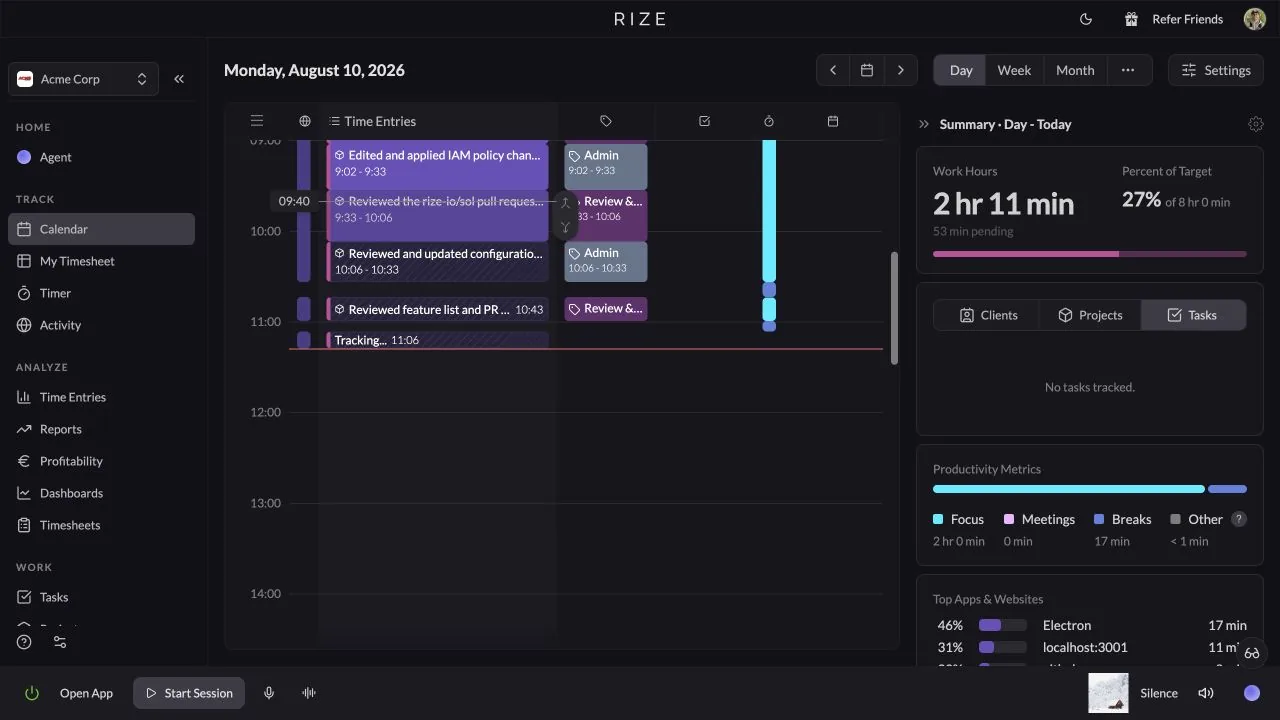
Smoother save behavior
The entry now stays where you dragged it while Rize saves the update. If the save succeeds, the timeline keeps the new position. If it fails, the entry returns to its previous time instead of leaving the calendar in an unclear state.
Snapping and rounding support
Dragged entries can snap against neighboring entries when they land close enough, which helps remove small gaps and overlaps. If you use time entry rounding, moved and resized entries follow that setting too.
USE IT FOR
- Moving a tracked block into the right part of the day
- Extending a client work session that ran longer than expected
- Shortening an entry that included a break or interruption
- Closing small gaps between neighboring entries
- Making quick corrections without opening a form