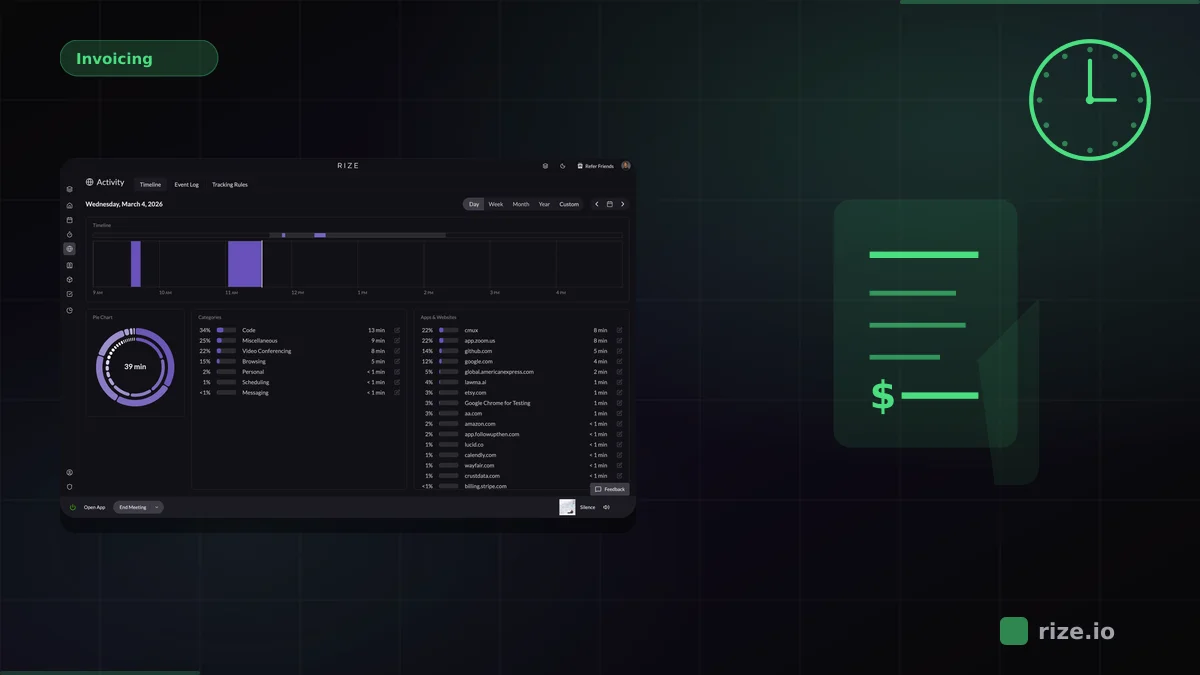
Rize is an automatic time tracker with a native ClickUp integration that captures every work session without manual timers. It detects active ClickUp tasks, logs time entries with AI-generated descriptions, and syncs approved entries directly to ClickUp timesheets — all running quietly in the background.
If your team uses ClickUp and needs accurate time data without the friction of start/stop timers, this guide covers ClickUp's built-in tracking limitations, how Rize solves them, and what the integration workflow looks like.
Quick Answer: Best Time Tracker for ClickUp
Rize is the strongest automatic time tracker for ClickUp teams. It is the only tool with a fully native integration, zero-touch capture, AI-generated time entry descriptions, and multi-workspace support. ClickUp's built-in tracker requires manual start/stop timers on every task — Rize eliminates that friction entirely. You can start a free 7-day trial and connect ClickUp in under two minutes.
Why ClickUp's Built-In Time Tracking Falls Short
ClickUp's native time tracker requires you to manually start and stop a timer on each task. Teams that forget to press start — or switch between tasks without stopping the previous timer — end up with gaps and overlaps in their time data.
The result is predictable: agencies lose 15-40% of billable hours because people forget to log time, round down, or skip short tasks that add up over the week. According to the Project Management Institute's Pulse of the Profession report, poor time estimation is a leading cause of project budget overruns, and manual tracking makes this worse. ClickUp's timer also does not capture context switching — if you bounce between Figma, Slack, and a ClickUp task in the same 30-minute window, only the manually tracked task gets logged.
For teams billing clients by the hour, inaccurate time data means leaving money on the table. A Harvard Business Review analysis found that manual timesheet errors cost the U.S. economy an estimated $7.4 billion per day in lost productivity. Manual timers add friction to every task and create administrative overhead at the end of each week when managers chase missing entries.
How Rize Auto-Tracks ClickUp Tasks
Automatic time tracking means Rize runs in the background and detects which ClickUp tasks you are working on based on active applications, browser context, and document titles — without any timers to start or stop.
Here is how the ClickUp integration works in practice:
- Install Rize and connect your ClickUp account in Settings.
- Map your Rize categories to ClickUp spaces and projects.
- Work normally. Rize quietly logs time against the tasks you touch.
- Review entries — each includes an AI-generated description of what you worked on.
- Approve entries, and they sync directly to ClickUp timesheets and task time fields.
Rize also auto-creates ClickUp tasks from your activity. If you start working on something without a corresponding task, Rize suggests a new one based on AI analysis of your work session. One click creates the task in ClickUp with the time entry already linked.
Comparison: ClickUp Time Tracking Options
| Feature | Rize | ClickUp Built-In | Toggl Track | Clockify |
|---|---|---|---|---|
| Tracking Method | Fully automatic (zero-touch) | Manual timer (start/stop) | Manual timer + browser extension | Manual timer + browser extension |
| AI Descriptions | Yes (auto-generated per entry) | No | No | No |
| ClickUp Sync | Native API (two-way) | Built-in | Browser extension | Browser extension |
| Multi-Workspace Support | Yes | Per-workspace only | No | No |
| Auto-Create Tasks | Yes (AI-suggested from activity) | No | No | No |
| Captures Context Switching | Yes (app-level detection) | No | No | No |
| Pricing | From $23.99/mo (Pro, annual); $29.99/seat/mo (Team, annual) | Included with ClickUp plan | Free tier; Starter $9/user/mo | Free (5 users); Pro $7.99/user/mo |
Everhour and Harvest: Timers With ClickUp Sync
Everhour and Harvest both connect to ClickUp, but both depend on someone starting a timer. They add budgeting and invoicing that ClickUp's built-in tracker lacks, without capturing the work that happens outside a running timer.
Everhour puts a timer button directly inside ClickUp tasks. Open a task, click Start, work, click Stop, and the entry attaches to that task. Everhour pulls ClickUp's workspace, list, and task structure into its reports and adds hour budgets per project with threshold alerts. For agencies that bill clients from ClickUp, that combination is practical. The catch is that Everhour cannot record a session nobody started.
Harvest adds a timer to ClickUp tasks through its browser extension and is strongest at invoicing. It turns tracked time into client invoices and syncs them to QuickBooks and Xero. The billing pipeline is mature, but the input is still manual, so end-of-day entries are estimates rather than records.
What Teams Actually See After Switching
Agencies that switch from manual timers to Rize's automatic capture report recovering significant billable time that was previously going unlogged. The difference comes from capturing every task — including the 5-minute Slack threads and quick Figma reviews that no one remembers to track.
"Rize allows my team to get deep into work and go where their creativity leads them without really having to think about time tracking."
— Ben Jackson, CEO, Momentum Studio
Momentum Studio, a 12-person creative agency, recovered 20% more billable time and saved 8 hours per week on time tracking administration after switching to Rize. Their designers had been forgetting to log time — not out of negligence, but because manual timers interrupted their creative flow.
Estimates vs. Actuals: Better Project Forecasting
Rize automatically records time against ClickUp task estimates, giving project managers a precise view of estimated vs. actual hours without any manual export.
When every task has accurate time data, patterns become visible. You can see which task types consistently run over estimate, which clients require more communication overhead, and where your team spends time on unplanned work. According to McKinsey research, knowledge workers spend 28% of their workweek managing email and nearly 20% searching for information — time that rarely appears in manual timesheets. This data feeds directly into better scoping for future projects — replacing gut-feel estimates with numbers from actual tracked time.
Privacy-First: No Screenshots, No Keylogging
Rize captures URL and page metadata to generate AI context — it does not take screenshots, log keystrokes, or record screens. Time tracking stays privacy-first, which matters for teams that want accurate data without surveillance.
This is a common concern when agencies evaluate automatic time trackers. Tools that take screenshots create friction with employees and raise privacy questions. Rize avoids this entirely — your team gets the accuracy benefits of automatic capture without the downsides of monitoring software.
Pricing
Rize offers four plans — Basic, Pro, Max, and Team — all of which include the ClickUp integration. Prices below are annual billing. Every plan starts with a free 7-day trial.
- Basic — $9.99/month. Core automatic time tracking for individuals.
- Pro — $23.99/month. Automatic time tracking, AI categorization, ClickUp sync, unlimited integrations. Best for individuals.
- Max — $39.99/month. Everything in Pro with the highest usage limits.
- Team — $29.99/seat/month (2-seat minimum). Everything in Pro plus team analytics, project tracking, and multi-workspace ClickUp support. Best for agencies and teams.
- Enterprise — custom pricing. SSO, dedicated support, and advanced admin controls.
Compare all plan features on the pricing page. ClickUp's built-in time tracker is included with any ClickUp plan, but it requires manual timers — the cost is in the time your team spends managing them and the billable hours that go uncaptured.
Should You Switch?
If your team already uses ClickUp and tracks time manually, the question is simple: how much billable time are you missing? Agencies that rely on manual timers consistently undercapture hours. Rize fills that gap without changing how your team works — they keep using ClickUp exactly as before, and time data appears automatically.
For teams already tracking in ClickUp who want better data without more admin work, Rize is the most direct upgrade. You can start a free 7-day trial, connect your ClickUp workspace in Settings, and see results within the first week.
Stop losing billable hours in ClickUp
Rize automatically tracks time across every ClickUp task and syncs entries to your timesheets. No timers, no guesswork — just accurate billable hours.
“Rize has been a no-brainer for me.” — Ali Abdaal Read more →