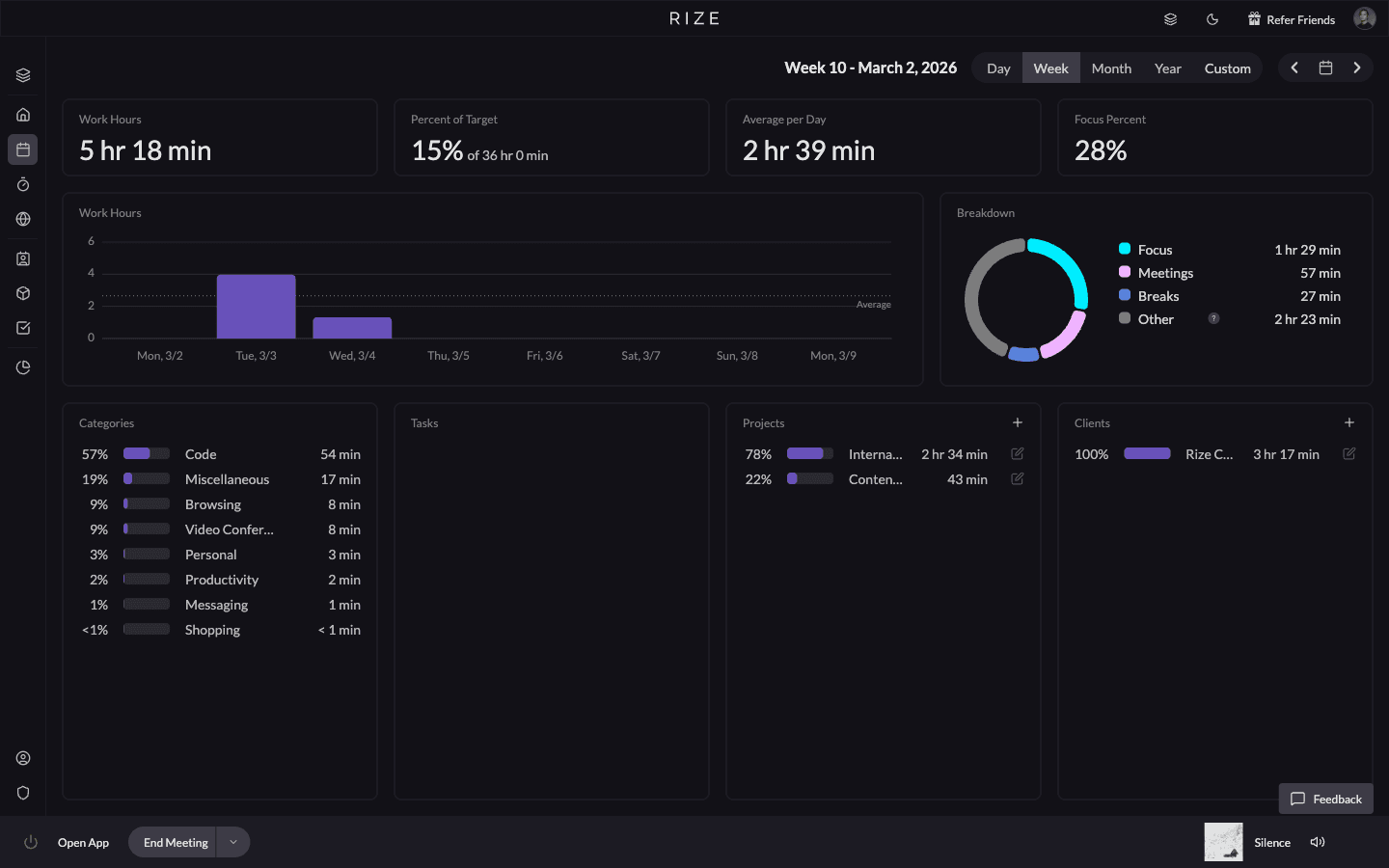
Your shortlist for 2027 should separate automatic activity capture from finished client timesheets. Rize and Timely draft project time for review. Memtime provides a local record you can use to log work. Toggl and Clockify also offer background capture, but the steps between recorded activity and a shared entry differ.
Planning edition: Capabilities checked on November 9, 2026. This is a documentation-based comparison written by Rize, not an independent hands-on benchmark or a prediction of 2027 releases. Prices and plan availability need another check before purchase.
Quick answer: Start with Rize or Timely when missing project time is the problem. Compare Memtime when local activity storage matters most. Check Toggl's current drafting workflow before replacing it, and Clockify's conversion steps before assuming its background capture completes your timesheet. Keep the tool that produces usable, reviewed time with the least work.
What does automatic time tracking actually automate?
Automatic time tracking records work activity without requiring a timer for each task; it does not make every captured minute billable.
There are three separate jobs. Capture records the applications, websites, or windows used during work. Attribution assigns that work to a client, project, or task. Review checks whether the assignment, duration, description, and billing treatment are correct. A product can automate one job without automating the others.
That distinction matters when a designer spends a morning in the same application for several clients. The application name is useful evidence, but it is not a client code. Similarly, a scheduled meeting is not proof that someone attended, and an open document is not proof that every minute belongs on an invoice.
Ask each vendor to demonstrate the complete route from captured activity to the report your operations team uses. For a closer explanation of the mechanism, read how automatic time tracking works.
Which tools belong on the shortlist?
Rize, Timely, Memtime, Toggl, and Clockify cover different combinations of background capture, project drafting, and user-controlled sharing.
| Tool | Reason to evaluate | What still needs attention |
|---|---|---|
| Rize | Desktop capture and drafted client/project time, followed by team reporting | Personal review, project structure, rates, and reporting setup |
| Timely | Background capture and AutoSheet allocation with user approval | Project matching and the reporting features in the selected plan |
| Memtime | A private activity record stored on the device | Turning recorded activity into project entries and testing the destination connector |
| Toggl | Activity Timeline, suggested logs, and Auto-log day drafts | Enabling capture, checking suggestions, and confirming device support |
| Clockify | A private background record alongside an existing Clockify workflow | Manually converting recorded activities into project entries |
This is a fit comparison, not an accuracy ranking. The same product can be a good choice for a small consultancy and a poor choice for an internal team with different reporting or security requirements. Compare each tool against the same work sample rather than counting features on its homepage.
When should you evaluate Rize?
Evaluate Rize when you want desktop work drafted into client and project time, with personal review before team reporting.
Rize runs on macOS and Windows. Its automatic time tracking captures activity metadata in the background without screenshots or keystroke logging by default. Each person checks drafted entries and corrects work that belongs to a different client, project, or task.
The team use case starts after that review. Approved time can support project allocation, burn, utilization, and profitability reporting when the related budgets, costs, and revenue are configured. Pending time is not interchangeable with approved delivery time; a report needs a clear review cutoff before it becomes a pricing or staffing input.
Rize belongs on the list for retainer agencies, flat-fee accounting firms, and internal operations teams that need a time-data layer. It is not a promise to replace a practice-management platform, legal billing system, or field-service clock. Check Rize pricing and current plan features against the intended team workflow rather than comparing an individual plan with another vendor's team plan.
When is Timely a close alternative?
Timely is a close alternative when you want automatic capture, project allocation, and user-approved timesheets in one workflow.
Timely's current product documentation describes background capture through Memory and AutoSheet timesheets that users approve. Its privacy description says timelines are private and only user-approved entries are shared. It should not be dismissed as a manual-only tracker or a product only for individuals.
Compare Timely and Rize on your actual project names, recurring clients, and review process. Ask both products to handle a morning that crosses email, a browser, meetings, and a shared document. Check the resulting entries, not just the activity timeline.
For a team purchase, confirm who can correct entries, which allocation reports are included, and how historical projects are handled. A convenient capture experience is useful only if the operations lead can produce the required report without rebuilding the client structure in a spreadsheet.
When does Memtime make more sense?
Memtime makes sense when keeping the raw activity record on the device is a central requirement.
Memtime's product page describes automatic recording of time in programs, local activity storage, and creating project entries for export or synchronization. The activity record helps the person reconstruct the day rather than asking them to remember it from scratch.
The distinction between activity storage and shared entries matters. A local activity history does not mean that no information ever reaches a connected project system. Ask what is sent when an entry is exported, who can access it, and what happens to the local record when a laptop is replaced.
Memtime can be a practical addition when your billing or project platform already works and incomplete time capture is the weak link. Test the exact connector and fields your firm requires. An integration listing is not proof that client identifiers, descriptions, rounding, and corrections move in the direction you need.
Should existing Toggl or Clockify users switch?
Existing Toggl or Clockify users should test the current background workflow before deciding that replacing the product is necessary.
Toggl's My Activity documentation describes an opt-in Activity Timeline, suggested time logs, and Auto-log day. The documented workflow drafts logs for unlogged blocks, asks the person to check them, and creates entries after the selected drafts are logged. Device support and the settings available in each application need checking during evaluation.
Clockify's Auto tracker documentation makes a different distinction explicit: recorded activities are private and local, and they are not automatically added to the timesheet. The user converts them into time entries and adds project information.
Neither tool is accurately described as having no automatic capture. The buying question is whether its capture-to-entry workflow solves your team's current failure. If people already review a timeline reliably, the cost and disruption of migration may outweigh the benefit of a different drafting interface.
How should different teams choose?
Choose the tool against the decision your team needs to make: client burn, engagement cost, internal capacity, or invoice preparation.
An agency needs actual delivery hours beside its retainer or scope plan. A flat-fee accounting firm needs the effort behind recurring engagements even when no extra hour can be billed. An internal operations team needs allocation by workstream without pretending internal work is client revenue. An hourly firm needs descriptions and matter or project codes accepted by its billing system.
Those are different acceptance tests. An invoice feature does not automatically solve retainer burn reporting. A capacity chart does not prove that someone has time available next week. A long activity history does not establish that its entries meet a client's billing rules.
Use the professional-services time tracking overview to define the reporting goal before comparing products. Keep payroll, invoicing, and resource scheduling as separate requirements unless you have verified that the selected plan handles them.
What should a pilot measure?
A useful pilot measures review effort, allocation quality, report readiness, and privacy controls using the same work sample in every product.
Start with a representative project set rather than the easiest client. Include a shared application used for several clients, a meeting that changes, an offline task, and a short internal interruption. Ask each person to note what needed correction and how long review took. Do not treat all captured activity as a ground-truth timesheet.
Then have the operations lead produce the actual weekly report. Check client totals, project totals, review status, and whether unassigned work is visible as a reporting gap. If the chosen report requires a spreadsheet, include that work in the comparison instead of hiding it outside the pilot.
Have a participant and an administrator inspect visibility separately. Confirm what remains personal, what becomes shared, how exclusions work, and whether optional capture features are enabled. A privacy promise should be demonstrated with the roles your organization will actually use.
Finish with a total-cost comparison: licenses, required plan upgrades, setup, recurring review, and reporting administration. A higher license price can be reasonable when it removes repeated work, but that needs observation in your team rather than an invented savings percentage.
What needs another check before a 2027 purchase?
Recheck pricing, plan entitlements, platform support, integrations, and privacy terms before signing a 2027 contract.
This shortlist uses current documentation, not future release promises. Request a quote for the seat count and billing period you intend to buy. Confirm whether automatic capture, drafted entries, approvals, exports, and the reports you tested remain included in that quote.
Keep the migration decision equally concrete. Preserve the existing billing system until reviewed time has reached it successfully, and do not retire the old process before the first reporting period reconciles. The right automatic tracker is the one your people will review and your operators can use, not the one with the broadest automation claim.
Compare Rize against your real reporting workflow
Bring your client structure and a sample report. See automatic capture, personal review, and team reporting before deciding.
“Rize has been a no-brainer for me.” — Ali Abdaal Read more →