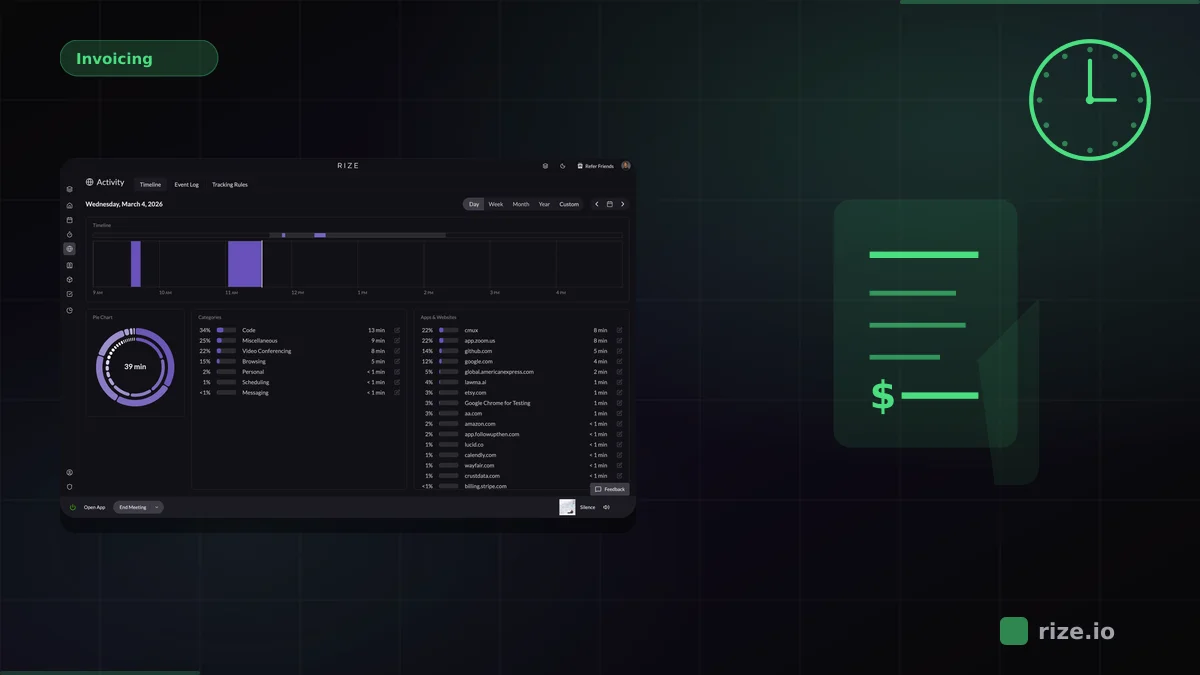
Automatic time tracking removes the manual step from logging your workday. Instead of asking you to start a timer and select a project, it detects what you are doing and assigns that time automatically. For agencies and knowledge workers, this means billable hours are captured as they happen — not reconstructed from memory at the end of the week.
Quick Answer
Rize runs a lightweight desktop app that detects your active apps, websites, and documents, then uses AI to categorize every session to the correct client project. There are no timers, no approvals, and no end-of-day cleanup. Teams recover 15-40% of billable hours typically lost to manual tracking. Download Rize or see pricing.
The Three Steps: Capture, Categorize, Report
Every automatic time tracker follows the same basic pipeline. The difference between tools is how much human intervention each step requires.
Capture. A desktop app detects which window is in the foreground. It records the application name, window title, URL, and duration. Rize does this locally on macOS and Windows, so the raw activity data never leaves the device unless the user chooses to share it.
Categorize. AI or rule-based logic maps each session to a project or client. Rize learns from window titles and URLs — time in a Figma file named "Acme — Brand Refresh" gets tagged to the Acme project, and a Slack conversation in that project’s channel gets categorized the same way. No one drags blocks or selects from dropdowns.
Report. The categorized data feeds dashboards that show hours by project, client, or team member. For agencies, this connects directly to profitability reporting and billable time exports.
What "Automatic" Actually Means
Not every tool marketed as automatic works the same way. Some record background activity but still require a daily review step. True zero-touch tracking means the data is usable without any manual cleanup.
| Tool | Capture | Categorization | Review Required |
|---|---|---|---|
| Rize | Background app/URL detection | AI assigns to projects automatically | None |
| Timely | Background Memory timeline | AI drafts entries | Daily approval |
| Toggl Track | Background timeline | User-defined rules | Manual entry creation |
| RescueTime | Passive app/URL logging | Productive vs. distracting buckets | None, but no project billing |
If your goal is to eliminate timesheets entirely, only fully zero-touch tools meet that bar. For a deeper comparison, see our guide to the best automatic time tracking software.
Why Accuracy Matters
Manual time tracking loses an estimated 15-40% of billable hours to forgotten timers, rounded durations, and skipped short tasks. A designer might log the 45 minutes in Figma but miss the 20 minutes in Slack answering client questions about the same project. Over a week, those gaps compound across the whole team.
Those gaps trace back to how fragmented knowledge work has become. According to the American Psychological Association, shifting between tasks can cost up to 40% of your productive time. A 2022 Harvard Business Review study found the average digital worker toggles between apps and websites nearly 1,200 times a day, losing about four hours a week to reorienting. Research by Gloria Mark at the University of California, Irvine, measured for Gallup that it takes 23 minutes and 15 seconds on average to resume a task after an interruption. Manual timers never log that scattered time.
Automatic tracking closes that gap by recording every session. Momentum Studio recovered 20% more billable time and saved 8 hours per week on admin after switching to Rize. Impulse Lab achieved 98% billing accuracy. In both cases, the projects did not change — the accuracy of the time data did.
Privacy and Team Adoption
The most common objection to automatic time tracking is privacy. Teams worry they are being watched. The right tool answers a different question: "Where did my time go?" not "Is this person working?"
Rize tracks window titles and URLs for categorization, not screenshots, keystrokes, or screen recordings. That distinction matters for distributed teams where trust affects retention and output. For more on this, read our comparison of privacy-first time tracking software.
Who Should Use Automatic Time Tracking
Automatic time tracking is built for anyone who trades time for money and works across multiple projects. Agencies juggling retainers, freelancers billing by the hour, and remote teams measuring utilization all benefit from removing the manual logging step.
If your team struggles with timesheet compliance, automatic tracking solves the problem at the source. It also provides the clean input that margin calculations require. To see how capture fits into a broader agency workflow, read about project-based time tracking with profitability reporting or explore Rize's automatic time tracking features.
Start tracking time automatically
Join thousands of professionals who stopped guessing where their time goes. Free for 7 days.
“Rize has been a no-brainer for me.” — Ali Abdaal Read more →