Agency time tracking for client work is the practice of capturing every hour spent on client engagements and tagging it by client, project, task, and billable status. When it is done automatically, agencies stop losing billable hours and start seeing which clients are actually profitable.
Most agencies do not have a productivity problem. They have a visibility problem. Work moves across Slack, Zoom, Figma, GitHub, email, and Google Docs. By the end of the week, even the most disciplined team member cannot reconstruct where every hour went. According to a 2014 Harvard Business Review analysis on timesheet behavior, the U.S. economy loses $7.4 billion per day to unrecorded work. For a services agency, that leakage shows up as lost revenue, disputed invoices, and retainer deals that quietly lose money.
This guide explains how to track client work accurately without turning your team into timesheet clerks. It covers the root cause of lost billable hours, what automatic agency time tracking looks like, and how to choose a setup that fits an 8-person agency.
What Is Agency Time Tracking for Client Work?
Agency time tracking for client work is a billing and project accounting system, not a surveillance system. It records which hours belong to which clients, whether they are billable or non-billable, and what kind of work was done.
A complete entry answers four questions: Who was the client? What was the project? What type of work was performed? Was the time billable? Without those four tags, an agency cannot calculate true project cost, utilization, or client profitability. Manual timers force people to remember all of that while they are busy doing the work. That is why entries get rounded, skipped, or misclassified.
Rize's automatic time tracking captures every work session in the background and suggests the right client and project based on the apps, files, and meetings in use. The user reviews and confirms. The result is a clean, defensible time record without anyone pressing start and stop throughout the day.
Why Manual Timesheets Fail at Agencies
Manual timesheets fail at agencies because agency work is fragmented. A single day can include five clients, a dozen tools, and constant interruptions, which makes post-hoc reconstruction inaccurate.
The data loss is predictable. Short tasks under 15 minutes often go unlogged. Context switches between clients blur which project received the time. Designers and developers batch entries on Friday afternoon, working from memory. The Harvard Business Review study found that workers consistently underreport time spent on tasks that span multiple systems or happen outside formal project tools.
The damage is not just lost hours. Bad time data distorts every downstream decision. Project estimates never improve. Retainers look profitable until they are not. Scope creep becomes invisible until the budget is gone. Ben Jackson, CEO of Momentum Studio, described it directly: "I don't trust myself to remember what I worked on two days ago. So how can I expect my designers to?"
Manual Timers vs. Automatic Time Tracking for Agencies
Automatic time tracking captures work as it happens, while manual timers depend on someone remembering to start and stop a clock for every task and client switch.
| Capability | Manual Timers | Automatic Tracking |
|---|---|---|
| Capture method | User starts and stops a timer | Background capture of apps, files, meetings |
| Client switching | Easy to forget when juggling multiple clients | Detects context switches and suggests the right client |
| Short tasks | Often rounded or skipped | Captured and categorized automatically |
| Billable tagging | Manual entry, often inconsistent | Rules classify billable vs non-billable automatically |
| Review model | Fill out timesheet after the fact | Review and confirm suggested entries |
| Source context | Usually just a description | Shows the app, file, or meeting behind each entry |
The trade-off is not just convenience. It is data completeness. Timer-based tools typically capture 60-85% of actual hours because they rely on human discipline. Automatic capture records the remaining 15-40% that manual methods miss. For an agency billing by the hour or managing retainer margins, that gap is the difference between a healthy margin and a break-even project.
"I don't trust myself to remember what I worked on two days ago. So how can I expect my designers to?"
Ben Jackson, CEO of Momentum Studio
How Automatic Time Tracking Maps Hours to Clients
Automatic time tracking maps hours to clients by watching the digital traces of work, then using rules or AI to assign each session to the correct client, project, and task.
The process is straightforward. The desktop app records active windows, URLs, documents, calendar events, and video calls. It compares that activity against the projects and clients already set up in the system. A design file in a client folder, a Slack channel named after a project, or a recurring calendar invite for a client standup all become signals. The system suggests a time entry. The user confirms or corrects it.
That review step matters. It keeps the team in control and produces a record that finance can trust. It also gives agencies source context for every entry. When a client asks why a project took 40 hours instead of 30, the agency can show the meetings, documents, and revision rounds that made up the time. That context shortens invoice disputes and makes scope conversations fact-based.
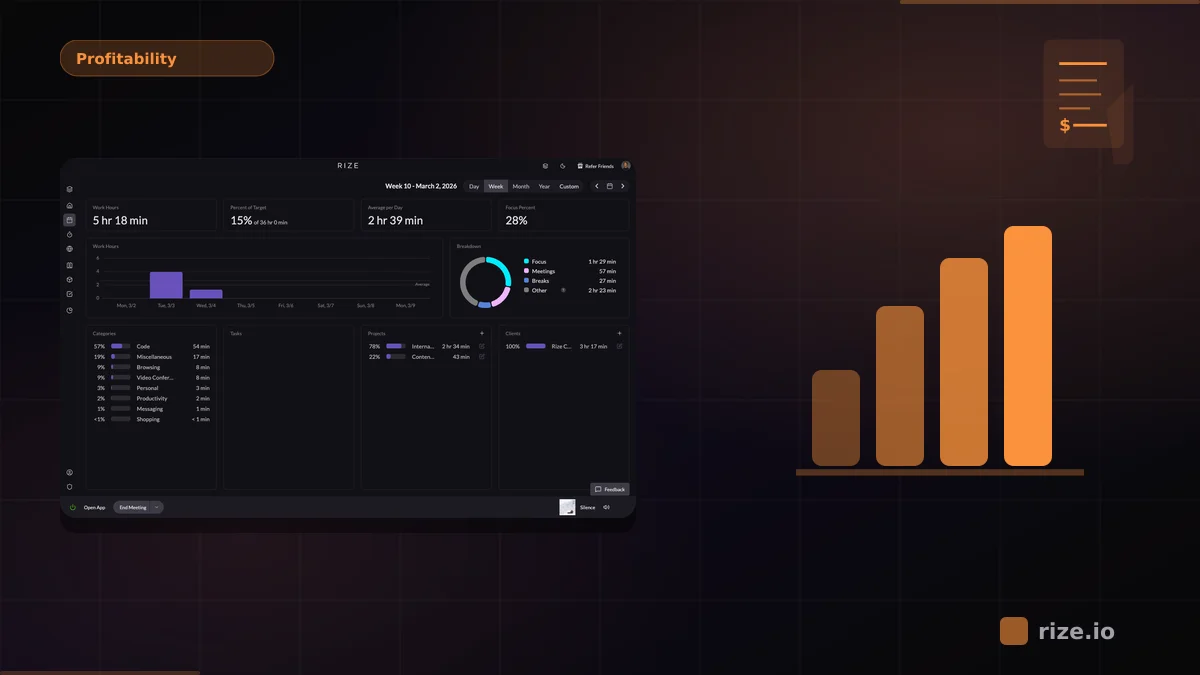
Rize's project profitability features turn the captured time into live margin data. You can see which clients consume the most senior hours, which projects are over budget, and where scope creep is happening while there is still time to act.
The Difference Between Time Tracking and Employee Monitoring
Time tracking records work output for billing and project accounting. Employee monitoring watches individuals to judge effort, often with screenshots, keystroke logging, or activity scoring.
Agencies often worry that time tracking will feel like surveillance. The concern is valid. Tools that capture screenshots, record keystrokes, or score activity create an adversarial relationship with the team. Adoption drops. Data quality suffers. People game the system.
A privacy-first approach does the opposite. It captures work activity, not personal activity. It lets users pause tracking, edit entries, and delete sessions. It produces data for billing and margins, not performance scores. When the tool is built around review and confirmation, the team treats it as a useful billing assistant instead of Big Brother. Rize for agencies is designed around this principle: capture the work, let the team confirm it, and keep the final record clean.
What Client-Accountable Time Tracking Looks Like
A client-accountable time tracking system has five parts: automatic capture, client-project-task tagging, billable vs non-billable classification, review and approval, and profitability reporting.
Automatic capture removes the friction that causes missing hours. Client-project-task tagging makes every entry useful for billing. Billable vs non-billable classification separates revenue work from internal overhead. Review and approval catch misclassified entries before invoices go out. Profitability reporting shows which clients and projects are worth keeping.
Without all five, agencies get partial answers. A tool that captures time but cannot tag billable status leaves finance doing manual cleanup. A tool that requires perfect manual tagging from the start will never have complete data. The goal is a system where accurate billing is the easiest path, not the hardest.
Billing Accuracy and Client Accountability, Not Productivity Theater
The real value of agency time tracking is billing accuracy and client accountability, not making people work longer hours.
When agencies switch from manual timesheets to automatic capture, the most common wins are recovering lost billable time, shortening billing cycles, reducing invoice disputes, and improving client profitability. Momentum Studio recovered 20% more billable time and saw a 15% increase in project profitability after switching from manual tracking to Rize. The win came from capturing work that was already happening, not from pushing the team to do more.
This is a client accountability problem, not a productivity monitoring problem. The right tool makes accurate billing easier for the people doing the work, the project managers running the engagements, and the finance owner closing the books.
Utilization and Client Profitability Benchmarks
Healthy agencies target 65-75% billable utilization, and top-quartile creative agencies can reach 75-80% without burning out the team.
According to SPI research on professional services benchmarks, firms with billable utilization below 60% average net margins of 8-12%, while those above 70% achieve 18-22%. Promethean Research reports that top-quartile creative agencies hit 75-80% utilization while maintaining quality. Above 85% usually signals burnout risk.
The danger is that utilization calculated from manual timesheets is often inflated. Rounded entries, skipped short tasks, and missing non-billable hours make a 70% utilization rate look better than it really is. Automatic capture produces the real number, which is the only input that can guide pricing, staffing, and scoping decisions.
Client profitability follows the same rule. Gross margin per client equals revenue minus direct delivery cost divided by revenue. A healthy creative agency should see 50-60% gross margin on client work. Below 40% needs immediate attention. Below 20% means the agency is subsidizing that client with profit from others. The only way to catch this early is accurate time data at the client and project level.
How Much Should Agency Time Tracking Cost?
For an 8-person agency, an annual plan at about $27 per seat per month billed annually runs roughly $2,592 per year and locks in the rate.
Annual billing is the best starting point for an agency at this size. It fixes costs, includes priority onboarding, and gets the team to clean data faster. If the agency wants to validate the workflow first, a 2-month paid trial that rolls into annual billing is a reasonable middle ground. Month-to-month pricing at $30 per seat is a fallback only if annual billing is a hard blocker.
The return is usually immediate. If automatic capture recovers even 10% more billable time, an 8-person agency billing at $100 per hour recovers more than the annual cost in a single week. The question is not whether the tool is expensive. The question is how much unbilled time the agency is already losing.
See where your client hours are going
Book a 15-minute walkthrough and learn how agencies recover lost billable time without adding admin work.
Book a DemoHow to Get Started With Agency Time Tracking for Client Work
Start with the workflow, not the feature list. A tool that captures work automatically and categorizes it by client, project, and billable status will produce better data than a tool with more reports but worse inputs.
Follow this sequence:
- Audit one week manually. Ask the team to write down every client switch, short task, and "quick favor." Count what never makes it into the timesheet.
- Map clients, projects, and tasks. Clean structure makes automatic categorization accurate. One person should own the taxonomy.
- Run a 2-month paid trial with the full team. Two billing cycles is enough to see the pattern of lost hours and early wins.
- Review entries weekly, not monthly. Catch misclassification and scope creep while the project is still open.
- Tie time data to invoices. Export or integrate with accounting so billing uses the same source of truth as project management.
The Rize pricing page shows annual and monthly options. For an agency evaluating the switch, the annual plan at roughly $27 per seat per month is the fastest path to accurate client billing.
Bottom Line
Agencies do not need better timesheets. They need a way to see where client hours actually go without asking the team to reconstruct the week from memory.
Agency time tracking for client work is a billing accuracy and client accountability system. Done well, it captures every billable hour, tags it correctly, and feeds live profitability dashboards. Done manually, it leaks revenue and distorts every pricing decision. For an 8-person agency ready to fix the problem, an annual plan around $27 per seat per month billed annually is the right place to start.
Stop losing billable client hours
Start a free 7-day trial or book a demo to see how Rize tracks client work automatically.
“Rize has been a no-brainer for me.” — Ali Abdaal Read more →