A big month for Rize. The headline this cycle: Rize now creates time entries live, reviews them in a brand-new panel docked to the day calendar, and ships a new way to calculate Work Hours that finally matches how teams actually think about their day.
NEW
Live Time Entries — a new way to track
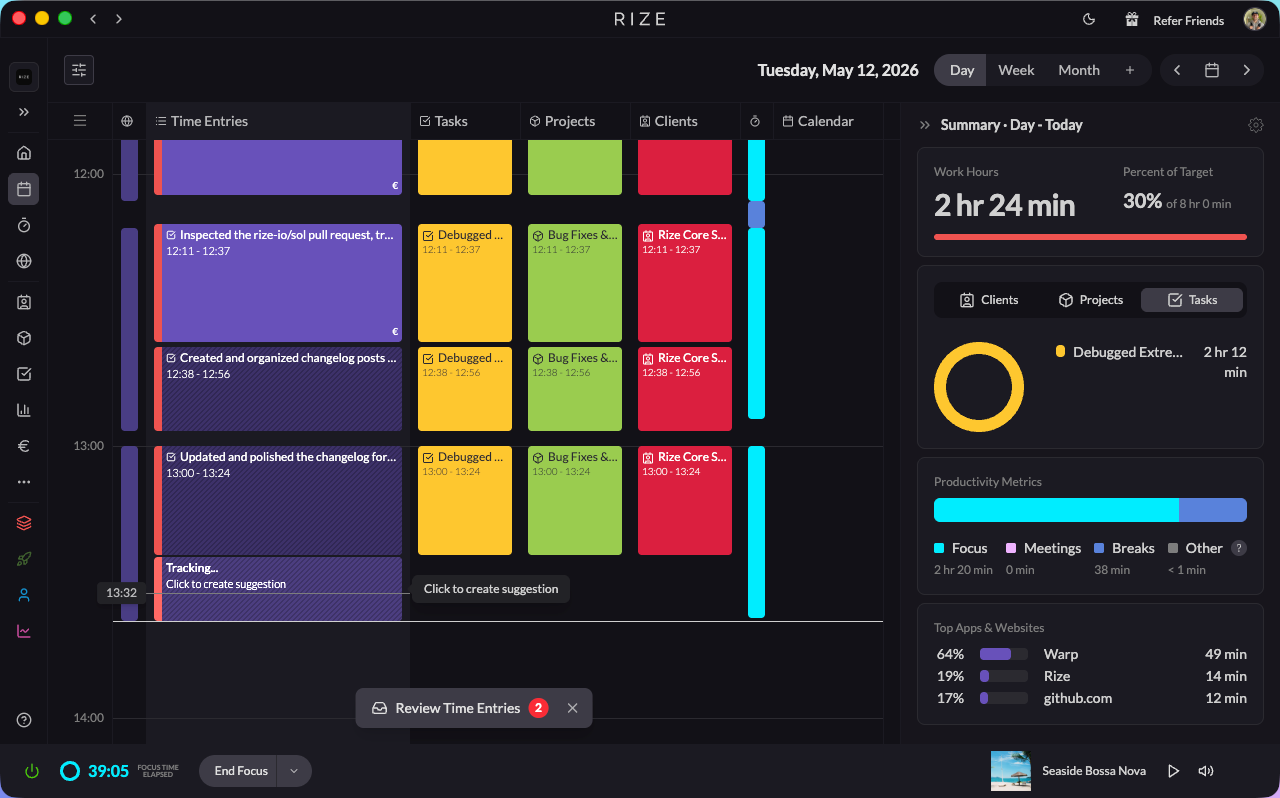
Instead of batch-creating suggestions after the fact, Rize now creates a tracking time entry on your calendar in real time as you work. Better suggestions, more accurate clients, projects, and tasks, and team color on every entry. Read the full announcement
The new Time Entry Review experience
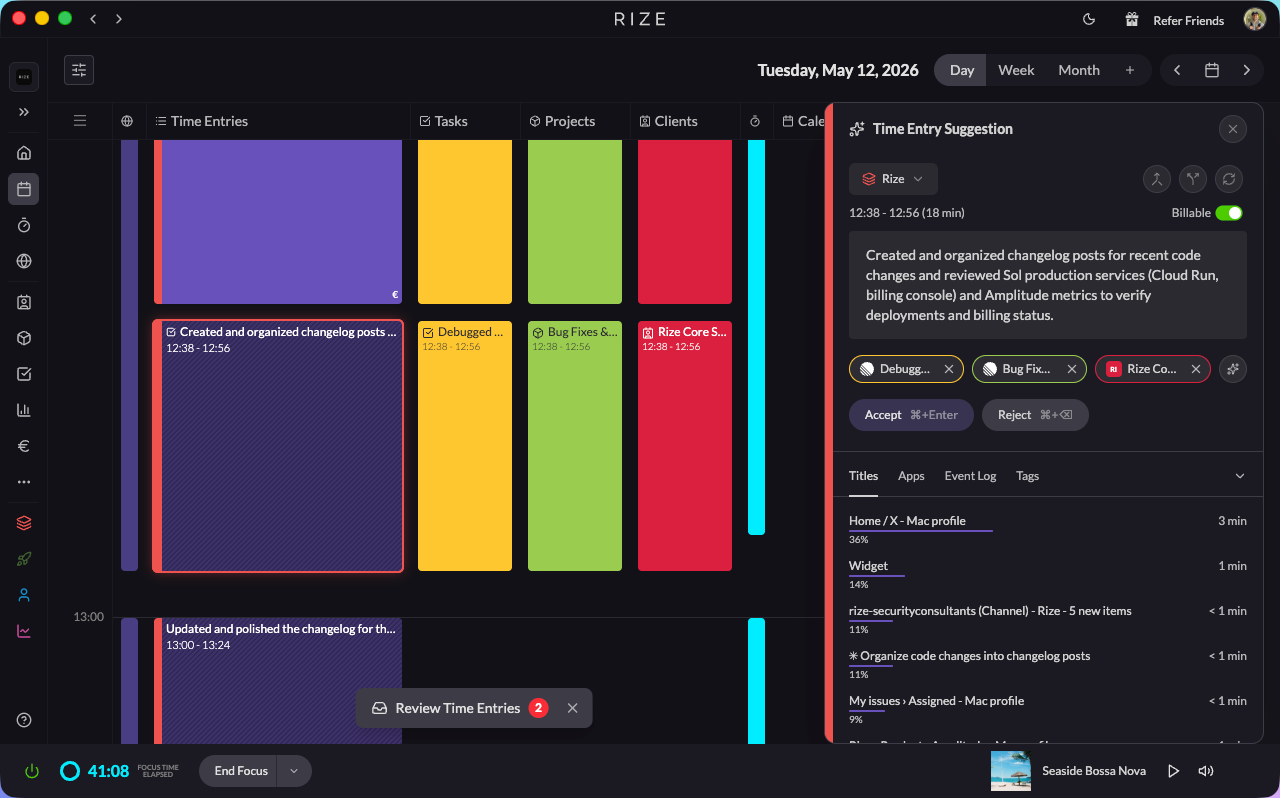
Click any pending entry and a panel slides in on the right with all your context — apps, websites, event timeline, tag suggestions with confidence scores, and the ability to create a task in Rize, Linear, or ClickUp without leaving the panel. Read the full announcement
New Work Hours calculation method
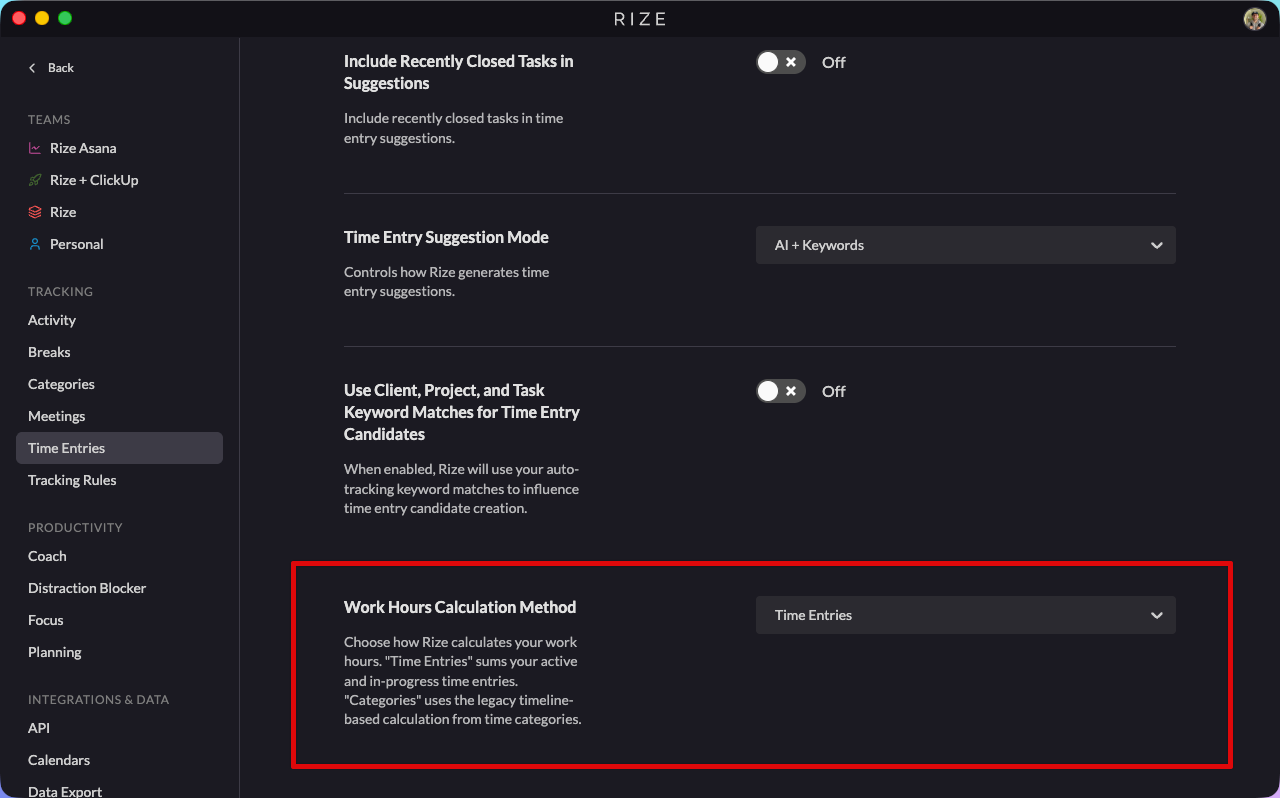
Work Hours can now be calculated from your time entries instead of your categories. Simpler, more accurate for multi-team users, and it excludes break time the way most teams actually want it to. The old category-based calculation is still supported. Read the full announcement
ALSO NEW
Refreshed Time Entry, Task, Project & Client forms
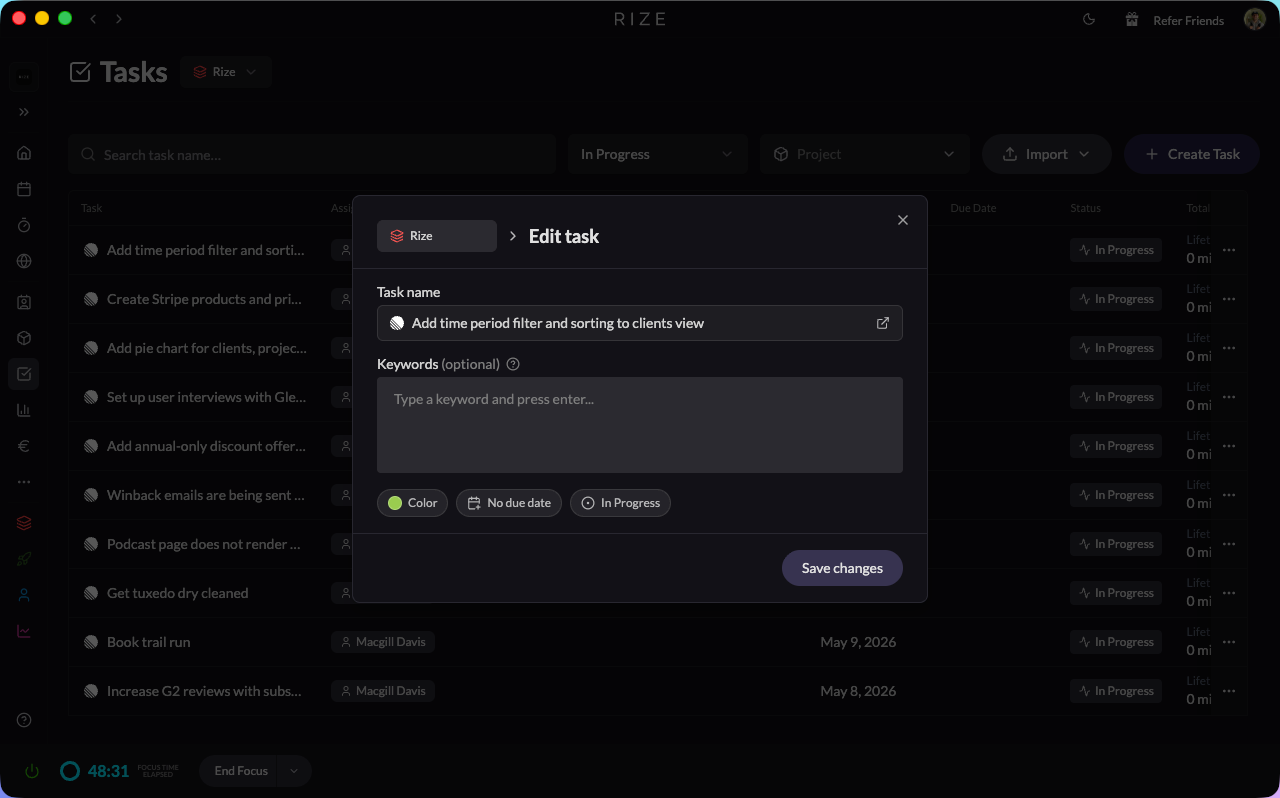
- The forms you use every day are cleaner and more consistent
- Tasks and projects now have due dates
- Mark individual time entries as billable with a single toggle
- Create ClickUp, Linear, or Jira tasks from the same form as native Rize tasks
Pick how Rize generates suggestions
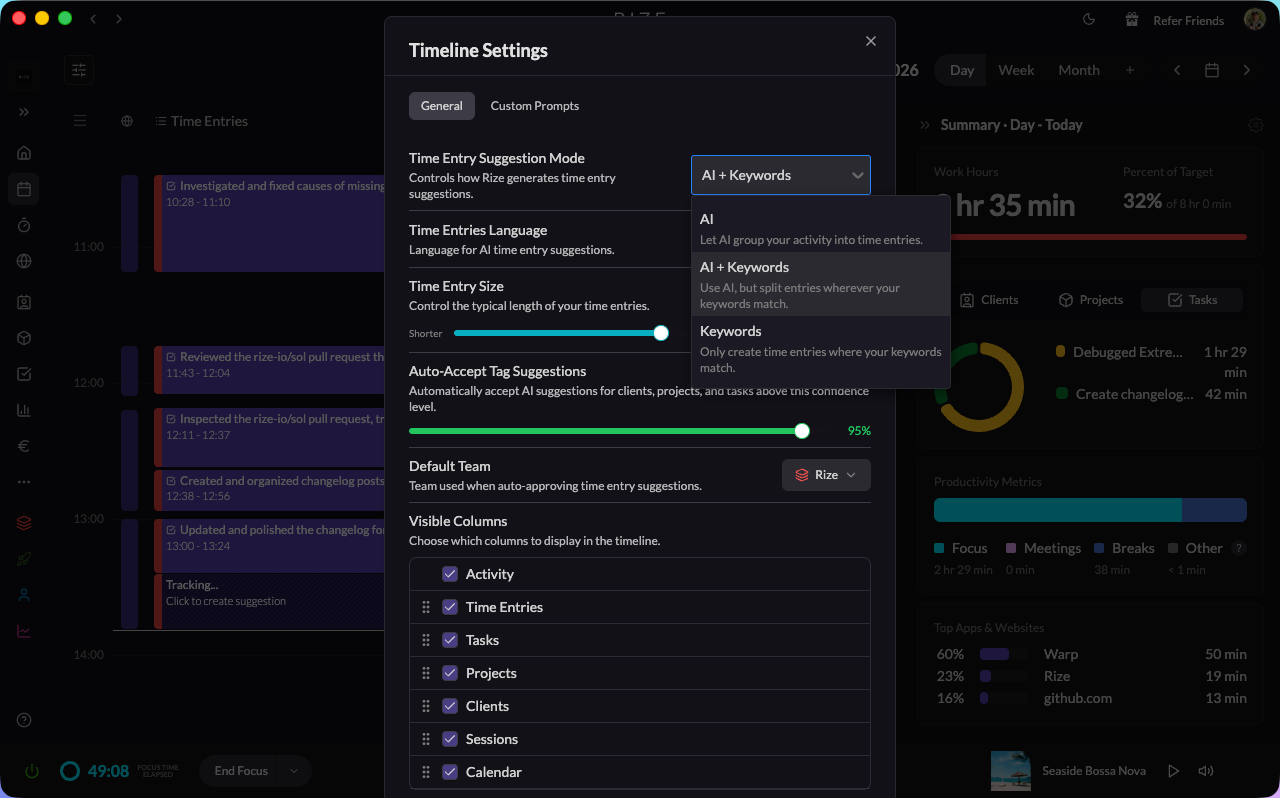
- New Suggestion Mode dropdown in Settings → Time Entries with three options: AI, AI + Keywords, or Keywords only
- Use the Time Entry Size slider to lean toward shorter or longer entries
Customize your timeline
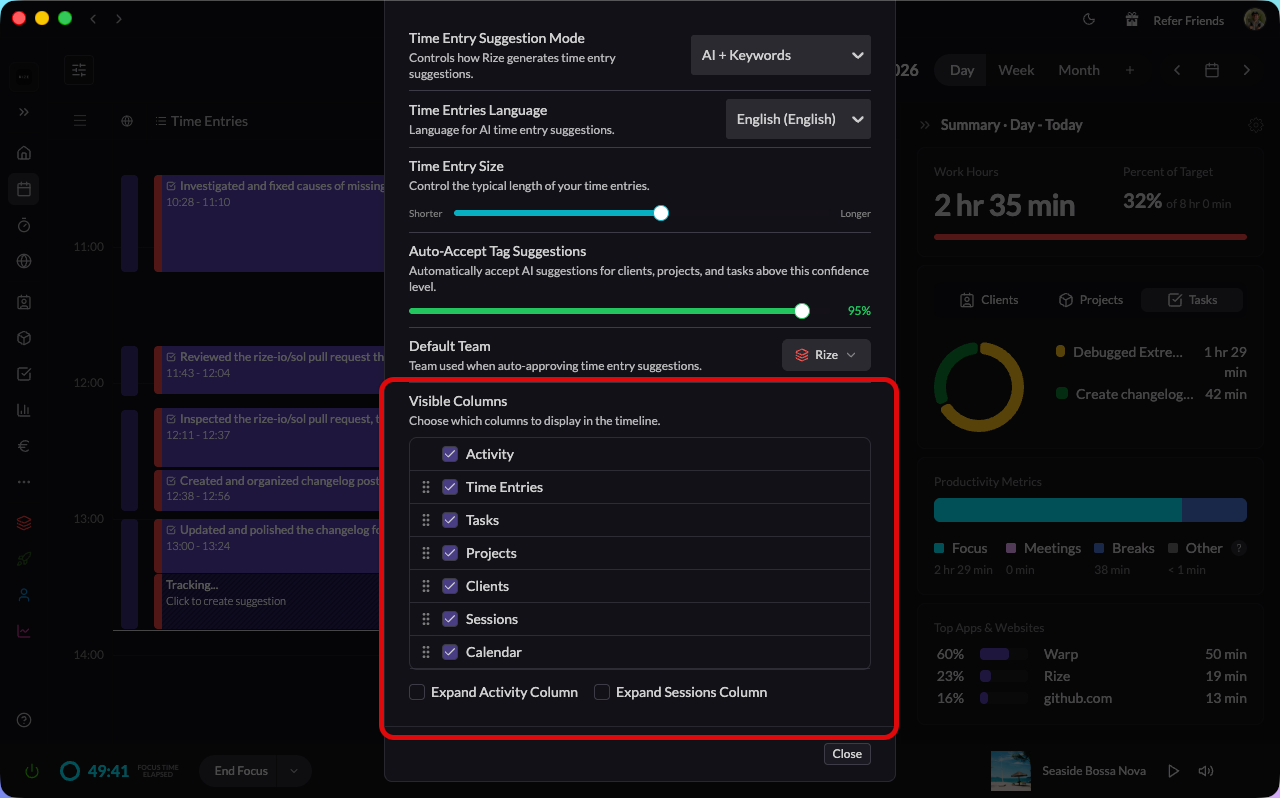
- Show or hide any column on the vertical timeline
- Drag columns to reorder them
- Rize remembers your layout — the timeline opens the way you left it
Smarter auto-tagging
- Auto-tagging now pulls from more signals — keywords, past entries, calendar events, and linked tasks — so more entries are tagged correctly without you having to touch them
- Every tag suggestion now tells you, in plain English, why Rize suggested it
ClickUp improvements
- More reliable two-way sync, especially if you connect ClickUp to multiple Rize teams
- New Sync non-member tasks setting for teams that want to include tasks owned by people without a Rize account
AI assistants can do more
- Connect Rize to Claude or ChatGPT and ask about your app and website usage
- Voice dictation is smarter — it knows your clients, detects overlapping entries, and flags conflicts before you save
New admin controls
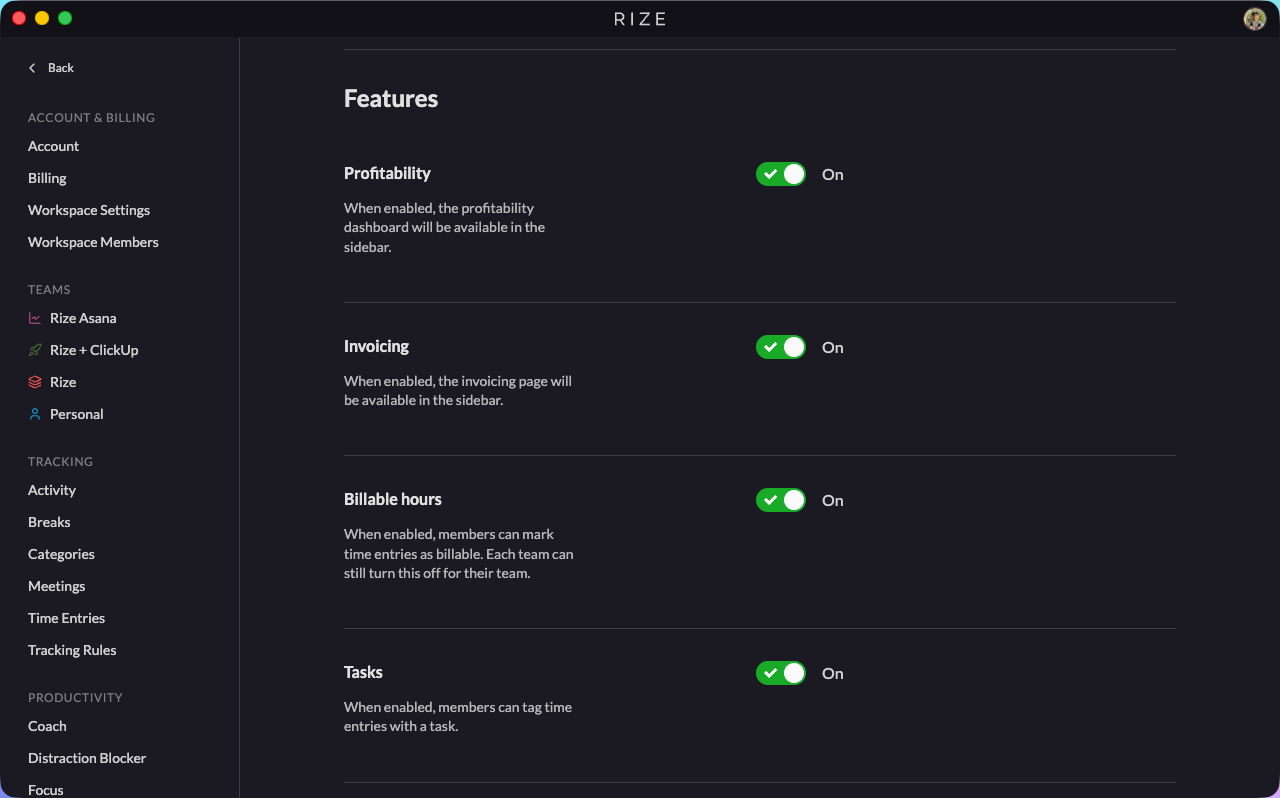
- Admins can turn Tasks, Projects, Clients, Categories, and Billable Hours on or off for the whole organization
- Profitability and Invoicing are now on by default for new organizations
FIXES
ClickUp & integrations
- Time entries are now attributed to the right person on tasks with multiple assignees — If you logged time on a task you didn't create, it was being pushed to ClickUp under the task creator instead of you. Fixed.
- ClickUp tasks owned by people without a Rize account are no longer skipped when syncing
- Reconnecting ClickUp no longer drops sync events
- Brand-new ClickUp tasks now sync immediately instead of waiting for the next sync cycle
Tracking accuracy
- No more phantom 5-minute "No activity" entries — Some users were waking up to dozens of tiny tracking entries that crystallized overnight (one user found 97 of them spanning midnight to 4 AM). All four root causes are fixed.
- Work Hours no longer counts future time on today's view — A calendar entry running 2pm–9pm, viewed at 8pm, used to add the full 7 hours to your Work Hours total. It's now capped at the current time.
- Weekly breakdown no longer swaps meeting time and break time
- Tracking entries no longer overlap meetings on the timeline
Reports & dashboards
- Historical Performance dates no longer show the wrong month for US users
- Single-day reports no longer return two days of data
Clients
- Clients are no longer duplicated across organizations when imported
- Archiving and restoring clients across teams now behaves the way you'd expect
UI polish
- Mobile navigation menu rendering fixed
- Sidebar team icons now display correctly when collapsed, and the sidebar opens by default
- Tag pills no longer push other controls off the row
- Tooltips and activity bars render correctly across the app
WHAT'S NEXT
Next up: a rebuilt Reports experience, more bug fixes, and continued polish across the app. As always, let us know what you'd like to see — we read every piece of feedback.