Managing time entries for your team just got a lot easier. Admins can now create, edit, and delete time entries on behalf of any team member — directly from the app.
NEW
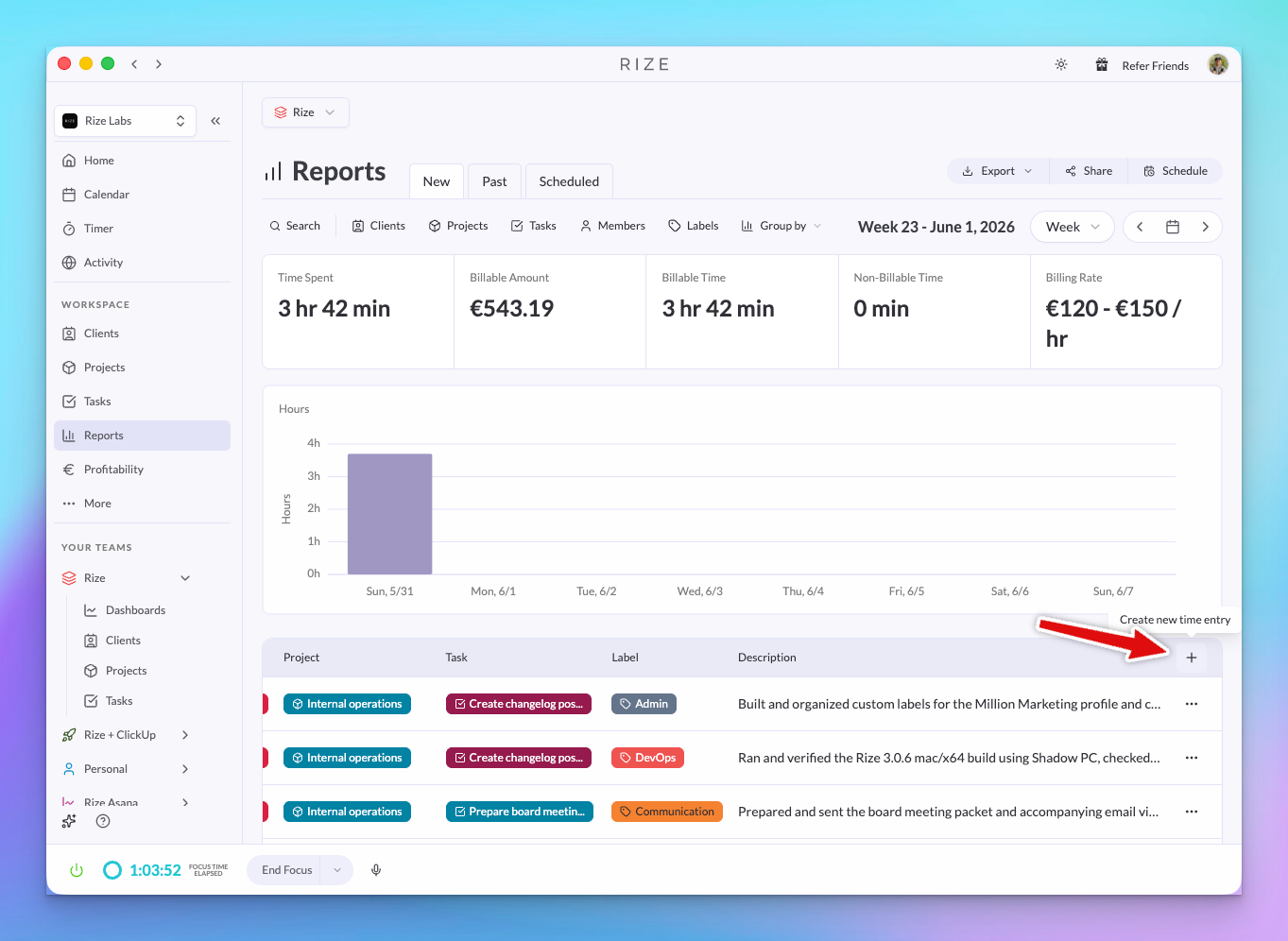
Create, edit, and delete time entries for your team
As a workspace admin, you can now:
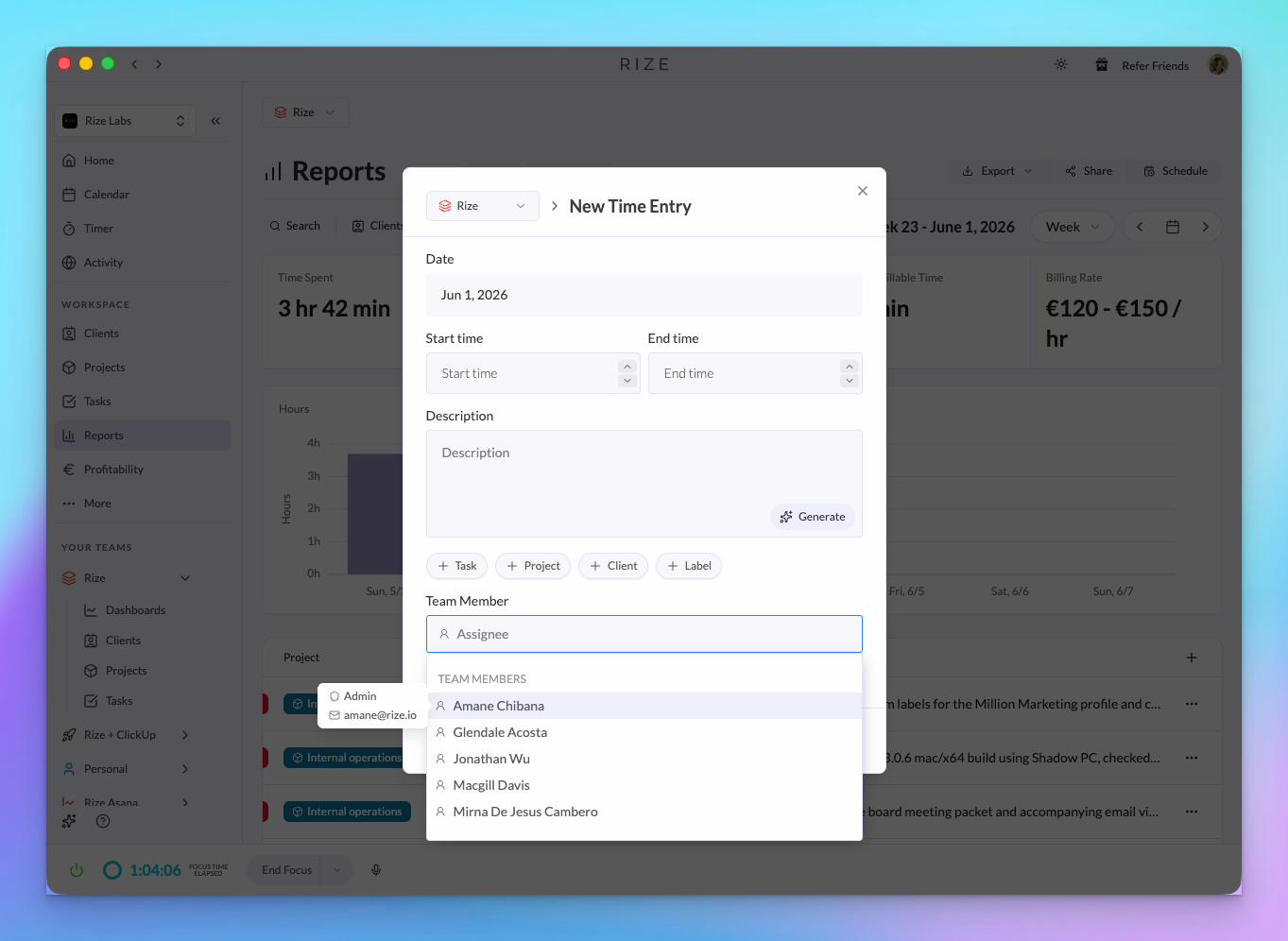
- Create new time entries for any team member
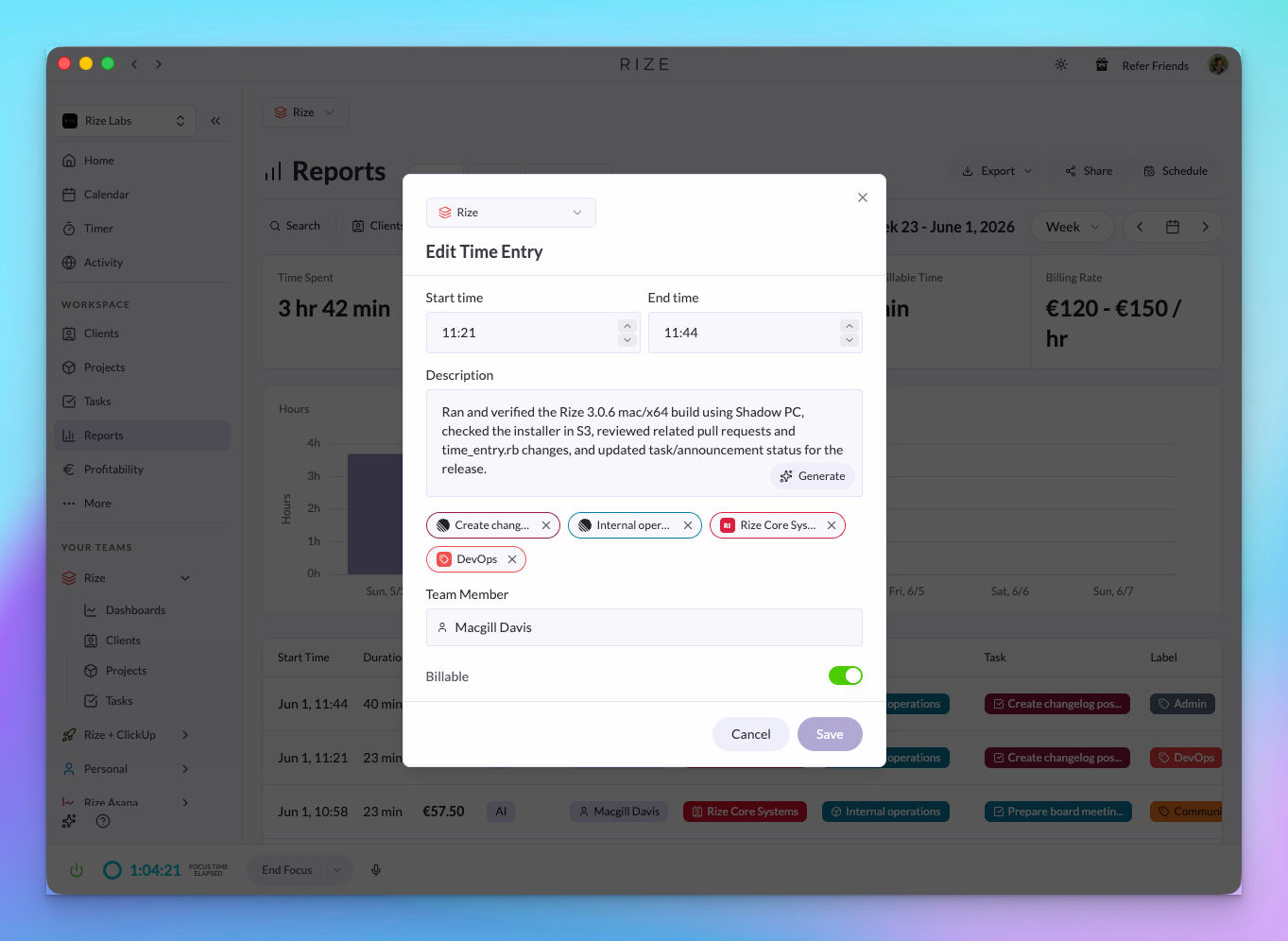
- Edit existing entries — adjust the time, client, project, task, or billable status
- Delete entries that were logged incorrectly
This is useful when a team member forgot to track something, when you're reconciling hours at the end of the week, or when onboarding someone who hasn't built the Rize habit yet.
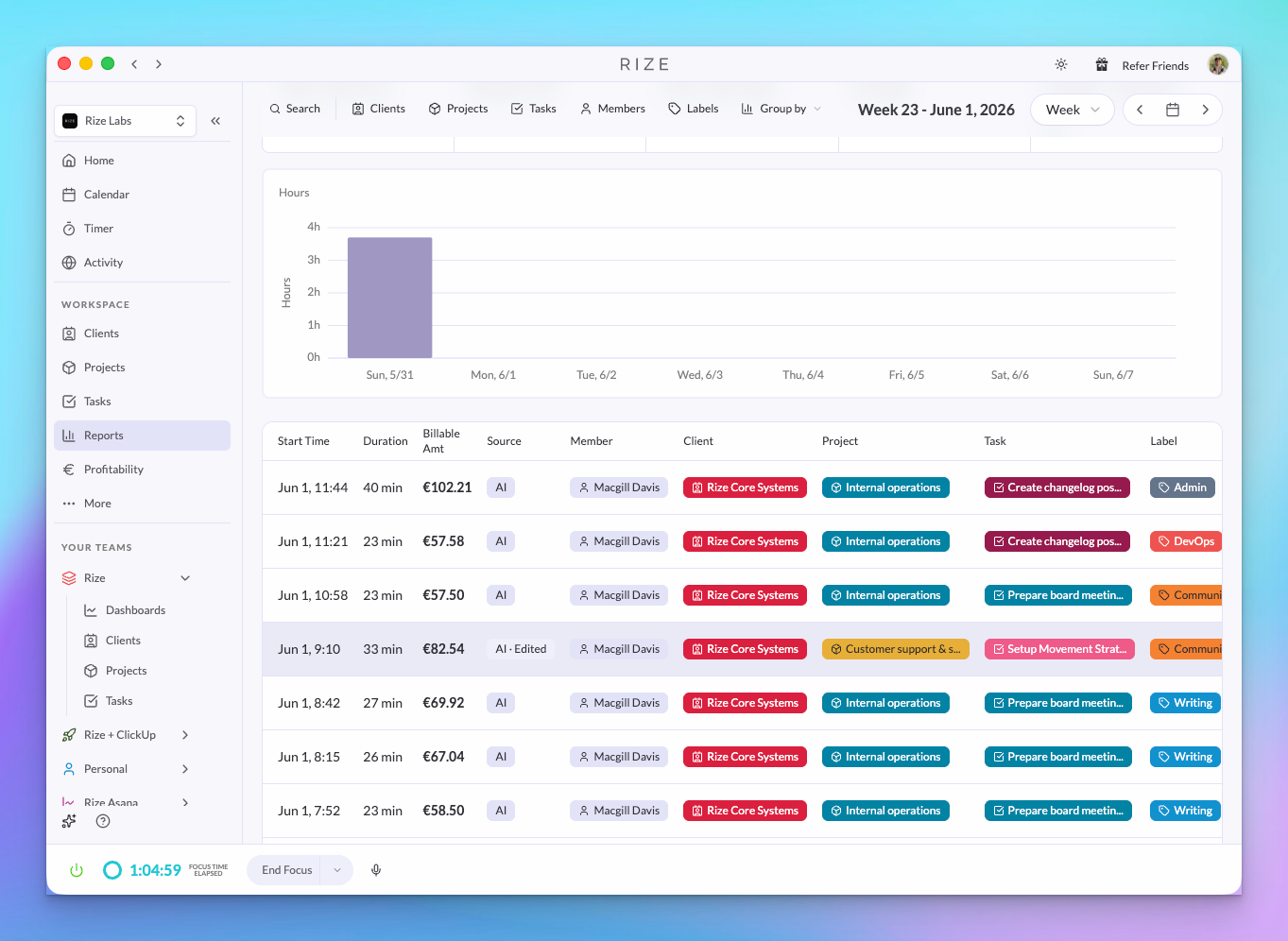
Source labels: AI, AI Edited, User
Every time entry now shows how it was created:
- AI — Rize generated this entry automatically
- AI Edited — Rize generated it, and someone made changes
- User — A person created this entry manually
This gives you and your team transparency into the source of each entry — which are fully automatic, which were touched up, and which were entered by hand. Helpful for auditing, trust-building, and understanding how much of your time tracking is truly hands-off.
Titles for team members
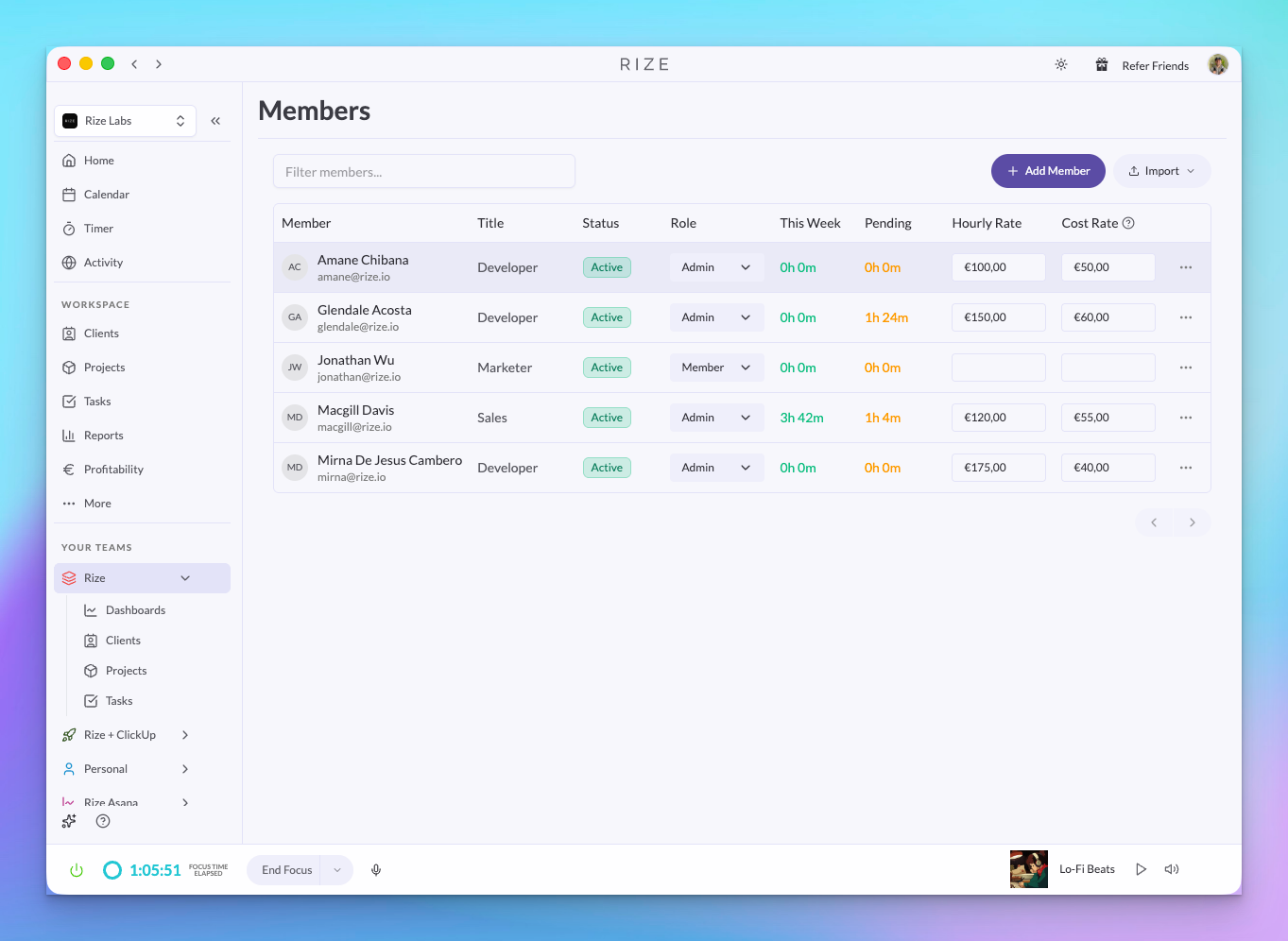
Team members can now have a title (e.g. "Senior Designer", "Project Manager") visible in the Members view. Useful for larger teams where roles matter for reporting and billing.
WHY THIS MATTERS
- End-of-week reconciliation — A team member forgot to track Friday afternoon? Create the entry for them instead of chasing them down
- Onboarding new hires — Enter time on behalf of someone who hasn't built the Rize habit yet, so your reports stay accurate from day one
- Auditing and compliance — Source labels (AI, AI Edited, User) make it clear how each entry was created — useful when clients or finance need a paper trail
- Team org at scale — Titles keep your Members view organized as your team grows past the point where everyone knows everyone's role