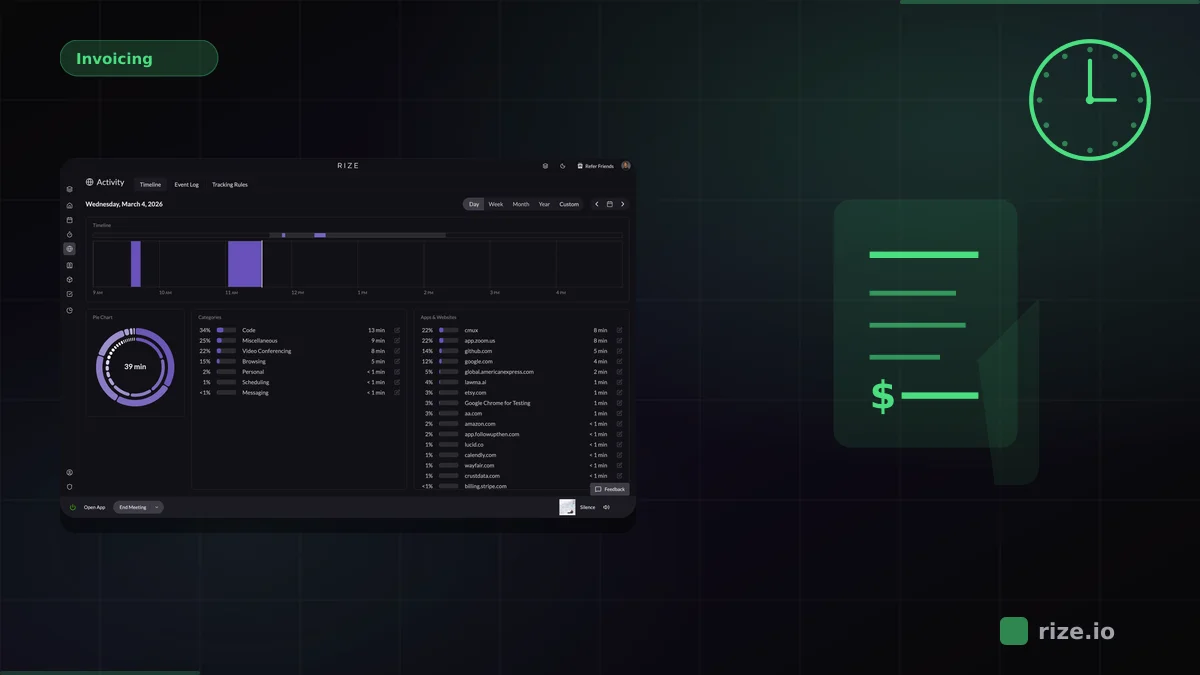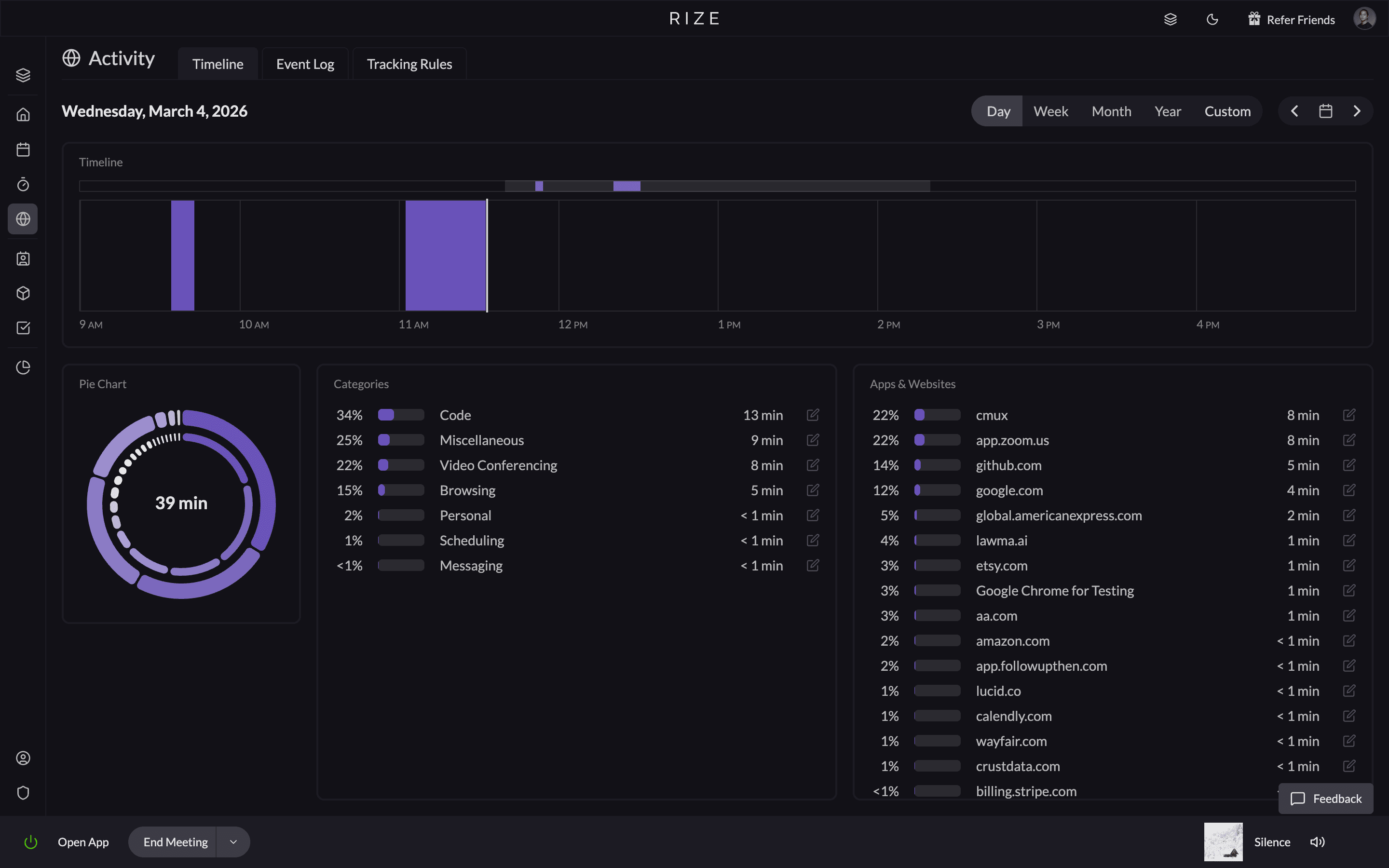
Most time tracking tools claim to be automatic, but the real test is simple: does it record your work without you touching it? The most accurate tools use zero-touch AI categorization to prevent timesheet padding and manual entry errors. When your software runs quietly in the background, your time logs reflect reality — not end-of-week guesswork.
- Zero-Touch Operation: The software must track activity without requiring users to click "start" or "stop."
- Contextual AI Categorization: Raw data is useless without context. The tool must automatically sort app and web usage into specific projects or client buckets.
- Idle Time Detection: Accurate software must intuitively know when you step away from your computer to prevent inflated time logs.
| Tool | Best For | Accuracy Method | Pricing |
|---|---|---|---|
| Rize | Teams and freelancers needing billable accuracy | Zero-touch AI categorization into billable, project-specific entries | From $9.99/mo Basic; Team at $29.99/seat/mo (annual) |
| Memtime | Users who want local desktop activity timelines | Records desktop activity locally; manual drag-and-drop into timesheets | From $14/user/mo (annual) |
| RescueTime | Personal productivity and distraction blocking | Broad productive/distracting buckets; lacks client-level granularity | From $7/mo (annual) |
Why Manual Timers Ruin Data Accuracy
For decades, the manual timer has been the go-to tool for tracking productivity. But the very tool designed to measure efficiency is holding teams back. When workers are forced to toggle timers between tasks, it interrupts their focus and diverts energy away from real work.
Some estimates suggest that manual time tracking loses 15-40% of billable hours to forgotten timers and estimation errors — a gap Rize eliminates with zero-touch AI capture that runs entirely in the background.
How to Evaluate Automated Tracking Accuracy
When choosing time tracking software, run it through three tests. If a tool fails any one of them, your data will always have gaps.
| Test | What to ask | Why it matters |
|---|---|---|
| Zero manual input | Does it require clicking "start" or "stop" to track? | If yes, accuracy will always depend on human discipline. |
| Auto-categorization | Can it sort time by client or project without manual tagging? | Background data without context is just a log file, not a timesheet. |
| Idle handling | How does it handle breaks and away time? | Inflated time logs are just as harmful as under-reporting. |
The most accurate tools pass all three. Rize was built around these principles from day one with fully automatic, privacy-first tracking that requires zero configuration from your team.
See automated time capture in action
Try Rize free for 7 days. No timers, no manual entry — just accurate billable hours from day one.
Start Free TrialWhat Accurate Time Data Actually Looks Like
When your team fills out timesheets from memory on Friday afternoon, the data is going to be rough. As Ben Jackson, CEO of Momentum Studio, a 12-person creative agency, puts it: "I'm a trusting leader, but I don't even trust myself to remember what I worked on two days ago. So how can I expect my designers to?" You get round numbers — "4 hours on the Acme redesign" — with no detail about which tasks ate the time or where the day went sideways. Project managers end up guessing at utilization rates, and finance has to pad estimates because nobody trusts the numbers.
Automated time capture changes what the raw data looks like. Instead of a single line item per project, you get a granular breakdown: 47 minutes in Figma on the Acme homepage wireframe, 22 minutes reviewing feedback in Slack, 1 hour 14 minutes writing CSS in VS Code. Every app switch, every context change, every idle gap is accounted for without anyone typing a word.
That granularity matters for three reasons:
- Accurate project costing: You can see exactly how long each phase of a project takes, which means your next estimate is based on real data, not gut feeling. If a design sprint consistently runs 30% over your quoted hours, you catch it before it tanks your margin.
- Fair client billing: When a client disputes an invoice, you have a timestamped, activity-level audit trail. No more awkward conversations about whether 6 hours of design work "really" happened.
- Honest utilization rates: Manual timesheets tend to inflate productive hours and hide admin overhead. Automated capture shows the real split between billable client work and internal tasks like standups, email, and Slack threads. That honesty is what lets you fix the ratio.
If you run an agency or manage a team of knowledge workers, the difference between "roughly right" and "precisely measured" time data compounds every single week.
The Real Cost of Inaccurate Time Tracking
The 15-40% billable loss stat gets thrown around a lot, so let's put real numbers to it. Take a 10-person agency where each team member bills at $150/hour and works roughly 1,800 billable hours per year. That's $2.7 million in potential annual revenue.
If manual tracking causes even a 20% leak — which falls right in the middle of that range — you're leaving $540,000 on the table every year. Not because the work didn't happen, but because nobody remembered to log it. That is not just a theoretical model. Momentum Studio, a 12-person creative agency, recovered 20% more billable time after switching to automatic tracking — along with 8 hours per week in admin savings and a 15% bump in project profitability. For a team that size, that is real revenue returned to the business.
Here's where it gets worse. That leakage isn't evenly distributed. It hits your most productive, most context-switching team members the hardest. Developers jumping between repos, designers toggling between Figma files, strategists hopping from research to decks to client calls — these are exactly the people who forget to start and stop timers because they're deep in the work. The better someone is at their job, the more billable time they lose to bad tracking habits.
The fix isn't better discipline or weekly reminders to fill out timesheets. The fix is removing the manual step entirely. Building Rize, the thing that surprised me most was how much billable work goes unlogged not because people are lazy, but because the best contributors are too deep in the work to stop and track it. When time capture happens in the background with no human input required, the leakage drops close to zero. Check Rize's pricing against that $540K gap — the ROI is obvious.
How to Roll Out Automated Capture to Your Team
Switching from manual timesheets to automated time capture is a change management problem as much as a software problem. People have habits, and some will be skeptical. Here's a practical playbook for getting your team on board without friction.
- Start with a pilot group: Pick 2-3 team members who are already frustrated with manual timesheets. Install the tool, let it run for two weeks, and compare the automated output against their old manual logs. The difference in captured hours will sell itself.
- Address the privacy conversation upfront: The number one objection to automated tracking is "are you watching me?" Be direct: Rize tracks app and window titles to categorize work, not keystrokes or screenshots. Data stays on the employee's machine unless they choose to share it. Get ahead of this question before it becomes a blocker.
- Kill the old system on a hard date: Running two systems in parallel — manual timesheets alongside automated capture — doubles the admin load and guarantees nobody adopts the new tool. Pick a cutover date, communicate it clearly, and stick to it.
- Review the data together in week one: Sit down with the team and walk through what the automated tool captured. Show them where it found time they forgot to log. Show them how it categorized ambiguous activity. This builds trust in the system and gives you a chance to fine-tune project categories.
- Tie it to something they care about: Most people don't care about "better data for management." They care about not having to fill out timesheets on Friday. Lead with that. Automated capture means they never have to think about time tracking again — it just happens.
If you're evaluating tools for your team, Rize's automatic time tracking is built specifically for this use case — fully passive capture with AI categorization, no manual input required from anyone on your team.
How Rize Compares to Other Passive Trackers
Not all passive trackers deliver the same level of accuracy. Tools like Memtime record your desktop activity locally and present it as a timeline, but you still need to manually drag entries into your timesheet. RescueTime categorizes time into broad productive and distracting buckets, which works for personal habits but lacks the granularity needed for client billing. Rize bridges both gaps by automatically creating categorized, billable time entries from your raw activity without any manual review step.
Start tracking time automatically
Join thousands of professionals who stopped guessing where their time goes. Free for 7 days.
“Rize has been a no-brainer for me.” — Ali Abdaal Read more →
Start a free 7-day trial to measure your actual billable hours, or book a demo to see how it works for teams. See what reviewers and publications are saying about Rize, or browse more time tracking comparisons.
Related Reading
For direct tool comparisons, read Rize vs Toggl for agencies, Rize vs Timely, or our three-way accuracy comparison. See full feature-by-feature breakdowns on our Toggl alternative, Harvest alternative, and Clockify alternative pages. If you run an agency, see how Rize works for agency teams.