Real-time team visibility is the fastest way for agencies and service teams to deliver on time, protect margins, and retain clients. According to Harvard Business Review research, inaccurate timesheets cost businesses $7.4 billion per day — and most of that stems from delayed or forgotten manual logging. For most agencies, the "best" option pairs automatic time capture with live dashboards, strong integrations, and privacy controls. Teams that want visibility without surveillance should consider privacy-first, AI-powered platforms like Rize, which surface utilization and profitability insights with minimal manual entry (see Rize's approach to teams). Real-time visibility isn't just a dashboard — it's a way to make quicker, better decisions based on current workload, progress, and budget. From building Rize, I have learned that "real-time" does not mean watching people work in the moment. It means having data fresh enough to act on today instead of discovering problems in last month's report.
Why Real-Time Team Visibility Matters for Agencies and Service Teams
Real-time team visibility means providing live, actionable data on team activities, workloads, and project progress for faster, better-informed decisions.
Project tracking software can provide a live snapshot of task progress, workload, and project health — flagging scope or budget risks early so you can course-correct before overages stack up, as outlined in Mural's guide to project tracking. Agencies in particular juggle billable versus non-billable time, shifting scopes, and tight deadlines. Visibility into who's over capacity, which tasks are slipping, and how quickly budgets are burning is the difference between proactive and reactive delivery.
Moving beyond manual timesheets helps you optimize staffing and reduce burnout. Research from the PMI Pulse of the Profession shows organizations waste 11.4% of every dollar invested due to poor project performance — much of it traceable to inaccurate time data. Logging time consistently helps teams prevent overallocation and rebalance work across people and projects, according to Resource Guru's guide to project time tracking. That same data improves estimates, makes utilization targets achievable, and builds client trust through transparent, timely reporting.
Core Features of Effective Time-Tracking Software for Real-Time Visibility
| Capability | What it does | Why it matters |
|---|---|---|
| Automatic time capture | Records activity and meetings without manual timers (e.g., Rize) | Higher accuracy and adoption with less friction |
| Real-time dashboards | Live views of workload, progress, and budgets | Instant risk detection and faster decisions |
| AI-driven auto-tagging | Uses machine learning to classify activities by client/project/task (Rize auto-tags with no manual setup) | Reduces errors and eliminates manual categorization |
| Project and task tracking | Associates time with work items and milestones | Links effort to outcomes and delivery dates |
| Integrations | Connects to PM, calendars, payroll/invoicing (Rize integrations) | Reduces duplicate entry; unifies data for reporting |
| Mobile and desktop apps | Lets teams track on any device | Supports distributed, hybrid, and on-the-go work |
| Idle-time detection | Pauses or flags inactive time | Improves data quality without nagging users |
| Privacy controls | Configurable sharing at user/team/project level | Builds trust while enabling team-level insights |
| Profitability dashboards | Compares hours, budgets, and billable rates | Highlights margin risks and revenue opportunities |
Automation drives adoption: automatic timers and calendar sync reduce manual entry and streamline workflows, improving accuracy and compliance, as detailed by Scoro's time tracking best practices. Visual project dashboards — Gantt, Kanban, and workload views — make status and delivery risks obvious in real time, echoing recommendations from Mural's project tracking guide. For distributed teams, mobile time tracking, idle detection, and strong integration support are table stakes, as noted in Apploye's market overview.
Start tracking time automatically
Join thousands of professionals who stopped guessing where their time goes. Free for 7 days.
Start Free TrialChoosing the Right Time-Tracking Tool for Your Team's Needs
Prioritize tools that minimize friction and meet your privacy expectations. Look for:
- Ease of use and low setup overhead
- Integrations with your existing stack (PM, calendar, payroll/invoicing)
- Compatibility with agency workflows (client billing, utilization targets, resource forecasting)
- Privacy-respecting design and configurable data sharing
"Get team buy-in early by sharing the 'why' so tracking feels like solving a problem, not policing," advises Resource Guru's guide to project time tracking.
Use this checklist:
- Do you have compliance/monitoring needs (e.g., geofencing, screenshots), or will that undermine trust?
- Can the platform scale with growth and multiple client teams?
- Does it offer automatic capture and reliable reporting to sustain adoption over time?
Utilization targets refer to set goals for how much of an employee's time should be dedicated to billable or productive work, commonly tracked as a percentage to inform staffing and profitability. At Momentum Studio, a 12-person creative agency, switching to automatic tracking recovered 20% more billable time and saved 8 hours per week on admin — which translated to a 15% increase in project profitability. Generic utilization benchmarks are useful as starting points, but real gains come from measuring your own team against your own targets.
Step-by-Step Implementation of Real-Time Team Visibility
Define Key Metrics Aligned to Business Goals
Start with a small, critical set of metrics tied to outcomes like margin protection, on-time delivery, and team well-being. Aligning metrics to business goals enables better, faster decisions, as emphasized in Scoro's best practices.
| Metric | Why It Matters | Example Usage |
|---|---|---|
| Billable hours | Drives revenue and billing accuracy | Compare billable mix by client to spot margin gaps |
| Non-billable hours | Reveals hidden overhead | Cap internal/admin time to protect delivery capacity |
| Utilization | Signals workload balance and revenue potential | Adjust staffing to hit target utilization ranges |
| Project burn rate | Tracks budget consumption vs. timeline | Trigger scope review when burn outpaces progress |
| Scope changes | Surfaces risk to timelines and budgets | Document change orders early to avoid write-offs |
| Attendance/availability | Informs scheduling and coverage | Reallocate when key roles are at risk of overload |
Select a Low-Friction, Integrated Time-Tracking Solution
Favor tools with simple onboarding, intuitive design, and native integrations to your PM, calendars, and payroll. Automated timers and mobile/web platforms improve accessibility and accuracy for all roles and locations, as Apploye's analysis highlights. Balance any advanced monitoring capabilities against user experience to avoid resistance and preserve trust.
Standardize Project and Task Categories for Consistent Reporting
Create a clear taxonomy for project, client, and task categories so reports are comparable across teams.
- Align on naming conventions and levels (client > project > phase > task)
- Pilot with one team, refine based on feedback
- Document standards and templates for repeatability
Automate Data Capture to Minimize Manual Entry
The fewer manual steps your team has to take, the more complete your data becomes. Focus on three high-impact automations first:
- Calendar sync — auto-log meetings to the right client without anyone typing a word. Calendar sync meaningfully cuts friction and errors, as Scoro's best practices note.
- Idle detection — pause tracking when someone steps away so logs stay honest.
- PM tool integration — connect Google Calendar, Outlook, Rize, Asana, or Slack so task-level time flows into reports automatically.
Pilot and Communicate to Build Trust and Drive Adoption
Start with one team or project. Configure privacy settings up front and explain the purpose: fair workload balancing, better estimates, and transparent billing — not surveillance, a stance reinforced by Resource Guru. Hold short feedback loops and iterate settings and workflows before scaling.
Use Dashboards and Reviews to Turn Data into Actionable Insights
Set weekly or bi-weekly reviews with live dashboards to rebalance workloads, renegotiate scope, or update forecasts, a cadence supported by actiTIME's guidance on time-tracking practices. Live dashboards display up-to-the-minute data on activities, tasks, and outcomes — providing instant visibility into progress and potential bottlenecks.
Best Practices to Maximize Accuracy, Adoption, and Privacy
- Log time as close to real-time as possible.
- Capture both billable and non-billable hours to see true capacity, as Scoro recommends.
- Set clear utilization targets and watch them weekly to prevent over/under-allocation.
- Favor aggregated dashboards and privacy controls over intrusive surveillance.
- Encourage browser extensions, mobile access, and calendar syncs for frictionless capture, per Scoro's best practices.
- Build buy-in by standardizing categories and explaining the "why," tactics shown to boost adoption in Resource Guru's guidance.
Aggregated dashboards are those that show summary time data for groups, not individuals, to protect privacy while enabling operational decisions.
How Time-Tracking Drives Better Profitability and Project Control
Logged time supports accurate billing, reveals underutilized resources, and surfaces hidden non-billable work that erodes margins, as outlined in Resource Guru's guide. Objective time data exposes resourcing gaps, justifies hiring or reallocation, and provides evidence to renegotiate client scope when necessary, consistent with Scoro's recommendations. Leonard Roussard, founder of Impulse Lab, uses this exact approach: "We use Rize to know: 'We spent 30 hours on this client and got this result.' That's powerful when you're working lean and launching quickly." His 6-person team reports 5x faster client reporting and 98% billing accuracy as a result.
The contrast is stark. Without time tracking, agencies deal with missed billables, scope creep, and estimates built on gut feel. With real-time tracking in place, you get forecasts based on actual hours, margins you can defend to clients, and workload distribution that does not burn out your best people.
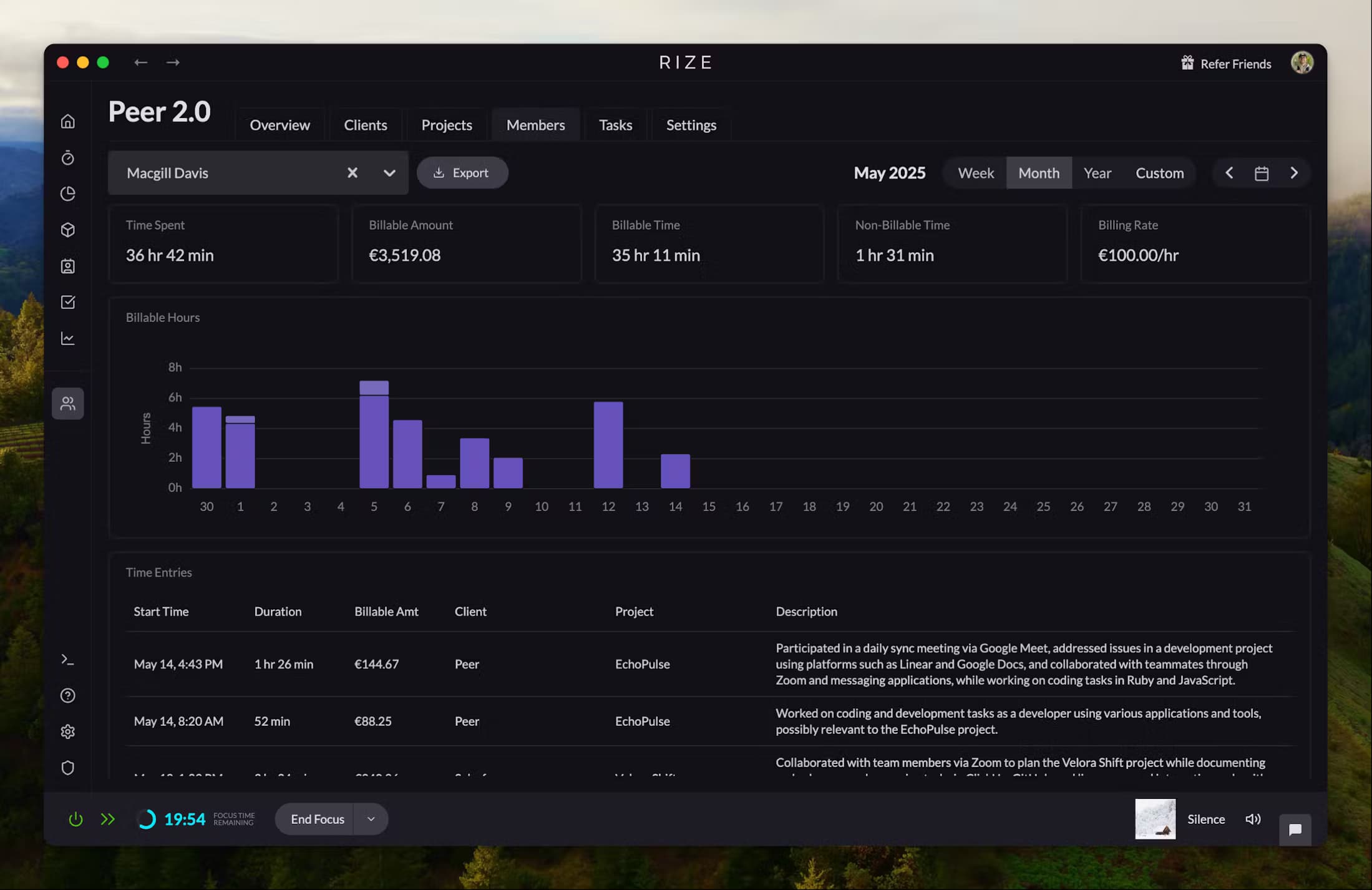
Profitability dashboards use real-time time data to compare actual hours, project budgets, and billable rates, highlighting opportunities to increase revenue or reduce overages.
Integrations and Platform Support That Enhance Real-Time Visibility
The right integrations connect time to the work itself, making visibility automatic. Prioritize:
- Project management: Rize, Asana, Jira
- Calendars: Google, Outlook
- Communication: Slack, Microsoft Teams
- Payroll and invoicing: QuickBooks, Gusto, Xero
Calendar sync and automated data import reduce duplicate entry and errors, per Scoro's guidance. Platform support means the availability of time-tracking features across devices (desktop, web, mobile) and operating systems, ensuring all team members can participate regardless of location or device. For agencies running multiple tools at scale, integrated time tracking streamlines workflows and reporting across systems, as explained in TrackingTime's implementation guide. If you use Rize, for example, connecting time tracking directly to tasks keeps estimates, burn, and billing aligned end-to-end.
Balancing Visibility with Employee Privacy and Trust
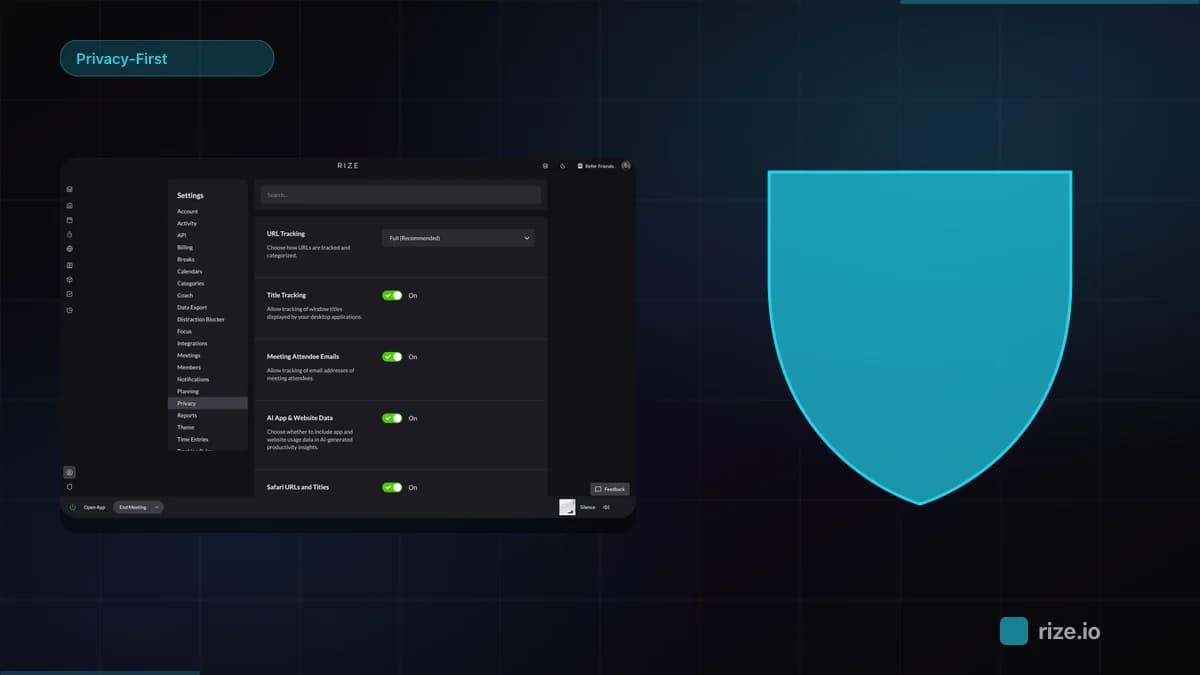
Visibility works when it's transparent, not intrusive. Choose tools that support configurable sharing (e.g., show project/task totals without keystroke or screenshot logging) to meet both management needs and employee comfort. Aggregated dashboards and user-level control over data visibility are best practices for agency environments, as noted in Workstatus's comparison guide. Privacy-first time tracking gives employees control over what time data is shared, reducing resistance and fostering trust, while still enabling actionable team-level insights.
Start tracking time automatically
Join thousands of professionals who stopped guessing where their time goes. Free for 7 days.
“Rize has been a no-brainer for me.” — Ali Abdaal Read more →
Frequently Asked Questions
What features are essential for real-time team visibility?
Core features include automatic time capture, live dashboards, project and task tracking, real-time reporting, and integrations with calendar or project management tools.
How does real-time time tracking improve team productivity?
It highlights workload imbalances in the moment, prevents overwork, and provides insights that drive better planning and faster course corrections.
What should I consider when choosing a time-tracking tool?
Focus on ease of use, tight integrations with your stack, compatibility with agency workflows, and privacy options that match your culture.
How can I protect employee privacy while using visibility tools?
Select a privacy-first platform, rely on aggregated dashboards, and give team members control over data sharing to maintain trust.
Which integrations help maximize the value of time-tracking data?
Project management, calendar, payroll, and invoicing integrations connect time data to delivery, billing, and forecasting — turning tracking into business outcomes.
For agencies seeking real-time visibility without surveillance and with built-in profitability insights, explore Rize Teams for a privacy-first, AI-powered approach.
You can read a full Rize overview on TheBusinessDive, covering its features, pricing, pros and cons, and real-world use cases.
Macgill Davis is cofounder of Rize, an automatic time tracker that improves focus and builds better work habits.