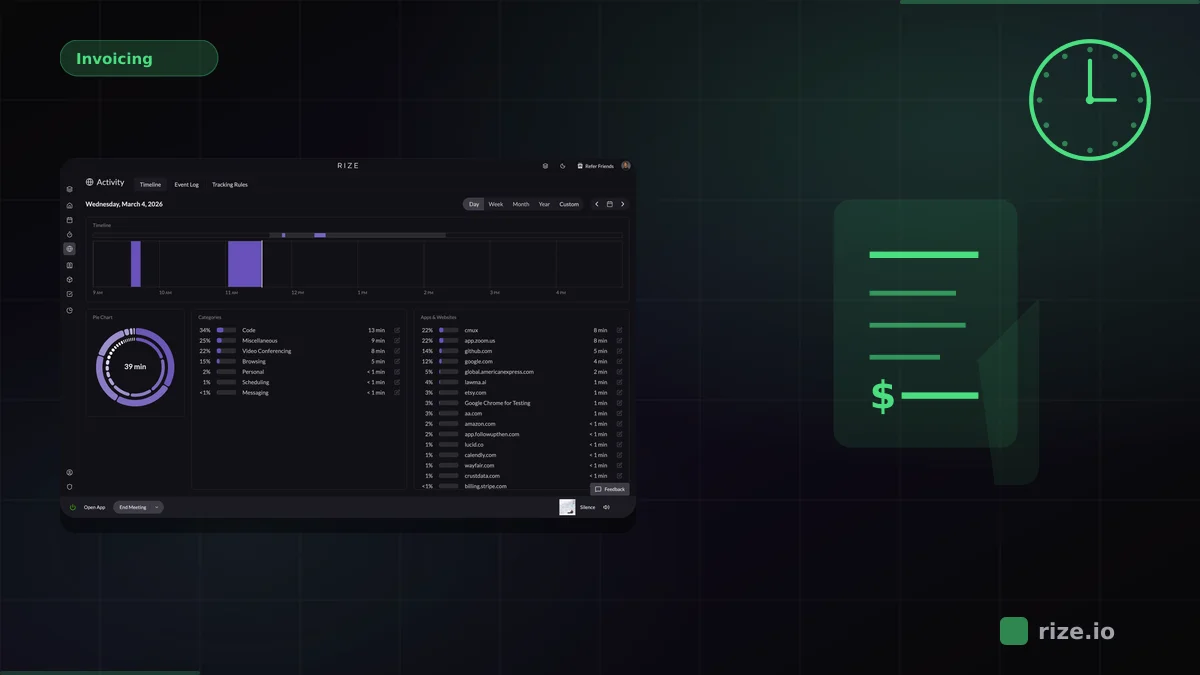
The best time tracking setup for Jira is the one that actually captures the hours your team works, not just the hours they remember to log. For most software and professional-services teams, that means automatic capture first and Jira sync second.
Jira is where tickets live, but the work happens across VS Code, Figma, Slack, browsers, docs, and video calls. If tracking starts inside Jira, it misses everything that happens outside it. That gap is where billable hours and project estimates silently break down.
15-40%
Typical billable hours lost when teams rely on manual Jira worklogs instead of automatic capture.
20%
More billable time recovered by Momentum Studio after switching from manual tracking to Rize.
98%
Billing accuracy reached by Impulse Labs after moving from reconstructed timesheets to automatic capture.
Key Takeaway
Rize is the best time tracking tool for Jira when accurate hour capture matters more than native worklogs. It tracks every work session automatically in the background, categorizes time by project using AI, and lets you push approved entries into Jira via Zapier. Tempo is better if you need built-in Atlassian resource planning and manual worklog management.
Why Jira Users Need Better Time Tracking
Jira's built-in worklog is a data entry field, not a tracking system. It depends on every person on the team remembering to log hours after finishing a task. When that does not happen consistently, project estimates drift from reality.
Teams using manual Jira worklogs typically miss 15-40% of the time they could have billed or attributed to a sprint. The gap is not one forgotten ticket. It is dozens of short context switches, code reviews, Slack threads, and research sessions that no one records.
An automatic workflow changes the sequence. Instead of asking developers and designers to reconstruct their day inside Jira, you capture the day as it happens with automatic time tracking, then push clean entries into Jira after the fact.
Comparing the 6 Best Time Trackers for Jira
The core difference is whether the tool depends on people remembering to track or whether it captures time on its own. Rize is fully automatic. Tempo is the deepest native Jira plugin. Clockify, Toggl, Everhour, and Harvest all use manual timers with varying Jira integration depth.
| Tool | Tracking method | Jira integration | Pricing | Best for |
|---|---|---|---|---|
| Rize | Fully automatic desktop capture | Zapier sync to Jira issues | From $9.99/mo | Teams that underreport hours due to context switching |
| Tempo | Manual worklogs and timers | Native Atlassian marketplace plugin | From $6/user/mo | Atlassian-standardized orgs that want native worklogs |
| Clockify | Manual timers with optional auto tracker | Browser extension + Jira integration | Free (5 users); Pro $7.99/user/mo | Budget-conscious teams |
| Toggl Track | Manual timers with background timeline | Browser extension + Jira integration | Free; Starter $9/user/mo | Teams with strong timer discipline |
| Everhour | Manual timers embedded in Jira | Native Jira embed with timer buttons | Free (5 users); Team $8.50/user/mo | Small teams that want in-Jira timer buttons |
| Harvest | Manual timers | Browser extension + integration | Free (1 seat); Teams $9/seat/mo | Teams that need tracking plus invoicing in one tool |
Rize: Best for Automatic Time Capture
Rize is the best fit for Jira teams when the underlying problem is missed hours, not worklog formatting. It captures every application, browser tab, document, and meeting context automatically in the background, then uses AI to group those sessions by project.
That matters because most Jira work happens outside Jira. A developer might spend 45 minutes in VS Code, 10 minutes reviewing a PR on GitHub, and 5 minutes updating the ticket. Manual worklogs almost never capture the VS Code or GitHub time accurately.
Rize detects Jira activity by reading page titles and URLs from your browser, while also capturing every other tool in your stack. The result is a complete picture of where time went, not just the portion someone remembered to log.
Momentum Studio, a 12-person creative agency, recovered 20% more billable time after switching to Rize. Impulse Labs, a 6-person product studio, reached 98% billing accuracy. Those gains come from capturing the work that manual logging misses.
Stop losing hours between Jira tickets
Rize captures the work automatically, then lets you push approved time into Jira via Zapier today — native integration coming mid-2026.
Start Free TrialTempo: Best Native Jira Plugin
Tempo is the strongest option if your team is standardized on the Atlassian ecosystem and wants time tracking embedded directly inside Jira. It adds worklog forms, resource planning, and team capacity views without leaving the Atlassian interface.
The tradeoff is that Tempo still depends on people filling in worklogs. It makes the data entry smoother, but it does not solve the core problem of forgotten tasks. If your team already has good logging habits and you want Atlassian-native reports, Tempo is a solid choice.
Tempo starts at $6/user/month for the Timesheets plan and goes up to $11/user/month for the full suite with cost tracking and resource planning.
Clockify, Toggl, Everhour, and Harvest
Clockify, Toggl Track, Everhour, and Harvest are all credible manual-timer options with Jira integrations. The main difference between them is pricing, interface polish, and how tightly the timer embeds into the Jira UI.
Clockify is the budget choice. Its free plan covers basic time tracking for up to 5 users (billable rates and report exports now require a paid plan), and its Jira integration lets you start timers from within Jira issues via a browser extension. The tradeoff is a less polished experience and the same compliance dependency as every timer tool.
Toggl Track is the most polished timer-based tracker. Its browser extension adds one-click timers to Jira tickets, and its reporting is strong. The Starter plan at $9/user/month adds project tracking and team features. Teams with consistent timer habits find it reliable.
Everhour stands out by embedding timer buttons directly inside Jira issues, which reduces friction compared to switching to a separate app. The free plan supports up to 5 users. At $8.50/user/month, the Team plan adds budgeting, invoicing, and reporting.
Harvest combines time tracking with invoicing and expense management. If you need billing and tracking in one tool and your team can maintain timer discipline, Harvest is a clean option at $9/seat/month on annual billing, plus usage-based fees for additional invoices, projects, and clients. Its Jira integration works through a browser extension.
Privacy and Adoption
Time tracking adoption fails when the tool feels like surveillance. Developer teams are especially sensitive to screenshot-based or keystroke-logging trackers, and pushing those tools into a Jira workflow usually creates more resistance than compliance.
Rize takes a privacy-first approach: no screenshots, no keylogging, no screen recordings. It captures which applications and tabs are active, not what is on screen. That distinction matters for engineering teams where trust and autonomy drive productivity. If you need broader team visibility, Rize for Teams extends that model into shared dashboards without adding surveillance.
Which Jira Time Tracker Should You Choose?
The right choice depends on what is actually broken. If the problem is that nobody logs hours, choose Rize. If the problem is that worklogs need to live natively inside Atlassian, choose Tempo. If cost matters most, choose Clockify. If you need billing inside your tracker, choose Harvest.
For most teams where Jira time tracking is underperforming, the root cause is not the Jira integration. It is the gap between the work that happens and the work that gets recorded. Automatic capture closes that gap without changing how your team uses Jira.
Start with automatic time tracking, check pricing, or try Rize free for 7 days to see what your Jira workflow is actually missing.
Start tracking time automatically
Join thousands of professionals who stopped guessing where their time goes. Free for 7 days.
“Rize has been a no-brainer for me.” — Ali Abdaal Read more →